Page 349 of 651
AUDIO
328
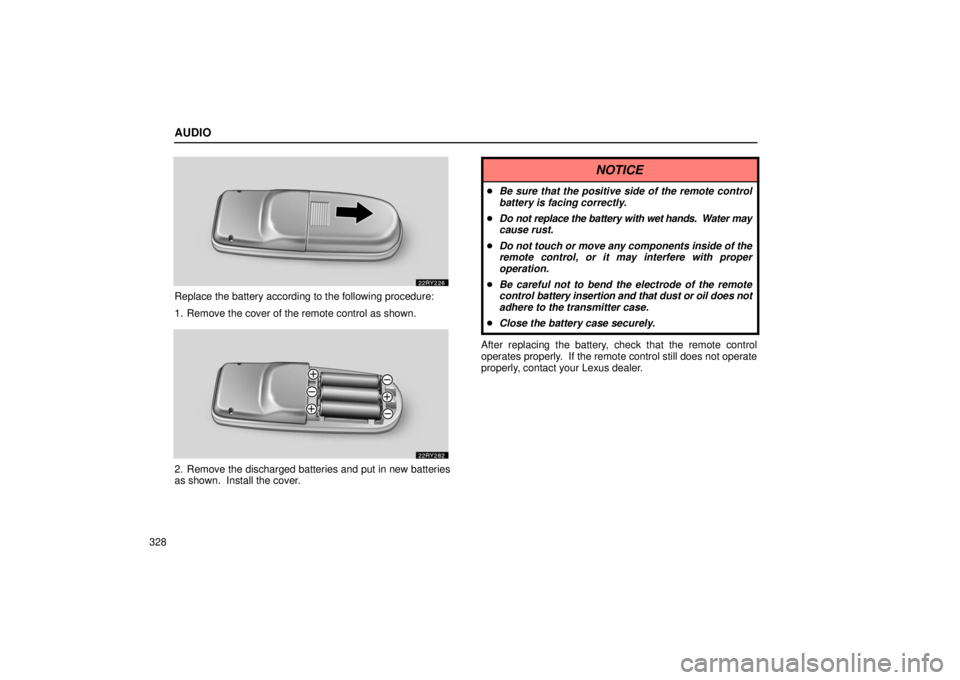
Replace the battery according to the following procedure:
1. Remove the cover of the remote control as shown.
2. Remove the discharged batteries and put in new batteries
as shown. Install the cover.
NOTICE
�Be sure that the positive side of the remote control
battery is facing correctly.
� Do not replace the battery with wet hands. Water may
cause rust.
� Do not touch or move any components inside of the
remote control, or it may interfere with proper
operation.
� Be careful not to bend the electrode of the remote
control battery insertion and that dust or oil does not
adhere to the transmitter case.
� Close the battery case securely.
After replacing the battery, check that the remote control
operates properly. If the remote control still does not operate
properly, contact your Lexus dealer.
Page 352 of 651
AUDIO
331
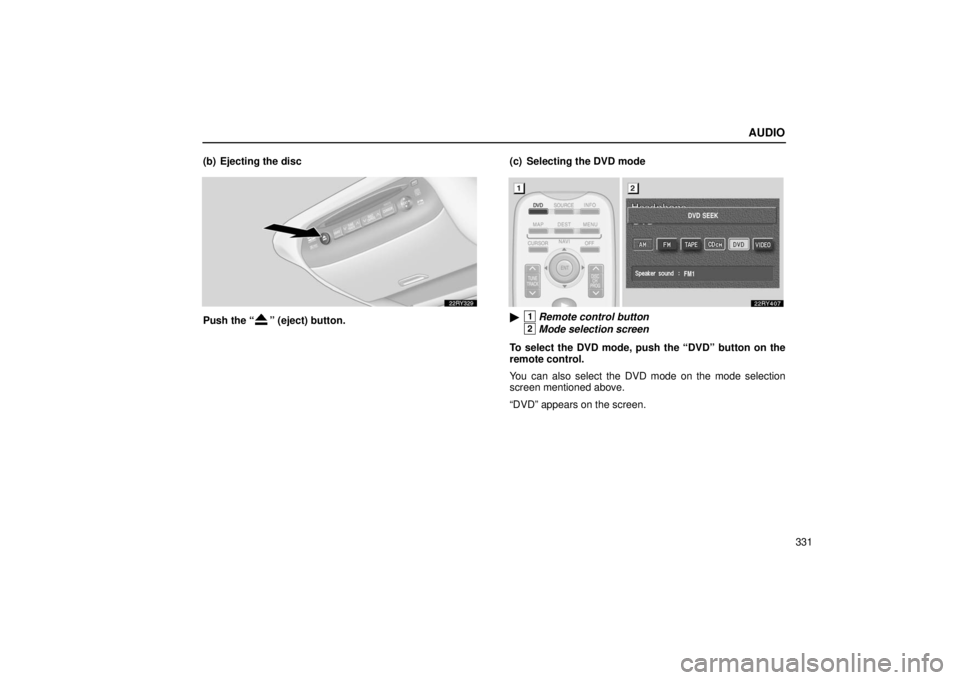
(b) Ejecting the disc
Push the “” (eject) button.
(c) Selecting the DVD mode�1Remote control button
2Mode selection screen
To select the DVD mode, push the “DVD” button on the
remote control.
You can also select the DVD mode on the mode selection
screen mentioned above.
“DVD” appears on the screen.
Page 353 of 651
AUDIO
332
The “DVD Hint!” screen appears when the DVD mode is
first selected after you turn the ignition key to the “ACC”
or “ON” position.
Push the “OK” switch when you read the message.(d) DVD player operation switches
The DVD player can be operated with the remote control
buttons directly.
Page 354 of 651
AUDIO
333
�1Remote control button
2DVD player unit
The player can also be operated with the switches on the
screen.
To operate the switches on the screen, select the switch by the
joy stick and push the “ENT” button. You cannot select the
switches on the screen by touching them directly.
When the switch is selected by the joy stick, the outline of the
switch changes to blue. Push the “ENT” button, and the switch
will be highlighted in green. (e) Turning the operation switches on and off�1Remote control button
2DVD player unit
To turn on the operation switches, push the “CURSOR”
button on the remote control.
Page 357 of 651
AUDIO
336
�1Screen switch2Remote control button
3DVD player unit
To turn off the switches on the screen, push the
“CURSOR” button once again or push the “Hide Buttons”
on the screen.
Page 359 of 651
AUDIO
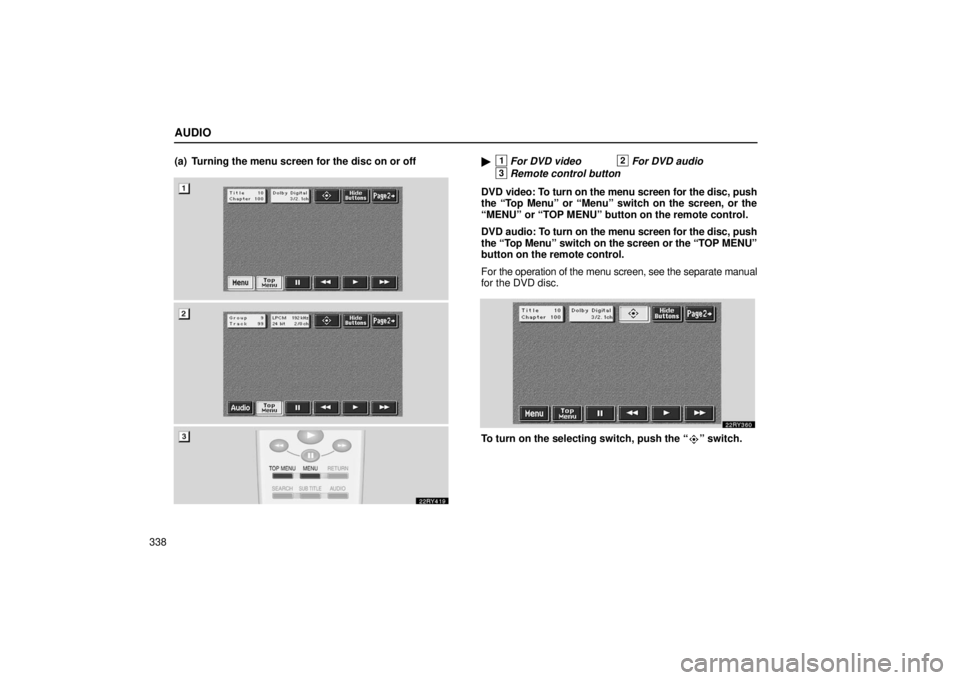
338(a) Turning the menu screen for the disc on or off
�1For DVD video2For DVD audio
3Remote control button
DVD video: To turn on the menu screen for the disc, push
the “Top Menu” or “Menu” switch on the screen, or the
“MENU” or “TOP MENU” button on the remote control.
DVD audio: To turn on the menu screen for the disc, push
the “Top Menu” switch on the screen or the “TOP MENU”
button on the remote control.
For the operation of the menu screen, see the separate manual
for the DVD disc.
To turn on the selecting switch, push the “” switch.
Page 360 of 651
AUDIO
339
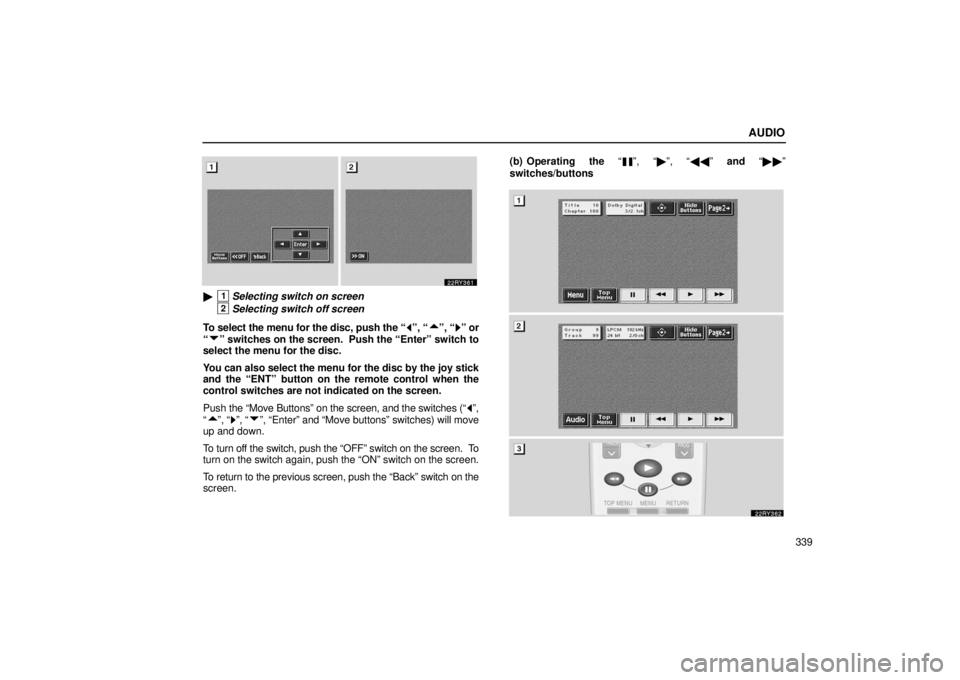
�1Selecting switch on screen
2Selecting switch off screen
To select the menu for the disc, push the “
”, “”, “” or
“
” switches on the screen. Push the “Enter” switch to
select the menu for the disc.
You can also select the menu for the disc by the joy stick
and the “ENT” button on the remote control when the
control switches are not indicated on the screen.
Push the “Move Buttons” on the screen, and the switches (“
”,
“
”, “”, “”, “Enter” and “Move buttons” switches) will move
up and down.
To turn off the switch, push the “OFF” switch on the screen. To
turn on the switch again, push the “ON” switch on the screen.
To return to the previous screen, push the “Back” switch on the
screen. (b) Operating the “
”, “�
”, “�� ” and “�� ”
switches/buttons
Page 361 of 651
AUDIO
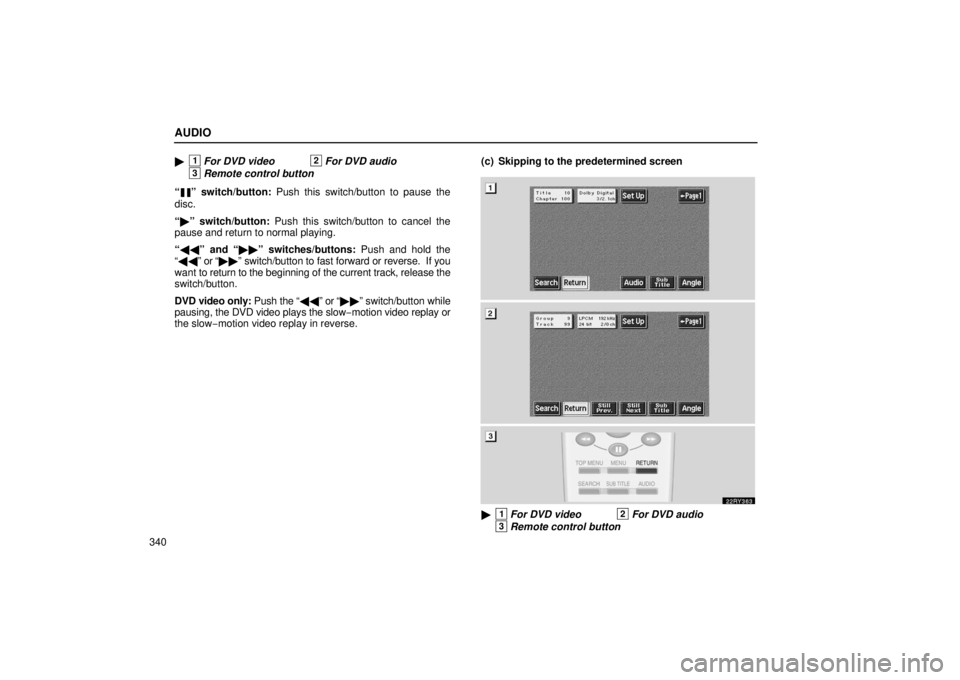
340�
1For DVD video2For DVD audio
3Remote control button
“
” switch/button: Push this switch/button to pause the
disc.
“ � ” switch/button: Push this switch/button to cancel the
pause and return to normal playing.
“ �� ” and “ ��” switches/buttons: Push and hold the
“ �� ” or “�� ” switch/button to fast forward or reverse. If you
want to return to the beginning of the current track, release the
switch/button.
DVD video only: Push the “�� ” or “��” switch/button while
pausing, the DVD video plays the slow −motion video replay or
the slow− motion video replay in reverse. (c) Skipping to the predetermined screen
�1For DVD video2For DVD audio
3Remote control button