Page 362 of 651
AUDIO
341
To skip to the predetermined screen, push the “Return”
switch on the screen or the “RETURN” button on the
remote control. The DVD player starts playing from the
beginning of the predetermined screen.
For further details of the predetermined screen, see the
separate manual for the DVD disc.
(d) Selecting the title/group
�1For DVD video2For DVD audio
3Remote control button
Page 363 of 651
AUDIO
342To display the searching title (DVD video) or group (DVD
audio) screen, push the “Search” switch on
the screen or
the “SEARCH” button on the remote control.
�1For DVD video2For DVD audio
DVD video: Select the title number by using the “”, “+”
and “+10” switches and push the “Enter” switch to enter
the number. The player starts playing disc for that title
number. The selected title number will appear on the
screen.
Push the “Back” switch to return to the menu screen.
DVD audio: Enter the group number by using the “” and
“+” switches. The selected group number will appear on
the screen. Push the “Enter” switch. The player starts
playing the disc from the entered group number.
Push the “Back” switch to return to the previous screen.
Page 365 of 651
AUDIO
344(g) Changing the subtitle language
�1For DVD video2For DVD audio
3Remote control button
Push the “Sub Title” switch on the screen or the “SUB
TITLE” button on the remote control, and the changing
subtitle language screen will appear.
Each time you push the “Sub Title” switch, another
language stored on the disc is selected.
To turn off the subtitles, push the “Hide” switch.
Push the “Back” switch to return to the previous screen.
The selected subtitle language will appear on the screen.
Page 366 of 651
AUDIO
345
(h) Changing audio language
�1Remote control button
2Screen switch
DVD video only —
Push the “Audio” switch on the screen or the “AUDIO”
button on the remote control, and the changing audio
language screen will appear.
Each time you push the “Audio” switch, another language
stored on the disc is selected.
The selected audio language will appear on the screen.
Push the “Back” switch to return to the previous screen.
Page 367 of 651
AUDIO
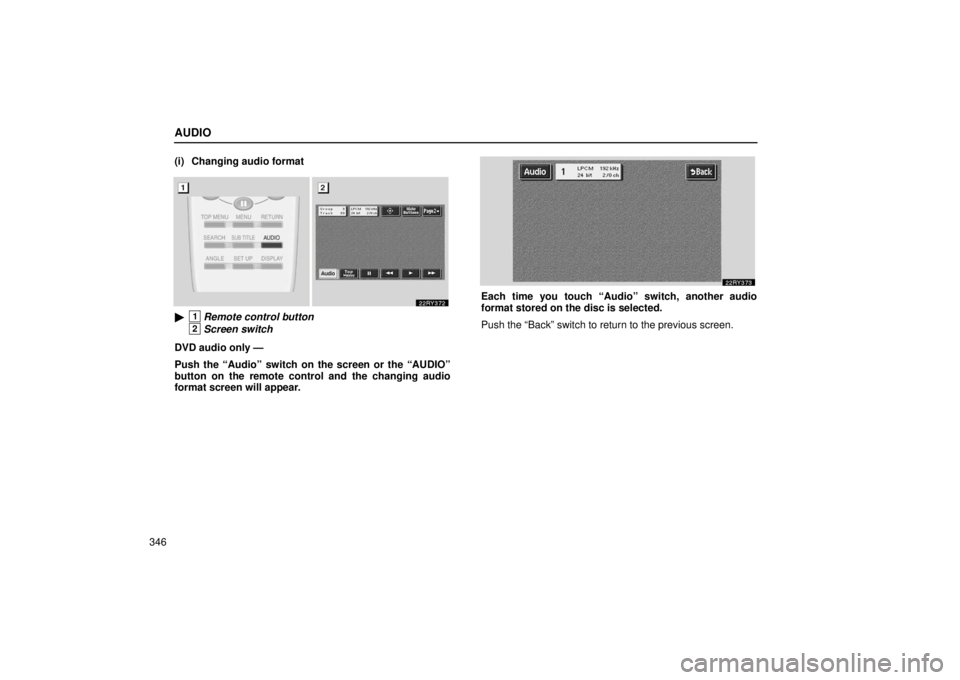
346(i) Changing audio format
�1Remote control button
2Screen switch
DVD audio only —
Push the “Audio” switch on the screen or the “AUDIO”
button on the remote control and the changing audio
format screen will appear.
Each time you touch “Audio” switch, another audio
format stored on the disc is selected.
Push the “Back” switch to return to the previous screen.
Page 368 of 651
AUDIO
347
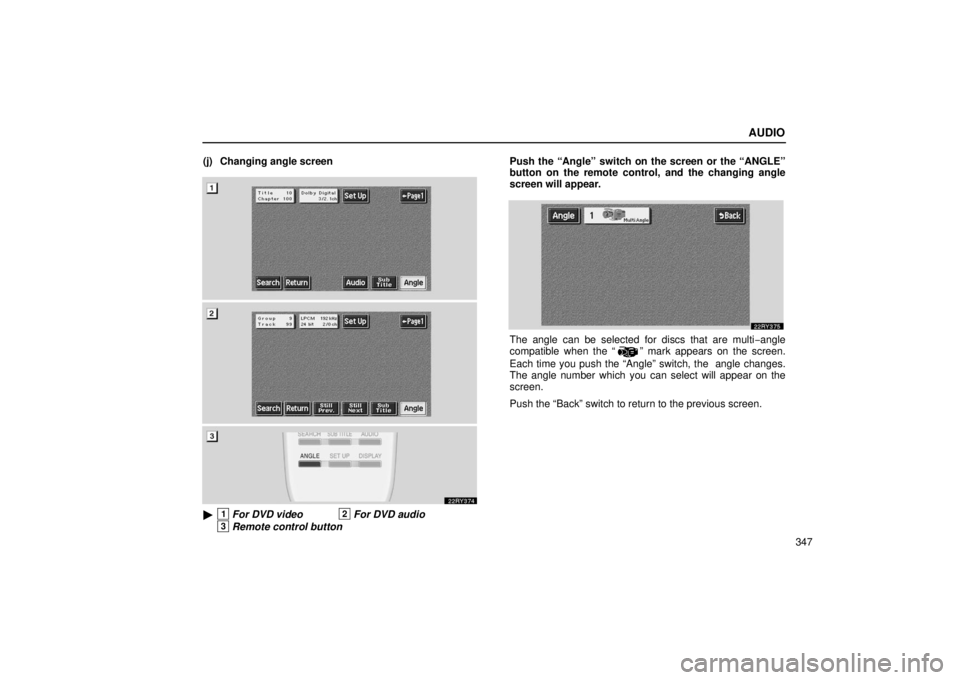
(j) Changing angle screen
�1For DVD video2For DVD audio
3Remote control button
Push the “Angle” switch on the screen or the “ANGLE”
button on the remote control, and the changing angle
screen will appear.
The angle can be selected for discs that are multi
−angle
compatible when the “” mark appears on the screen.
Each time you push the “Angle” switch, the angle changes.
The angle number which you can select will appear on the
screen.
Push the “Back” switch to return to the previous screen.
Page 369 of 651
AUDIO
348(k) Changing the initial setting
�1For DVD video2For DVD audio
3Remote control button
Push the “Set Up” switch on the screen or the “SET UP”
button on the remote control, and the initial setting screen
will appear. You can change the initial setting.
After the setting is done, the player plays from the beginning
of the chapter or the track.
There are initial setting switches on the “Setup Menu 1”
screen 1 and “Setup Menu 2” screen 2.
To change the screen, push the “Page 1” or “Page 2” switch on
the screen.
After you change the initial setting, push the “Enter” switch.
The initial setting switch will be turned off and return to the
picture previously.
When the “Default” switch on “Setup Menu 2” is pushed, all
menus are initialized.
Page 379 of 651
AUDIO
358(s) Selecting the chapter/track
�1Remote control button
2DVD player unit
To select the chapter/track, push the “
” or “”
(TUNE/TRACK) button on the remote control until the
number of the chapter/track you want to select appears on
the screen. (t) Using the control screen
�1For DVD video2For DVD audio
When playing a disc, push the “DVD” button on the remote
control. The control screen will appear on the screen.
Details of the specific switches, controls and features are
described below.
“PICTURE” switch: Push the “PICTURE” switch to turn off
the control screen and return to the picture previously
displayed.
“RPT” switch (DVD audio only): Push the “RPT” switch while
the track is playing. When the track ends, it will automatically
replay. To turn off the repeat feature, push this switch again.