Page 1258 of 3229
Publi s hed: 11-May-2011
Electronic Engine Controls - TD4 2.2L Diesel - Intake Air Temperature (IAT)
Sensor
Removal and Inst all ati on
Removal
• NOTE: Removal s t eps in t his procedure may cont ain i nst all ati on det ail s.
Remove t he cover and dis connect the bat tery ground cabl e.
Refer t o: Specificati ons (414-00 Bat tery and Charging Sys tem -General Informat ion, Specificati ons).
1.
Remove t he engi ne cover.
Refer t o: Engi ne Cover - TD4 2.2L Dies el (501-05 Interior Tri m andOrnament ati on, Removal and Ins tal lat ion).
2.
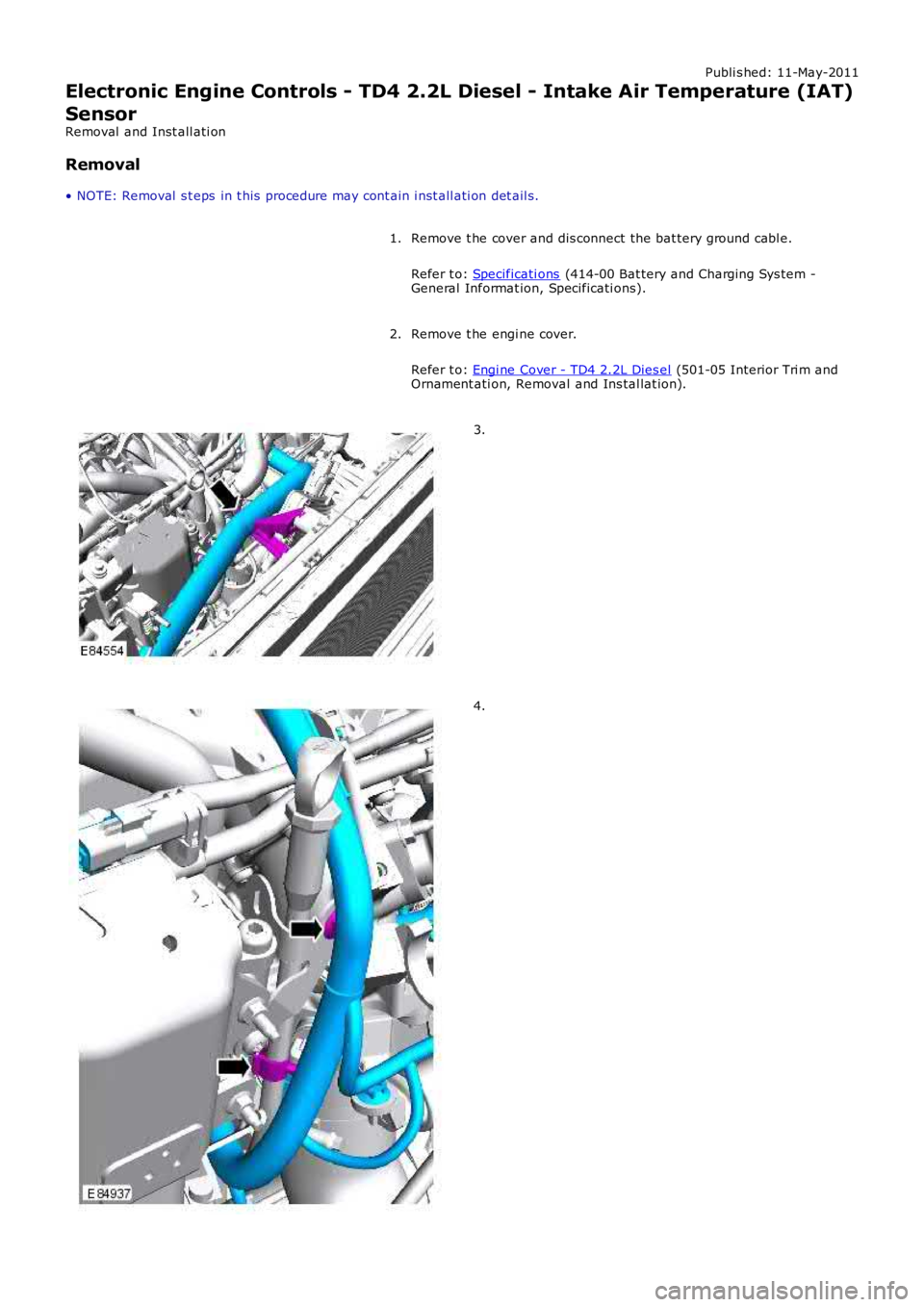
3.
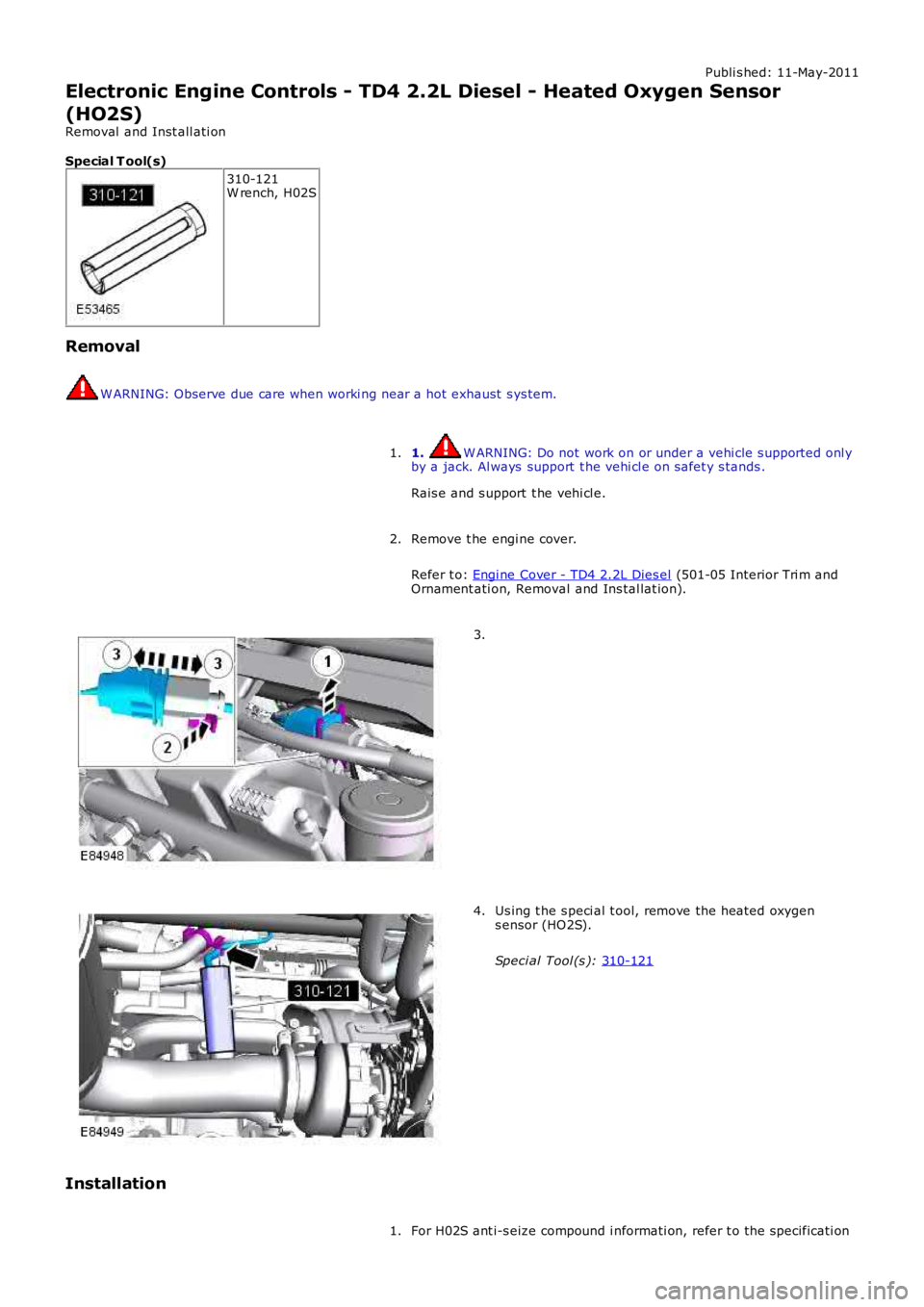
4.
Page 1260 of 3229
Publi s hed: 11-May-2011
Electronic Engine Controls - TD4 2.2L Diesel - Heated Oxygen Sensor
(HO2S)
Removal and Inst all ati on
Special T ool(s) 310-121
W rench, H02S
Removal W ARNING: Observe due care when worki ng near a hot exhaust s ys tem.
1. W ARNING: Do not work on or under a vehi cle s upported onl y
by a jack. Al ways support t he vehi cl e on s afet y s tands .
Rais e and s upport t he vehi cl e.
1.
Remove t he engi ne cover.
Refer t o: Engi ne Cover - TD4 2.2L Dies el (501-05 Interior Tri m and
Ornament ati on, Removal and Ins tal lat ion).
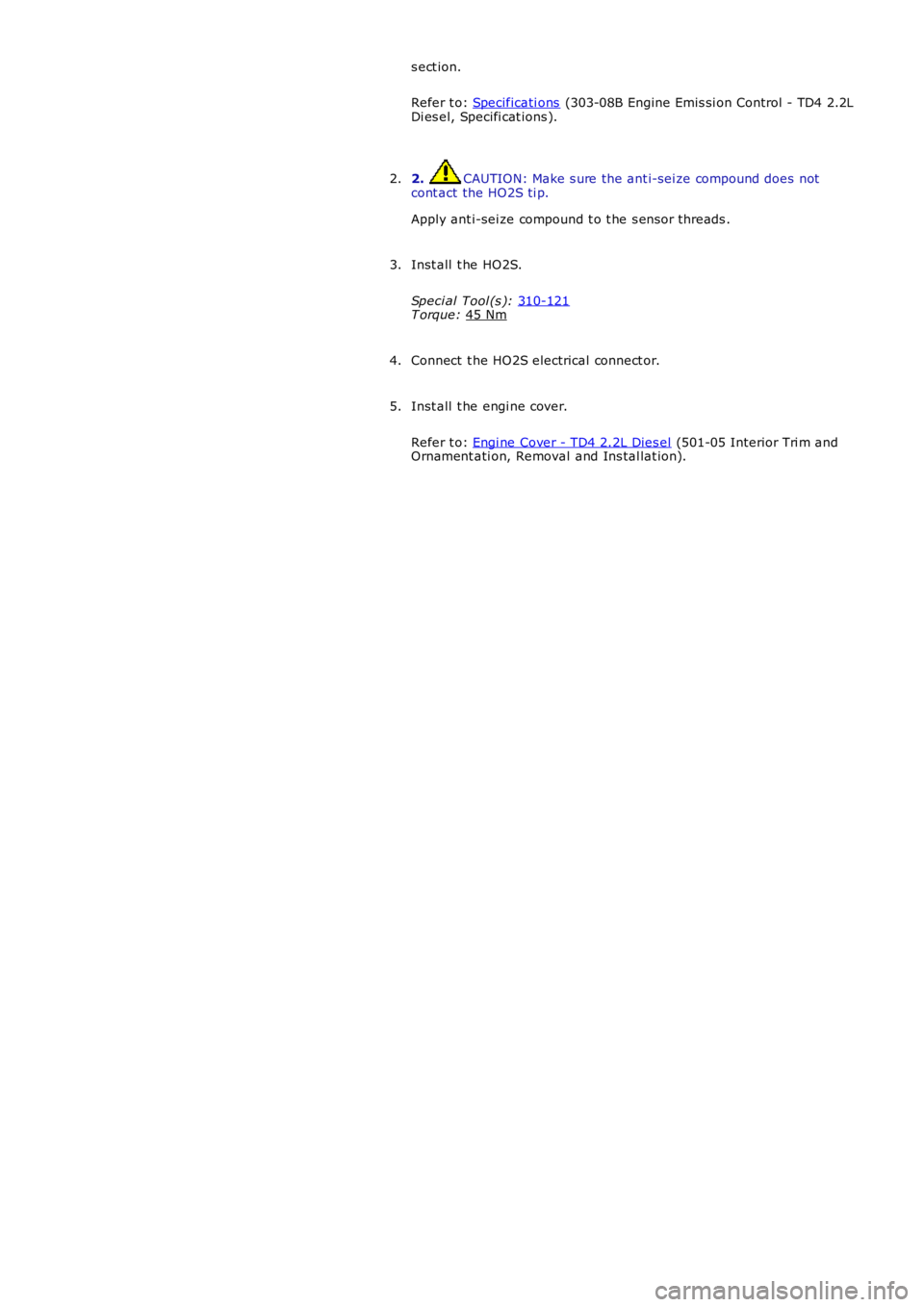
2. 3.
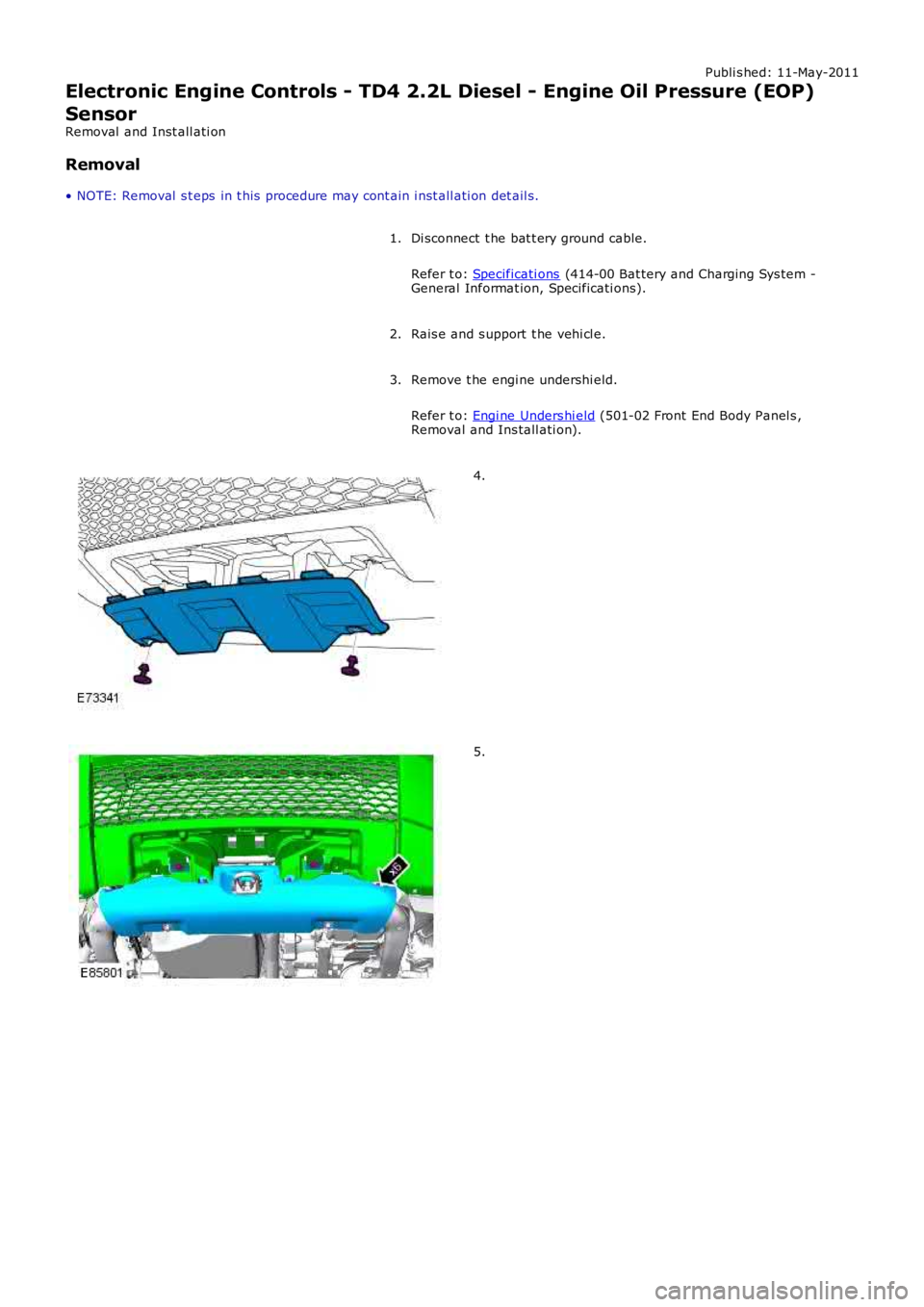
Us ing t he s peci al t ool, remove the heated oxygen
s ensor (HO2S).
Speci al Tool (s ): 310-121 4.
Installation For H02S ant i-s eize compound i nformati on, refer t o the specificati on
1.
Page 1261 of 3229
s ect ion.
Refer t o: Specificati ons (303-08B Engine Emis si on Control - TD4 2.2L
Di es el, Specifi cat ions ).
2. CAUTION: Make s ure the ant i-sei ze compound does not
cont act the HO2S ti p.
Apply ant i-sei ze compound t o t he s ens or threads .
2.
Inst all t he HO2S.
Speci al Tool (s ): 310-121 T orque:
45 Nm 3.
Connect t he HO2S electrical connect or.
4.
Inst all t he engi ne cover.
Refer t o: Engi ne Cover - TD4 2.2L Dies el (501-05 Interior Tri m and
Ornament ati on, Removal and Ins tal lat ion).
5.
Page 1262 of 3229
Publi s hed: 11-May-2011
Electronic Engine Controls - TD4 2.2L Diesel - Engine Oil Pressure (EOP)
Sensor
Removal and Inst all ati on
Removal
• NOTE: Removal s t eps in t his procedure may cont ain i nst all ati on det ail s.
Di sconnect t he bat t ery ground cable.
Refer t o: Specificati ons (414-00 Bat tery and Charging Sys tem -General Informat ion, Specificati ons).
1.
Rais e and s upport t he vehi cl e.2.
Remove t he engi ne undershi eld.
Refer t o: Engi ne Unders hi eld (501-02 Front End Body Panel s ,Removal and Ins tall ati on).
3.
4.
5.
Page 1263 of 3229
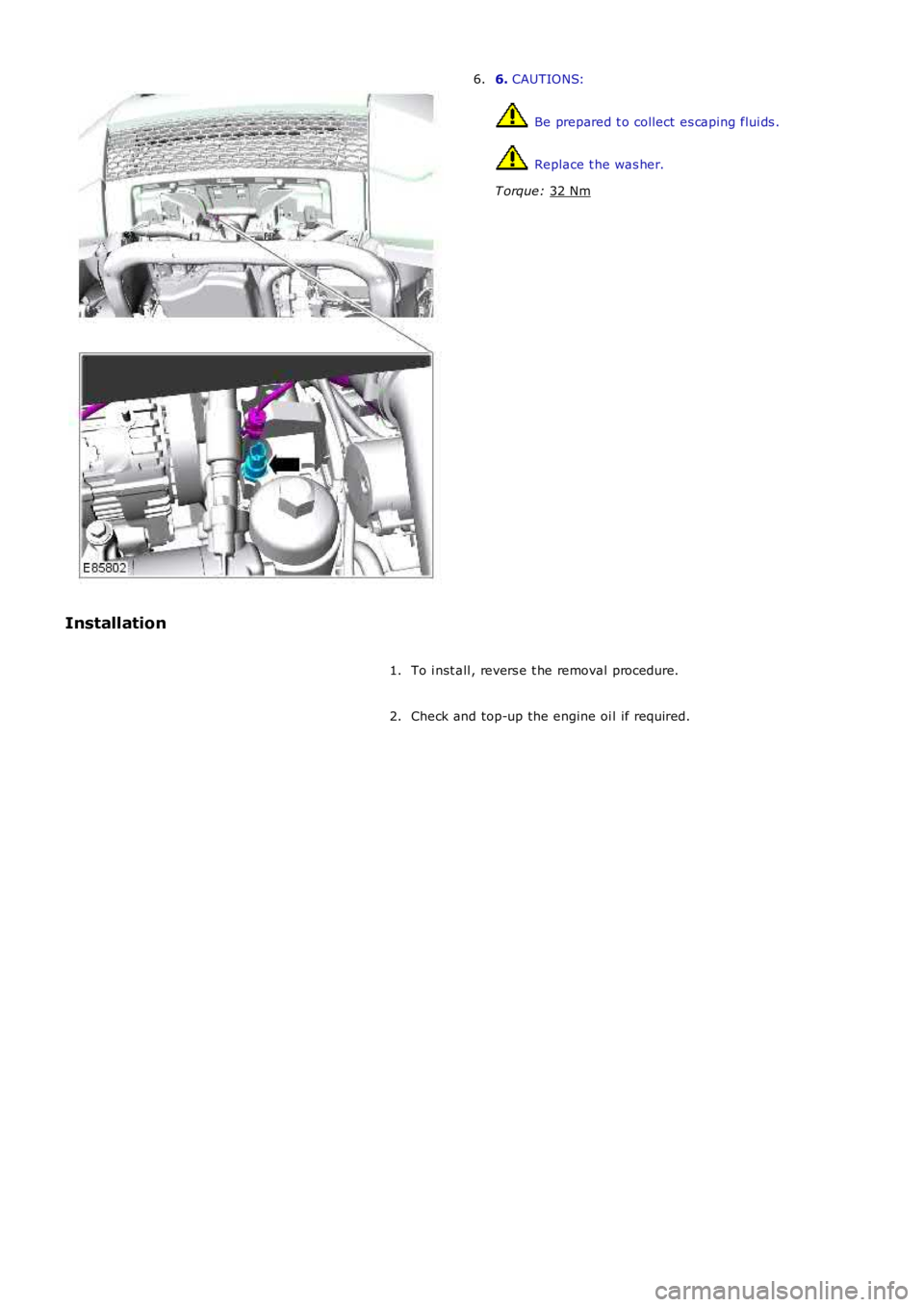
6.
CAUTIONS: Be prepared t o collect es caping flui ds .
Replace t he was her.
T orque: 32 Nm 6.
Installation To i nst all , revers e t he removal procedure.
1.
Check and top-up the engine oi l if required.
2.
Page 1264 of 3229
Publi s hed: 11-May-2011
Electronic Engine Controls - TD4 2.2L Diesel - Intake Manifold Runner
Control (IMRC) Actuator
Removal and Inst all ati on
Removal
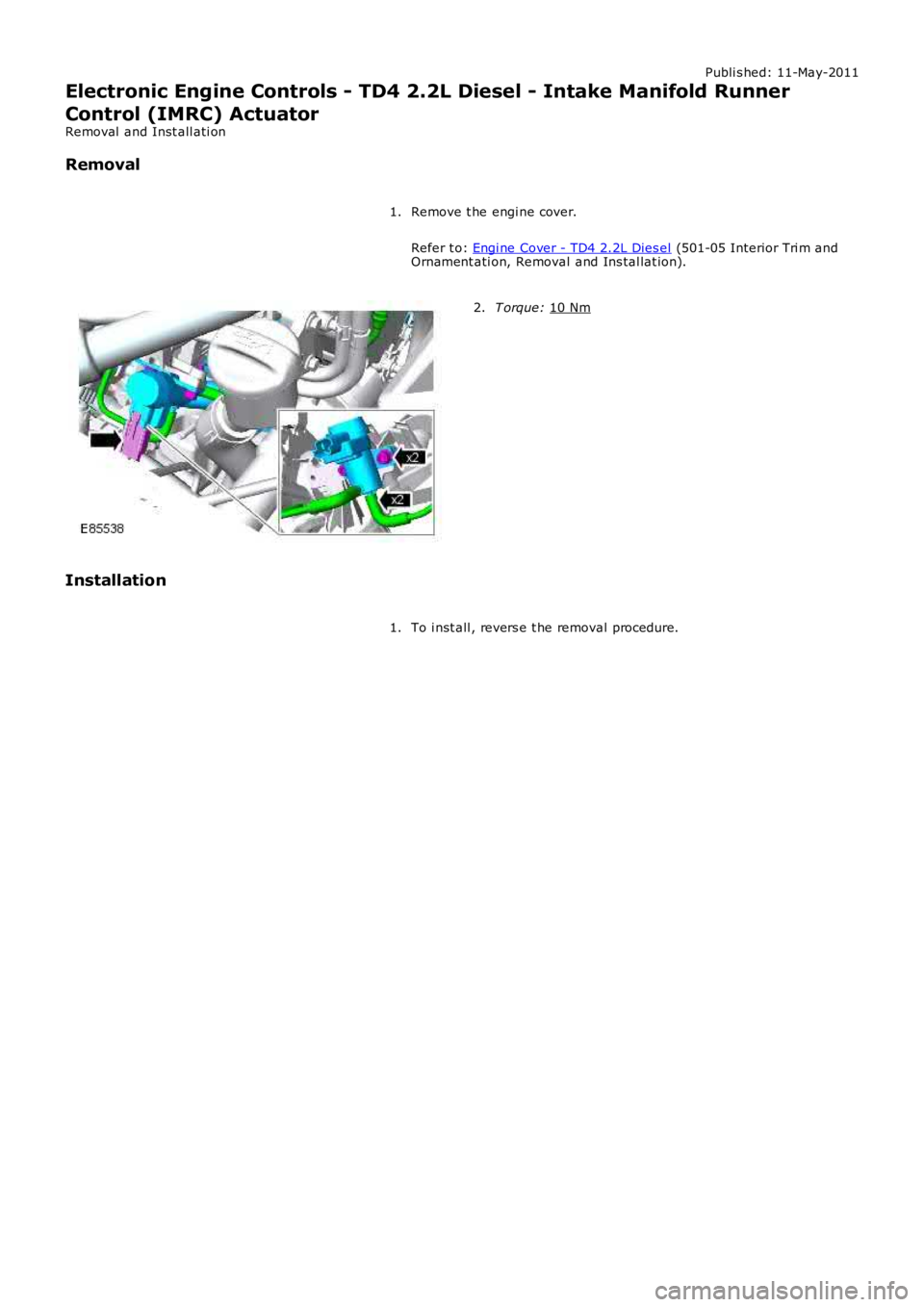
Remove t he engi ne cover.
Refer t o: Engi ne Cover - TD4 2.2L Dies el (501-05 Interior Tri m and
Ornament ati on, Removal and Ins tal lat ion).
1. T orque:
10 Nm 2.
Installation To i nst all , revers e t he removal procedure.
1.
Page 1265 of 3229
Publi s hed: 11-May-2011
Electronic Engine Controls - TD4 2.2L Diesel - Mass Air Flow (MAF) Sensor
Removal and Inst all ati on
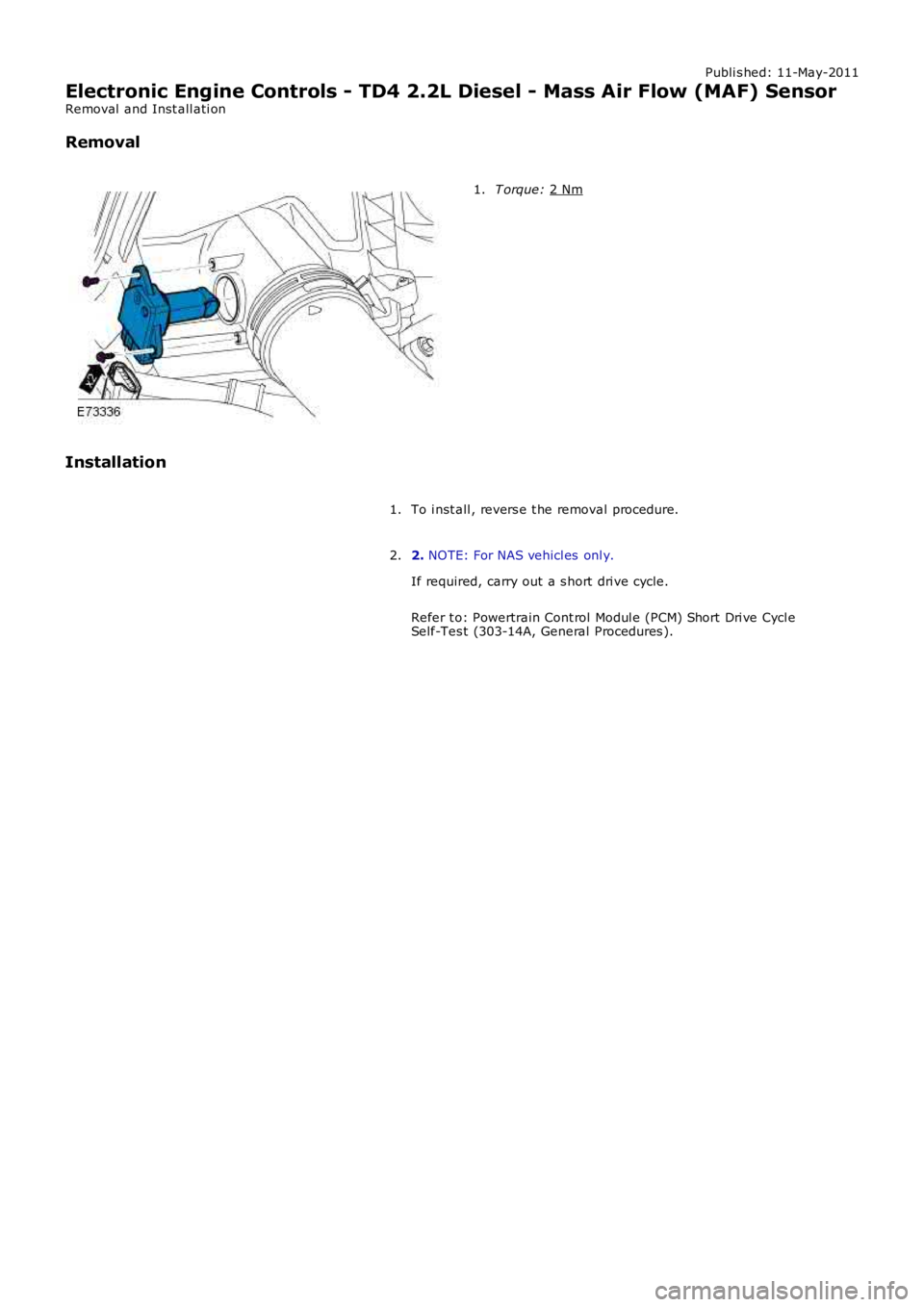
Removal T orque:
2 Nm 1.
Installation To i nst all , revers e t he removal procedure.
1.
2. NOTE: For NAS vehicl es onl y.
If required, carry out a s hort dri ve cycle.
Refer t o: Powertrain Cont rol Modul e (PCM) Short Dri ve Cycl e
Self-Tes t (303-14A, General Procedures ).
2.
Page 1266 of 3229
Publi s hed: 11-May-2011
Electronic Engine Controls - TD4 2.2L Diesel - Crankshaft Position (CKP)
Sensor Ring
Removal and Inst all ati on
Removal
• NOTE: Removal s t eps in t his procedure may cont ain i nst all ati on det ail s.
1. W ARNING: Make sure t o s upport the vehicle wit h axles tands .
Rais e and s upport t he vehi cl e.
1.
Remove t he cranks haft pull ey.
Refer t o: Crankshaft Pul ley (303-01B Engi ne - TD4 2.2L Dies el ,Removal and Ins tall ati on).
2.
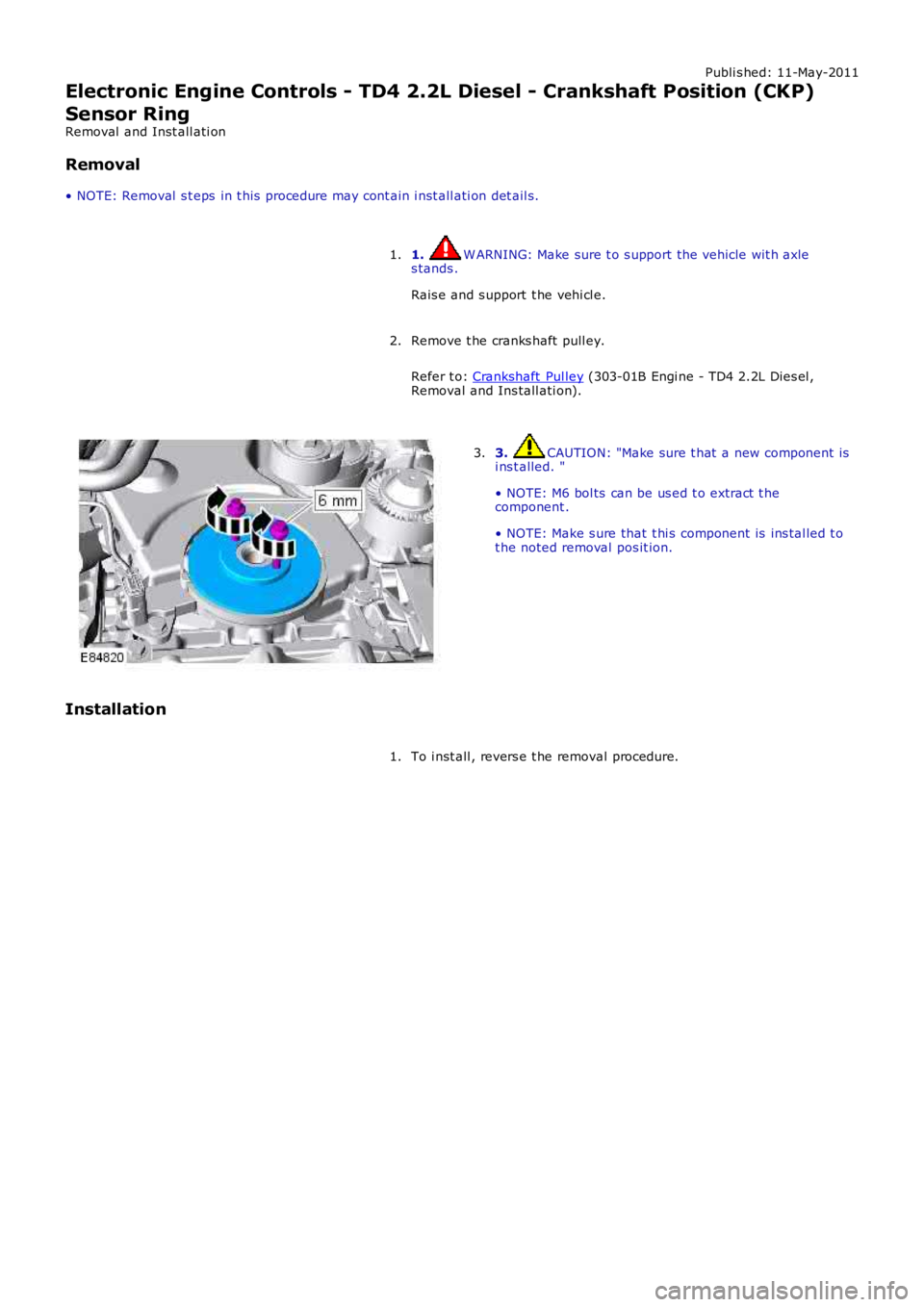
3. CAUTION: "Make sure t hat a new component isi ns t alled. "
• NOTE: M6 bol ts can be us ed t o extract t hecomponent .
• NOTE: Make s ure that t hi s component is ins tal led t ot he noted removal pos it ion.
3.
Installation
To i nst all , revers e t he removal procedure.1.