Page 472 of 3502
ATC-94
TROUBLE DIAGNOSIS
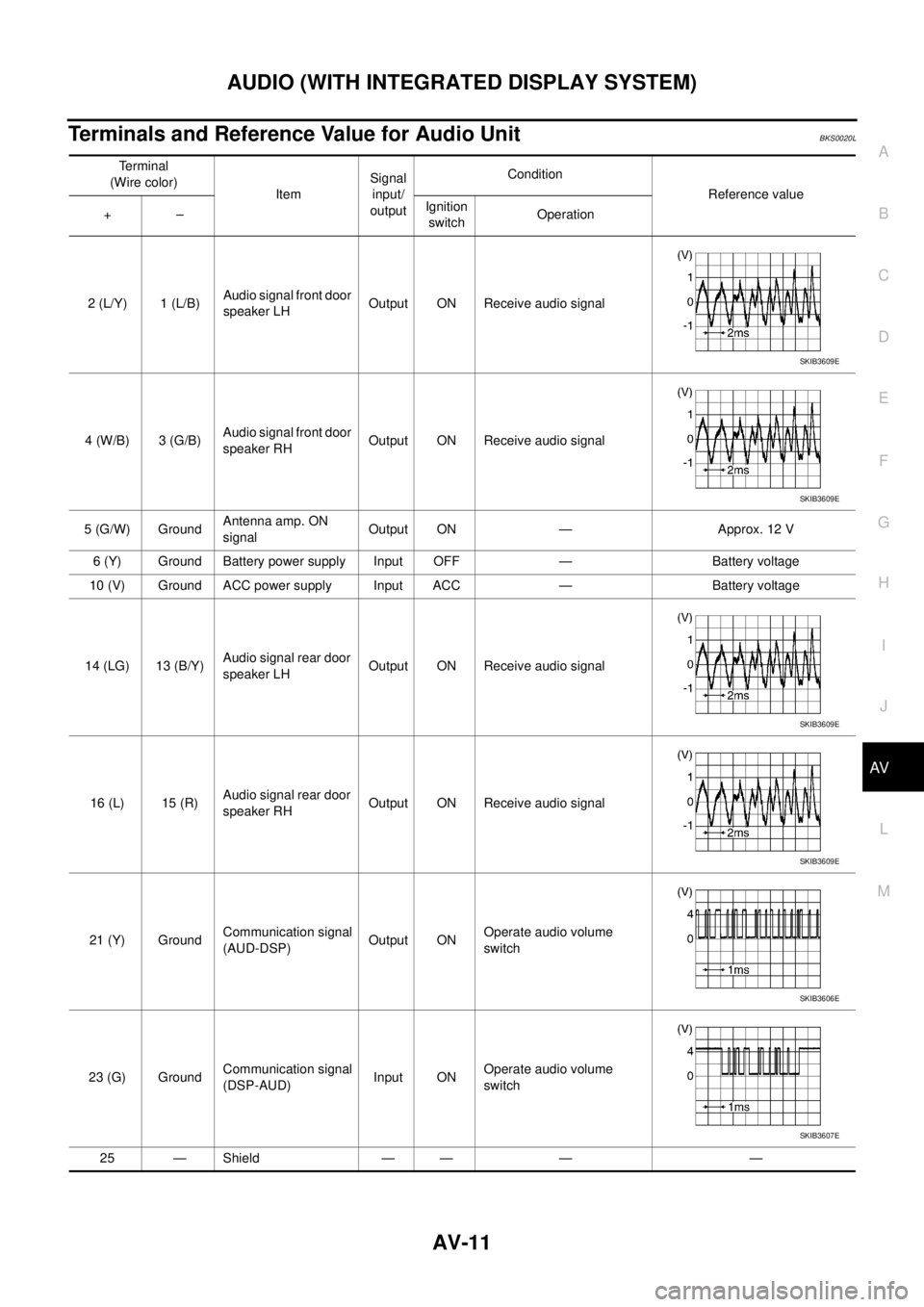
Self-diagnosisBJS000GA
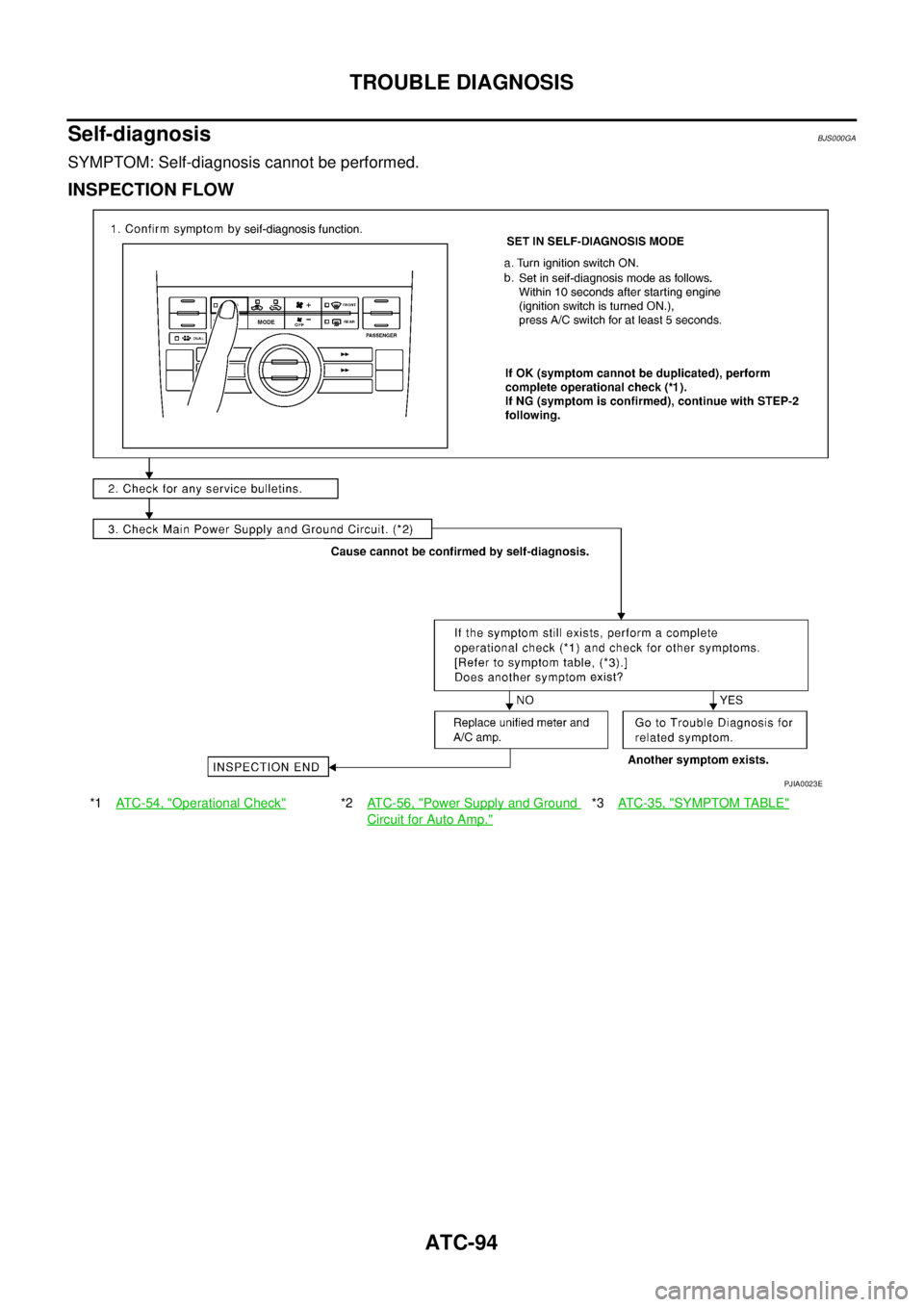
SYMPTOM: Self-diagnosis cannot be performed.
INSPECTION FLOW
*1ATC-54, "Operational Check"*2ATC-56, "Power Supply and Ground
Circuit for Auto Amp."
*3AT C - 3 5 , "SYMPTOM TABLE"
PJIA0023E
Page 473 of 3502
TROUBLE DIAGNOSIS
ATC-95
C
D
E
F
G
H
I
K
L
MA
B
AT C
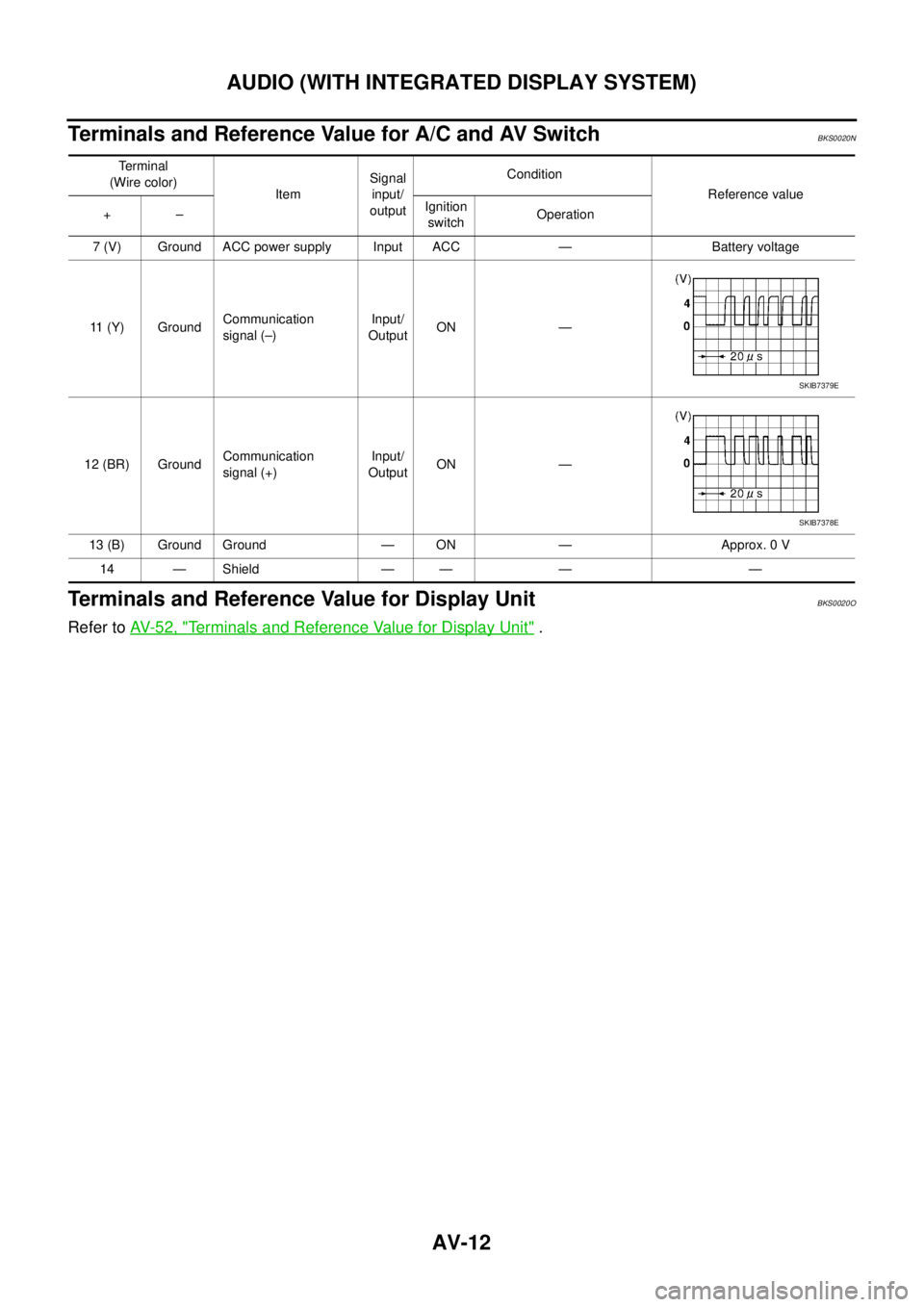
Memory FunctionBJS000GB
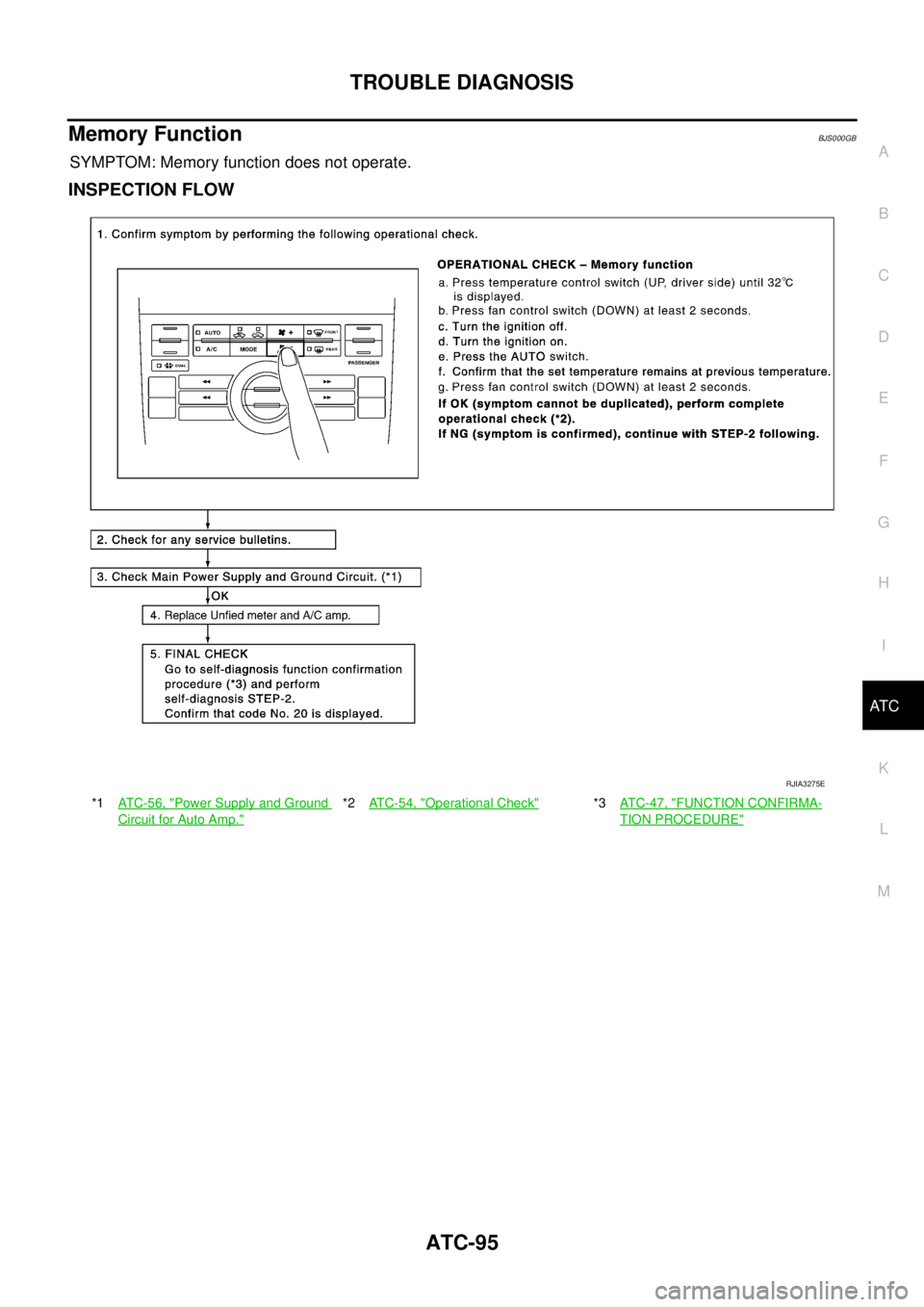
SYMPTOM: Memory function does not operate.
INSPECTION FLOW
*1AT C - 5 6 , "Power Supply and Ground
Circuit for Auto Amp."
*2ATC-54, "Operational Check"*3AT C - 4 7 , "FUNCTION CONFIRMA-
TION PROCEDURE"
RJIA3275E
Page 513 of 3502
REFRIGERANT LINES
ATC-135
C
D
E
F
G
H
I
K
L
MA
B
AT C
VQ Engine
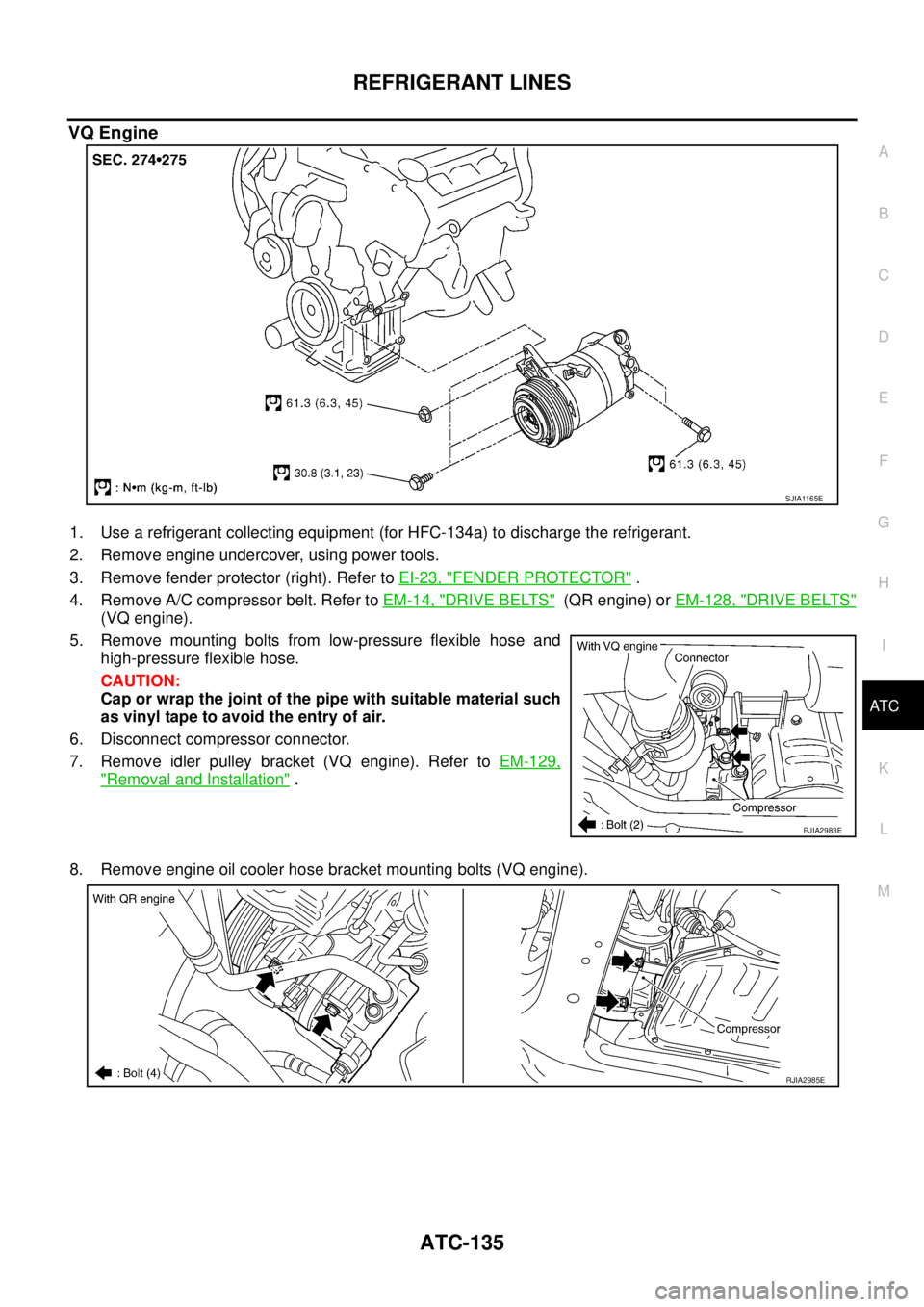
1. Use a refrigerant collecting equipment (for HFC-134a) to discharge the refrigerant.
2. Remove engine undercover, using power tools.
3. Remove fender protector (right). Refer to EI-23, "
FENDER PROTECTOR" .
4. Remove A/C compressor belt. Refer to EM-14, "
DRIVE BELTS" (QR engine) or EM-128, "DRIVE BELTS"
(VQ engine).
5. Remove mounting bolts from low-pressure flexible hose and
high-pressure flexible hose.
CAUTION:
Cap or wrap the joint of the pipe with suitable material such
as vinyl tape to avoid the entry of air.
6. Disconnect compressor connector.
7. Remove idler pulley bracket (VQ engine). Refer to EM-129,
"Removal and Installation" .
8. Remove engine oil cooler hose bracket mounting bolts (VQ engine).
SJIA1165E
RJIA2983E
RJIA2985E
Page 514 of 3502
ATC-136
REFRIGERANT LINES
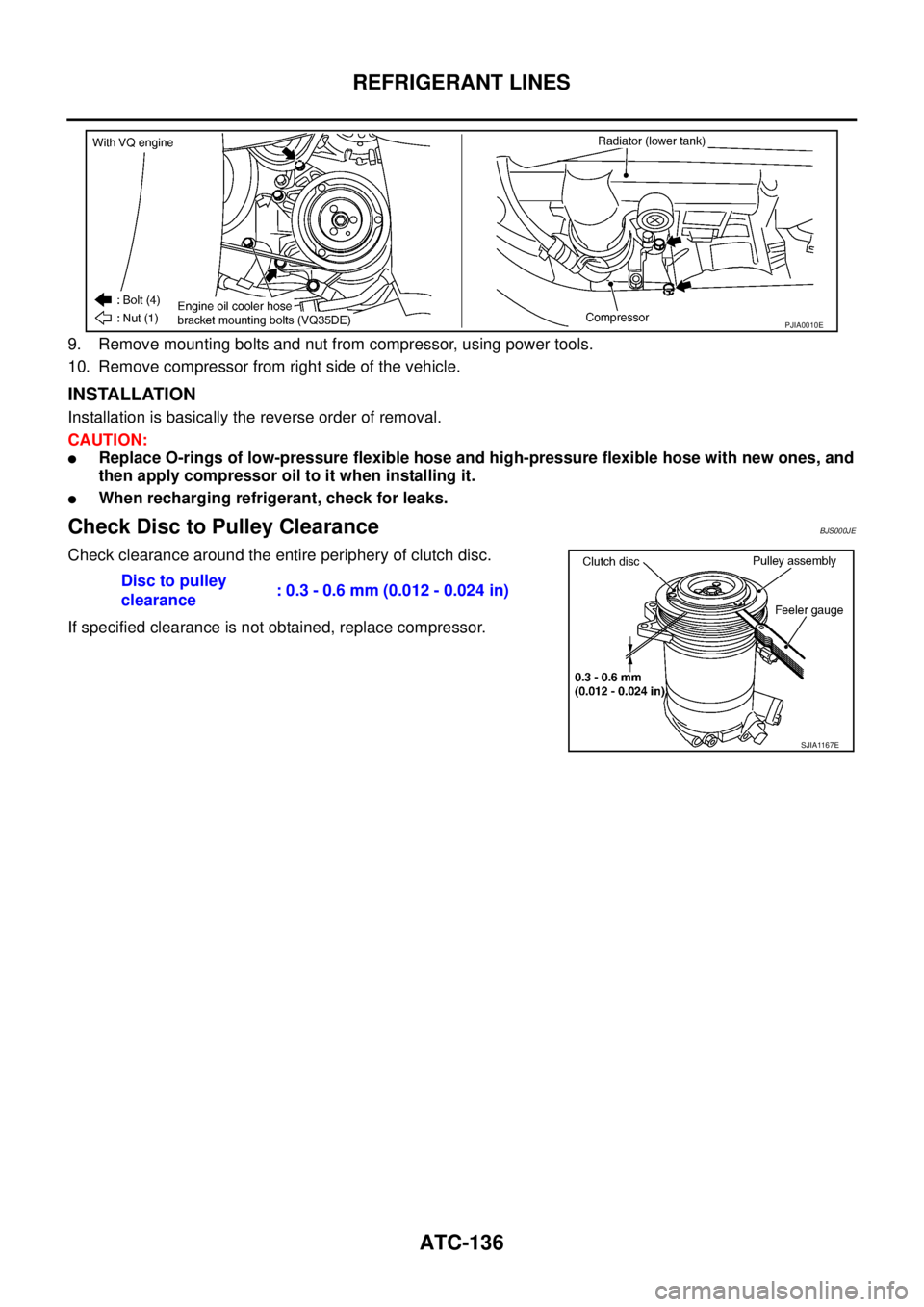
9. Remove mounting bolts and nut from compressor, using power tools.
10. Remove compressor from right side of the vehicle.
INSTALLATION
Installation is basically the reverse order of removal.
CAUTION:
�Replace O-rings of low-pressure flexible hose and high-pressure flexible hose with new ones, and
then apply compressor oil to it when installing it.
�When recharging refrigerant, check for leaks.
Check Disc to Pulley ClearanceBJS000JE
Check clearance around the entire periphery of clutch disc.
If specified clearance is not obtained, replace compressor.
PJIA0010E
Disc to pulley
clearance: 0.3 - 0.6 mm (0.012 - 0.024 in)
SJIA1167E
Page 517 of 3502
REFRIGERANT LINES
ATC-139
C
D
E
F
G
H
I
K
L
MA
B
AT C
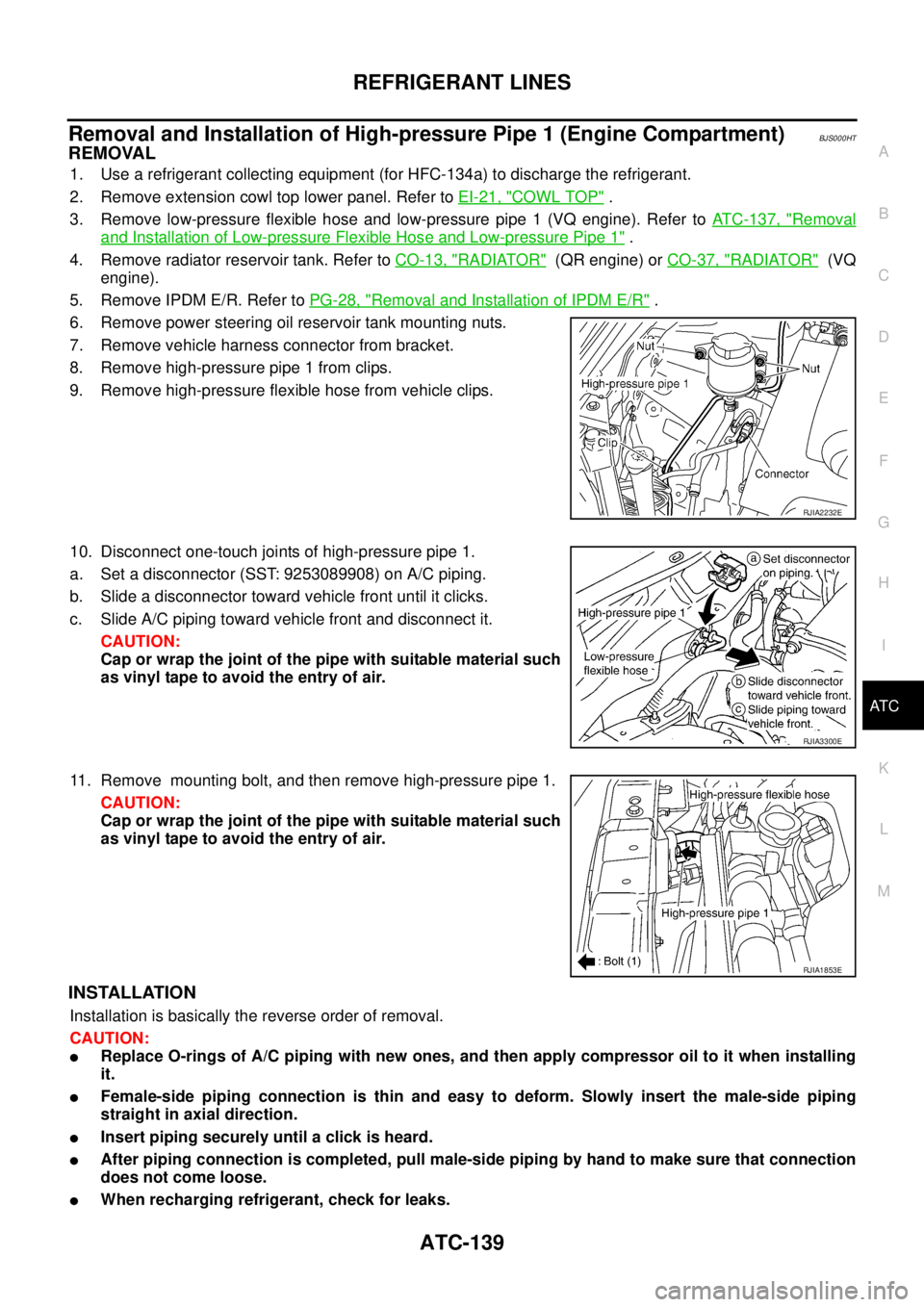
Removal and Installation of High-pressure Pipe 1 (Engine Compartment)BJS000HT
REMOVAL
1. Use a refrigerant collecting equipment (for HFC-134a) to discharge the refrigerant.
2. Remove extension cowl top lower panel. Refer to EI-21, "
COWL TOP" .
3. Remove low-pressure flexible hose and low-pressure pipe 1 (VQ engine). Refer to ATC-137, "
Removal
and Installation of Low-pressure Flexible Hose and Low-pressure Pipe 1" .
4. Remove radiator reservoir tank. Refer to CO-13, "
RADIATOR" (QR engine) or CO-37, "RADIATOR" (VQ
engine).
5. Remove IPDM E/R. Refer to PG-28, "
Removal and Installation of IPDM E/R" .
6. Remove power steering oil reservoir tank mounting nuts.
7. Remove vehicle harness connector from bracket.
8. Remove high-pressure pipe 1 from clips.
9. Remove high-pressure flexible hose from vehicle clips.
10. Disconnect one-touch joints of high-pressure pipe 1.
a. Set a disconnector (SST: 9253089908) on A/C piping.
b. Slide a disconnector toward vehicle front until it clicks.
c. Slide A/C piping toward vehicle front and disconnect it.
CAUTION:
Cap or wrap the joint of the pipe with suitable material such
as vinyl tape to avoid the entry of air.
11. Remove mounting bolt, and then remove high-pressure pipe 1.
CAUTION:
Cap or wrap the joint of the pipe with suitable material such
as vinyl tape to avoid the entry of air.
INSTALLATION
Installation is basically the reverse order of removal.
CAUTION:
�Replace O-rings of A/C piping with new ones, and then apply compressor oil to it when installing
it.
�Female-side piping connection is thin and easy to deform. Slowly insert the male-side piping
straight in axial direction.
�Insert piping securely until a click is heard.
�After piping connection is completed, pull male-side piping by hand to make sure that connection
does not come loose.
�When recharging refrigerant, check for leaks.
RJIA2232E
RJIA3300E
RJIA1853E
Page 539 of 3502
AUDIO (WITH INTEGRATED DISPLAY SYSTEM)
AV-11
C
D
E
F
G
H
I
J
L
MA
B
AV
Terminals and Reference Value for Audio UnitBKS0020L
Terminal
(Wire color)
ItemSignal
input/
outputCondition
Reference value
+–Ignition
switchOperation
2 (L/Y) 1 (L/B)Audio signal front door
speaker LHOutput ON Receive audio signal
4 (W/B) 3 (G/B)Audio signal front door
speaker RHOutput ON Receive audio signal
5 (G/W) GroundAntenna amp. ON
signalOutput ON — Approx. 12 V
6 (Y) Ground Battery power supply Input OFF — Battery voltage
10 (V) Ground ACC power supply Input ACC — Battery voltage
14 (LG) 13 (B/Y)Audio signal rear door
speaker LHOutput ON Receive audio signal
16 (L) 15 (R)Audio signal rear door
speaker RHOutput ON Receive audio signal
21 (Y) GroundCommunication signal
(AUD-DSP)Output ONOperate audio volume
switch
23 (G) GroundCommunication signal
(DSP-AUD)Input ONOperate audio volume
switch
25 — Shield — — — —
SKIB3609E
SKIB3609E
SKIB3609E
SKIB3609E
SKIB3606E
SKIB3607E
Page 540 of 3502
AV-12
AUDIO (WITH INTEGRATED DISPLAY SYSTEM)
Terminals and Reference Value for A/C and AV SwitchBKS0020N
Terminals and Reference Value for Display UnitBKS0020O
Refer to AV- 5 2 , "Terminals and Reference Value for Display Unit" .
Te r m i n a l
(Wire color)
ItemSignal
input/
outputCondition
Reference value
+–Ignition
switchOperation
7 (V) Ground ACC power supply Input ACC — Battery voltage
11 (Y) GroundCommunication
signal (–)Input/
OutputON —
12 (BR) GroundCommunication
signal (+)Input/
OutputON —
13 (B) Ground Ground — ON — Approx. 0 V
14 — Shield — — — —
SKIB7379E
SKIB7378E
Page 542 of 3502

AV-14
AUDIO (WITH INTEGRATED DISPLAY SYSTEM)
Symptom ChartBKS0020Q
�The majority of the audio malfunctions are the result of outside causes (bad CD, electromagnetic interfer-
ence, etc.). Check the symptoms below to diagnose the malfunction.
�The vehicle itself can be a source of noise if noise prevention parts or electrical equipment is malfunction-
ing. Check if noise is caused and/or changed by engine speed, ignition switch turned to each position, and
operation of each piece of electrical equipment, and then determine the cause.
�CD-R is not guaranteed to play because they can contain compressed audio (MP3, WMA) or could be
incorrectly mastered by the customer on a computer.
�Check if the CDs carry the Compact Disc Logo. If not, the disc is not mastered to the “red book” Compact
Disc Standard and may not play.
�Make sure that other operation except audio system can be performed with A/C and AV switch. If these
operations are inoperative with A/C and AV switch, refer to AV- 5 8 , "
Unable to Operate System with A/C
and AV Switch" .
NOTE:
Noise resulting from variations in field strength, such as fading noise and multi-path noise, or external noise
from trains and other sources. It is not a malfunction.
�Fading noise: This noise occurs because of variations in the field strength in a narrow range due to moun-
tains or buildings blocking the signal.
�Multi-path noise: This noise results from a time difference between the broadcast waves directly from the
station arriving at the antenna and the waves reflected by mountains or buildings.
Symptom Possible malfunction location
Audio system does not work properly.
�Audio unit power supply circuit
�Communication signal circuit between audio unit and display unit
�A/C and AV switch
�Audio unit
No sound can be heard from all speakers. Audio unit
No sound can be heard from one or several speakers.
�Audio signal circuit between audio unit and speaker
�Speaker
�Tw e e te r
�Audio unit
No sound can be heard from radio or noise is caught.
�Antenna amp. ON signal circuit
�Antenna feeder
�Rear window antenna
�Antenna amp.
�Audio unit