Page 1786 of 2100
8A±10LIGHTING SYSTEM
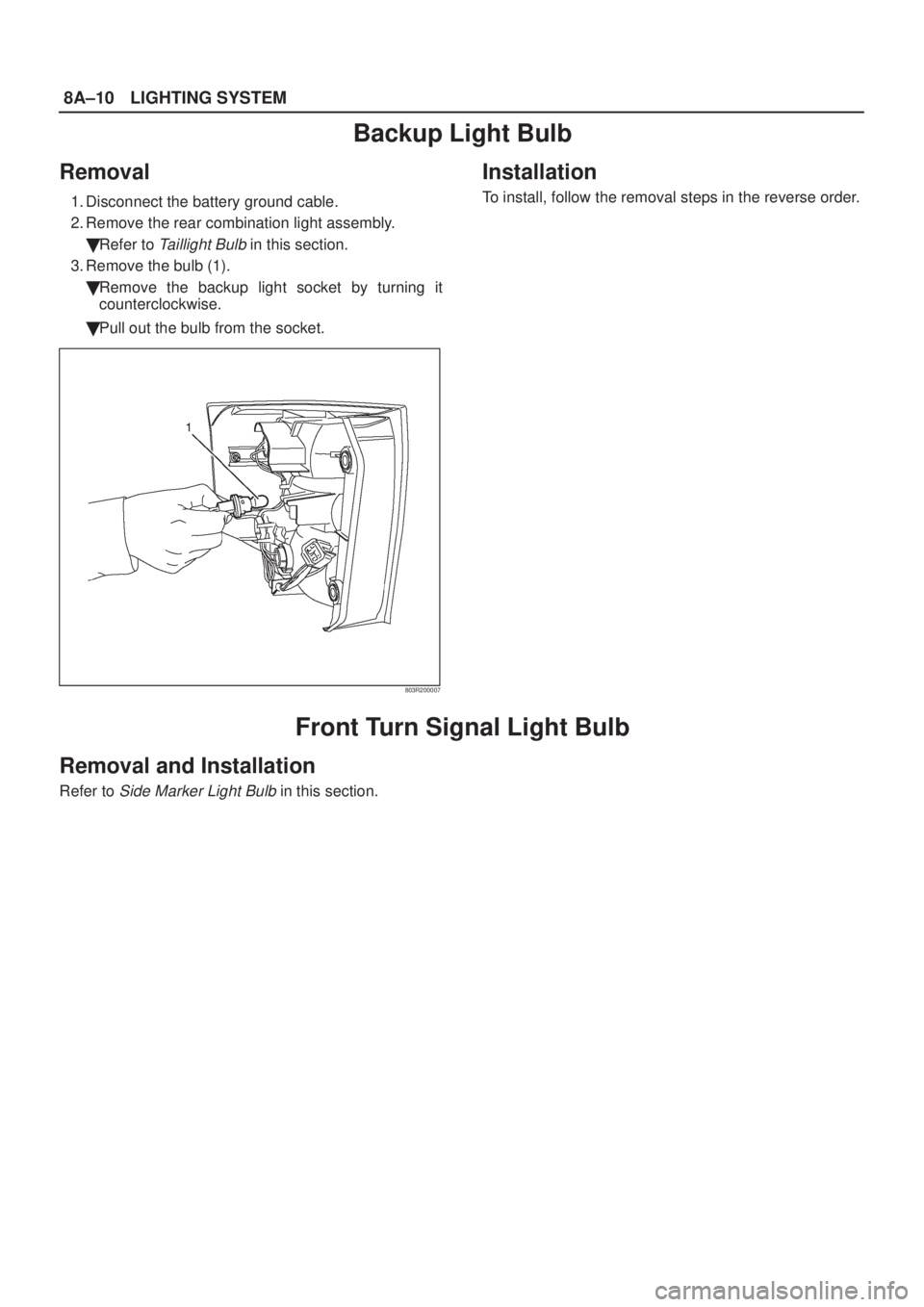
Backup Light Bulb
Removal
1. Disconnect the battery ground cable.
2. Remove the rear combination light assembly.
�Refer to
Taillight Bulb in this section.
3. Remove the bulb (1).
�Remove the backup light socket by turning it
counterclockwise.
�Pull out the bulb from the socket.
803R200007
Installation
To install, follow the removal steps in the reverse order.
Front Turn Signal Light Bulb
Removal and Installation
Refer to Side Marker Light Bulb in this section.
Page 1787 of 2100
LIGHTING SYSTEM8A±11
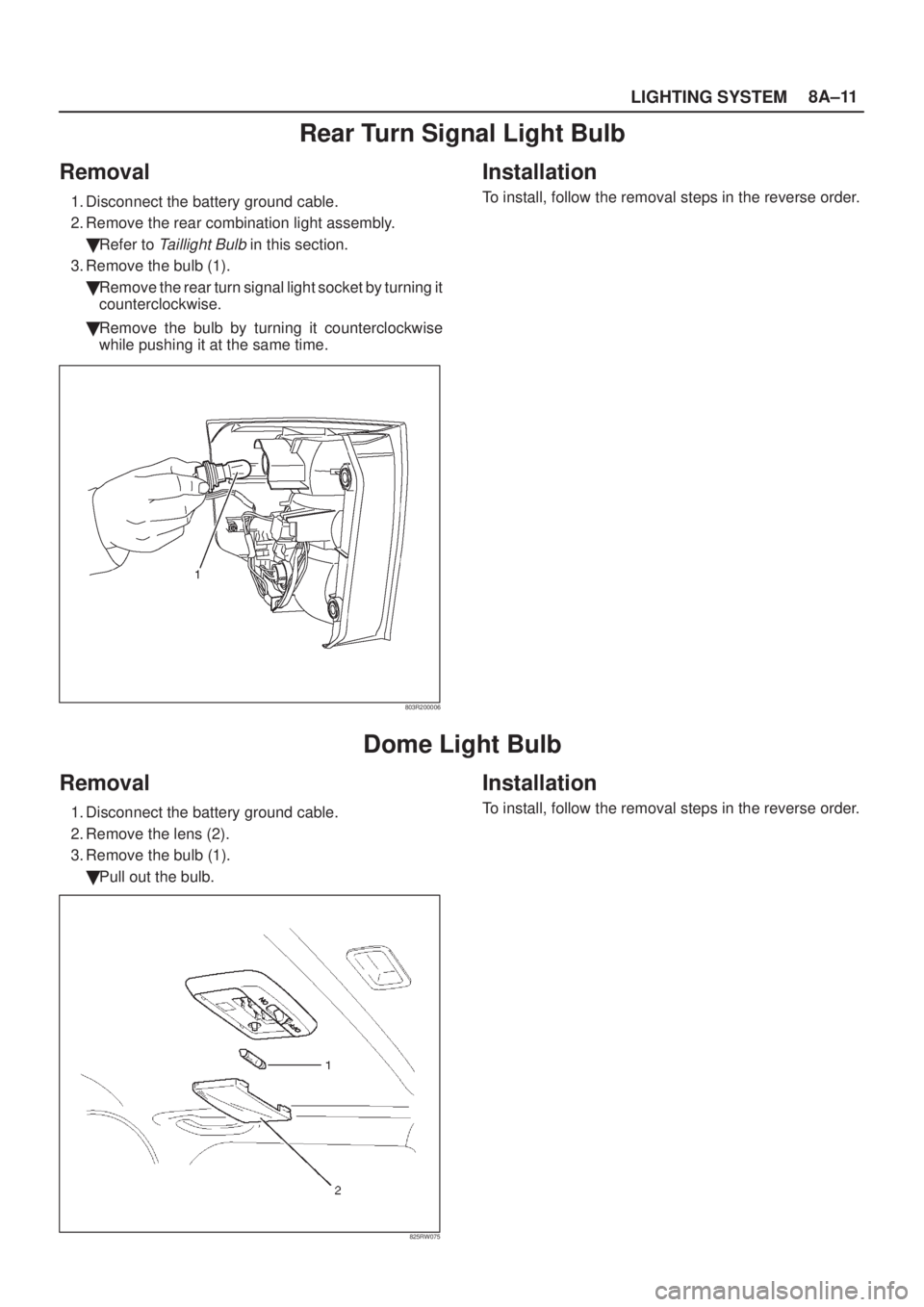
Rear Turn Signal Light Bulb
Removal
1. Disconnect the battery ground cable.
2. Remove the rear combination light assembly.
�Refer to
Taillight Bulb in this section.
3. Remove the bulb (1).
�Remove the rear turn signal light socket by turning it
counterclockwise.
�Remove the bulb by turning it counterclockwise
while pushing it at the same time.
803R200006
Installation
To install, follow the removal steps in the reverse order.
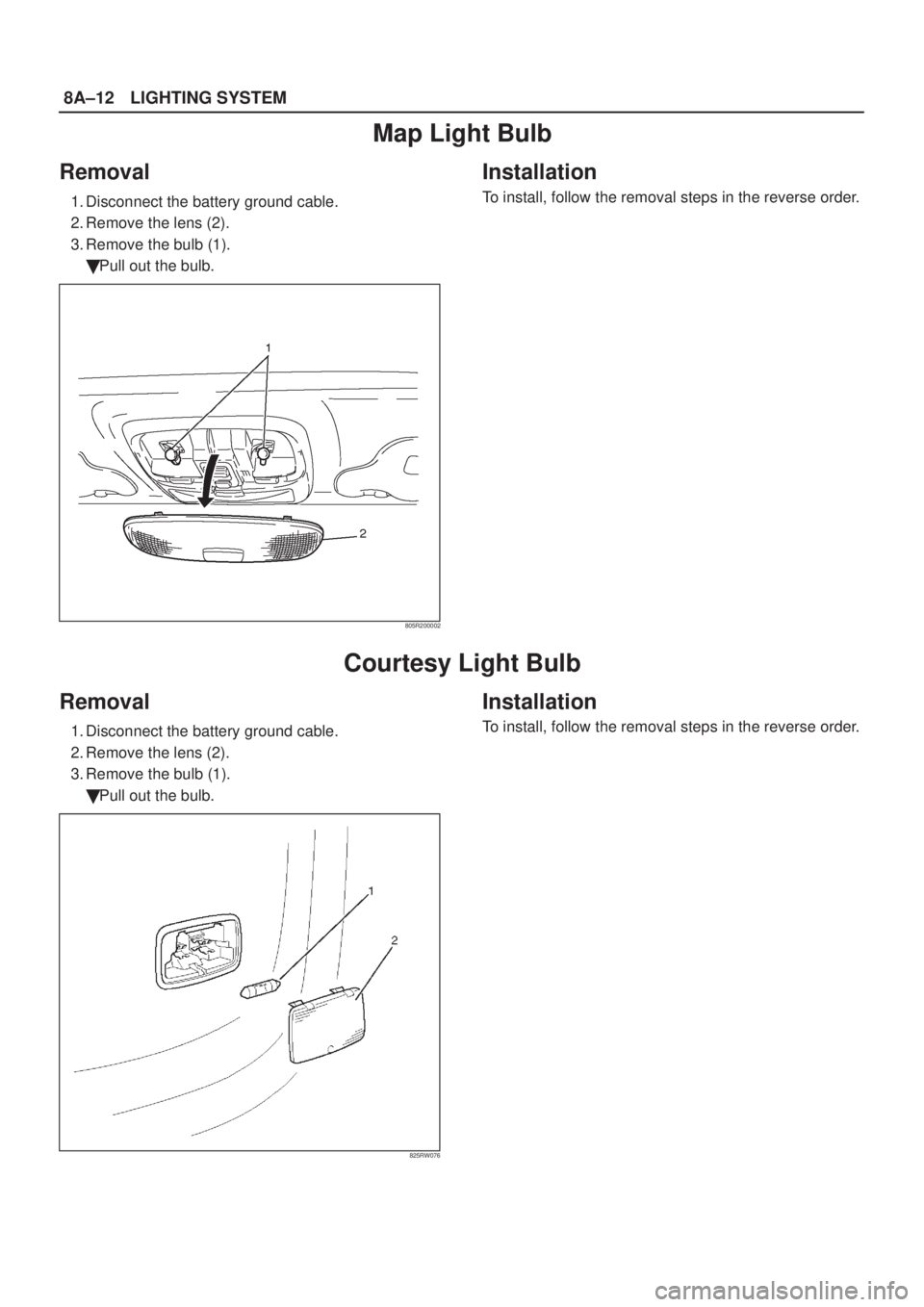
Dome Light Bulb
Removal
1. Disconnect the battery ground cable.
2. Remove the lens (2).
3. Remove the bulb (1).
�Pull out the bulb.
825RW075
Installation
To install, follow the removal steps in the reverse order.
Page 1788 of 2100
8A±12LIGHTING SYSTEM
Map Light Bulb
Removal
1. Disconnect the battery ground cable.
2. Remove the lens (2).
3. Remove the bulb (1).
�Pull out the bulb.
805R200002
Installation
To install, follow the removal steps in the reverse order.
Courtesy Light Bulb
Removal
1. Disconnect the battery ground cable.
2. Remove the lens (2).
3. Remove the bulb (1).
�Pull out the bulb.
825RW076
Installation
To install, follow the removal steps in the reverse order.
Page 1789 of 2100
LIGHTING SYSTEM8A±13
Luggage Room Light Bulb
Removal
1. Disconnect the battery ground cable.
2. Remove the lens (2).
3. Remove the bulb (1).
�Pull out the bulb.
805R200001
Installation
To install, follow the removal steps in the reverse order.
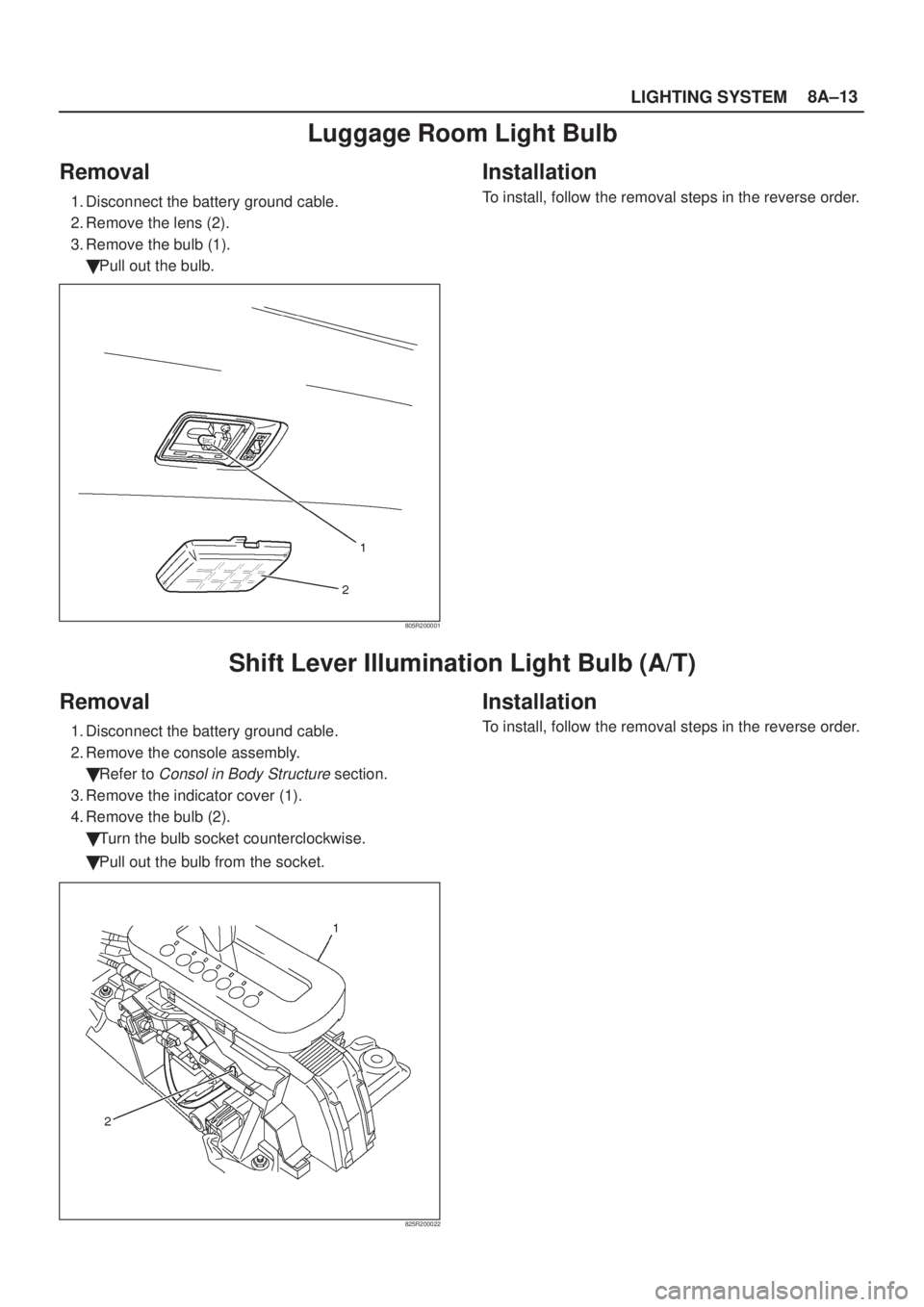
Shift Lever Illumination Light Bulb (A/T)
Removal
1. Disconnect the battery ground cable.
2. Remove the console assembly.
�Refer to
Consol in Body Structure section.
3. Remove the indicator cover (1).
4. Remove the bulb (2).
�Turn the bulb socket counterclockwise.
�Pull out the bulb from the socket.
825R200022
Installation
To install, follow the removal steps in the reverse order.
Page 1790 of 2100
8A±14LIGHTING SYSTEM
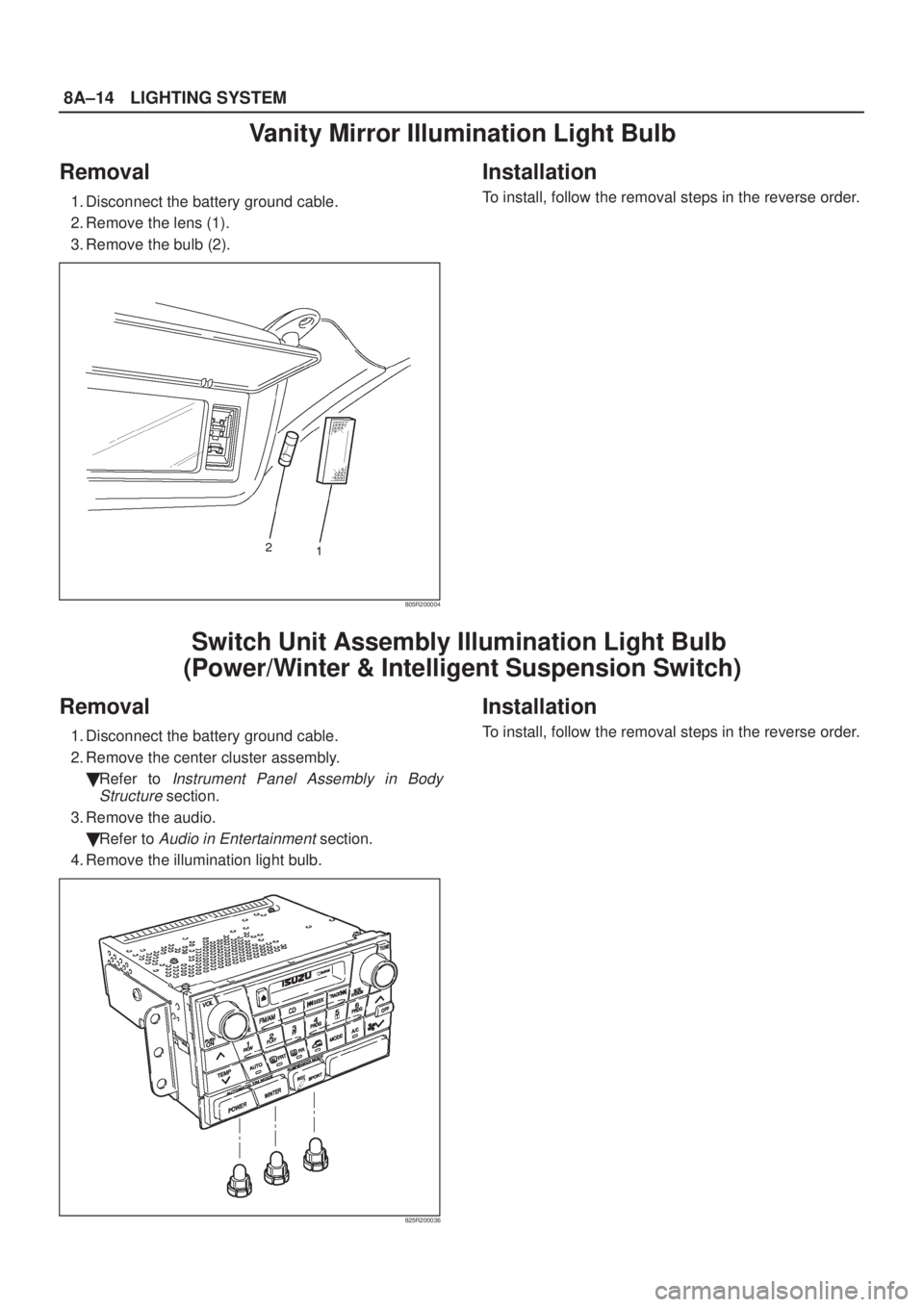
Vanity Mirror Illumination Light Bulb
Removal
1. Disconnect the battery ground cable.
2. Remove the lens (1).
3. Remove the bulb (2).
805R200004
Installation
To install, follow the removal steps in the reverse order.
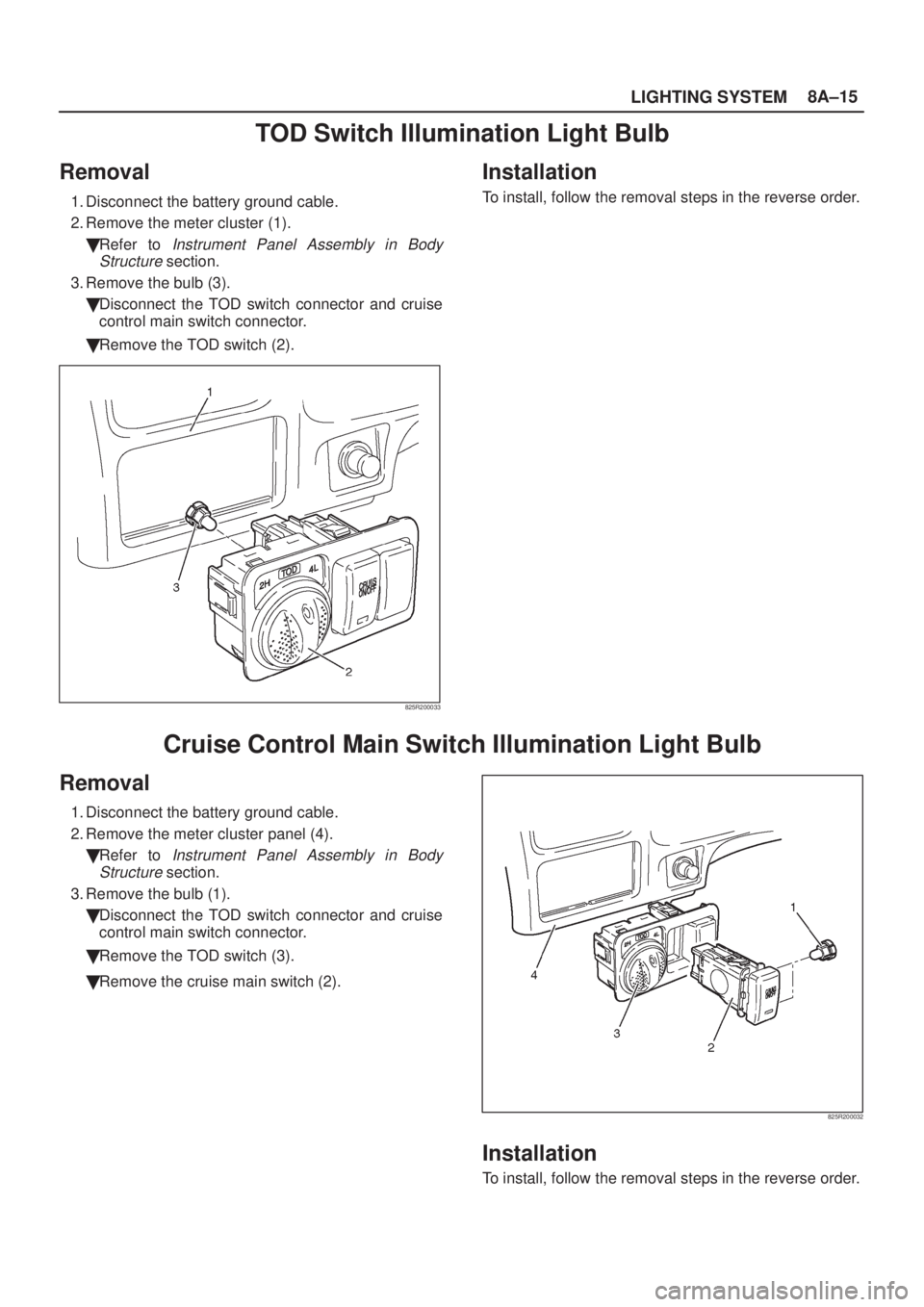
Switch Unit Assembly Illumination Light Bulb
(Power/Winter & Intelligent Suspension Switch)
Removal
1. Disconnect the battery ground cable.
2. Remove the center cluster assembly.
�Refer to
Instrument Panel Assembly in Body
Structure
section.
3. Remove the audio.
�Refer to
Audio in Entertainment section.
4. Remove the illumination light bulb.
825R200036
Installation
To install, follow the removal steps in the reverse order.
Page 1791 of 2100
LIGHTING SYSTEM8A±15
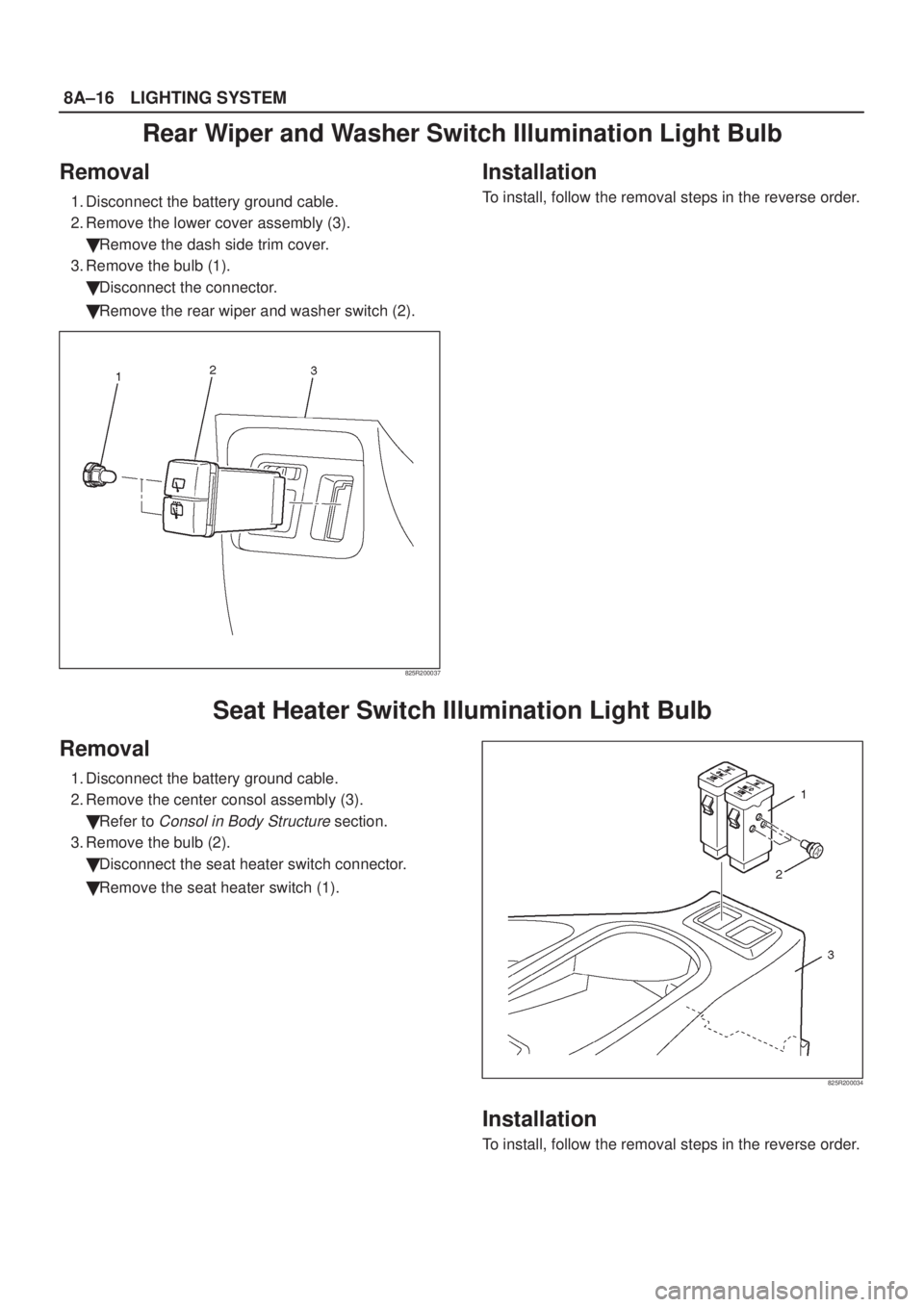
TOD Switch Illumination Light Bulb
Removal
1. Disconnect the battery ground cable.
2. Remove the meter cluster (1).
�Refer to
Instrument Panel Assembly in Body
Structure
section.
3. Remove the bulb (3).
�Disconnect the TOD switch connector and cruise
control main switch connector.
�Remove the TOD switch (2).
825R200033
Installation
To install, follow the removal steps in the reverse order.
Cruise Control Main Switch Illumination Light Bulb
Removal
1. Disconnect the battery ground cable.
2. Remove the meter cluster panel (4).
�Refer to
Instrument Panel Assembly in Body
Structure
section.
3. Remove the bulb (1).
�Disconnect the TOD switch connector and cruise
control main switch connector.
�Remove the TOD switch (3).
�Remove the cruise main switch (2).
825R200032
Installation
To install, follow the removal steps in the reverse order.
Page 1792 of 2100
8A±16LIGHTING SYSTEM
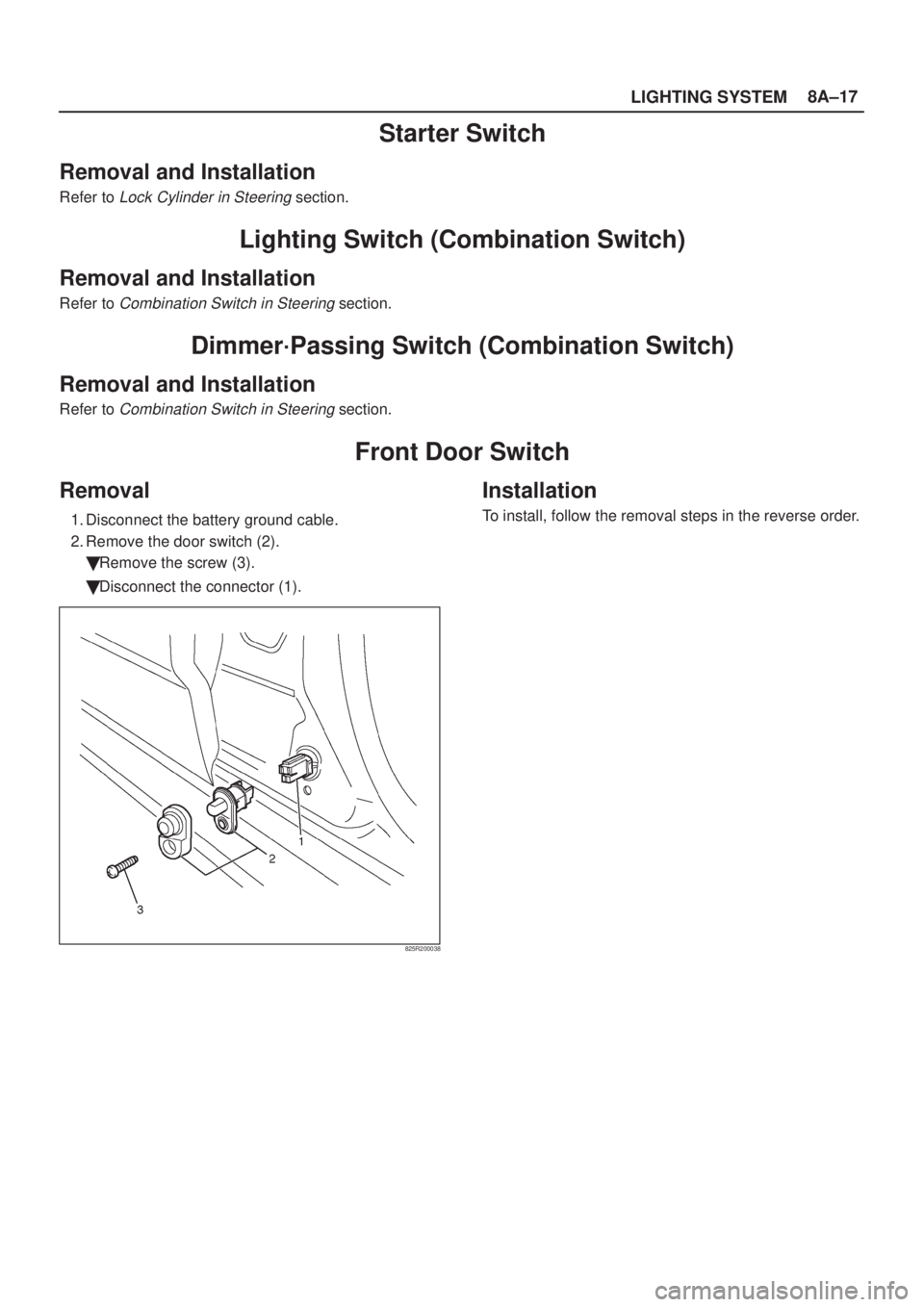
Rear Wiper and Washer Switch Illumination Light Bulb
Removal
1. Disconnect the battery ground cable.
2. Remove the lower cover assembly (3).
�Remove the dash side trim cover.
3. Remove the bulb (1).
�Disconnect the connector.
�Remove the rear wiper and washer switch (2).
825R200037
Installation
To install, follow the removal steps in the reverse order.
Seat Heater Switch Illumination Light Bulb
Removal
1. Disconnect the battery ground cable.
2. Remove the center consol assembly (3).
�Refer to
Consol in Body Structure section.
3. Remove the bulb (2).
�Disconnect the seat heater switch connector.
�Remove the seat heater switch (1).
825R200034
Installation
To install, follow the removal steps in the reverse order.
Page 1793 of 2100
LIGHTING SYSTEM8A±17
Starter Switch
Removal and Installation
Refer to Lock Cylinder in Steering section.
Lighting Switch (Combination Switch)
Removal and Installation
Refer to Combination Switch in Steering section.
Dimmer´Passing Switch (Combination Switch)
Removal and Installation
Refer to Combination Switch in Steering section.
Front Door Switch
Removal
1. Disconnect the battery ground cable.
2. Remove the door switch (2).
�Remove the screw (3).
�Disconnect the connector (1).
825R200038
Installation
To install, follow the removal steps in the reverse order.