2002 BMW 745LI SEDAN stop start
[x] Cancel search: stop startPage 150 of 208
At a glanceControlsDriving tipsCommunicationsNavigationEntertainmentMobilityReference
149
Always refer all repair and maintenance
operations to qualified technicians.
You may experience playback prob-
lems, such as skips, when using CDs
that you have copied at home.<
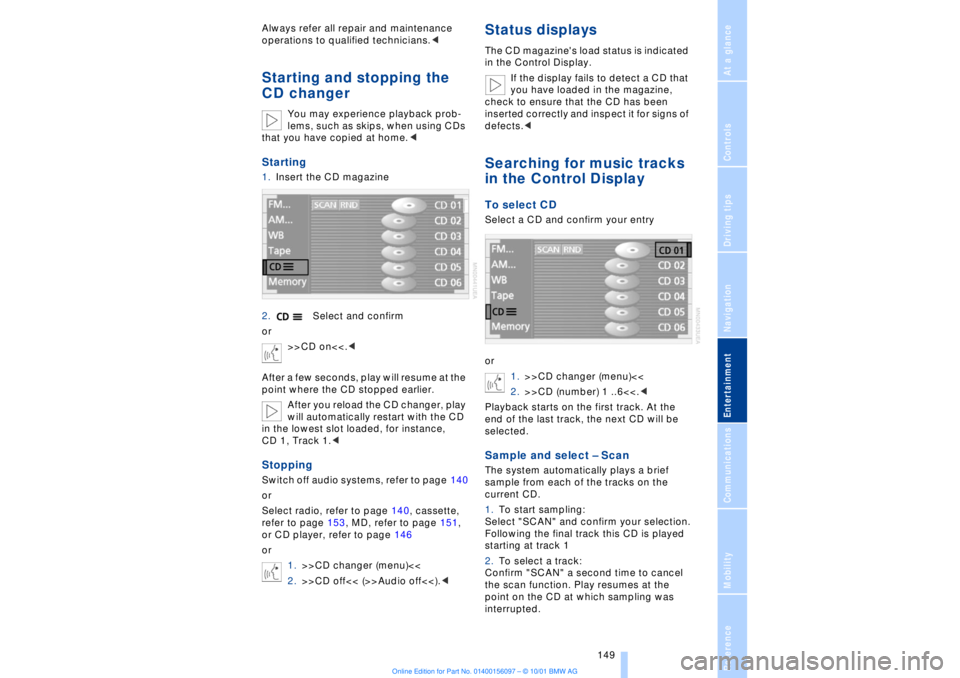
Starting1.Insert the CD magazine
2.Select and confirm
or
>>CD on<<.<
After a few seconds, play will resume at the
point where the CD stopped earlier.
After you reload the CD changer, play
will automatically restart with the CD
in the lowest slot loaded, for instance,
CD 1, Track 1.
Select radio, refer to page 140, cassette,
refer to page 153, MD, refer to page 151,
or CD player, refer to page 146
or
1.>>CD changer (menu)<<
2.>>CD off<< (>>Audio off<<).<
Status displaysThe CD magazine's load status is indicated
in the Control Display.
If the display fails to detect a CD that
you have loaded in the magazine,
check to ensure that the CD has been
inserted correctly and inspect it for signs of
defects.
or
1.>>CD changer (menu)<<
2.>>CD (number) 1 ..6<<.<
Playback starts on the first track. At the
end of the last track, the next CD will be
selected.Sample and select Ð ScanThe system automatically plays a brief
sample from each of the tracks on the
current CD.
1.To start sampling:
Select "SCAN" and confirm your selection.
Following the final track this CD is played
starting at track 1
2.To select a track:
Confirm "SCAN" a second time to cancel
the scan function. Play resumes at the
point on the CD at which sampling was
interrupted.
Page 152 of 208
At a glanceControlsDriving tipsCommunicationsNavigationEntertainmentMobilityReference
151
MiniDisc MDStartingInsert the MiniDisc.
If a MiniDisc is already in the MD player:
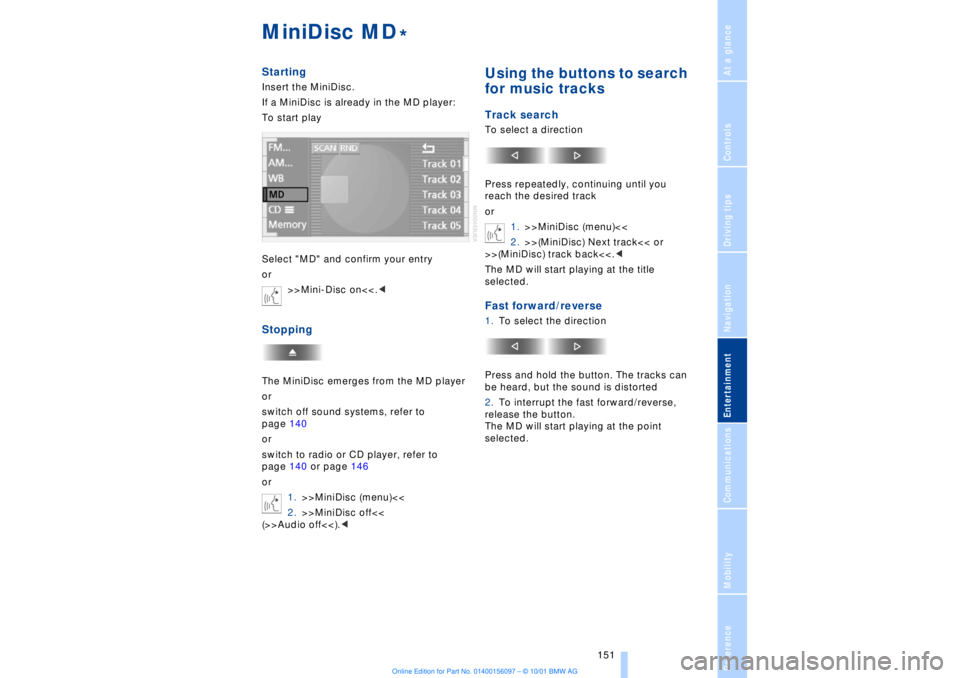
To start play
Select "MD" and confirm your entry
or
>>Mini-Disc on<<.
switch off sound systems, refer to
page 140
or
switch to radio or CD player, refer to
page 140 or page 146
or
1.>>MiniDisc (menu)<<
2.>>MiniDisc off<<
(>>Audio off<<).<
Using the buttons to search
for music tracksTrack searchTo select a direction
Press repeatedly, continuing until you
reach the desired track
or
1.>>MiniDisc (menu)<<
2.>>(MiniDisc) Next track<< or
>>(MiniDisc) track back<<.<
The MD will start playing at the title
selected.Fast forward/reverse1.To select the direction
Press and hold the button. The tracks can
be heard, but the sound is distorted
2.To interrupt the fast forward/reverse,
release the button.
The MD will start playing at the point
selected.
*
Page 154 of 208
At a glanceControlsDriving tipsCommunicationsNavigationEntertainmentMobilityReference
153
CassetteStartingSlide the cassette all the way into the slot,
ensuring that the side with the exposed
tape is on the right.
If a cassette is already in the slot:
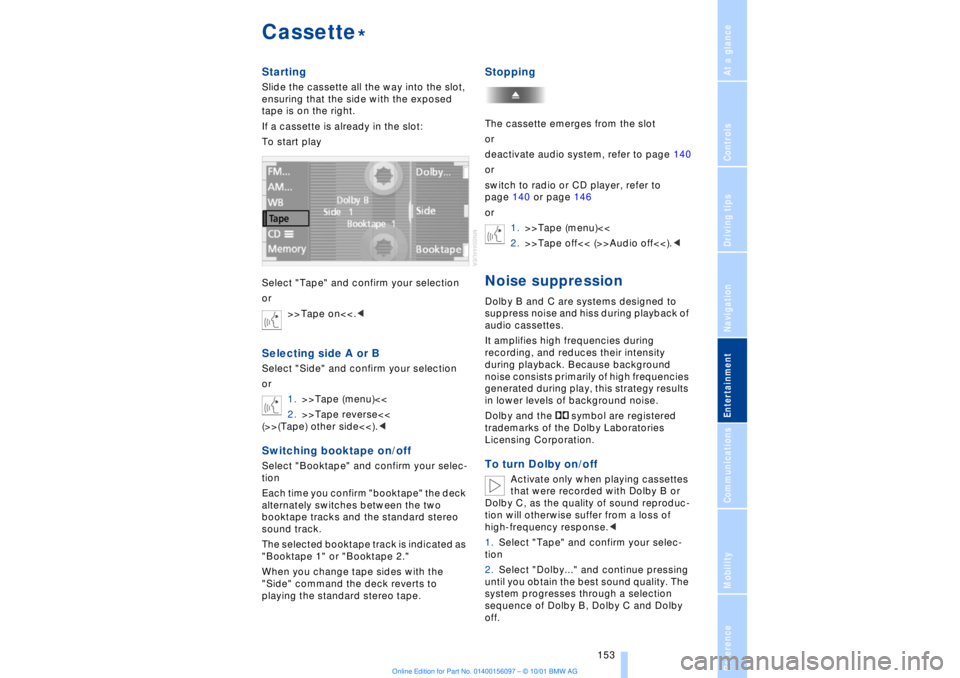
To start play
Select "Tape" and confirm your selection
or
>>Tape on<<.
1.>>Tape (menu)<<
2.>>Tape reverse<<
(>>(Tape) other side<<).
Each time you confirm "booktape" the deck
alternately switches between the two
booktape tracks and the standard stereo
sound track.
The selected booktape track is indicated as
"Booktape 1" or "Booktape 2."
When you change tape sides with the
"Side" command the deck reverts to
playing the standard stereo tape.
StoppingThe cassette emerges from the slot
or
deactivate audio system, refer to page 140
or
switch to radio or CD player, refer to
page 140 or page 146
or
1.>>Tape (menu)<<
2.>>Tape off<< (>>Audio off<<).
audio cassettes.
It amplifies high frequencies during
recording, and reduces their intensity
during playback. Because background
noise consists primarily of high frequencies
generated during play, this strategy results
in lower levels of background noise.
Dolby and the symbol are registered
trademarks of the Dolby Laboratories
Licensing Corporation.To turn Dolby on/off
Activate only when playing cassettes
that were recorded with Dolby B or
Dolby C, as the quality of sound reproduc-
tion will otherwise suffer from a loss of
high-frequency response.<
1.Select "Tape" and confirm your selec-
tion
2.Select "Dolby..." and continue pressing
until you obtain the best sound quality. The
system progresses through a selection
sequence of Dolby B, Dolby C and Dolby
off.
*
Page 200 of 208
199
At a glanceControlsDriving tipsCommunicationsNavigationEntertainmentMobilityReference
HHandbrake, refer to Parking
brake 62
Hand lamp 111
Hands-free
microphone 161
Hands-free system 161
Hazard warning flashers 16
Headlamp control 96
Headlamp flasher 71
Headlamps, low beam 96
Headlamp washers 72, 73
Head restraints 48
Ð front head restraints,
active 48
Heated steering wheel 53
Heating and ventilation 99
Heating while stopped 101
Height 193
Height adjustment
Ð seats 46
Ð steering column 53
"Help" 19, 22
Help texts in Control
Display 23
High beams 97
Ð bulb replacement 182
High-mount brake
lamp 183
Home address 135
Hood release 175
Horn 13
Hydraulic Brake Assistant,
refer to DBC 91IIce warning 77
Ignition key 34
Ignition lock 61
"Indep. ventil." 106
Indicator lamps 15
"Individual" 104
Individual button assign-
ments on steering
wheel 53
Inflation pressure 170
Inflation pressure control,
tires 92
Info Display 14"Information" for
navigation 129
Instrument cluster, refer to
Info Display 14
Instrument lighting 97
Instrument panel 12, 16
Instrument panel switch 71
Interior lamps 97
Ð remote control 36
Interior motion sensor 41
Interior protection
Ð deactivating 36, 41
Interior rearview mirror 52
Ð automatic dimming 52
Intermittent wipe 71
JJack 184
Jump-starting 187KKey Memory 59
Key Pad control
buttons 160
Key Pad digit buttons 160
Key Pad with mobile
phone 160
Keys 34
Ð adapter for spare key 34
Kickdown 68L"Last" 164
"Last destin." 130
LATCH, refer to LATCH
child-restraint system 58
"Left"
Ð for heated seats 51
Ð with automatic climate
control 103
Length 193
Level control system 94
License plate lamp, bulb
replacement 183
Lighter 113
Lights on warning 96
Light switch 96
"Limit" 84Limit selection,
adjustment 84
Litter container 111
L mode on automatic
transmission 66
Loading 120
Loading the vehicle 120
"LOCATION" 135
"Location" 129, 135
Lock Code 162
Locking
Ð from the outside 35
Louvers 99
Low beams
Ð automatic 96
Lower back support, refer
to lumbar support 46
Lug bolts 185
Luggage compartment
capacity 194
Luggage compartment lid
Ð emergency release 40
Ð locking separately 39
Ð opening from the
inside 39
Ð opening from the
outside 38
Ð operating via remote
control 36
Luggage compartment lid
operation,
automatic 36, 39
Luggage compartment
net 40
Luggage rack, refer to
Roof-mounted luggage
rack 120
Lug wrench 184
Lumbar support 46
MM+S tires 173
Maintenance 179
Make-up mirror 53
Malfunction displays 80
"M AM" 144, 145
Manually controlled recir-
culated air 101
Page 203 of 208
Everything from A to Z
202 Sampling
Ð CD changer 149
Ð MD player 152
Satellite 124
Scan
Ð CD player 147
Ð MiniDisc 152
Ð radio 143
Scan, station sampling
Ð radio 143
Scan audio sampling
Ð CD 147
Scan mode
Ð radio 144
"SCAN" with CD
changer 149
"SCAN" with CD player 147
"SCAN" with MD
player 152
Seat heating 50
Seat memory 54
Seats
Ð adjusting 45
Ð correct position 45
"Seat temp." 51, 103
Seat ventilation, see Active
seat ventilation 51
Securing cargo, see
Cargo 120
Securing the load 114
Selecting new route with
navigation system 133
Selecting new scale for
navigation system
display 132
Selecting stored radio
stations 145
Selector lever, automatic
transmission 67
Select "Route" 133
"Service" 78, 179
Ð "Emissions inspection" 79
Ð "Spark plugs" 78
Ð "State inspection" 79
Service and Warranty Infor-
mation Booklet (US
models) 179
Service brakes 119
Service Guide Booklet
(Canadian models) 179Service Interval
Display 78, 179
Service Requirement Dis-
play, see Service Interval
Display 179
"SET", refer to Setting
speed limit 84
Set time 106
"Settings" 19, 22
Setting time and date 86
Shifting, refer to Automatic
transmission with
Steptronic 69
Shiftlock 67
"Shortest route" 131
Shortest travel
distance 131
Shoulder support 46
"Side" in sound system
operation 153
Side window blind, see Sun
blinds 109
Sitting correctly 45
Ski bag 114
Sliding/tilt sunroof 43
Ð closing in the event of an
electrical defect 44
Ð convenience mode 37
Snow chains 173, 174
Soft Close Automatic
Ð doors 38
Ð luggage compartment
lid 39
SOS call
Ð using SOS button 161
Sound system
Ð switching on and off 140
Ð volume 141
Sound system adjustments
Ð balance 141
Ð bass 141
Ð default settings 142
Ð fader, front/rear 141
Ð left/right 141
Ð treble 141
Sound system "AUTO"
function 145
Sound system "Balance"
adjustment 141
Sound system "Bass"
adjustment 141Sound system "Dolby..."
feature 153
Sound system "Fader"
adjustment 141
Sound system "MANUAL"
selection mode 144
Sound system "Memorize"
feature 144
Sound system "Memory"
feature 141, 144
Sound system "Reset"
function 142
Sound system "Speed Vol."
feature 142
Spare fuses 186
Spare key 34
Ð adapter 34
Spare tire 184
"Spark plugs" 78, 179
Specifications for engine
oil 177
Speed limit
Ð "Limit" 84
Speed limit selection,
revision 84
Speedometer 14
"Sport"
Ð "EDC" 92
Stability control, refer to
Driving stability control 89
Standing lamps 97
Start/stop button 61
Starting 62
Starting assistance 187
Starting problems 62, 188
Starting the engine 62
"State inspection" 79
Station
Ð sample 143
Ð scan mode 144
Status lines in Control
Center 24
Steering column
Ð adjustment 53
Steering wheel 18
Ð individual button assign-
ment options 53
Steering wheel adjustment,
automatic 53
Steering wheel heater 53
Steering wheel memory 54