2000 AUDI ALLROAD ESP
[x] Cancel search: ESPPage 129 of 306
CONT
ROLS AND EQ
UIPMEN T---------------------
On Board Diagnostic system
The Malfunction Indicator Lamp (MIL)-see
page 125- is part of the On Board Diagnos
tic system (OBD).
The lamp comes on when the ignition is
swi tched on and will go out after the engine
is started and the idle has stabilized. This is
to assure you that the Malfunction Indicator
Lamp is working properly.
If the lamp does not go out after the engine
is started, or if it comes on while you're
driving, there is a malfunction in the engine
system. If the lamp starts blinking, the cata
lytic converter could be damaged.
Continue driving with reduced power
and have the cause corrected right away by
an authorized Audi Dealer or a qualified
workshop.
12 8 If the lamp comes
on, the Electr onic speed
li miter can also be out of operation. See
next page.
The On Board Diagnostics in your vehicle
monitors the various components of your
emission control system. Each controlled
component in your engine system has been
coded. In case of a malfunction the respec
tive component in question will be identi
fied and the fault stored in the form of a
code in the control module's memory.
On Board Diagnostic
System (OBD)
The stored data can only be displayed with
special testing equipment (generic scan
tool for OBDl to assure an accurate diagno
sis.
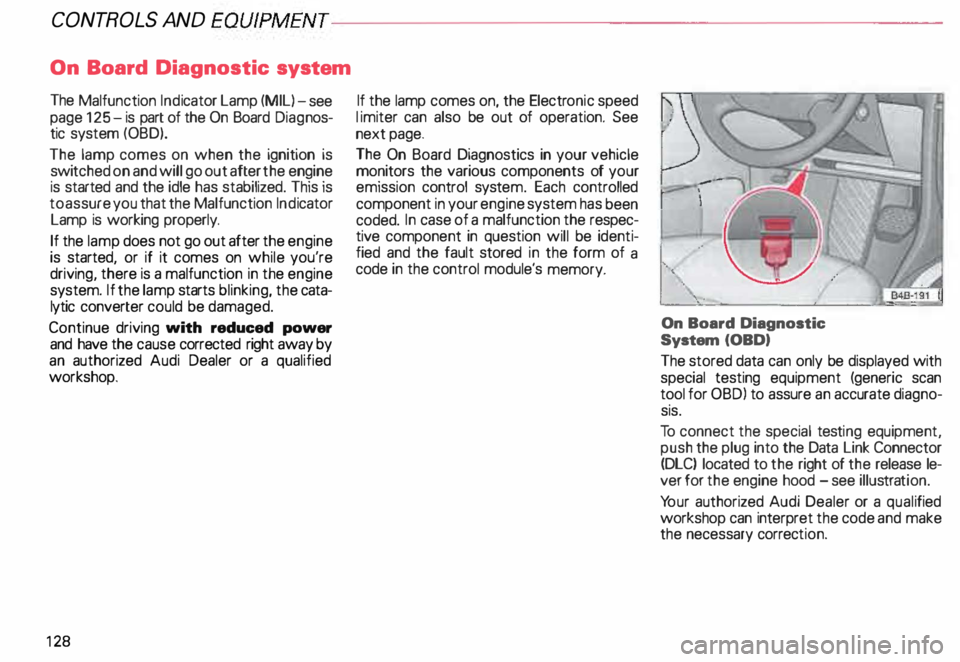
To connect the special testing equipment,
push the plug into the Data Link Connector
(DLC) located to the right of the release le
ver for the engine hood -see illus tration.
Yo ur authorized Audi Dealer or a quali fied
workshop can interpret the code and make
the necessary correction.
Page 149 of 306
CONTROLS ANDEO�PMENT-----------------------------------------
Switches
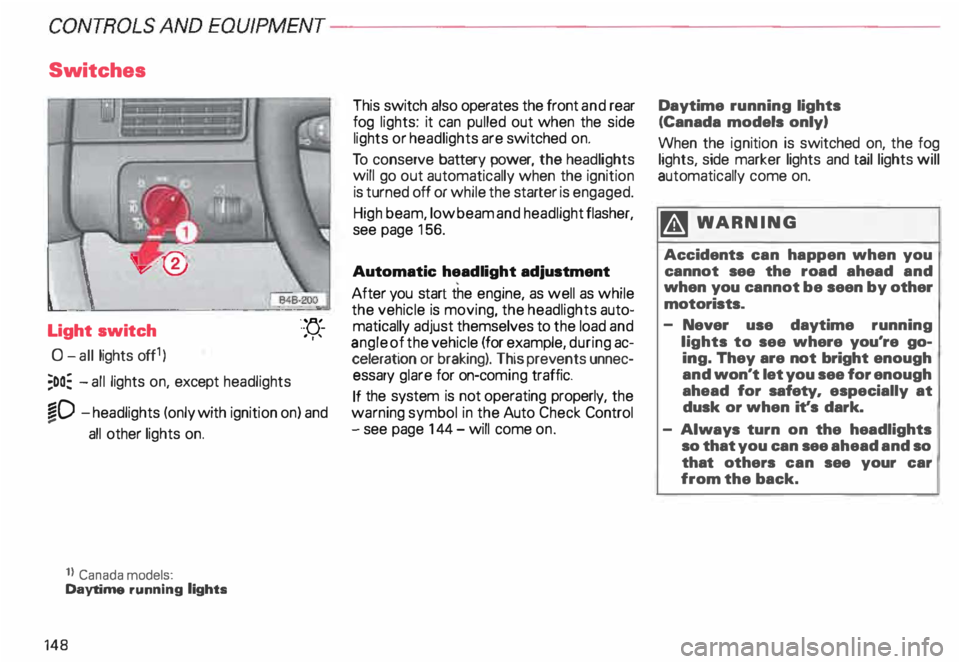
Light switch
0- all lights off1)
;oo: -all lights on, except headlights "-
YJ.-
. ''
�D -headlights (only with ignition on) and
...
all other lights on.
1} Canada models:
Daytime running lights
148 This
switch also operates the front and rear
fog lights: it can pulled out when the side
lights or headlights are switched on.
To conserve battery power, the headlights
will go out automatically when the ignition
is turned off or while the starter is engaged.
High beam, low beam and headlight flasher,
see page 156.
Automatic headlight adjustment
After you start the engine, as well as while
the vehicle is moving, the headlights auto
matically adjust themselves to the load and
angle of the vehicle (for example, during ac
celeration or braking). This prevents unnec
essary glare for on-com ing traffic.
If the system is not operating properly, the
warning symbol in the Auto Check Control
- see page 144- will come on. Daytime
running lights
(Canada models only)
When the ignition is switched on, the fog
lights, side marker lights and taillights will
automatically come on.
�W ARNING
Accidents can happen when you
cannot see the road ahead and
when you cannot be seen by other
motorists.
- Never use daytime running
lights to see where you're go
ing. They are not bright enough
and won't let you see for enough
ahead for safety, especially at
dusk or when it's dark.
- Always turn on the headlights
so that you can see ahead and so
that others can see your car
from the back.
Page 153 of 306
CONTROLS AND EQUIPMENT---------------------
1
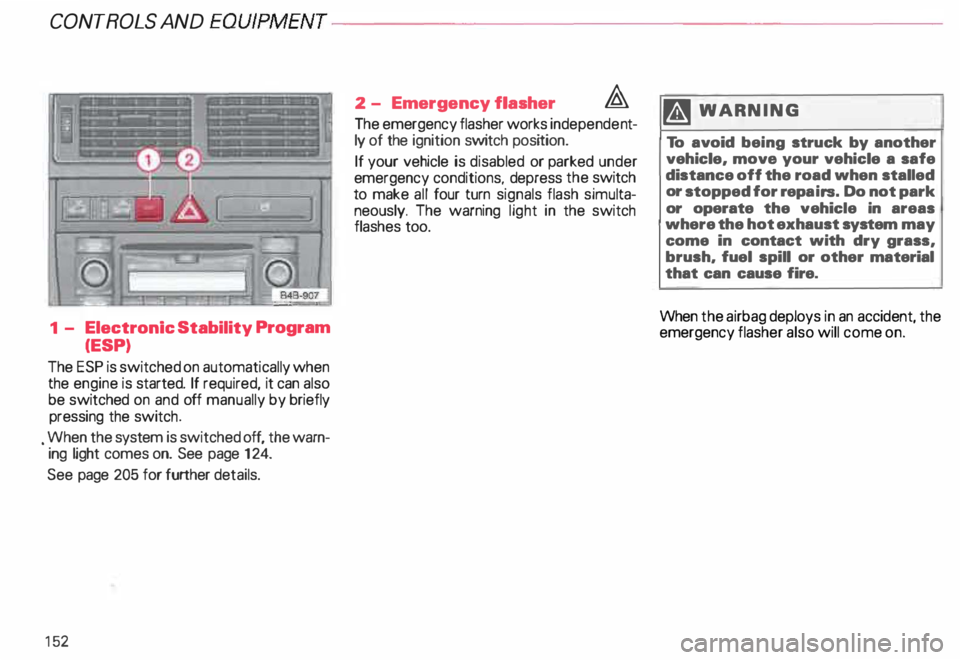
- Electronic Stability Program
(ESP)
The ESP is switched on automatically when
the engine is started. If required, it can also
be switched on and off manually by briefly
pressing the switch .
. When the system is switched off, the warn
ing light comes on. See page 124.
See page 205 for further details.
15 2 2
- Emergency flasher �
The emergency flasher works independe nt
ly of the ignition switch position.
If your vehicle is disabled or parked under
emergency conditions, depress the switch
to make all four turn signals flash simulta
neously. The warning light in the switch
flashes too. ftl
WARN ING
To avoid being struck by another
vehicle, move your vehicle a safe
distance off the road when stalled
or stopped for repairs. Do not park
or operate the vehicle in areas
where the hot exhaust system may
come in contact with dry grass,
brush, fuel spill or other material
that can cause fire.
When the airbag deploys in an accident, the
emergency flasher also will come on.
Page 156 of 306
---------------------CONTROLS AND EQUIPMEN T
Notes continued
• At excessive loads (for example, over
heating caused by frequent changes in the
ride height when the vehicle is stationary),
the system is temporarily deactivated for
safety reasons. The system will return to
full operation once it has cooled down.
• The system automatically switches to
the normal level if the ESP automatically
shuts off (see page 205). If this happens,
switch the ignition off, and then on again.
Now you can select the desired level once
again.
Jack mode
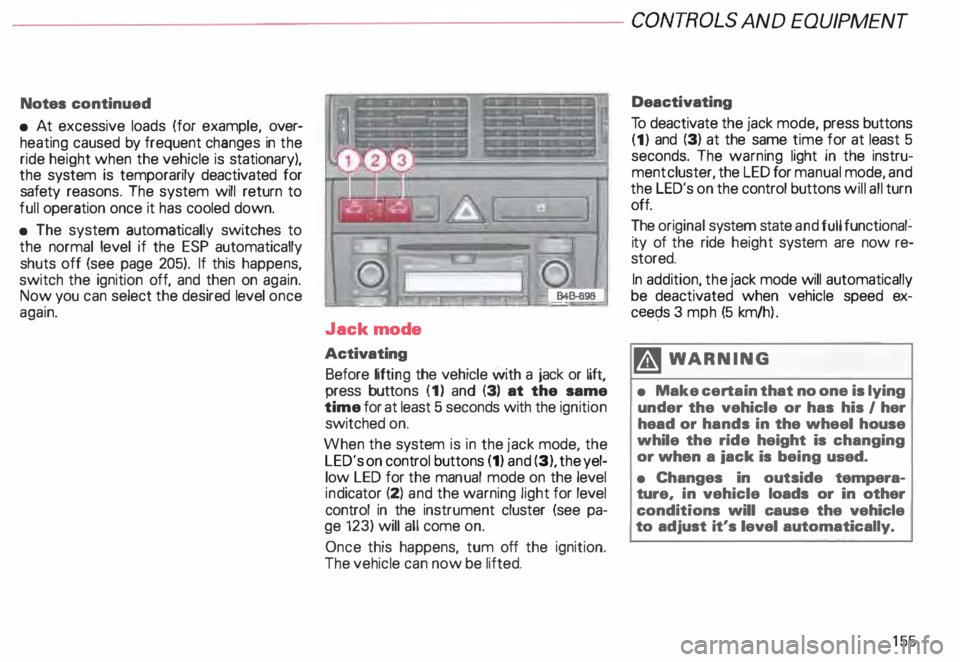
Activating Before lifting the vehicle with a jack or lift,
press buttons (1) and (3) at the same
time for at least 5 seconds with the ignition
switched on.
When the system is in the jack mode, the
LED's on control buttons (1) and (3), the yel
low LED for the manual mode on the level
ind icator (2) and the warning light for level
control in the instrument cluster (see pa
ge 123) will all come on.
Once this happens, tum off the ignition.
The vehicle can now be lifted. Deactivating
To deactivate the jack mode, press buttons
(1) and (3) at the same time for at least 5
seconds. The warning light in the instru
ment cluster, the LED for manual mode, and
the LED's on the control buttons will all turn
off.
The original system state and full functional�
ity of the ride height system are now re
stored.
In addition, the jack mode will automatically
be deactivated when vehicle speed ex
ceec;ls 3 mph (5 km/h ).
�W ARNING
• Make certain that no one is lying
under the vehicle or has his I her
head or hands in the wheel house
while the ride height is changing
or when a iack is being used.
• Changes in outside tempera
ture, in vehicle loads or in other
conditions will cause the vehicle
to adjust it's level automatically.
155
Page 163 of 306
CONTROLS AND EQUIPMENT---------------------
Cli
mate controls
�W ARNING
• For clear visibility and safe driv
ing, it is extremely important that
you follow the operating instruc
tions on the proper use and func
tion of the ventilation/heating, de
fogg ing{defr osting and air condi
tioning system in this manual. If in
doubt, consult your authorized
Audi Dealer.
• Good visibility comas with
clean windows free of fog, con
densation and frost.
• Maximum heating output and
fast defro sting will occur only af
ter the engine has reached operat
ing temperature. Wait until you
have good visibility before moving
your vehicle.
16 2 The
air conditioner is fully auto
matic, and is designed to maintain a com
fortable and uniform climate inside the ve
hicle .
The temperature of the air supplied to the in
terior, the fan speed, air distribution and vol
ume of air delivery are regulated automati
cally.
This automatic climate control program can
also be adjusted manually by the driver and
the front passenger.
The illustration on the next page shows the
controls for the driver and front passenger
in the center console. The left display indi
cates the temperature selected for the driv
er's side and the right display the tempera
ture selected for the front passenger's side.
The temperature is selected by pressing the
"+" or "-" buttons beneath the respective
displays. Recommended
standard setting for
all-year operation:
After switching on the ignition
• Select a temperature of
75 oF (23°C) and
• Press AUTO button.
With this setting, you attain maximum com
fort in the least amount of time.
You only need to change this setting to
meet your personal needs.
Air outlets - see page 165.
Page 166 of 306

---------------------CONTROLS
AND EQUIP MENT
Air outlets
Depending on the operating mode se
lected, the air flow to the outlets is con
trolled either automatically or man ually.
The illust ration shows the air outlets in and
around the dashboard.
The outlets deliver either heated or un
heated fresh air, or cooled air. I
848-902
1 - Outlets over full width of windshield
2 - Side window defroster I defogger
nozzles
3 - Side dashboard and rear console vents
4 - Center dashboard vents
5 - Footw all outlets Outlets
2, 3 and 4 can be opened or
closed separately with the respective
thumbwheel next to the outlets.
The direction of air delivery from these
outlets can be adjusted horizontally and
vert ically. The upper outlets (2) are not ad
justable.
Note
When the air conditioner is cooling the ve
hicle interior, the cool air mainly emerges
from outlets 3 and 4. To ensure adequate
cooling, these outlets should therefore nev
er be closed completely.
165
Page 170 of 306
;
\ I
\. ,. _
---________.)
---------� =::�1
Opening and closing
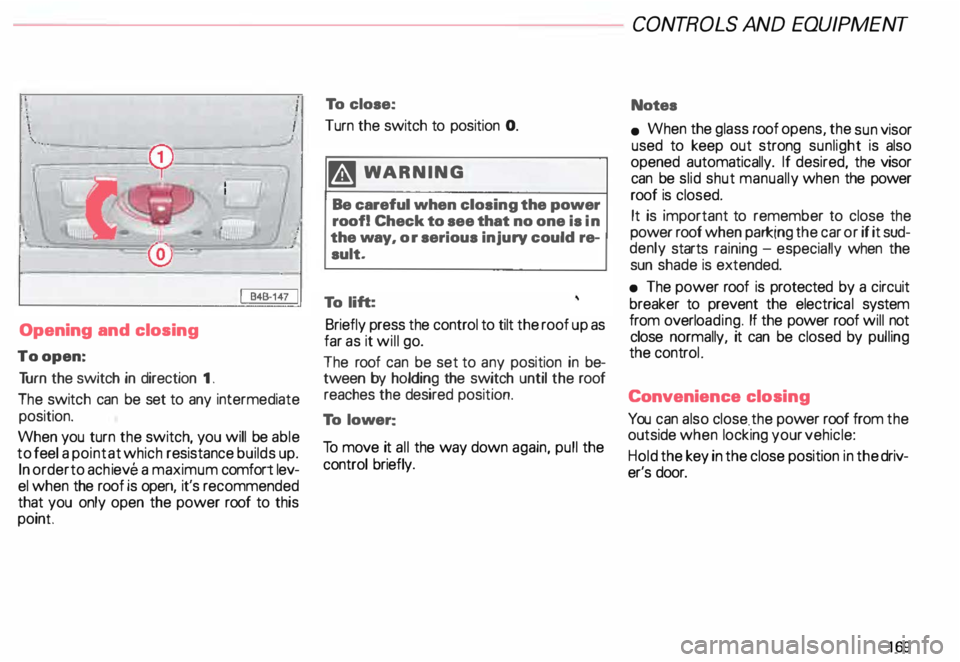
To open: Tu rn the switch in direction 1.
The switch can be set to any intermediate
position.
When you turn the switch, you will be able
to feel a point at which resistance builds up.
In order to achieve a maximum comfort lev
el when the roof is operi, it's recommended
that you only open the power roof to this
point To
close:
Turn the switch to position 0.
�W ARNING
Be careful when closing the power
roof! Check to see that no one is in
the way, or serious injury could re
sult.
To lift:
Briefly press the control to tilt the roof up as
far as it will go.
The roof can be set to any position in be
tween by holding the switch until the roof
reaches the desired position.
To lower:
To move it all the way down again, pull the
control briefly. CONT
ROLS AND EQUIPMENT
Notes
• When the glass roof opens, the sun visor
used to keep out strong sunlight is also
opened automatically. If desired, the visor
can be slid shut manually when the power
roof is closed.
It is important to remember to close the
power roof when parking the car or if it sud
denly starts raining -especially when the
sun shade is extended.
• The power roof is protected by a circuit
breaker to prevent the electrica l system
from overlo ading. If the power roof will not
close normally, it can be closed by pulling
the controL
Conv enience closing
You can also close . the power roof from the
outside when locking your vehicle:
Hold the key in the close position in the driv
er's door.
169
Page 177 of 306
CONT
ROLS AND EQ
UIPMEN T---------------------
Reprogramming a Single Audi
HomeLink ® Universal Transmit
ter Channel
If a Homelink ® channel has been pro
grammed to activate a device, and it has
been decided to program another device us
ing the same Homelink® channel, follow
these steps:
Press and hold the desired Homelink ®
button for approximately 20 seconds.
Do not release until step 3 has been
completed.
2 - When the indicator light begins to flash
slowly, position the hand-held transmit
ter approximately 2 inches away from
the Homelink ® surface. Press and
hold the hand-held transmitter button.
3- The indicator light will flash, first slowly,
and then rapidly. When the indicator
light begins to flash rapidly, release
both the button and channel.
The previous device has now been erased
and the new device has been progra mmed
into Homelink ®. This procedure will not af
fect any other programmed Homelink®
channels.
17 6 Accessories
Accessories for the Audi Homelink ® Uni
versal Transmitter are available through vari
ous sources.
If you would like additional information on
Homelink ®. where to purchase the
Homelink ® compatible products, or would
like to purchase the Homelink ® Home
Lighting Package, please call toll-free:
1- 800-355- 3515. Notes
This device complies with FCC rules
part 15. Operation is subject to following
conditi ons:
1 - This device may not cause any harmful
interference and
2 - This device must accept any interfer
ence that may be received including in
terference that may cause undesired
operation.
� WARNING
The transmitter has been tested
and complies with FCC and DOC/
MDC rules. Changes or modifica
tions not expressly approved by
the party responsible for com
pliance could void the user's au
thority to operate the device.
DOC: ISTC 1763 102 264
Prince MODEUFCC ID: CB2 V94800