2000 AUDI ALLROAD service
[x] Cancel search: servicePage 121 of 306

CONTROLS AND
EQUIPMEN T--------------------
Odometer
The odometer indicates the distance driven.
USA models:
Miles
Canada models: Kilometres
On the trip odometer, the last digit indicates
1 /,0 of a mile or 1 00 meters.
Reset knob for trip odometer
To record a distance, reset the trip odome
ter by pressing the knob until the display re
turns to zero -see illustrat ion.
12 0 When
the ignition is off, the display can be
ill umin ated by pressing the test knob for the
Auto-Check System. See page 116, posi
tion 8. The display switches off automati
cally after about 15 seconds.
Also the display will remain illuminated for
abo �t 30 seconds after you open the driv
er's door.
Defect message
If there is a defect in the instrument cluster,
"dEF" will be displayed continuously in the
trip odometer display area. Have this prob
lem corrected as soon as possible by an au
thorized Audi Dealer.
7 - Vo ltmeter
The voltmeter indicates the voltage for the
vehicle's total electrical system, which
should normally be between 12 and
14 volts. If the display drops below 12 volts
when the engine is running, have the power
supply (battery and alternator) checked by
an authorized Audi Dealer. See also
pages 127 and 143.
The voltage may fall below 8 volts while the
engine is being started. 8
- Set I Check knob
Setting the clock ...• ... .
Auto-ch eck system
Odometer lighting .
Service indicator .. 118
14 0
12 0
121
9 - Driver information system
Auto-C heck System display . . . . . ... 138
Outside air temperature display .... 137
Tr ip computer display . . . . . . . . 146
Selector lever position display ....... 1 07
Radio frequency display . . . . . . 138
Service interval display . . . . . . . . . . .
121
10 -Reset knob
Reset knob for trip odometer . .... .. 12 0
Service indicator . . . . . .. . . . . . . 121
Page 122 of 306
Service
Interval Display
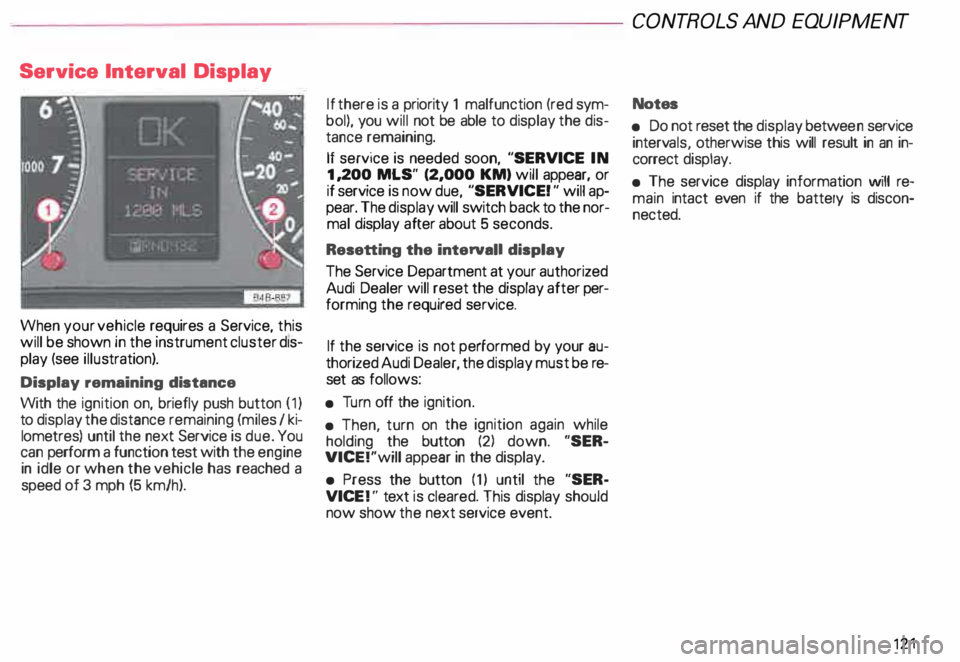
When your vehicle requires a Service, this
will be shown in the instrument cluster dis
play (see illustration).
Display remaining distance
With the ignition on, briefly push button (1)
to display the distance remaining (miles I ki
lometres) until the next Service is due. You
can perform a function test with the engine
in idle or when the vehicle has reached a
speed of 3 mph (5 km/h). If
there is a priority 1 malfunction (red sym
bol), you will not be able to display the dis
tance remaining.
If service is needed soon, "SERVICE IN
1, 200 MLS" (2,000 KM) will appear, or
if service is now due, "SERVICE! " will ap
pear. The display will switch back to the nor
mal display after about 5 seconds.
Resetting the interval! display
The Service Department at your authorized
Audi Dealer will reset the display after per
forming the required service.
If the service is not performed by your au
thorized Audi Dealer, the display must be re
set as follows:
• Turn off the ignition.
• Then, turn on the ignition again while
holding the button (2) down. "SER
VICE!"will appear in the display.
• Press the button (1) until the "SER
VICE !" text is cleared. This display should
now show the next service event. CONT
ROLS AND EQUIPMENT
Notes
• Do not reset the display betwee n service
interv als, otherwise this will result in an in
correct display.
• The service display information will re
main intact even if the battery is discon
nected. 121
Page 131 of 306
CONTROLS AND
EQUIPMENT--------------------
Driver information system
Display
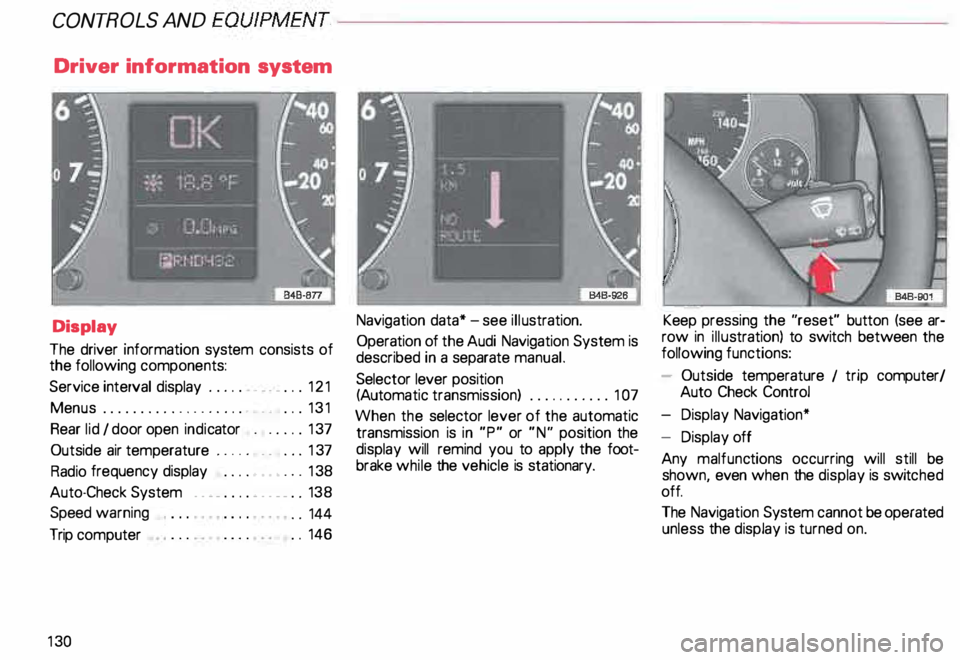
The driver information system consists of
the following components:
Service interval display . . . . . . _. _ ... 121
Menu s................... _ . ... 131
Rear lid I door open indicator _ _ .... 137
Outside air temperature __ . . . _ _ ... 137
Radio frequency display . . . . • .• ___ 138
Auto-Check System ____ .... ____ _ . _ 138
Speed warning
.. 144
Trip computer . .
146
13 0 Navigation
data* -see illustration.
Operation of the Audi Navigation System is
described in a separate manual.
Selector lever position
(Auto matic transmission) ........... 1 07
When the selector lever of the automatic
transmission is in "P" or "N" position the
display will remind you to apply the foot
brake while the vehicle is stationary. Keep
pressing the "reset" button (see ar
row in illus tration) to switch between the
following functions:
- Outside temperature 1 trip computer/
Auto Check Control
- Display Navigation*
- Display off
Any malfunc tions occurring will still be
shown, even when the display is switc hed
off.
The Navigation System cannot be operated
unless the display is turned on.
Page 134 of 306
--------------------CONTROLS
AND EQUIPMENT
Display types
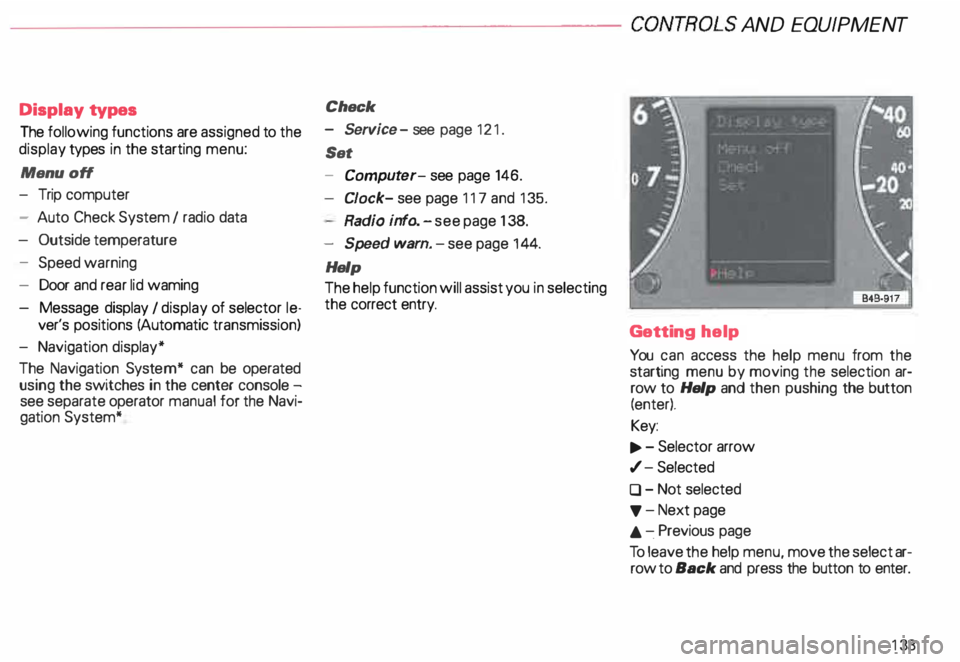
The following functions are assigned to the
display types in the starting menu:
Menu off
- Trip computer
- Auto Check System I radio data
- Outside temperature
- Speed warning
- Door and rear lid waming
- Message display I display of selector le-
ver's positions (Automatic transmission)
- Navigation display*
The Navigation System* can be operated
using the switches in the center console -
see separate operator manual for the Navi
gation System* Check
- Service -see page 121 .
Set
- Comput er-see page 146.
Cl ock- see page 117 and 135.
Radio info. -see page 138.
- Speed warn. -see page 144.
Help
The help function will assist you in selecting
the correct entry.
Getting help
You can access the help menu from the
starting menu by moving the selection ar
row to Help and then pushing the button
(enter).
Key:
.., . - Selector arrow
,/- Selected
0 - Not selected
'f' -Next page
.&. -.Previous page
To leave the help menu, move the select ar
row to Back and press the button to enter.
133
Page 197 of 306

VE
HICLE OPERATION------------------------
The external conditions
in which you drive also affect your fuel con
sumption.
The following conditions increase fuel con
sumption:
• Heavy traffic, especially in large cities
with many traffic lights.
• Stop-and-go driving, especially short dis
tances so that the engine never warms up
as it should.
• Driving in heavy, slow moving traffic in
low gear so that the engine speed is rela
tively high when compared to the distance
driven.
� Plan your trips ahaad of time. Or
� ganizs your trips to include sev
sral errands and to avoid heavy traf
fi c.
Of course, there are some conditions that
will affect fuel consumption that you can't
control.
For example, fuel consumption increases in
the winter or under difficult conditions (bad
roads, towing a trailer, etc.).
19 6 The
technical requirements
for optimum fuel consumption and eco
nomy were ''built" intoyourvehicle. Special
attention was paid to the environment. To
reta in and make use of these characteris
tics, please note the following points:
riJ Use only unleaded gasoline.
Leaded gasoline causes damage to the cat
alytic converter and other components of
the emission system.
t:Gh Have your vehicle serviced by an
� Audi Dealar at the specified in
tervals -see page 228 and your
Main tenance booklet.
Having your vehicle regularly serviced by an
Audi Dealer helps ensure that it runs prop
erly and economical ly, that it does not dis
turb the environment, and that it has a long
service life. t:Gh
Check
your tire pressure once a
W month.
Low tire pressure increases fuel consump
tion and tire wear, and impair s vehicle han
dling.
�W ARNING
Underinflation and overloading of
tires can lead to tire failure. Sud
den failur e on the road could cause
a serious or fata l accident. See
page 253 for inflation informa
tion.
� Do not carry unnecessary items
in the luggage compartment.
Particularly in city traffic where you must
often accelerate, weight influences fuel
consumption.
Page 199 of 306
VE
HICL E OPER ATION ------------------------
• Tu rning off the ignition while the
vehicle is movin g-sea page 115 -or
• Other unusual operating condi
tions.
Do not continue to operate your ve
hicle under these conditions, as
otherwise fuel can reach the catalyt
ic converter. This could result in
overheating of the converter, requir
ing its replacement.
To assure eHiciant operation of the
Emission Control System:
• Have your vehicle maintained
properly and in accordance with the
service recommendations in your
Maintenance booklet.
Lack of proper maintenance as well
as improper usa of the vehicle will
impair the function of the emission
control system and could lead to
damage.
19 8 Cl
Do not alter or remove any com
ponent of the Emission Control Sys
ta.m unless approved by the
manufacturer.
• Do not alter or remove any device,
such as heat shields, switches, igni
tion wires, valves, which are de
signed to protect your vehicle 's
Emission Control System and other
important vehicle components.
Nota
Do not leave engine idling unat
tended after starting. If warning
lights should come on to indicate
improper operation, they would go
unheeded. Extended idling also pro
duces heat, which could result in
overheat ing or other damage to the
vehicle or other property. �W
ARNING
• Parking
Do not park or operate the vehicle
in areas where the hot exhaust sys
tem may coma in contact with dry
grass, brush, fuel spill or other ma
terial which can causa a fire.
• Undercoating
Do not apply additional undercoat
ing or rustproofing on or near the
exhaust manifold, exhaust pipes,
cata lytic converter or heat shields.
During driving, the substance
used for undercoating could over
heat and causa a fire.
Page 221 of 306

VEHICL E
CA RE-------------------------
If the engine compartment is cleaned at any
time with grease removing solutions 1 ), or if
you have the engine washed, the antK:orr
as well. It is therefore essential to ask: for a
long-lasting corrosion protection of all sur
faces, seams, joints and components in the
engine compartment.
c£> If you must rinse off gasoline, oil
residue or grease while you are
washing your engine, then tha dirty
water should be run through an oil
separator filter. We recommend that
you have your engine washed at a
qualified workshop or service sta
ti on.
11 Use only
the correct cleaning solutions.
Never use gasoline or Diesel.
220 Chassis
The lower body shell of your Audi is also
thoroughly protected against corrosion.
Any damage to the undercoat ing caused by
road hazards should be repaired promptly.
g WARNING
Do not apply additional undercoat
ing or rustproofing on or near the
exhaust manifold, exhaust pipes.
catalytic converter or heat shields.
During driving, the substance
used for undercoating could over
heat and cause a fire. Body
cavity sealing
All body cavities which could be affected by
corro sion have been given thorough protec
tion at the factory.
This sealing does not require any inspection
or additional treatments. If any wax should
seep out of the cavity when the ambient
temperature is high, it can be removed with
a plastic scraper and a suitable solvent.
c£> If you use benzine for removing
the wax, keep sparks, flame and
ligh ted cigara ttas away. Nsver
dump benzine on the ground, into
open streams or down sewage
dr ains.
Be sure to observe all safety and en
vi ronmental regulations.
Page 227 of 306
VEHICLE
CARE-------------------------
Use of gasoline containing alcohol
or MTBE (methyl tertiary butyl
ether)
You may use unleaded gasoline blended
with alcohol or MTBE (commonly referred
to as oxygenates) if the blended mixture
meets the following criteria:
Blend of gasoline methanol (wood
alcohol or methyl alcohol)
Anti-knock index must be 87 AKI or
hig her.
Blend must contain no more than 3%
methanol.
- Blend must contain more than 2% CO
solvents.
226 Note
Methanol
fuels which do not meet
these requirements may cause cor
rosion and damage to plastic and
rubber components in the fuel sys-
tem. ·
Blend of gasoline and ethanol (grain
alcohol or ethyl alcohol)
Ant i-knock , index must be 87 AKI or
high er.
Blend must not contain more than 1 0%
ethanol.
Blend of gasoline and MTBE
- Anti-knock index must be 87 AKI or
hig her.
Blend must contain not more than 15%
MTBE. Notes
• Do not use fuels that fail to meet
the specified criteria in this chapter.
• If you are unable to dete rmine
whether or not a particular fuel
blend meets the specifications, ask
your service station or its fuel sup
plier.
• Do not use fuel for which the con
tents cannot be identified.
• Fuel system damage and perfor
mance problems resulting from the
use of fuels different from those
specified are not the responsibility
of Audi and are not covered under
the New Vehicle or the Emission
Control System Warranties.
• If you experience a loss of fuel
economy or drivea bility and perfor
mance problems due to the use of
one of these fuel blends, we recom
mend that you switch to unblended
fuel.