1995 CADILLAC ELDORADO light
[x] Cancel search: lightPage 173 of 395
Downloaded from www.Manualslib.com manuals search engine Heated Windshield (Option)
Front De-Ice
Here’s how to use your heated windshield in cold weather to remove ice
or frost quickly:
1. If any snow is piled up on the windshield, brush it away.
2. Start your Cadillac and leave it in PARK (P).
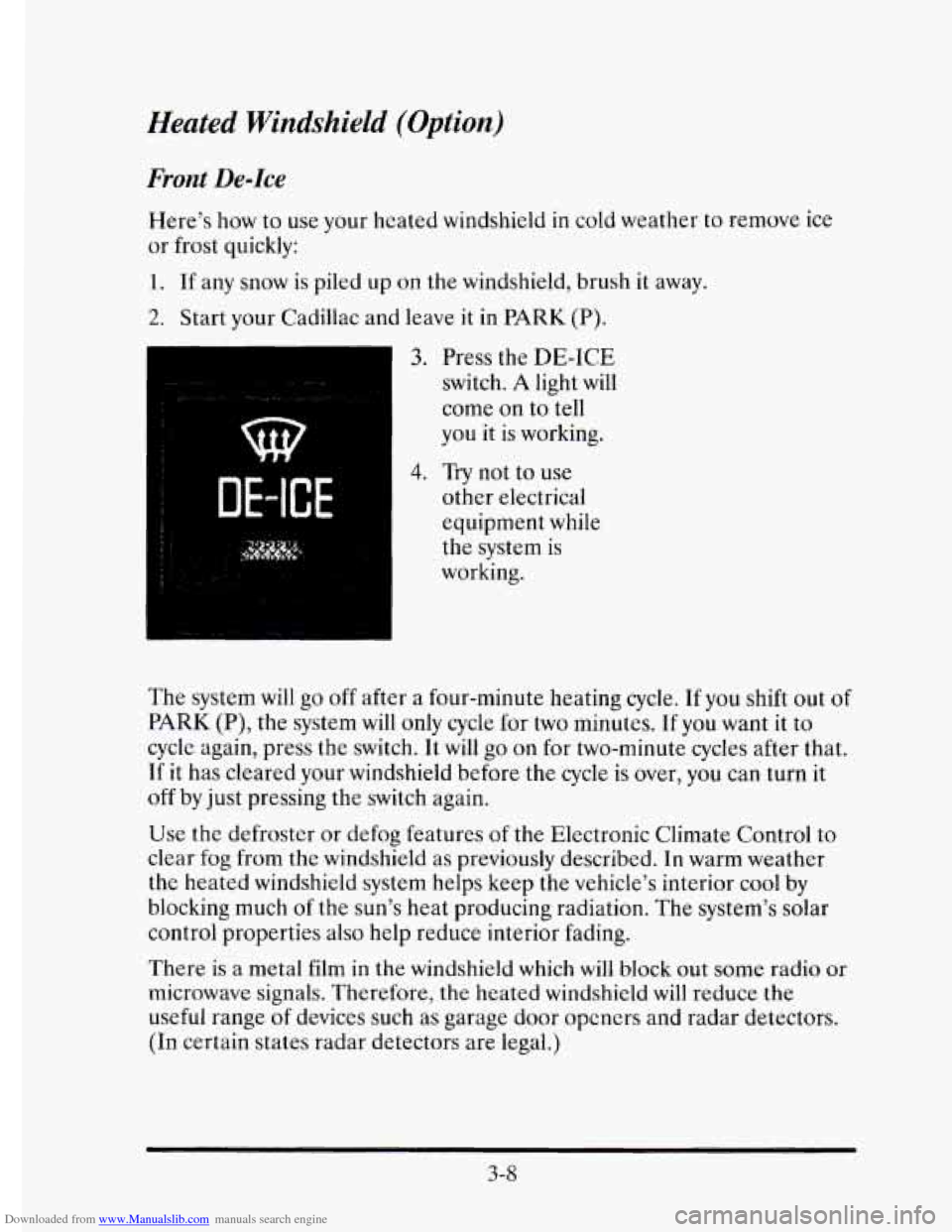
3. Press the DE-ICE
switch. A light will
come on to tell
you it is working.
DE-ICE
4. Try not to use
other electrical
equipment while
the system
is
working.
The system will
go off after a four-minute heating cycle. If you shift out of
PARK (P), the system will only cycle for two minutes. If you want it to
cycle again, press the switch. It will go on for two-minute cycles after that.
If it has cleared your windshield before the
cycle is over, you can turn it
off by just pressing the switch again.
Use the defroster or defog features of the Electronic Climate Control to
clear fog from the windshield as previously described. In warm weather
the heated windshield system helps keep the vehicle’s interior cool by
blocking much
of the sun’s heat producing radiation. The system’s solar
control properties also
help reduce interior fading.
There
is a metal film in the windshield which will block out some radio or
microwave signals. Therefore, the heated windshield
will reduce the
useful range
of devices such as garage door opcners and radar detectors.
(In certain states radar detectors are legal.)
3-8
Page 174 of 395
Downloaded from www.Manualslib.com manuals search engine AUDIO SYSTEMS
c
Your Delco@ audio system has been designed to operate easily and give
years
of listening pleasure. You will get the most enjoyment out of your
audio
s stem if you acquaint yourself with it first. Find out what your
Delco system can
do and how to operate all its controls, to be sure
you’re getting the most out
of the advanced engineering that went into it.
d
FM Stereo
FM stereo will give you the best sound, however, FM signals will only
reach about
10 to 40 miles (16 to 65 km). Tall buildings or hills may
interfere with FM signals causing sounds to fade and may also cause
popping, crackling or momentary hissing noises.
AM
The range for most AM stations is greater than for FM, especially at
night. The longer range, however, can cause stations
to interfere with
each other. (FCC regulations require some AM radio stations to reduce
signal strength at night to minimize interference.)
AM can pick up noise
from things
like storms and power lines. Try reducing the treble to reduce
this noise
if you ever get it.
This means your radio can produce quality
AM sound comparable to FM
stereo.
AMAX@ reduces noise without reducing the high frequencies you
need for the best sound. In addition to improved sound quality,
AMAX@includes more stations
on the AM band. You don’t have to do
anything to your radio because AMAX’ is automatic.
AM Stereo
This means the Delco’ system can receive C-QUAM@ stereo broadcasts.
Many AM stations around the country use C-QUAM@
to produce stereo,
though some do not. (C-QUAM@ is a registered trademark of Motorola,
Inc.) If your Delco@ system can get C-QUAM@, your
ST stereo light will
come on when you’re receiving it.
3-9
Page 177 of 395
Downloaded from www.Manualslib.com manuals search engine me Lower hob
Turn the lower knob to choose radio stations. Press the knob to switch
between
AM and FM.
Behind the lower knob is the fade control. It moves the sound between
the front and rear speakers.
Finding a Station
SCAN: When you press this button, up or down, the SCAN indicator in
the display will light and the radio will find
the next station and stay there
for about five seconds. Then it
will go to the next station and pause, and
keep doing
that until you press either the SCAN button again or the
upper knob.
SEEK This button selects stations, but it doesn’t keep moving as SCAN
does. When you press SEEK, up or down, the radio will automatically go
to the next station and stay there.
Pushbuttons: You can set the pushbuttons to get up to 10 favorite stations
(five
on FM and five more on AM).
1. Choose either AM or FM.
2. Tune in a desired station.
3. Press the SET button.
4. Press one of the five pushbuttons within five seconds.
3-12
5. Repeat these steps for each of the five pushbuttons.
Page 178 of 395
Downloaded from www.Manualslib.com manuals search engine Setting the Tone
c
BASS: The slide control increases or decreases the bass response tone.
Moving the control
to the right increases bass while moving it to the left
decreases it.
TREB: The slide control increases or decreases the treble response tone.
Moving the control to
the right increases treble while moving it to the left
decreases it.
lour Cassette Tape Player
Your cassette tape player works best with tapes that are 30 to 45 minutes
long on each side. Tapes longer than that are
so thin that they may not
work
well in this player.
If you look at the tape, or on its label or box, it should say whether its bias,
or “equalization,” is
70 microseconds (70 p) or 120 microseconds (120 p).
Chrome and metal tapes are 70 ~1 sec and standard iron tapes are
120 p sec. Your tape player will adjust automatically for either type
of cassette tape.
To Play a Cassette Tape
1. Turn the radio on.
2. Insert the cassette through the tape door. (The TAPE indicator\
in the
If you hear nothing or hear just a garbled sound, the cassette may not be
in squarely. Press the
EJCT button to remove the tape and start over. The
tape equalization is automatically sensed and set. Inserting the cassette
also activates
DOLBY @ noise reduction.
DNR@ is the Dynamic Noise Reduction. It helps remove background hiss
noise from the radio.
*DNR@ is a registered trademark of National Semiconductor
Corporation. display
will light.)
3. Once the tape is playing, use
the upper and lower knobs to adjust the
volume and balance, just as
you do for the radio. Press the upper knob
to change tape direction. The arrow in the display shows which
direction the tape is being played.
3-13
Page 179 of 395
Downloaded from www.Manualslib.com manuals search engine FWD: Press this button to go forward rapidly to another part of the tape.
The radio
will play during fast forward. To stop the tape, press the same
button and the tape
will start to play.
REV: Press this button to reverse the tape. To stop the tape, press the
same button lightly or
any of the other buttons. The radio will play during
this reverse function.
PREV: Press this button to go back to the beginning of the last selection.
If the player has played less than 10 seconds into the current selection,
pressing the
PREV button will cause the player to find the beginning of
the previous selection and resume play from that point. If the player is
more than
10 seconds into the current selection, pressing the PREV
button will cause the player to find the beginning of the current selection
and resume play from that point.
If PREV is pressed while the first
selection
on the tape is being played, the player will return to the
beginning
of that side of the tape.
NEXT: Press this button to advance to the next selection. If the selection
is at the end
of the tape, the tape will reverse directions and begin playing
at a normal speed.
ST/PL Press this button to switch back to the radio without ejecting the
tape. Press it a second time
to start playing the tape again.
EJCT: Press this button to remove the tape.
3-14
Page 181 of 395
Downloaded from www.Manualslib.com manuals search engine Finding a Station
SCAN: When you press this button, the SCAN indicator in the display will
light and the radio
will find the next station and stay there for about five
seconds. Then
it will go to the next station and pause, and keep doing that
until you press either the
SCAN button again or the upper knob.
SEEK This button selects stations, but it doesn’t keep moving as SCAN
does. When you press SEEK the radio will automatically go to the next
station and stay there.
Pushbuttons: You can set the pushbuttons to get up to 10 favorite stations
(five on
FM and five more on AM.)
1. Choose either AM or FM.
2. Tune in a desired station.
3. Press the SET button.
4. Press one of the five pushbuttons within five seconds.
5. Repeat these steps for each of the five pushbuttons.
Setting the Tone
BASS: The slide control increases or decreases the bass response tone.
Moving the control to the right increases bass
while moving it to the left
decreases
it.
TREBLE: The slide control increases or decreases the treble response
tone. Moving the control
to the right increases the treble while moving it
to
the left decreases it.
Your Cassette Tape Player
Your cassette tape player works best with tapes that are 30 to 45 minutes
long on each side. Tapes longer than that are so thin that they may not
work well
in this player.
If you look at the tape, or on its label or box, it should say whether its bias,
or “equalization,” is 70 microseconds (70 p) or 120 microseconds (120 p).
Chrome and metal tapes are 70 p sec and standard iron tapes are
120 p sec. Your tape player will adjust automatically for either type
of cassette tape.
3-16
Page 182 of 395
Downloaded from www.Manualslib.com manuals search engine To Play a Cassette Tape
1. Turn the radio on.
2. Insert the cassette through the tape door. (The TAPE indicator in the
If you hear nothing or hear just a garbled sound, the cassette may
not be
in squarely. Press the EJCT button to remove the tape and start over. The
tape equalization is automatically sensed and set. Inserting the cassette
also activates
DOLBY @ noise reduction.
display
will light.)
DNR@ is the Dynamic Noise Reduction. It helps remove background hiss
noise from
the radio.
*DNR@ is a registered trademark of National Semiconductor
Corporation.
3. Once the tape is playing, use the upper and lower knobs to adjust the
volume and balance, just as you do for the radio. Press the upper knob
to change tape direction. The arrow in the display shows which
direction the tape is being played.
FWD: Press this button to go forward rapidly to another part of the tape.
The radio will play during fast forward. To stop the tape press the same
button and the tape
will start to play.
REK Press this button to reverse the tape. To stop the tape press the same
button lightly or any
of the other buttons. The radio will play during this
reverse function.
PREV Press this button to go back to the beginning of the last selection.
If the player has played less than
10 seconds into the current selection,
pressing the PREV button
will cause the player to find the beginning of
the previous selection and resume play from that point. If the player is
more than 10 seconds into the current selection, pressing the PREV
button will cause the player to
find the beginning of the current selection
and resume play from that point. If
PREV is pressed while the first
selection on the tape
is being played, the player will return to the
beginning of that side of the tape.
NEXT: Press this button to advance to the next selection. If the selection
is at the end of the tape, the tape will reverse directions and begin playing
at a normal speed.
3-17
Page 184 of 395
Downloaded from www.Manualslib.com manuals search engine 3
ST/PL Press this button and the tape or CD will stop without ejecting and
the radio
will start to play. Press it again and the tape or CD will start to
play again.
EJCR Press this button to remove the tape or CD. If you have both a CD
and a tape in the player, then the other playback media will start to play.
Press it again and the other media
will eject.
COMP: Pressing this button makes soft and loud passages more equal in
volume. For example, classical or jazz music has very quiet and very loud
passages in the same tune. The
COMP display will light as long as COMP
is on.
Tips about Your Audio System
Be aware that hearing damage from loud noise is almost undetectable
until it is too late. Your hearing can adapt to higher volumes
of sound.
Sound that seems normal can
be loud and harmful to your hearing. Take
precautions
by adjusting the volume control on your radio to a safe sound
level before your hearing adapts
to it.
To help avoid hearing loss or damage:
0 Adjust the volume control to the lowest setting.
Increase volume slowly until you hear comfortably and clearly.
NOTICE:
Before you add any sound equipment to your vehicle -- like a
tape player,
CB radio, mobile telephone or two-way radio -- be
sure you can add what you want.
If you can, it’s very important
to do
it properly. Added sound equipment may interfere with the
operation
of your vehicle’s engine, Delco@ radio or other
systems, and even damage them.
And, your vehicle’s systems
may interfere with the operation
of sound equipment that has
been added improperly.
So, before adding sound equipment, check with your dealer and
be sure
to check Federal rules covering mobile radio and
telephone units.
3-19