1995 CADILLAC ELDORADO oil level
[x] Cancel search: oil levelPage 156 of 395
Downloaded from www.Manualslib.com manuals search engine AVG MPH (Average Speed) Reset
Press repeatedly the INFORMATION button to display the AVG MPH,
then press and hold the RESET button until 0.0 AVG MPH is displayed.
MPG AVG (Average Fuel Economy) Reset
Press repeatedly the INFORMATION button to display the MPG AVG,
then press and hold the
RESET button until 0.0 AVG MPG is displayed.
Another method
to reset both AVG MPG is to press the AVG button on
the Fuel Data Panel until 0.0 AVG MPG is shown in both displays.
Fuel Used Reset
Press repeatedly the INFORMATION button to display the FUEL
USED on the Driver Information Center, then press and hold the
RESET button
until FUEL USED 0.0 is displayed.
Oil Life Left Reset
Press repeatedly the INFORMATION button to display the OIL LIFE
LEFT, then press and hold the RESET button until 0.0 OIL LIFE LEFT
is displayed.
DISPLAY ON/OFF Button
c
Pressing this button will turn off the Driver Information Center (DIC),
Electronic Climate Control and
Fuel Data Center displays. If you have
the digital cluster, the fuel gage, trip odometer and odometer
will also
turn off. While displays are off, pressing the INFORMATION button
will
only turn on the DIC. If any other button is pressed or a driving warning
message needs to be displayed or fuel level falls below four gallons, all the
displays
will come back on.
TRIP SET Button
Press and hold this button to set the trip odometer back to zero.
ENG/MET (English/Metric Button)
Press this button to switch from English (miles and Degrees Fahrenheit)
to metric (kilometers and Degrees Celsius).
2-85
Page 159 of 395
Downloaded from www.Manualslib.com manuals search engine LOW OIL LEVEL - 36
For correct operation of the low oil sensing system, the vehicle should be
on a level surface. A false LOW OIL LEVEL message may appear if the
vehicle is parked
on grades. The oil level sensing system does not check
for actual oil
level if the engine has been off for a short period of time,
and the
oil level is never sensed while the engine is running. If the LOW
OIL LEVEL message appears, and your vehicle has been parked on level
ground with
the engine off for at least 30 minutes, your oil level should be
checked by observing the oil dipstick. Prior to checking your oil level be
sure your engine has
been off for five minutes and your vehicle is on a
level surface. Then check your dipstick and add oil if necessary. See
“Engine
Oil” in the Index.
CHECK WASHER FLUID - 25
This message will appear for a few seconds indicating that you need
washer solvent.
CHANGE OIL SOON - 40
This message will appear when you have used 90% of the engine oil’s
expected life, based on your driving patterns.
CHANGE ENGINE OIL - 82
This means that the life of your engine oil has expired and it should be
changed within 200 miles. See “Engine Oil” and “Filter
Recommendations”
in the Maintenance Schedule. After an oil change the
Oil Life Index must be resct. See “Oil Life Indicator” in the Index on how
to reset it.
CRUISE ENGAGED - 43
This message will appear for a few seconds when you select a speed at
which to cruise.
ENGINE COOLANT HOT - 44
This message will appear when your engine coolant temperature is over
248’ F (126’ C). To avoid added strain on a hot cngine turn off your
Climate Control system. Stop and allow your vehicle
to idle until it cools
down or the message is removed.
If it does not cool down, turn off your
engine and have it serviced before driving
it again. Severe engine damage
can result from an overheated engine. See “Engine Overheating” in the
Index.
2-88
Page 209 of 395
Downloaded from www.Manualslib.com manuals search engine Just before you leave the lane, glance quickly over your shoulder to make
sure there
isn’t anothcr vehicle in your “blind” spot.
Once you are moving on the freeway, make certain
you allow a reasonable
following distance. Expect
to move slightly slower at night.
When you want to leave the freeway, move to the proper lane well in
advance. If you miss your exit do not, under any circumstances, stop and
back up. Drive on to the next exit.
The exit ramp can be curved, sometimes quite sharply.
The
exit speed is usually posted.
Reduce your speed according
to your speedometer, not to your sense of
motion. After driving for any distance at higher speeds, you may tend to
think you are going slower than you actually are.
BEFORE LEAVTNG ONA LONG TRlP
Make sure you’re ready. Try to be well rested. If you must start when
you’re not fresh
-- such as after a day’s work -- don’t plan to make too
many
miles that first part of the journey. Wear comfortable clothing and
shoes
you can easily drive in.
Is your vehicle ready for a long trip? If you keep it serviced and
maintained, it’s ready
to go. If it needs service, have it done before
starting out.
Of course, you’ll find experienced and able service experts in
Cadillac dealerships all across North America. They’ll be ready and
willing
to help if you need it.
Here are some things you can check before a trip:
a
0
a
0
a
WindshieEd Wusher Fluid: Is the reservoir full? Are all windows clean
inside and outside?
Wiper. Blades: Are they in good shape‘?
Fzd, Engine Oil, Other Fluids: Have you checked all levels?
Lnmnps: Are they all working? Are the lenses clean?
Tires: They are vitally important to a safe, trouble-free trip. Is the tread
good enough for long-distance driving? Are the tires all inflated to the
recommended pressure?
4-22
Page 243 of 395
Downloaded from www.Manualslib.com manuals search engine If the coolant inside the coolant surge tank is boiling, don’t do anything
else until
it cools down.
A CAUTION
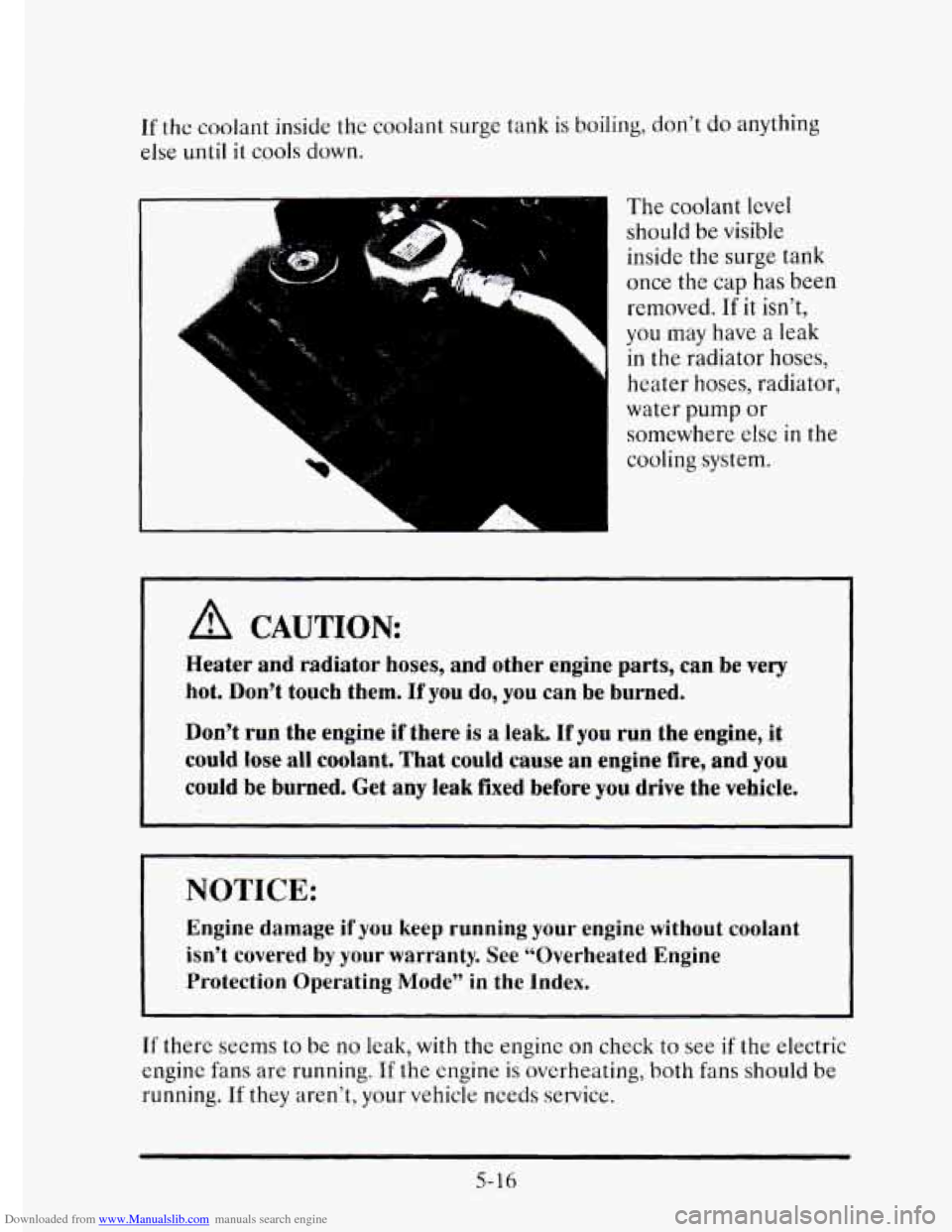
The coolant level
should be visible
inside
the surge tank
once the cap
has been
removed.
If it isn’t,
you may have a leak
in the radiator hoses,
heater
hoses, radiator,
water pump or
somewhere
else in the
cooling system.
Heater and radiator hoses, and other engine parts, can be very
hot. Don’t
touch them. If you do, you can be burned.
Don’t run the engine if there
is a leak. If you run the engine, it
could lose all coolant. That could cause an engine fire, and you
could be burned. Get any leak fixed before you drive the vehicle.
I NOTICE:
Engine damage if you keep running your engine without coolant
isn’t covered
by your warranty. See “Overheated Engine
Protection Operating Mode”
in the Index.
If there seems to be no leak, with the engine on check to see if the electric
engine fans are running.
If the engine is overheating, both fans should be
running. If they aren’t, your vehicle needs service.
5-16
Page 263 of 395
Downloaded from www.Manualslib.com manuals search engine Gasolines for Cleaner Air
Your use of gasoline with deposit control additives will help prevent
deposits from forming
in your engine and fuel system. That helps keep
your engine in tune and your emission control system working properly.
It’s good for your vehicle, and you’ll be doing your part for cleaner air.
Many gasolines are now blended with oxygenates. General Motors
recommends that you use gasolines with these blending materials, such as
MTBE and ethanol. By doing so, you can help clean the air, especially in
those parts
of the country that have high carbon monoxide levels.
In addition, some gasoline suppliers are now producing reformulated
gasolines. These gasolines are specially designed to reduce vehicle
emissions. General Motors recommends that
you use reformulated
gasoline. By doing
so, you can help clean the air, especially in those parts
of the country that have high ozone levels.
You should ask your service station operators if their gasolines contain
deposit control additives and oxygenates, and if they have been
reformulated to reduce vehicle emissions.
FUELS IN FOmIGN COUNTMES
If you plan on driving in another country outside the U.S. or Canada,
unleaded fuel may be hard to find. Do not use leaded gasoline. If you use
even one tankful,
your emission controls won’t work well or at all. With
continuous use, spark plugs can get fouled, the exhaust system can
corrode, and your engine oil can deteriorate quickly. Your vehicle’s
oxygen sensor
will be damaged. All of that means costly repairs that
wouldn’t be covered
by your warranty.
To check on fuel availability, ask an auto club, or contact a major oil
company that does business in the country where you’ll be driving.
You can also write us at the following address for advice. Just tell
us
where you’re going and give your Vehicle Identification Number (VIN).
6-4
General Motors Overseas Distribution Corporation,
North American Export Sales
(NAES)
1908 Colonel Sam Drive
Oshawa, Ontario
L1H 8P7
Page 269 of 395
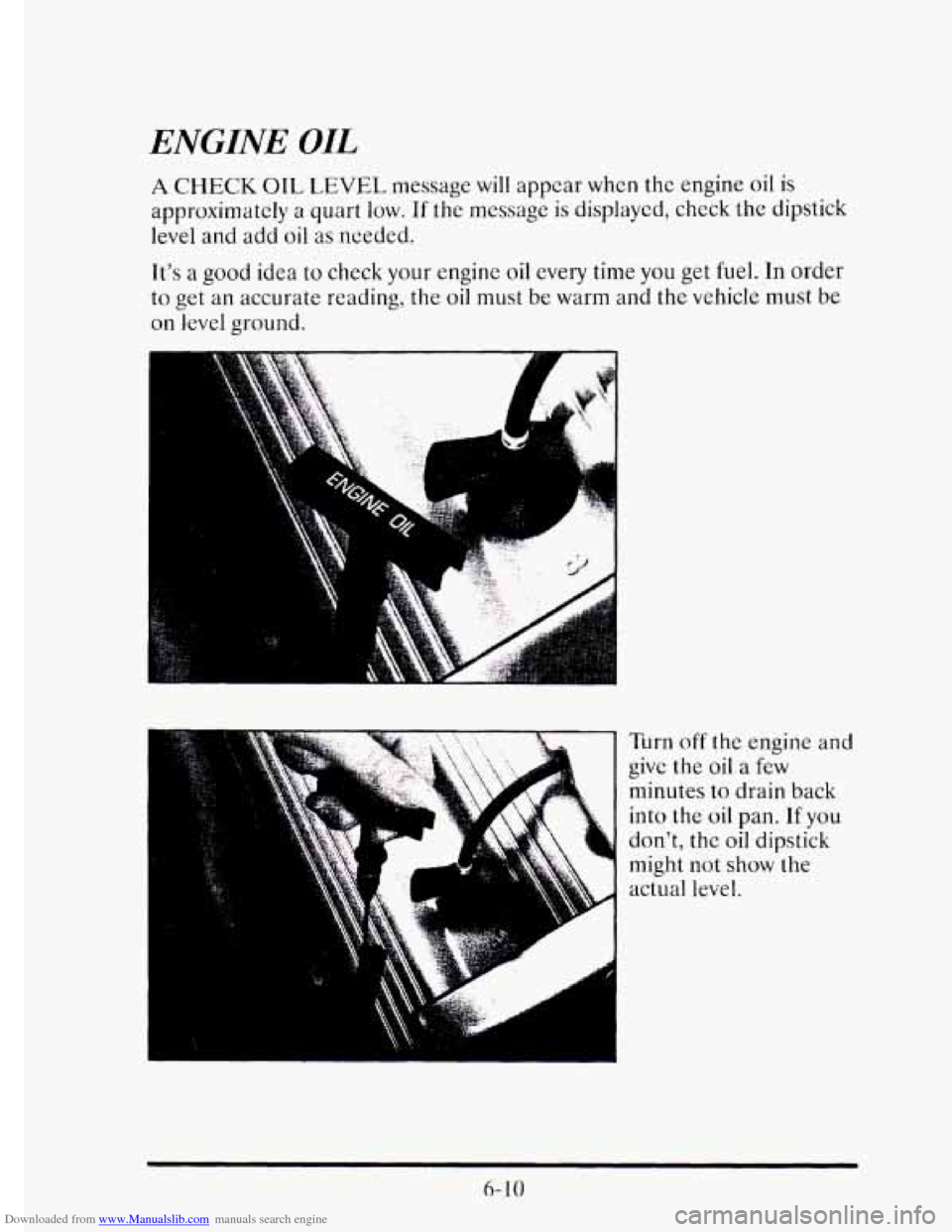
Downloaded from www.Manualslib.com manuals search engine ENGINE OIL
A CHECK OIL LEVEL message will appear whcn the engine oil is
approximately a quart low. If the message is displayed, check the dipstick
level
and add oil as needed.
It's
a good idea to check your engine oil every time you get fuel. In order
to get
an accurate reading, the oil must be warm and the vehicle must be
on level ground.
Turn off the engine and
give the oil a few
minutes to drain back
into the
oil pan. If you
don't, the oil dipstick
might not
show the
actual level.
6- 10
Page 270 of 395
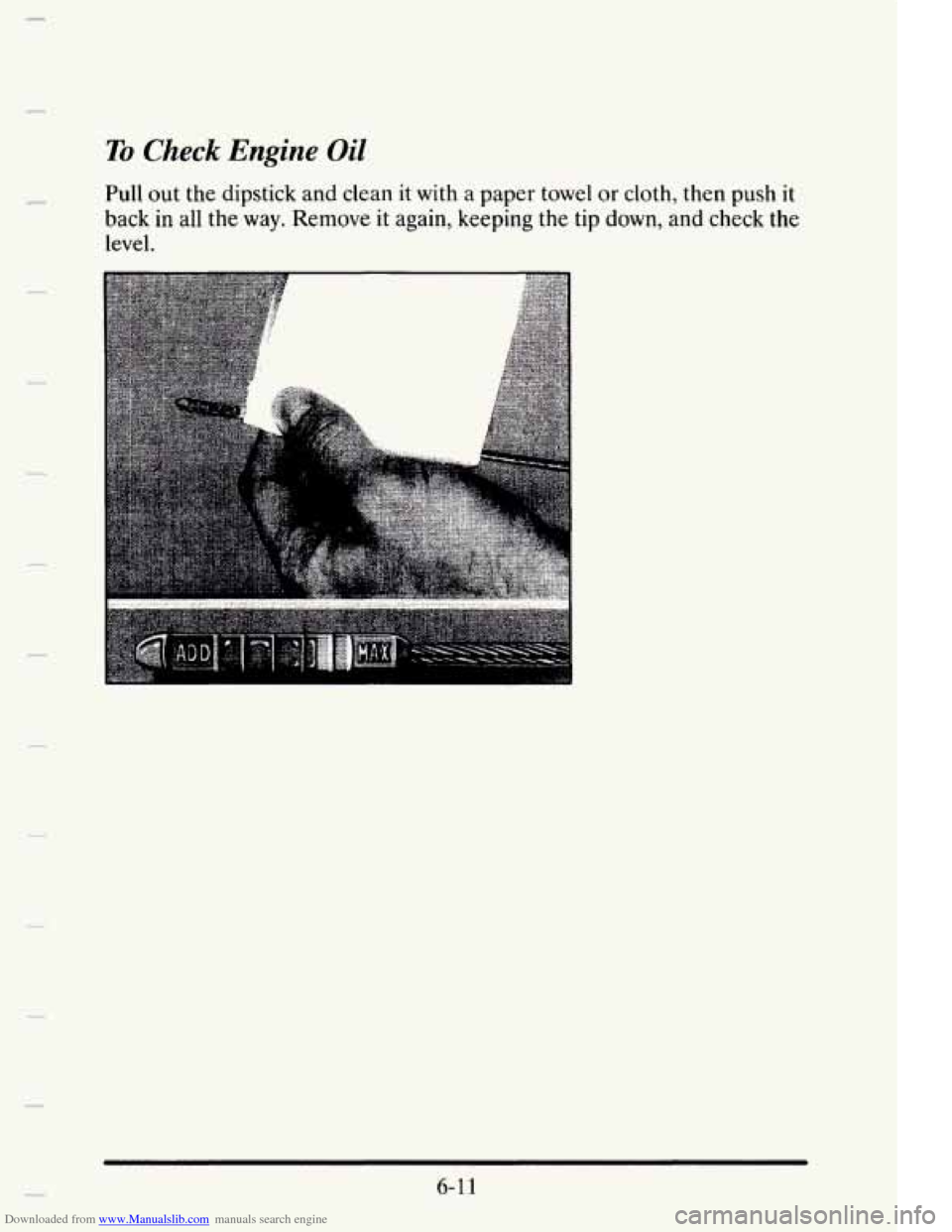
Downloaded from www.Manualslib.com manuals search engine To Check Engine Oil
Pull out the dipstick and clean it with a paper towel or cloth, then push it
back
in all the way. Remove it again, keeping the tip down, and check the
level.
6-1 1
Page 271 of 395
Downloaded from www.Manualslib.com manuals search engine When to Add Oil
If the oil is at or below the ADD line, then you’ll need to add some oil.
But you must use the right kind. This part explains what kind of oil to use.
For crankcase capacity, see “Capacities and Specifications” in the Index.
NOTICE:
Don’t add too much oil. If your engine has so much oil that the
oil level gets above the upper mark that shows the proper
operating range, your engine could be damaged.
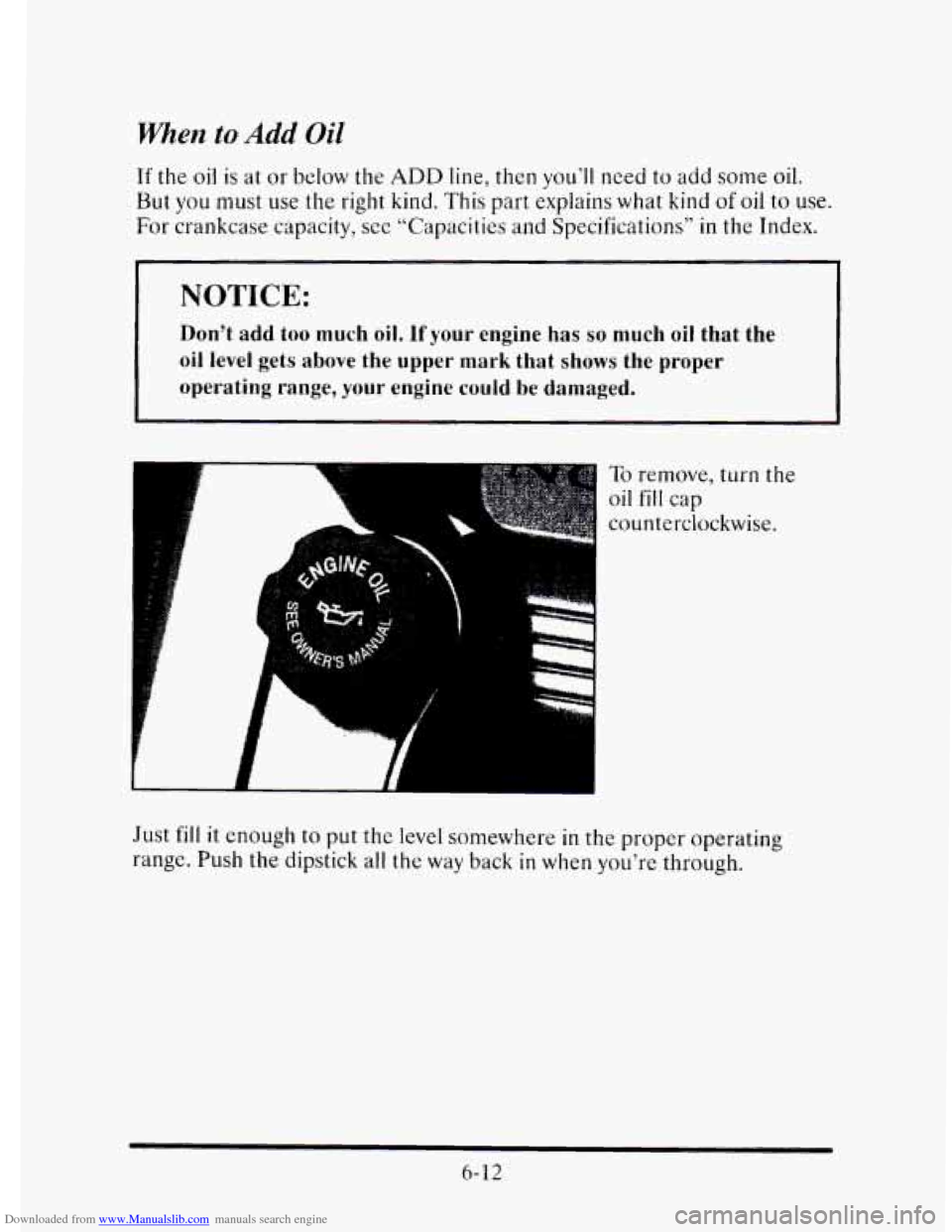
To remove, turn the
oil fill cap
counterclockwise.
Just
fill it enough to put the level somewhere in the propcr operating
rangc. Push
the dipstick all the way back in when you’re through.
6-12