2023 TOYOTA RAV4 PRIME change time
[x] Cancel search: change timePage 111 of 662
1112-2. Charging
2
Plug-in hybrid system
■When your circuit breaker trips
during charging (vehicles with
7-inch multi-information dis-
play)
The upper limit of the charging cur-
rent can be changed in “Vehicle Set-
tings” on the multi-information
display.
1 Press or of the meter
control switches to select .
2 Press or of the meter
control switches to select “Vehi-
cle Settings”, and then press and
hold .
3 Press or of the meter
control switches to select
“Charging Settings”, and then
press .
The “Charging Settings” screen
will be displayed.
4 Press or of the meter
control switches to select
“Charging Current”, and then
press .
The “Charging Current” screen
will be displayed.
5 Press or of the meter
control switches to select “16A”
*1
or “8A”, and then press .
During charging, the maximum
charging current will be restricted
to the set curre nt or lower.
*2
If the breaker s till trips while
charging, even after changing the
upper limit of the charging current,
check if the connected power
source meets the specified charging
conditions. ( P.110)
*1: Vehicles with 7 kW onboard trac-
tion battery charger only
*2: Restricting the charging current will lengthen the charging time.
■When your circuit breaker trips
during charging (vehicles with
12.3-inch multi-information dis-
play)
The upper limit of the charging cur-
rent can be changed in “ Vehi-
cle Settings” on the multi-
information display.
1 Press and hold to display the
cursor on the content display
area (center) of the multi-infor-
mation display.
2 Press or of the meter
control switches to select
and then press .
3 Press or of the meter
control switch es and select
“ Vehicle Settings”. Then
press and hold .
4 Press or of the meter
control switches to select
“Charging Settings”, and then
press .
The “Charging Settings” screen
will be displayed.
5 Press or of the meter
control switches to select
“Charging Current”, and then
press .
The “Charging Current” screen
will be displayed.
6 Press or of the meter
control switches to select “16A”
*1
or “8A”, and then press .
During charging, the maximum
Page 114 of 662

1142-2. Charging
peratures.
This control stops 31 days
after the AC charging cable is
connected, even if it is still
connected to the vehicle.
When this control operates,
charging schedule settings
are ignored and charging
starts.
■“Battery Cooler”
When the hybrid battery (trac-
tion battery) is hot and the AC
charging cable is connected to
the vehicle, this function cools
the hybrid battery (traction bat-
tery) before charging is carried
out.
“Battery Cooler” will operate
when the “Battery Cooler” of
the “Charging Settings” on the
multi-information display is
on. ( P.193)
When the charging voltage is
120 V, the function does not
operate.
■Traction battery heating and
cooling system (“Battery
Heater” and “Battery Cooler”)
●The system operates when the
hybrid battery (traction battery) is
below or above a c ertain tempera-
ture.
●The system may operate when
charging is not being performed.
●When the charging schedule is
used ( P.128), this function will
operate according to the charging
schedule.
■“Battery Heater”
●When “Battery Heater” is operat-
ing, the charging indicator illumi-
nates.
●When the AC charging cable is
removed from the vehicle or
remains connected to the vehicle
for approximately 3 days, the sys-
tem automatically stops.
●When “Battery Heater” is operat-
ing during charging, the charging
time may be longer than normal.
●If the outside temperature
becomes high w hile “Battery
Heater” is operating, charging
may complete ear lier than the
“Departure” or “ Departure time”
time set. ( P.128)
●When the following operations are
performed while “Battery Heater”
is operating, the hybrid battery
(traction battery) heating opera-
tion stops.
• The shift lever is changed to any position other than P
• The Remote Air Conditioning Sys- tem is operated ( P.431)
●“Battery Heater” may operate
even when the hybrid battery
(traction battery) is fully charged
depending on the temperature of
the hybrid battery (traction bat-
tery).
• The remaining charge of the hybrid battery (traction battery)
decreases when “Battery Heater”
operates. The charging operation
may start again to charge the
hybrid battery (traction battery).
• “Charging Stopped Due to Pulled Charging Connector” may be
shown when the charging connec-
tor is removed while recharging.
( P.158)
■“Battery Cooler”
●The charging indi cator is illumi-
nated while “Batter y Cooler” is on
standby or operating.
●“Battery Cooler” is implemented
for a maximum of approximately
Page 118 of 662
1182-2. Charging
This vehicle has been designed
to allow charging from an exter-
nal power source using a AC
charging cable for exclusive use
with standard household AC
outlets.
However, the vehicle differs
greatly from standard household
electrical goods in the following
ways, and incorrect usage could
cause fire or electric shock, pos-
sibly leading to death or serious
injury.
When charging, a large
amount of current will flow for
a long time.
Charging can be conducted
outdoors.
To charge properly, follow the
procedure after reading the
explanation below. Charging is
intended to be carried out by
licensed drivers only who prop-
erly understand the charging
procedure.
Do not allow children to use
the AC charging cable without supervision. Also, keep the
AC charging cable out of
reach of infants.
When charging with a char-
ger, follow the procedures for
using each charger.
When charging using a public
charging facility, check the
setting of the charging sched-
ule function.
• When the charging schedule is
registered, temporarily turn off
the function or turn “Charge Now”
on. ( P.135, 141, 147)
• When the charging schedule is set to on, charging will not start
even if the AC charging cable is
connected. Also, charging fee
may occur due to connection of
the AC charging cable.
Before charging, always check
the following items.
The parking brake is applied.
( P.314)
Lights such as the head-
lights, emergency flashers
and interior lights etc. are
turned off.
If these light swit ches are turned
on, then these features will con-
sume electricity, and charging time
will increase.
The power switch is turned to
OFF. ( P.307)
WARNING
■When the AC charging cable
is connected to the vehicle
Do not operate the shift lever.
In the unlikely event that the AC
charging cable has been dam-
aged, the shift position may
change from P to another position
and the vehicle could move, pos-
sibly leading to an accident.
Charging precautions
Confirm the following
before charging
Page 128 of 662

1282-2. Charging
■Calendar settings
The current date an d time is auto-
matically set using GPS. However, if
the automatic setti ng of the clock is
turned off on the Multimedia Dis-
play, it is necessary to set the calen-
dar on the multi-information display
( P.191, 203). For details, refer to
the “MULTIMEDIA OWNER’S MAN-
UAL”.
If the calendar settings check
screen is displayed when an
attempt is made to register a
charging schedule, make sure that
the calendar settings are correctly. If
the calendar is not set correctly, the
charging schedule function will not
operate properly.
When registering the charging
schedule, the following settings
can be changed.
■Select the charging mode
One of the two following
charging modes can be
selected.
“Start” or “Start at set time”
Starts charging at the set time
*1,
2
and finishes charging when
fully charged.
“Departure” or “Departure
time”
Starts charging to finish at the
set time.
*3, 4
When this setting is selected,
the air conditioning-linked func-
tion can be used.
*1: There might be a slight error in the timing when charging starts
due to the state of the hybrid bat-
tery (traction battery).
*2: Charging schedule function is performed in accordance with
the clock. Before registering the
charging schedule, check and
set the clock to t he proper time.
*3: If the system de termines that
charging cannot be completed
by the set depart ure time, it will
start charging. Check the
charging schedule.
*4: If the outside temperature changes suddenly o r the state of
the power source being used is
changed during charging, the
system may not complete the
charging as estimated.
■Repeated setting
The periodic charging schedule
can be set by selecting your
desired day of the week. (If no
days are selected, charging is
only carried out once.)
Using the charging
schedule function
Charging can be carried out
at the desired time by regis-
tering the charging sched-
ule. Also, it is possible to
set the charging schedule to
one’s preferences, such as
having charging complete
by a certain departure time
or be carried out at the
same time on certain days.
Settings of the charging
schedule function
Page 129 of 662
1292-2. Charging
2
Plug-in hybrid system
■Air conditioning-linked set-
ting (“Climate Prep” or “Cli-
mate preparation”)
When the charging mode is set
to “Departure” or “Departure
time”, the vehicle air condition-
ing system ( P.422) can be set
to automatically operate
*
according to the set time.
By adjusting the cabin temperature
in advance, passengers can enjoy
a pleasant interior immediately after
entering the vehicle.
*: Operation starts approximately 20 minutes before the set depar-
ture time.
■Turning “Charge Now” on
and off
If even one charging schedule is
registered, charging does not
start until the set time, even if
the AC charging cable is con-
nected to the vehicle. To start
charging without changing the
charging schedule setting, turn
“Charge Now” on to temporarily
cancel the charging schedule
and enable charging after con-
necting the AC charging cable.
*
*: If the charging connector is removed during charging while
the charging schedule is regis-
tered and “Charge Now” is on,
“Charge Now” turns off.
■Changing “Next Event”*1, 2
It is possible to temporarily set
the time of the next charging
schedule without changing the registered repeated setting.
*3
*1: The “Next Event” refers to the
closest charging schedule from
the current time among the regis-
tered charging schedules.
Charging schedule is performed
based on the “Next Event”.
*2: “Next Event” can not be changed on the Multimedia Display.
*3: When “Next Event” is changed, the current charging schedule
will be temporarily ignored and
charging will not be carried out
until the time specified by “Next
Event”. (For example, when
“Next Event” is set for 2 days
later, even if items are registered
on the charging schedule,
charging will not be carried out
until the time specified by “Next
Event”.)
The charging schedule can be
registered on the multi-informa-
tion display or Multimedia Dis-
play
7-inch multi-information dis-
play operation (if equipped):
P.131
12.3-inch multi-information
display operation (if
equipped): P.137
Multimedia Display opera-
tion: P.143
Registering the charging
schedule
Page 130 of 662
1302-2. Charging
■Charging schedule
●The charging schedule cannot be
set while driving.
●A maximum of 15 charging sched-
ules can be registered.
■To make sure that the charging
schedule function operates cor-
rectly
Check the following items.
●The clock is adjusted to the proper
time
●The calendar is set to the correct
date
●Check that the power switch is
turned off
●After registering the charging
schedule, connect the AC
charging cable
The charging sta rt time is deter-
mined based on the charging
schedule at the time that the AC
charging cable was connected.
●After connecting the AC charging
cable, check that the charging
indicator of the charging port
flashes ( P.98)
●Do not use an ou tlet that has a
power cut off function (including a
timer function)
Use an outlet that constantly sup-
plies electricity. For outlets where
the power is cut off due to a timer
function, etc., charging may not be
carried out according to plan if the
power is cut off during the set
time.
●The automatic ad justment of the clock by GPS is set to on.
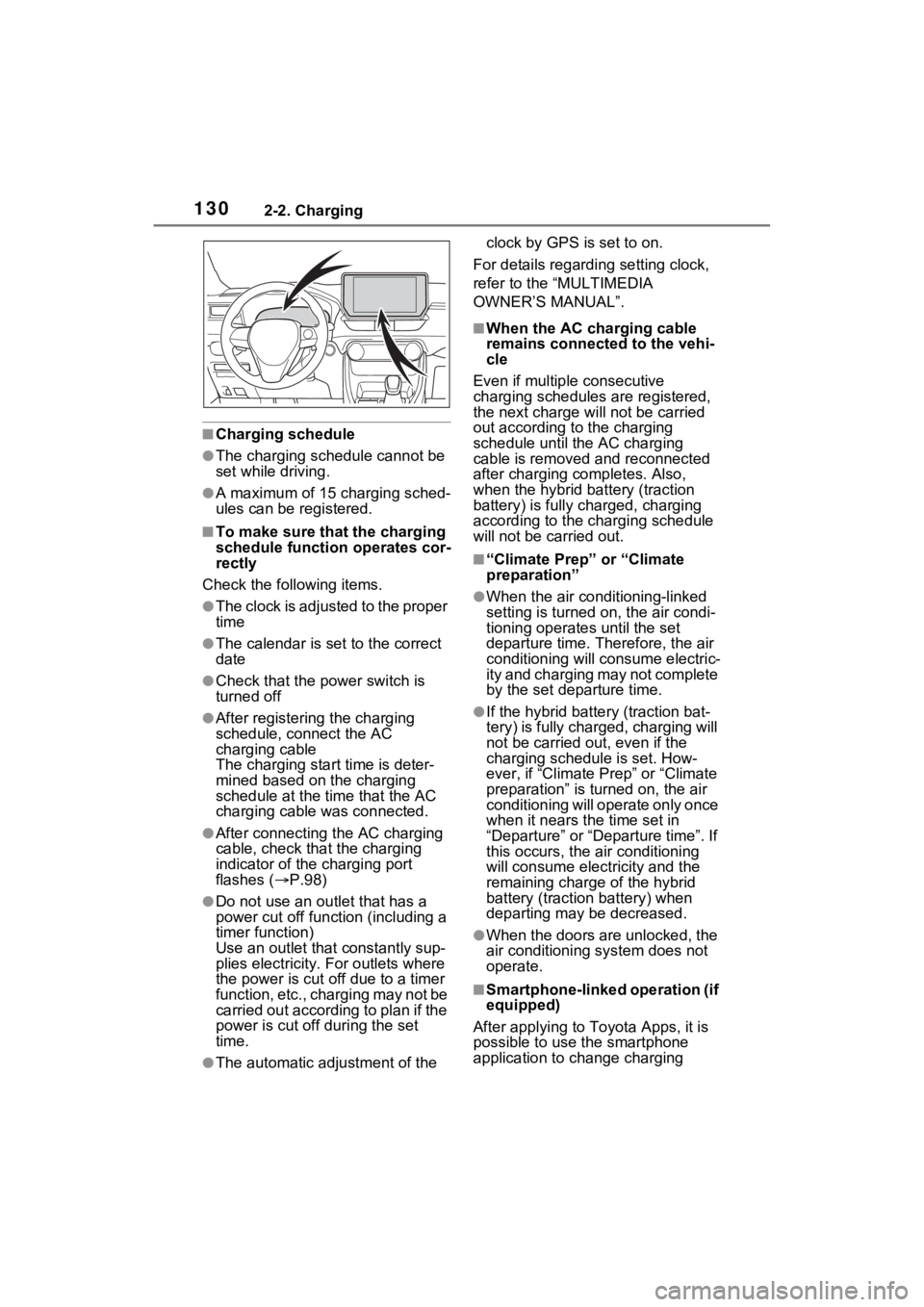
For details regarding setting clock,
refer to the “MULTIMEDIA
OWNER’S MANUAL”.
■When the AC charging cable
remains connected to the vehi-
cle
Even if multiple consecutive
charging schedules are registered,
the next charge will not be carried
out according to the charging
schedule until the AC charging
cable is removed and reconnected
after charging co mpletes. Also,
when the hybrid battery (traction
battery) is fully charged, charging
according to the charging schedule
will not be carried out.
■“Climate Prep” or “Climate
preparation”
●When the air conditioning-linked
setting is turned on, the air condi-
tioning operates until the set
departure time. Therefore, the air
conditioning will co nsume electric-
ity and charging may not complete
by the set departure time.
●If the hybrid batte ry (traction bat-
tery) is fully charged, charging will
not be carried o ut, even if the
charging schedule is set. How-
ever, if “Climate Prep” or “Climate
preparation” is turned on, the air
conditioning will operate only once
when it nears the time set in
“Departure” or “Departure time”. If
this occurs, the air conditioning
will consume electricity and the
remaining charge of the hybrid
battery (traction battery) when
departing may be decreased.
●When the doors are unlocked, the
air conditioning system does not
operate.
■Smartphone-linked operation (if
equipped)
After applying to Toyota Apps, it is
possible to use the smartphone
application to change charging
Page 132 of 662
1322-2. Charging
3Press or of the meter
control switches to select
“Charging Settings”, and then
press .
The “Charging Settings” screen will
be displayed.
4Press or of the meter
control switches to select
“Charging Schedule”, and
then press .
The “Charging Schedule” screen
will be displayed.
5Press or of the meter
control switches to select
“Scheduled Events”, and
then press .
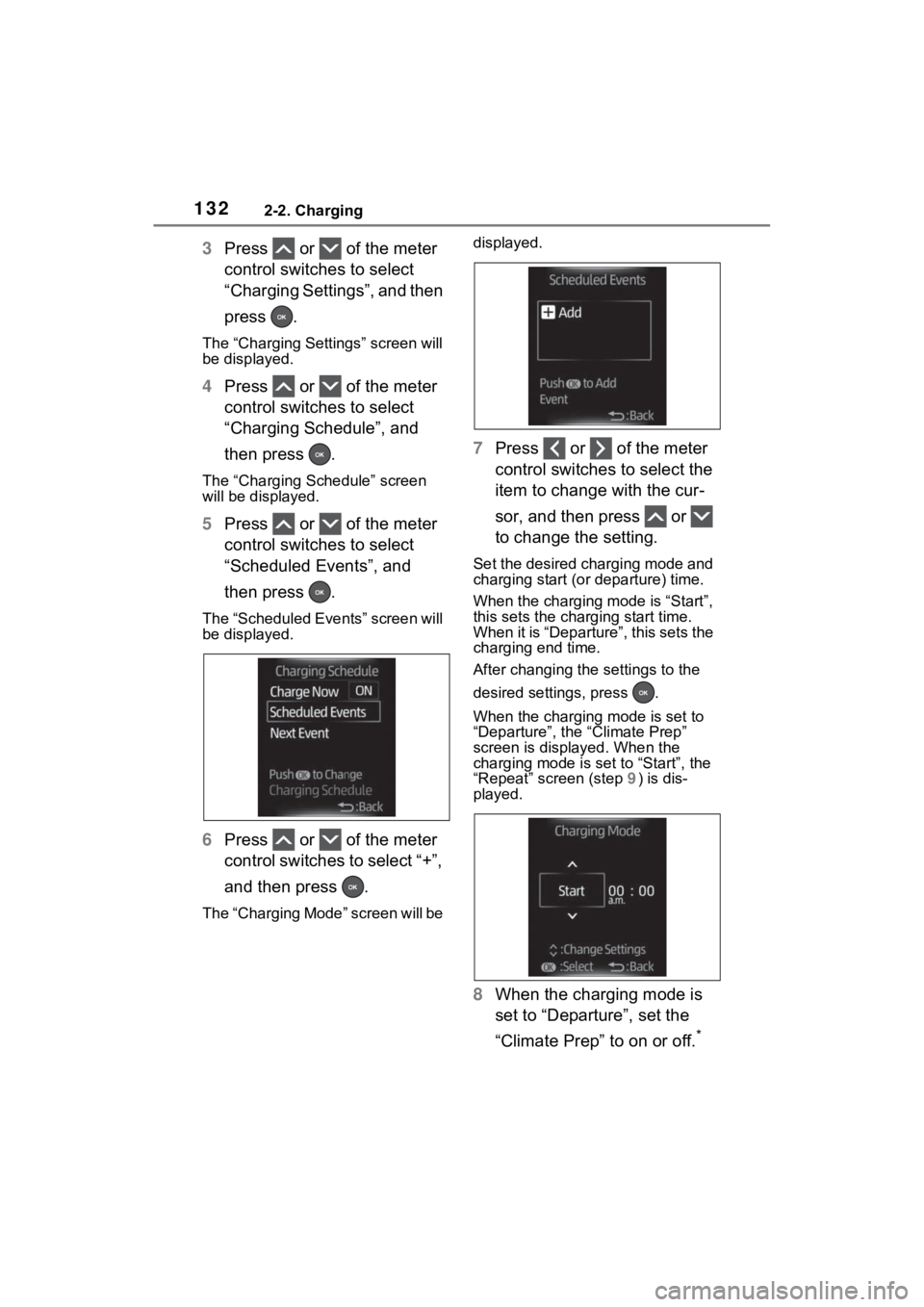
The “Scheduled Events” screen will
be displayed.
6Press or of the meter
control switches to select “+”,
and then press .
The “Charging Mode” screen will be displayed.
7
Press or of the meter
control switches to select the
item to change with the cur-
sor, and then press or
to change the setting.
Set the desired charging mode and
charging start (or departure) time.
When the charging mode is “Start”,
this sets the charging start time.
When it is “Departure”, this sets the
charging end time.
After changing the settings to the
desired settings, press .
When the charging mode is set to
“Departure”, the “Climate Prep”
screen is displayed. When the
charging mode is set to “Start”, the
“Repeat” screen (step 9) is dis-
played.
8 When the charging mode is
set to “Departure”, set the
“Climate Prep” to on or off.
*
Page 133 of 662
1332-2. Charging
2
Plug-in hybrid system
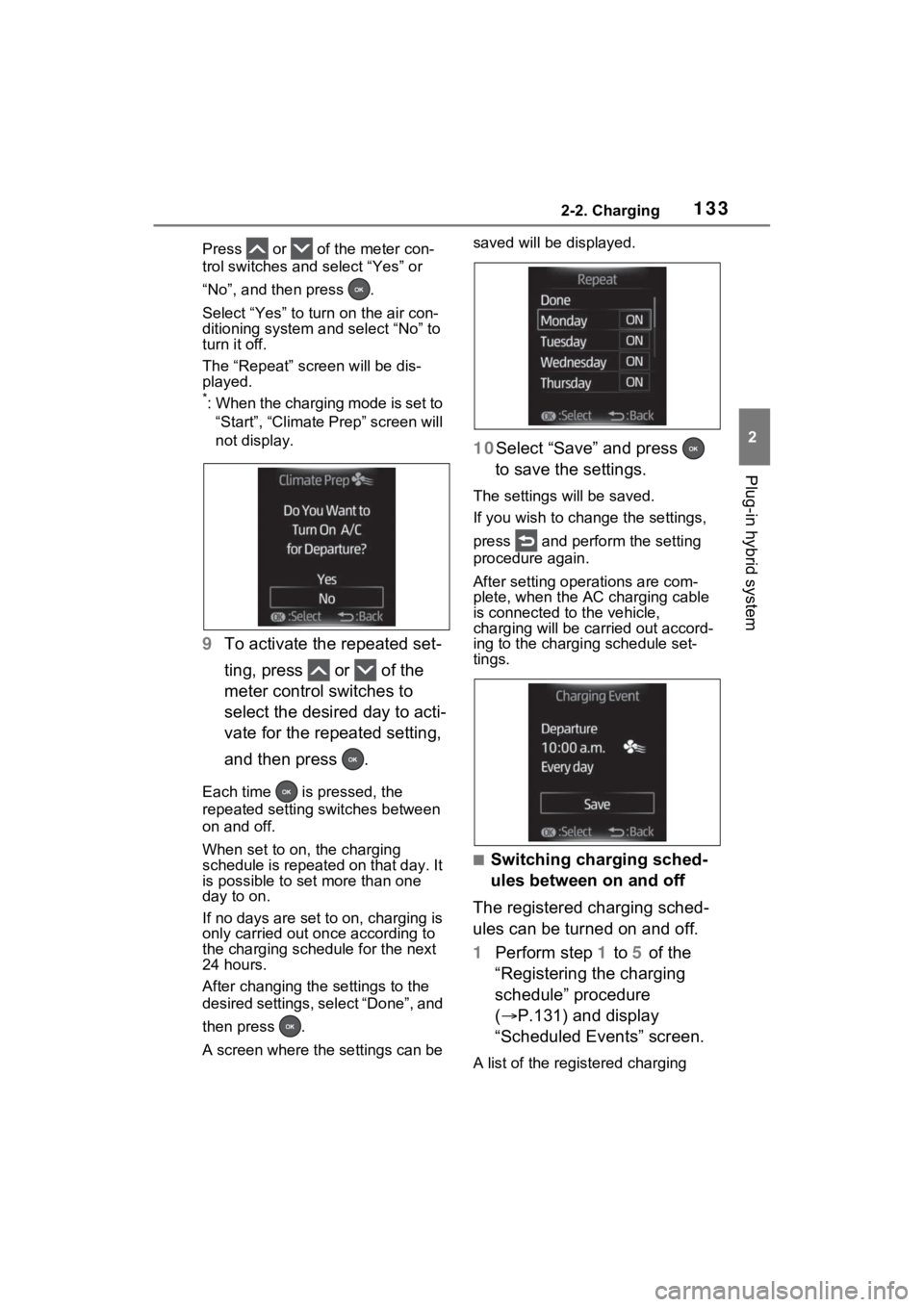
Press or of the meter con-
trol switches and select “Yes” or
“No”, and then press .
Select “Yes” to turn on the air con-
ditioning system and select “No” to
turn it off.
The “Repeat” screen will be dis-
played.
*: When the charging mode is set to
“Start”, “Climate Prep” screen will
not display.
9 To activate the repeated set-
ting, press or of the
meter control switches to
select the desired day to acti-
vate for the repeated setting,
and then press .
Each time is pressed, the
repeated setting switches between
on and off.
When set to on, the charging
schedule is repeated on that day. It
is possible to set more than one
day to on.
If no days are set to on, charging is
only carried out on ce according to
the charging sche dule for the next
24 hours.
After changing the settings to the
desired settings, select “Done”, and
then press .
A screen where the settings can be saved will be displayed.
10Select “Save” and press
to save the settings.
The settings will be saved.
If you wish to change the settings,
press and perform the setting
procedure again.
After setting ope rations are com-
plete, when the AC charging cable
is connected to the vehicle,
charging will be carried out accord-
ing to the charging schedule set-
tings.
■Switching charging sched-
ules between on and off
The registered charging sched-
ules can be turned on and off.
1 Perform step 1 to 5 of the
“Registering the charging
schedule” procedure
( P.131) and display
“Scheduled Events” screen.
A list of the registered charging