2023 TOYOTA COROLLA CROSS park assist
[x] Cancel search: park assistPage 154 of 500
1544-1. Before driving
■GCWR (Gross Combination
Weight Rating)
The maximum allowable gross
combination weight. The gross
combination weight is the sum
of the total vehicle weight
(including the occupants, cargo
and any optional equipment
installed on the vehicle) and the
weight of the trailer being towed
(including the cargo in the
trailer).
WARNING
●Do not exceed th e trailer hitch
assembly weight, gross vehicle
weight, gross axle weight and
trailer tongue weight capacities.
●Do not use the following sys-
tems when trailer towing.
• Dynamic radar cruise control with full-speed range
• LTA (Lane Tracing Assist)
• LDA (Lane Departure Alert)
• PKSB (Parking Support Brake) (if equipped)
• RCTA (Rear Cross Traffic Alert) (if equipped)
• PCS (Pre-Collision System)
• BSM (Blind Spot Monitor) (if equipped)
●Slow down and downshift
before descending steep or long
downhill grades. Do not make
sudden downshifts while
descending steep or long down-
hill grades.
●Vehicle-trailer in stability is more
likely on steep long downhills.
Before descending steep or
long downhill grades, slow
down and downshift. Do not
make sudden downshifts when
descending steep or long down-
hill grades. Avoid holding the
brake pedal down too long or
applying the brakes too fre-
quently. This could cause the
brakes to overheat and result in
reduced braking efficiency.
●Do not tow a trailer when the
compact spare tire is installed
on your vehicle.
■When towing a trailer
Toyota recommends trailers with
brakes that conform to any appli-
cable federal and s tate/provincial
regulations.
●If the gross tr ailer weight
exceeds unbraked TWR, trailer
brakes are required. Toyota rec-
ommends trailers with brakes
that conform to all applicable
federal and state/provincial reg-
ulations.
●Never tap into your vehicle’s
hydraulic system, as this will
lower the vehicle’s braking
effectiveness.
●Never tow a traile r without using
a safety chain securely attached
to both the trailer and the vehi-
cle. If damage occurs to the
coupling unit or hitch ball, there
is danger of the trailer wander-
ing into another lane.
Towing related terms
Page 165 of 500

1654-2. Driving procedures
4
Driving
1Stop the vehicle completely.
2 Set the parking brake
( P.172), and shift the shift
lever to P.
Check the parking brake indicator
is illuminated.
Do not press the shift lever button
after shifting the shit position to P.
3 Press the engine switch.
The engine will stop, and the meter
display will be extinguished.
4Release the brake pedal and
check that “ACCESSORY” or
“IGNITION ON” is not shown
on the multi-information dis-
p l a y.
■Automatic engine shut off fea-
ture
●The vehicle is equipped with a
feature that automatically shuts off
the engine when the shift lever is
in P with the engine running for an
extended period.
●The engine will automatically shut
off after approximately 1 hour if it
has been left running while the
shift lever is in P.
●The timer for the automatic engine
shut off feature will reset if the
brake pedal is depre ssed or if the shift lever is in a position other
than P.
●After the vehicle
is parked, if the
door is locked with the door lock
switch ( P.107) from the inside or
the mechanical key (P.417) from
the outside, the automatic engine
shut off feature will be disabled.
The timer for the automatic engine
shut off feature will be re-enabled
if the driver’s door is opened.
NOTICE
■Symptoms indicating a mal-
function with the engine
switch
If the engine switch seems to be
operating somewh at differently
than usual, such as the switch
sticking slightly, there may be a
malfunction. Contact your Toyota
dealer immediately.
Stopping the engineWARNING
■Stopping the engine in an
emergency
●If you want to stop the engine in
an emergency while driving the
vehicle, press and hold the
engine switch for more than 2
seconds, or press it briefly 3
times or more in succession.
(
P.382)
However, do not touch the
engine switch while driving
except in an emergency. Turn-
ing the engine off while driving
will not cause loss of steering or
braking control, but the power
assist to these systems will be
lost. This will make it more diffi-
cult to steer and brake, so you
should pull over and stop the
vehicle as soon as it is safe to
do so.
●If the engine switch is operated
while the vehicle is running, a
warning message will be shown
on the multi-information display
and a buzzer sounds.
●To restart the engine after per-
forming an emergency shut-
down, shift the shift lever to N
and then press the engine
switch.
Page 167 of 500

1674-2. Driving procedures
4
Driving
■Auto power off function
If the vehicle is le ft in ACC for more
than 20 minutes or ON (the engine
is not running) for more than an
hour with the shift lever is in P or the
shift lever button i s not pressed, the
engine switch will automatically turn
off. However, this function cannot
entirely prevent battery discharge.
Do not leave the vehicle with the
engine switch in ACC or ON for long
periods of time when the engine is
not running.
■When ACC customization is in
off
●With the engine switch is turned
off, the multimedia system can still
be used for a certain time until the
battery saving function starts
operating.
●When the safe exit assist is oper-
ating, a buzzer will sound and a
voice guidance will be given.
(vehicles with safe exit assist)
If the engine is stopped when
the shift lever is in a position
other than P or the shift lever
button is pressed, the engine switch will not be turned off but
instead be turned to ACC. Per-
form the following procedure to
turn the switch off:
1
Check that the parking brake
is set.
2 Shift the shift lever to P.
Do not press the shift lever button
after shifting the shit position to P.
3Check that “ACCESSORY” is
displayed on the multi-infor-
mation display and press the
engine switch shortly and
firmly.
4 Check that “ACCESSORY”
or “IGNITION ON” on the
multi-information display are
off.
NOTICE
■To prevent battery discharge
●Do not leave the engine switch
in ACC or ON for long periods of
time without the engine running.
●If “ACCESSORY” or “IGNITION
ON” is displayed on the
multi-informatio n display, the
engine switch is not off. Exit the
vehicle after turning the engine
switch off.
When stopping the engine
with the shift lever in a
position other than P
NOTICE
■To prevent battery discharge
Do not stop the engine with the
shift lever in a position other P or
the shift lever button pressed. If
the engine is stopped with the
shift lever in a position other than
P or the shift lever button pressed,
the engine swit ch will not be
turned off but instead be turned to
ACC mode. If the vehicle is left in
ACC, battery discharge may
occur.
Page 215 of 500
2154-5. Using the driving support systems
4
Driving
This function is operable when all of
the following conditions are met:
• The vehicle speed is approxi-
mately 30 mph (50 km/h) or more.
Operation may be possible when
the vehicle speed is approximately
25 mph (40 km/h) or more if vehi-
cles, motorcycles, bicycles, or
pedestrians are detected near the
lane.
• The system reco gnizes a lane or
course
*. (When recognized on
only one side, the system will
operate only for the recognized
side.)
• The lane width is approximately 9.8 ft. (3 m) or more.
• The turn signal l ever is not being
operated. (Vehicles with BSM:
Except when a vehicle is detected
in the direction that the turn signal
lever is operated.)
• The vehicle is not being driven around a sharp curve.
• The vehicle is not accelerating or decelerating more than a certain
amount.
• The steering wheel is not being turned sufficiently to perform a
lane change.
*: Boundary between the asphalt
and grass, soil, etc., or structures,
such as a curb, guardrail, etc.
■Temporary cancellation of func-
tions
When the operating conditions are
no longer met, a function may be
temporarily canceled. However,
when the operation conditions are
met again, operation of the function
will automatically be restored.
( P.214)
■Operation of the lane departure
alert function/lane departure
prevention function
●Depending on the vehicle speed,
road conditions, lane departure
angle, etc., operation of the lane
departure prevention function may not be felt or the function may not
operate.
●Depending on the conditions, the
warning buzzer may operate even
if vibration is selected through a
customize setting.
●If a course* is not clear or straight,
the lane departure alert function or
lane departure prevention function
may not operate.
●The lane departure alert function
or lane departure prevention func-
tion may not operate if the system
judges that the vehicle is inten-
tionally being ste ered to avoid a
pedestrian or parked vehicle.
●Vehicles with BSM: It may not be
possible for the sys tem to judge if
there is danger of a collision with a
vehicle in an adjacent lane.
●The steering assist operation of
the lane departure prevention
function can be overridden by the
steering wheel operation of the
driver.
*: Boundary between the asphalt
and grass, soil, etc., or structures,
such as a curb, guardrail, etc.
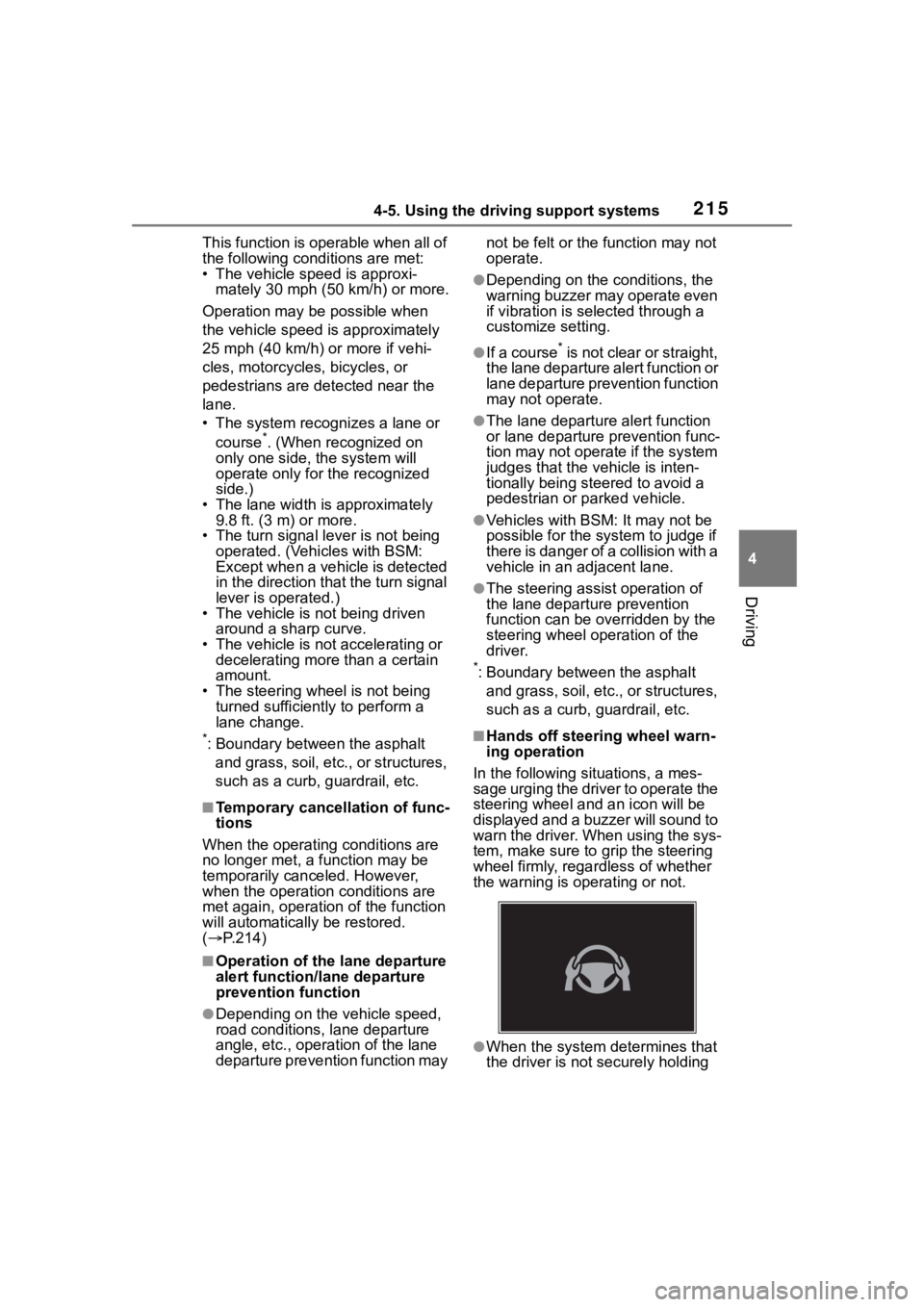
■Hands off steering wheel warn-
ing operation
In the following si tuations, a mes-
sage urging the driver to operate the
steering wheel and an icon will be
displayed and a buzzer will sound to
warn the driver. When using the sys-
tem, make sure to grip the steering
wheel firmly, rega rdless of whether
the warning is operating or not.
●When the system determines that
the driver is not securely holding
Page 233 of 500
2334-5. Using the driving support systems
4
Driving
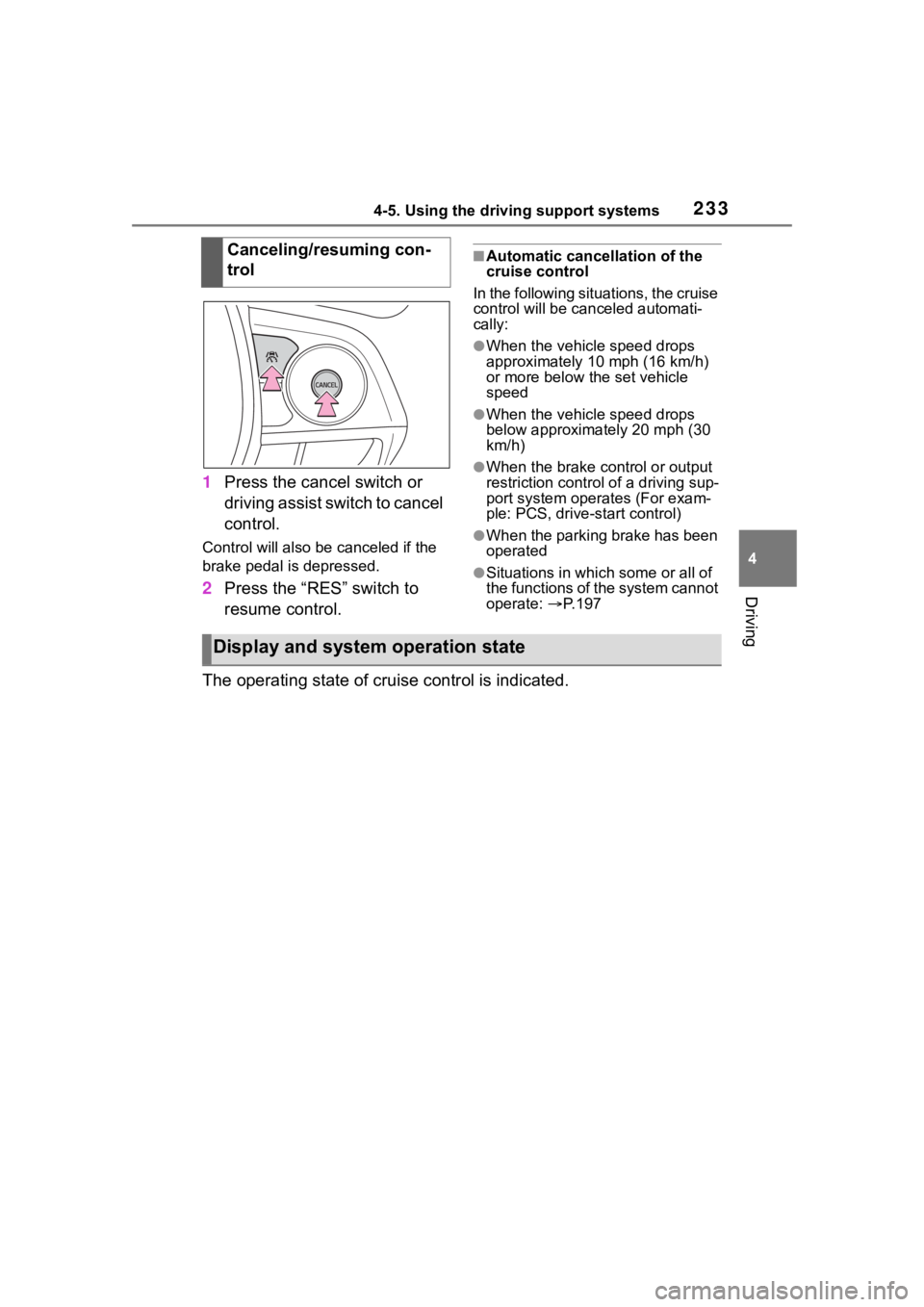
1Press the cancel switch or
driving assist switch to cancel
control.
Control will also be canceled if the
brake pedal is depressed.
2Press the “RES” switch to
resume control.
■Automatic cancellation of the
cruise control
In the following situations, the cruise
control will be canceled automati-
cally:
●When the vehicle speed drops
approximately 10 mph (16 km/h)
or more below the set vehicle
speed
●When the vehicle speed drops
below approximately 20 mph (30
km/h)
●When the brake control or output
restriction control of a driving sup-
port system oper ates (For exam-
ple: PCS, drive-start control)
●When the parking brake has been
operated
●Situations in which some or all of
the functions of the system cannot
operate: P. 1 9 7
The operating state of cruise control is indicated. Canceling/resuming con-
trol
Display and system operation state
Page 235 of 500
2354-5. Using the driving support systems
4
Driving
Operation of this system is sep-
arated into 4 control states.
Emergency Driving
Stop System
The emergency driving stop
system is a system which
automatically decelerates
and stops the vehicle within
its lane if the driver
becomes unable to continue
driving the vehicle, such as
if they have suffered a medi-
cal emergency, etc.
During LTA (Lane Tracing
Assist) control, if the sys-
tem does not detect driving
operations, such as if the
driver is not holding the
steering wheel, and deter-
mines the driver is not
responsive, the vehicle will
be decelerated and stopped
within its current lane to
help avoid a collision or
reduce the impact of a colli-
sion.
WARNING
■For safe use
●Driving safely is solely the
responsibility of the driver. Pay
careful attention to the sur-
rounding conditions in order to
ensure safe driving. The emer-
gency driving stop system is
designed to provide support in
an emergency where it is diffi-
cult for the driver to continue
driving, such as if they have had
a medical emergency. It is not
designed to support driving
while drowsy or in poor physical
health, or inattentive driving.
●Although the emergency driv-
ing stop system is designed to
decelerate the vehicle within its
lane to help avoid or help
reduce the impact of a collision
if the system determines that it
is difficult for the driver to con-
tinue driving, its effectiveness
may change according to vari-
ous conditions. Therefore, it
may not always be able to
achieve the same level of per-
formance. Also, if the operating
conditions are not met, this
function will not operate.
●After the emergency driving
stop system operates, if driving
becomes possible again, imme-
diately begin driving again or, if
necessary, park the vehicle on
the shoulder of the road and set
a warning reflecto r and flare to
warn other drivers of your
stopped vehicle.
●After this system operates, pas-
sengers should attend to the
driver as necessary and take
appropriate hazard prevention
measures, such as moving to a
place where safety can be
ensured, such as the shoulder
of the road or behind a guard-
rail.
●This system detects the condi-
tion of the driver through the
operation of the steering wheel.
This system may operate if the
driver is aware but intentionally
and continuously does not oper-
ate the vehicle. Also, the system
may not operate if it cannot
determine that the driver is not
responsive, such as if they are
leaning on the steering wheel.
Summary of the system
Page 236 of 500
2364-5. Using the driving support systems
Through control state “Warning
phase 1” and “Warning phase
2”, the system determines if the
driver is aware and responsive
while outputting a warning and
controlling the vehicle speed. If
the system determines the
driver is not responsive, it will
operate in control state “Decel-
eration stop phase” and “Stop
hold phase” and decelerate and
stop the vehicle. It will then
operate continuously in “Stop
hold phase”.
■Operating conditions
This system opera tes when all of
the following cond itions are met:
●When the LTA is on
●When the vehicle speed is
approximately 30 mph (50 km/h)
or more
■Operation cancelation condi-
tions
In the following si tuations, system
operation will be canceled:
●When LTA control has been can-
celed (the LTA switch has been
pressed, etc.)
●When the dynamic radar cruise
control has been canceled
●When driver operations are
detected (the steering wheel is
held, the brake pedal, accelerator
pedal, parking brake, hazard light
switch, or turn sig nal lever is oper-
ated)
●When the driving assist switch is
pressed while in the stop and hold
phase
●When the engine switch has been
turned from ON to off
●Situations in whic h some or all of
the functions of the system cannot operate:
P. 1 9 7
■LTA control when operation is
canceled
When emergency driving stop sys-
tem operation is canceled, LTA con-
trol may also be canceled.
If driving operations are not
detected after the hands off
steering wheel warning oper-
ates, a buzzer will sound inter-
mittently and a message will be
displayed to warn the driver, and
the system will judge if the driver
is responsive or not. If driving
operations, such as holding the
steering wheel, are not per-
formed within a certain amount
of time, the system will enter
warning phase 2.
After entering warning phase 2,
a buzzer will sound in short
intervals and a message will be
displayed to warn the driver, and
the vehicle will slowly deceler-
ate. If driving operations, such
as holding the steering wheel,
are not performed within a cer-
tain amount of time, the system
will determine that the driver is
not responsive and enter the
deceleration stop phase.
The audio system will be muted
until the driver becomes respon-
sive.
When the vehicle is decelerating,
Warning phase 1
Warning phase 2
Page 251 of 500
2514-5. Using the driving support systems
4
Driving
■The RCTA function is opera-
tional when
The RCTA function operates when
all of the followin g conditions are
met:
●The engine swit ch is in ON.
●The RCTA function is on.
●The shift position is in R.
●The vehicle speed is less than
approximately 9 mph (15 km/h).
●The approaching vehicle speed is
between approximately 5 mph (8
km/h) and 34 mph (56 km/h).
■Setting the buzzer volume
The buzzer volume can be adjusted
on the multi-information display.
The buzzer volume of the RCTA and
intuitive parking assi st (if equipped)
can be adjusted all together on
or of the multi-information dis-
play. ( P.449)
■Muting a buzzer temporarily (if
equipped)
When an object is detected, the
temporary mute switch is displayed
on the audio system screen.
S elect the switch to mute the buzzer
of the intuitive parking assist (if
equipped) and RCTA all together.
Mute will be canceled automatically
in the followin g situations:
●When the shift lever is changed.
●When the vehicle speed exceeds
a certain speed.
●When there is a malfunction in a sensor or the system is temporar-
ily unavailable.
●When the operati
ng function is
disabled manually.
●When the engine switch is turned
off.
■Conditions under which the
system will not detect a vehicle
The RCTA function is not designed
to detect the follo wing types of vehi-
cles and/or objects:
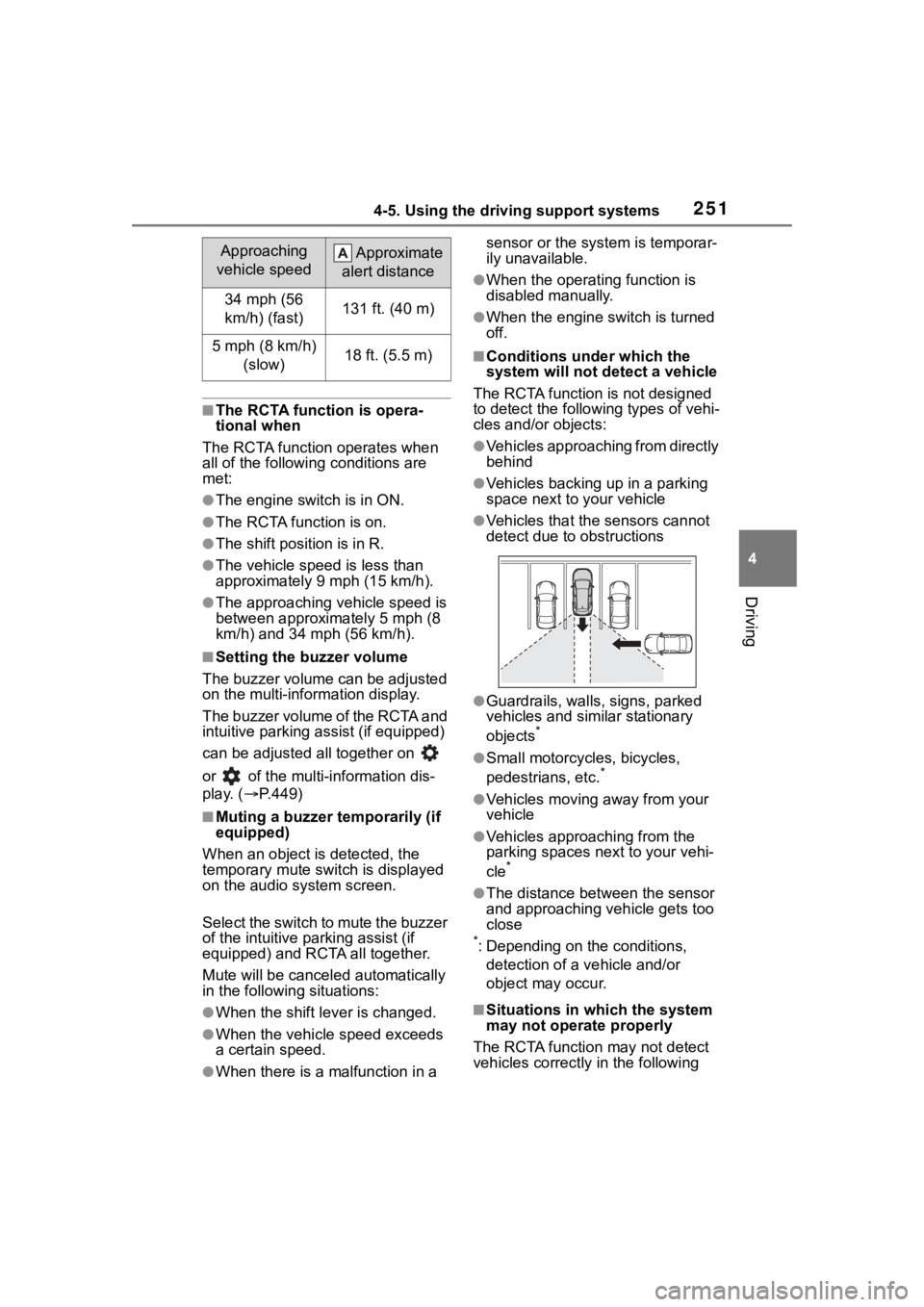
●Vehicles approaching from directly
behind
●Vehicles backing up in a parking
space next to your vehicle
●Vehicles that the sensors cannot
detect due to obstructions
●Guardrails, walls, signs, parked
vehicles and similar stationary
objects
*
●Small motorcycles, bicycles,
pedestrians, etc.*
●Vehicles moving away from your
vehicle
●Vehicles approaching from the
parking spaces nex t to your vehi-
cle
*
●The distance between the sensor
and approaching vehicle gets too
close
*: Depending on the conditions, detection of a v ehicle and/or
object may occur.
■Situations in which the system
may not operate properly
The RCTA function may not detect
vehicles correctly in the following
Approaching
vehicle speed Approximate
alert distance
34 mph (56
km/h) (fast)131 ft. (40 m)
5 mph (8 km/h) (slow)18 ft. (5.5 m)