2023 TOYOTA COROLLA CROSS park assist
[x] Cancel search: park assistPage 271 of 500

2714-5. Using the driving support systems
4
Driving
■When the vehicle moves in the unintended direction due to
the wrong shift lever position
■Types of sensors
P.259
■The system will operate when
The function will operate when the
driving assist information indicator is
not illuminated or flashing ( P.74,
397) and all of the following condi-
tions are met:
●Engine output restriction control
• PKSB (Parking Support Brake)
system is enabled.
• The vehicle speed is approxi- mately 9 mph (15 km/h) or less.
• There is a static object in the trav- eling direction of the vehicle and
approximately 6 to 13 ft. (2 to 4 m)
away.
• The PKSB (Parking Support
Brake) determines that a stron-
ger-than-normal brake operation
is necessary to avoid a collision.
●Brake control
• Engine output restriction control is
operating.
• The PKSB (Parking Support Brake) determines that an imme-
diate brake operation is necessary
to avoid a collision.
■The system will stop operating
when
The function will stop operating if
any of the following conditions are
met:
●Engine output restriction control
• PKSB (Parking Support Brake) system is disabled.
• The system determines that the
collision has become avoidable
with normal brake operation.
• The static object is no longer
approximately 6 to 13 ft. (2 to 4 m)
away from the vehicle or in the
traveling direction of the vehicle.
●Brake control
• PKSB (Parking Support Brake)
system is disabled.
WARNING
■To ensure the system can
operate properly
P. 2 6 0
■If the system operates unnec-
essarily, such as at a railroad
crossing
P. 2 6 9
■Notes when washing the vehi-
cle
P. 2 6 0
Page 272 of 500

2724-5. Using the driving support systems
• Approximately 2 seconds have elapsed since the vehicle was
stopped by brake control.
• The brake pedal is depressed after the vehicle is stopped by
brake control.
• The static object is no longer approximately 6 to 13 ft. (2 to 4 m)
away from the vehicle or in the
traveling direction of the vehicle.
■Detection range
The detection range of the system
differs from the detection range of
the intuitive parking assist. ( P.263) Therefore, even if the intuitive park-
ing assist detects an object and pro-
vides a warning, the PKSB (Parking
Support Brake) may not start oper-
ating.
■Situations in which the system
may not operate properly
P.261
■Situations in which the system
may operate even if there is no
possibility of a collision
P.262
If a rear radar sensor detects a vehicle approaching from the right or
left at the rear of the vehicle and the system determines that the pos-
sibility of a collision is high, this function will perform bra ke control to
reduce the likelihood of an impact with the approaching vehicle .
This function will operate in situations such as the following if a vehi-
cle is detected in the traveling direction of the vehicle.
■When reversing, a vehicle is approaching and the brake pedal
is not depressed, or is depressed late
■Types of sensors
P.244
Moving Vehicles Rear of the Vehicle
WARNING
■To ensure the system can
operate properly
P. 2 4 4
Page 273 of 500
2734-5. Using the driving support systems
4
Driving
■The system will operate when
The function will op erate when the
driving assist information indicator is
not illuminated or flashing ( P.74,
397) and all of the following condi-
tions are met:
●Engine output restriction control
• PKSB (Parking Support Brake) system is enabled.
• The vehicle speed is approxi- mately 9 mph (15 km/h) or less.
• Vehicles which are approaching
from the right or left at the rear of
the vehicle at a traveling speed of
approximately 5 mph (8 km/h) or
more.
• The shift lever is in R.
• The PKSB (Parking Support Brake) determines that a stronger
than normal brake operation is
necessary to avoid a collision with
an approaching vehicle.
●Brake control
• Engine output restri ction control is
operating.
• The PKSB (Parking Support
Brake) determines that an emer-
gency brake operation is neces-
sary to avoid a c ollision with an
approaching vehicle.
■The system will stop operating
when
The function will st op operating if
any of the following conditions are
met:
●Engine output restriction control
• PKSB (Parking Support Brake) system is disabled.
• The collision becomes avoidable with normal brake operation.
• A vehicle is no longer approaching
from the right or left at the rear of
the vehicle.
●Brake control
• PKSB (Parking Support Brake) system is disabled.
• Approximately 2 seconds have elapsed since the vehicle was
stopped by brake control.
• The brake pedal is depressed after the vehicle is stopped by
brake control.
• A vehicle is no longer approaching
from the right or le ft at the rear of
the vehicle.
■Detection range
The detection are a of the system
differs from the detection area of the
RCTA function ( P.250). Therefore,
even if the RCTA function detects a
vehicle and provid es an alert, the
PKSB (Parking Support Brake) sys-
tem may not start operating.
■Situations in which the system
may not operate properly
P.251
■Situations in which the system
may operate even if there is no
possibility of a collision
P.253
Page 276 of 500
2764-5. Using the driving support systems
will operate:
●The shift lever is in a position
other than P or N (when starting
off forward/backward on an
upward incline)
●The vehicle is stopped
●The accelerator pedal is not
depressed
●The parking brake is not engaged
●The engine switch is in ON
■Automatic system cancelation
of hill-start assist control
The hill-start assis t control will turn
off in any of the following situations:
●The shift lever is shifted to P or N
●The accelerator pedal is
depressed
●The parking brake is engaged
●2 seconds at maximum elapsed
after the brake pedal is released
●The engine switch is in ON
■Sounds and vibrations caused
by the ABS, brake assist, VSC,
TRAC and hill-start assist con-
trol systems
●A sound may be heard from the
engine compartment when the
brake pedal is dep ressed repeat-
edly, when the engine is started or
just after the vehicle begins to
move. This sound does not indi-
cate that a malfunction has
occurred in any of these systems.
●Any of the following conditions
may occur when t he above sys-
tems are operating.
None of these indicates that a
malfunction has occurred.
• Vibrations may be felt through the vehicle body and steering.
• A motor sound may be heard also
after the vehicle comes to a stop.
• The brake pedal may pulsate slightly after the ABS is activated.
• The brake pedal may move down slightly after the ABS is activated.
■Active Cornering Assist opera-
tion sounds and vibrations
When the Active Cornering Assist is
operated, operation sounds and
vibrations may be generated from
the brake system, but this is not a
malfunction.
■EPS operation sound
When the steering wheel is oper-
ated, a motor sound (whirring
sound) may be heard. This does not
indicate a malfunction.
■Automatic reactivation of TRAC
and VSC systems
After turning th e TRAC and VSC
systems off, the systems will be
automatically re-enabled in the fol-
lowing situations:
●When the engine switch is turned
off
●If only the TRAC sy stem is turned
off, the TRAC will turn on when
vehicle speed increases
If both the TRAC and VSC sys-
tems are turned o ff, automatic
re-enabling will not occur when
vehicle speed increases.
■Operating conditions of Active
Cornering Assist
The system operates when the fol-
lowing occurs.
●TRAC/VSC can operate
●The driver is attempting to accel-
erate while turning
●The system detects that the vehi-
cle is drifting to the outer side
●The brake pedal is released
■Reduced effectiveness of the
EPS system
The effectiveness of the EPS sys-
tem is reduced to prevent the sys-
tem from overheating when there is
frequent steering input over an
extended period o f time. The steer-
ing wheel may f eel heavy as a
result. Should this occur, refrain
from excessive steering input or
stop the vehicle and turn the engine
Page 277 of 500

2774-5. Using the driving support systems
4
Driving
off. The EPS system should return
to normal within 10 minutes.
■Secondary Collision Brake
operating conditions
The system operates when the SRS
airbag sensor detects a collision
while the vehicle is in motion.
However, the system does not oper-
ate when the components are dam-
aged.
■Secondary Collision Brake
automatic cancellation
The system is automatically can-
celed in any of th e following situa-
tions.
●The vehicle speed drops below
approximately 0 mph (0 km/h)
●A certain amount o f time elapses
during operation
●The accelerator pedal is
depressed a large amount
WARNING
■The ABS does not operate
effectively when
●The limits of tire gripping perfor-
mance have been exceeded
(such as excessively worn tires
on a snow covered road).
●The vehicle hydroplanes while
driving at high speed on wet or
slick roads.
■Stopping distance when the
ABS is operating may exceed
that of normal conditions
The ABS is not designed to
shorten the vehicle’s stopping dis-
tance. Always maintain a safe dis-
tance from the vehicle in front of
you, especially in the following sit-
uations:
●When driving on d irt, gravel or
snow-covered roads
●When driving with tire chains
●When driving over bumps in the
road
●When driving over roads with
potholes or uneven surfaces
■TRAC/VSC may not operate
effectively when
Directional control and power may
not be achievable while driving on
slippery road surfaces, even if the
TRAC/VSC system is operating.
Drive the vehicle carefully in con-
ditions where stability and power
may be lost.
■Active Cornering Assist does
not operate effectively when
●Do not overly rely on Active
Cornering Assist. Active Corner-
ing Assist may not operate
effectively when accelerating
down slopes or driving on slip-
pery road surfaces.
●When Active Corn ering Assist
frequently operates, Active Cor-
nering Assist may temporarily
stop operating to ensure proper
operation of the brakes, TRAC
and VSC.
■Hill-start assist control does
not operate effectively when
●Do not overly rely on hill-start
assist control. Hill-start assist
control may not operate effec-
tively on steep inclines and
roads covered with ice.
●Unlike the parking brake,
hill-start assist control is not
intended to hold the vehicle sta-
tionary for an extended period
of time. Do not attempt to use
hill-start assist control to hold
the vehicle on an incline, as
doing so may lead to an acci-
dent.
Page 388 of 500
3887-2. Steps to take in an emergency
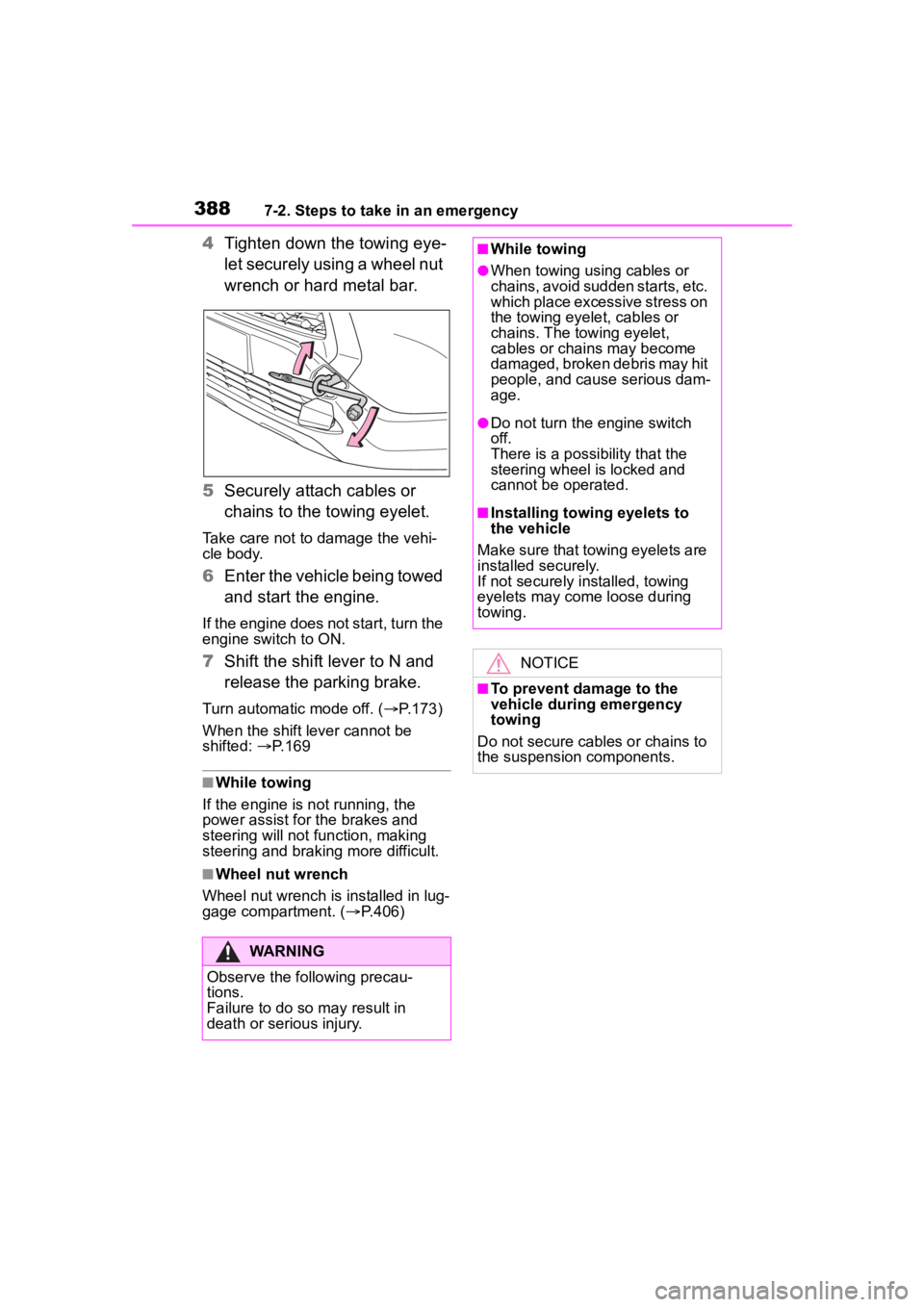
4Tighten down the towing eye-
let securely using a wheel nut
wrench or hard metal bar.
5 Securely attach cables or
chains to the towing eyelet.
Take care not to damage the vehi-
cle body.
6Enter the vehicle being towed
and start the engine.
If the engine does not start, turn the
engine switch to ON.
7Shift the shift lever to N and
release the parking brake.
Turn automatic mode off. ( P.173)
When the shift lever cannot be
shifted: P. 1 6 9
■While towing
If the engine is not running, the
power assist for the brakes and
steering will not function, making
steering and braking more difficult.
■Wheel nut wrench
Wheel nut wrench is installed in lug-
gage compartment. ( P.406)
WARNING
Observe the following precau-
tions.
Failure to do so m ay result in
death or serious injury.
■While towing
●When towing using cables or
chains, avoid sudden starts, etc.
which place excessive stress on
the towing eyelet, cables or
chains. The towing eyelet,
cables or chains may become
damaged, broken debris may hit
people, and cause serious dam-
age.
●Do not turn the engine switch
off.
There is a possibility that the
steering wheel is locked and
cannot be operated.
■Installing towing eyelets to
the vehicle
Make sure that towing eyelets are
installed securely.
If not securely installed, towing
eyelets may come loose during
towing.
NOTICE
■To prevent damage to the
vehicle during emergency
towing
Do not secure cables or chains to
the suspension components.
Page 396 of 500

3967-2. Steps to take in an emergency
■LDA indicator (warning buzzer)
■Stop & Start cancel indicator (warning buzzer)
■Intuitive parking assist OFF indicator (warning buzzer)
■PCS warning light (warning buzzer)
■Dynamic radar cruise control indicator (warning buzzer)
Warning lightDetails/Actions
(Orange)
Indicates a malfunction in the LDA (Lane Departure Alert).
Follow the instructions di splayed on the multi-infor-
mation display. ( P.401)
Warning lightDetails/Actions
(Flashes)
Indicates a malfunction in the Stop & Start system
Have the vehicle inspected by your Toyota dealer
immediately.
Warning lightDetails/Actions
(if equipped)
Indicates a malfunction in the intuitive parking assist func-
tion
Have the vehicle inspected by your Toyota dealer
immediately.
Indicates that the system is te mporarily unavailable, possi-
bly due to a sensor being dirty or covered with ice, etc.
Follow the instructions di splayed on the multi-infor-
mation display. ( P.259)
Warning lightDetails/Actions
(Orange)
Indicates a malfuncti on in the PCS (Pre-Collision System).
Follow the instructions display ed on the multi-information
display.
If the PCS (Pre-Collision Syst em) or VSC (Vehicle Stability
Control) system is disabled, the PCS warning light will illu-
minate.
Warning lightDetails/Actions
(Orange)
Indicates a malfunction in the dynamic radar cruise control.
Follow the instructions di splayed on the multi-infor-
mation display. ( P.220)
Page 397 of 500
3977-2. Steps to take in an emergency
7
When trouble arises
■Cruise control indicator (warning buzzer)
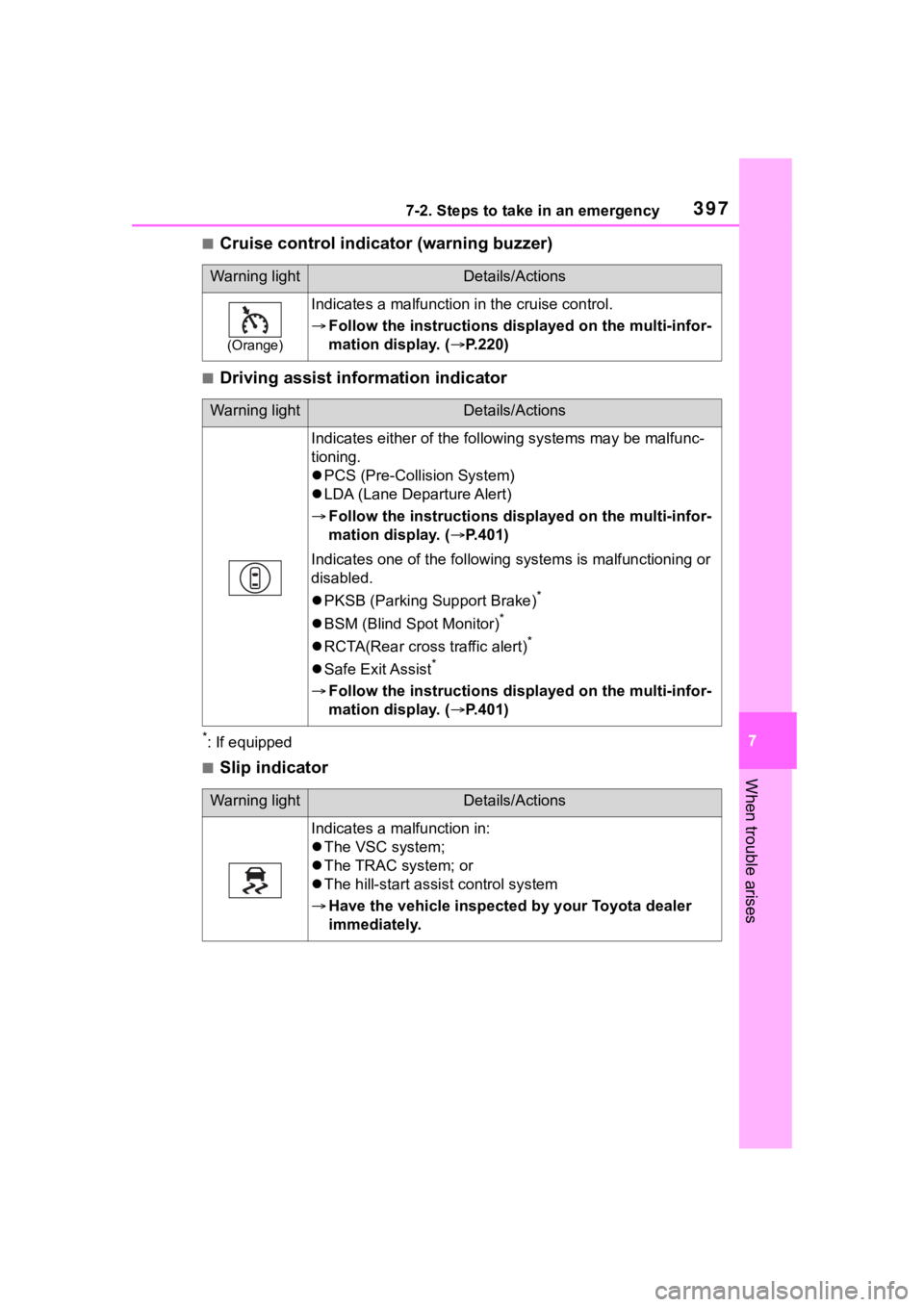
■Driving assist information indicator
*: If equipped
■Slip indicator
Warning lightDetails/Actions
(Orange)
Indicates a malfunction in the cruise control.
Follow the instructions di splayed on the multi-infor-
mation display. ( P.220)
Warning lightDetails/Actions
Indicates either of the follo wing systems may be malfunc-
tioning.
PCS (Pre-Collision System)
LDA (Lane Departure Alert)
Follow the instructions di splayed on the multi-infor-
mation display. ( P.401)
Indicates one of the following systems is malfunctioning or
disabled.
PKSB (Parking Support Brake)
*
BSM (Blind Spot Monitor)*
RCTA(Rear cross traffic alert)*
Safe Exit Assist*
Follow the instructions di splayed on the multi-infor-
mation display. ( P.401)
Warning lightDetails/Actions
Indicates a malfunction in:
The VSC system;
The TRAC system; or
The hill-start assist control system
Have the vehicle inspected by your Toyota dealer
immediately.