2023 LINCOLN CORSAIR coolant level
[x] Cancel search: coolant levelPage 444 of 690
WARNING: If you continue to driveyour vehicle when the engine isoverheating, the engine could stop withoutwarning. Failure to follow this instructioncould result in the loss of control of yourvehicle.
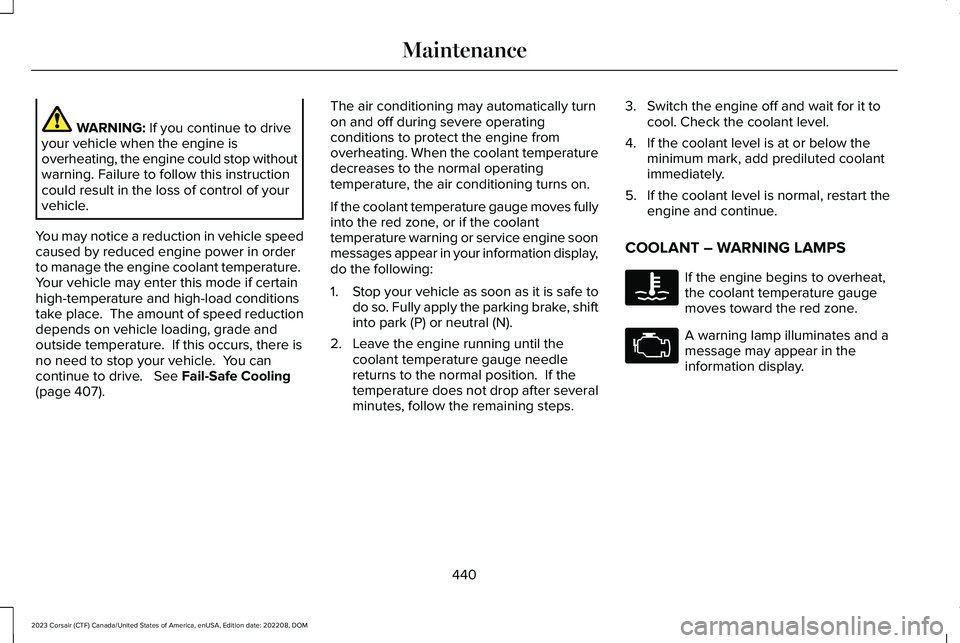
You may notice a reduction in vehicle speedcaused by reduced engine power in orderto manage the engine coolant temperature. Your vehicle may enter this mode if certainhigh-temperature and high-load conditionstake place. The amount of speed reductiondepends on vehicle loading, grade andoutside temperature. If this occurs, there isno need to stop your vehicle. You cancontinue to drive. See Fail-Safe Cooling(page 407).
The air conditioning may automatically turnon and off during severe operatingconditions to protect the engine fromoverheating. When the coolant temperaturedecreases to the normal operatingtemperature, the air conditioning turns on.
If the coolant temperature gauge moves fullyinto the red zone, or if the coolanttemperature warning or service engine soonmessages appear in your information display,do the following:
1.Stop your vehicle as soon as it is safe todo so. Fully apply the parking brake, shiftinto park (P) or neutral (N).
2.Leave the engine running until thecoolant temperature gauge needlereturns to the normal position. If thetemperature does not drop after severalminutes, follow the remaining steps.
3.Switch the engine off and wait for it tocool. Check the coolant level.
4.If the coolant level is at or below theminimum mark, add prediluted coolantimmediately.
5.If the coolant level is normal, restart theengine and continue.
COOLANT – WARNING LAMPS
If the engine begins to overheat,the coolant temperature gaugemoves toward the red zone.
A warning lamp illuminates and amessage may appear in theinformation display.
440
2023 Corsair (CTF) Canada/United States of America, enUSA, Edition date: 202208, DOMMaintenanceE103308 E67028
Page 445 of 690
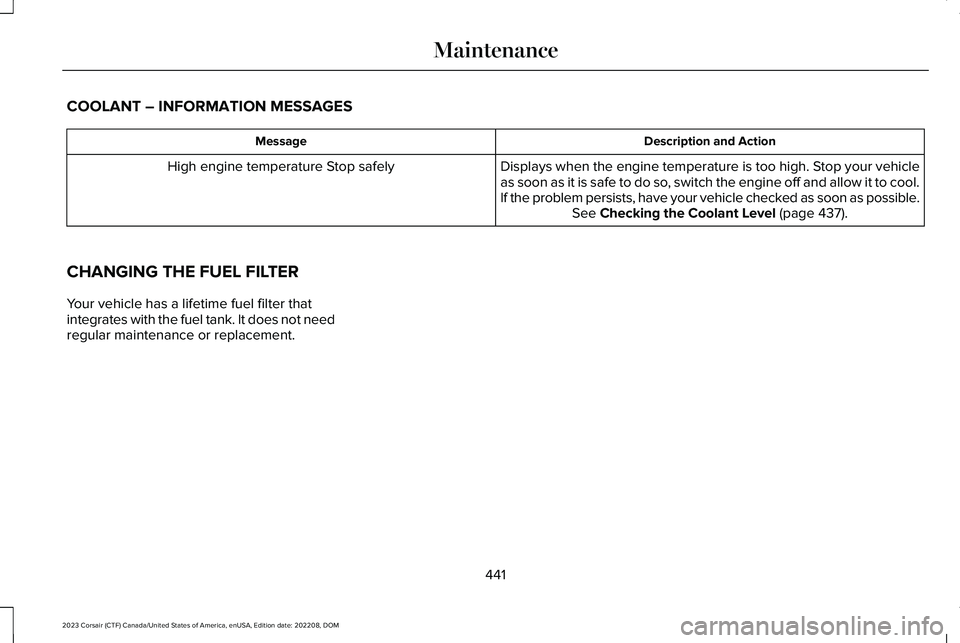
COOLANT – INFORMATION MESSAGES
Description and ActionMessage
Displays when the engine temperature is too high. Stop your vehicleas soon as it is safe to do so, switch the engine off and allow it to cool.If the problem persists, have your vehicle checked as soon as possible.See Checking the Coolant Level (page 437).
High engine temperature Stop safely
CHANGING THE FUEL FILTER
Your vehicle has a lifetime fuel filter thatintegrates with the fuel tank. It does not needregular maintenance or replacement.
441
2023 Corsair (CTF) Canada/United States of America, enUSA, Edition date: 202208, DOMMaintenance
Page 463 of 690

12 Volt Battery
•When storing your vehicle for greaterthan 30 days the state of charge shouldbe approximately 50%. Additionally, werecommend disconnecting the 12vbattery which will reduce system loadson the battery.
•Check and recharge as necessary. Keepconnections clean.
Note:It is necessary to reset memoryfeatures if you disconnect the battery cables.
Brakes
Make sure the brakes and parking brakerelease fully.
Note:If you intend on parking your vehiclefor an extended period after cleaning thewheels with a wheel cleaner, drive yourvehicle for a few minutes before doing so toreduce the risk of increased corrosion of thebrake discs, brake pads and linings.
Tires
Maintain recommended air pressure.
Note:If you intend on parking your vehiclefor an extended period after cleaning thewheels with a wheel cleaner, drive yourvehicle for a few minutes before doing so.This reduces the risk of corrosion of thebrake discs, brake pads and linings.
REMOVING YOUR VEHICLE FROM
STORAGE
When your vehicle is ready to come out ofstorage, do the following:
•We recommend that you change theengine oil before you use your vehicleagain.
•Wash your vehicle to remove any dirt orgrease film build-up on window surfaces.
•Check windshield wipers for anydeterioration.
•Check the underhood for any foreignmaterials such as mice or squirrel nests.
•Check the exhaust for any foreignmaterials.
•Check tire pressures and set tire inflationper the Tire Label.
•Check brake pedal operation. Corrodedbrake rotors could cause brake noise.Drive your vehicle and gently apply andrelease the brakes repeatedly over a10-minute drive to reduce the corrosionfrom the brakes.
•Check fluid levels (including coolant, oiland gas) to make sure there are no leaks,and fluids are at recommended levels.
•If you remove the battery, clean thebattery cable ends and check fordamage.
Contact an authorized dealer if you have anyconcerns or issues.
459
2023 Corsair (CTF) Canada/United States of America, enUSA, Edition date: 202208, DOMStoring Your Vehicle
Page 569 of 690
Make sure to change your vehicle’s oils andfluids at the specified intervals or inconjunction with a repair. Flushing is a viableway to change fluid for many vehiclesub-systems during scheduled maintenance.
It is critical that systems are flushed only withnew fluid that is the same as that requiredto fill and operate the system or using aFord-approved flushing chemical.
Owner Checks and Services
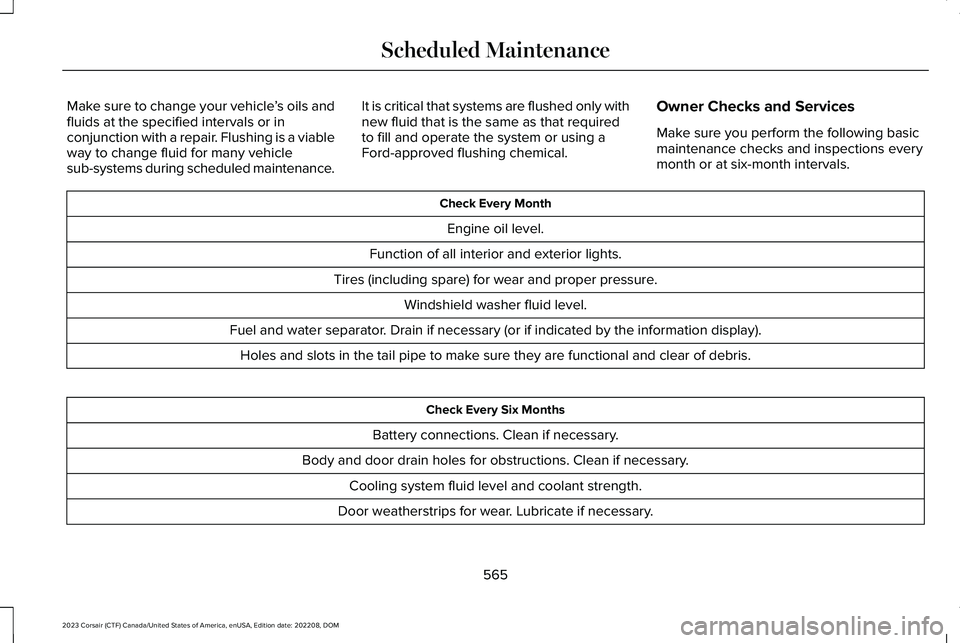
Make sure you perform the following basicmaintenance checks and inspections everymonth or at six-month intervals.
Check Every Month
Engine oil level.
Function of all interior and exterior lights.
Tires (including spare) for wear and proper pressure.
Windshield washer fluid level.
Fuel and water separator. Drain if necessary (or if indicated by the information display).
Holes and slots in the tail pipe to make sure they are functional and clear of debris.
Check Every Six Months
Battery connections. Clean if necessary.
Body and door drain holes for obstructions. Clean if necessary.
Cooling system fluid level and coolant strength.
Door weatherstrips for wear. Lubricate if necessary.
565
2023 Corsair (CTF) Canada/United States of America, enUSA, Edition date: 202208, DOMScheduled Maintenance
Page 571 of 690

Multi-Point Inspection
Hazard warning system operationAccessory drive belt(s)
Horn operationBattery performance
Radiator, cooler, heater and air conditioning hosesEngine air filter
Suspension components for leaks or damageExhaust system
Steering and linkageExterior lamps operation
Tires (including spare) for wear and proper pressure2Fluid levels1; fill if necessary
Windshield for cracks, chips or pitsFor oil and fluid leaks
Washer spray and wiper operationHalf-shaft dust boots
1 Brake, coolant recovery reservoir, automatic transmission and window washer.2If your vehicle comes with a temporary mobility kit, check the tire sealant expiration Use By date on the canister. Replace as needed.
Be sure to ask your dealership serviceadvisor or technician about the multi-pointvehicle inspection. It is a comprehensive wayto perform a thorough inspection of yourvehicle. Your checklist gives you immediatefeedback on the overall condition of yourvehicle.
567
2023 Corsair (CTF) Canada/United States of America, enUSA, Edition date: 202208, DOMScheduled Maintenance
Page 573 of 690
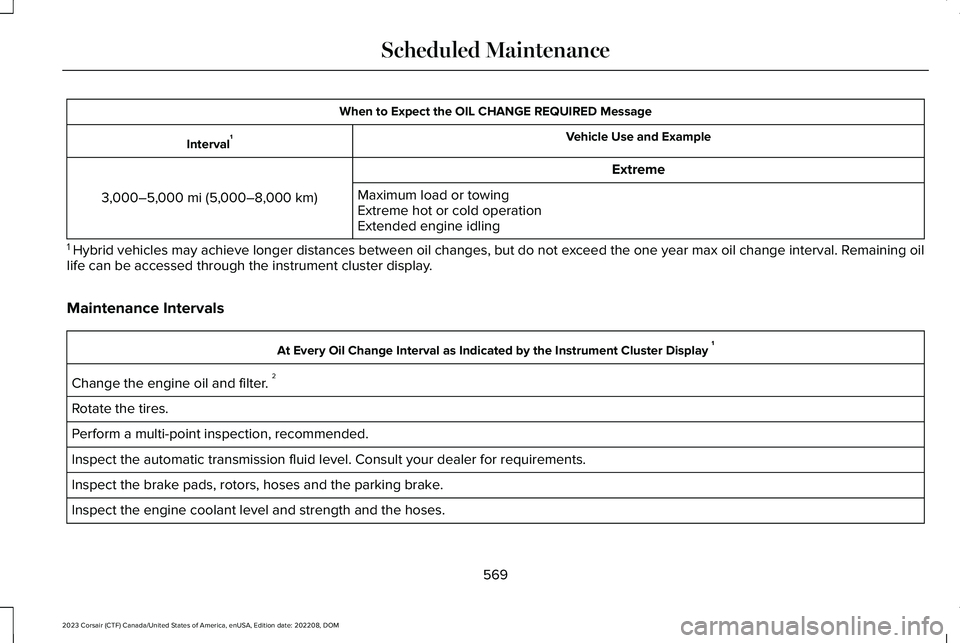
When to Expect the OIL CHANGE REQUIRED Message
Vehicle Use and ExampleInterval1
Extreme
3,000–5,000 mi (5,000–8,000 km)Maximum load or towingExtreme hot or cold operationExtended engine idling
1 Hybrid vehicles may achieve longer distances between oil changes, but do not exceed the one year max oil change interval. Remaining oillife can be accessed through the instrument cluster display.
Maintenance Intervals
At Every Oil Change Interval as Indicated by the Instrument Cluster Display 1
Change the engine oil and filter. 2
Rotate the tires.
Perform a multi-point inspection, recommended.
Inspect the automatic transmission fluid level. Consult your dealer for requirements.
Inspect the brake pads, rotors, hoses and the parking brake.
Inspect the engine coolant level and strength and the hoses.
569
2023 Corsair (CTF) Canada/United States of America, enUSA, Edition date: 202208, DOMScheduled Maintenance
Page 670 of 690

What Are the Child Restraint AnchorPoints...................................................................43
Child Restraints...............................................44Child Restraint Position Information.................44Child Restraints Recommendation...................46
Child Safety......................................................42Child Restraint Anchor Points............................43Child Restraints......................................................44Installing Child Restraints....................................47
Child Safety Locks..........................................55Child Safety Precautions...............................42Cleaning Products.........................................451Cleaning the Exterior..................................452Cleaning Camera Lenses and Sensors........454Cleaning Chrome, Aluminium or StainlessSteel..................................................................453Cleaning Headlamps and Rear Lamps.........452Cleaning Stripes or Graphics..........................453Cleaning the Engine Compartment...............453Cleaning the Exterior Precautions.................452Cleaning the Underbody..................................454Cleaning Wheels................................................453Cleaning Windows and Wiper Blades..........452
Cleaning the Interior....................................454Cleaning Carpets and Floor Mats..................456Cleaning Displays and Screens......................454Cleaning Fabric...................................................455Cleaning Leather................................................455
Cleaning Moonroof Tracks...............................456Cleaning Plastic..................................................454Cleaning Seatbelts.............................................456Cleaning the Instrument Panel.......................454Cleaning Vinyl.....................................................455
Climate Control..............................................168Auto Mode.............................................................170
Climate Control Hints...................................172Closing the Liftgate......................................102Closing the Hands-Free Liftgate.....................103Closing the Liftgate From Inside YourVehicle...............................................................102Closing the Liftgate From Outside YourVehicle...............................................................102Closing the Liftgate Using the RemoteControl...............................................................103
Cold Weather Precautions.........................394Configuring the Trip Computer..................159Connected Navigation.................................551Connected Vehicle.......................................514Connected Vehicle – Troubleshooting..........515Connecting the Vehicle to a MobileNetwork.............................................................514
Connected Vehicle Data...............................29Connected Vehicle Limitations..................514Connected Vehicle Requirements............514
Connected Vehicle –Troubleshooting..........................................515Connected Vehicle – Frequently AskedQuestions..........................................................515
Connected Vehicle Videos.........................518Connecting a Bluetooth® Device.............544Connecting a Trailer....................................386Connecting a Trailer Precautions.............386Connecting the Vehicle to a MobileNetwork.........................................................514Connecting Lincoln Way to the Modem........514Enabling and Disabling the Modem...............514What Is the Modem.............................................514
Connecting the Vehicle to a Wi-FiNetwork.........................................................514Connecting Your Phone.............................538Contacting Us...................................................19Coolant............................................................437Adding Coolant...................................................438Changing the Coolant.......................................439Checking the Coolant Level............................437Coolant – Information Messages....................441Coolant – Warning Lamps................................440Managing the Coolant Temperature.............439
Cooling System Capacity and Specification- 2.0L EcoBoost™........................................503
666
2023 Corsair (CTF) Canada/United States of America, enUSA, Edition date: 202208, DOMIndex
Page 672 of 690
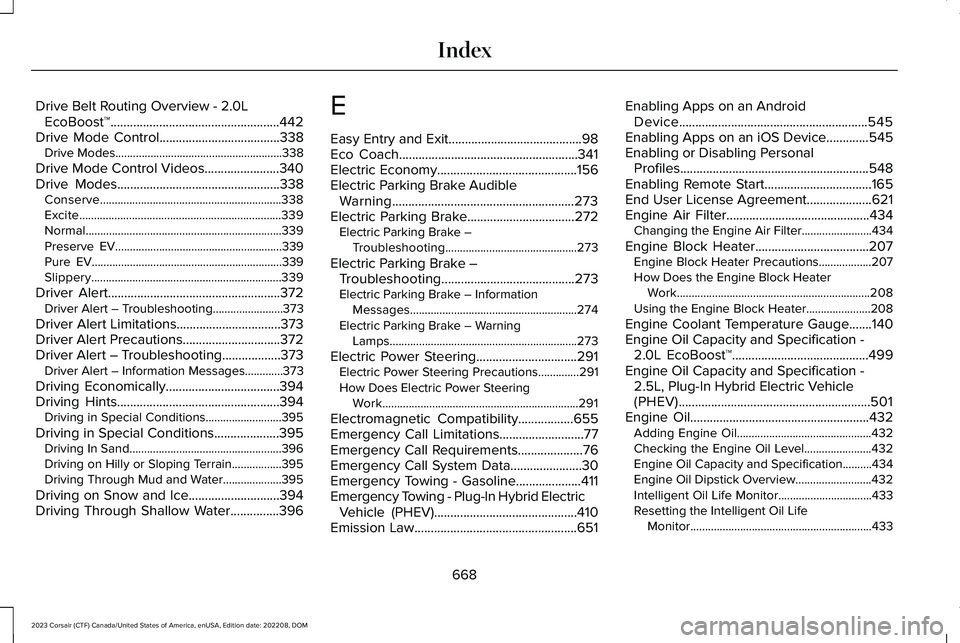
Drive Belt Routing Overview - 2.0LEcoBoost™....................................................442Drive Mode Control.....................................338Drive Modes.........................................................338
Drive Mode Control Videos.......................340Drive Modes..................................................338Conserve..............................................................338Excite.....................................................................339Normal...................................................................339Preserve EV.........................................................339Pure EV.................................................................339Slippery.................................................................339
Driver Alert.....................................................372Driver Alert – Troubleshooting........................373
Driver Alert Limitations................................373Driver Alert Precautions..............................372Driver Alert – Troubleshooting..................373Driver Alert – Information Messages.............373
Driving Economically...................................394Driving Hints..................................................394Driving in Special Conditions..........................395
Driving in Special Conditions....................395Driving In Sand....................................................396Driving on Hilly or Sloping Terrain.................395Driving Through Mud and Water....................395
Driving on Snow and Ice............................394Driving Through Shallow Water...............396
E
Easy Entry and Exit.........................................98Eco Coach.......................................................341Electric Economy...........................................156Electric Parking Brake AudibleWarning........................................................273Electric Parking Brake.................................272Electric Parking Brake –Troubleshooting.............................................273
Electric Parking Brake –Troubleshooting.........................................273Electric Parking Brake – InformationMessages.........................................................274Electric Parking Brake – WarningLamps................................................................273
Electric Power Steering...............................291Electric Power Steering Precautions..............291How Does Electric Power SteeringWork...................................................................291
Electromagnetic Compatibility.................655Emergency Call Limitations..........................77Emergency Call Requirements....................76Emergency Call System Data......................30Emergency Towing - Gasoline....................411Emergency Towing - Plug-In Hybrid ElectricVehicle (PHEV)............................................410Emission Law..................................................651
Enabling Apps on an AndroidDevice..........................................................545Enabling Apps on an iOS Device.............545Enabling or Disabling PersonalProfiles..........................................................548Enabling Remote Start.................................165End User License Agreement....................621Engine Air Filter............................................434Changing the Engine Air Filter........................434
Engine Block Heater...................................207Engine Block Heater Precautions..................207How Does the Engine Block HeaterWork..................................................................208Using the Engine Block Heater......................208
Engine Coolant Temperature Gauge.......140Engine Oil Capacity and Specification -2.0L EcoBoost™..........................................499Engine Oil Capacity and Specification -2.5L, Plug-In Hybrid Electric Vehicle(PHEV)...........................................................501Engine Oil.......................................................432Adding Engine Oil..............................................432Checking the Engine Oil Level.......................432Engine Oil Capacity and Specification..........434Engine Oil Dipstick Overview..........................432Intelligent Oil Life Monitor................................433Resetting the Intelligent Oil LifeMonitor..............................................................433
668
2023 Corsair (CTF) Canada/United States of America, enUSA, Edition date: 202208, DOMIndex