2023 HYUNDAI SONATA engine
[x] Cancel search: enginePage 339 of 555
While Driving
6-52
Prerequisite for activation
FCA gets ready to be activated, when
‘Active Assist’ or ‘Warning Only’ under
Forward Safety is selected in the cluster
LCD display, and when the following
prerequisites are satisfied.
- ESC (Electronic Stability Control) is on.
- Vehicle speed is over 10 km/h (6 mph).
(FCA is only activated within a certain
speed range.)
- The system detects a pedestrian, cyclist or a vehicle in front, which may
collide with your vehicle. However,
FCA may not be activated or may only
sound a warning alarm depending on
the driving or vehicle conditions.
FCA may not operate properly according
to the frontal situation, condition of the
vehicle, the direction of pedestrian or
cyclist or speed. If you select "Warning
Only", only warnings occur.
WARNING
To avoid driver distractions, do not
attempt to set or cancel FCA while
driving the vehicle. Always completely
stop the vehicle at a safe place before
setting or canceling the system.
FCA automatically activates upon
placing the ignition switch to the ON
position. The driver can deactivate FCA
by canceling the system setting on the
cluster LCD display or infotainment
system display (if equipped).
FCA automatically deactivates upon
canceling ESC (Electronic Stability
Control). When ESC is canceled, FCA
cannot be activated in the LCD display
or infotainment system display (if
equipped). In this situation, the FCA
warning light will illuminate which is normal.
FCA Warning Message and Brake
Control
FCA produces warning messages,
warning alarms, and emergency braking
based on the level of risk of a frontal
collision, such as when a vehicle ahead
suddenly brakes, or the system detects
that a collision with a pedestrian or
cyclist is imminent.
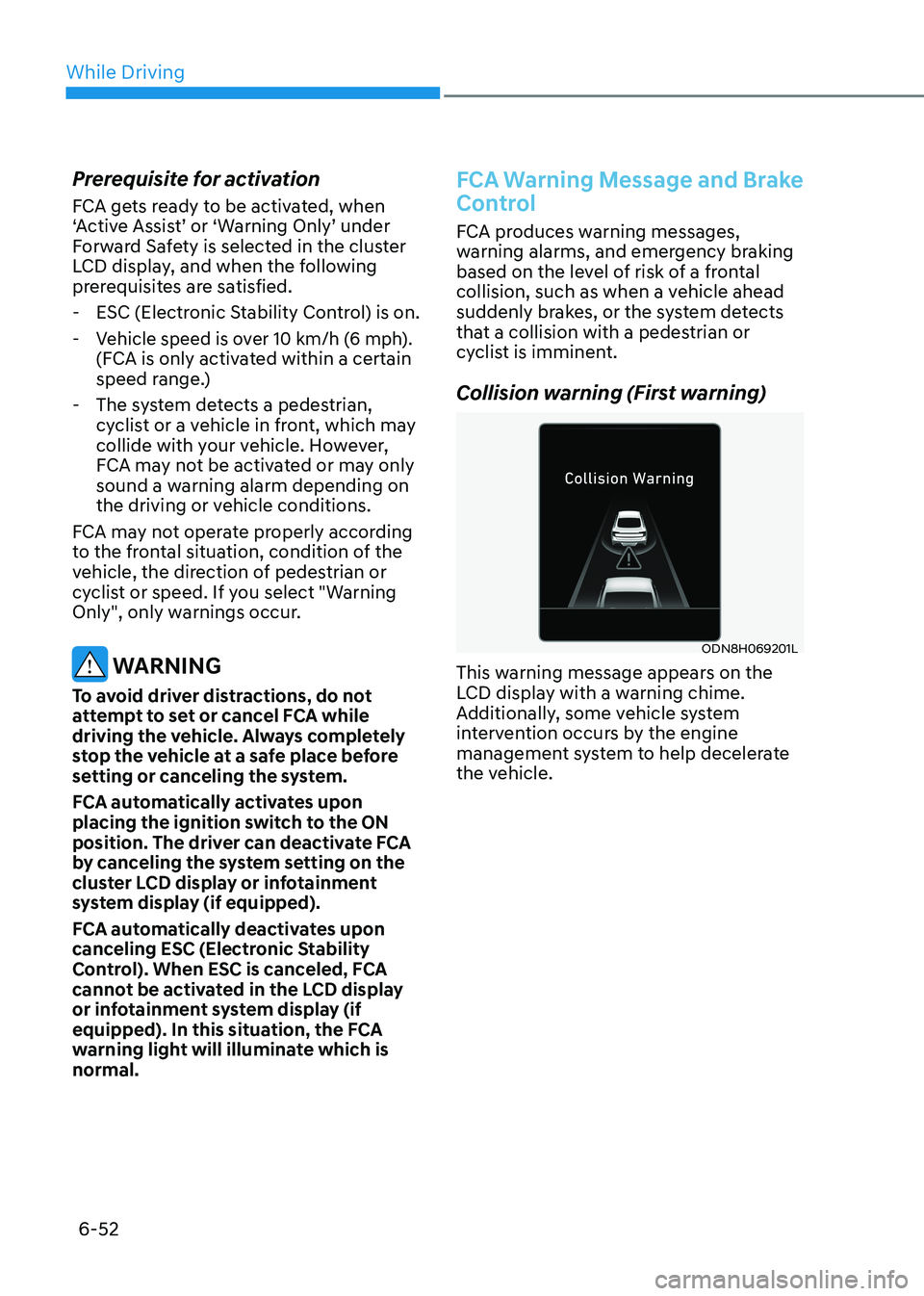
Collision warning (First warning)
ODN8H069201L
This warning message appears on the
LCD display with a warning chime.
Additionally, some vehicle system
intervention occurs by the engine
management system to help decelerate
the vehicle.
Page 340 of 555
06
6-53
•
Your vehicle speed may decelerate
moderately.
• If FCA detects a vehicle in front, the
system operates when your vehicle
speed is between 10 km/h (6 mph)
and 180 km/h (112 mph). Maximum
vehicle speed may decrease
depending on the condition of the
vehicle ahead and surroundings.
• If FCA detects a pedestrian or cyclist
in front, the system operates when
your vehicle speed is between 10
km/h (6 mph) and 85 km/h (53
mph). Maximum vehicle speed may
decrease depending on the condition
of the pedestrian or cyclist ahead and
surroundings.
• If you select ‘Warning Only’ for the
system setting, FCA system activates
and produces only warning alarms
in accordance with the collision risk
levels. You should control the brake
directly because FCA system will not
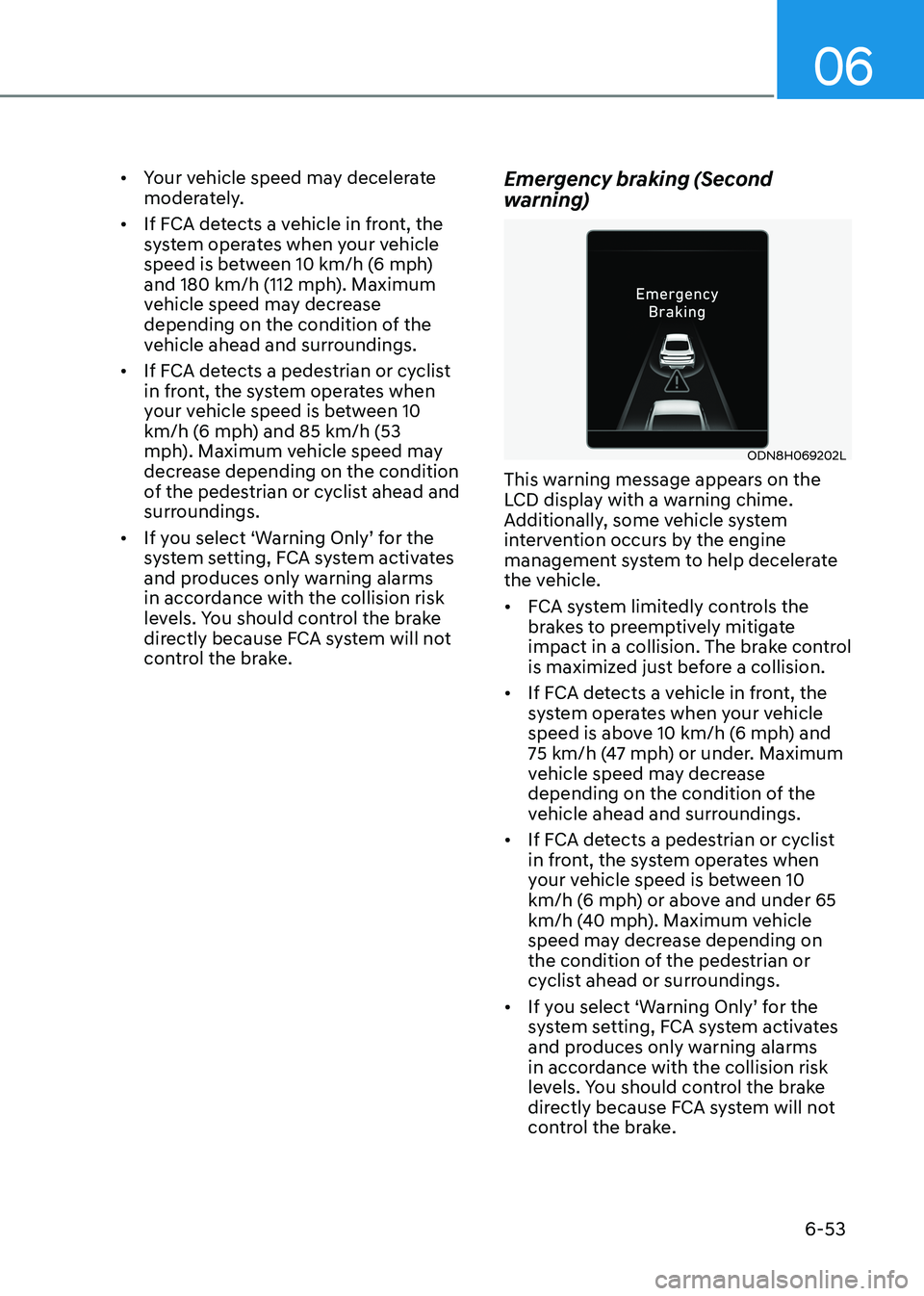
control the brake. Emergency braking (Second
warning)
ODN8H069202L
This warning message appears on the
LCD display with a warning chime.
Additionally, some vehicle system
intervention occurs by the engine
management system to help decelerate
the vehicle. • FCA system limitedly controls the
brakes to preemptively mitigate
impact in a collision. The brake control
is maximized just before a collision.
• If FCA detects a vehicle in front, the
system operates when your vehicle
speed is above 10 km/h (6 mph) and
75 km/h (47 mph) or under. Maximum
vehicle speed may decrease
depending on the condition of the
vehicle ahead and surroundings.
• If FCA detects a pedestrian or cyclist
in front, the system operates when
your vehicle speed is between 10
km/h (6 mph) or above and under 65
km/h (40 mph). Maximum vehicle
speed may decrease depending on
the condition of the pedestrian or
cyclist ahead or surroundings.
• If you select ‘Warning Only’ for the
system setting, FCA system activates
and produces only warning alarms
in accordance with the collision risk
levels. You should control the brake
directly because FCA system will not
control the brake.
Page 352 of 555
06
6-65
FCA system may work when it
recognizes objects similar in shape or
property to a vehicle, pedestrian or
cyclist.
FCA system is designed to help detect
and monitor the vehicle ahead or detect
a pedestrian or cyclist in the roadway
through radar signals and camera
recognition. It is not designed to detect
bicycles, motorcycles, or smaller wheeled objects such as luggage bags,
shopping carts, or strollers.
Never try to test the operation of FCA
system. Doing so may cause severe
injury or death.
If the front bumper, front glass, radar or
camera have been replaced or repaired,
have the vehicle inspected by an
authorized HYUNDAI dealer.
Information
In some instances, FCA system may be cancelled when subjected to
electromagnetic interference.
Information
This device complies with Industry Canada RSS-210 standard. Operation is subject to the following two conditions: 1. This device may not cause harmful
interference.
2. This device must accept any
interference received, including
interference that may cause undesired operation.
Forward Collision-Avoidance
Assist - Junction Turning (if equipped)
FCA-Junction Turning function is
designed to reduce the risk of collision
by detecting and monitoring the
oncoming vehicle ahead. When the
vehicle turns to the left at a junction, the
system recognises the oncoming vehicle
ahead in advance with the front view
camera and the front radar. It produces
warning messages or haptic warning
alarms in accordance with the collision
risk levels.
System setting
FCA-Junction Turning function can be
activated from the User Settings menu
by following the procedure below.
1. Set the Engine Start/Stop button to the
ON or START position.
2. Select ‘User settings →
Driver
assistance → Forward safety’.
For more details, refer to “Forward
Collision-Avoidance Assist (FCA)” in this
chapter.
Page 362 of 555
06
6-75
LKA system will not be in the ENABLED state and the steering wheel will not be assisted when:
• The turn signal is turned on before
changing a lane. If you change lanes without the turn signal on, the
steering wheel might be controlled.
• The vehicle is not driven in the middle
of the lane when the system is turned
on or right after changing a lane.
• ESC (Electronic Stability Control) or
VSM (Vehicle Stability Management)
is activated.
• The vehicle is driven on a sharp curve.
• Vehicle speed is below 64 km/h (40
mph) and over 177 km/h (110 mph).
• The vehicle makes sharp lane changes.
• The vehicle brakes suddenly.
• Only one lane marker is detected.
• The lane (or road width) is very wide
or narrow.
• There are more than two lane markers
on the road. (e.g. construction area)
• The vehicle is driven on a steep incline.
• The steering wheel is turned suddenly.
• The system may not operate for 15
seconds after the engine is started or
the camera is initialized.
Limitations of the System
LKA system may operate prematurely
even if the vehicle does not depart from
the intended lane, OR, LKA system may
not assist your steering or warn you if the
vehicle leaves the intended lane under
the following circumstances:
When the lane and road conditions are poor • It is difficult to distinguish the lane
marking from the road surface or the
lane marking is faded or not clearly
marked.
• It is difficult to distinguish the color of
the lane marker from the road.
• There are markings on the road
surface that look like a lane marker
that is inadvertently being detected
by the camera.
• The lane marker is indistinct or damaged.
• The lane marker is merged or divided
(e.g. tollgate).
• The lane number increases or
decreases or the lane marker are
crossing complicatedly.
• There are more than two lane markers
on the road in front of you.
• The lane marker is very thick or thin.
• The lane is very wide or narrow.
• The lane ahead is not visible due
to rain, snow, water on the road,
damaged or stained road surface, or
other factors.
• The shadow is on the lane marker by
a median strip, trees, guardrail, noise
barriers, etc.
• The lane markers are complicated or a
structure substitutes for the lines such
as a construction area.
• There are crosswalk signs or other
symbols on the road.
• The lane marker in a tunnel is stained
with oil, etc.
• The lane suddenly disappears such as
at the intersection.
Page 365 of 555
While Driving
6-78
Blind-Spot Collision-Avoidance Assist
system may activate the Electronic
Stability Control (ESC) in accordance with a colliding possibility with an
approaching vehicle while changing
lanes. It is to lower the colliding risk or
help mitigate the colliding damage.
WARNING
• Always be aware of road conditions
while driving and be alert for
unexpected situations even though
the Blind-Spot Collision Warning
system and Blind-Spot Collision-
Avoidance Assist system are
operating.
• Blind-Spot Collision Warning system
and Blind-Spot Collision-Avoidance
Assist system are supplemental
systems to assist you. Always pay
attention, while driving, for your
safety. Do not entirely rely on the
systems or an accident may occur.
• Blind-Spot Collision Warning system
and Blind-Spot Collision-Avoidance
Assist system are not substitutes
for proper and safe driving. Always
drive safely and use caution when changing lanes or backing up the
vehicle.
Blind-Spot Collision Warning system
and Blind-Spot Collision-Avoidance
Assist system may not detect every
object alongside the vehicle.
System Setting and Activation
System setting • The driver can activate the system
by placing the ignition switch to the
ON position and by selecting ‘User
Settings → Driver Assistance → Blind-
Spot Safety’
- BCA and BCW turn on and get ready to be activated when ‘Active
assist’ is selected. Then, if a vehicle
approaches the driver’s blind spot
area a warning sounds or braking
power is applied.
- BCW turns on and gets ready to be activated when ‘Warning only’
is selected. Then, if a vehicle
approaches the driver’s blind spot
area a warning sounds. Braking
assist will not be applied in this
setting.
- If you select “Off”, BCW system deactivates.
• If the engine is turned off then on
again, the system maintains the
previous state.
• The driver can select the initial
warning activation time in the
User Settings in the LCD display
or infotainment system display by
selecting ‘User Settings → Driver
Assistance → Warning Timing’.
Page 378 of 555
06
6-91
Function settings
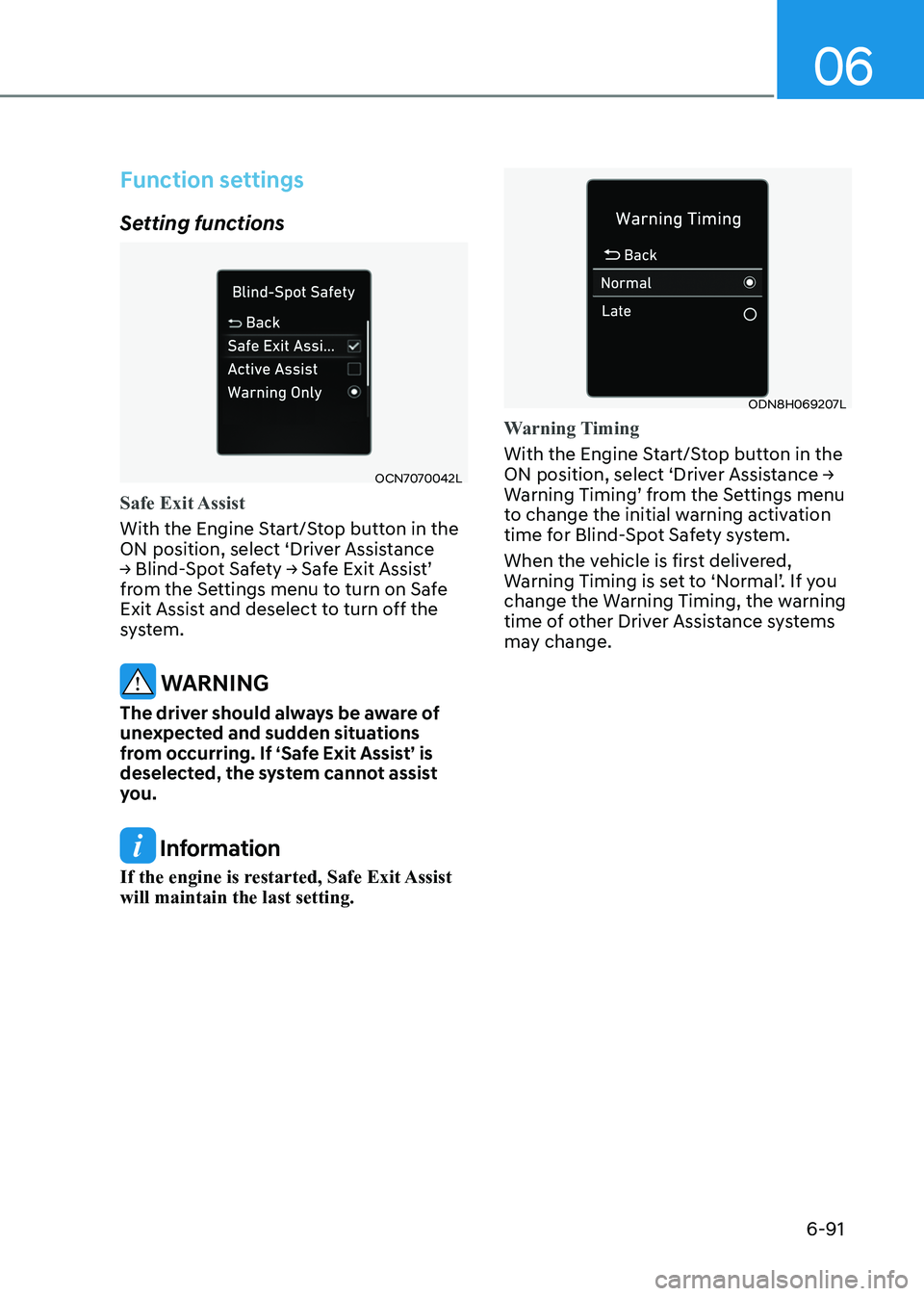
Setting functions
OCN7070042L
Safe Exit Assist
With the Engine Start/Stop button in the
ON position, select ‘Driver Assistance
→ Blind-Spot Safety → Safe Exit Assist’
from the Settings menu to turn on Safe
Exit Assist and deselect to turn off the
system.
WARNING
The driver should always be aware of
unexpected and sudden situations
from occurring. If ‘Safe Exit Assist’ is
deselected, the system cannot assist
you.
Information
If the engine is restarted, Safe Exit Assist will maintain the last setting.
ODN8H069207L
Warning Timing
With the Engine Start/Stop button in the
ON position, select ‘Driver Assistance →
Warning Timing’ from the Settings menu
to change the initial warning activation
time for Blind-Spot Safety system.
When the vehicle is first delivered,
Warning Timing is set to ‘Normal’. If you
change the Warning Timing, the warning
time of other Driver Assistance systems
may change.
Page 379 of 555
While Driving
6-92
OTMA058094
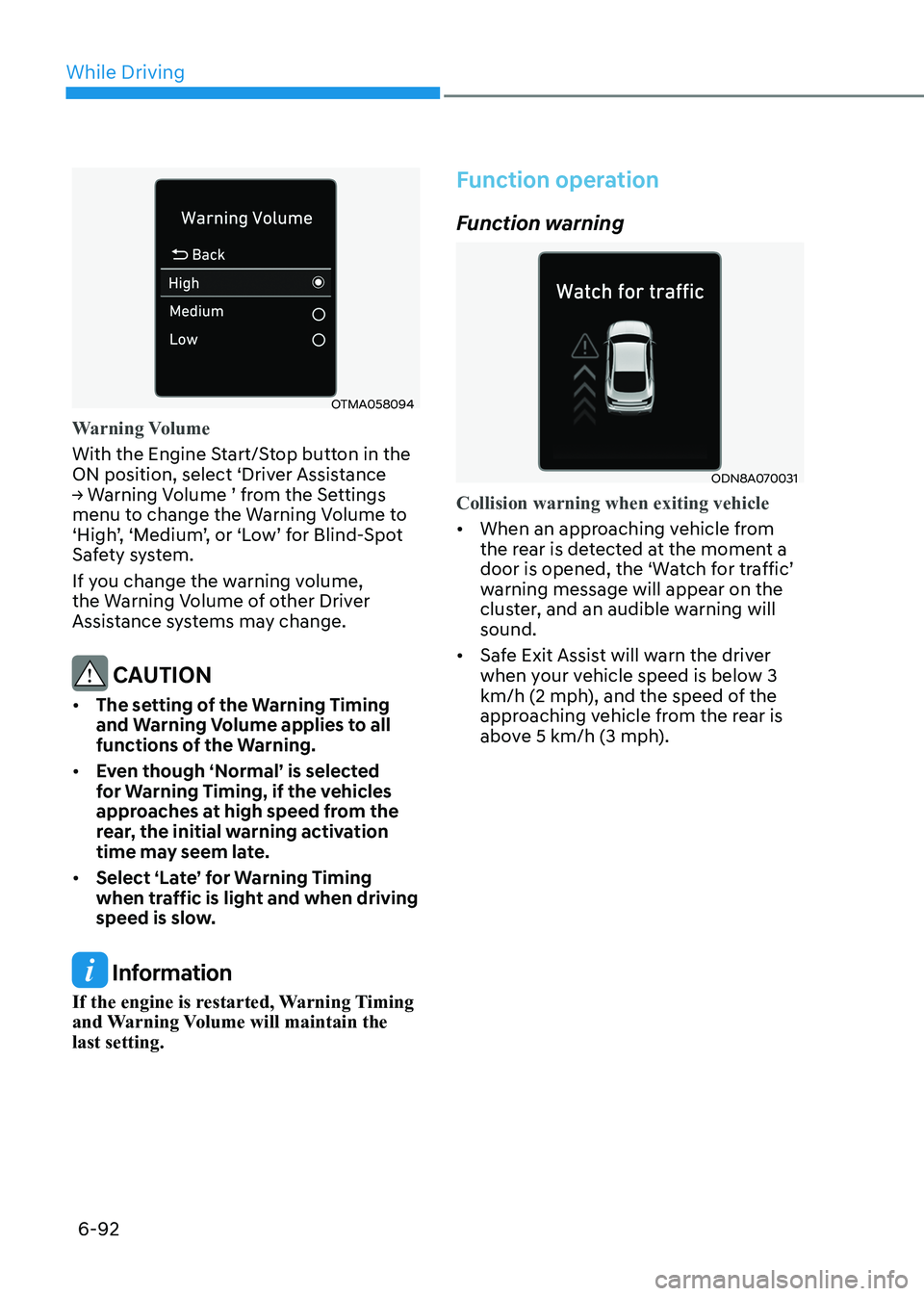
Warning Volume
With the Engine Start/Stop button in the
ON position, select ‘Driver Assistance
→ Warning Volume ’ from the Settings
menu to change the Warning Volume to
‘High’, ‘Medium’, or ‘Low’ for Blind-Spot
Safety system.
If you change the warning volume,
the Warning Volume of other Driver
Assistance systems may change.
CAUTION
• The setting of the Warning Timing
and Warning Volume applies to all
functions of the Warning.
• Even though ‘Normal’ is selected
for Warning Timing, if the vehicles
approaches at high speed from the
rear, the initial warning activation
time may seem late.
• Select ‘Late’ for Warning Timing
when traffic is light and when driving
speed is slow.
Information
If the engine is restarted, Warning Timing
and Warning Volume will maintain the last setting.
Function operation
Function warning
ODN8A070031
Collision warning when exiting vehicle
• When an approaching vehicle from
the rear is detected at the moment a
door is opened, the ‘Watch for traffic’
warning message will appear on the
cluster, and an audible warning will sound.
• Safe Exit Assist will warn the driver
when your vehicle speed is below 3
km/h (2 mph), and the speed of the
approaching vehicle from the rear is
above 5 km/h (3 mph).
Page 380 of 555
06
6-93
WARNING
Take the following precautions when
using Safe Exit Assist: • For your safety, change the Settings
after parking the vehicle at a safe
location.
• If any other function’s warning
message is displayed or audible
warning is generated, Safe Exit
Assist warning message may not be
displayed and audible warning may
not be generated.
• You may not hear the warning sound
of Safe Exit Assist if the surrounding
is noisy.
• Safe Exit Assist does not operate in
all situations or cannot prevent all
collisions.
• Safe Exit Assist may warn the driver
late or may not warn the driver
depending on the road and driving
conditions. Always check vehicle
surroundings.
• The driver and passengers are
responsible for accidents that occurs
while exiting the vehicle. Always
check the surroundings before you
exit the vehicle.
• Never deliberately operate Safe Exit
Assist. Doing so may lead to serious
injury or death.
• Safe Exit Assist does not operate if
there is a problem with Blind-Spot
Safety system. The warning message
of Blind-Spot Safety system will appear when:
- Blind-Spot Safety system sensor or
the sensor surrounding is polluted
or covered
- Blind-Spot Safety system fails to warn passengers or falsely warn
passengers Information
After the engine is turned off, Safe Exit
Assist operates approximately for 3 minutes, but turns off immediately if the
doors are locked.