2023 HYUNDAI SONATA engine
[x] Cancel search: enginePage 404 of 555
06
6-117
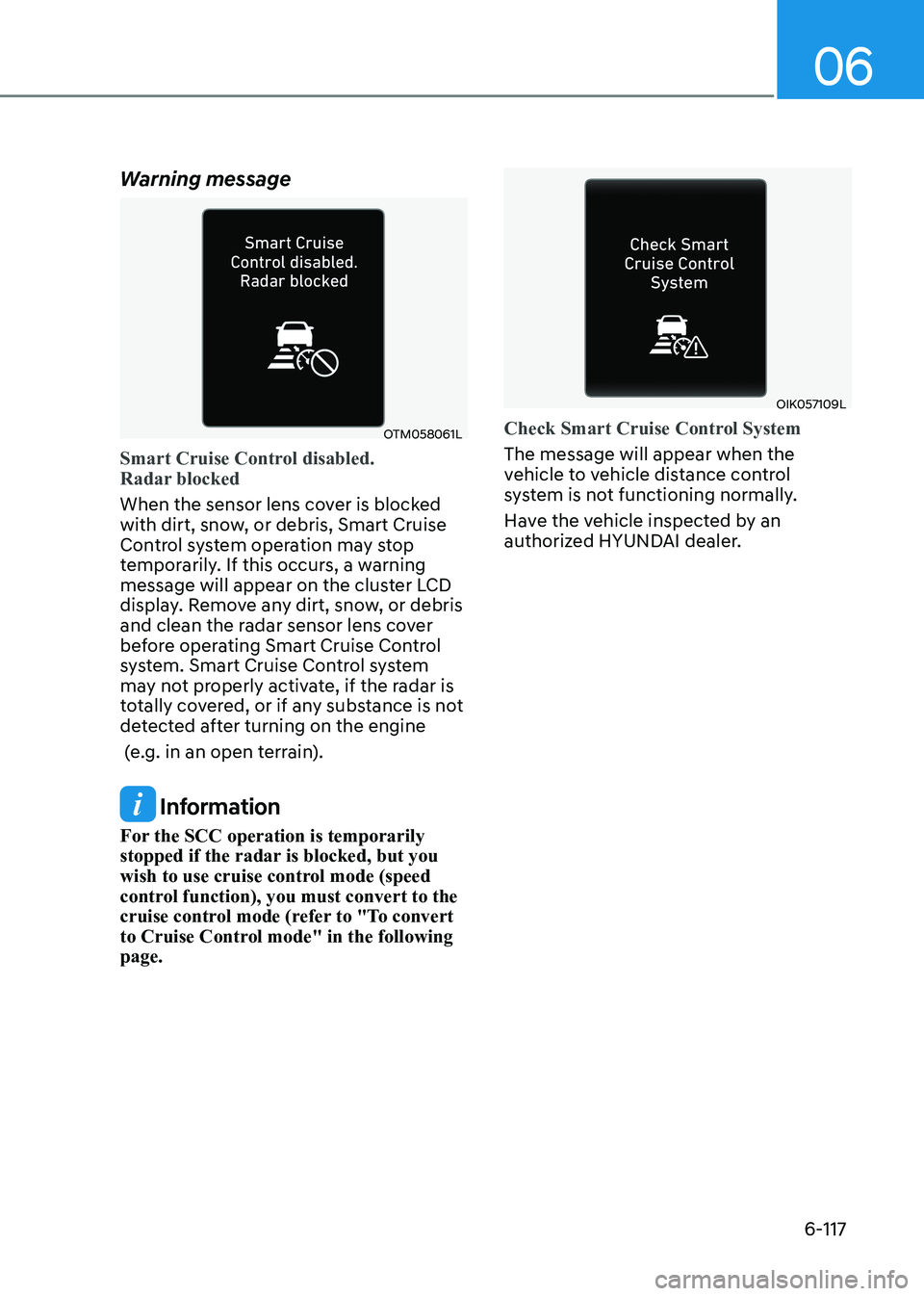
Warning message
OTM058061L
Smart Cruise Control disabled.
Radar blocked
When the sensor lens cover is blocked
with dirt, snow, or debris, Smart Cruise
Control system operation may stop
temporarily. If this occurs, a warning
message will appear on the cluster LCD
display. Remove any dirt, snow, or debris
and clean the radar sensor lens cover
before operating Smart Cruise Control
system. Smart Cruise Control system
may not properly activate, if the radar is
totally covered, or if any substance is not
detected after turning on the engine
(e.g. in an open terrain).
Information
For the SCC operation is temporarily
stopped if the radar is blocked, but you
wish to use cruise control mode (speed
control function), you must convert to the
cruise control mode (refer to "To convert
to Cruise Control mode" in the following page.
OIK057109L
Check Smart Cruise Control System
The message will appear when the
vehicle to vehicle distance control
system is not functioning normally.
Have the vehicle inspected by an
authorized HYUNDAI dealer.
Page 410 of 555
06
6-123
System Setting and Operation
System setting • With the Engine Start/Stop button in
the ON or START position, Navigation-
based Smart Cruise Control can
be activated by selecting 'Driver
Assistance →
Highway Auto Curve
Slowdown' from the User Settings
mode on the infotainment system.
For detailed information, please refer
to the infotainment system manual
separately supplied.
• If the engine is turned off then on
again, the system maintains the last
setting.
Operating conditions
Select 'Highway Auto Curve Slowdown'
from the Settings menu in the
infotainment system screen and satisfy
the following conditions for the system
to operate. • Driving on the highway main line
• Smart Cruise Control is operating
If all the mentioned conditions are
satisfied, the system is ENABLED and
the 'AUTO' symbol on the cluster will
illuminate white.
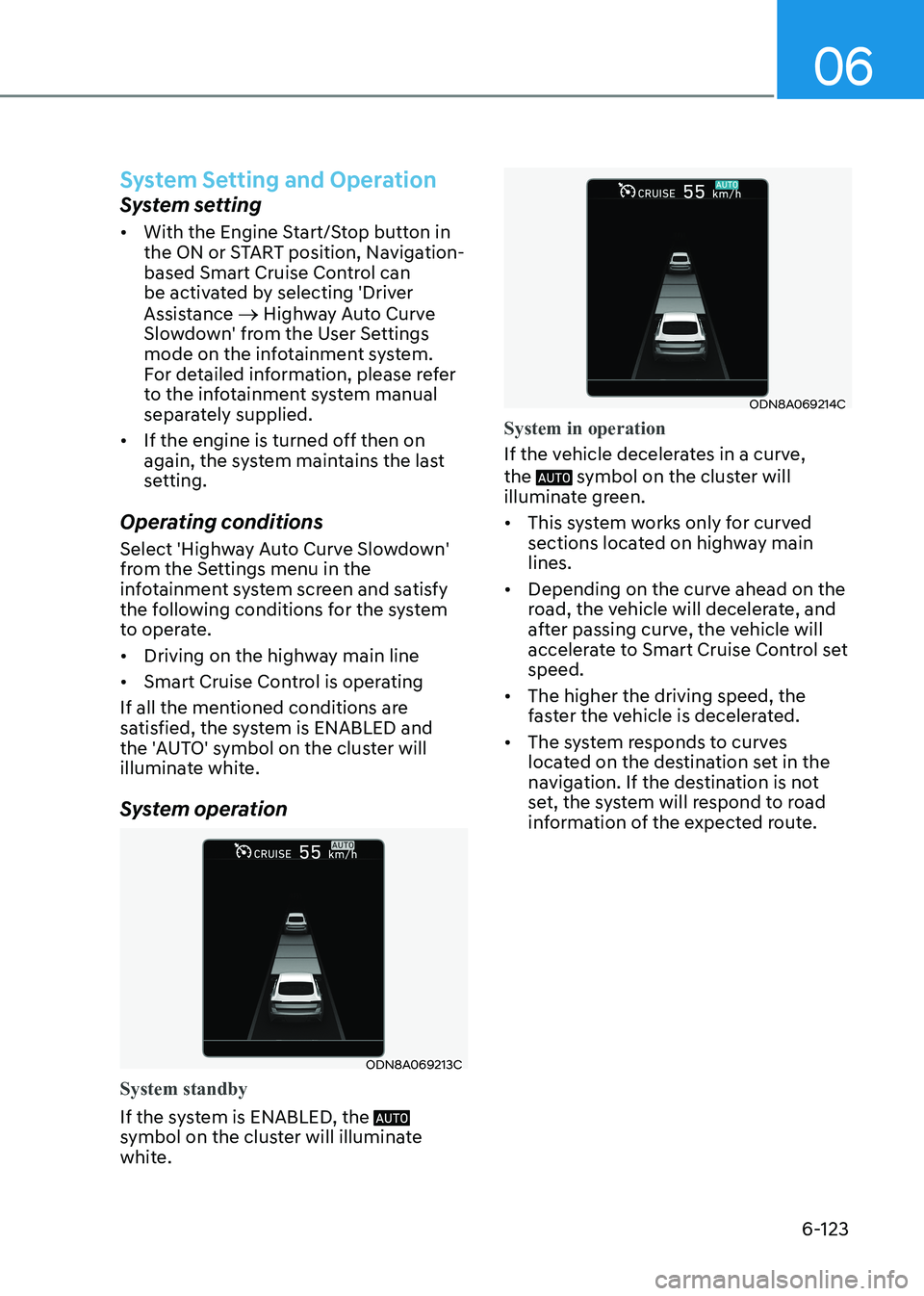
System operation
ODN8A069213C
System standby
If the system is ENABLED, the
symbol on the cluster will illuminate
white.
ODN8A069214C
System in operation
If the vehicle decelerates in a curve, the
symbol on the cluster will
illuminate green. • This system works only for curved
sections located on highway main lines.
• Depending on the curve ahead on the
road, the vehicle will decelerate, and
after passing curve, the vehicle will
accelerate to Smart Cruise Control set speed.
• The higher the driving speed, the
faster the vehicle is decelerated.
• The system responds to curves
located on the destination set in the
navigation. If the destination is not
set, the system will respond to road
information of the expected route.
Page 414 of 555
06
6-127
•
Do not place objects on the
dashboard that reflects light such as
mirrors, white paper, etc. This may
prevent LFA system from functioning
properly.
• Always have your hands on the
steering wheel while LFA system is
activated. If you continue to drive
with your hands off the steering
wheel after the “Keep hands on
steering wheel” warning message
appears, the system will turn off
automatically.
However, if the driver has their
hands on the steering wheel again,
the system will start controlling the
steering wheel.
• The steering wheel is not
continuously controlled so if the
vehicle speed is at a higher rate
when leaving a lane the vehicle may
not be controlled by the system. The
driver must always follow the speed
limit when using the system.
• If you attach objects to the steering
wheel, the system may not assist
steering or the hands off alarm may
not work properly.
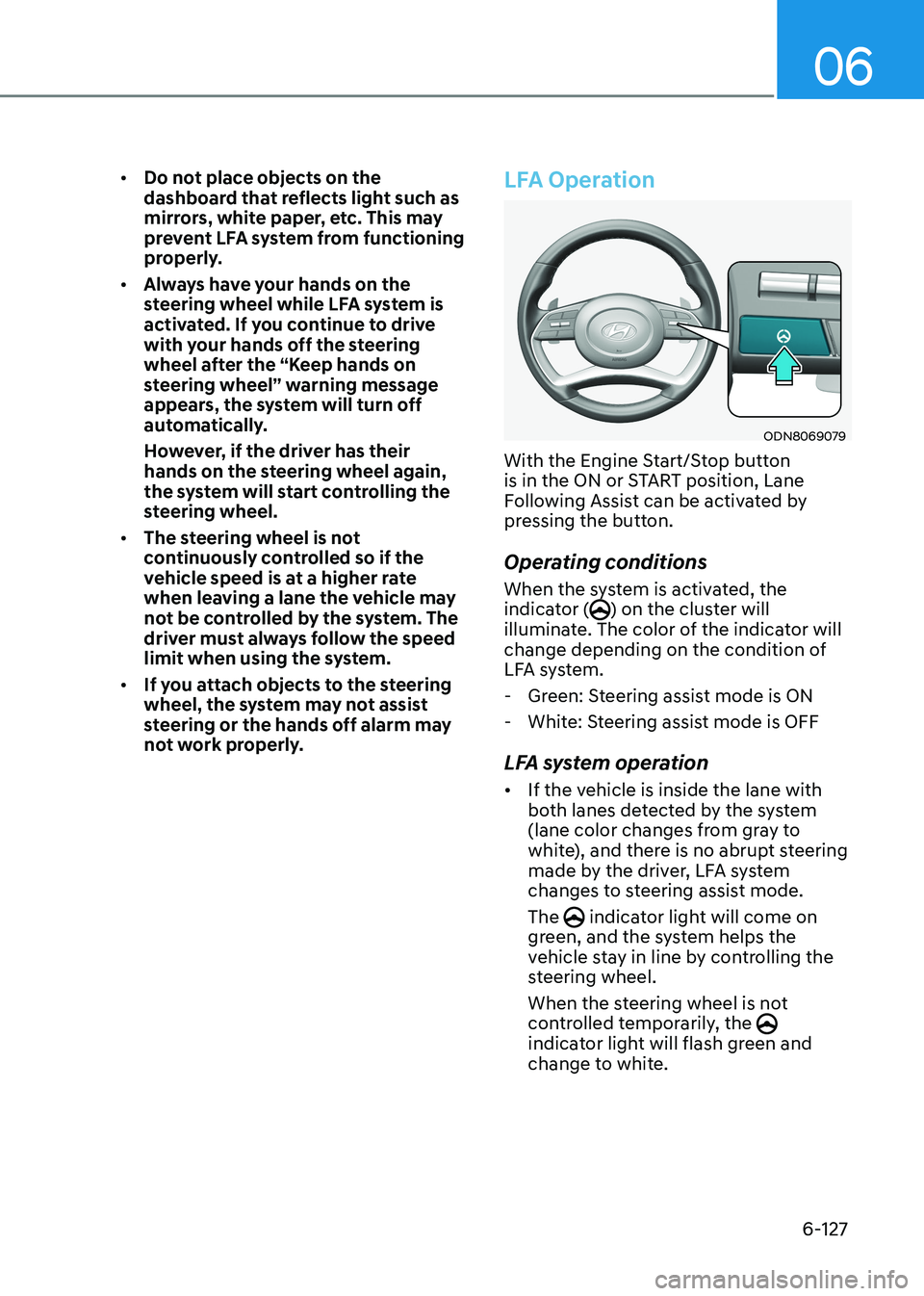
LFA Operation
ODN8069079
With the Engine Start/Stop button
is in the ON or START position, Lane
Following Assist can be activated by
pressing the button.
Operating conditions
When the system is activated, the
indicator (
) on the cluster will
illuminate. The color of the indicator will
change depending on the condition of
LFA system.
- Green: Steering assist mode is ON
- White: Steering assist mode is OFF
LFA system operation • If the vehicle is inside the lane with
both lanes detected by the system
(lane color changes from gray to
white), and there is no abrupt steering
made by the driver, LFA system
changes to steering assist mode. The
indicator light will come on
green, and the system helps the
vehicle stay in line by controlling the
steering wheel.
When the steering wheel is not
controlled temporarily, the
indicator light will flash green and
change to white.
Page 416 of 555
06
6-129
Information
• Even though the steering is assisted by
the system, the driver may control the steering wheel.
• The steering wheel may feel heavier when the steering wheel is assisted by the system than when it is not.
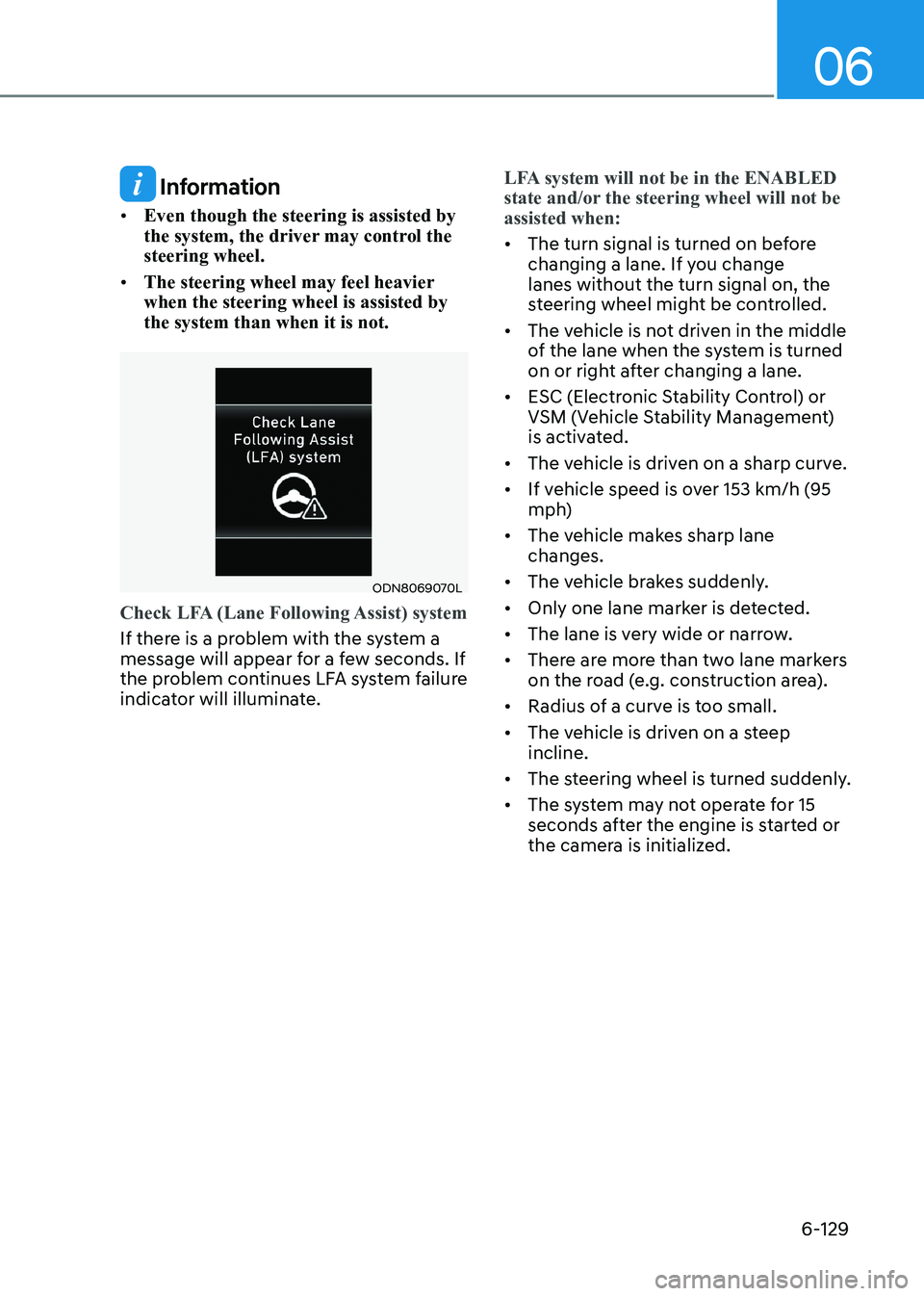
ODN8069070L
Check LFA (Lane Following Assist) system
If there is a problem with the system a
message will appear for a few seconds. If
the problem continues LFA system failure
indicator will illuminate.
LFA system will not be in the ENABLED
state and/or the steering wheel will not be assisted when:
• The turn signal is turned on before
changing a lane. If you change lanes without the turn signal on, the
steering wheel might be controlled.
• The vehicle is not driven in the middle
of the lane when the system is turned
on or right after changing a lane.
• ESC (Electronic Stability Control) or
VSM (Vehicle Stability Management)
is activated.
• The vehicle is driven on a sharp curve.
• If vehicle speed is over 153 km/h (95
mph)
• The vehicle makes sharp lane changes.
• The vehicle brakes suddenly.
• Only one lane marker is detected.
• The lane is very wide or narrow.
• There are more than two lane markers
on the road (e.g. construction area).
• Radius of a curve is too small.
• The vehicle is driven on a steep incline.
• The steering wheel is turned suddenly.
• The system may not operate for 15
seconds after the engine is started or
the camera is initialized.
Page 420 of 555

06
6-133
System Setting and Operation
System setting • With the Engine Start/Stop button in
the ON or START position, Highway
Driving Assist can be activated
by selecting 'Driver Assistance →
Highway Driving Assist’ from the User
Settings mode on the infotainment
system. For detailed information,
please refer to the infotainment
system manual separately supplied.
• If the engine is turned off then on
again, the system maintains the last
setting.
Operating conditions
Select 'Highway Driving Assist' from
the Settings menu in the infotainment
system screen and satisfy the following
conditions for the system to operate. • Driving on the highway main line
• Smart Cruise Control is operating
- If Smart Cruise Control is in the READY state the Highway Driving
Assist will be in the READY state. The
indicator on the cluster
will illuminate white.
• Vehicle speed is under 153 km/h (95
mph)
If all the mentioned conditions are
satisfied, the system is ENABLED and the
indicator on the cluster will
illuminate green. Steering wheel control
ODN8A069215C
Steering control
If the vehicle detects both lane markers
(lane color white), the
indicator light
will change from white to green. This
indicates that the steering wheel is being
controlled.
ODN8A069216C
Temporary deactivation
The indicator light changes from
green to white when the steering wheel
control is temporarily deactivated. Even
if the steering wheel is not controlled,
the distance between the vehicle ahead
will be maintained.
Page 426 of 555
06
6-139
WARNING
• Always be aware of road conditions
while driving and be alert for
unexpected situations even though
Rear Cross-Traffic Collision Warning
system and Rear Cross-Traffic
Collision-Avoidance Assist system
are operating.
• Rear Cross-Traffic Collision Warning
system and Rear Cross-Traffic
Collision-Avoidance Assist system
are supplemental systems to assist
you. Do not entirely rely on the
systems. Always pay attention, while
driving, for your safety.
• Rear Cross-Traffic Collision Warning
system and Rear Cross-Traffic
Collision-Avoidance Assist system
are not substitutes for proper and
safe driving. Always drive safely and use caution when backing up the
vehicle.System Setting and Activation
System setting • The driver can activate the systems
by placing the ignition switch to the
ON position and by selecting “User
Settings → Driver Assistance → Parking
Safety → Rear Cross-Traffic Safety”.
RCCW and RCCA turn on and get
ready to be activated when ‘Rear
Cross-Traffic safety’ is selected.
• When the engine is turned off then on
again, the systems are always ready to
be activated.
• When the system is initially turned
on and when the engine is turned off
then on again, the warning light will
illuminate for 3 seconds on the side
view mirror.
The driver can select the initial warning
activation time in the User Settings in
the LCD display or infotainment system
display by selecting ‘User Settings →
Driver Assistance → Warning Timing’.
Page 437 of 555
While Driving
6-150
Hazardous Driving Conditions
When hazardous driving elements
are encountered such as water, snow,
ice, mud and sand, take the below
suggestions: • Drive cautiously and keep a longer
braking distance.
• Avoid abrupt braking or steering.
• When your vehicle is stuck in
snow, mud, or sand, use second
gear. Accelerate slowly to avoid unnecessary wheel spin.
• Put sand, rock salt or other non-slip
materials under the wheels to provide
additional traction while the vehicle
becomes stuck in ice, snow, or mud.
WARNING
Downshifting with an automatic
transmission while driving on slippery
surfaces can cause an accident. The
sudden change in tire speed could
cause the tires to skid. Be careful when
downshifting on slippery surfaces.
Rocking the Vehicle
If it is necessary to rock the vehicle to
free it from snow, sand, or mud, first turn
the steering wheel right and left to clear
the area around your front wheels. Then,
shift back and forth between R (Reverse)
and a forward gear.
Try to avoid spinning the wheels, and do
not race the engine.
To prevent transmission wear, wait until
the wheels stop spinning before shifting
gears. Release the accelerator pedal
while shifting, and press lightly on the
accelerator pedal while the transmission
is in gear. Slowly spinning the wheels in
forward and reverse directions causes a
rocking motion that may free the vehicle.
WARNING
If the vehicle is stuck and excessive
wheel spin occurs, the temperature
of the tires can increase very quickly.
If the tires become damaged, a tire
blow out or tire explosion can occur.
This condition is dangerous - you and
others may be injured. Do not attempt
this procedure if people or objects are
anywhere near the vehicle.
If you attempt to free the vehicle, the
vehicle can overheat quickly, possibly
causing an engine compartment fire
or other damage. Try to avoid spinning
the wheels as much as possible to
prevent overheating of either the tires
or the engine. DO NOT allow the vehicle
to spin the wheels above 56 km/h (35
mph).
Information
The ESC system must be turned OFF
before rocking the vehicle.
NOTICE
If you are still stuck after rocking the
vehicle a few times, have the vehicle
pulled out by a tow vehicle to avoid
engine overheating, possible damage to
the transmission, and tire damage. See
"Towing" in chapter 7.
special Driving conDitions
Page 439 of 555
While Driving
6-152
Driving in Flooded Areas
Avoid driving through flooded areas
unless you are sure the water is no
higher than the bottom of the wheel hub.
Drive through any water slowly. Allow
adequate stopping distance because
brake performance may be reduced.
After driving through water, dry the
brakes by gently applying them several
times while the vehicle is moving slowly.
Highway Driving
Tires
Adjust the tire inflation, as specified.
Under-inflation may overheat or damage
the tires.
Do not install worn-out or damaged tires,
which may reduce traction or adversely
affect vehicle handling. This could lead
to sudden tire failure that may cause
loss of vehicle control resulting in an
accident.
Information
Never over-inflate your tires above the
maximum inflation pressure, as specified
on your tires.
Fuel, engine coolant and engine oil
Driving at higher speeds on the highway
consumes more fuel and is less efficient
than driving at a slower, more moderate
speed. Maintain a moderate speed in
order to conserve fuel when driving on
the highway.
Be sure to check both the engine coolant
level and the engine oil before driving.
Drive belt
A loose or damaged drive belt may
overheat the engine.