2023 HYUNDAI IONIQ 6 headlights
[x] Cancel search: headlightsPage 334 of 582
Driving Your Vehicle
6-46
Rocking the Vehicle
If it is necessary to rock the vehicle to free
it from snow, sand, or mud, first turn the
steering wheel right and left to clear the
area around your front wheels. Then, shift
back and forth between R (Reverse) and a
forward gear.
Try to avoid spinning the wheels, and do
not race the vehicle.
To prevent gear wear, wait until the
wheels stop spinning before shifting
gears. Release the accelerator pedal
while shifting, and press lightly on the
accelerator pedal while the vehicle is in
gear. Slowly spinning the wheels in
forward and reverse directions causes a
rocking motion that may free the vehicle.
WARNING Always turn off the ESC system before
rocking the vehicle. If the vehicle is stuck
and excessive wheel spin occurs, the
temperature in the tires may increase
very quickly. If the tires become
damaged, a tire blow out or tire explosion
may occur - you and others may be
injured. Do not attempt this procedure if
people or objects are near the vehicle.
If you attempt to free the vehicle, the
vehicle may overheat quickly, possibly
causing a motor compartment fire or
other damage. Try to avoid spinning the
wheels as much as possible to prevent
overheating of the tires or the motor. DO
NOT allow the vehicle to spin the wheels
above 35 mph (56 km/h).
If you are still stuck after rocking the
vehicle a few times, have the vehicle
pulled out by a tow vehicle to avoid motor
overheating, possible damage to the
transmission, and tire damage. Refer to
the “Towing” section in chapter 8.
Smooth Cornering
Avoid braking or gear changing in
corners, especially when roads are wet.
Ideally, cornering should be taken under
gentle acceleration.
Driving at Night
Night driving presents more hazards than
driving in the daylight. Here are some
important tips to remember:
• Slow down and keep more distance between you and other vehicles, as it
may be more difficult to see at night,
especially in areas where there may not
be any street lights.
• Adjust your mirrors to reduce the glare from other drivers’ headlights.
• Keep your headlights clean and properly aimed. Dirty or improperly
aimed headlights will make it much
more difficult to see at night.
• Avoid staring directly at the headlights of oncoming vehicles. You could be
temporarily blinded, and it will take
several seconds for your eyes to
readjust to the darkness.
Driving in the Rain
Rain and wet roads can make driving
dangerous. When driving in the rain or on
slick pavement:
• Slow down and allow extra following distance. A heavy rainfall makes it
harder to see and increases the
distance needed to stop your vehicle.
• Turn OFF your Smart Cruise Control.
• Replace your windshield wiper blades when they show signs of streaking or
missing areas on the windshield.
• Make sure your tires have enough tread. If your tires do not have enough
tread, making a quick stop on wet
pavement may cause a skid and
possibly lead to a collision. Refer to the
Hyundai_CE_en_US.book Page 46
Page 335 of 582
6
6-47
“Tire Replacement” section in Chapter
9.
• Turn on your headlights to make it easier for others to see you. Using your
headlights when using your windshield
wipers is required in some jurisdictions.
• Driving too fast through large puddles may affect your brakes. If you must go
through puddles, try to drive through
them slowly.
• If you believe your brakes are wet, apply them several times while the
vehicle is moving slowly.
Hydroplaning
If the road is wet enough and you are
going fast enough, your vehicle may have
little or no contact with the road surface
and actually ride on the water. The best
advice is SLOW DOWN when the road is
wet.
The risk of hydroplaning increases as the
depth of tire tread decreases, For more
information, refer to the “Tire
Replacement” section in chapter 9.
Driving in Flooded Areas
Avoid driving through flooded areas
unless you are sure the water is not
deeper than the bottom of the wheel hub.
If you are not sure, turn around and find a
different route. Drive through any water
slowly. Allow adequate stopping distance
because the brake performance can be
reduced.
After driving through water, dry the
brakes by gently applying them several
times while the vehicle is moving slowly.
Highway Driving
Tires
Adjust the tire inflation pressure, as
specified. Under-inflation may overheat
or damage the tires.
Do not install worn-out or damaged tires,
which may reduce traction or fail.
Information Never over-inflate your tires above the
maximum inflation pressure, as specified on
your tires.
Coolant and high voltage battery
Driving at higher speeds on the highway
consumes more electric energy and is
less efficient than driving at a slower,
more moderate speed. Maintain a
moderate speed in order to conserve
electric energy when driving on the
highway.
Be sure to check both the coolant level
and the electric energy level before
driving.
Hyundai_CE_en_US.book Page 47
Page 365 of 582
7
7-21
WARNING • Even though the warning message or warning light does not appear on the
instrument cluster, Forward
Collision-Avoidance Assist may not
properly operate.
• Forward Collision-Avoidance Assist may not properly operate in an area (for
example, open terrain), where any
objects are not detected after turning
ON the vehicle.
• If the vehicle is turned off and restarted while the camera is blocked or
malfunctioned, the condition is
maintained. Therefore, Forward
Collision-Avoidance Assist may not
operate properly.
Limitations of Forward
Collision-Avoidance Assist
Forward Collision-Avoidance Assist may
not operate properly, or it may operate
unexpectedly under the following
circumstances:
• The detecting sensor or the surroundings are contaminated or
damaged
• The temperature around the front view camera is high or low due to
surrounding environment
• The camera lens is contaminated due to tinted, filmed or coated windshield,
damaged glass, or sticky foreign
material (sticker, bug, etc.) on the glass
• Moisture is not removed or frozen on the windshield
• Washer fluid is continuously sprayed, or the wiper is on
• Driving in heavy rain or snow, or thick fog
• The field of view of the front view camera is obstructed by sun glare • Street light or light from an oncoming
traffic is reflected on the wet road
surface, such as a puddle on the road
• An object is placed on the dashboard
• Your vehicle is being towed
• The surrounding is very bright
• The surrounding is very dark, such as in a tunnel, etc.
• The brightness changes suddenly, for example when entering or exiting a
tunnel
• The brightness outside is low, and the headlights are not on or are not bright
• Driving through steam, smoke or shadow
• Only part of the vehicle, powered two-wheeler, pedestrian or cyclist is
detected
• The vehicle or powered two-wheeler in front is a bus, heavy truck, truck with an
unusually shaped cargo, trailer, etc.
• The vehicle or powered two-wheeler in front has no tail lights, tail lights are
located unusually, etc.
• The brightness outside is low, and the tail lights are not on or are not bright
• The rear of the front vehicle is small or the vehicle does not look normal, such
as when the vehicle is tilted,
overturned, or the side of the vehicle is
visible, etc.
• The front vehicle’s ground clearance is low or high
• A vehicle, powered two-wheeler, pedestrian or cyclist suddenly cuts in
front
• The bumper around the front radar is impacted, damaged or the front radar is
out of position
• The temperature around the front radar is high or low
• Driving through a tunnel or iron bridge
• Driving in vast areas where there are few vehicles or structures (for example,
desert, meadow, suburb, etc.)
Hyundai_CE_en_US.book Page 21
Page 397 of 582
7
7-53
this occurs, the 'Speed Limit system
disabled. Camera obscured' warning
message and ( ) warning light will appear
on the instrument cluster.
Intelligent Speed Limit Assist will operate
properly when snow, rain or foreign
material is removed.
If Intelligent Speed Limit Assist does not
operate properly after it is removed, have
the vehicle inspected by an authorized
HYUNDAI dealer.
WARNING • Even though the warning message or warning light does not appear on the
instrument cluster, Intelligent Speed
Limit Assist may not properly operate.
• If the vehicle is turned off and restarted while the camera is blocked or
malfunctioned, the condition is
maintained. Therefore, Intelligent
Speed Limit Assist may not operate
properly.
Limitations of Intelligent Speed
Limit Assist
Intelligent Speed Limit Assist may not
operate properly, or it may operate
unexpectedly under the following
circumstances:
• The road sign is contaminated or indistinguishable
- The road sign is difficult to see due to bad weather, such as rain, snow, fog,
etc.
- The road sign is not clear or damaged
- The road sign is partially obscured by surrounding objects or shadow
• The road signs do not conform to the standard
- The text or picture on the road sign is different from the standard - The road sign is installed between the
main line and the exit road or
between diverging roads
- There is no conditional road signs on the road sign located on the exit road
- A sign is attached to another vehicle
• The distance between the vehicle and the road signs is too far
• The vehicle encounters illuminant road signs
• Intelligent Speed Limit Assist incorrectly recognizes numbers or
pictures in the street signs or other
signs as the speed limit
• A road sign near the road you are driving is detected
• The other traffic sign or signboards are alongside the road sign
• Multiple signs are installed close together
• The minimum speed limit sign is misrecognized
• The minimum speed limit sign is on the road
• The brightness changes suddenly, for example when entering or exiting a
tunnel or passing under a bridge
• Headlights are not used or the brightness of the headlights are weak at
night or in the tunnel
• Road signs are difficult to recognize due to the reflection of sunlight, street
lights, or oncoming vehicles
• The navigation information or GPS information contain errors.
• The driver does not follow the guide of the navigation.
• The driver is driving on a new road that is not in the navigation system yet.
• The field of view of the front view camera is obstructed by sun glare
• Driving on a road that is sharply curved or continuously curved
Hyundai_CE_en_US.book Page 53
Page 416 of 582
Driver Assistance System
7-72
the vehicle inspected by an authorized
HYUNDAI dealer.
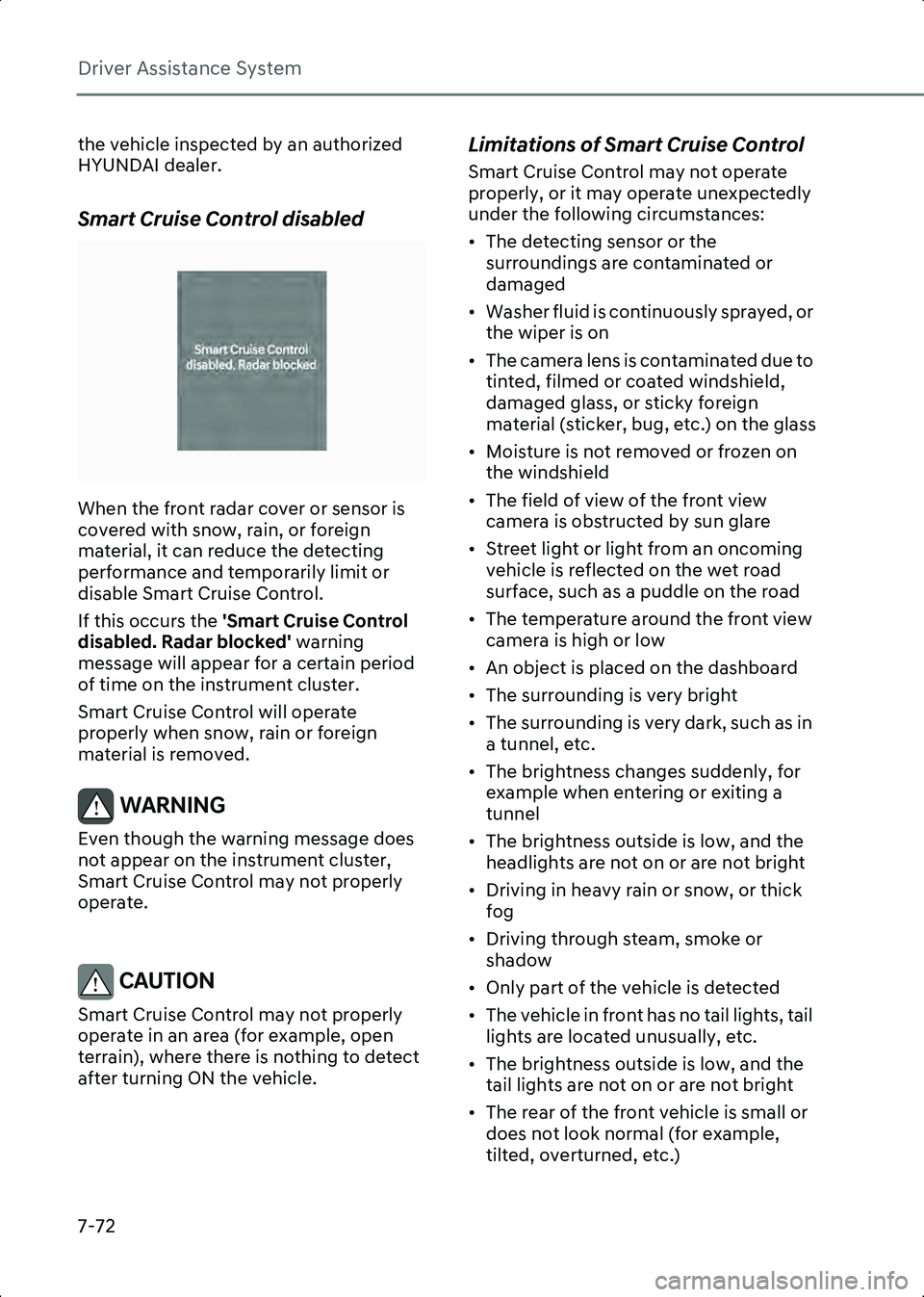
Smart Cruise Control disabled
B0349EE02
When the front radar cover or sensor is
covered with snow, rain, or foreign
material, it can reduce the detecting
performance and temporarily limit or
disable Smart Cruise Control.
If this occurs the 'Smart Cruise Control
disabled. Radar blocked' warning
message will appear for a certain period
of time on the instrument cluster.
Smart Cruise Control will operate
properly when snow, rain or foreign
material is removed.
WARNING Even though the warning message does
not appear on the instrument cluster,
Smart Cruise Control may not properly
operate.
CAUTION Smart Cruise Control may not properly
operate in an area (for example, open
terrain), where there is nothing to detect
after turning ON the vehicle.
Limitations of Smart Cruise Control
Smart Cruise Control may not operate
properly, or it may operate unexpectedly
under the following circumstances:
• The detecting sensor or the surroundings are contaminated or
damaged
• Washer fluid is continuously sprayed, or the wiper is on
• The camera lens is contaminated due to tinted, filmed or coated windshield,
damaged glass, or sticky foreign
material (sticker, bug, etc.) on the glass
• Moisture is not removed or frozen on the windshield
• The field of view of the front view camera is obstructed by sun glare
• Street light or light from an oncoming vehicle is reflected on the wet road
surface, such as a puddle on the road
• The temperature around the front view camera is high or low
• An object is placed on the dashboard
• The surrounding is very bright
• The surrounding is very dark, such as in a tunnel, etc.
• The brightness changes suddenly, for example when entering or exiting a
tunnel
• The brightness outside is low, and the headlights are not on or are not bright
• Driving in heavy rain or snow, or thick fog
• Driving through steam, smoke or shadow
• Only part of the vehicle is detected
• The vehicle in front has no tail lights, tail lights are located unusually, etc.
• The brightness outside is low, and the tail lights are not on or are not bright
• The rear of the front vehicle is small or does not look normal (for example,
tilted, overturned, etc.)
Hyundai_CE_en_US.book Page 72
Page 535 of 582

9
9-19
• If the vehicle is not going to be used for an extended time, disconnect the
battery cables.
Battery Capacity Label
OLMB073072
Information The actual battery label in the vehicle may
differ from the illustration.
1. CMF60L-DIN(12 v): The HYUNDAI model name of battery
2. 60Ah (20 HR): The nominal capacity (in Ampere hours)
3. 550 A: The cold-test current in amperes by SAE / EN
4. RC 92 min: The nominal reserve capacity (in minutes)
Battery Recharging
By battery charger
Your vehicle has a maintenance-free,
calcium-based battery.
• If the battery becomes discharged over a short time (because, for example, the
headlights or interior lights were left on
while the vehicle was not in use),
recharge it by slow charging (trickle) for
10 hours.
• If the battery gradually discharges because of high electrical load while the vehicle is being used, recharge it at
20-30 A for two hours.
WARNING Always follow these instructions when
recharging your vehicle’s battery to avoid
the risk of SERIOUS INJURY or DEATH
from explosions or acid burns:
• Before performing maintenance or
recharging the battery, turn off all
accessories and stop the vehicle.
• Keep all flames, sparks, or smoking materials away from the battery.
• Always work outdoors or in an area with plenty of ventilation.
• Wear eye protection when checking the battery during charging.
• The battery must be removed from the vehicle and placed in a well ventilated
area.
• Watch the battery during charging, and stop or reduce the charging rate if the
battery cells begin boiling violently.
• Remove the negative battery cable first and install it last when the battery is
disconnected. Disconnect the battery
charger in the following order:
1. Turn off the battery charger main switch.
2. Unhook the negative clamp from the negative battery terminal.
3. Unhook the positive clamp from the positive battery terminal.
By jump starting
After a jump start from a good battery,
drive the vehicle for 20-30 minutes
before it is shutoff. The vehicle may not
restart if you shut it off before the battery
had a chance to adequately recharge. For
more information, refer to the
“JumpStarting” section in chapter 8 for
more information on jump starting
procedures.
Hyundai_CE_en_US.book Page 19
Page 549 of 582
9
9-33
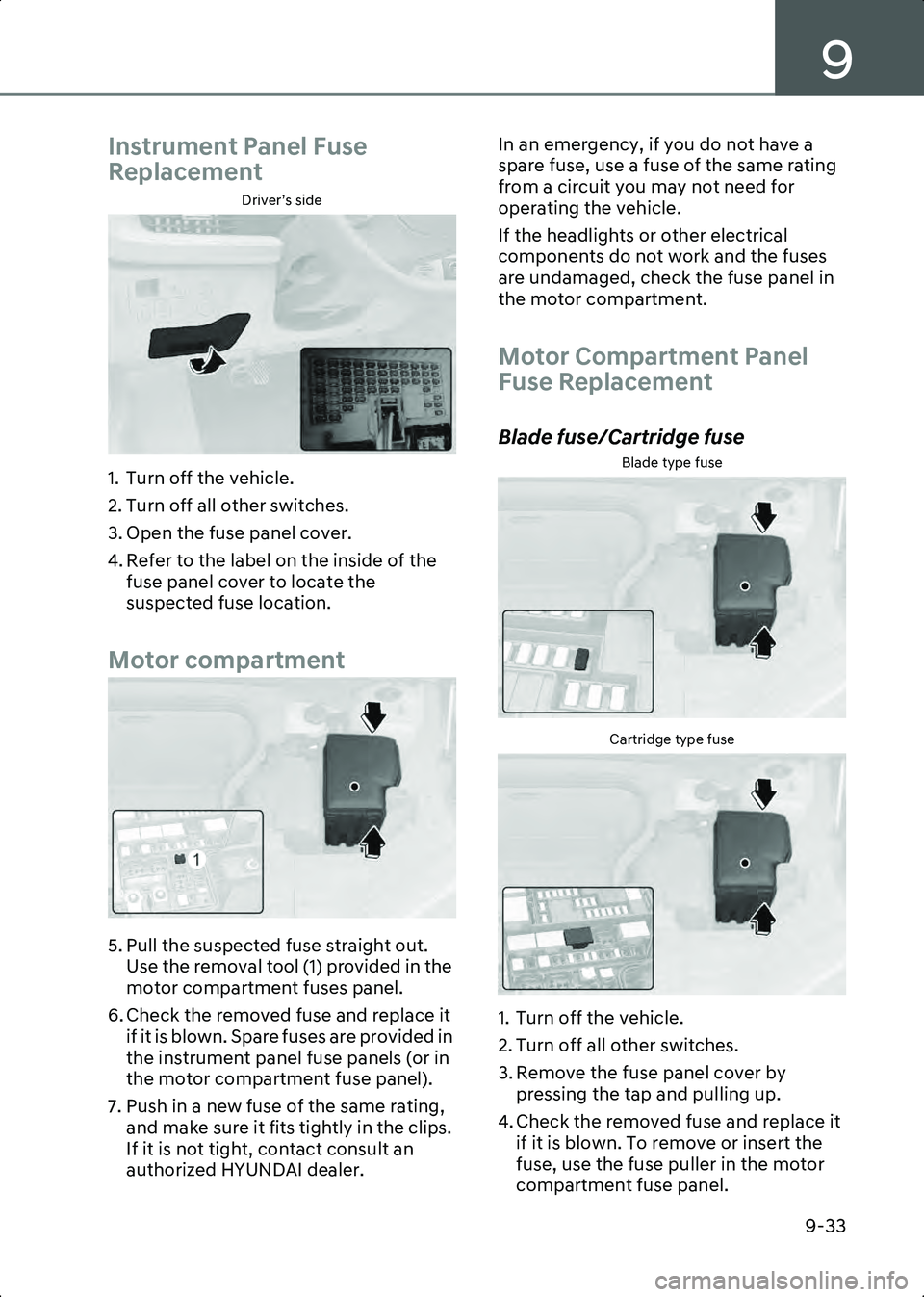
Instrument Panel Fuse
Replacement
Driver’s side
B9005701
1. Turn off the vehicle.
2. Turn off all other switches.
3. Open the fuse panel cover.
4. Refer to the label on the inside of the fuse panel cover to locate the
suspected fuse location.
Motor compartment
B9005702
5. Pull the suspected fuse straight out. Use the removal tool (1) provided in the
motor compartment fuses panel.
6. Check the removed fuse and replace it if it is blown. Spare fuses are provided in
the instrument panel fuse panels (or in
the motor compartment fuse panel).
7. Push in a new fuse of the same rating, and make sure it fits tightly in the clips.
If it is not tight, contact consult an
authorized HYUNDAI dealer. In an emergency, if you do not have a
spare fuse, use a fuse of the same rating
from a circuit you may not need for
operating the vehicle.
If the headlights or other electrical
components do not work and the fuses
are undamaged, check the fuse panel in
the motor compartment.
Motor Compartment Panel
Fuse Replacement
Blade fuse/Cartridge fuse
Blade type fuse
B9005901Cartridge type fuse
B9005902
1. Turn off the vehicle.
2. Turn off all other switches.
3. Remove the fuse panel cover by
pressing the tap and pulling up.
4. Check the removed fuse and replace it if it is blown. To remove or insert the
fuse, use the fuse puller in the motor
compartment fuse panel.
Hyundai_CE_en_US.book Page 33