2023 HYUNDAI IONIQ 6 lock
[x] Cancel search: lockPage 401 of 582
7
7-57
Driver Attention Warning disabled
B7003202
When the front windshield where the
front view camera is located is covered
with foreign material, such as snow or
rain, it can reduce the detecting
performance and temporarily limit or
disable Driver Attention Warning. If this
occurs, the 'Inattentive Driving Warning
disabled. Camera obscured' warning
message will appear on the instrument
cluster. Driver Attention Warning will
operate properly when snow, rain or
foreign material is removed. If Driver
Attention Warning does not operate
properly after it is removed, have the
vehicle inspected by an authorized
HYUNDAI dealer.
WARNING • Driver Attention Warning may not properly operate in an area (for
example, open terrain) where any
objects are not detected right after
turning ON the vehicle.
• If the vehicle is turned off and restarted while the camera is blocked or
malfunctioned, the condition is
maintained. Therefore, Driver Attention
Warning may not operate properly.
Limitations of Driver Attention
Warning
Driver Attention Warning may not work
properly in the following situations:
• The vehicle is driven violently
• The vehicle intentionally crosses over lanes frequently
• The vehicle is controlled by Driver Assistance system, such as Lane
Keeping Assist
Leading Vehicle Departure Alert function
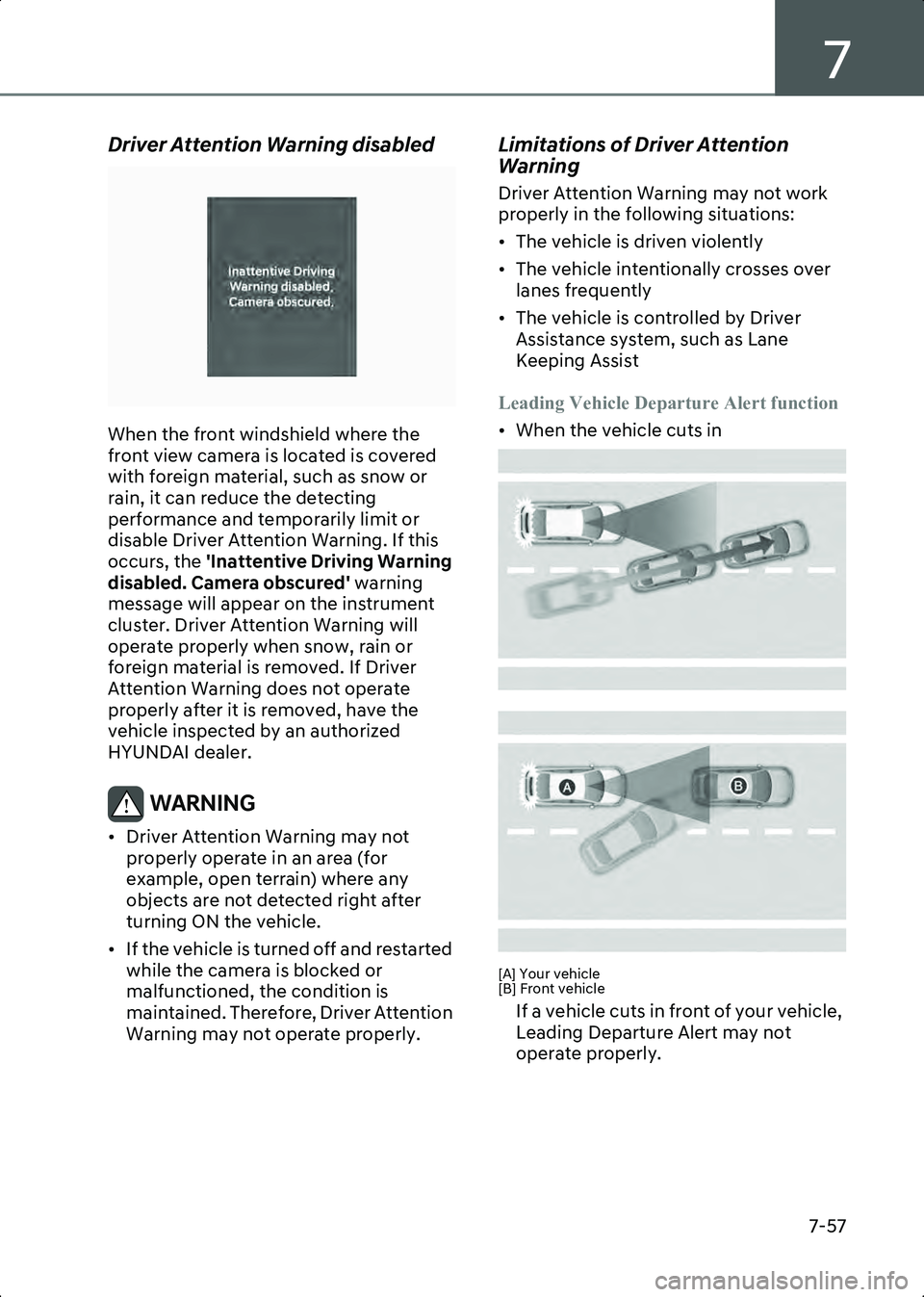
• When the vehicle cuts in
B7003203
B7003204
[A] Your vehicle
[B] Front vehicle
If a vehicle cuts in front of your vehicle,
Leading Departure Alert may not
operate properly.
Hyundai_CE_en_US.book Page 57
Page 407 of 582
7
7-63
Warning Methods
B7000205
B7000205_1
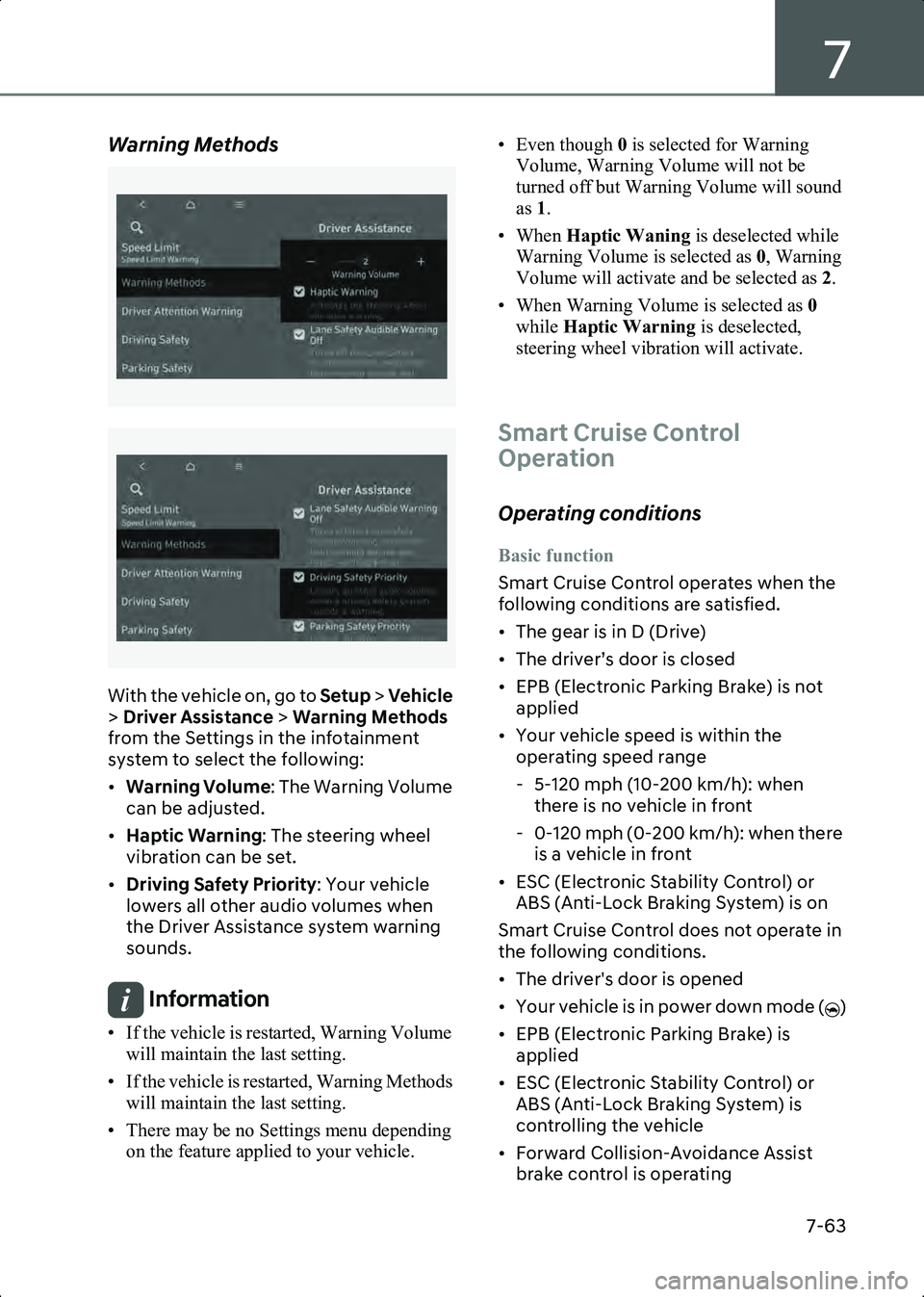
With the vehicle on, go to Setup > Vehicle
> Driver Assistance > Warning Methods
from the Settings in the infotainment
system to select the following:
• Warning Volume : The Warning Volume
can be adjusted.
• Haptic Warning : The steering wheel
vibration can be set.
• Driving Safety Priority : Your vehicle
lowers all other audio volumes when
the Driver Assistance system warning
sounds.
Information • If the vehicle is restarted, Warning Volume will maintain the last setting.
• If the vehicle is restarted, Warning Methods will maintain the last setting.
• There may be no Settings menu depending on the feature applied to your vehicle. • Even though
0 is selected for Warning
Volume, Warning Volume will not be
turned off but Warning Volume will sound
as 1.
• When Haptic Waning is deselected while
Warning Volume is selected as 0, Warning
Volume will activate and be selected as 2.
• When Warning Volume is selected as 0
while Haptic Warning is deselected,
steering wheel vibration will activate.
Smart Cruise Control
Operation
Operating conditions
Basic function
Smart Cruise Control operates when the
following conditions are satisfied.
• The gear is in D (Drive)
• The driver’s door is closed
• EPB (Electronic Parking Brake) is not applied
• Your vehicle speed is within the operating speed range
- 5-120 mph (10-200 km/h): when there is no vehicle in front
- 0-120 mph (0-200 km/h): when there is a vehicle in front
• ESC (Electronic Stability Control) or ABS (Anti-Lock Braking System) is on
Smart Cruise Control does not operate in
the following conditions.
• The driver's door is opened
• Your vehicle is in power down mode ( )
• EPB (Electronic Parking Brake) is applied
• ESC (Electronic Stability Control) or ABS (Anti-Lock Braking System) is
controlling the vehicle
• Forward Collision-Avoidance Assist brake control is operating
Hyundai_CE_en_US.book Page 63
Page 416 of 582
Driver Assistance System
7-72
the vehicle inspected by an authorized
HYUNDAI dealer.
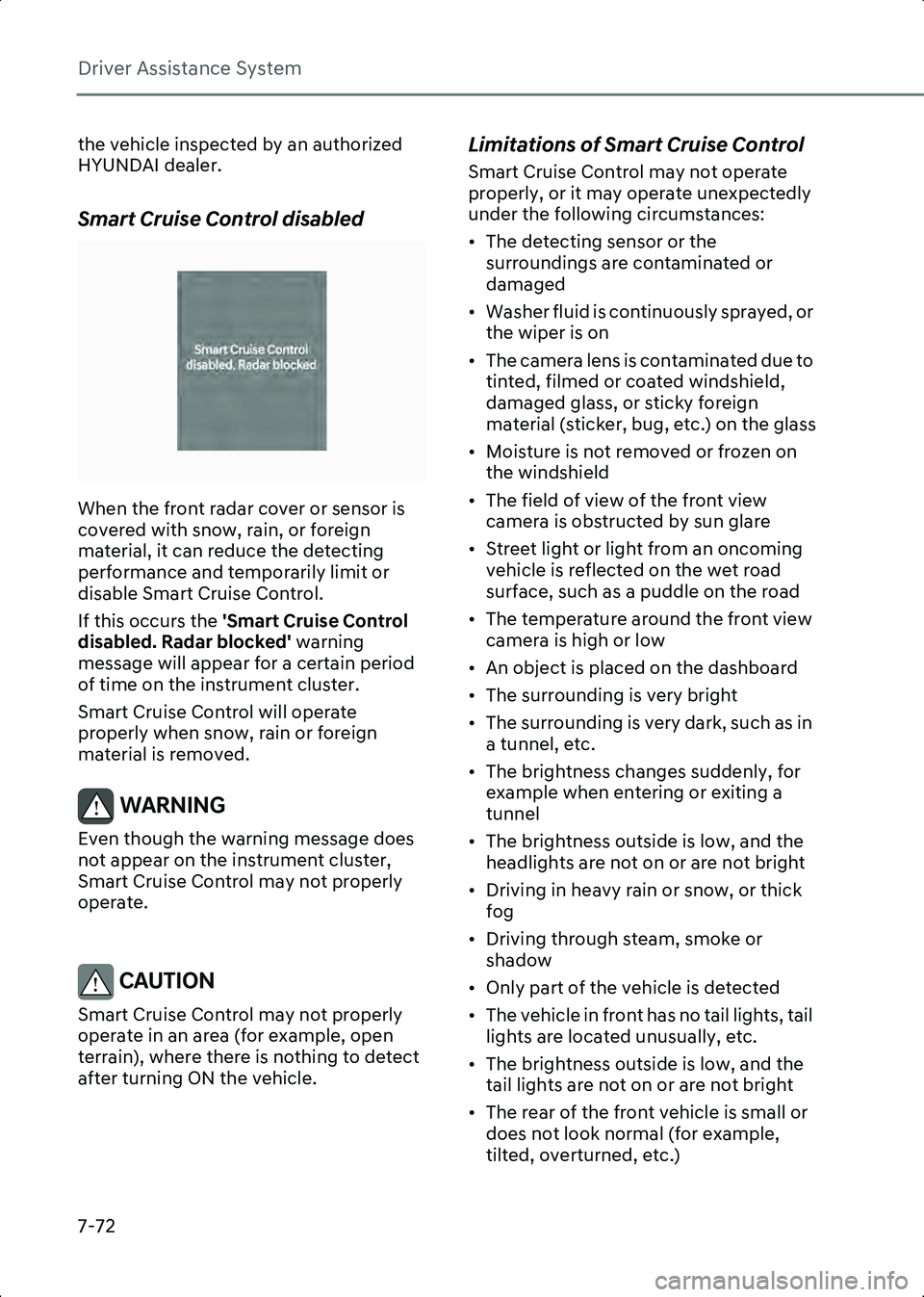
Smart Cruise Control disabled
B0349EE02
When the front radar cover or sensor is
covered with snow, rain, or foreign
material, it can reduce the detecting
performance and temporarily limit or
disable Smart Cruise Control.
If this occurs the 'Smart Cruise Control
disabled. Radar blocked' warning
message will appear for a certain period
of time on the instrument cluster.
Smart Cruise Control will operate
properly when snow, rain or foreign
material is removed.
WARNING Even though the warning message does
not appear on the instrument cluster,
Smart Cruise Control may not properly
operate.
CAUTION Smart Cruise Control may not properly
operate in an area (for example, open
terrain), where there is nothing to detect
after turning ON the vehicle.
Limitations of Smart Cruise Control
Smart Cruise Control may not operate
properly, or it may operate unexpectedly
under the following circumstances:
• The detecting sensor or the surroundings are contaminated or
damaged
• Washer fluid is continuously sprayed, or the wiper is on
• The camera lens is contaminated due to tinted, filmed or coated windshield,
damaged glass, or sticky foreign
material (sticker, bug, etc.) on the glass
• Moisture is not removed or frozen on the windshield
• The field of view of the front view camera is obstructed by sun glare
• Street light or light from an oncoming vehicle is reflected on the wet road
surface, such as a puddle on the road
• The temperature around the front view camera is high or low
• An object is placed on the dashboard
• The surrounding is very bright
• The surrounding is very dark, such as in a tunnel, etc.
• The brightness changes suddenly, for example when entering or exiting a
tunnel
• The brightness outside is low, and the headlights are not on or are not bright
• Driving in heavy rain or snow, or thick fog
• Driving through steam, smoke or shadow
• Only part of the vehicle is detected
• The vehicle in front has no tail lights, tail lights are located unusually, etc.
• The brightness outside is low, and the tail lights are not on or are not bright
• The rear of the front vehicle is small or does not look normal (for example,
tilted, overturned, etc.)
Hyundai_CE_en_US.book Page 72
Page 417 of 582
7
7-73
• The front vehicle’s ground clearance is low or high
• A vehicle suddenly cuts in front
• Your vehicle is being towed
• Driving through a tunnel or iron bridge
• Driving near areas containing metal substances, such as a construction
zone, railroad, etc.
• An object reflecting off the front radar such as a guardrail, nearby vehicle, etc.
• The bumper around the front radar is impacted, damaged or the front radar is
out of position
• The temperature around the front radar is high or low
• Driving in vast areas where there are few vehicles or structures (for example,
desert, meadow, suburb, etc.)
• The vehicle in front is made of material that does not reflect on the front radar
• Driving near a highway interchange or tollbooth
• Driving on a slippery surface due to snow, water puddle, ice, etc.
• Driving on a curved road
• The vehicle in front is detected late
• The vehicle in front is suddenly blocked by a obstacle
• The vehicle in front suddenly changes lane or suddenly reduces speed
• The vehicle in front is bent out of shape
• The front vehicle’s speed is fast or slow
• With a vehicle in front, your vehicle changes lane at low speed
• The vehicle in front is covered with snow
• Unstable driving
• You are on a roundabout and the vehicle in front is not detected
• You are continuously driving in a circle
• Driving in a parking lot • Driving through a construction area,
unpaved road, partial paved road,
uneven road, speed bumps, etc.
• Driving on an incline road, curved road, etc.
• Driving through a roadside with trees or streetlights
• The adverse road conditions cause excessive vehicle vibrations while
driving
• Your vehicle height is low or high due to heavy loads, abnormal tire pressure,
etc.
• Driving through a narrow road where trees or grass are overgrown
• There is interference by electromagnetic waves, such as driving
in an area with strong radio waves or
electrical noise
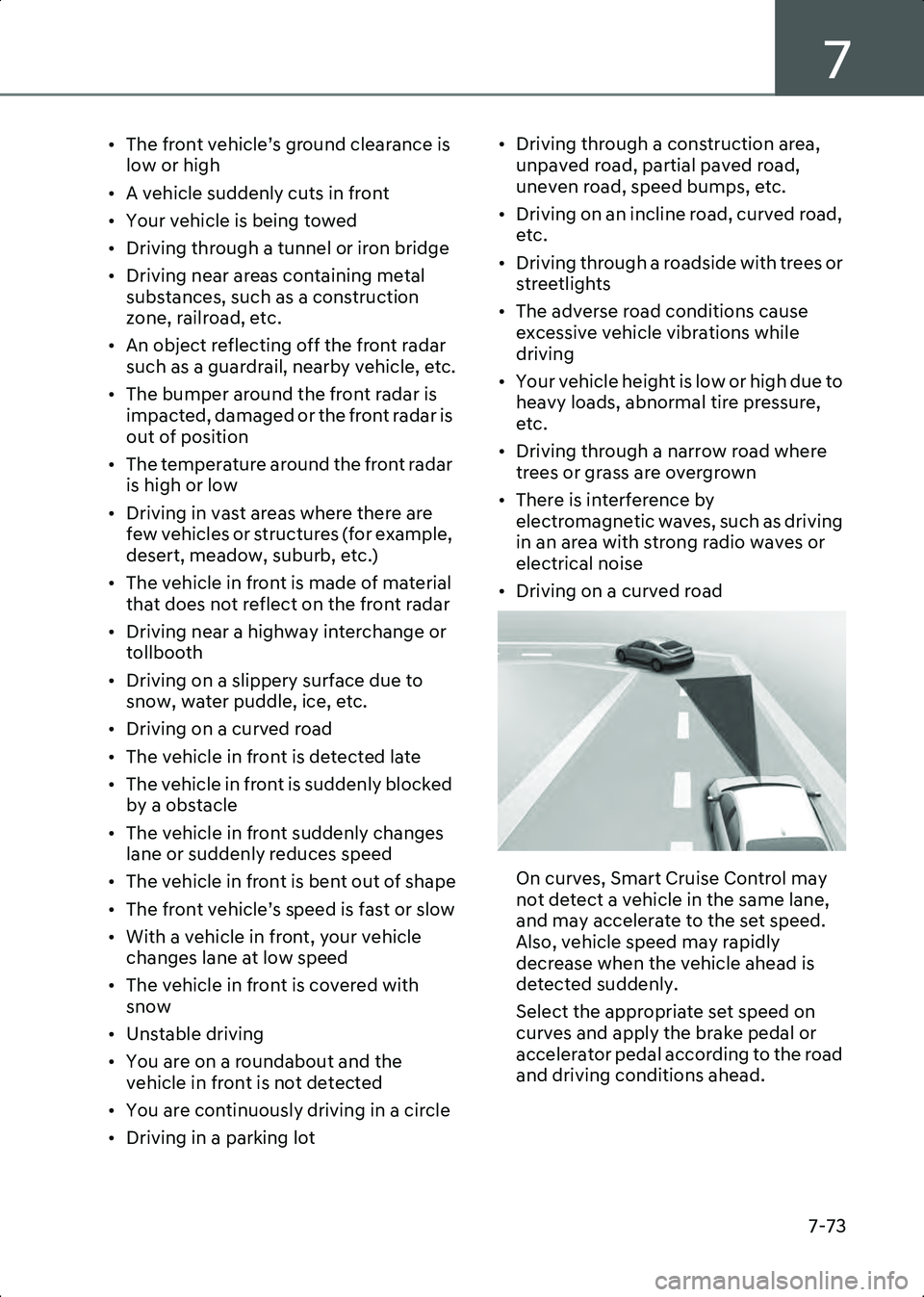
• Driving on a curved road
B7004403
On curves, Smart Cruise Control may
not detect a vehicle in the same lane,
and may accelerate to the set speed.
Also, vehicle speed may rapidly
decrease when the vehicle ahead is
detected suddenly.
Select the appropriate set speed on
curves and apply the brake pedal or
accelerator pedal according to the road
and driving conditions ahead.
Hyundai_CE_en_US.book Page 73
Page 423 of 582

7
7-79
Limitations of
Navigation-based Smart
Cruise Control
Navigation-based Smart Cruise Control
may not operate properly under the
following circumstances:
• The navigation is not working properly
• Map information is not transmitted due to infotainment system's abnormal
operation
• Speed limit and road information in the navigation is not updated
• The map information and the actual road is different because of real-time
GPS data or map information error
• The navigation searches for a route while driving
• GPS signals are blocked in areas such as a tunnel
• A road that divides into two or more roads and joins again
• The driver goes off course from the route set in the navigation
• The route to the destination is changed or cancelled by resetting the navigation
• The vehicle enters a service station or rest area
• Android Auto or Car Play is operating
• The navigation cannot detect the current vehicle position (for example,
elevated roads including overpass
adjacent to general roads or nearby
roads exist in a parallel way)
• The navigation is being updated while driving
• The navigation is being restarted while driving
• The speed limit of some sections changes according to the road
situations
• Driving on a road under construction
• Driving in lane-restricted driving situations • There is bad weather, such as heavy
rain, heavy snow, etc.
• Driving on a road that is sharply curved
B7004801(1) Set route,
(2) Branch line,
(3) Driving route,
(4) Main road,
(5) Curved road section
• When there is a difference between the navigation set route (branch line) and
the driving route (main road), Highway
Curve Zone Auto Slowdown function
may not operate until the driving route
is recognized as the main road.
• When the vehicle's driving route is recognized as the main road by
maintaining the main road instead of
the navigation set route, Highway
Curve Zone Auto Slowdown function
will operate. Depending on the distance
to the curve and the current vehicle
speed, vehicle deceleration may not be
sufficient or may decelerate rapidly.
Hyundai_CE_en_US.book Page 79
Page 438 of 582

Driver Assistance System
7-94
Highway Driving Assist may not detect
possible collisions due to limitations of
the function. Always be aware of the
limitations of the function. Obstacles
such as vehicles, motorcycles, bicycles,
pedestrians, or unspecified objects or
structures such as guardrails, tollbooth,
etc., that may collide with the vehicle
may not be detected.
• Highway Driving Assist will turn off automatically under the following
situations:
- Driving on roads that Highway Driving Assist does not operate, such
as a rest area, intersection, junction,
etc.
- The navigation does not operate properly such as when the navigation
is being updated or restarted
• Highway Driving Assist may inadvertently operate or turn off
depending on road conditions
(navigation information) and
surroundings.
• Lane Following Assist function may be temporarily disabled when the front
view camera cannot detect lanes
properly or the hands-off warning is on.
• You may not hear the warning sound of Highway Driving Assist if the
surrounding is noisy.
• If the vehicle is driven at high speed above a certain speed at a curve, your
vehicle may drive to one side or may
depart from the driving lane.
• When you are towing a trailer or another vehicle, turn off Highway
Driving Assist for safety reasons.
• The hands-off warning message may appear early or late depending on how
the steering wheel is held or road
conditions. Always have your hands on
the steering wheel while driving.
• For your safety, please read the owner's manual before using the Highway
Driving Assist. • Highway Driving Assist will not operate
when the vehicle is started, or when the
detecting sensors or navigation is being
initialized.
Limitation of Highway Driving Assist
Highway Driving Assist and Highway Lane
Change function may not operate
properly, or may not operate under the
following circumstances:
• The map information and the actual road is different because the navigation
is not updated
• The map information and the actual road is different because of real-time
GPS data or map information error
• The infotainment system is overloaded by simultaneously performing
functions such as route search, video
playback, voice recognition, etc.
• GPS signals are blocked in areas such as a tunnel
• The driver goes off course or the route to the destination is changed or
canceled by resetting the navigation
• The vehicle enters a service station or rest area
• Android Auto or Car Play is operating
• The navigation cannot detect the current vehicle position (for example,
elevated roads including overpass
adjacent to general roads or nearby
roads exist in a parallel way)
• White single dotted lane line or road edge cannot be detected
• The road is temporarily controlled due to construction, etc.
• There is no structure, such as a medium strip, guardrails, etc., on the road
• There is a changeable lane in the direction of lane change
• If a trailer, carrier, etc., is installed
Hyundai_CE_en_US.book Page 94
Page 452 of 582
Driver Assistance System
7-108
foreign material, such as snow or rain, or
installing a trailer or carrier, it can reduce
the detecting performance and
temporarily limit or disable Rear
Cross-Traffic Collision-Avoidance Assist.
If this occurs, the ‘Rear Cross-Traffic
Safety system disabled. Radar blocked’
warning message will appear on the
instrument cluster.
Rear Cross-Traffic Collision-Avoidance
Assist will operate properly when such
foreign material or trailer, etc., is
removed.
If Rear Cross-Traffic Collision-Avoidance
Assist does not operate properly after it is
removed, have the vehicle inspected by
an authorized HYUNDAI dealer.
WARNING • Even though the warning message does not appear on the instrument
cluster, Rear Cross-Traffic
Collision-Avoidance Assist may not
operate properly.
• Rear Cross-Traffic Collision-Avoidance Assist may not operate properly in an
area (for example, open terrain), where
any objects are not detected after
turning ON the vehicle.
CAUTION Turn off Rear Cross-Traffic
Collision-Avoidance Assist to install or
remove a trailer, carrier, or another
attachment. Turn on Rear Cross-Traffic
Collision-Avoidance Assist when finished.
Limitations of Rear Cross-Traffic
Collision-Avoidance Assist
Rear Cross-Traffic Collision-Avoidance
Assist may not operate properly, or it may
operate unexpectedly under the
following circumstances: • Departing from where trees or grass are
overgrown
• Departing from where roads are wet
• Speed of the approaching vehicle is fast or slow
Braking control may not work, driver’s
attention is required in the following
circumstances:
• The vehicle severely vibrates while driving over a bumpy road, uneven road
or concrete patch
• Driving on a slippery surface due to snow, water puddle, ice, etc.
• The tire pressure is low or a tire is damaged
• The braking system has been modified
• Remote Smart Parking Assist is operating (if equipped)
Information For more information on the limitations of the
rear corner radar, refer to the “Blind-Spot
Collision-Avoidance Assist (BCA)” section
in this chapter.
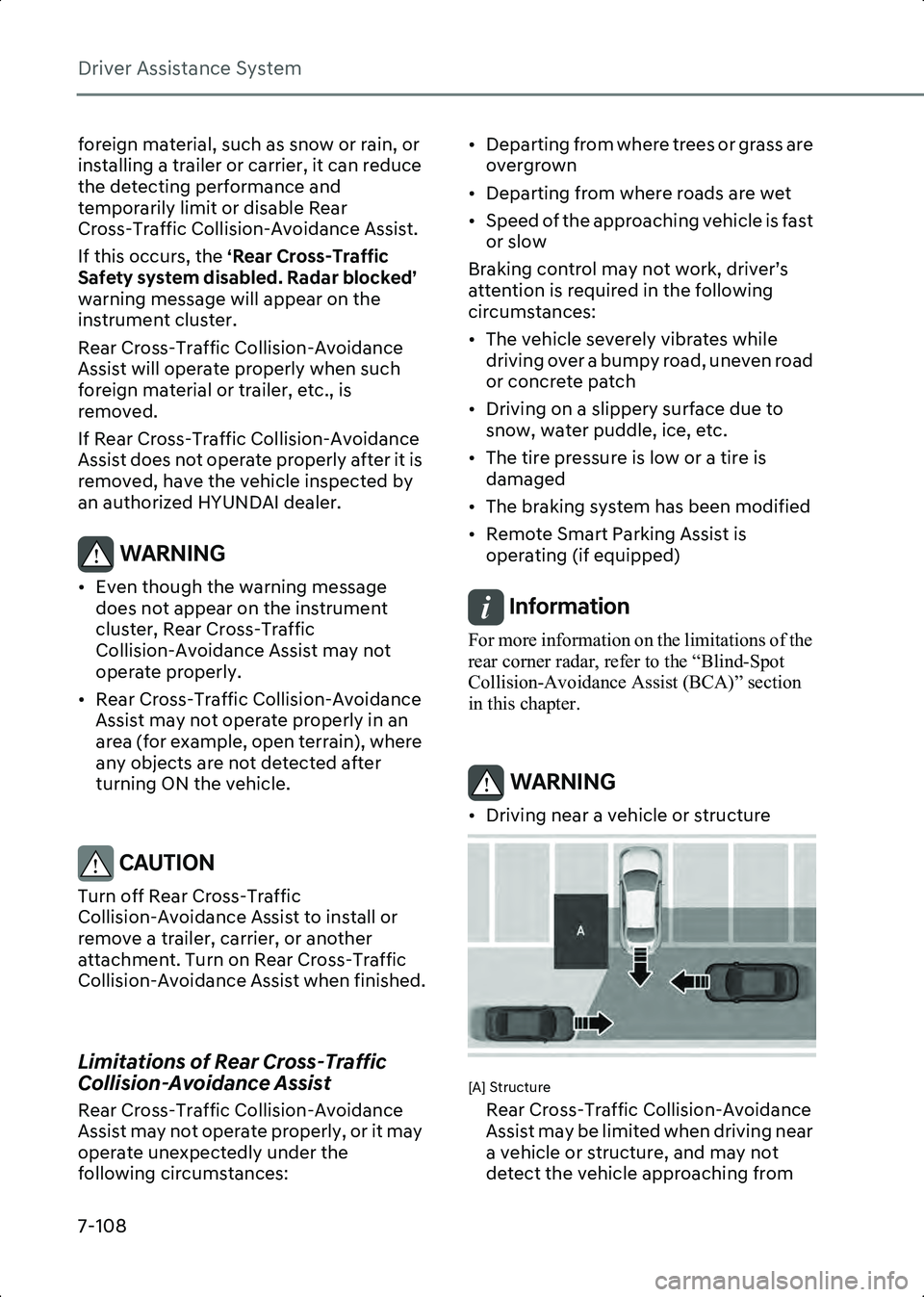
WARNING • Driving near a vehicle or structure
B7006904
[A] Structure
Rear Cross-Traffic Collision-Avoidance
Assist may be limited when driving near
a vehicle or structure, and may not
detect the vehicle approaching from
Hyundai_CE_en_US.book Page 108
Page 457 of 582
7
7-113
• The shape of the indicator in the illustration may differ from the actual
vehicle.
Forward/Reverse Parking
Distance Warning
Malfunction and Limitations
Parking Distance Warning
malfunction
After starting the vehicle, a beep will
sound when the gear is shifted to R
(Reverse) to indicate Parking Distance
Warning is operating properly.
However, if one or more of the following
occurs, first check whether the ultrasonic
sensor is damaged or blocked with
foreign material. If it still does not work
properly, have the vehicle inspected by
an authorized HYUNDAI dealer.
• The audible warning does not sound.
• The buzzer sounds intermittently.
• The ‘Check Parking Distance Warning
system’ warning message appears on
the instrument cluster.
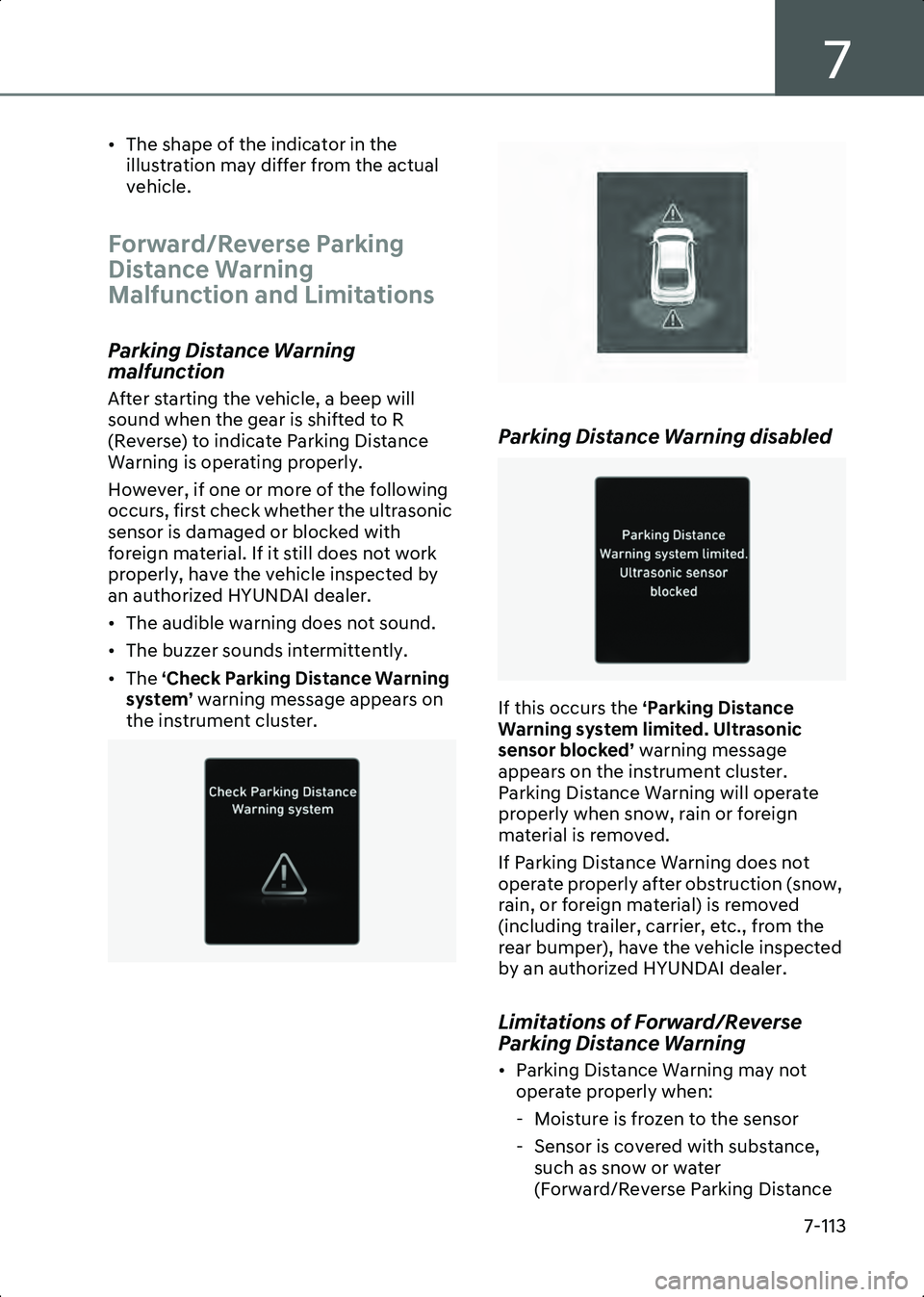
B0377EU01 B7007302
Parking Distance Warning disabled
B0377EU03
If this occurs the
‘Parking Distance
Warning system limited. Ultrasonic
sensor blocked’ warning message
appears on the instrument cluster.
Parking Distance Warning will operate
properly when snow, rain or foreign
material is removed.
If Parking Distance Warning does not
operate properly after obstruction (snow,
rain, or foreign material) is removed
(including trailer, carrier, etc., from the
rear bumper), have the vehicle inspected
by an authorized HYUNDAI dealer.
Limitations of Forward/Reverse
Parking Distance Warning
• Parking Distance Warning may not operate properly when:
- Moisture is frozen to the sensor
- Sensor is covered with substance, such as snow or water
(Forward/Reverse Parking Distance
Hyundai_CE_en_US.book Page 113