2023 HYUNDAI IONIQ 5 infotainment
[x] Cancel search: infotainmentPage 115 of 680

Seats & Safety System
3-28
Advanced Rear Occupant Alert
(ROA) (if equipped)
Advanced Rear Occupant Alert is
provided to help prevent a driver from
leaving a vehicle with the rear passenger
left in the vehicle.
System setting
To use Rear Occupant Alert, it must be
enabled from the Settings menu in the
infotainment system screen. Select: - Setup � Vehicle Settings �
Convenience � Rear Occupant Alert
(ROA)
For detailed information, refer to the
separately supplied infotainment
system manual.
System operation • First alert
When you turn off the vehicle and
open the driver’s door after opening
and closing the rear door or liftgate,
the ‘Check rear seats’ warning
message appears on the cluster.
WARNING
Even if your vehicle is equipped with
Advanced Rear Occupant Alert (ROA),
always make sure to check the rear seat
before you leave the vehicle.
Advanced Rear Occupant Alert (ROA)
may not operate when: • Movement does not continue for
a certain period of time or the
movement is small.
• A child is not seated in a child
restraint system.
• Movement is detected in areas other
than the rear seats.
• The rear passenger is covered with a
fabric containing metallic substance
such as a blanket.
• An object in the vehicle blocks the
sensor.
• The sensor is contaminated by
foreign material.
• An animal at the rear seat or luggage
compartment is not large enough to
be detected by the sensor or there is
hardly any movement.
• Attaching objects or modifying the
interior ceiling, or the interior ceiling
is deformed or damaged.
• There are electronic interference
around the vehicle.
• Other environmental reasons that
may affect the system.
Page 161 of 680
4
LCD Display ..................................................................................................... 4-29
LCD Display Control ................................................................................................... 4-29
View Modes ................................................................................................................ 4-29
Driving assist view .................................................................................................. 4-30
Turn By Turn (TBT) view .......................................................................................... 4-30
Utility view ................................................................................................................ 4-31
Accumulated info .................................................................................................... 4-31
Additional information display ................................................................................ 4-33
Vehicle Settings (infotainment system) ........................................................4-34
Setting Your Vehicle .................................................................................................. 4-34
4. Instrument Cluster
Page 165 of 680

04
4 -7
ONE1Q011011
When the remaining battery is lower than
10 % on the SOC gauge, the warning light (
) turns ON to alert you of the battery
level.
When the warning light (
) turns ON,
the vehicle can drive an additional 18 ~
25 miles (30 ~ 40 km) depending on the
driving speed, heater/air conditioner,
weather, driving style, and other factors.
Charging is required.
NOTICE
The output is limited as the remaining
battery is low.
When the Power Down Indicator Light
is on, the vehicle may be limited to
a certain speed, it may be difficult
to climb hills, or the vehicle may be
pushed back, so charge it immediately. Outside temperature gauge
ONE1041014N
This gauge indicates the current outside
air temperatures by 1°F (1°C).
Note that the temperature indicated
on the LCD display may not change
as quickly as the outside temperature
(there may be a slight delay before the
temperature changes.)
You can change the temperature
unit from the Settings menu in the
infotainment system screen. Select:
- General Settings → Unit → Temperature Unit → °C/°F
For detailed information, refer to the
separately supplied infotainment
system manual.
Both the temperature unit on the cluster
LCD display and climate control screen will change.
Page 174 of 680
Instrument Cluster
4-16
LED headlight warning light (if equipped)
This warning light illuminates:
• When you set the Start/Stop button to the ON position.
- The LED headlight warning light illuminates for approximately 3
seconds and then goes off.
• Whenever there is a malfunction with
the LED headlight.
If this occurs, have the vehicle
inspected by an authorized HYUNDAI
dealer.
This warning light blinks:
Whenever there is a malfunction with a
LED headlight related part.
If this occurs, have the vehicle inspected
by an authorized HYUNDAI dealer.
NOTICE
Continuous driving with the LED
Headlight warning light on or blinking
can reduce LED headlight life. Icy road warning light (if equipped)
This warning light is to warn the driver
the road may be icy.
When the temperature on the outside
temperature gauge is approximately
below 4°C (40°F), the Icy Road warning
light and Outside Temperature Gauge
blinks and then illuminates. Also, the
warning chime sounds 1 time.
You can activate or deactivate Icy Road
Warning function from the Settings
menu in the infotainment system screen. Select:
- Setup → Vehicle Settings → Cluster →
Content Selection → Icy Road Warning
For detailed information, refer to the
separately supplied infotainment
system manual.
Information
If the Icy Road warning light appears
while driving, you should drive more
attentively and safely refraining from
over-speeding, rapid acceleration, sudden
braking or sharp turning, etc.
Page 179 of 680
04
4-21
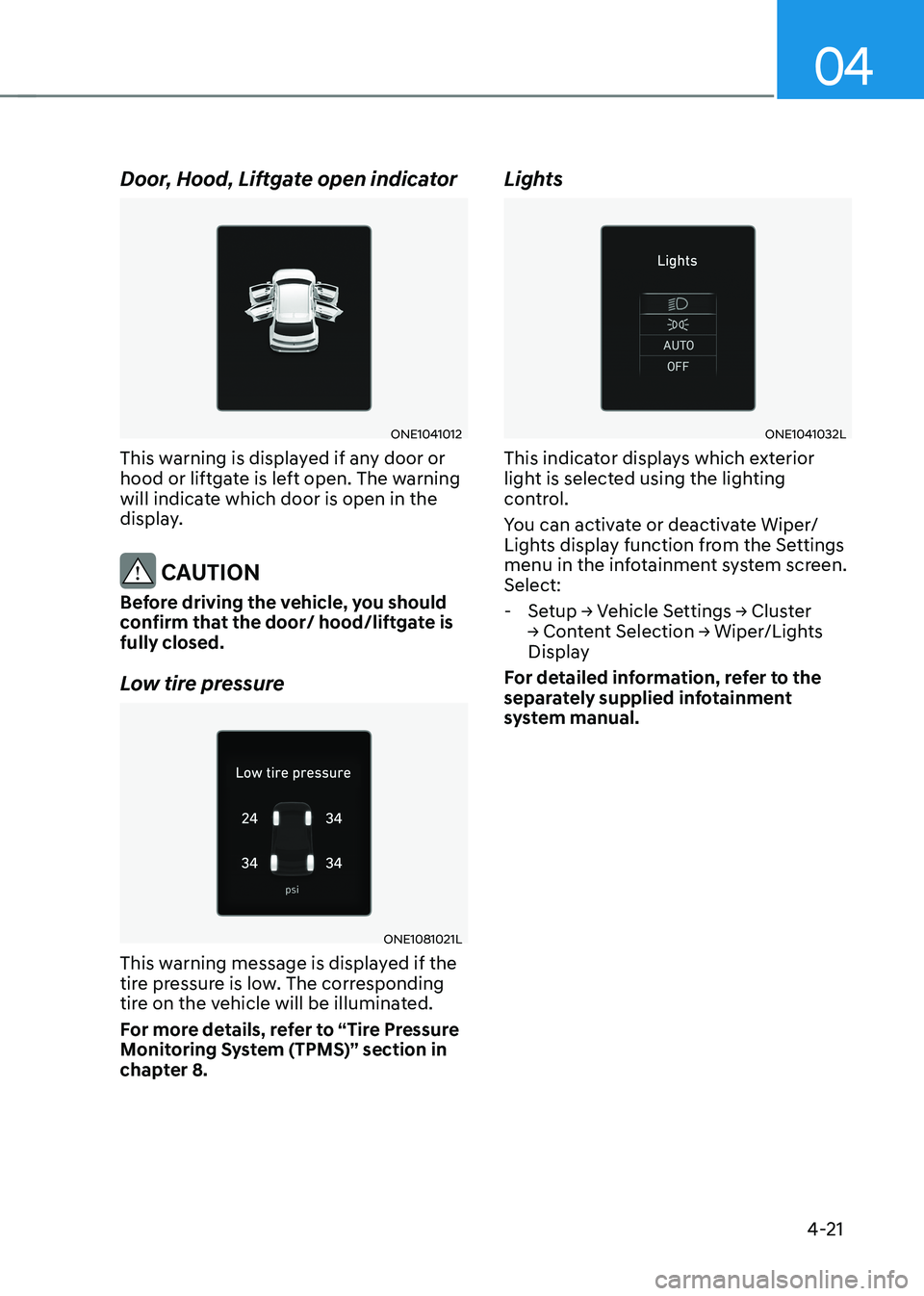
Door, Hood, Liftgate open indicator
ONE1041012
This warning is displayed if any door or
hood or liftgate is left open. The warning
will indicate which door is open in the
display.
CAUTION
Before driving the vehicle, you should
confirm that the door/ hood/liftgate is fully closed.
Low tire pressure
ONE1081021L
This warning message is displayed if the
tire pressure is low. The corresponding
tire on the vehicle will be illuminated.
For more details, refer to “Tire Pressure
Monitoring System (TPMS)” section in
chapter 8. Lights
ONE1041032L
This indicator displays which exterior
light is selected using the lighting
control.
You can activate or deactivate Wiper/
Lights display function from the Settings
menu in the infotainment system screen. Select:
- Setup → Vehicle Settings → Cluster
→ Content Selection → Wiper/Lights
Display
For detailed information, refer to the
separately supplied infotainment
system manual.
Page 180 of 680

Instrument Cluster
4-22
Wiper
ONE1041004L
This indicator displays which wiper speed
is selected using the wiper control.
You can activate or deactivate Wiper/
Lights display function from the Settings
menu in the infotainment system screen. Select:
- Setup → Vehicle Settings → Cluster
→ Content Selection → Wiper/Lights
Display
For detailed information, refer to the
separately supplied infotainment
system manual. Low washer fluid (if equipped)
This message is displayed if the washer
fluid level in the reservoir is nearly empty.
Have the washer fluid reservoir refilled.
Check headlight (if equipped)
This message is displayed if the
headlights are not operating properly. A
lamp may need to be replaced.
Make sure to replace the burned out
bulb with a new one of the same wattage
rating. Check turn signal (if equipped)
This message is displayed if the turn
signal lamps are not operating properly.
A lamp may need to be replaced.
Make sure to replace the burned out
bulb with a new one of the same wattage
rating. Check headlamp LED (if equipped)
This message is displayed if there is a
problem with the LED headlamp. Have
the vehicle inspected by an authorized
HYUNDAI dealer.
Page 192 of 680

Instrument Cluster
4-34
Vehicle settings (infotainment system)
Vehicle Settings in the infotainment
system provides user options for a
variety of settings including door lock/
unlock features, convenience features,
driver assistance settings, etc.
Vehicle Settings menu - Driver Assistance
- Drive Mode
- EV
- Head-Up Display
- Cluster
- Climate
- Seat
- Lights
- Door
- Convenience
The information provided may differ
depending on which features are
applicable to your vehicle.
WARNING
Do not operate the Vehicle Settings
while driving. This may cause
distraction resulting in an accident.
Setting Your Vehicle
ONE1041051K
1. Press the Custom ( H) button on the
head unit of the infotainment system.
2. Select ‘Vehicle’ and change the setting of the features.
For detailed information, refer to the
separately supplied infotainment
system manual.
Page 195 of 680

5
Storage Compartment .................................................................................... 5-119
Center Console Storage ............................................................................................ 5-119
Glove Box .................................................................................................................. 5-120
Interior Features .............................................................................................. 5-121
Cup Holder ................................................................................................................. 5-121
Sunvisor ..................................................................................................................... 5-122
Power Outlet .............................................................................................................. 5-122
USB Charger .............................................................................................................. 5-123
Wireless Smart Phone Charging System ................................................................5-124
Cluster Fascia Side Panel .......................................................................................... 5-127
Vehicle to Load (V2L) ............................................................................................... 5-127
Clock .......................................................................................................................... 5-127
Coat Hook ................................................................................................................. 5-128
Floor Mat Anchor(s) .................................................................................................. 5-128
Rear Side Window Sunshades ................................................................................. 5-129
Luggage Net Holder ................................................................................................. 5-129
Cargo Security Screen ............................................................................................. 5-130
Infotainment System ..................................................................................... 5-132
USB Port ..................................................................................................................... 5-132
Antenna ...................................................................................................................... 5-132
Steering Wheel Remote Controls ............................................................................. 5-132
Infotainment System ................................................................................................ 5-133
Voice Recognition .................................................................................................... 5-134
Bluetooth® Wireless Technology ............................................................................. 5-134
5. Convenience Features