Page 284 of 680
Convenience Features
5-92
Luggage compartment lamp
ONE1051069
The lamp turns on when the liftgate is opened. Headlamp and position lamp
When the light switch is ON, and all
the doors (and liftgate) are closed and
locked, the headlamp and position lamp
will turn on for approximately 15 seconds
if the door unlock button is pressed on
the smart key.
Select ‘Setup → Lights → Headlight Delay’
from the Settings menu to turn on this function.
For detailed information, refer to the
separately supplied infotainment
system manual.
Interior lamp
When the interior lamp switch is in the
position and all doors (and liftgate)
are closed and locked, the room lamp
will come on for 30 seconds if any of the
below is performed.
- When the door unlock button is pressed on the smart key.
- When you touch the touch sensor on the door handle while carrying the
smart key.
At this time, if you press the door lock
or unlock button on the smart key the
lamps will turn off immediately.
Page 291 of 680
05
5-99
Information
Use a clean soft microfiber cloth to gently wipe any finger prints off the touch screen.
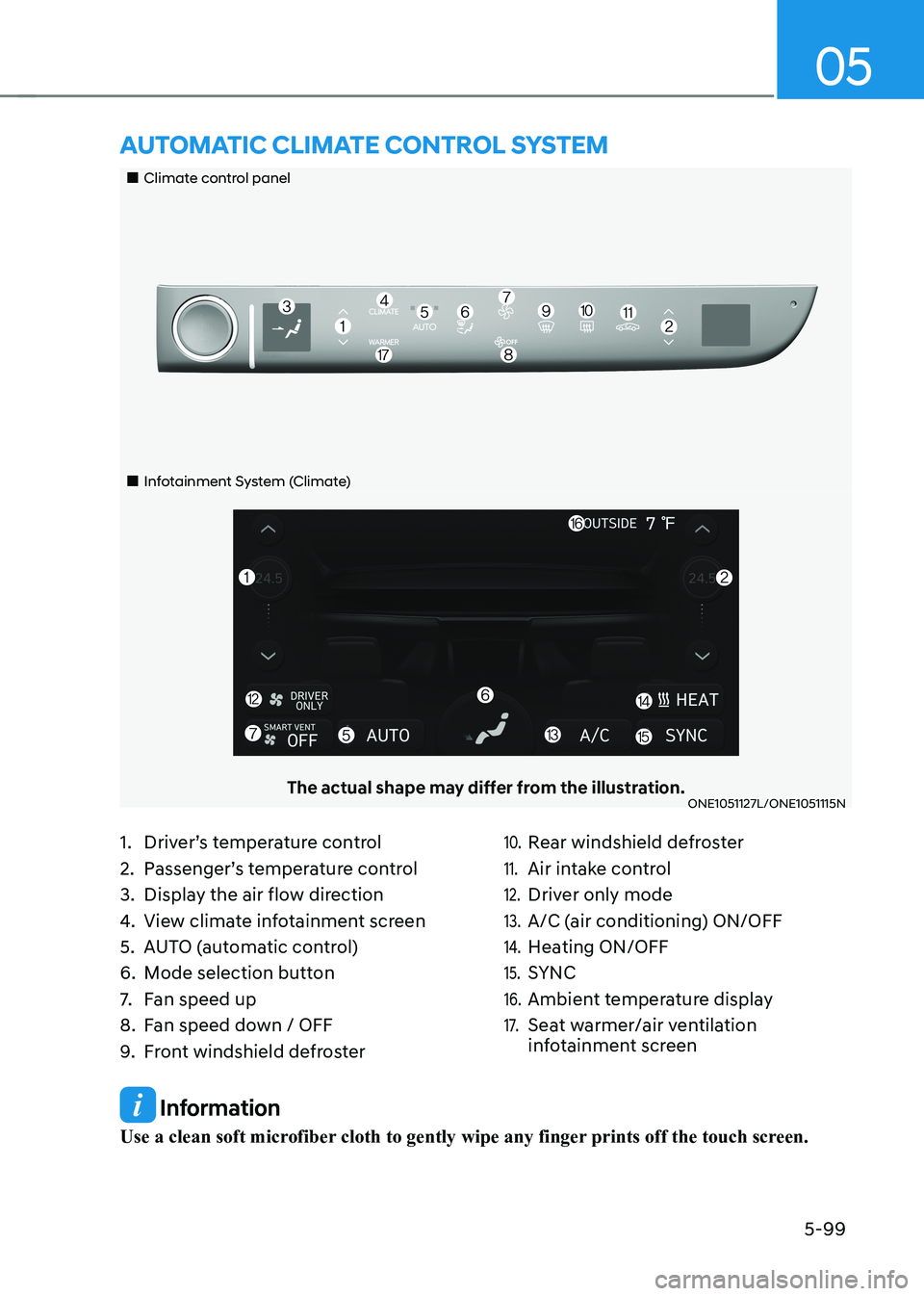
„„Climate control panel
„„Infotainment System (Climate)
The actual shape may differ from the illustration.ONE1051127L/ONE1051115N
aUTomaTIc clImaTe conTrol sysTem
1. Driver’s temperature control
2. Passenger’s temperature control
3. Display the air flow direction
4. View climate infotainment screen
5. AUTO (automatic control)
6. Mode selection button
7. Fan speed up
8. Fan speed down / OFF
9. Front windshield defroster10. Rear windshield defroster
11. Air intake control
12. Driver only mode
13. A/C (air conditioning) ON/OFF
14. Heating ON/OFF
15. SYNC
16. Ambient temperature display
17. Seat warmer/air ventilation
infotainment screen
Page 292 of 680
Convenience Features
5-100
Climate
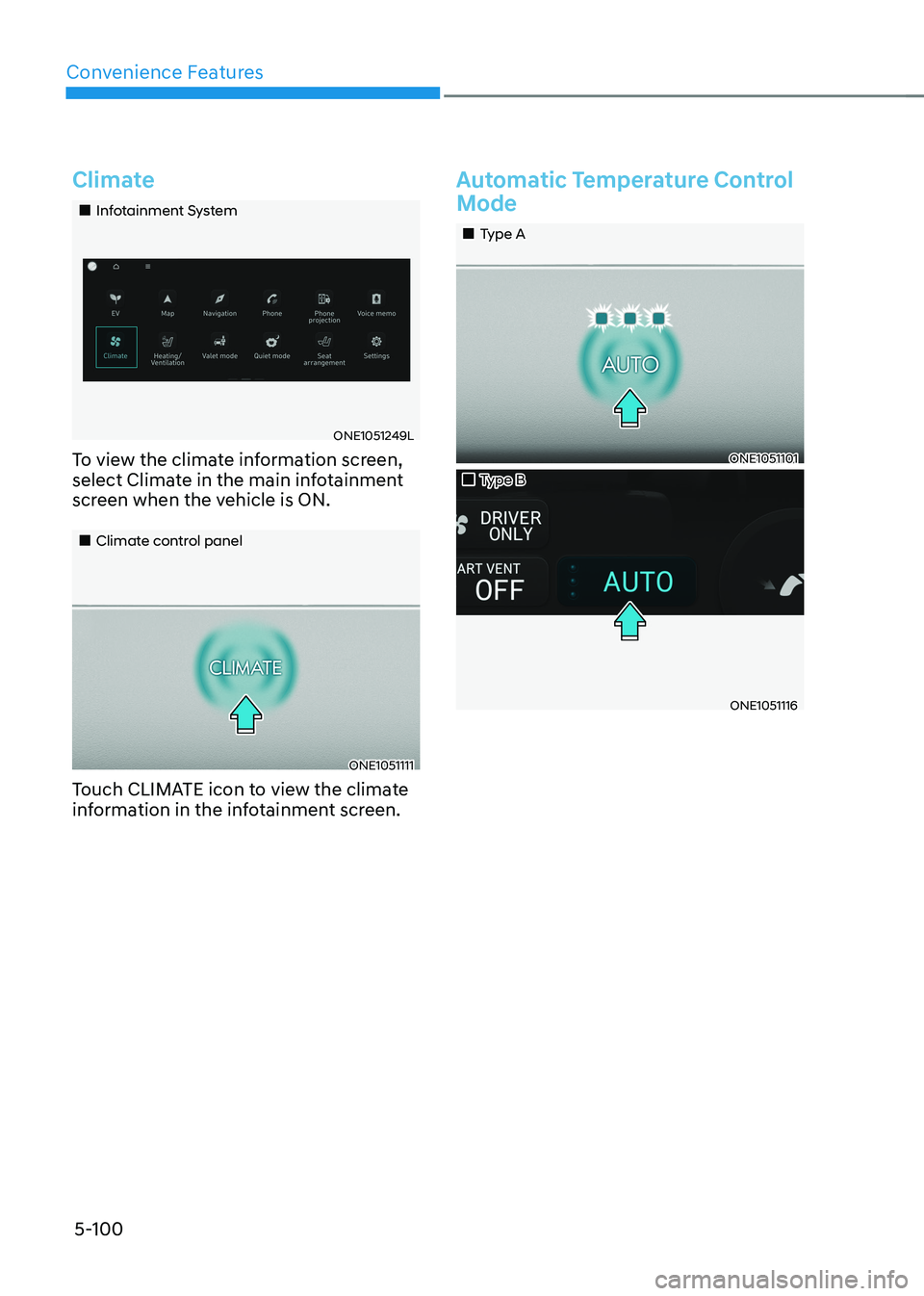
„„Infotainment System
ONE1051249L
To view the climate information screen,
select Climate in the main infotainment
screen when the vehicle is ON.
„„Climate control panel
ONE1051111
Touch CLIMATE icon to view the climate
information in the infotainment screen.
Automatic Temperature Control
Mode
„„Type A
ONE1051101
„„Type B
ONE1051116
Page 293 of 680

05
5-101
LevelAUTO
Indicator Climate
Information Fan
Speed level
3HIGH 1~8
2MEDIUM 1~6
1LOW 1~4
1. Press AUTO icon or touch the AUTO
icon in the infotainment screen to
select the fan speed (level1~3)
2. Adjust the temperature with the temperature control icon. The fan speed level only can be changed
manually.
The following systems can be
respectively adjusted while the AUTO
climate control is On. When those
systems are adjusted, AUTO indicator
lights will turn off.
- Fan speed level
- A/C (Air condition)
- Mode selection
- Front windshield defroster (When defroster is turned off, AUTO
indicator light will illuminate)
For your convenience and to improve the
efficiency of the climate control, use the
AUTO button and set the temperature to 72°F (22°C).
To change the temperature unit from °C
to °F or °F to °C:
Select ‘Setup → General Settings → Unit
→ Temperature Unit → °C/°F’ from the
Settings menu in the infotainment
system screen.
Information
ONE1051074
Never place anything near the ambient
light/solar sensor to ensure better control of the heating and cooling system.
Page 294 of 680
Convenience Features
5-102
Manual Temperature Control
Mode
The heating and cooling system can
be controlled manually by selecting
functions other than AUTO. In this case,
the system works sequentially according
to the order of the functions selected.
When selecting any other functions
except AUTO while using automatic
operation, the functions not selected will
be controlled automatically.
1. Start the vehicle.
2. Set the mode to the desired position.To improve the effectiveness of
heating and cooling, select the mode
according to the following: - Heating:
- Cooling:
3. Set the temperature control to the desired value.
4. Set the air intake control to Fresh or
Recirculation mode.
5. Set the fan speed control to the desired speed.
6. If air conditioning is desired, turn the air conditioning system on.
7. Select AUTO to revert back to full
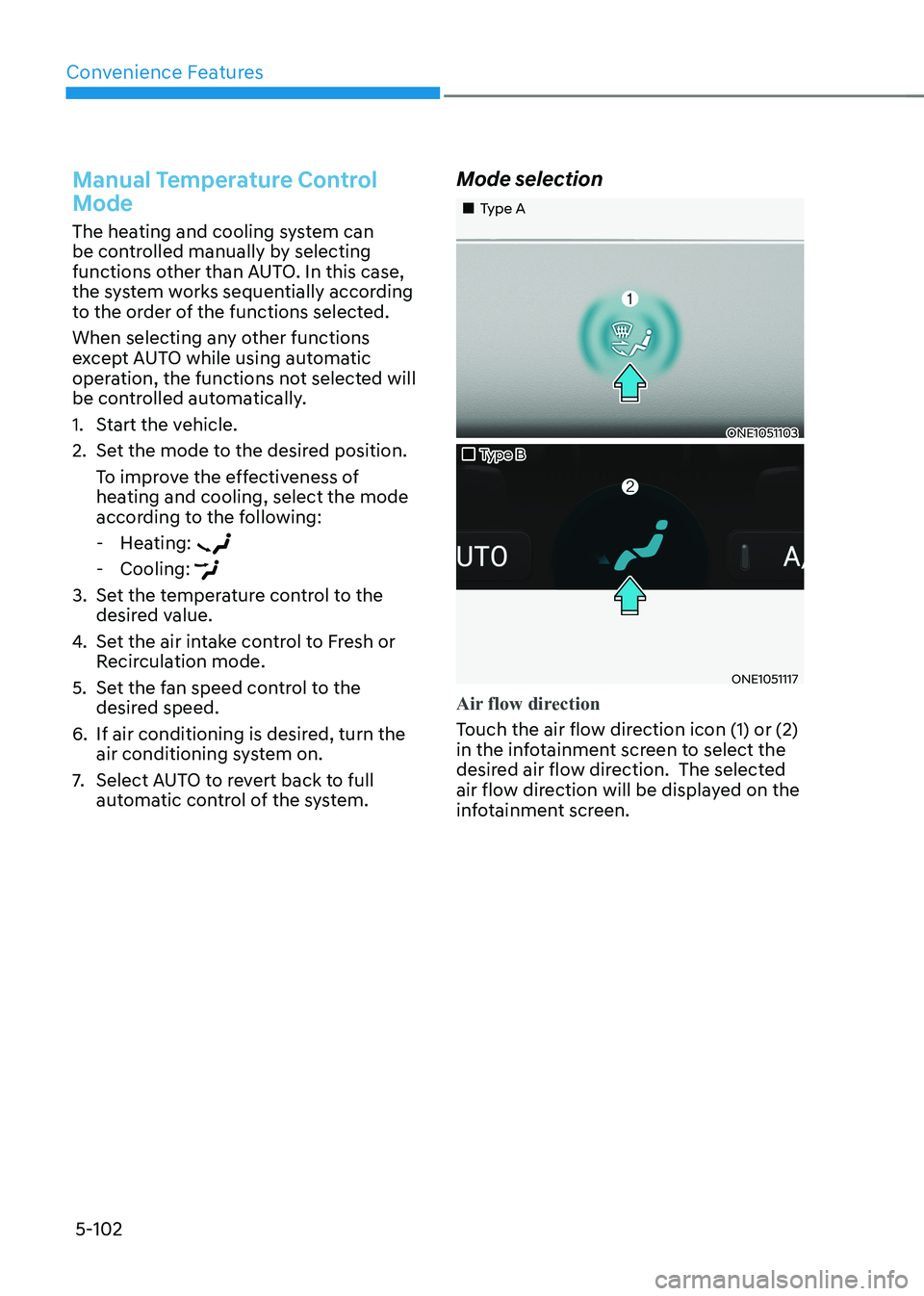
automatic control of the system. Mode selection
„„Type A
ONE1051103
„„Type B
ONE1051117
Air flow direction
Touch the air flow direction icon (1) or (2)
in the infotainment screen to select the
desired air flow direction. The selected
air flow direction will be displayed on the
infotainment screen.
Page 299 of 680
05
5-107
Information
Operating the system primarily in Fresh
mode is recommended. Use Recirculation mode temporarily only when needed.
Prolonged operation of the heater in
Recirculation mode and without the air conditioning ON can cause fogging of the
windshield. In addition, prolonged use of
the air conditioning ON in Recirculation
mode may result in excessively dry,
dehumidified air in the cabin and may
promote formation of musty vent odor due
to stagnant air.
WARNING
• Continued use of the climate control
system operation in Recirculation
mode for a prolonged period of
time may cause drowsiness to the
occupants in the cabin. This may lead
to loss of vehicle control which may
lead to an accident.
• Continued use of the climate control
system operation in Recirculation
mode with the air conditioning OFF
may allow humidity to increase
inside the cabin. This may cause
condensation to accumulate on the
windshield and obscure visibility.
• Do not sleep in your vehicle or
remain parked in your vehicle with
the windows up and either the
heater or the air conditioning ON for
prolonged periods of time. Doing so
may increase the levels of carbon
dioxide in the cabin which may lead
to serious injury or death.
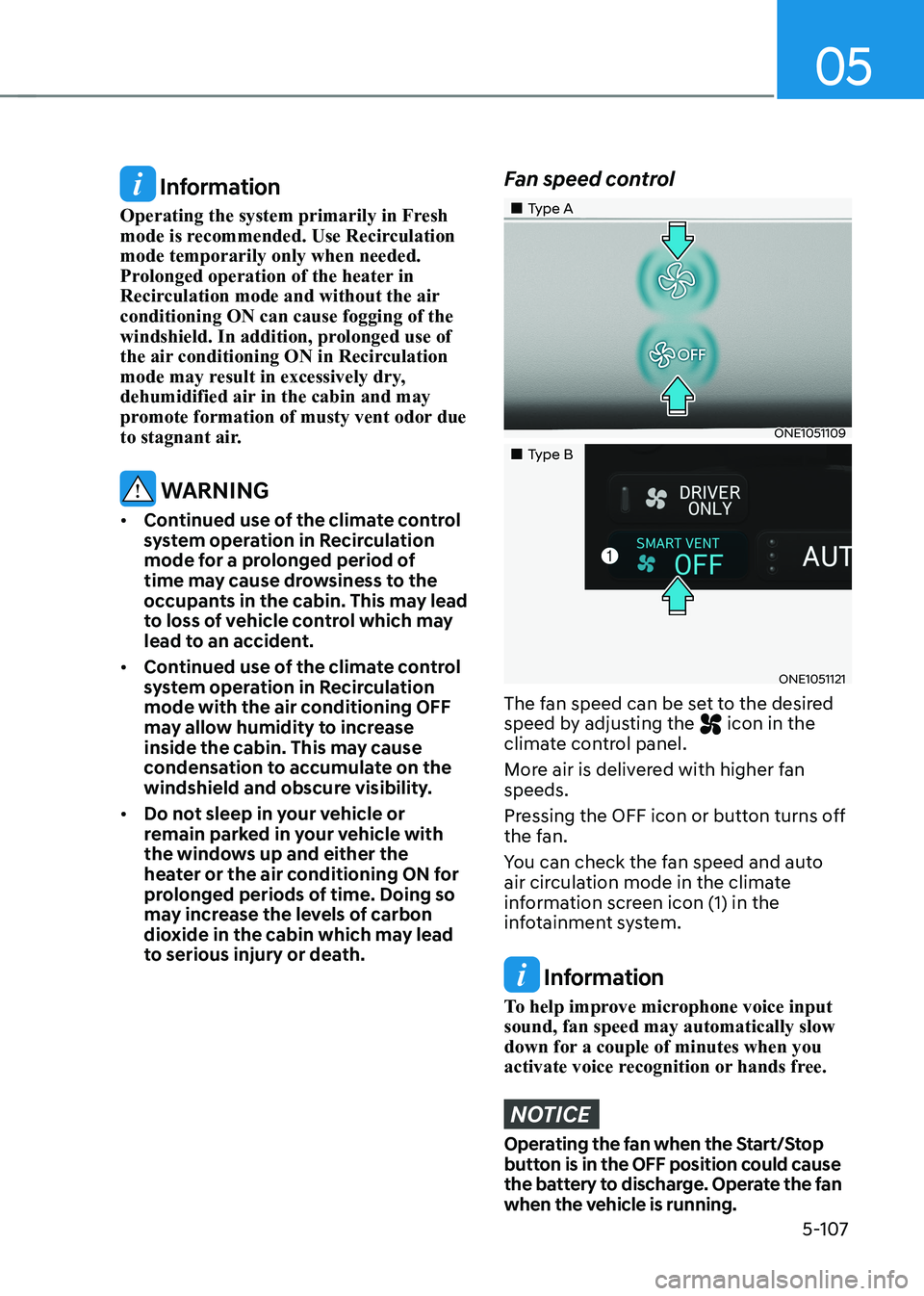
Fan speed control
„„Type A
ONE1051109
„„Type B
ONE1051121
The fan speed can be set to the desired
speed by adjusting the
icon in the
climate control panel.
More air is delivered with higher fan speeds.
Pressing the OFF icon or button turns off
the fan.
You can check the fan speed and auto
air circulation mode in the climate
information screen icon (1) in the
infotainment system.
Information
To help improve microphone voice input sound, fan speed may automatically slow
down for a couple of minutes when you
activate voice recognition or hands free.
NOTICE
Operating the fan when the Start/Stop
button is in the OFF position could cause
the battery to discharge. Operate the fan
when the vehicle is running.
Page 300 of 680
Convenience Features
5-108
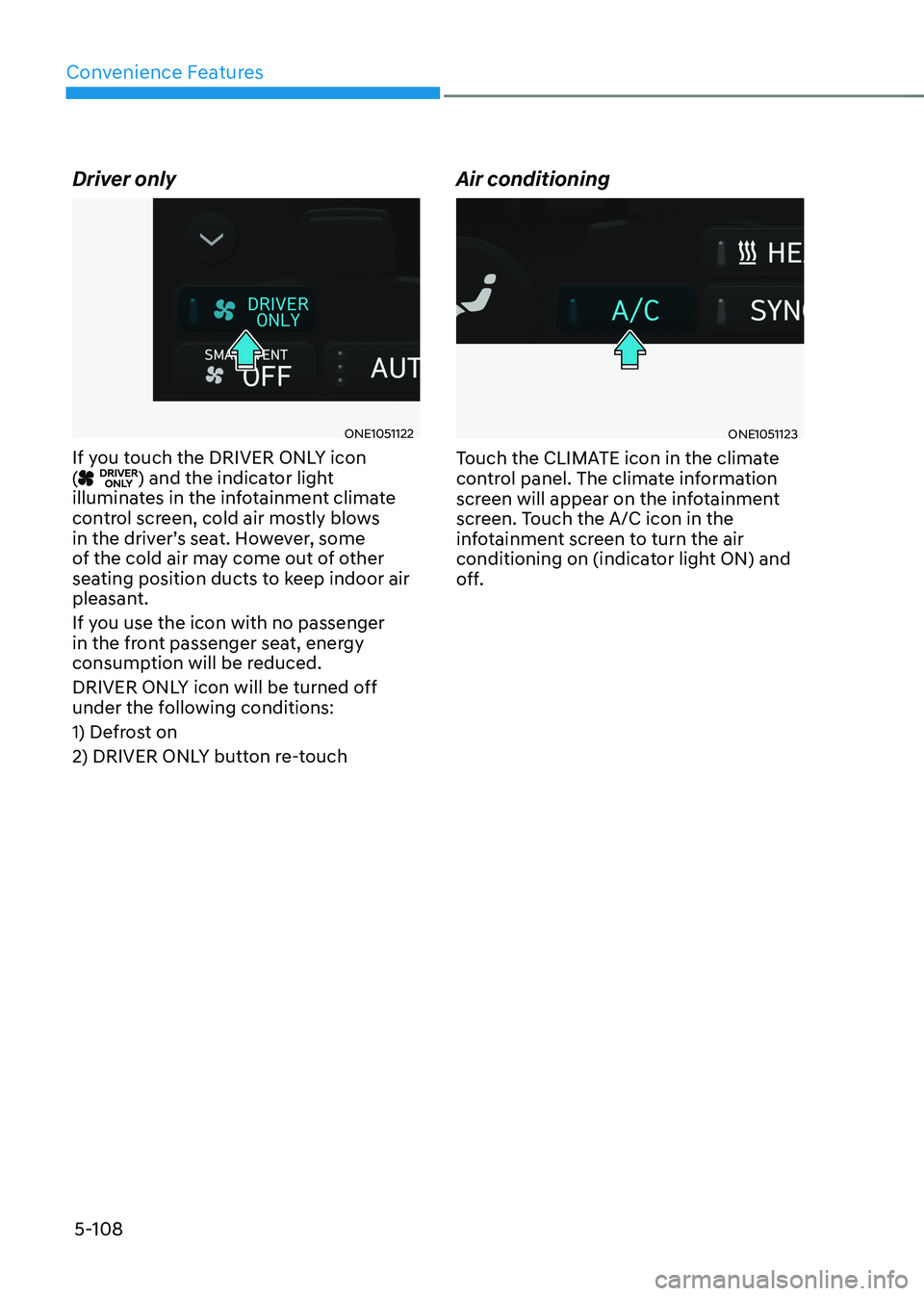
Driver only
ONE1051122
If you touch the DRIVER ONLY icon (
) and the indicator light
illuminates in the infotainment climate
control screen, cold air mostly blows
in the driver’s seat. However, some
of the cold air may come out of other
seating position ducts to keep indoor air
pleasant.
If you use the icon with no passenger
in the front passenger seat, energy
consumption will be reduced.
DRIVER ONLY icon will be turned off
under the following conditions:
1) Defrost on
2) DRIVER ONLY button re-touch Air conditioning
ONE1051123
Touch the CLIMATE icon in the climate
control panel. The climate information
screen will appear on the infotainment
screen. Touch the A/C icon in the
infotainment screen to turn the air
conditioning on (indicator light ON) and
off.
Page 301 of 680
05
5-109
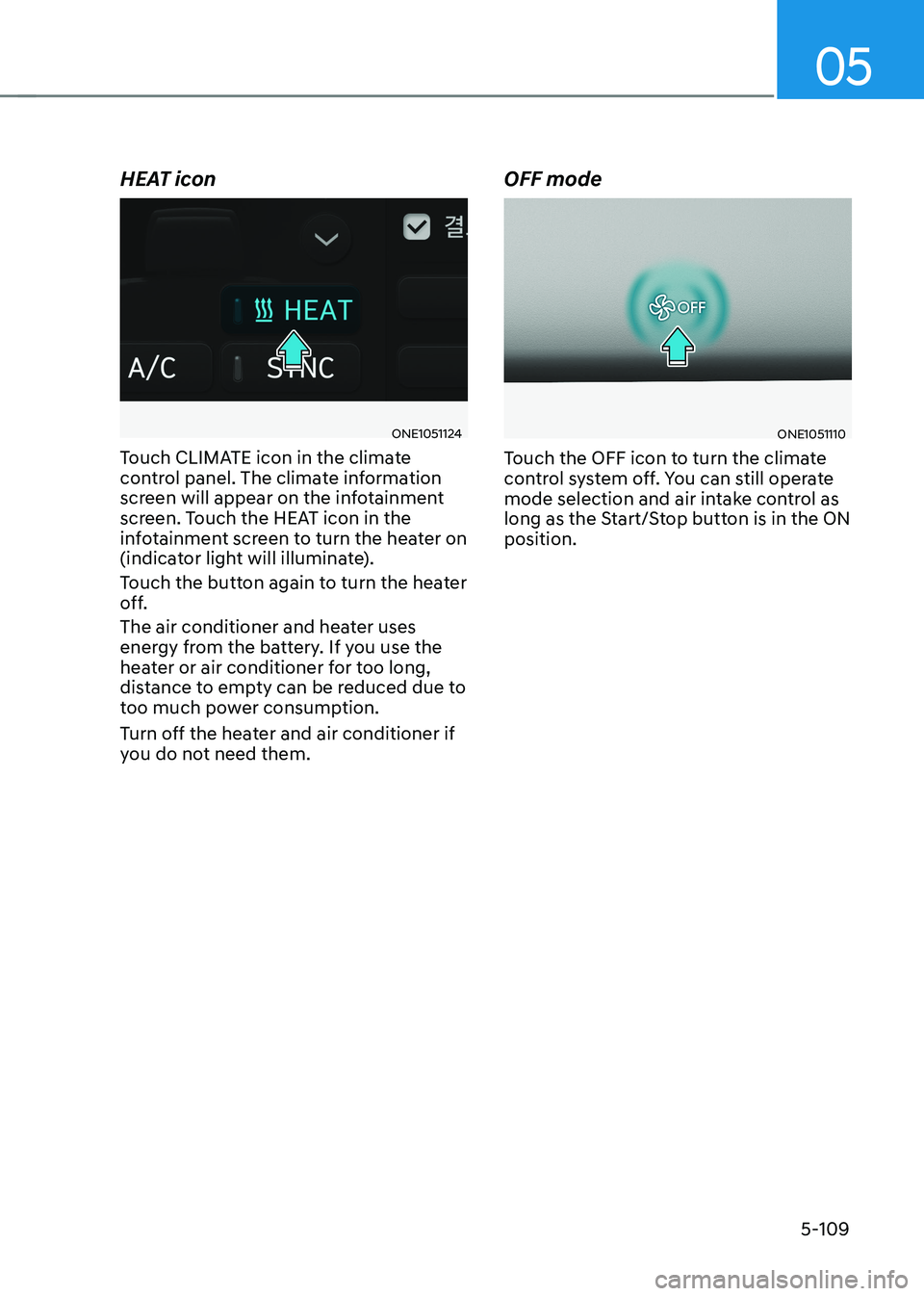
HEAT icon
ONE1051124
Touch CLIMATE icon in the climate
control panel. The climate information
screen will appear on the infotainment
screen. Touch the HEAT icon in the
infotainment screen to turn the heater on
(indicator light will illuminate).
Touch the button again to turn the heater
off.
The air conditioner and heater uses
energy from the battery. If you use the
heater or air conditioner for too long,
distance to empty can be reduced due to
too much power consumption.
Turn off the heater and air conditioner if
you do not need them. OFF modeONE1051110
Touch the OFF icon to turn the climate
control system off. You can still operate
mode selection and air intake control as
long as the Start/Stop button is in the ON position.