Page 326 of 680
Convenience Features
5-134
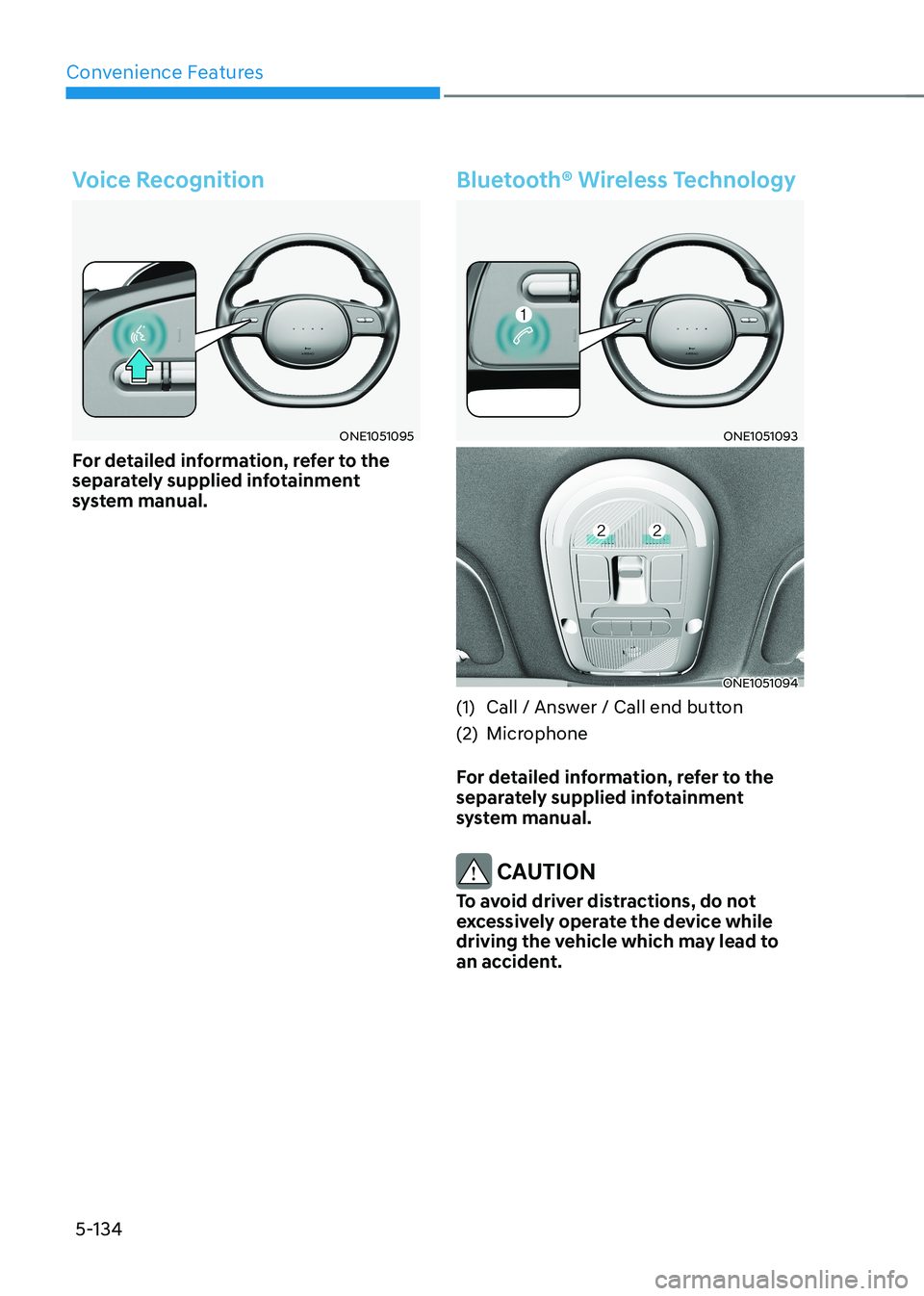
Voice Recognition
ONE1051095
For detailed information, refer to the
separately supplied infotainment
system manual.
Bluetooth® Wireless Technology
ONE1051093
ONE1051094
(1) Call / Answer / Call end button
(2) Microphone
For detailed information, refer to the
separately supplied infotainment
system manual.
CAUTION
To avoid driver distractions, do not
excessively operate the device while
driving the vehicle which may lead to
an accident.
Page 345 of 680
06
6-19
Smart recuperation SyStem
The Smart Recuperation System controls
the regenerative braking automatically
according to the road gradient and
driving condition of the vehicle in front.
The system minimizes the unnecessary
operation of the brake and acceleration
pedal, improving the electric energy
efficiency and assisting the driver.
Smart Recuperation System
Setting
Pull and hold the right side paddle shifter
for over 1 second to turn on and off the
automatic change of the regenerative
braking.
To Activate Smart Recuperation
System
ONE1041017
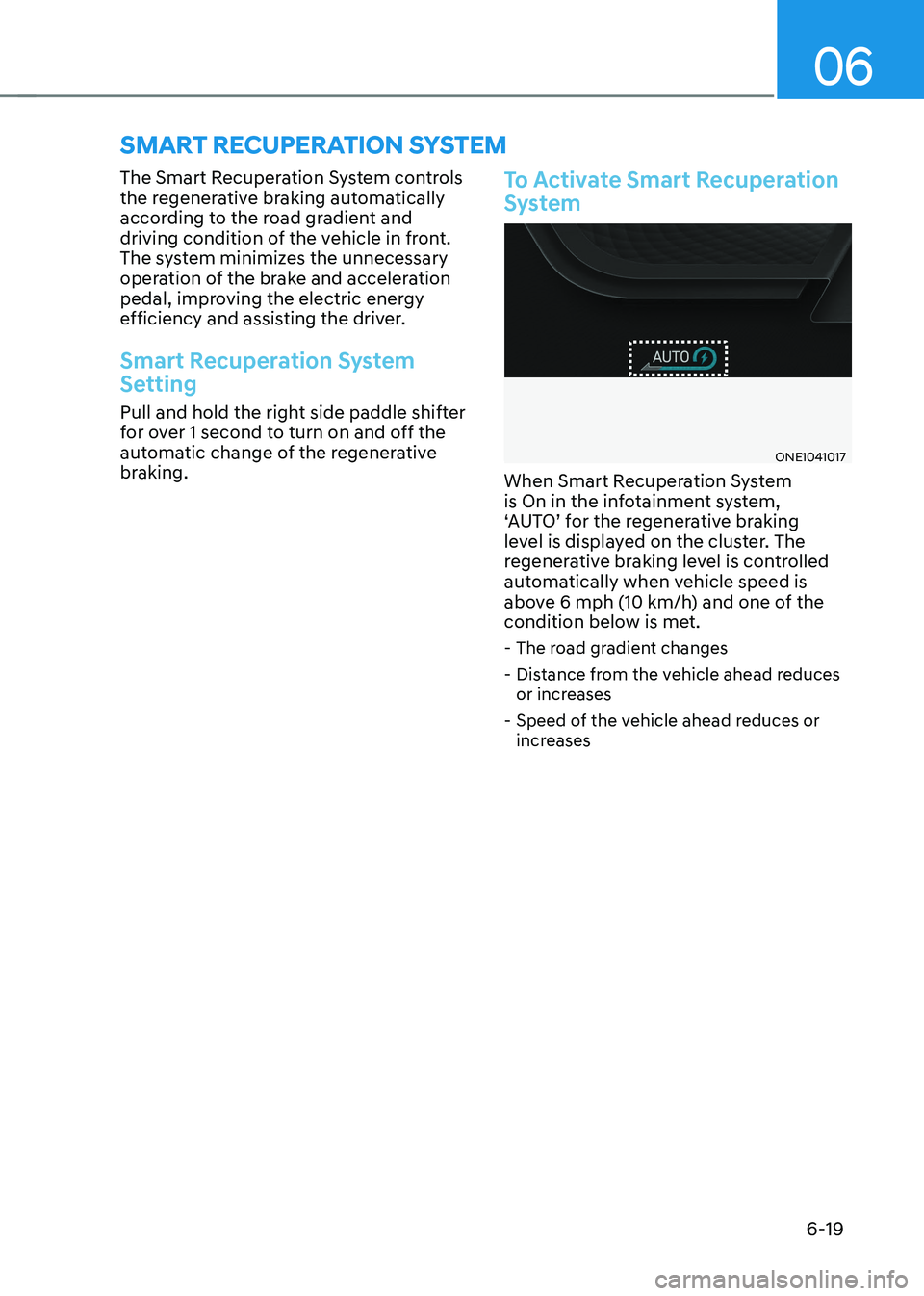
When Smart Recuperation System
is On in the infotainment system,
‘AUTO’ for the regenerative braking
level is displayed on the cluster. The
regenerative braking level is controlled
automatically when vehicle speed is
above 6 mph (10 km/h) and one of the
condition below is met. - The road gradient changes
- Distance from the vehicle ahead reduces or increases
- Speed of the vehicle ahead reduces or increases
Page 346 of 680
Driving Your Vehicle
6-20
Information
ONE1061044L
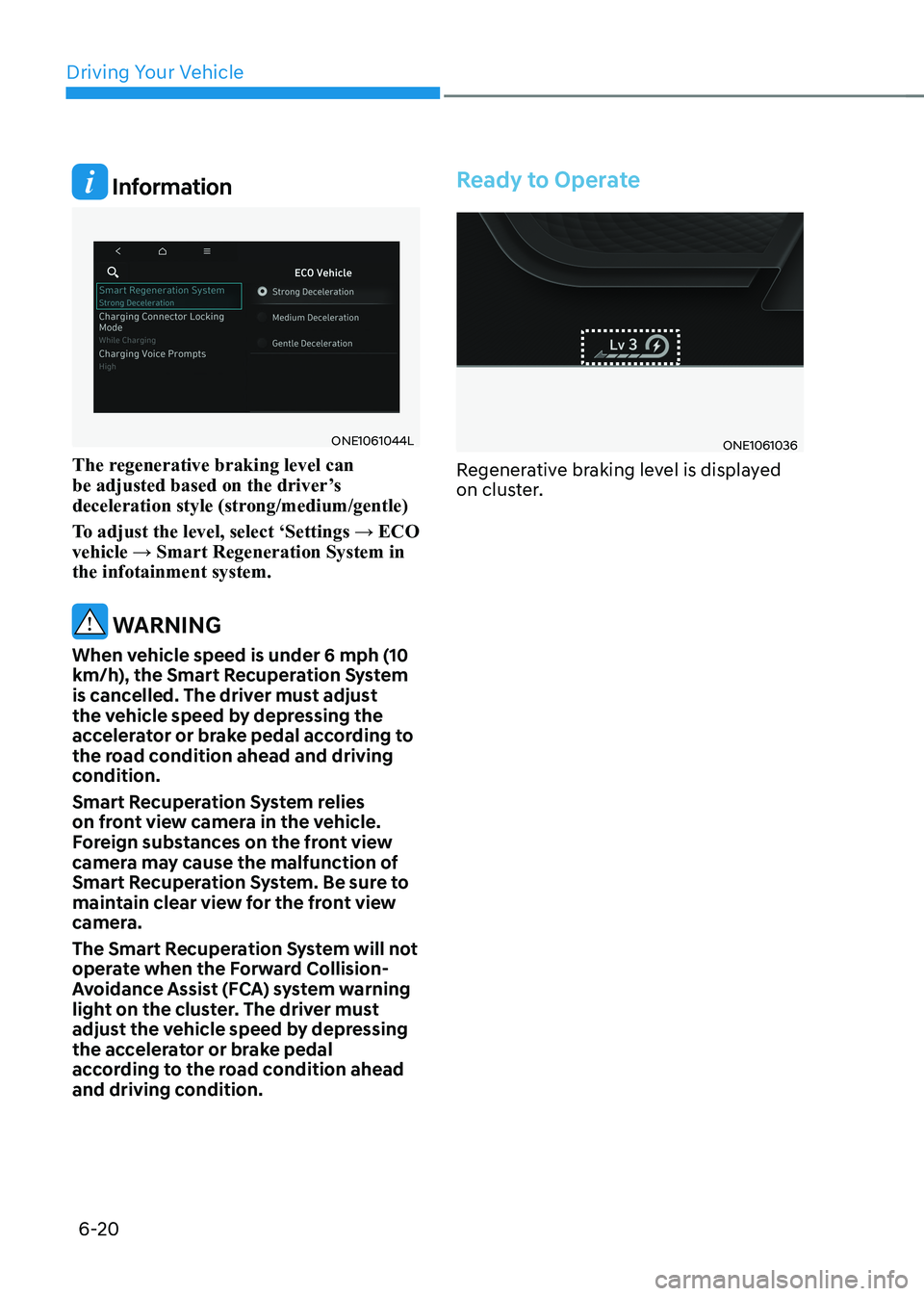
The regenerative braking level can
be adjusted based on the driver’s
deceleration style (strong/medium/gentle)
To adjust the level, select ‘Settings → ECO vehicle → Smart Regeneration System in the infotainment system.
WARNING
When vehicle speed is under 6 mph (10
km/h), the Smart Recuperation System
is cancelled. The driver must adjust
the vehicle speed by depressing the
accelerator or brake pedal according to
the road condition ahead and driving
condition.
Smart Recuperation System relies
on front view camera in the vehicle.
Foreign substances on the front view
camera may cause the malfunction of
Smart Recuperation System. Be sure to
maintain clear view for the front view
camera.
The Smart Recuperation System will not
operate when the Forward Collision-
Avoidance Assist (FCA) system warning
light on the cluster. The driver must
adjust the vehicle speed by depressing
the accelerator or brake pedal
according to the road condition ahead
and driving condition.
Ready to Operate
ONE1061036
Regenerative braking level is displayed
on cluster.
Page 377 of 680
06
6-51
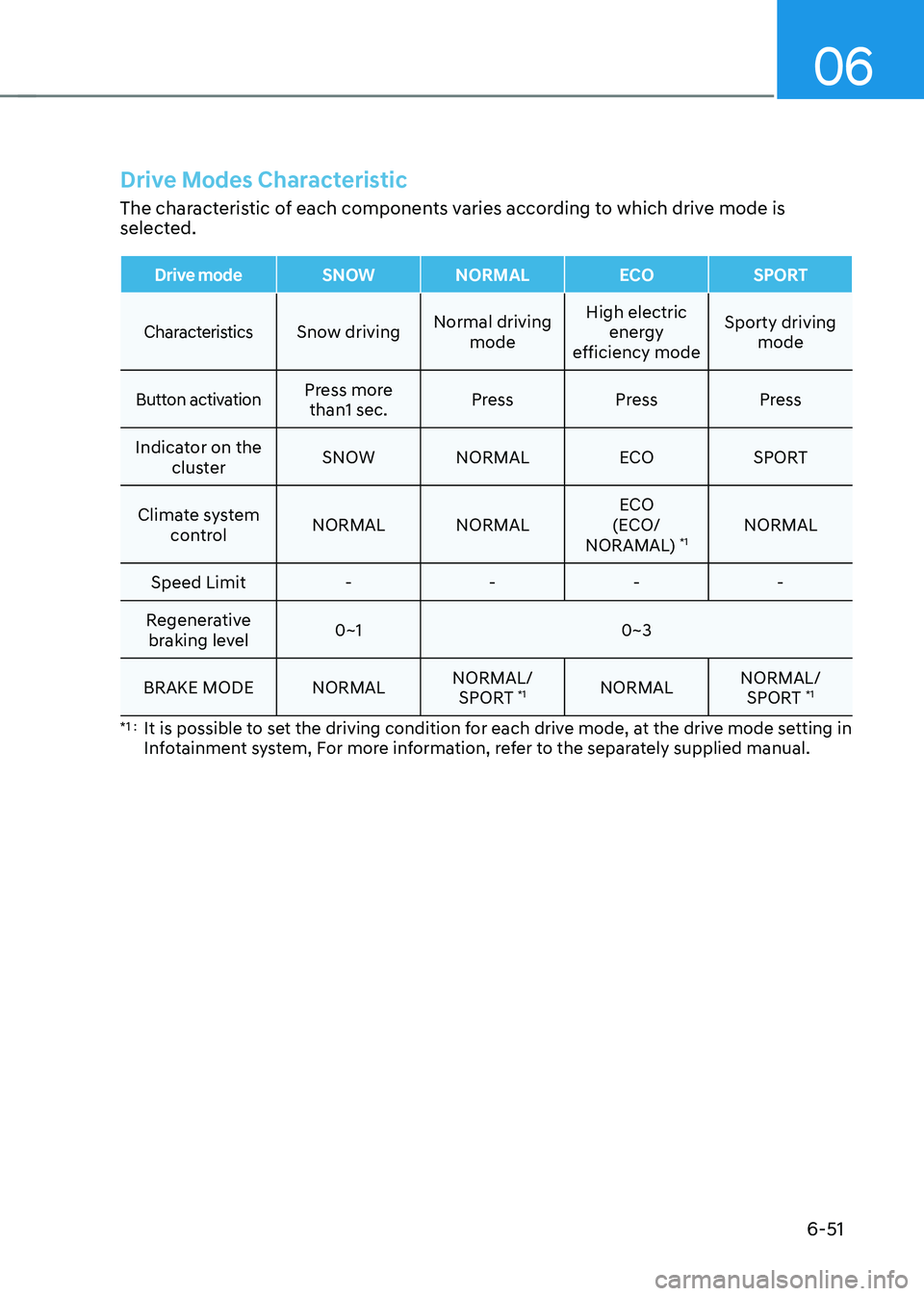
Drive Modes Characteristic
The characteristic of each components varies according to which drive mode is
selected.
Drive modeSNOW NORMALECOSPORT
CharacteristicsSnow driving Normal driving
mode High electric
energy
efficiency mode Sporty driving
mode
Button activationPress more than1 sec. Press Press Press
Indicator on the cluster SNOW NORMAL
ECOSPORT
Climate system control NORMAL NORMAL ECO
(ECO/
NORAMAL) *1NORMAL
Speed Limit - - - -
Regenerative braking level 0~1 0~3
BRAKE MODE NORMAL NORMAL/
SPORT *1
NORMAL NORMAL/
SPORT *1
*1 : It is possible to set the driving condition for each drive mode, at the drive mode setting in
Infotainment system, For more information, refer to the separately supplied manual.
Page 431 of 680
07
7-29
WARNING
• The steering wheel may not be
assisted if the steering wheel is held
very tight or the steering wheel is
steered over a certain degree.
• Lane Keeping Assist does not operate
at all times. It is the responsibility of
the driver to safely steer the vehicle
and to maintain the vehicle in its lane.
• The hands–off warning message
may appear late depending on road
conditions. Always have your hands
on the steering wheel while driving.
• If the steering wheel is held very
lightly, the hands–off warning
message may appear because Lane
Keeping Assist may not recognize
that the driver has their hands on the
steering wheel.
• If you attach objects to the steering
wheel, the hands-off warning may
not work properly. Information
• For more details on setting the functions in the infotainment system,
refer to “Vehicle Settings” section in
chapter 4.
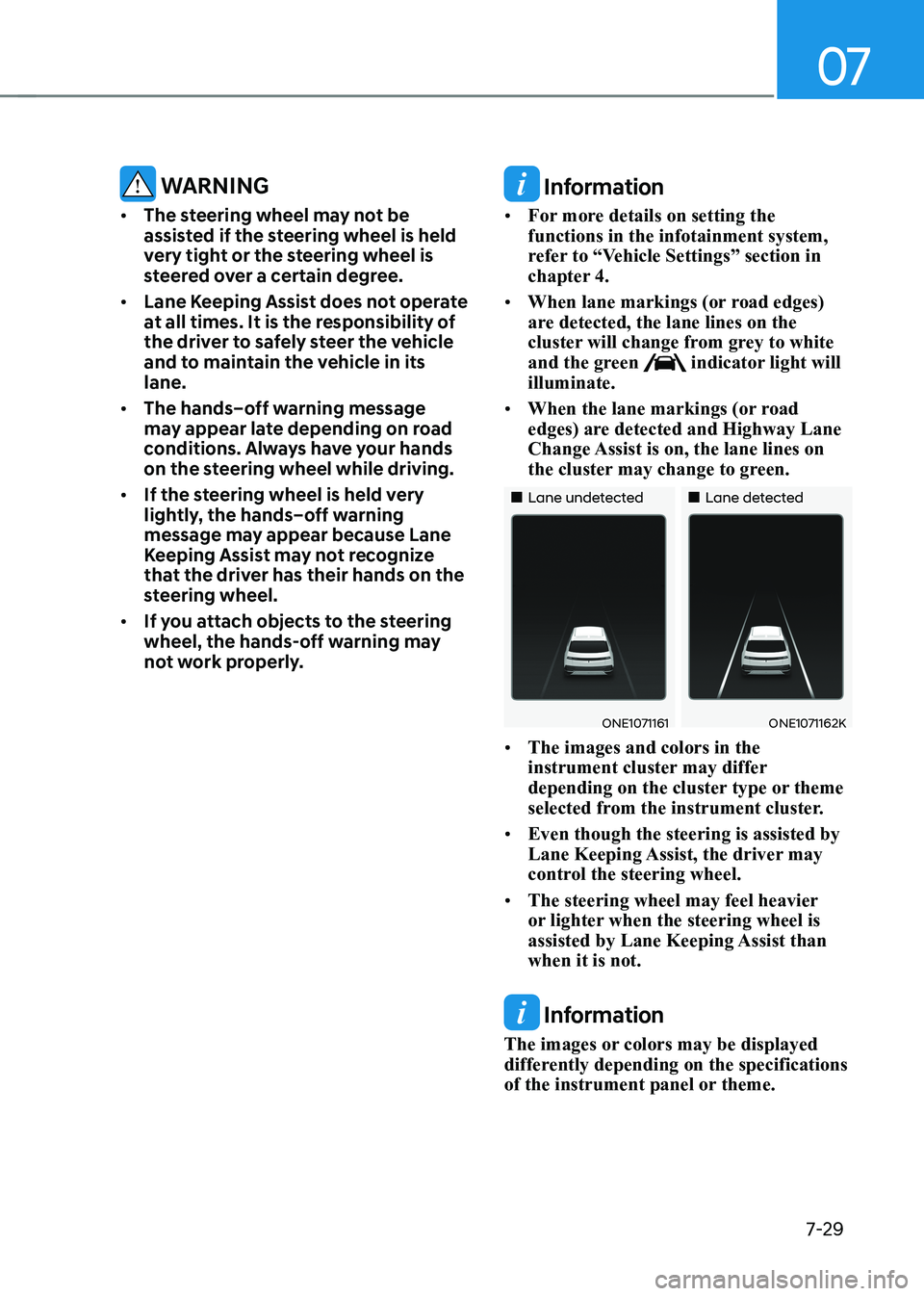
• When lane markings (or road edges)
are detected, the lane lines on the
cluster will change from grey to white
and the green
indicator light will
illuminate.
• When the lane markings (or road
edges) are detected and Highway Lane
Change Assist is on, the lane lines on
the cluster may change to green.
„„Lane undetected „„Lane detected
ONE1071161ONE1071162K
• The images and colors in the
instrument cluster may differ
depending on the cluster type or theme
selected from the instrument cluster.
• Even though the steering is assisted by
Lane Keeping Assist, the driver may
control the steering wheel.
• The steering wheel may feel heavier
or lighter when the steering wheel is
assisted by Lane Keeping Assist than when it is not.
Information
The images or colors may be displayed
differently depending on the specifications
of the instrument panel or theme.
Page 466 of 680

Driver Assistance System
7-64
•
The driver’s attention level is displayed
on the scale of 1 to 5. The lower the
level is, the more inattentive the driver is.
• The level decreases when the driver
does not take a break for a certain
period of time.
Taking a break
ONE1071014L
• The ‘Consider taking a break’ message
will appear on the cluster and an
audible warning will sound to suggest
that the driver take a break, when the
driver’s attention level is below 1.
• Driver Attention Warning will not
suggest a break when the total driving
time is shorter than 10 minutes or 10
minutes has not passed after the last
break was suggested.
WARNING
For your safety, change the Settings
after parking the vehicle at a safe
location.
CAUTION
• Driver Attention Warning may
suggest a break depending on the
driver’s driving pattern or habits,
even if the driver doesn’t feel fatigue.
• Driver Attention Warning is a
supplemental function and may not
be able to determine whether the
driver is inattentive.
• The driver who feels fatigued should
take a break at a safe location, even
though there is no break suggestion
by Driver Attention Warning.
Information
• For more details on setting the functions in the infotainment system,
refer to “Vehicle Settings” section in
chapter 4.
• Driver Attention Warning will reset the
last break time to 00:00 in the following situations:
- The vehicle is turned off
- The driver unfastens the seat belt
and opens the driver’s door
- The vehicle is stopped for more than 10 minutes
• When the driver resets Driver Attention
Warning, the last break time is set to
00:00 and the driver’s attention level is set to High.
Page 494 of 680
Driver Assistance System
7-92
•
If Highway Set Speed Auto Change
function has changed to the standby
state by depressing the brake pedal
or pressing the
switch on the
steering wheel, press the switch to
restart the function.
• Highway Set Speed Auto Change
function does not operate on highway
interchanges or junctions.
Information
• Highway Set Speed Auto Change function only operates based on the
speed limits of the highway, it does not work with the speed cameras.
• When Highway Set Speed Auto Change function is operating, the vehicle
automatically accelerates or decelerates when the highway speed limit changes.
• The maximum set speed for Highway
Set Speed Auto Change function is 90 mph (140 km/h).
• If the speed limit of a new road is not updated in the navigation, Highway Set
Speed Auto Change function may not
operate properly.
• If the speed unit is set to a unit other
than the speed unit used in your
country, Highway Set Speed Auto Change function may not operate
properly.
Information
The images or colors may be displayed
differently depending on the specifications
of the instrument panel or theme.
Limitations of Navigation-based
Smart Cruise Control
Navigation-based Smart Cruise Control
may not operate properly under the
following circumstances: • The navigation is not working properly
• Map information is not transmitted
due to infotainment system's
abnormal operation
• Speed limit and road information in
the navigation is not updated
• The map information and the actual
road is different because of real-time
GPS data or map information error
• The navigation searches for a route while driving
• GPS signals are blocked in areas such as a tunnel
• A road that divides into two or more
roads and joins again
•
Page 502 of 680
Driver Assistance System
7-100
Information
• For more details on setting the functions in the infotainment system,
refer to “Vehicle Settings” section in
chapter 4.
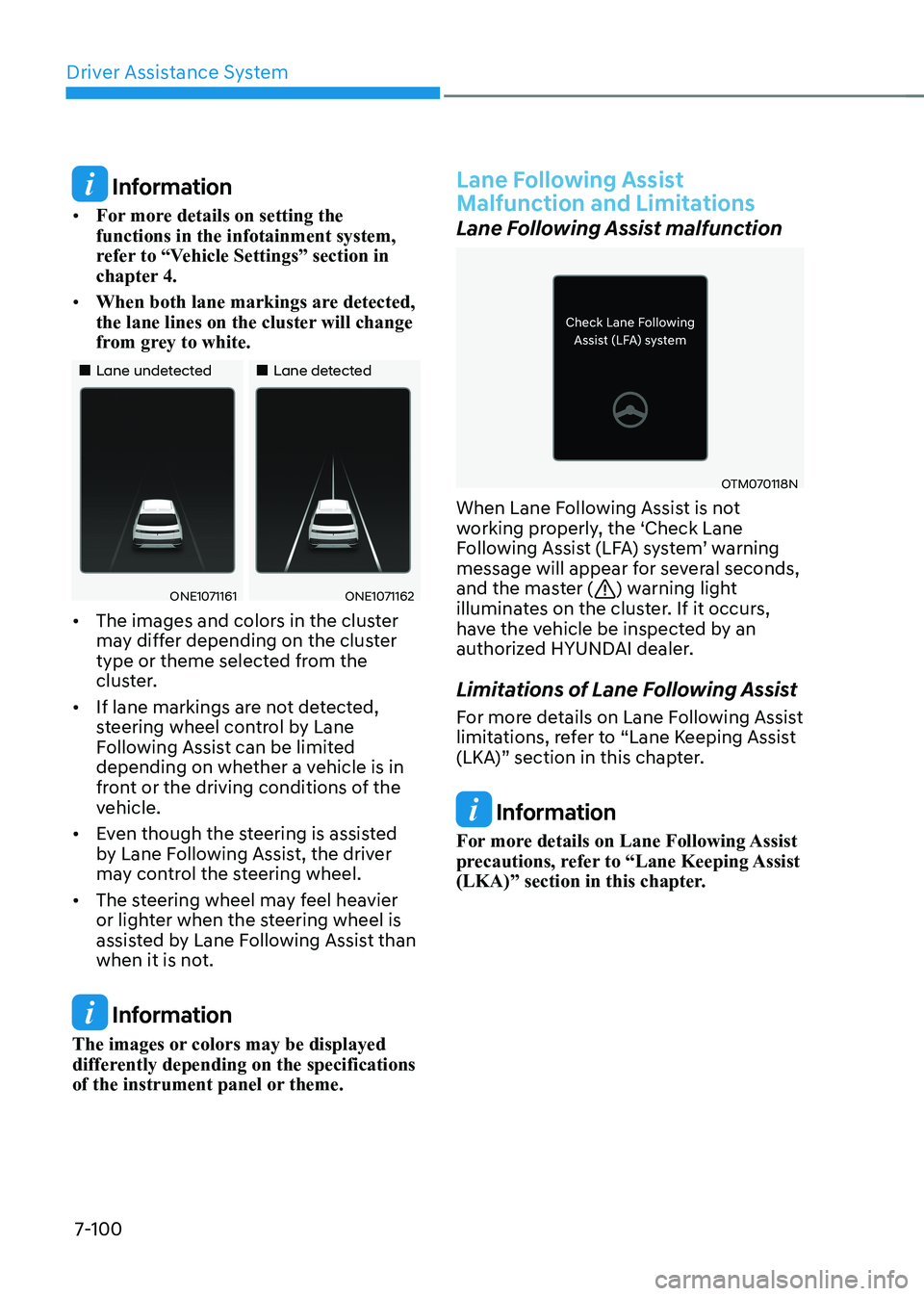
• When both lane markings are detected,
the lane lines on the cluster will change
from grey to white.
„„Lane undetected „„Lane detected
ONE1071161ONE1071162
• The images and colors in the cluster
may differ depending on the cluster
type or theme selected from the
cluster.
• If lane markings are not detected,
steering wheel control by Lane
Following Assist can be limited
depending on whether a vehicle is in
front or the driving conditions of the
vehicle.
• Even though the steering is assisted
by Lane Following Assist, the driver
may control the steering wheel.
• The steering wheel may feel heavier
or lighter when the steering wheel is
assisted by Lane Following Assist than
when it is not.
Information
The images or colors may be displayed
differently depending on the specifications
of the instrument panel or theme.
Lane Following Assist
Malfunction and Limitations
Lane Following Assist malfunction
OTM070118N
When Lane Following Assist is not
working properly, the ‘Check Lane
Following Assist (LFA) system’ warning
message will appear for several seconds,
and the master (
) warning light
illuminates on the cluster. If it occurs,
have the vehicle be inspected by an
authorized HYUNDAI dealer.
Limitations of Lane Following Assist
For more details on Lane Following Assist
limitations, refer to “Lane Keeping Assist
(LKA)” section in this chapter.
Information
For more details on Lane Following Assist
precautions, refer to “Lane Keeping Assist
(LKA)” section in this chapter.