Page 221 of 680

05
5-29
Vehicle personalization with digital key
The available personalization function in the vehicle is as follows.
SystemPersonalization Item
USMHUD
Display mode, Display control, AR matching
adjustment, Content selection
Lamp Blink number of one-touch signal lamps
Cluster Information display on the cluster, Voice volume,
Welcome sound, Theme selection
Seat/Mirror -
Door Automatic door lock/unlock, Two Press Unlock
Air conditioning Temperature unit, shut off outside air (interlocked
with washer fluid), Automatic ventilation, Auto
defogging on/off
Convenience Wireless charging system on/off (all seats)
NFC Digital key on/off, Smartphone Key Paring/Deletion,
Card key Save/Delete
AVN Navigation
Preferred volume of the navigation system, Recent
destination
User preset Radio preset Phone
connectivity Bluetooth preferential connect CarPlay/Android
Auto/MirrorLink On/Off
Air conditioning Operating
condition Latest operation setup of the following functions:
Temperature, AUTO, air flow direction, air volume,
air conditioner, air intake control, SYNC, Front
windshield defroster, OFF
Driving Smart mode -
For more information of personalization, refer to the infotainment system manual.
CAUTION
If you leave the digital key after locking or unlocking the doors or starting up the
vehicle with the smart key, the doors can be locked by the central door lock. Please
carry around the digital key all the time.
Page 222 of 680

Convenience Features
5-30
Door locKs
Operating Door Unlocks from
Outside the Vehicle (Manual
type)
Smart key
ONE1051004L
ONE1051010L
Push the button on the front outside
door handle (the engraved part) while
carrying the Smart Key with you, all
doors will unlock.
The hazard warning lights will blink twice and chime also sounds twice.
Once the doors are unlocked, when press
the front of the door handle (1) then rear
of the door handle will pop out (2).
Pull the outside door handle to open the
door.
Operating Door Unlocks from
Outside the Vehicle (Electric
type) (if equipped)
Smart key
Approach unlock system
The outside door handle will slide out
and the doors will unlock when the driver
approaches the vehicle possessing the
smart key.
The driver can activate/deactivate
the “Approach unlock” system on the
infotainment screen.
To activate Approach unlock system for
only the driver’s seat, select ‘Settings
→ Vehicle → Door → Remote power
door open → Unlock all doors’ in the
infotainment system screen.
To activate Approach unlock system,
select ‘Settings → Vehicle → Door
→ activate approach unlock’ in the
infotainment system. The outside door handle will slide out and the door will
unlock when the driver approaches
the vehicle possessing the smart
key. If Approaching unlock system
is deactivated, the door handle will
not slide out even when the driver
approaches to the vehicle with the smart
key. To unlock doors when Approach
unlock system is deactivated, touch the
lock/unlock sensor(engraved part) on the handle.
Page 228 of 680
Convenience Features
5-36
CAUTION
Opening a door when something is
approaching may cause damage or
injury. Be careful when opening doors
and watch for vehicles, motorcycles,
bicycles or pedestrians approaching the
vehicle in the path of the door.
WARNING
If you stay in the vehicle for a long time
while the weather is very hot or cold,
there are risks of injuries or danger to
life. Do not lock the vehicle from the
outside when someone is in the vehicle.
Automatic Door Lock and Unlock
Features
Your vehicle is equipped with features
that will automatically lock or unlock
your vehicle based on settings you select
in the infotainment system screen.
Auto LOCK Enable on speed
When this feature is set in the
infotainment system screen, all the doors
will be locked automatically when the
vehicle exceeds 9 mph (15 km/h).
Auto LOCK Enable on shift
When this feature is set in the
infotainment system screen, all the doors
will be locked automatically when the
vehicle is shifted out of P (Park) while the engine is running.
Auto UNLOCK On Shift to P
When this feature is set in the
infotainment system screen, all the doors
will be unlocked automatically when the
vehicle is shifted back into P (Park) while the engine is running.
Auto UNLOCK Vehicle off
When this feature is set in the
infotainment system screen, all the doors
will be unlocked automatically when the
vehicle is turned off.
For detailed information, refer to the
separately supplied infotainment
system manual.
Additional unlock safety feature air
bag deployment
As an additional safety feature, all doors
will be automatically unlocked when an
impact causes the air bags to deploy.
Page 232 of 680

Convenience Features
5-40
InTegraTed memory sysTem (If eQUIPPed)
ONE1051023
Integrated Memory System for the
driver’s seat is provided to store and
recall the following memory settings with
a simple button operation. • Driver’s seat position
• Outside rearview mirror position
• Head-Up Display (HUD) : display
mode, position, AR matching
adjustment (if equipped)
WARNING
Never attempt to operate the
integrated memory system while the
vehicle is moving.
This could result in loss of control, and
an accident causing death, serious
injury, or property damage.
Information
• If the battery is disconnected, the memory settings will be erased.
• If integrated memory system does not
operate normally, have the system inspected by an authorized HYUNDAI
dealer.
Storing Memory Positions
1. Shift to P (Park) while the Start/Stop
button is in the ON position.
2. Adjust the driver’s seat position, outside rearview mirror position, and
head-up display height to the desired position.
3. Hold the button (1 or 2). The system will beep once and notify you ‘Driver
1 (or 2) settings saved’ will appear on
the infotainment screen.
Recalling Memory Positions
1. Shift to P (Park) while the Start/Stop button is in the ON position.
2. Press the desired memory button (1 or 2). The system will beep once, and
then the driver’s seat position, outside
rearview mirror position, and head-
up display height will automatically
adjust to the stored positions.
3. ‘Driver 1 (or 2) settings applied’ will appear on the infotainment screen.
Information
• In order to adjust the memory button (2) while adjusting the memory button
(1), press the memory button (1) to
pause the adjustment of (1), then press memory button (2).
• If you adjust the seat, rearview mirror,
head-up display while recalling the
stored positions, the manually adjusted settings will be applied.
Page 234 of 680
Convenience Features
5-42
Seat Easy Access
Seat easy access will move the driver’s
seat and steering wheel automatically as
follows: • Exiting the vehicle:
The driver’s seat will move as follows
when the Start/Stop button is in the
OFF position with the gear in P (Park)
and the driver’s door open.
- Driver seat: Moves rearward depending on the distance selected
from the Settings menu in the
infotainment system.
However, the driver’s seat may not
move rearward if there is not enough
space between the driver’s seat and
the rear seats.
• Entering the vehicle:
The driver’s seat will move as follows
when the Start/Stop button is pressed
to the ACC, ON or START position
or while carrying the smart key, the
driver’s door is closed with the Start/
Stop button in the OFF position.
- Driver seat: Moves back to its original position.
• You can set the Seat Easy Access
function from the Settings menu
in the infotainment system screen. Select:
- Driver seat Setup → Vehicle Settings → Seat →
Seating Easy Access → Driver Seat
Easy Access → Normal/Extended/Off
For detailed information, refer to the
separately supplied infotainment
system manual.
Page 235 of 680
05
5-43
memory seaT confIgUraTIons (If eQUIPPed)
Memory seat configurations for the
seats are provided to store and recall the
following memory settings with a simple
operation on the infotainment system.
WARNING
Never attempt to operate the
integrated memory system while the
vehicle is moving.
This could result in loss of control, and
an accident causing death, serious
injury, or property damage.
CAUTION
The function requires a large amount of
electrical power. To prevent the battery
from discharging, refrain from using it
when the vehicle start switch is off. • If the battery is disconnected, the
memory settings will be erased.
• If integrated memory system does
not operate normally, have the
system inspected by an authorized
HYUNDAI dealer.
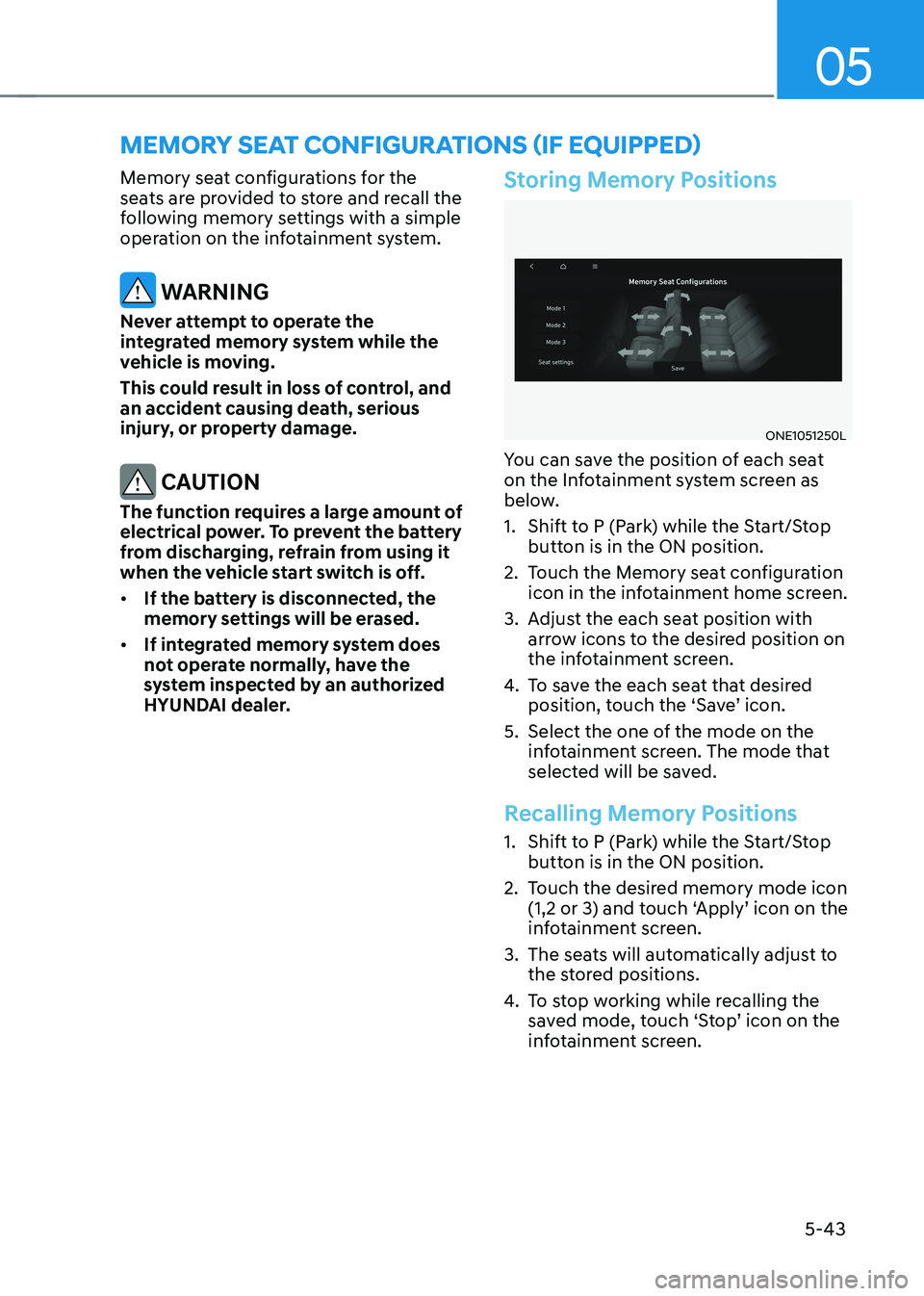
Storing Memory Positions
ONE1051250L
You can save the position of each seat
on the Infotainment system screen as
below.
1. Shift to P (Park) while the Start/Stop button is in the ON position.
2. Touch the Memory seat configuration icon in the infotainment home screen.
3. Adjust the each seat position with arrow icons to the desired position on
the infotainment screen.
4. To save the each seat that desired
position, touch the ‘Save’ icon.
5. Select the one of the mode on the infotainment screen. The mode that
selected will be saved.
Recalling Memory Positions
1. Shift to P (Park) while the Start/Stop button is in the ON position.
2. Touch the desired memory mode icon (1,2 or 3) and touch ‘Apply’ icon on the
infotainment screen.
3. The seats will automatically adjust to the stored positions.
4. To stop working while recalling the
saved mode, touch ‘Stop’ icon on the
infotainment screen.
Page 238 of 680
Convenience Features
5-46
Horn
ONE1051025
To sound the horn, press the area
indicated by the horn symbol on your
steering wheel (see illustration). The
horn will operate only when this area is
pressed.
NOTICE
Do not strike the horn severely to
operate it, or hit it with your fist. Do not
press on the horn with a sharp-pointed object.
Heated Steering Wheel (if equipped)
„„Infotainment system
ONE1031085L
While the vehicle is running, touch
Heating/Ventilation icon in the
infotainment home screen.
„„Climate control panel
ONE1031081
Press WARMER in the front climate
control panel
Page 239 of 680
05
5-47
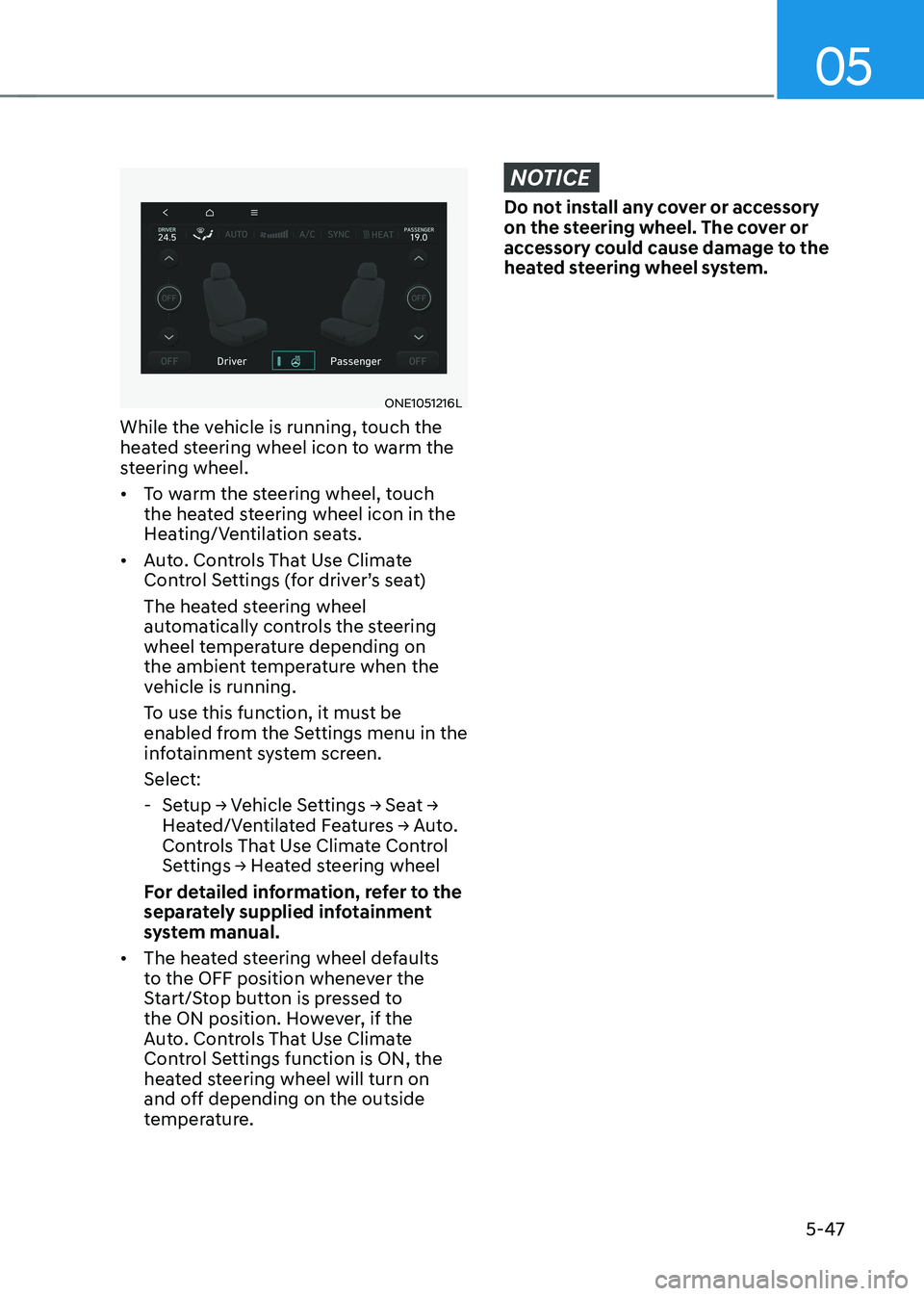
ONE1051216L
While the vehicle is running, touch the
heated steering wheel icon to warm the
steering wheel. • To warm the steering wheel, touch
the heated steering wheel icon in the
Heating/Ventilation seats.
• Auto. Controls That Use Climate
Control Settings (for driver’s seat)
The heated steering wheel
automatically controls the steering
wheel temperature depending on
the ambient temperature when the
vehicle is running.
To use this function, it must be
enabled from the Settings menu in the
infotainment system screen. Select:
- Setup → Vehicle Settings → Seat →
Heated/Ventilated Features → Auto.
Controls That Use Climate Control
Settings → Heated steering wheel
For detailed information, refer to the
separately supplied infotainment
system manual.
• The heated steering wheel defaults
to the OFF position whenever the
Start/Stop button is pressed to
the ON position. However, if the
Auto. Controls That Use Climate
Control Settings function is ON, the
heated steering wheel will turn on
and off depending on the outside
temperature.
NOTICE
Do not install any cover or accessory
on the steering wheel. The cover or
accessory could cause damage to the
heated steering wheel system.
