2022 TOYOTA SUPRA lock
[x] Cancel search: lockPage 161 of 498
159
3
3-1. CONTROLS
CONTROLS
can turn the engine.
Before the transmission lockout is
released, apply the parking brake
to prevent the ve hicle from rolling
away.
1 Apply the brakes and keep them
applied.
2 Press the start/stop button. The
starter must be heard to start
turning. Press and hold the
start/stop button.
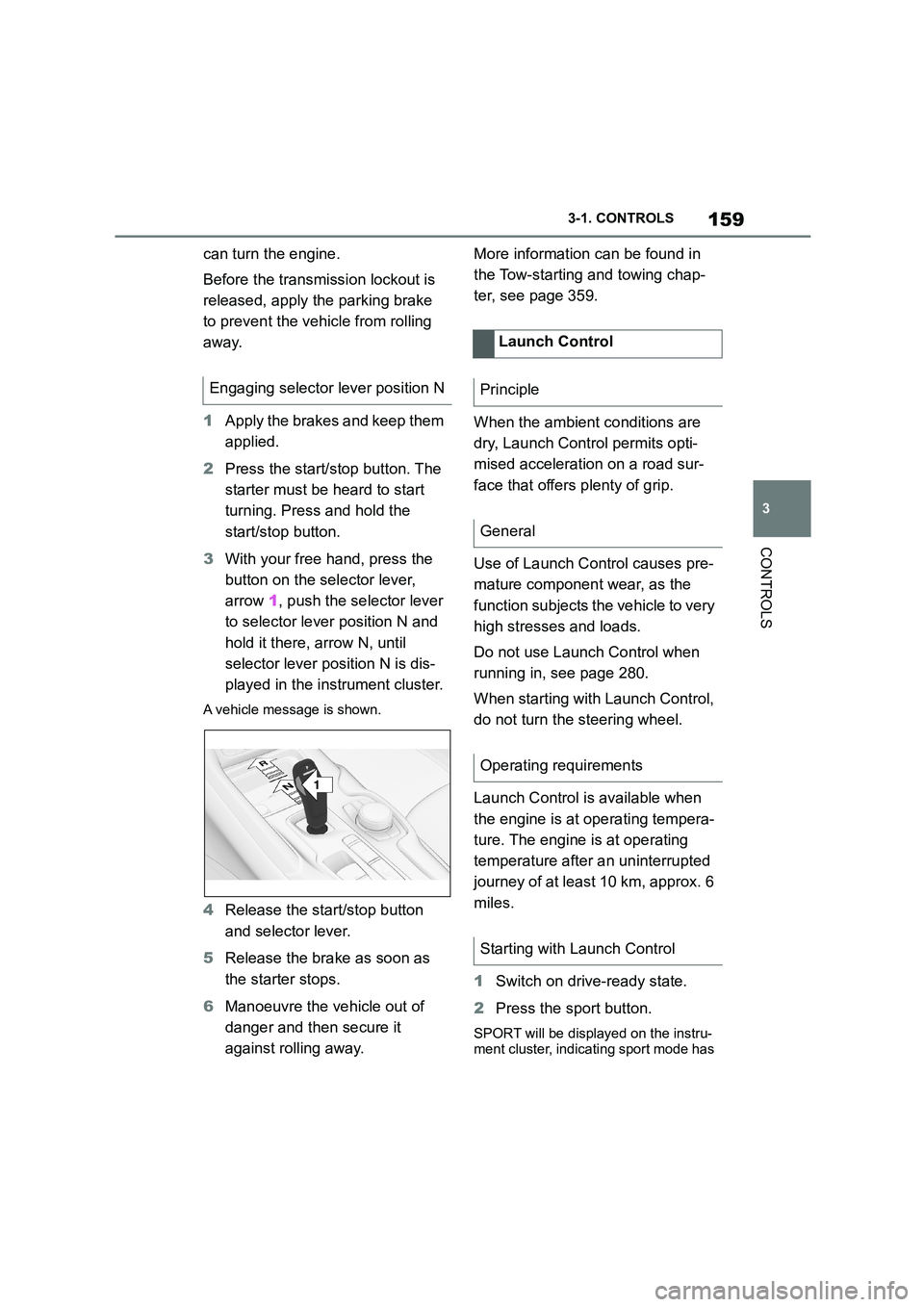
3 With your free hand, press the
button on the selector lever,
arrow 1, push the selector lever
to selector lever position N and
hold it there, arrow N, until
selector lever position N is dis-
played in the instrument cluster.
A vehicle message is shown.
4 Release the start/stop button
and selector lever.
5 Release the brake as soon as
the starter stops.
6 Manoeuvre the vehicle out of
danger and then secure it
against rolling away.
More information can be found in
the Tow-starting and towing chap-
ter, see page 359.
When the ambient conditions are
dry, Launch Control permits opti-
mised acceleration on a road sur-
face that offers plenty of grip.
Use of Launch Control causes pre-
mature component wear, as the
function subjects t he vehicle to very
high stresses and loads.
Do not use Launch Control when
running in, see page 280.
When starting with Launch Control,
do not turn the steering wheel.
Launch Control is available when
the engine is at operating tempera-
ture. The engine is at operating
temperature after an uninterrupted
journey of at least 10 km, approx. 6
miles.
1 Switch on drive-ready state.
2 Press the sport button.
SPORT will be displayed on the instru-
ment cluster, indicating sport mode has
Engaging selector lever position N
1
R
N
Launch Control
Principle
General
Operating requirements
Starting with Launch Control
Page 167 of 498
165
3
3-1. CONTROLS
CONTROLS
Red lights
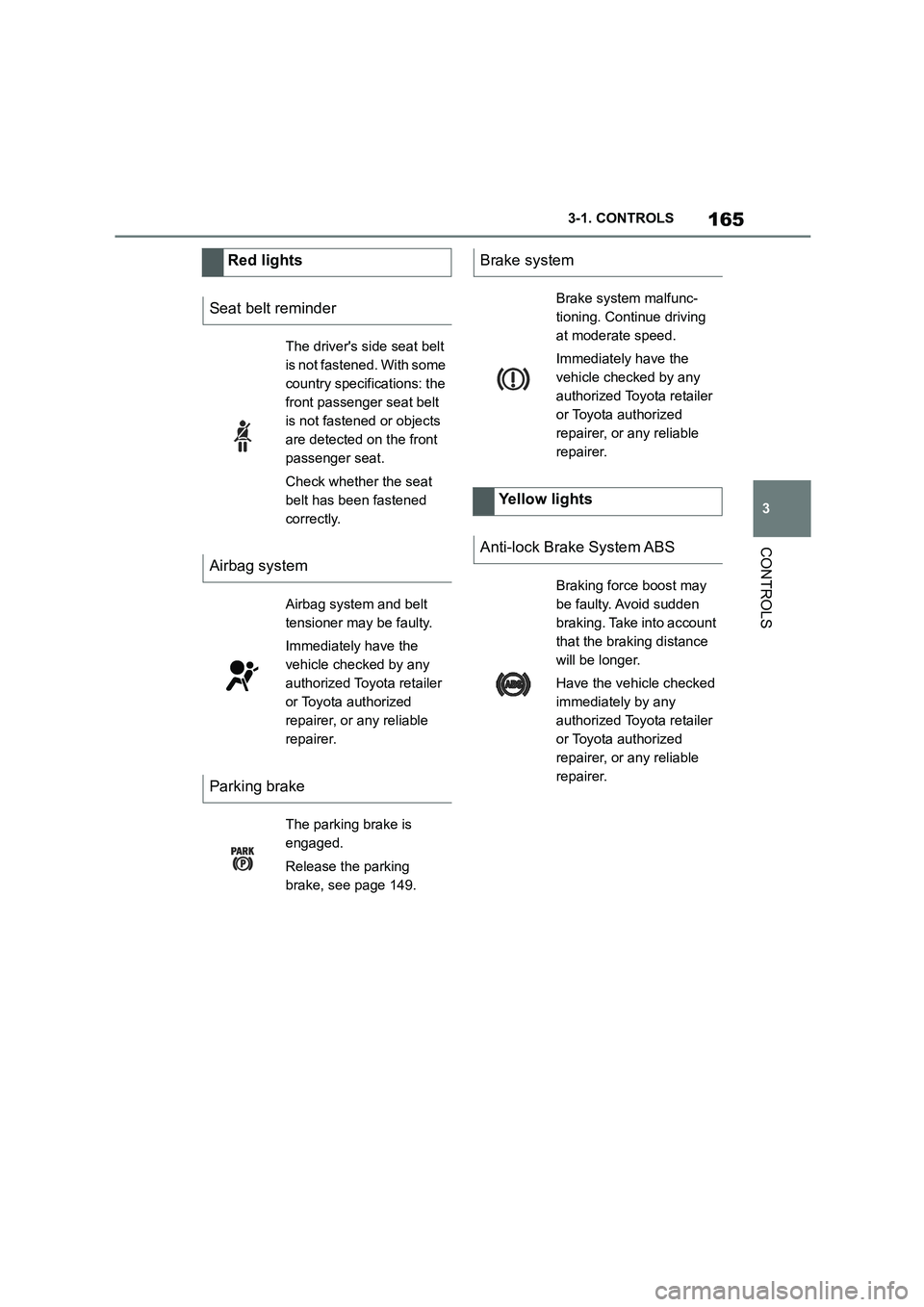
Seat belt reminder
The driver's side seat belt
is not fastened. With some
country specifications: the
front passenger seat belt
is not fastened or objects
are detected on the front
passenger seat.
Check whether the seat
belt has been fastened
correctly.
Airbag system
Airbag system and belt
tensioner may be faulty.
Immediately have the
vehicle checked by any
authorized Toyota retailer
or Toyota authorized
repairer, or any reliable
repairer.
Parking brake
The parking brake is
engaged.
Release the parking
brake, see page 149.
Brake system
Brake system malfunc-
tioning. Continue driving
at moderate speed.
Immediately have the
vehicle checked by any
authorized Toyota retailer
or Toyota authorized
repairer, or any reliable
repairer.
Yellow lights
Anti-lock Brake System ABS
Braking force boost may
be faulty. Avoid sudden
braking. Take into account
that the braking distance
will be longer.
Have the vehicle checked
immediately by any
authorized Toyota retailer
or Toyota authorized
repairer, or any reliable
repairer.
Page 196 of 498
1943-1. CONTROLS
collision, for example, in minor acci-
dents.
Keep your distance from the
airbags.
Always grip the steering wheel
on the steering wheel rim. Place
your hands in the 3 o'clock and 9
o'clock positions to minimise the
risk of injury to hands or arms
when the airbag deploys.
Adjust the seat and steering
wheel so the driver can reach
over the steering wheel diago-
nally. Select the settings so that,
when reaching over, the shoul-
ders stay in contact with the
backrest and the upper body
stays as far away from the steer-
ing wheel as possible.
Make sure that the front-seat
passenger is sitting correctly, i.e.
with their feet and legs in the
footwell, not resting on the dash-
board.
Make sure that vehicle occu-
pants keep their head away from
the side airbag.
Do not place any other persons,
pets or objects between the
airbags and occupants.
Keep the dashboard and wind-
screen area on the passenger
side clear, for example do not
attach adhesive foil or covers
and do not fit brackets for navi-
gation devices or mobile tele-
phones.
Do not glue the airbag covers
and do not cover or modify them
in any way.
Do not use the front airbag cover
on the front passenger's side as
a tray.
Do not install seat covers, cush-
ions or other objects on the front
seats if they are not specifically
designed for use on seats with
integral side airbags.
Do not hang items of clothing for
example coats or jackets over
the backrests.
Do not modify individual compo-
nents of the system or its wiring
in any way. This also applies to
the covers of the steering wheel,
the dashboard and seats.
Do not dismantle the airbag sys-
tem.
Even if all this information is
observed, depending on the cir-
cumstances in which an accident
occurs, certain injuries as a result
of contact with the airbag cannot be
Notes on achieving optimum
airbag effectiveness
WA R N I N G
If the seat position is wrong or the
deployment area of the airbag is
restricted, the airbag system cannot provide the intended protection or
may cause additional injuries when it
deploys. There is a danger of injury or even death. Observe the following to
achieve optimum protective effect.
Page 206 of 498

2043-1. CONTROLS
3Make sure that the key switch is
in the ON position to activate the
airbags.
The front passenger airbags are
reactivated and can deploy cor-
rectly if the need arises.
The indicator lamp for the front pas-
senger airbags in the roof lining
shows the operating status of the
front passenger airbags.
After switching on the drive-ready
state, the light illuminates briefly
and then shows whether the
airbags are activated or deacti-
vated.
*: if equipped
The active pedestrian protection
system raises the bonnet if the
vehicle's front end collides with a
pedestrian. Sensors underneath
the bumper are used for detection.
When the pedestrian protection
system is triggered, it creates
deformation space underneath the
bonnet for the subsequent head
impact.
Indicator lamp for front pas-
senger airbags
DisplayFunction
If the front passenger
airbag is activated, the
indicator lamp illuminates
for a short period and then
extinguishes.
When front passenger
airbags are deactivated,
the indicator lamp remains
illuminated.
Active pedestrian protec-
tion*
Principle
General
Safety notes
WA R N I N G
The system can trigger inadvertently if contact is made with individual com-
ponents of the hinges and bonnet
locks. There is a danger of injury or damage to property. Do not touch
individual components of the hinges
and bonnet locks.
WA R N I N G
Modifications to the pedestrian pro-
tection system can le ad to a failure, a
malfunction or accidental triggering of the pedestrian protection system.
There is a danger of injury or even
death. Do not modify the pedestrian protection system, its individual com-
ponents or its wiring. Do not disman-
tle the system.
Page 225 of 498

223
3
3-1. CONTROLS
CONTROLS
If the turn indicator is switched on
while a vehicle is in the critical area,
the steering wheel vibrates briefly
and the light in the exterior mirror
flashes brightly.
The warning is terminated when the
turn signal is cancelled or the other
vehicle has left the critical area.
A flashing light when the vehicle is
unlocked indicates that the system
is performing a self-test.
At speeds over approx. 250 km/h,
155 mph, the system is temporarily
disabled.
At speeds below approx. 250 km/h,
155 mph, the system once again
responds according to the setting.
For further information:
• Radar sensors, see page 50.
The system may have limited func-
tionality in the following situations,
for example:
If the speed of the approaching
vehicle is significantly higher
than the driver's own speed.
In thick fog, wet conditions or
snow.
On sharp bends or narrow roads.
If the bumper is dirty, iced up or
covered, for example by stickers.
After work performed incorrectly
on the vehicle paintwork.
When a projecting load is being
transported.
Attaching any objects – stickers or
film, for example – in the beam
area of the radar sensors will also
restrict the function of the radar
sensors and may even cause them
to fail.
A vehicle message is displayed in
the event of limited functionality.
Depending on the selected setting
for warnings, for example the warn-
ing time, it is po ssible for more
warnings to be displayed. As a
result, there may be an increased
Acute warning
Flashing of light
System limits
Safety note
WA R N I N G
The system may not re spond at all, or
may respond too late, incorrectly or
without justification due to limits of the system. There is a danger of acci-
dents or damage to property.
Observe the information on the sys- tem limits and intervene actively if
necessary.
Upper speed limit
System limits of the sensors
Functional limitations
Warning displays
Page 230 of 498
2283-1. CONTROLS
This chapter describes all standard,
country-specific and special equip-
ment available for the model series.
It may therefore describe equip-
ment and functions which are not
installed in your vehicle, for exam-
ple on account of the special equip-
ment selected or the country
specification. This also applies to
safety-relevant functions and sys-
tems. Please comply with the rele-
vant laws and regulations when
using the corresponding functions
and systems.
ABS prevents the wheels from lock-
ing when the brakes are applied.
Steering control is retained even in
the event of full braking, thereby
enhancing active road safety.
ABS is ready to operate each time
the engine is started.
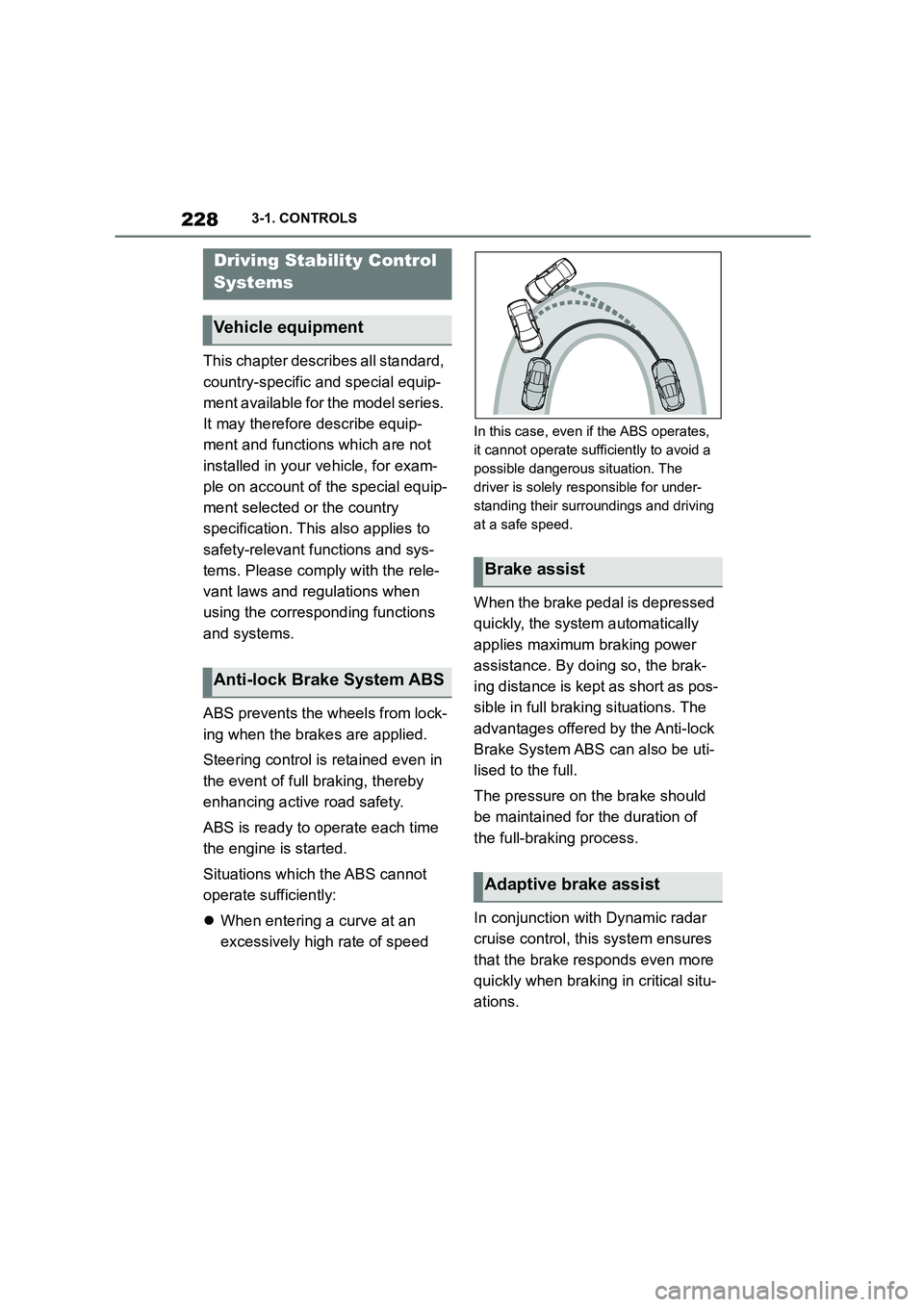
Situations which the ABS cannot
operate sufficiently:
When entering a curve at an
excessively high rate of speed
In this case, even if the ABS operates,
it cannot operate sufficiently to avoid a
possible dangerous situation. The
driver is solely responsible for under-
standing their surroundings and driving
at a safe speed.
When the brake pedal is depressed
quickly, the system automatically
applies maximum braking power
assistance. By doi ng so, the brak-
ing distance is kept as short as pos-
sible in full braking situations. The
advantages offered by the Anti-lock
Brake System ABS can also be uti-
lised to the full.
The pressure on the brake should
be maintained for the duration of
the full-braking process.
In conjunction with Dynamic radar
cruise control, th is system ensures
that the brake responds even more
quickly when braking in critical situ-
ations.
Driving Stability Control
Systems
Vehicle equipment
Anti-lock Brake System ABS
Brake assist
Adaptive brake assist
Page 234 of 498
2323-1. CONTROLS
In the event of a braking inter-
vention by the Toyota Supra
Safety Systems.
In the event of a flat tyre.
*: if equipped
The active differential steplessly
locks the rear axle depending on
the driving conditions. This pro-
vides optimal power transfer in all
driving conditions by helping pre-
vent wheel spin at either rear
wheel.
The driver is responsible for a driv-
ing style appropriate to the situa-
tion.
This chapter describes all standard,
country-specific and special equip-
ment available for the model series.
It may therefore describe equip-
ment and functions which are not
installed in your vehicle, for exam-
ple on account of the special equip-
ment selected or the country
specification. This also applies to
safety-relevant functions and sys-
tems. Please comply with the rele-
vant laws and regulations when
using the corresponding functions
and systems.
The system can be used to set a
speed limit so that speed restric-
tions are not exceeded.
The system enables speeds from a
value of 30 km/h/20 mph and above
to be set as a speed limit. Below
the set speed limit, the vehicle can
be driven without restriction.
Active differential*
Driver Assistance Sys-
tems
Vehicle equipment
Manual Speed Limiter
Principle
General
Page 264 of 498
2623-1. CONTROLS
Press any button, with the following
exceptions:
Switch off.
Rear window heating.
Seat heating.
Complete system:
The automatic air conditioning
adjusts to the set temperature as
quickly as possible, using maxi-
mum cooling or heating power if
necessary. The temperature is then
maintained.
Via Toyota Supra Command:
1 "My Vehicle"
2 "Vehicle settings"
3 "Climate comfort"
4 "Temperature adjustment, upper
body"
5 Set the desired temperature.
Avoid switching between different
temperature settings in rapid suc-
cession. The automatic air condi-
tioning may not have sufficient time
to establish the temperature
selected.
Interior air is cooled and dried, then
reheated to suit the temperature
setting.
The interior can only be cooled
when drive-ready state is switched
on.
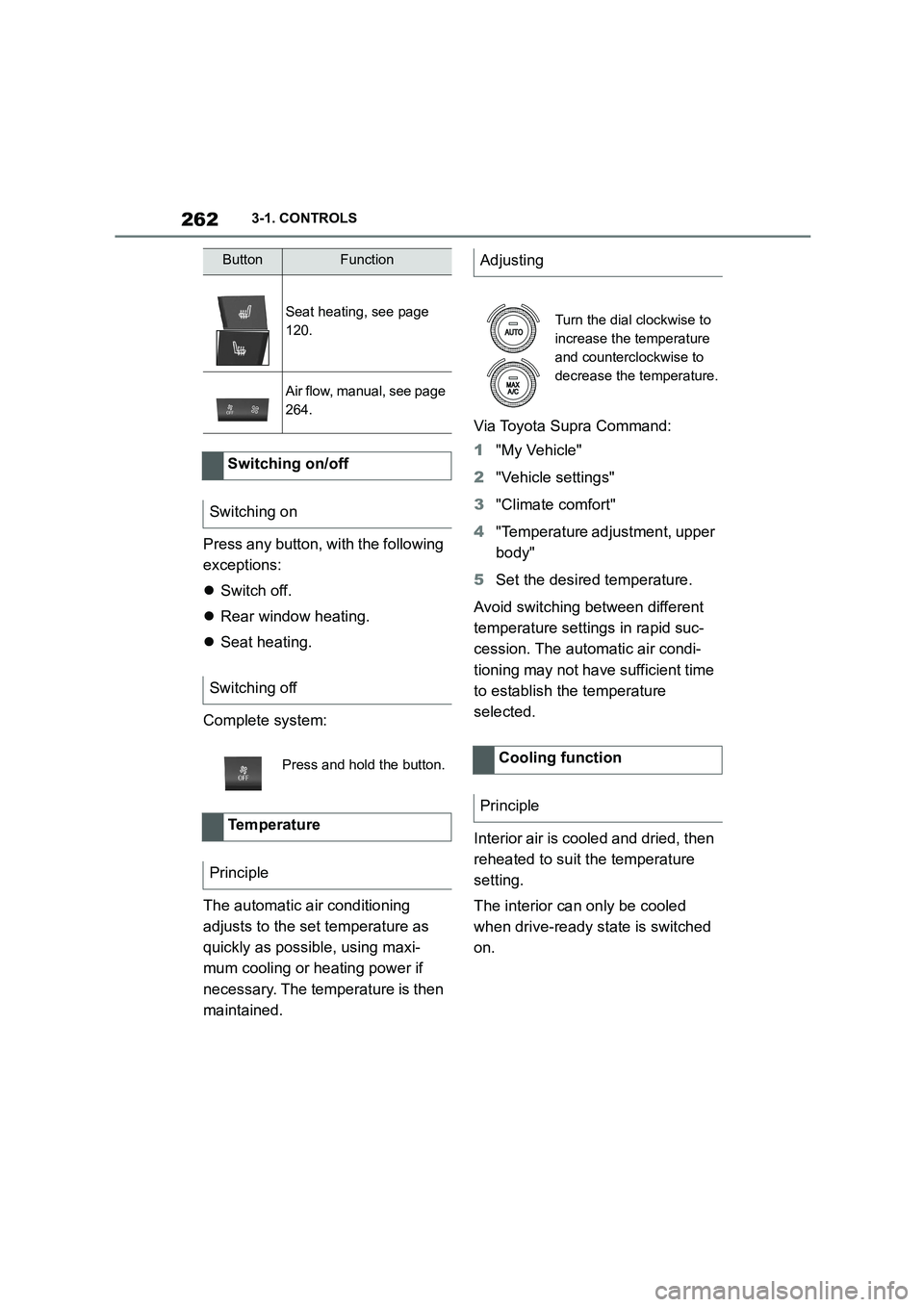
Seat heating, see page
120.
Air flow, manual, see page
264.
Switching on/off
Switching on
Switching off
Press and hold the button.
Temperature
Principle
ButtonFunctionAdjusting
Turn the dial clockwise to
increase the temperature
and counterclockwise to
decrease the temperature.
Cooling function
Principle