2022 TOYOTA SUPRA tow
[x] Cancel search: towPage 161 of 498
159
3
3-1. CONTROLS
CONTROLS
can turn the engine.
Before the transmission lockout is
released, apply the parking brake
to prevent the ve hicle from rolling
away.
1 Apply the brakes and keep them
applied.
2 Press the start/stop button. The
starter must be heard to start
turning. Press and hold the
start/stop button.
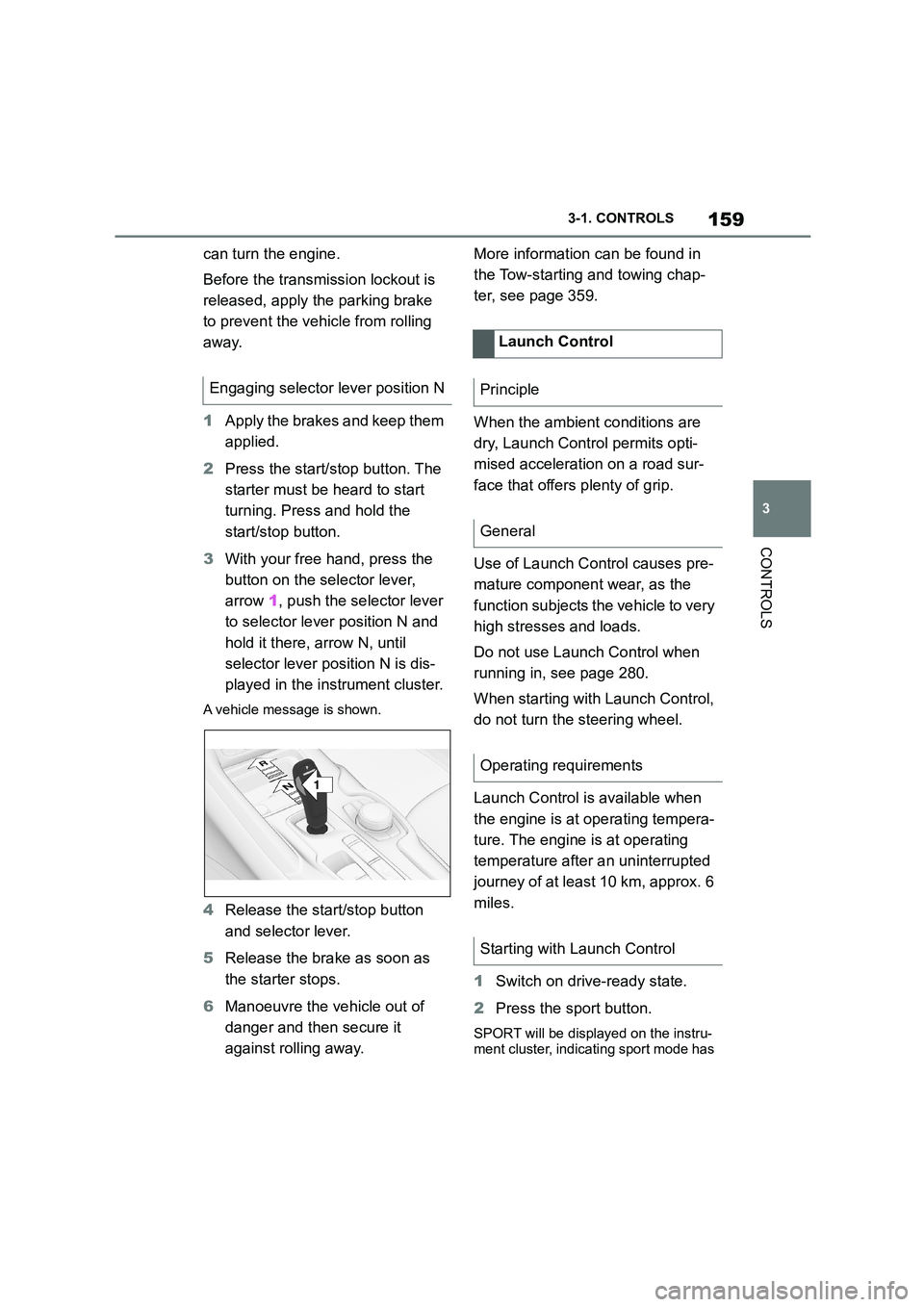
3 With your free hand, press the
button on the selector lever,
arrow 1, push the selector lever
to selector lever position N and
hold it there, arrow N, until
selector lever position N is dis-
played in the instrument cluster.
A vehicle message is shown.
4 Release the start/stop button
and selector lever.
5 Release the brake as soon as
the starter stops.
6 Manoeuvre the vehicle out of
danger and then secure it
against rolling away.
More information can be found in
the Tow-starting and towing chap-
ter, see page 359.
When the ambient conditions are
dry, Launch Control permits opti-
mised acceleration on a road sur-
face that offers plenty of grip.
Use of Launch Control causes pre-
mature component wear, as the
function subjects t he vehicle to very
high stresses and loads.
Do not use Launch Control when
running in, see page 280.
When starting with Launch Control,
do not turn the steering wheel.
Launch Control is available when
the engine is at operating tempera-
ture. The engine is at operating
temperature after an uninterrupted
journey of at least 10 km, approx. 6
miles.
1 Switch on drive-ready state.
2 Press the sport button.
SPORT will be displayed on the instru-
ment cluster, indicating sport mode has
Engaging selector lever position N
1
R
N
Launch Control
Principle
General
Operating requirements
Starting with Launch Control
Page 192 of 498
1903-1. CONTROLS
tem will not operate or its operation
will be impaired and your interven-
tion may be required:
In extremely unfavourable
weather conditions such as fog
or heavy precipitation.
When detecting poorly lit road
users such as pedestrians,
cyclists or horse riders or car-
riages and when trains or ships
are close to the road, or when
animals are crossing the road.
On narrow bends, on steep hill-
tops or in depressions, when
there is crossing traffic or if the
view of oncoming vehicles on a
motorway is obstructed.
In poorly lit towns or where there
are highly reflective signs.
If the area of windscreen in front
of the rearview mirror is covered
with condensation, dirt, stickers,
labels, etc.
Before the rear fog light is switched
on, the low-beam headlights must
be switched on.
If automatic driving lights control,
see page 185, has been activated,
the low-beam headlights switch on
automatically when the rear fog
light is switched on.
When driving in countries where
vehicles drive on the opposite side
of the road to your vehicle's country
of registration, you will need to pre-
vent your headlights from dazzling
oncoming vehicles.
Via Toyota Supra Command:
1 "My Vehicle"
2 "Vehicle settings"
3 "Exterior lighting"
4 "Right-hand/left-hand traffic"
5 Select the desired setting.
Depending on the national-market ver- sion, the parking brake must be
applied.
Fog lights
Rear fog light
Operating requirements
Switching on/off
Press the button.
The yellow indicator lamp
in the instrument cluster is
illuminated when the rear
fog light is switched on.
Left-hand/right-hand traffic
General
Switching over the head-
lights
Page 208 of 498
2063-1. CONTROLS
trians and bicycles), see page
212.
Lane Departure Warning, see
page 216.
Blind spot monitor, see page
220.
Some Toyota Supra Safety Sys-
tems are automatically active at the
start of each journey. Some Toyota
Supra Safety Systems are acti-
vated according to the last setting.
Safety notes
WA R N I N G
The system does not relieve you of
your personal responsibility to assess
the visibility conditions and traffic situ- ation correctly. There is a danger of
accidents. Adapt your driving style to
the traffic conditions. Observe the traffic situation and intervene actively
if the situation warrants it.
WA R N I N G
Displays and warnings do not relieve
you of your personal responsibility.
System limitations can mean that
warnings or system responses are not issued or are issued too late,
incorrectly or wit hout justification.
There is a danger of accidents. Adapt your driving style to the traffic condi-
tions. Observe the traffic situation and
intervene actively if the situation war- rants it.
WA R N I N G
Due to system limitations, individual functions may not work properly when
tow-starting/towing with activated
Toyota Supra Safety Systems. There
is a danger of accidents. Switch off all Toyota Supra Safety Systems before
tow-starting/towing.
Overview
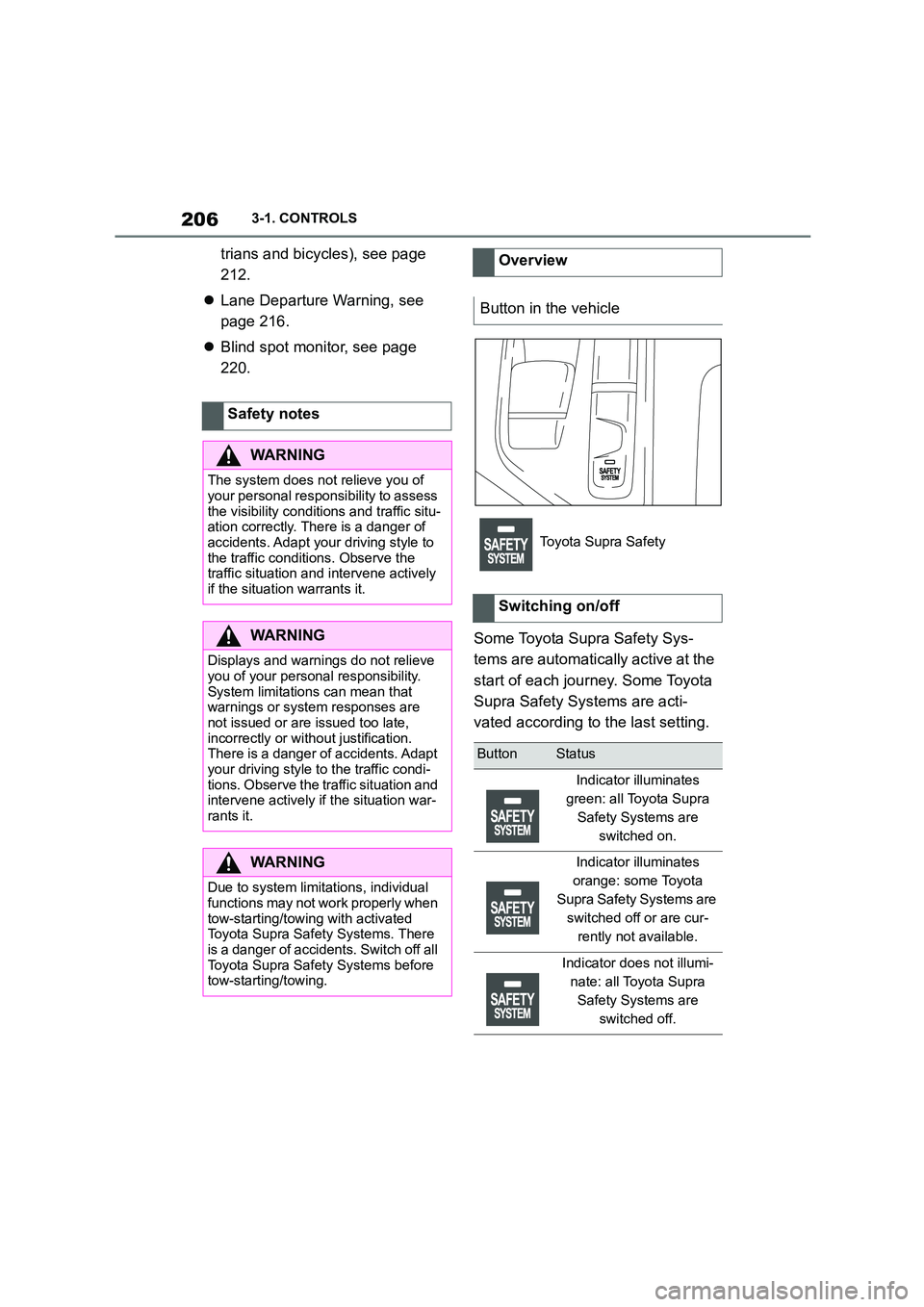
Button in the vehicle
Toyota Supra Safety
Switching on/off
ButtonStatus
Indicator illuminates
green: all Toyota Supra
Safety Systems are
switched on.
Indicator illuminates
orange: some Toyota
Supra Safety Systems are
switched off or are cur-
rently not available.
Indicator does not illumi-
nate: all Toyota Supra
Safety Systems are
switched off.
Page 210 of 498
2083-1. CONTROLS
The system is automatically acti-
vated at the start of each journey.
The menu for the Toyota Supra
Safety Systems is shown.
If all Toyota Supra Safety Systems
were switched off, all systems are
now switched on.
"Customise Settings": depending
on the equipment, the Toyota Supra
Safety Systems can be configured
individually. The custom settings
are activated and saved. As soon
Safety notes
WA R N I N G
The system does not relieve you of
your personal responsibility to assess the visibility conditions and traffic situ-
ation correctly. There is a danger of
accidents. Adapt your driving style to the traffic conditions. Observe the
traffic situation and intervene actively
if the situation warrants it.
WA R N I N G
Displays and warnings do not relieve
you of your personal responsibility.
System limitations can mean that warnings or system responses are
not issued or are issued too late,
incorrectly or wit hout justification. There is a danger of accidents. Adapt
your driving style to the traffic condi-
tions. Observe the traffic situation and intervene actively if the situation war-
rants it.
WA R N I N G
Due to system limitations, individual functions may not work properly when
tow-starting/towing with activated
Toyota Supra Safety Systems. There is a danger of accidents. Switch off all
Toyota Supra Safety Systems before
tow-starting/towing.
Overview
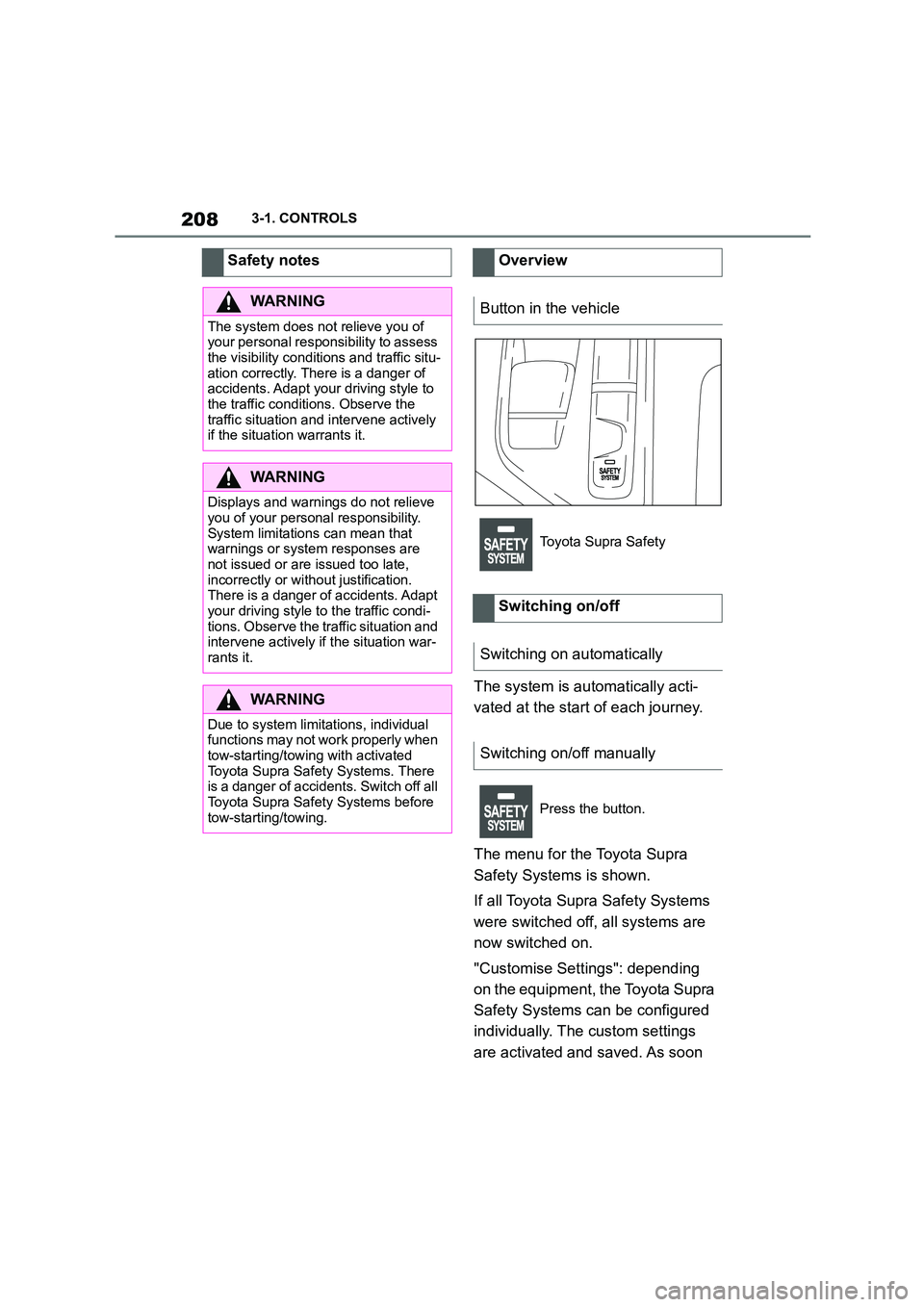
Button in the vehicle
Toyota Supra Safety
Switching on/off
Switching on automatically
Switching on/off manually
Press the button.
Page 214 of 498

2123-1. CONTROLS
The system can help to avoid acci-
dents with pedestrians and cyclists.
If an accident cannot be avoided,
the system helps to reduce the col-
lision speed.
The system warns of the possible
risk of collision in the urban speed
range and brakes automatically, as
necessary.
At speeds above approx. 5 km/h, 3
mph, the system warns of the pos-
sible risk of collision with pedestri-
ans and cyclists.
Pedestrians and cyclists are taken
into account if they are located
within the detection range of the
system.
The system is controlled using the
following sensors, depending on
the equipment:
Camera in the area of the
rear-view mirror.
Radar sensor in front bumper.
The detection zone in front of the
vehicle consists of two parts:
Central zone, arrow 1, directly in
front of the vehicle.
Extended zone, arrows 2, to the
right and left of the central area.
There is a risk of collision if persons
are in the central zone. A warning is
only given of persons in the
extended zone if they are moving
towards the central zone.
Pre-Collision System (for
pedestrians and bicycles)
Principle
General
Detection range
Safety notes
WA R N I N G
The system does not relieve you of
your personal responsibility to assess the visibility conditions and traffic situ-
ation correctly. There is a danger of
accidents. Adapt your driving style to the traffic conditions. Observe the
traffic situation and intervene actively
if the situation warrants it.
Page 215 of 498

213
3
3-1. CONTROLS
CONTROLS
The system is controlled using the
following sensors:
• Cameras behind the windscreen.
• With radar sensor: front radar
sensor.
For further information:
Sensors of the vehicle, see page
P. 5 0 .
The system is automatically acti-
vated at the start of each journey.
The menu for the Toyota Supra
Safety Systems is shown.
If all Toyota Supra Safety Systems
were switched off, all systems are
now switched on.
"Customise Settings": depending
on the equipment, the Toyota Supra
Safety Systems can be configured
individually. The custom settings
are activated and saved. As soon
as a setting is changed in the
menu, all settings in the menu are
activated.
The setting switches between the
following:
"ALL ON": all Toyota Supra Safety
WA R N I N G
Displays and warnings do not relieve
you of your personal responsibility.
System limitations can mean that warnings or system responses are
not issued or are issued too late,
incorrectly or wit hout justification. There is a danger of accidents. Adapt
your driving style to the traffic condi-
tions. Observe the traffic situation and
intervene actively if the situation war- rants it.
WA R N I N G
Due to system limitations, individual functions may not work properly when
tow-starting/towing with activated
Toyota Supra Safety Systems. There is a danger of accidents. Switch off all
Toyota Supra Safety Systems before
tow-starting/towing.
Overview
Button in the vehicle
Toyota Supra Safety
Sensor
Switching on/off
Switching on automatically
Switching on/off manually
Press the button.
Press the button repeatedly.
Page 240 of 498
2383-1. CONTROLS
The desired speed is also main-
tained when drivi ng downhill. The
vehicle may drive slower than the
desired speed on uphill gradients if
there is not enough engine power.
*: if equipped
This system allows you to set a
desired speed and a desired dis-
tance from the vehicle in front,
using the buttons on the steering
wheel.
When the road ahead is clear, the
system maintains the desired
speed by braking or accelerating
the vehicle automatically, as
required.
If there is a vehicle driving in front,
the system adapts your own vehicle
speed in order to maintain the set
distance from the vehicle ahead.
The speed is adapted as far as the
given situation allows.
Depending on the vehicle settings,
the characteristics of the Cruise
Control may change.
The distance can be set in several
stages, and is dependent on the
individual speed for reasons of
safety.
If the vehicle ahead brakes to a
standstill and sets off again shortly
afterwards, the system can recog-
nise this within the bounds of what
is possible in the given conditions.
The symbol is displayed
when the set desired speed
has been reached.
System limits
Dynamic radar cruise con-
trol with full-speed range*
Principle
General
Safety notes
WA R N I N G
The system does not relieve you of
your personal responsibility to assess
the traffic situation correctly. Due to system limitations, it cannot respond
independently and appropriately in all
traffic conditions. There is a danger of accidents. Adapt your driving style to
the traffic conditions. Observe the
traffic situation and intervene actively if the situation warrants it.
WA R N I N G
An unsecured vehicle can start mov-
ing and rolling away. There is a dan- ger of accidents. Before leaving the
vehicle, secure it to prevent it from
rolling away.
Observe the following to ensure that
the vehicle is secured against rolling away:
●Apply the parking brake.
●Turn the front wheels towards the
kerb on upward or downward gradi- ents.
●Additionally secure the vehicle on upward or downward gradients, for
example with a chock.
Page 265 of 498

263
3
3-1. CONTROLS
CONTROLS
The cooling function is switched on
when the engine is running.
The cooling function is switched on
automatically during recirculated-air
mode to dry the air and prevent
condensation.
Depending on the weather condi-
tions, the windscreen and side win-
dows may mist over for a short time
when the drive-ready state has
been switched on.
The cooling function is switched on
automatically in the AUTO pro-
gramme.
When the automatic air condition-
ing is in operation, condensation
develops and exits underneath the
vehicle.
When drive-ready state is switched
on, the system is set to lowest tem-
perature, optimum air flow and
recirculated-air mode.
The function is available at an out-
side temperature above approxi-
mately 0°C/32°F and when
drive-ready state is switched on.
The LED is illuminated when the
system is switched on.
The air flows from the side nozzles
for the upper body area. Therefore
open the side nozzles.
The air flow can be adapted when
the programme is active.
The AUTO programme cools, venti-
lates or heats the interior automati-
cally.
It does this by automatically regu-
lating the air flow, air distribution
and temperature depending on the
interior temperature and the
selected temperature setting.
The LED is illuminated when the
AUTO programme is switched on.
Depending on the selected temper-
ature and external influences, the
air is directed towards the wind-
screen, the side windows the upper
Switching on/off
Press the button.
Maximum cooling effect
Principle
General
Switching on/off
Press the button.
AUTO programme
Principle
Switching on/off
Press the button.