2022 TOYOTA GR SUPRA engine
[x] Cancel search: enginePage 231 of 356
2313-1. CONTROLS
3
CONTROLS
quickly removed from the wind-
shield and the front side win-
dows.
The LED is illuminated with the
system switched on.
The air flow can be adjusted
manually with the system
switched on.
The function is available with the
engine running.
The rear window defroster
switches off automatically after a
certain period of time.
The microfilter removes dust
and pollen from the incoming air.
Have this filter changed during
vehicle maintenance, refer to
page 301.The air flow directions can be
individually adjusted.
The air flow directions can be
adjusted for direct or indirect
ventilation.
Open the vents and position
them to ensure effective climate
control.
The air flow is directed towards
the passengers. The air flow
heats or cools noticeably,
depending on the adjusted tem-
perature.
The air flow is not directed
towards the passengers. The
car's interior is warmed or
cooled indirectly, depending on
the set temperature.
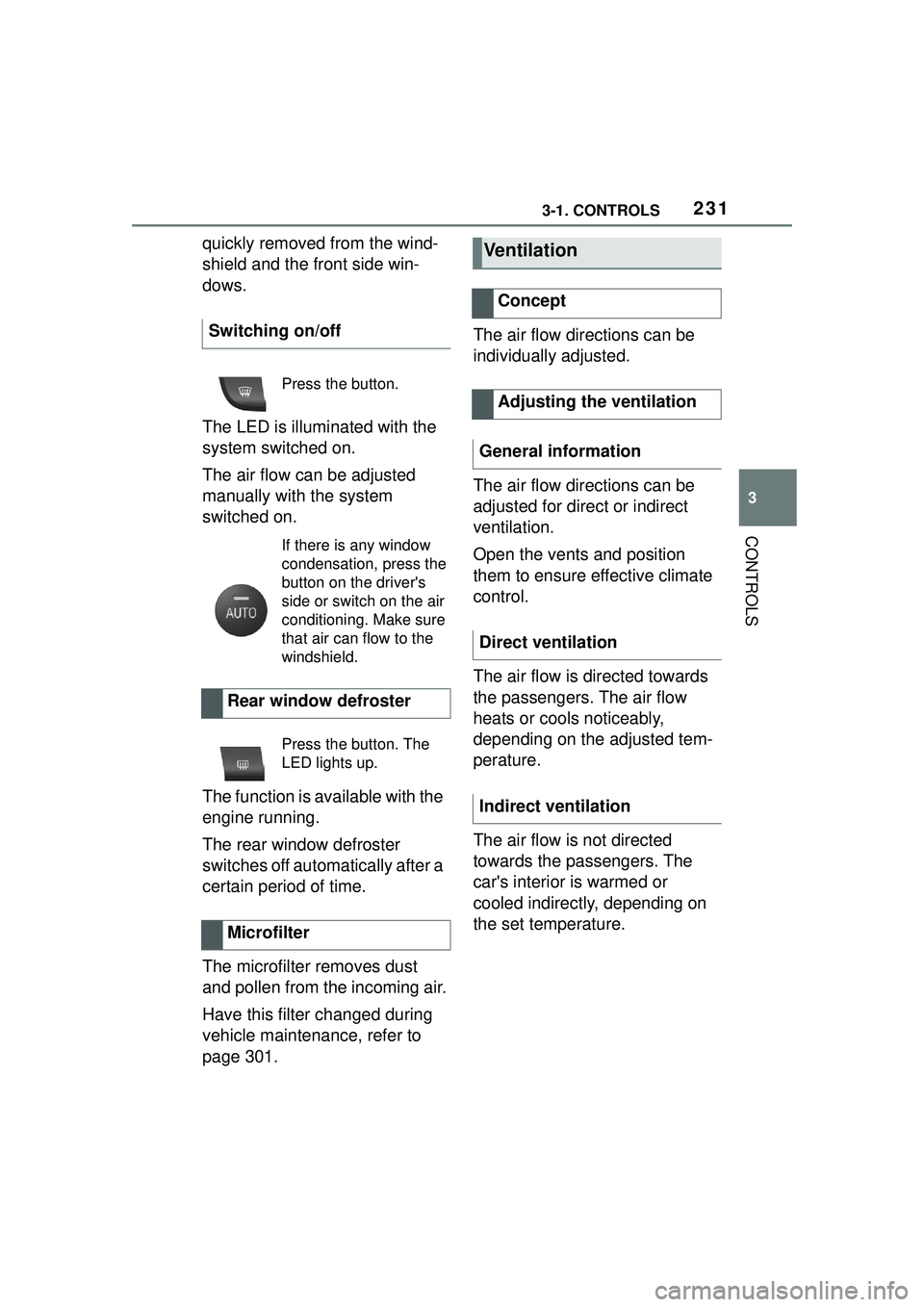
Switching on/off
Press the button.
If there is any window
condensation, press the
button on the driver's
side or switch on the air
conditioning. Make sure
that air can flow to the
windshield.
Rear window defroster
Press the button. The
LED lights up.
Microfilter
Ventilation
Concept
Adjusting the ventilation
General information
Direct ventilation
Indirect ventilation
Page 232 of 356
2323-1. CONTROLS
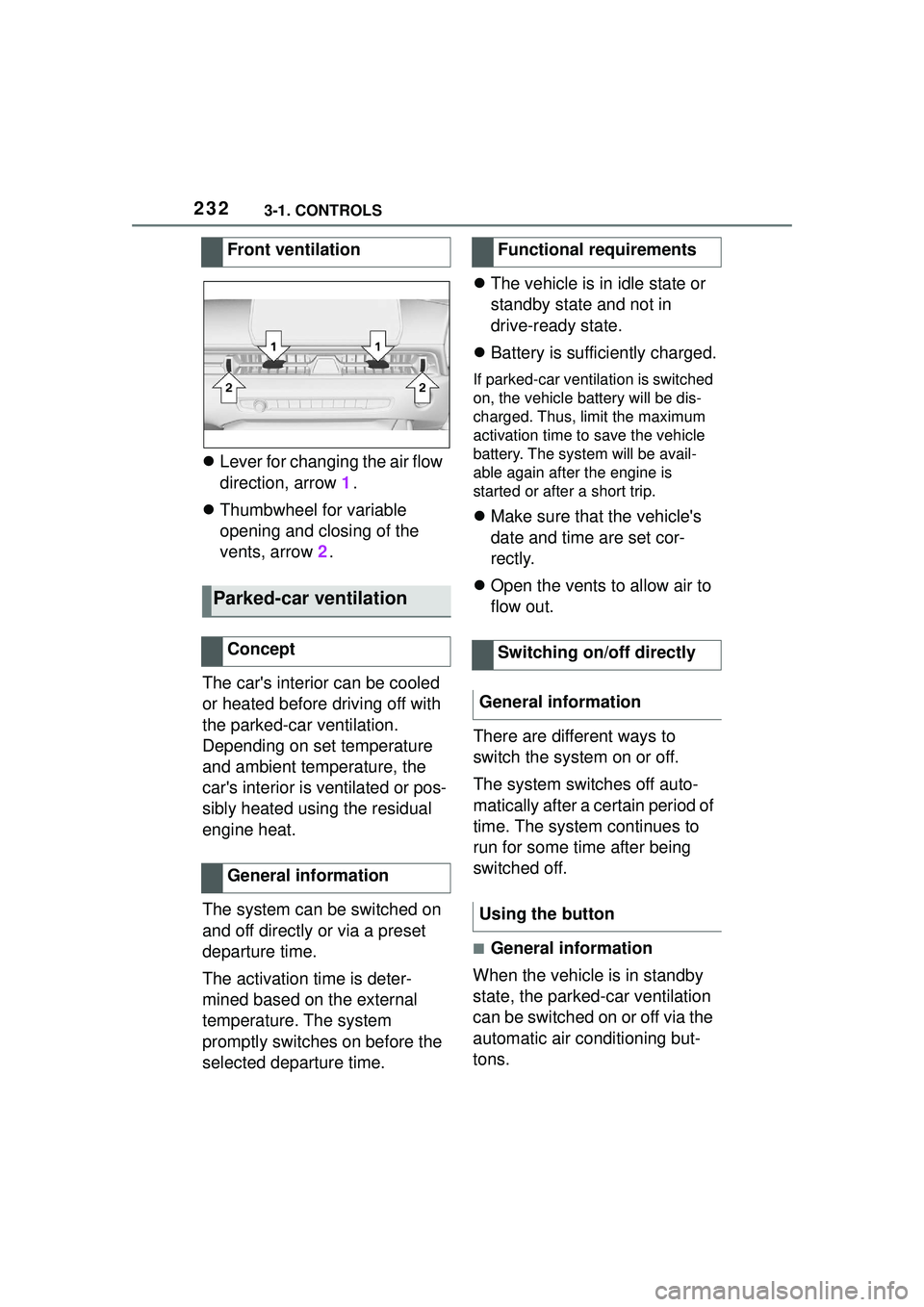
Lever for changing the air flow
direction, arrow 1.
Thumbwheel for variable
opening and closing of the
vents, arrow 2.
The car's interior can be cooled
or heated before driving off with
the parked-car ventilation.
Depending on set temperature
and ambient temperature, the
car's interior is ventilated or pos-
sibly heated using the residual
engine heat.
The system can be switched on
and off directly or via a preset
departure time.
The activation time is deter-
mined based on the external
temperature. The system
promptly switches on before the
selected departure time.
The vehicle is in idle state or
standby state and not in
drive-ready state.
Battery is sufficiently charged.
If parked-car ventilation is switched
on, the vehicle battery will be dis-
charged. Thus, limit the maximum
activation time to save the vehicle
battery. The system will be avail-
able again after the engine is
started or after a short trip.
Make sure that the vehicle's
date and time are set cor-
rectly.
Open the vents to allow air to
flow out.
There are different ways to
switch the system on or off.
The system switches off auto-
matically after a certain period of
time. The system continues to
run for some time after being
switched off.
■General information
When the vehicle is in standby
state, the parked-car ventilation
can be switched on or off via the
automatic air conditioning but-
tons.
Front ventilation
Parked-car ventilation
Concept
General information
Functional requirements
Switching on/off directly
General information
Using the button
Page 233 of 356

2333-1. CONTROLS
3
CONTROLS
■Switching on
Press any button except:
Rear window defroster.
Lower air flow button side.
Seat heating.
Menu.
■Switching off
The system switches off after
leaving and locking the vehicle.
Press and hold the bot-
tom button.
1 "My Vehicle"
2 "Vehicle settings"
3 "Climate functions"
4 "Comfort ventilation"
5 "Activate now" Different departure times can be
adjusted to ensure a comfort-
able interior temperature in the
vehicle at the time of departure.
One-time departure time: the
time can be set.
The system is switched on once.
Departure time with week-
day: time and day of the week
can be set.
On the desired weekdays, the sys-
tem will be switched on promptly
before the set departure time.
The departure time is prese-
lected in two steps:
Set departure times.
Activate departure times.
A minimum of 10 minutes
should pass between set-
ting/activating the departure
time and the planned departure
time to allow a sufficient period
of time for the climate control.
■Via Toyota Supra Command
1 "My Vehicle"
2 "Vehicle settings"
3 "Climate functions"
4 "Comfort ventilation"
5 Select the desired departure
time.
Via Toyota Supra Command
Display
SymbolDescription
Symbol on the auto-
matic air conditioning
indicates the system is
switched on.
REST is displayed on
the automatic air condi-
tioning. The residual
engine heat is used.
Departure time
Concept
Setting the departure time
Page 239 of 356
2393-1. CONTROLS
3
CONTROLS
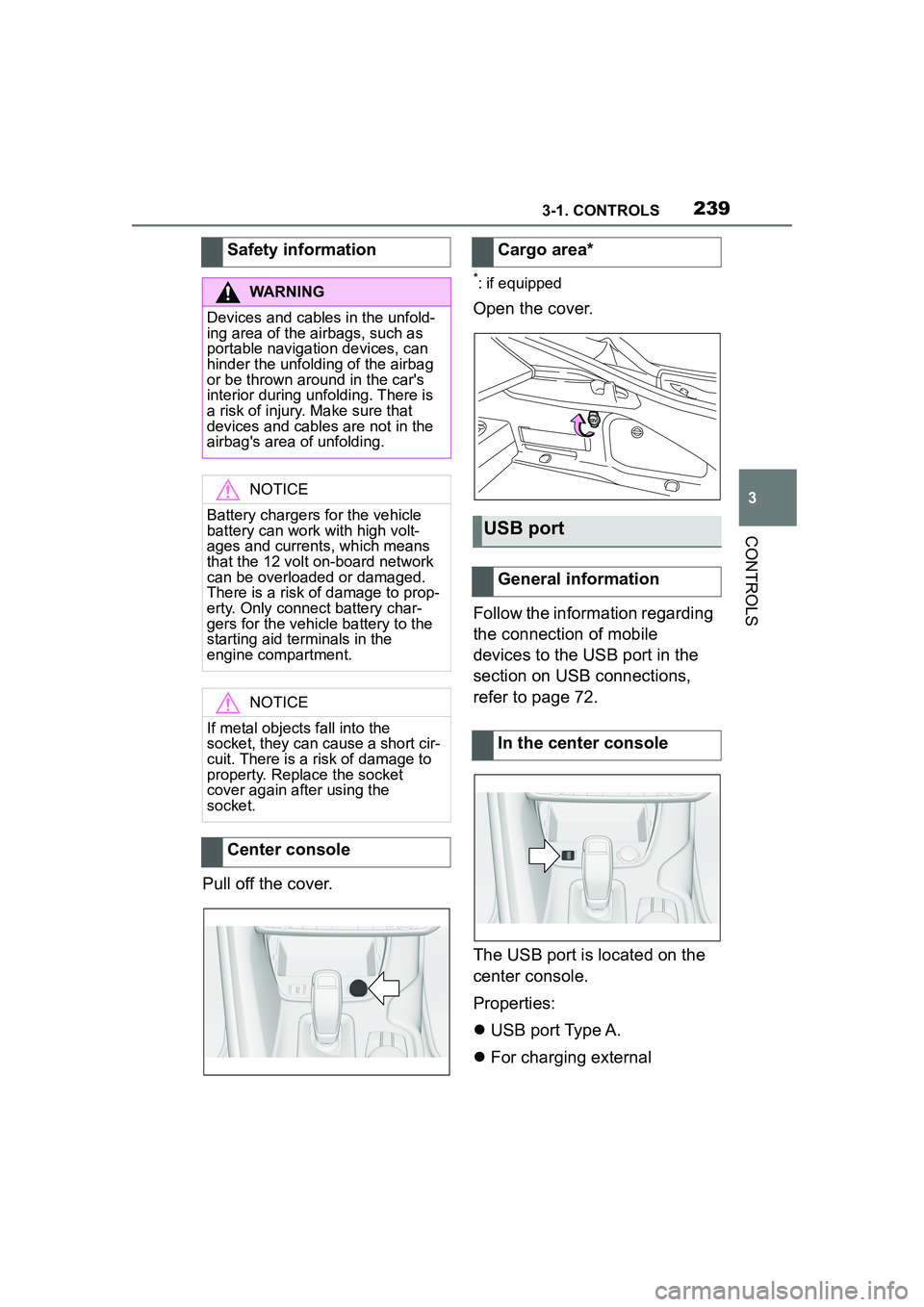
Pull off the cover.
*: if equipped
Open the cover.
Follow the information regarding
the connection of mobile
devices to the USB port in the
section on USB connections,
refer to page 72.
The USB port is located on the
center console.
Properties:
USB port Type A.
For charging external
Safety information
WARNING
Devices and cables in the unfold-
ing area of the airbags, such as
portable navigation devices, can
hinder the unfolding of the airbag
or be thrown around in the car's
interior during unfolding. There is
a risk of injury. Make sure that
devices and cables are not in the
airbag's area of unfolding.
NOTICE
Battery chargers for the vehicle
battery can work with high volt-
ages and currents, which means
that the 12 volt on-board network
can be overloaded or damaged.
There is a risk of damage to prop-
erty. Only connect battery char-
gers for the vehicle battery to the
starting aid terminals in the
engine compartment.
NOTICE
If metal objects fall into the
socket, they can cause a short cir-
cuit. There is a risk of damage to
property. Replace the socket
cover again after using the
socket.
Center console
Cargo area*
USB port
General information
In the center console
Page 252 of 356
2524-1. DRIVING TIPS
4-1.DRIVING TIPS
This chapter describes all stan-
dard, country-specific and
optional features offered with
the series. It also describes fea-
tures and functions that are not
necessarily available in your
vehicle, e.g., due to the selected
options or country versions. This
also applies to safety-related
functions and systems. When
using these functions and sys-
tems, the applicable laws and
regulations must be observed.
Moving parts need to begin
working together smoothly.
The following instructions will
help you to achieve a long vehi-
cle life and good efficiency.
During break-in, do not use the
Launch Control, refer to page
130.Do not exceed the maximum
engine and road speed:
For gasoline engine 4,50
0
r
pm and 100 mph/160 km/h.
Avoid full load or kickdown
under all circumstances.
The engine and vehicle speed
can gradually be increased.
Tire traction is not optimal due to
manufacturing circumstances
when tires are brand-new; they
achieve their full traction poten-
tial after a break-in time.
Drive conservatively for the first
200 miles/300 km.
Things to remember
when driving
Vehicle features and
options
Breaking-in period
General information
Safety information
WARNING
Due to new parts and compo-
nents, safety and driver assis-
tance systems can react with a
delay. There is a risk of an acci-
dent. After insta lling new parts or
with a new vehicle, drive conser-
vatively and intervene early if nec-
essary. Observe the break-in
procedures of the respective parts
and components.
Engine, transmission, and
axle drive
Up to 1,200 miles/2,000 km
From 1,200 miles/2,000 km
Tires
Page 255 of 356
2554-1. DRIVING TIPS
4
DRIVING TIPS
other vehicles, etc. Increase
the distance between your
vehicle and preceding vehi-
cles and drive safely at a
lower speed than normal,
avoiding sudden accelera-
tion, braking or steering oper-
ations.
Use the rear defroster and air
conditioning system to pre-
vent the windows from fog-
ging up.
Hydroplaning is more likely to
occur when driving on ruts or
through large puddles.
On wet or slushy roads, a
wedge of water can form
between the tires and road sur-
face.
This phenomenon is referred to
as hydroplaning. It is character-
ized by a partial or complete
loss of contact between the tires
and the road surface, ultimately
undermining your ability to steer
and brake the vehicle.
When driving through water, fol-
low the following:
Deactivate Auto Start/Stop
function.
Drive through calm water only.
Drive through water only if it is
not deeper than maximum 9.8
inches/25 cm.
Drive through water no faster
than walking speed, up to 3
mph/5 km/h.
The vehicle is equipped with an
Antilock Braking System ABS as
a standard feature.
Perform an emergency stop in
situations that require such.
Steering is still responsive. You
can still avoid any obstacles with
a minimum of steering effort.
Pulsation of the brake pedal and
sounds from the hydraulic cir-
cuits indicate that the Antilock
Braking System ABS is in its
active mode.
In certain braking situations, the
Hydroplaning
Driving through water
General information
Safety information
NOTICE
When driving too quickly through
too deep water, water can enter
into the engine compartment, the
electrical system or the transmis-
sion. There is a risk of damage to
property. When driving through
water, do not exceed the maxi-
mum indicated water level and the
maximum speed for driving
through water.
Braking safely
General information
Page 256 of 356
2564-1. DRIVING TIPS
perforated brake discs can emit
functional noises. However,
functional noises have no effect
on the performance and opera-
tional reliability of the brake.
When roads are wet, salted, or
in heavy rain, gently press the
brake pedal every few miles.
Ensure that this action does not
endanger other traffic.
The heat generated during brak-
ing dries brake discs and brake
pads and protects them against
corrosion.
In this way braking efficiency will
be available when you need it.
■General information
Drive long or steep downhill gra-
dients in the gear that requires
least braking effort. Otherwise,
the brakes may overheat and
reduce brake efficiency.
You can increase the engine's
braking effect by shifting down,
going all the way to first gear, if
needed.
■Safety information
Corrosion on the brake discs
and contamination on the brake
pads are increased by the fol-
lowing circumstances:
Low mileage.
Extended periods when the
vehicle is not used at all.
Objects in the area around
the pedals
WARNING
Objects in the driver's floor area
can limit the peda
l distance or
block a depressed pedal. There is
a risk of an accident. Stow objects
in the vehicle such that they are
secured and cannot enter into the
driver's floor area. Use floor mats
that are suitable for the vehicle
and can be safely attached to the
floor. Do not use loose floor mats
and do not layer several floor
mats. Make sure that there is suf-
ficient clearance for the pedals.
Ensure that the floor mats are
securely fastened again after they
were removed, for instance for
cleaning.
Driving in wet conditions
Hills
WARNING
Light but consistent brake pres-
sure can lead to high tempera-
tures, brakes wearing out and
possibly even brake failure. There
is a risk of an accident. Avoid
placing excessive stress on the
brake system.
WARNING
In idle state or with the engine
switched off, safety functions, for
instance engine braking effect,
braking assistance and steering
assistance, may not be available.
There is a risk of accident. Do not
attempt to drive in idle state or
with the engine switched off.
Brake disc corrosion
Page 258 of 356
2584-1. DRIVING TIPS
Additional weight increases fuel
consumption.
Attached parts on the vehicle
impair the aerodynamics and
increase the fuel consumption.
Open windows increase air
resistance and therefore lead to
greater fuel consumption.
Tires can affect consumption in
various ways, for instance tire
size may influence consump-
tion.
Check and, if needed, correct
the tire inflation pressure at least
twice a month and before start-
ing on a long trip.
Low tire inflation pressure
increases rolling resistance and
thus raises fuel consumption
and tire wear.Do not wait for the engine to
warm-up while the vehicle
remains stationary. Start driving
right away, but at moderate
engine speeds.
This is the quickest way of
warming the cold engine up to
operating temperature.
Driving smoothly and proactively
reduces fuel consumption.
Avoid unnecessary acceleration
and braking.
By maintaining a suitable dis-
tance to the vehicle driving
ahead of you.
Driving at low engine speeds
lowers fuel consumption and
reduces wear.
If necessary, observe the vehi-
cle's gear shift indicator, refer to
page 142.
When approaching a red light,
take your foot off the accelerator
and let the vehicle coast to a
halt.
For going downhill take your foot
off the accelerator and let the
Remove unnecessary
cargo
Remove attached parts fol-
lowing use
Closing the windows
Tires
General information
Check the tire inflation pres-
sure regularly
Drive away without delay
Look well ahead when
driving
Avoid high engine speeds
Use coasting conditions