2022 TOYOTA GR SUPRA engine
[x] Cancel search: enginePage 301 of 356

3015-1. MOBILITY
5
MOBILITY
This chapter describes all stan-
dard, country-specific and
optional features offered with
the series. It also describes fea-
tures and functions that are not
necessarily available in your
vehicle, e.g., due to the selected
options or country versions. This
also applies to safety-related
functions and systems. When
using these functions and sys-
tems, the applicable laws and
regulations must be observed.
The maintenance system pro-
vides service notifications and
thereby provides support in
maintaining road safety and the
operational reliability of the vehi-
cle.
In some cases, scopes and
intervals of the maintenance
system may vary according to
the country version. Replace-
ment work, spare parts, fuels
and lubricants, and wear materi-
als are calculated separately.
Further information is available
from a Toyota dealer.Sensors and special algorithms
take into account the driving
conditions of the vehicle. CBS
uses these to calculate the need
for maintenance.
The system makes it possible to
adapt the amount of mainte-
nance corresponding to your
user profile.
Information on service notifica-
tions, refer to page 141, can be
displayed on the Control Dis-
play.
Storage periods during which
the vehicle battery was discon-
nected are not taken into
account.
If this occurs, have a Toyota
dealer update the time-depen-
dent maintenance procedures,
such as checking brake fluid
and, if necessary, changing the
engine oil and the microfil-
ter/activated-charcoal filter.
Maintenance
Vehicle features and
options
Maintenance system
Condition Based Service
CBS
Concept
General information
Storage periods
Page 303 of 356
3035-1. MOBILITY
5
MOBILITY
This chapter describes all stan-
dard, country-specific and
optional features offered with
the series. It also describes fea-
tures and functions that are not
necessarily available in your
vehicle, e.g., due to the selected
options or country versions. This
also applies to safety-related
functions and systems. When
using these functions and sys-
tems, the applicable laws and
regulations must be observed.
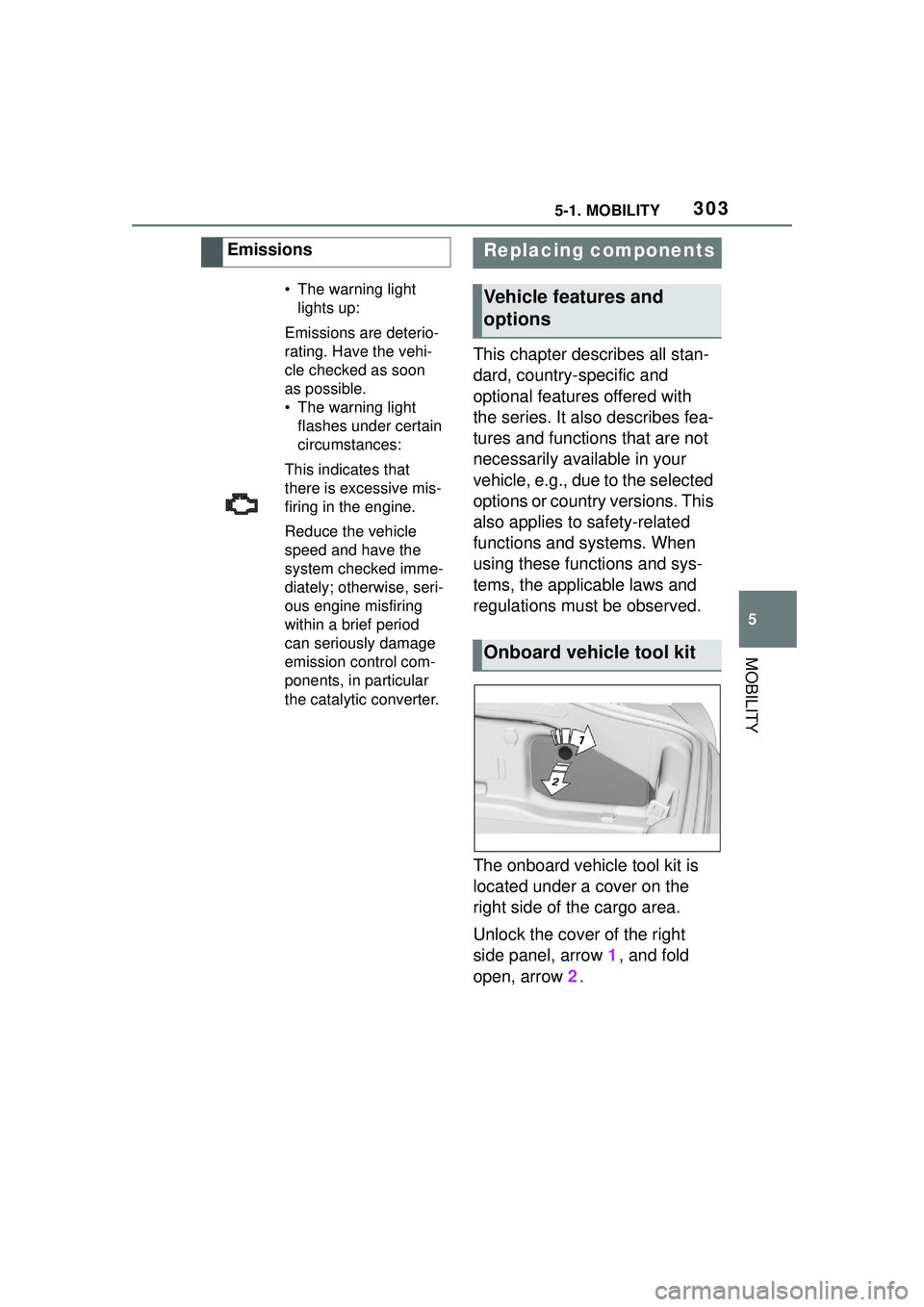
The onboard vehicle tool kit is
located under a cover on the
right side of the cargo area.
Unlock the cover of the right
side panel, arrow 1, and fold
open, arrow 2.
Emissions
• The warning light
lights up:
Emissions are deterio-
rating. Have the vehi-
cle checked as soon
as possible.
• The warning light flashes under certain
circumstances:
This indicates that
there is excessive mis-
firing in the engine.
Reduce the vehicle
speed and have the
system checked imme-
diately; otherwise, seri-
ous engine misfiring
within a brief period
can seriously damage
emission control com-
ponents, in particular
the catalytic converter.
Replacing components
Vehicle features and
options
Onboard vehicle tool kit
Page 306 of 356
3065-1. MOBILITY
engine may not be able to be
restarted. Contact your Toyota
dealer for details.
Make sure that the battery is
always sufficiently charged to
guarantee that the battery
remains usable for its full ser-
vice life.
Charge the battery when accel-
eration is insufficient.
The following circumstances
can have a negative effect on
the performance of the battery:
Frequent short-distance
drives.
The vehicle is not used for
more than a month. Charge the battery only when
the engine is off and via the
starting aid terminals, refer to
page 317, in the engine com-
partment.
After a power loss, some equip-
ment needs to be newly initial-
ized or individual settings
updated, for example:
Memory function: store the
positions again.
Time: update.
Date: update.
Maintain the battery in an
upright position for transport and
Safety information
WARNING
Vehicle batteries that are not com-
patible can damage vehicle sys-
tems and impair vehicle functions.
There is a risk of personal and
property damage. Only vehicle
batteries that ar
e compatible with
your vehicle type should be
installed in your vehicle. Informa-
tion on compatible vehicle batter-
ies is available at your Toyota
dealer.
Charging the battery
General information
A discharged battery is
indicated by a red indi-
cator light.
Safety information
NOTICE
Battery chargers for the vehicle
battery can work with high volt-
ages and currents, which means
that the 12 volt on-board network
can be overloaded or damaged.
There is a risk of damage to prop-
erty. Only connect battery char-
gers for the vehicle battery to the
starting aid terminals in the
engine compartment.
Charging the battery
Power failure
Disposing of old batteries
Have old batteries dis-
posed of by your Toyota
dealer or take them to a
collection point.
Page 312 of 356

3125-1. MOBILITY
USB Hub
Body Domain Controller
Controller (Toyota Supra
Command)
Electric fan (air cooler),
Controlled differential
lock
12 V socket, Cigarette
lighter
Interior lights in the boot
Door lock, Exterior door
handle electronics,
Telematic Communica-
tion Box
Electronic gear box con-
trol
Telematic Communica-
tion Box, Exterior door
handle electronics
Electric fan, Rear Power
distributor
Engine control
Switching center column,
Light switch element,
Body Domain Controller
Control panels centre
console, Interior light in
the glove box, Interior
light, Interior light in the
sunvisor, Exterior mirror,
Selector lever
SymbolMeaning
Telematic Communica-
tion Box, Exterior door
handle electronics pas-
senger side
Switcher block driver's
door, Exterior mirror
SymbolMeaning
Page 313 of 356
3135-1. MOBILITY
5
MOBILITY
This chapter describes all stan-
dard, country-specific and
optional features offered with
the series. It also describes fea-
tures and functions that are not
necessarily available in your
vehicle, e.g., due to the selected
options or country versions. This
also applies to safety-related
functions and systems. When
using these functions and sys-
tems, the applicable laws and
regulations must be observed.
Breakdown assistance
Vehicle features and
options
If a malfunction occurs
while driving
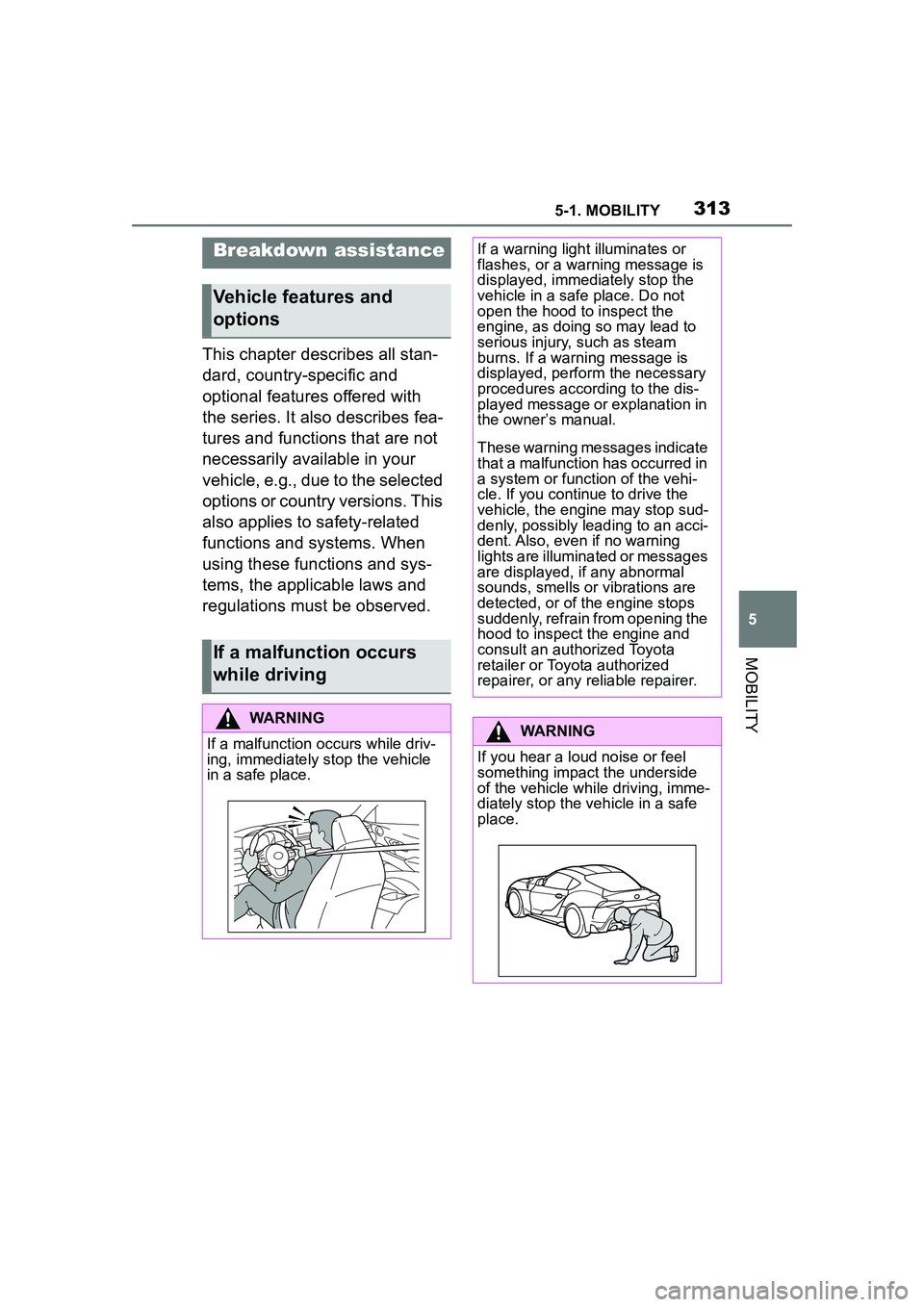
WARNING
If a malfunction occurs while driv-
ing, immediately stop the vehicle
in a safe place.
If a warning light illuminates or
flashes, or a warning message is
displayed, immediately stop the
vehicle in a safe place. Do not
open the hood to inspect the
engine, as doing so may lead to
serious injury, such as steam
burns. If a warning message is
displayed, perform the necessary
procedures according to the dis-
played message or explanation in
the owner’s manual.
These warning messages indicate
that a malfunction has occurred in
a system or function of the vehi-
cle. If you continue to drive the
vehicle, the engine may stop sud-
denly, possibly leading to an acci-
dent. Also, even if no warning
lights are illuminated or messages
are displayed, if any abnormal
sounds, smells or vibrations are
detected, or of the engine stops
suddenly, refrain from opening the
hood to inspect the engine and
consult an authorized Toyota
retailer or Toyota authorized
repairer, or any reliable repairer.
WARNING
If you hear a loud noise or feel
something impact the underside
of the vehicle while driving, imme-
diately stop the vehicle in a safe
place.
Page 314 of 356

3145-1. MOBILITY
If you have been involved in a
collision, perform the following:
1Immediately leave the vehi-
cle and move to a safe place
in order to avoid secondary
collisions. Make sure to turn
the engine switch off to help
prevent the vehicle from
catching fire. If the airbags
have deployed (inflated), the
WARNING
After stopping the vehicle in a
safe place, check the underside of
the vehicle for any leaking brake
fluid, oil or fuel. If any fluid is leak-
ing, stop driving immediately and
have the vehicle inspected by an
authorized Toyota retailer or Toy-
ota authorized repairer, or any
reliable repairer.
Brake and fuel lines run under the
floor of the vehicle. If any of these
lines are damaged, the brakes
may fail or leaking fuel may ignite
and cause a fire.
WARNING
During normal driving, do not turn
off the engine. Turning the engine
off while driving will not cause loss
of steering or braking control, but
the power assist to these systems
will be lost. This will make it more
difficult to steer and brake, so you
should pull over and stop the
vehicle as soon as it is safe to do
so.
WARNING
While driving, if a tire has been
punctured or has ruptured, firmly
grip the steering wheel, gradually
reduce the vehicle speed and
stop the vehicle in a safe place.
Avoid sudden braking and steer-
ing operations as doing so may
cause you to lose control of the
vehicle. Gradually reduce the
vehicle speed and stop the vehi-
cle in a safe place.
If you have been involved
in a collision
Page 317 of 356
3175-1. MOBILITY
5
MOBILITY
the SOS button.
1Tap the cover.
2 Press and hold the SOS but-
ton until the LED in the area
of the button illuminates
green.
The LED is illuminated green
when an emergency call has
been initiated.
If a cancel prompt appears on the
Control Display, the emergency call
can be aborted.
If the situation allows, wait in your
vehicle until the voice connection
has been established.
The LED flashes green when
a connection to the Toyota
Emergency Call Center has
been established.
The Toyota Emergency Call Center
then makes contact with the occu-
pants of the vehicle and initiates
further steps to help.
Even if you are unable to respond,
the Toyota Emergency Call Center
can take further steps to help you
under certain circumstances.
For this, data is transmitted to the
Toyota Emergency Call Center
which serves to determine the nec-
essary rescue measures. E.g., the
current position of the vehicle, if it
can be established.
Even if the Toyota Emergency Call
Center is no longer heard through
the loudspeakers, the Toyota Emer- gency Call Center may still be able
to hear the occupants of the vehi-
cle.
The Toyota Emergency Call
Center ends the Emergency
call.
If the battery is discharged, the
engine can be started using the
battery of another vehicle and
two jumper cables. Only use
jumper cables with fully insu-
lated clamp handles.
Manual triggering
Jump-starting
General information
Safety information
WARNING
Contact with live components can
lead to an electric shock. There is
a risk of injuries or danger to life.
Do not touch any components
that are under voltage.
WARNING
If the jumper cables are con-
nected in the incorrect order,
sparking may occur. There is a
risk of injury. Pay attention to the
correct order during connection.
NOTICE
In the case of body contact
between the two vehicles, a short
circuit can occur during
jump-starting. There is a risk of
damage to property. Make sure
that no body contact occurs.
Page 318 of 356
3185-1. MOBILITY
1Check whether the battery of
the other vehicle has a volt-
age of 12 volts. The voltage
information can be found on
the battery.
2 Switch off the engine of the
assisting vehicle.
3 Switch off any electronic sys-
tems/power consumers in
both vehicles.
The starting aid terminal in the
engine compartment acts as the
positive battery terminal.
A special connection on the
body in the engine compartment
acts as the negative battery ter-
minal.
Additional information:
Overview of engine compart-
ment, refer topage 291.
Open the cover of the positive
battery terminal.
Before you begin, switch off all
unnecessary electronic sys-
tems/power consumers, such as
the radio, on the assisting and
receiving vehicle.
1 Open the cover of the starting
aid terminal. 2
Attach one terminal clamp of
the positive jumper cable to
the positive terminal of the
battery, or to the correspond-
ing starting aid terminal of the
vehicle providing assistance.
3 Attach the terminal clamp on
the other end of the cable to
the positive terminal of the
battery, or to the correspond-
ing starting aid terminal of the
vehicle to be started.
4 Attach one terminal clamp of
the negative jumper cable to
the negative terminal of the
battery, or to the correspond-
ing engine or body ground of
assisting vehicle.
5 Attach the second terminal
clamp to the negative termi-
nal of the battery, or to the
corresponding engine or
body ground of the vehicle to
be started.
Never use spray fluids to start
the engine.
1 Start the engine of the assist-
ing vehicle and let it run for
several minutes at an
increased idle speed.
2 Start the engine of the vehicle
that is to be started in the
usual way.
If the first starting attempt is not
successful, wait a few minutes
before making another attempt in
Preparation
Starting aid terminals
Connecting the cables
Starting the engine