2022 TOYOTA GR SUPRA seats
[x] Cancel search: seatsPage 2 of 356

2TABLE OF CONTENTS
1-1. NOTESInformation .............................. 4
2-1. QUICK REFERENCE Entering ................................. 16
Set-up and use ...................... 22
In transit ................................ 25
3-1. CONTROLS Cockpit .................................. 36
Sensors of the vehicle ........... 40
Operating state of the vehicle ............................................ 43
Toyota Supra Command ....... 46
General settings .................... 60
Personal settings .................. 63
Connections .......................... 68
Opening and closing ............. 77
Seats, mirrors, and steering wheel................................... 96
Transporting children safely ......................................... 109
Driving ................................ 115
Displays ............................. 133
Lights ................................. 152
Safety ................................. 159
Driving stability control systems ......................................... 194
Driver assistance systems . 199
Driving comfort ................... 224
Climate control ................... 225
Interior equipment .............. 234
Storage compartments ....... 244Cargo area .........................
246
4-1. DRIVING TIPS Things to remember when driv-ing .................................... 252
Saving fuel ......................... 257
5-1. MOBILITY Refueling ............................ 262
Wheels and tires ................ 264
Engine compartment .......... 290
Operating materials............ 293
Maintenance ...................... 301
Replacing components ...... 303
Breakdown assistance ....... 313
Care ................................... 322
6-1. REFERENCE Technical data .................... 330
Certification ........................ 333
Alphabetical Index.............. 344
1NOTES
2QUICK REFERENCE
3CONTROLS
4DRIVING TIPS
5MOBILITY
6REFERENCE
Index
Page 22 of 356

222-1. QUICK REFERENCE
1Backrest angle
2 Height
3 Backrest width*
4 Lumbar support*
5 Forward/back
6 Seat angle*
*: if equipped
*: if equipped
1Forward/backward, height,
seat tilt 2
Driver's seat memory
3 Backrest tilt
4 Backrest width
5 Lumbar support
1 Adjusting
2 Selecting a mirror, Automatic
Curb Monitor, refer to page
106.
3 Folding in and out
1 Fold the lever down.
2 Move the steering wheel to
Set-up and use
Seats, mirrors, and steer-
ing wheel
Manually adjustable seats
Electrically adjustable
seats*
654321
Adjusting the exterior mir-
rors
Adjusting the steering
wheel
Manual steering wheel
adjustment
Page 35 of 356

35
3
3
CONTROLS
CONTROLS
.3-1. CONTROLSCockpit ........................... 36
Sensors of the vehicle.... 40
Operating state of the vehi- cle................................. 43
Toyota Supra Command ..................................... 46
General settings ............. 60
Personal settings ........... 63
Connections ................... 68
Opening and closing ...... 77
Seats, mirrors, and steering wheel ............................ 96
Transporting children safely .................................. 109
Driving ......................... 115
Displays ...................... 133
Lights .......................... 152
Safety .......................... 159
Driving stability control sys- tems .......................... 194
Driver assistance systems .................................. 199
Driving comfort ............ 224
Climate control ............ 225
Interior equipment ....... 234
Storage compartments .................................. 244
Cargo area .................. 246
Page 93 of 356

933-1. CONTROLS
3
CONTROLS
gerous situation.
To switch off the alarm: press
any button.
• The indicator light flashes briefly every 2 seconds: The
alarm system is switched on.
• Indicator light flashes for approx. 10 seconds, then it
flashes briefly every 2 sec-
onds: Interior motion sensor
and tilt alarm sensor are not
active, as doors, hood, or
trunk lid are not correctly
closed. Correctly closed
access points are secured.
When the still open access points
are closed, interior motion sensor
and tilt alarm sensor will be
switched on.
• The indicator light goes out
after unlocking: The vehicle has not been tampered with.
• The indicator light flashes after unlocking until
drive-ready state is switched
on, but no longer than approx.
5 minutes: An alarm has been
triggered.
The tilt of the vehicle is moni-
tored.
The alarm system responds in
situations such as attempts to
steal a wheel or when the vehi-
cle is towed.
The car's interior is monitored to
the height of the seats. The
alarm system is switched on
together with the interior motion
sensor even when the window is
open. Falling objects such as
leaves can trigger the alarm
unintentionally.
The tilt alarm sensor and interior
motion sensor can trigger an
alarm, although no unauthorized
action occurred.
Possible situations for an
unwanted alarm:
• In automatic vehicle washes.
• Press the button on the remote control and hold
for at least 3 seconds.
• Briefly press the button on the remote control
three times in succes-
sion.
Indicator light on the inte-
rior mirror
Tilt alarm sensor
Interior motion sensor
Avoiding unintentional
alarms
General information
Page 96 of 356
963-1. CONTROLS
This chapter describes all stan-
dard, country-specific and
optional features offered with
the series. It also describes fea-
tures and functions that are not
necessarily available in your
vehicle, e.g., due to the selected
options or country versions. This
also applies to safety-related
functions and systems. When
using these functions and sys-
tems, the applicable laws and
regulations must be observed.
An ideal seating position that
meets the needs of the occu-
pants can make a vital contribu-
tion to relaxed, fatigue-free
driving.
In the event of an accident, the
correct seating position plays an
important role. Follow the infor-
mation in the following chapters:
• Seats, refer to page 96.
• Safety belts, refer to page 100.
• Head restraints, refer to page 104.
• Airbags, refer to page 160.
Seats, mirrors, and
steering wheel
Vehicle features and
options
Sitting safely
Seats
Safety information
WARNING
Seat adjustments while driving
can lead to unexpected move-
ments of the seat. Vehicle control
could be lost. There is a risk of an
accident. Only adjust the seat on
the driver's side when the vehicle
is stationary.
WARNING
With a backrest inclined too far to
the rear, the efficacy of the safety
belt can no longer be ensured.
There is a risk of sliding under the
safety belt in an accident. There is
a risk of injuries or danger to life.
Adjust the seat prior to starting the
trip. Adjust the backrest so that it
is in the most upright position as
possible and do not adjust again
while driving.
WARNING
There is a risk of jamming when
moving the seats. There is a risk
of injury or risk of damage to prop-
erty. Make sure that the area of
movement of the seat is clear
prior to any adjustment.
Page 97 of 356

973-1. CONTROLS
3
CONTROLS
1Backrest angle
2 Height
3 Backrest width*
4 Lumbar support*
5 Forward/back
6 Seat angle*
*: if equipped
Pull the lever and apply your
weight to or lift your weight off
the backrest as required. Pull the lever up or press the
lever down repeatedly until the
seat reaches the desired height.
Pull the lever and slide the seat
in the desired direction.
After releasing the lever, move
the seat gently forward or back
to make sure it engages prop-
erly.
Manually adjustable seats
Overview
Backrest angle
654321
Height
Forward/back
Page 98 of 356

983-1. CONTROLS
Pull the lever up or press the
lever down repeatedly until the
seat reaches the desired angle.
*: if equipped
The seat adjustment for the
driver’s seat is stored for the
driver profile currently used.
When the vehicle is unlocked
via the vehicle key, the position
is automatically retrieved if the
function, refer to page 65, is
activated for this purpose.
The current seat position can be
stored using the memory func-
tion, refer to page 107.1
Forward/backward, height,
seat tilt
2 Driver's seat memory
3 Backrest tilt
4 Backrest width
5 Lumbar support
Push switch forward or back-
ward.
Seat angle
Electrically adjustable
seats*
General information
Overview
Forward/backward
Page 101 of 356
1013-1. CONTROLS
3
CONTROLS
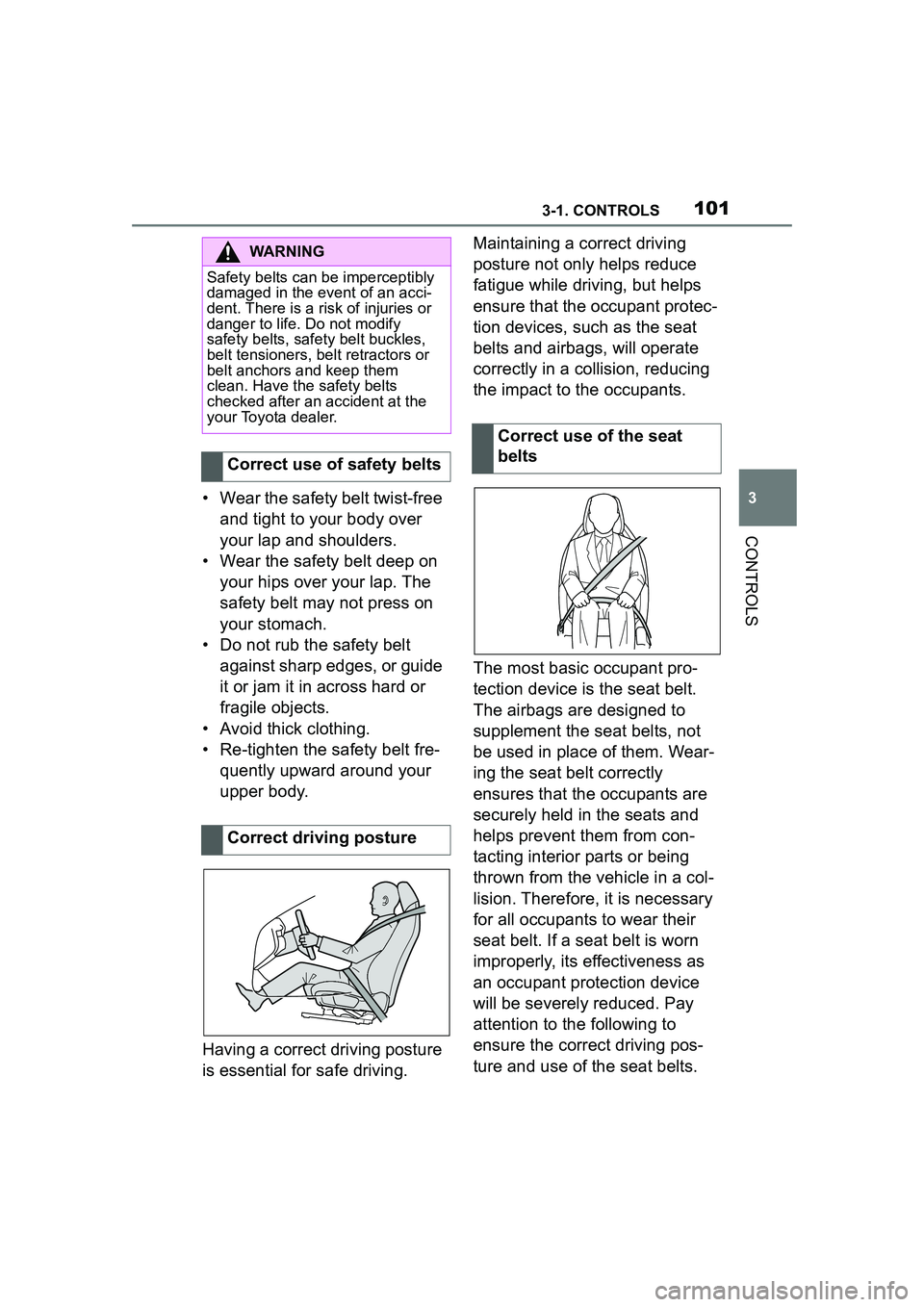
• Wear the safety belt twist-free and tight to your body over
your lap and shoulders.
• Wear the safety belt deep on your hips over your lap. The
safety belt may not press on
your stomach.
• Do not rub the safety belt against sharp edges, or guide
it or jam it in across hard or
fragile objects.
• Avoid thick clothing.
• Re-tighten the safety belt fre- quently upward around your
upper body.
Having a correct driving posture
is essential for safe driving. Maintaining a correct driving
posture not only helps reduce
fatigue while driving, but helps
ensure that the occupant protec-
tion devices, such as the seat
belts and airbags, will operate
correctly in a collision, reducing
the impact to the occupants.
The most basic occupant pro-
tection device is the seat belt.
The airbags are designed to
supplement the seat belts, not
be used in place of them. Wear-
ing the seat belt correctly
ensures that the occupants are
securely held in the seats and
helps prevent them from con-
tacting interior parts or being
thrown from the vehicle in a col-
lision. Therefore, it is necessary
for all occupants to wear their
seat belt. If a seat belt is worn
improperly, its effectiveness as
an occupant protection device
will be severely reduced. Pay
attention to the following to
ensure the correct driving pos-
ture and use of the seat belts.
WARNING
Safety belts can be imperceptibly
damaged in the event of an acci-
dent. There is a risk of injuries or
danger to life. Do not modify
safety belts, safety belt buckles,
belt tensioners, belt retractors or
belt anchors and keep them
clean. Have the safety belts
checked after an accident at the
your Toyota dealer.
Correct use of safety belts
Correct driving posture
Correct use of the seat
belts