Page 139 of 356
1393-1. CONTROLS
3
CONTROLS
The current fill level of the fuel
tank is displayed.
Vehicle tilt position may cause
the display to vary.
Information on refueling, refer to
page 262.Always avoid engine speeds in
the red warning field. In this
range, the fuel supply is reduced
to protect the engine.
Depending on the vehicle equip-
ment, the shift position indica-
tors on the instrument cluster
indicates the maximum shift
point at which the best possible
acceleration can be achieved.
When the selected driving mode
is sport mode, a shift light will be
displayed.
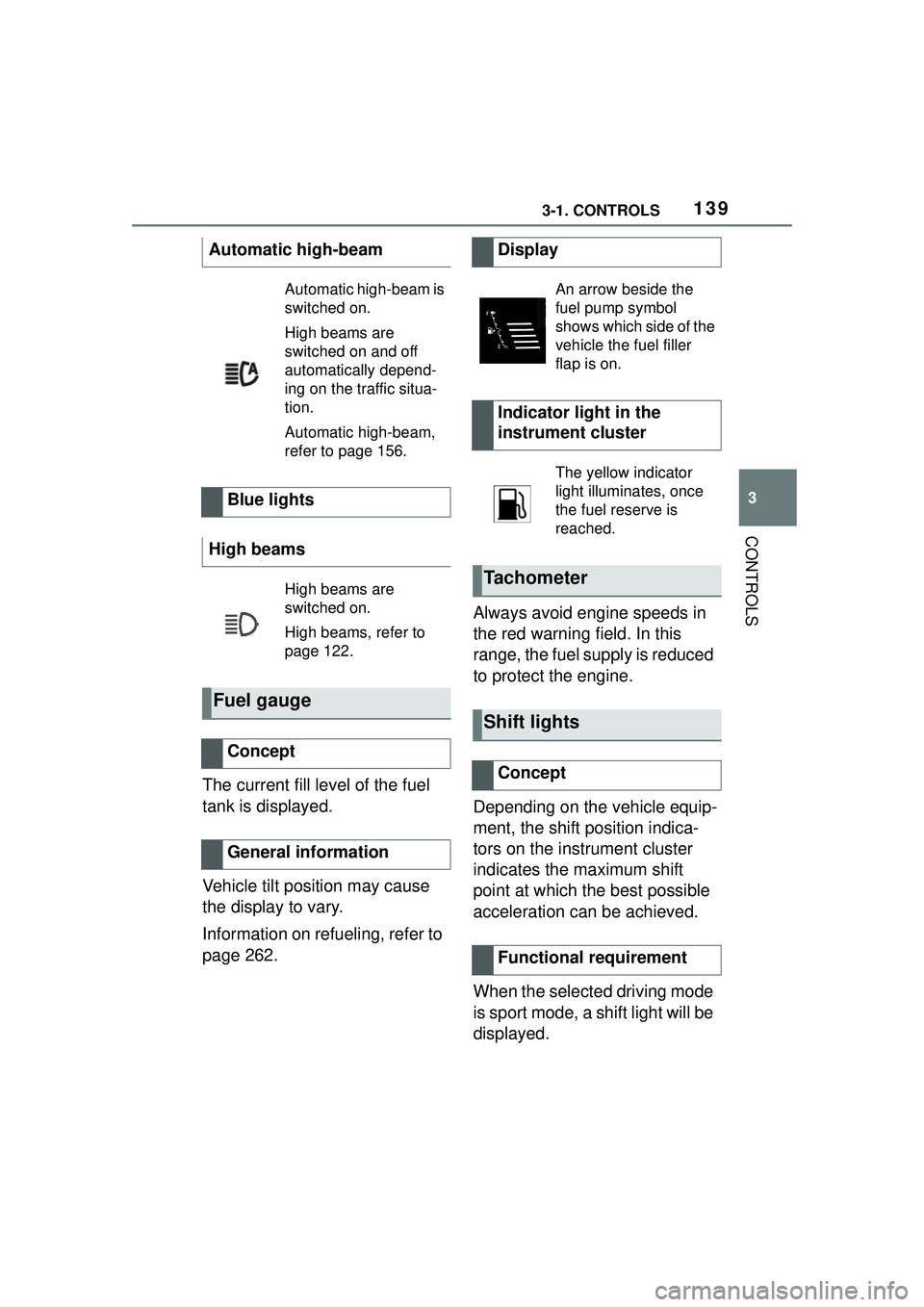
Automatic high-beam
Automatic high-beam is
switched on.
High beams are
switched on and off
automatically depend-
ing on the traffic situa-
tion.
Automatic high-beam,
refer to page 156.
Blue lights
High beams
High beams are
switched on.
High beams, refer to
page 122.
Fuel gauge
Concept
General information
Display
An arrow beside the
fuel pump symbol
shows which side of the
vehicle the fuel filler
flap is on.
Indicator light in the
instrument cluster
The yellow indicator
light illuminates, once
the fuel reserve is
reached.
Tachometer
Shift lights
Concept
Functional requirement
Page 140 of 356

1403-1. CONTROLS
1Select SPORT using the
sport mode switch.
2 Activate manual mode of the
transmission.
• Successive orange illumi- nated fields indicate the
upcoming shift moment.
• The field lights up red. Do not wait any further to shift.
When the maximum speed is
reached, the entire display
flashes red and the supply of
fuel is interrupted in order to
protect the engine. For further information, see Idle
state, standby state, and
drive-ready state, refer to page
43.
Switching on shift lights
Display
Standby state and
drive-ready state
The lettering OFF in
the instrument cluster
indicates that
drive-ready state is
switched off and
standby state is
switched on.
The lettering READY in
the instrument cluster
indicates that the
drive-ready state is
switched on.
Engine coolant tempera-
ture
Display
When the engine
temperature is low:
Only the segments in
the low temperature
range will be illumi-
nated. Drive with
moderate engine
speed and vehicle
speed.
When the engine
temperature is nor-
mal: All segments to
the middle tempera-
ture range will be illu-
minated.
When the engine
temperature is high:
All segments to the
high temperature
range will be illumi-
nated. A warning
message will also be
displayed.
To check the coolant
level, refer to page 298.
Page 141 of 356
1413-1. CONTROLS
3
CONTROLS
If the indicator drops to
+37°F/+3°C or lower, a signal
sounds.
A vehicle message is displayed.
There is an increased risk of ice
on roads.
The time is displayed in the
instrument cluster. Setting the
time and time format, refer to
page 60.
The range indicates the dis-tance that can still be covered
with the current fuel level.
The estimated range available
with the remaining fuel is perma-
nently displayed in the instru-
ment cluster.
With a low remaining range, a
vehicle message is briefly dis-
played. With a sporty driving
style, for instance fast cornering,
the engine function is not always
ensured.
The vehicle message appears
continuously below a range of
approx. 30 miles/50 km.
The function displays the ser-
vice notifications and the corre-
sponding maintenance scopes.
After switching on drive-ready
Indicator light in the
instrument cluster
A red indicator light is
displayed.
External temperature
General information
Safety information
WARNING
Even at temperatures above
+37°F/+3°C there can be a risk of
icy roads, for inst
ance on bridges
or shady sections of road. There
is a risk of an accident. Modify
your driving style to the weather
conditions at low temperatures.
Time
Range
Concept
General information
Safety information
NOTICE
With a driving range of less than
30 miles/50 km the engine may
no longer have sufficient fuel.
Engine functions are not ensured
anymore. There is a risk of dam-
age to property. Refuel promptly.
Service notifications
Concept
General information
Page 147 of 356

1473-1. CONTROLS
3
CONTROLS
style, for instance taking curves
aggressively, the engine func-
tion is not always ensured.
The vehicle message appears
continuously below a range of
approx. 30 miles/50 km.
■Safety information
■Display
■Concept
The current consumption dis-
plays the current consumption
of fuel. Check whether you are
currently driving in an efficient
and environmentally friendly
manner.
■General information
The current fuel consumption is
displayed on the instrument
cluster as a bar display.
■Display
■General information
Average speed and average
consumption are calculated for
the distance traveled since the
last reset in the Onboard Com-
puter.
Periods in which the vehicle is
parked with the engine manually
stopped are not included in the
calculation of the average
speed.
■Resetting average values
Press and hold the button on the
turn signal lever.
NOTICE
With a driving range of less than
30 miles/50 km the engine may
no longer have sufficient fuel.
Engine functions are not ensured
anymore. There is a risk of dam-
age to property. Refuel promptly.
Consumption display
Average speed and average
consumption
Page 150 of 356

1503-1. CONTROLS
actions performed for several
systems.
Via Toyota Supra Command:
1"My vehicle"
2 "Vehicle status"
"Tire Pressure Monitor":
Status of the Tire Pressure
Monitor, refer to page 280.
"Engine oil level": Elec-
tronic engine oil level check,
refer to page 295.
"Vehicle messages": Vehi-
cle messages are stored in
the background and can be
displayed on the Control Dis-
play. Displaying stored vehi-
cle messages, refer to page
134.
"Service required": Dis-
playing service notifications,
refer to page 141.
"Remote maintenance
Call": service request.
*: if equipped
This system projects important
information into the driver's field
of vision, for instance the speed. The driver can get information
without averting his or her eyes
from the road.
Follow the information on clean-
ing the Head-up Display, refer to
page 327.
Via Toyota Supra Command:
1
"My vehicle"
2 "System settings"
3 "Displays"
4 "Head-up display"
5 "Head-up display"
The following information is dis-
played on the Head-up Display:
Speed.
Navigation instructions.
Opening the vehicle status
Information at a glance
Head-up Display*
Concept
General information
Overview
Switching on/off
Display
Overview
Page 169 of 356
1693-1. CONTROLS
3
CONTROLS
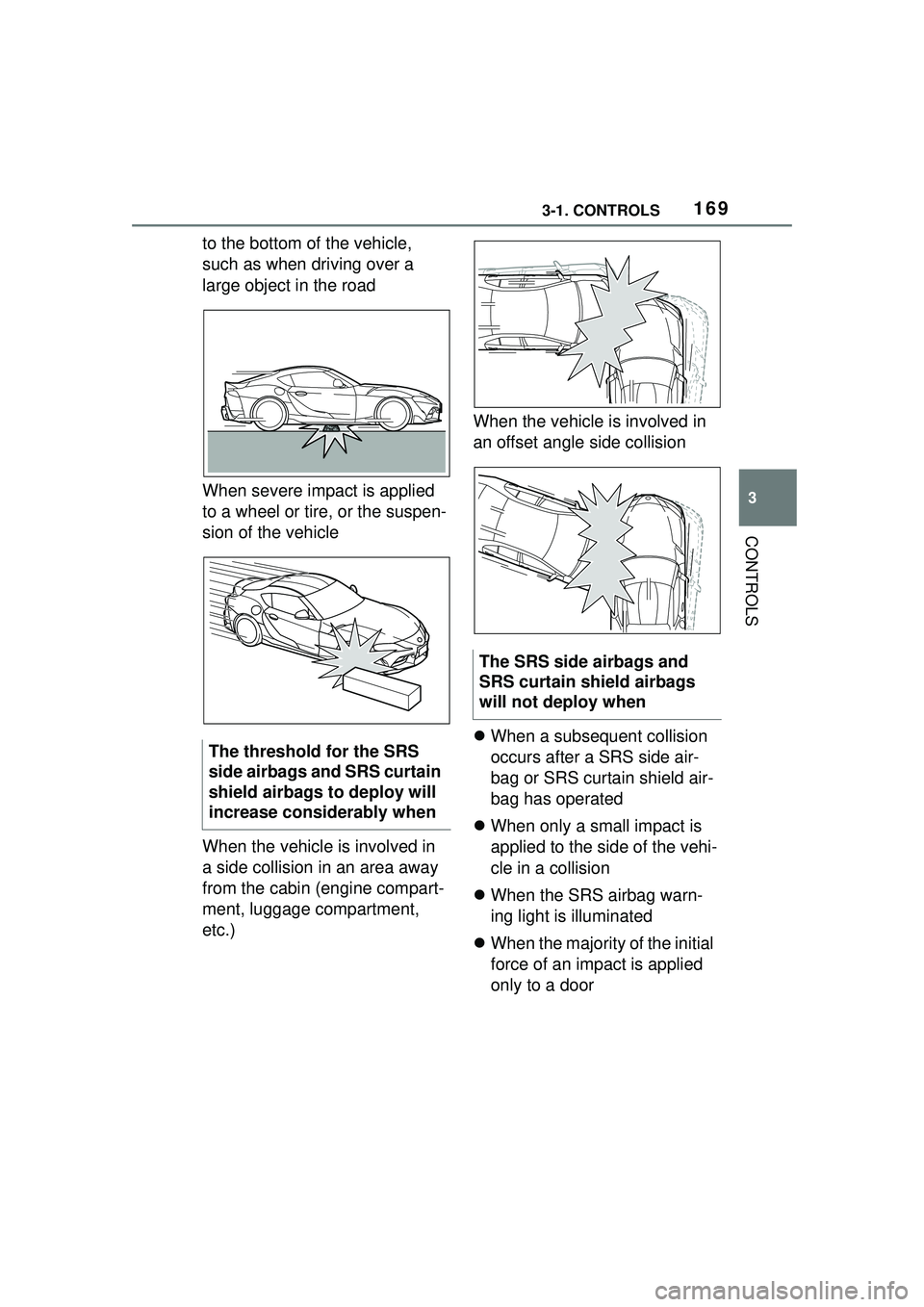
to the bottom of the vehicle,
such as when driving over a
large object in the road
When severe impact is applied
to a wheel or tire, or the suspen-
sion of the vehicle
When the vehicle is involved in
a side collision in an area away
from the cabin (engine compart-
ment, luggage compartment,
etc.)When the vehicle is involved in
an offset angle side collision
When a subsequent collision
occurs after a SRS side air-
bag or SRS curtain shield air-
bag has operated
When only a small impact is
applied to the side of the vehi-
cle in a collision
When the SRS airbag warn-
ing light is illuminated
When the majority of the initial
force of an impact is applied
only to a door
The threshold for the SRS
side airbags and SRS curtain
shield airbags to deploy will
increase considerably when
The SRS side airbags and
SRS curtain shield airbags
will not deploy when
Page 178 of 356

1783-1. CONTROLS
Only objects that are detected
by the system are taken into
account.
The following situations may not
be detected, for instance:
Thus, a system reaction might
not come or might come late.
The following situations may not
be detected, for instance:
Slow moving vehicles when
you approach them at high
speed.
Vehicles that suddenly swerve in front of you, or
sharply decelerating vehicles.
Vehicles with an unusual rear
appearance.
Two-wheeled vehicles ahead
of you.
If the vehicle speed exceeds
approx. 155 mph/250 km/h, the
system is deactivated temporar-
ily. When the vehicle slows
down to below this speed, the
system is reactivated.
Additional information:
• Cameras, refer to page 40.
• Radar sensors, refer to page 41.
The system may not be fully
functional in the following situa-
tions:
In tight curves.
If the driving stability control
systems are limited or deacti-
vated, for instance VSC OFF.
Up to 10 seconds after the
start of the engine via the
Start/Stop button.
The more sensitive the warning
System limits
Safety information
WARNING
The system is designed to oper-
ate in certain conditions and cir-
cumstances. Due to conditions or
other factors, the system may not
respond. There may be a risk of
accident or risk of damage to
property. Actively intervene as
warranted. Refer to the informa-
tion in this Owner’s Manual
regarding the scope of the sys-
tem’s operation and limitations.
Detection range
Upper speed limit
System limits of the sensors
Functional limitations
Warning sensitivity
Page 182 of 356

1823-1. CONTROLS
stepping on the accelerator
pedal or by actively moving the
steering wheel.
The system’s ability to detect
objects may be limited in some
circumstances. Refer to the
information in this Owner’s Man-
ual regarding the limitations of
the system and actively inter-
vene as warranted.
The system responds to pedes-
trians and cyclists when the
speed of the vehicle is below
approx. 53 mph/85 km/h.
The system's detection potential
is limited.
Thus, a warning might not be
issued or be issued late.The following situations may not
be detected, for instance:
Partially covered pedestrians.
Pedestrians that are not
detected as such because of
the viewing angle or contour.
Pedestrians outside of the
detection range.
Pedestrians having a body
size less than 32 in/80 cm.
Additional information:
• Cameras, refer to page 40.
• Radar sensors, refer to page 41.
The system may not be fully
functional or may not be avail-
able in the following situations:
If the driving stability control
systems are deactivated, for
instance VSC OFF.
Up to 10 seconds after the
start of the engine via the
Start/Stop button.
The lane departure warning
alerts when the vehicle is about
to run off the road or exit the
lane.
System limits
Safety information
WARNING
The system is designed to oper-
ate in certain conditions and cir-
cumstances. Due to conditions or
other factors, the system may not
respond. There may be a risk of
accident or risk of damage to
property. Actively intervene as
warranted. Refer to the informa-
tion in this Owner’s Manual
regarding the scope of the sys-
tem’s operation and limitations.
Upper speed limit
Detection range
System limits of the sensors
Functional limitations
Lane departure warning
Concept