2022 TOYOTA GR SUPRA park assist
[x] Cancel search: park assistPage 20 of 356

202-1. QUICK REFERENCE
Close the trunk lid manually.
1Wipers
2 Instrument cluster
3 Turn signal indicator, high
beams
4 Light switch element
The indicator/warning lights can light up in a variety of combina-
tions and colors.
Several of the lights are
checked for proper functioning
and light up temporarily when
the engine is started or standby
state is switched on.
1
Exterior mirrors
2 Power windows
3 Central locking system
4 Unlocking the trunk lid
1 Selector lever
2 Controller
3 Auto Start/Stop cancel button
4 Sport mode button
5 Park Assistant button
Trunk lid
Opening
Press and hold the but-
ton on the remote con-
trol for approximately 1
second. Depending on
the setting, the doors
may also unlock, refer
to page 78.
Closing
Displays and control ele-
ments
In the vicinity of the steer-
ing wheel
Indicator/warning lights
1
2
3
4
Driver's door
Switch console
321
4
Page 31 of 356
312-1. QUICK REFERENCE
2
QUICK REFERENCE
The friction during hard braking
may produce brake dust and
make the rims dirty. Brake dust
can be removed by cleaning the
rims. Toyota recommends using
vehicle care and cleaning prod-
ucts from Toyota.
Depending on the previous dis-
plays, the status display
appears when the engine is run-
ning or after the vehicle has
been driven for at least 30 min-
utes.
Via Toyota Supra Command:
1"My Vehicle"
2 "Vehicle status"
3 "Engine oil level"
Different messages appear on
the Control Display depending
on the engine oil level. Pay
attention to these messages.
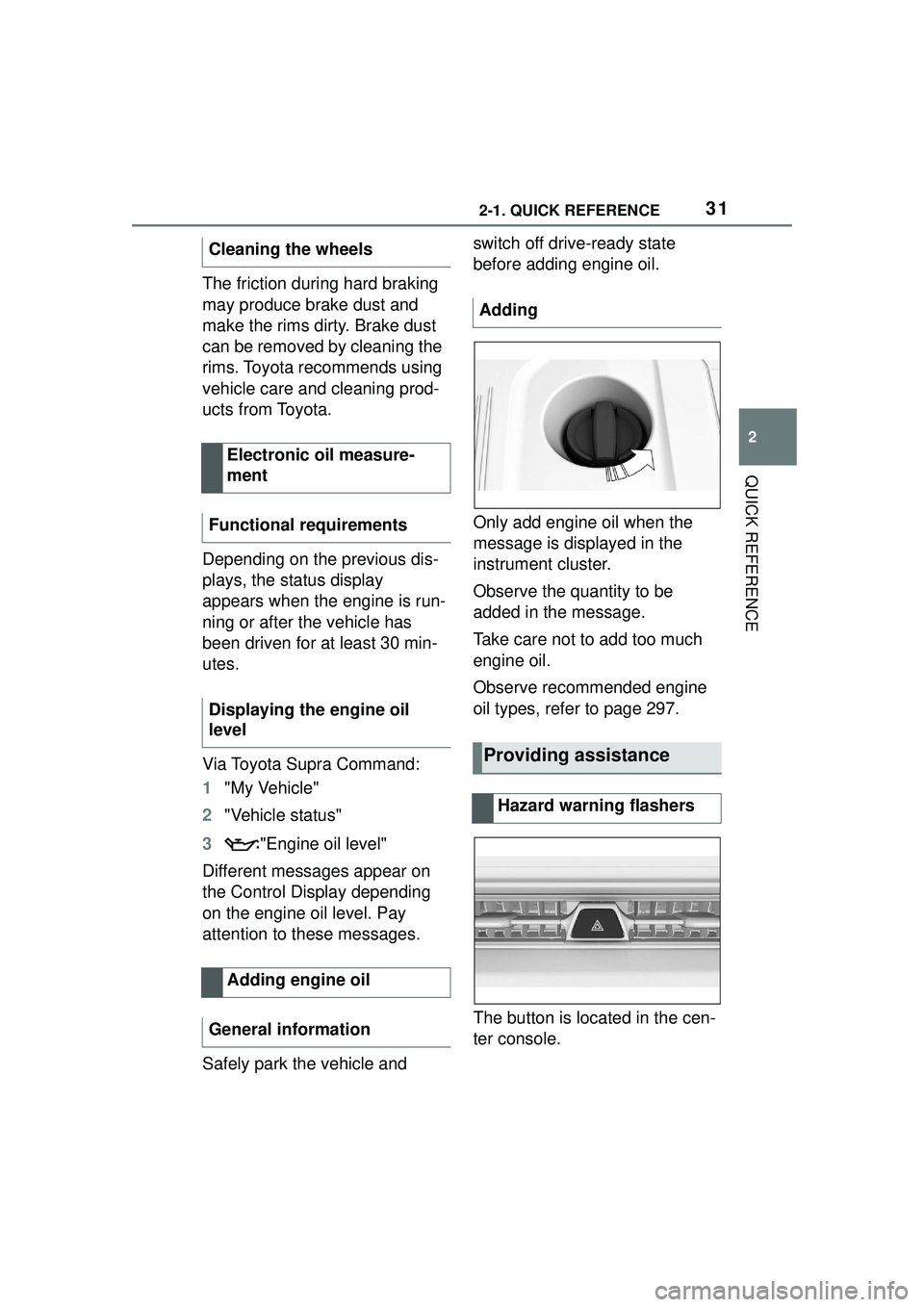
Safely park the vehicle and switch off drive-ready state
before adding engine oil.
Only add engine oil when the
message is displayed in the
instrument cluster.
Observe the quantity to be
added in the message.
Take care not to add too much
engine oil.
Observe recommended engine
oil types, refer to page 297.
The button is located in the cen-
ter console.
Cleaning the wheels
Electronic oil measure-
ment
Functional requirements
Displaying the engine oil
level
Adding engine oil
General information
Adding
Providing assistance
Hazard warning flashers
Page 32 of 356
322-1. QUICK REFERENCE
Via Toyota Supra Command:
1"Toyota Supra Connect"
2 "Toyota Supra Assistance"
3 "Roadside assistance"
A voice connection is established.
The Concierge offers informa-
tion on events, gas stations or
hotels, and provides phone
numbers and addresses. Many
hotels can be booked directly by
the Concierge.
Via Toyota Supra Command:
1"Toyota Supra Connect"
2 "Toyota Supra Assistance"
3 "Concierge"
A voice connection to the Con-
cierge is established.
Remote maintenance are ser-
vices that help to maintain vehi-
cle mobility.
Remote maintenance can com-
prise the following services:
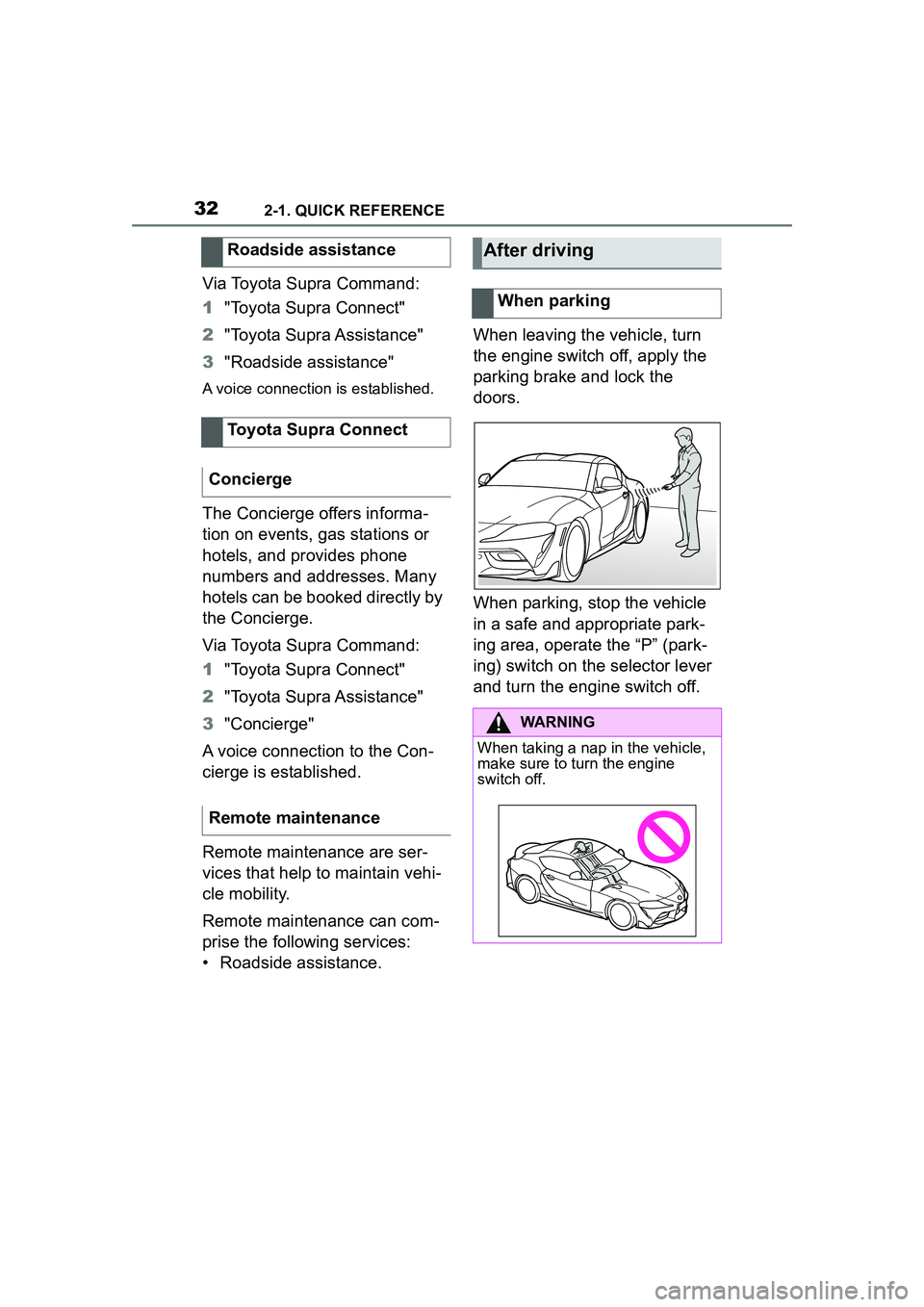
• Roadside assistance. When leaving the vehicle, turn
the engine switch off, apply the
parking brake and lock the
doors.
When parking, stop the vehicle
in a safe and appropriate park-
ing area, operate the “P” (park-
ing) switch on the selector lever
and turn the engine switch off.
Roadside assistance
Toyota Supra Connect
Concierge
Remote maintenance
After driving
When parking
WARNING
When taking a nap in the vehicle,
make sure to turn the engine
switch off.
Page 37 of 356

373-1. CONTROLS
3
CONTROLS
Automatic high-beam P.156 Low beams P.154
Instrument lighting
P.158
Right roadside parking
light P.154
Left roadside parking
light P.154
5 Steering column stalk, left
Turn signal P.121
High beams, headlight
flasher P.122
Automatic high-beam
P.156
Onboard Computer
P.133
6 Shift paddle P.129
7 Steering wheel buttons, left
Cruise control on/off
P.199
Dynamic radar cruise
control on/off P.203
Cruise control: store
speed
Speed Limit Assist: take over
suggested speed P.211
Continuing cruise con-
trol/Pausing cruise control P. 1 9 9
Dynamic radar cruise
control: increase distance
P. 1 9 9
Dynamic radar cruise
control: reduce distance
P. 1 9 9
Cruise control rocker switch
P. 1 9 9
8 Instrument cluster P.133
9 Steering wheel buttons, right
Selection lists P.145
Volume, see Owner's
Manual for Navigation, Enter-
tainment and Communication
Voice activation system
P. 5 7
Telephone, see
Owner's Manual for Naviga-
tion, Entertainment and Com-
munication
Thumbwheel for selection
lists P.145
10Shift paddle P.129
11Steering column stalk, right
Wiper P.122
Rain sensor P.123
Clean the windshield
P. 1 2 4
12Adjust the steering wheel P. 1 0 7
Page 117 of 356
1173-1. CONTROLS
3
CONTROLS
■General information
The engine is not switched off
automatically in the following sit-
uations:
In case of a steep downhill
grade.
Brake not engaged strongly
enough.
The external temperature is
high and automatic air condi-
tioning is running.
The car's interior has not yet
been heated or cooled to the
required level.
Where there is a risk of win-
dow condensation when the
automatic air conditioning is
switched on.
Engine or other parts not at
operating temperature.
Engine cooling is required.
The wheels are at a sharp angle or the steering wheel is
being turned.
Vehicle battery is heavily dis-
charged.
At higher elevations.
The hood is unlocked.
The parking assistant is acti-
vated.
Stop-and-go traffic.
Selector lever position in N or
R.
After driving in reverse.
Use of fuel with high ethanol
content.
The engine starts automatically
under the following precondi-
tions:
By releasing the brake pedal.
After the engine starts, acceler-
ate as usual.
After the engine switches off
automatically, it will not start
again automatically if any one of
the following conditions are met:
The driver's safety belt is
unbuckled and the driver's
Displays in the instrument
cluster
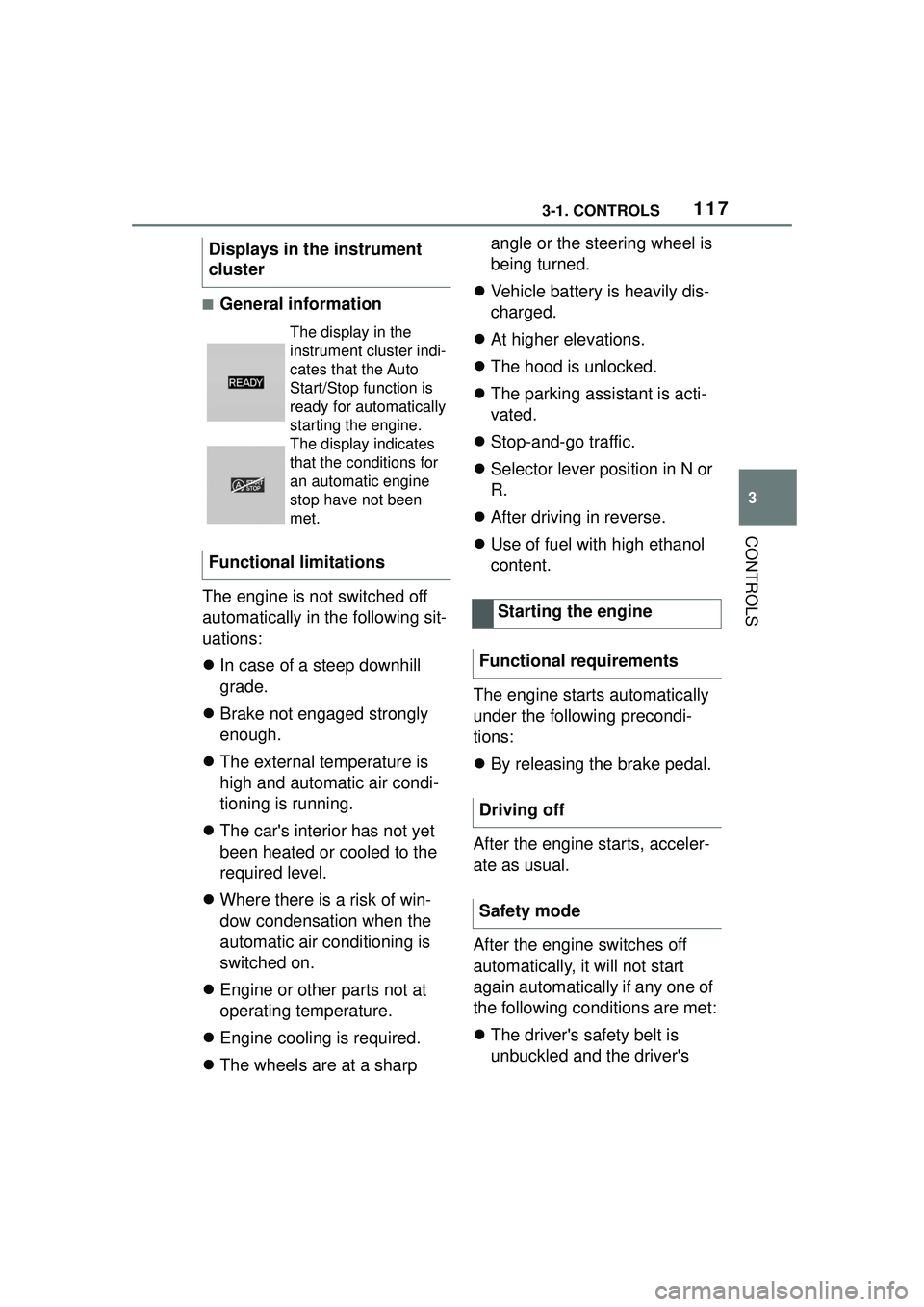
The display in the
instrument cluster indi-
cates that the Auto
Start/Stop function is
ready for automatically
starting the engine.
The display indicates
that the conditions for
an automatic engine
stop have not been
met.
Functional limitations
Starting the engine
Functional requirements
Driving off
Safety mode
Page 213 of 356

2133-1. CONTROLS
3
CONTROLS
Speed Limit Assist is based on
the Speed Limit Info system.
Thus, also observe the system
limits of the Speed Limit Info
system, refer to page 143.
Parking Sensor is a support
when parking. Objects that you
are approaching slowly in front
of or behind the vehicle are indi-
cated by signal tones and a dis-
play on the Control Display.
Depending on the equipment version: Obstacles at the side of
the vehicle that are detected by
the side ultrasonic sensors may
also be reported by the side pro-
tection, refer to page 217, func-
tion.
The ultrasound sensors for dis-
tance measurements are
located in the bumpers and pos-
sibly on the sides of the vehicle.
The range, depending on the
obstacle and environmental
conditions, is approx. 6 ft/2 m.
An acoustic warning sounds in
case of an impending collision at
a distance to the object of
approx. 27 in/70 cm.
For objects behind the vehicle,
the acoustic warning is already
issued at a distance to the
object of approx. 5 ft/1.50 m.
Detected change of a
speed limit with imme-
diate effect.
Indicator light illumi-
nates green: the
detected speed limit
can be applied with the
SET button.
As soon as the speed
limit has been applied,
a green checkmark is
displayed.
Taking over the sug-
gested speed
As soon as the SET icon
lights up, press the button.
System limits
Parking Sensors
Concept
SymbolFunction
General information
Safety information
WARNING
The system cannot serve as a
substitute for the driver’s personal
judgment in assessing the traffic
conditions. Based on the limits of
the system, it cannot inde-
pendently react to all traffic situa-
tions. There is a risk of accident.
Adjust driving style to traffic condi-
tions. Watch traffic closely and
actively intervene where appropri-
ate.
Page 214 of 356

2143-1. CONTROLS
The system is controlled using
the following sensors:
• Ultrasonic sensors in the bumpers.
Additional information:
Sensors of the vehicle, refer to
page 40.
The system switches on auto- matically in the following situa-
tions:
If selector lever position R is
engaged when the engine is
running.
Depending on the equipment
version: while approaching
detected obstacles if the
speed is slower than approx.
2.5 mph/4 km/h. The activa-
tion distance depends on the
situation in question.
You may switch automatic acti-
vation when obstacles are
detected on and off.
Via Toyota Supra Command:
1 "My vehicle"
2 "Vehicle settings"
3 "Parking"
4 Where applicable: "Automatic
Parking Sens. activation"
5 "Automatic Parking Sensors
activ."
Depending on equipment, an
additional camera view is also
switched on.
The system switches off when a
certain driving distance or speed
is exceeded.
Switch the system back on, if
needed.
WARNING
Due to high speeds when Parking
Sensors is activated, the warning
can be delayed due to physical
circumstances. There is a risk of
injury or risk of damage to prop-
erty. Avoid approaching an object
too fast. Avoid driving off fast
while Parking Sensors is not yet
active.
Overview
Button in the vehicle
Park assistance button
Sensors
Switching on/off
Switching on automatically
Automatic deactivation
during forward travel
Page 215 of 356

2153-1. CONTROLS
3
CONTROLS
On: the LED lights up.
Off: the LED goes out.
The rearview camera image is
displayed if the reverse gear is
engaged when pressing the
park assistance button.
Depending on the equipment
version, the system cannot be
switched off manually if the
reverse gear is engaged.
■General information
An intermittent tone indicates
when the vehicle is approaching
an object. For instance, if an
object is detected to the left rear
of the vehicle, a signal tone
sounds from the left rear
speaker.
The shorter the distance to the
object, the shorter the intervals.
If the distance to a detected
object is less than approx. 8
in/20 cm, a continuous tone is
sounded.
If there are objects in front of
and behind the vehicle at the
same time, with a distance
smaller than approx. 8 in/20 cm,
an alternating constant tone will sound.
The intermittent tone and con-
stant tone are switched off if the
selector lever position P is
engaged.
The intermittent tone is switched
off after a short time when the
vehicle is stationary.
■Vo l u m e
The Parking Sensor signal tone
volume can be adjusted.
Via Toyota Supra Command:
1 "My vehicle"
2 "System settings"
3 "Tone"
4 "Volume settings"
5 "Parking Sens."
6 Set the desired value.
The approach of the vehicle to
an object is shown on the Con-
trol Display. Objects that are far-
ther away are already displayed
on the Control Display before a
signal sounds.
The display appears as soon as
Switching on/off manually
Press the park assistance
button.
WARNING
Signal tones
Visual warning