2019 TOYOTA SUPRA warning
[x] Cancel search: warningPage 157 of 456
157
3
Supra Owner's Manual3-1. CONTROLS
CONTROLS
The current fill level of the fuel tank
is displayed.
The angle of the vehicle may cause
the display to fluctuate.
Notes on refuelling, see page 276.It is vital to avoid engine speeds in
the red warning zone. In this zone,
the fuel supply is interrupted to pro-
tect the engine.
Depending on the equipment, the
shift lights on the revolution counter
indicate the maximum shift point at
which the best possible accelera-
tion can be achieved.
When the selected driving mode is
sport mode, a shift light will be dis-
played.
1Select SPORT using the sport
mode switch.
2Activate manual mode of the
transmission. Automatic high-beam
Automatic high-beamis
switched on.
The high-beam head-
lights are switched on and
off automatically depend-
ing on the traffic situation.
Automatic high-beam, see
page 174.
Blue lights
High-beam headlights
The high-beam head-
lights are switched on.
High-beam headlights,
see page 139.
Fuel gauge
Principle
General
Display
An arrow next to the petrol
pump symbol shows
which side of the vehicle
the fuel filler flap is on.
Revolution counter
Shift lights
Principle
Operating requirements
Switching on Shift Lights
Page 159 of 456
159
3
Supra Owner's Manual3-1. CONTROLS
CONTROLS
The time is shown in the instrument
cluster. Setting the time and time
format, see page 62.
The function shows the current ser-
vice requirements and related
maintenance jobs.
The distance or time remaining until
the next service is displayed briefly
in the instrument cluster after the
ignition is switched on.
More detailed information on the
scope of maintenance can be dis-
played on the Control Display.Via Toyota Supra Command:
1"My vehicle"
2"Vehicle status"
3"Service requirements"
Essential maintenance routines and
any statutory inspections required are
displayed.
4Select an entry to display more
detailed information.
Enter deadlines for statutory vehi-
cle inspections.
Ensure that the date and time are
set correctly in the vehicle.
Via Toyota Supra Command:
1"My vehicle"
2"Vehicle status"
3"Service requirements"
4"Date:"
5Select the desired setting. Safety note
WARNING
Even at temperatures above
+3°C/+37 °F there may be an
increased risk of black ice, for exam-
ple on bridges or on shaded road
selection. There is a danger of acci-
dents. At low temperatures, adjust the
driving style to the weather condi-
tions.
Time
Service requirements
Principle
General
Display
Detailed information on service
requirements
Symbols
SymbolsDescription
No servicing is currently
needed.
Maintenance or an
inspection required by law
is due soon.
Servicing is overdue.
Entering deadlines
Page 161 of 456
161
3
Supra Owner's Manual3-1. CONTROLS
CONTROLS
detected by the camera are indi-
cated by corresponding symbols in
the instrument cluster and, if appli-
cable, the Head-Up Display.
The system considers overtaking
restrictions and ends of restrictions
that are indicated by means of
signs.
Nothing will be displayed in the fol-
lowing situations:
In countries in which no overtak-
ing is primarily shown by road
markings.
On routes without signs.
In the case of railway crossings,
lane markings and other situa-
tions which indicate an overtak-
ing restriction but which are not
signposted to this effect.
Depending on the equipment ver-
sion, an additional symbol with dis-
tance information may also be
displayed to indicate the end of the
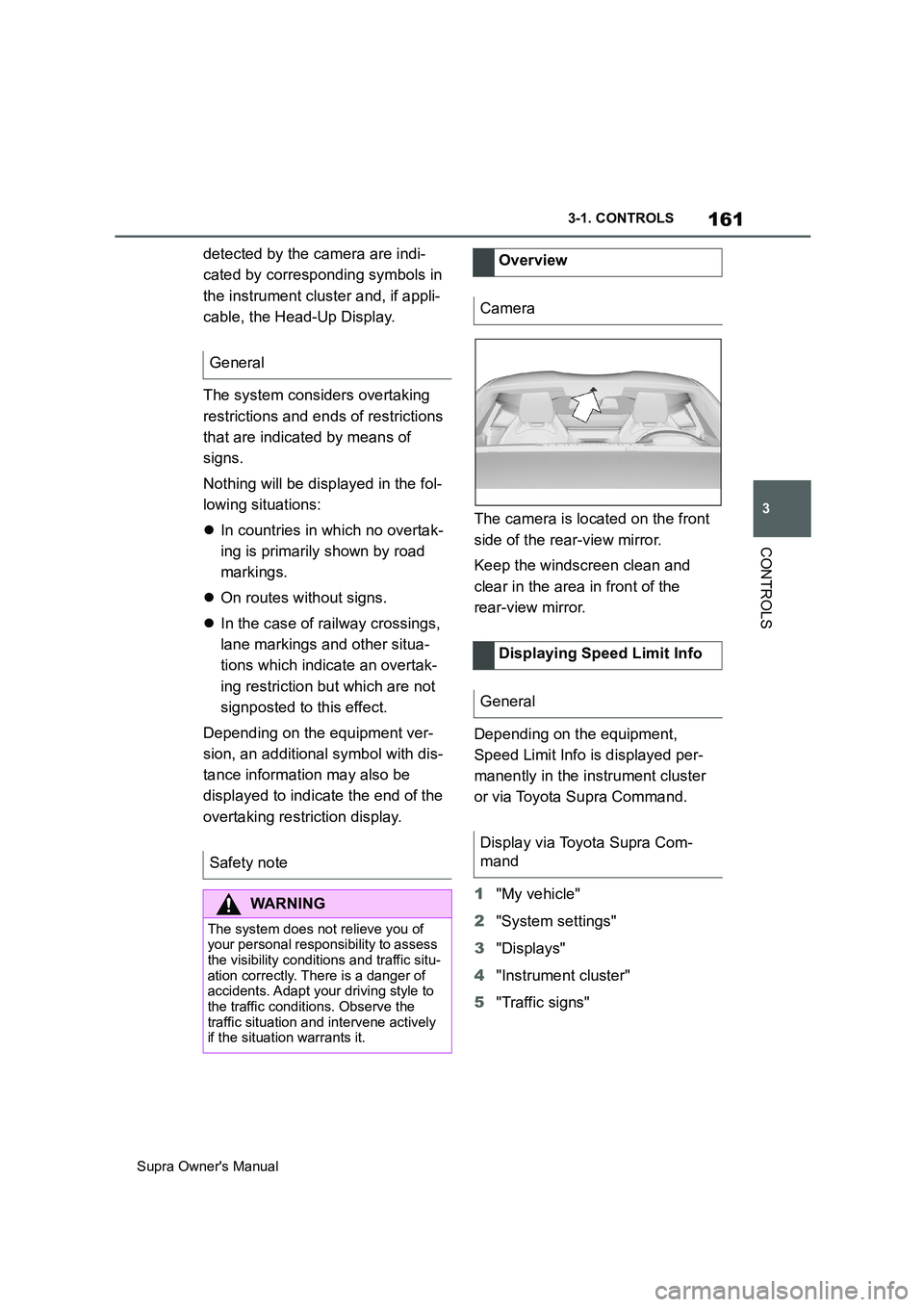
overtaking restriction display.The camera is located on the front
side of the rear-view mirror.
Keep the windscreen clean and
clear in the area in front of the
rear-view mirror.
Depending on the equipment,
Speed Limit Info is displayed per-
manently in the instrument cluster
or via Toyota Supra Command.
1"My vehicle"
2"System settings"
3"Displays"
4"Instrument cluster"
5"Traffic signs" General
Safety note
WARNING
The system does not relieve you of
your personal responsibility to assess
the visibility conditions and traffic situ-
ation correctly. There is a danger of
accidents. Adapt your driving style to
the traffic conditions. Observe the
traffic situation and intervene actively
if the situation warrants it.
Overview
Camera
Displaying Speed Limit Info
General
Display via Toyota Supra Com-
mand
Page 162 of 456
162
Supra Owner's Manual3-1. CONTROLS
Depending on the national equip-
ment, additional signs and overtak-
ing restrictions are displayed
together with Speed Limit Info.
Depending on the equipment ver-
sion, an additional symbol with dis-
tance information may also be
displayed to indicate that a change
in speed limit is ahead. Depending
on the equipment, temporary speed
limits may also be displayed; for
example, speed limits at road-
works or traffic management sys-
tems.
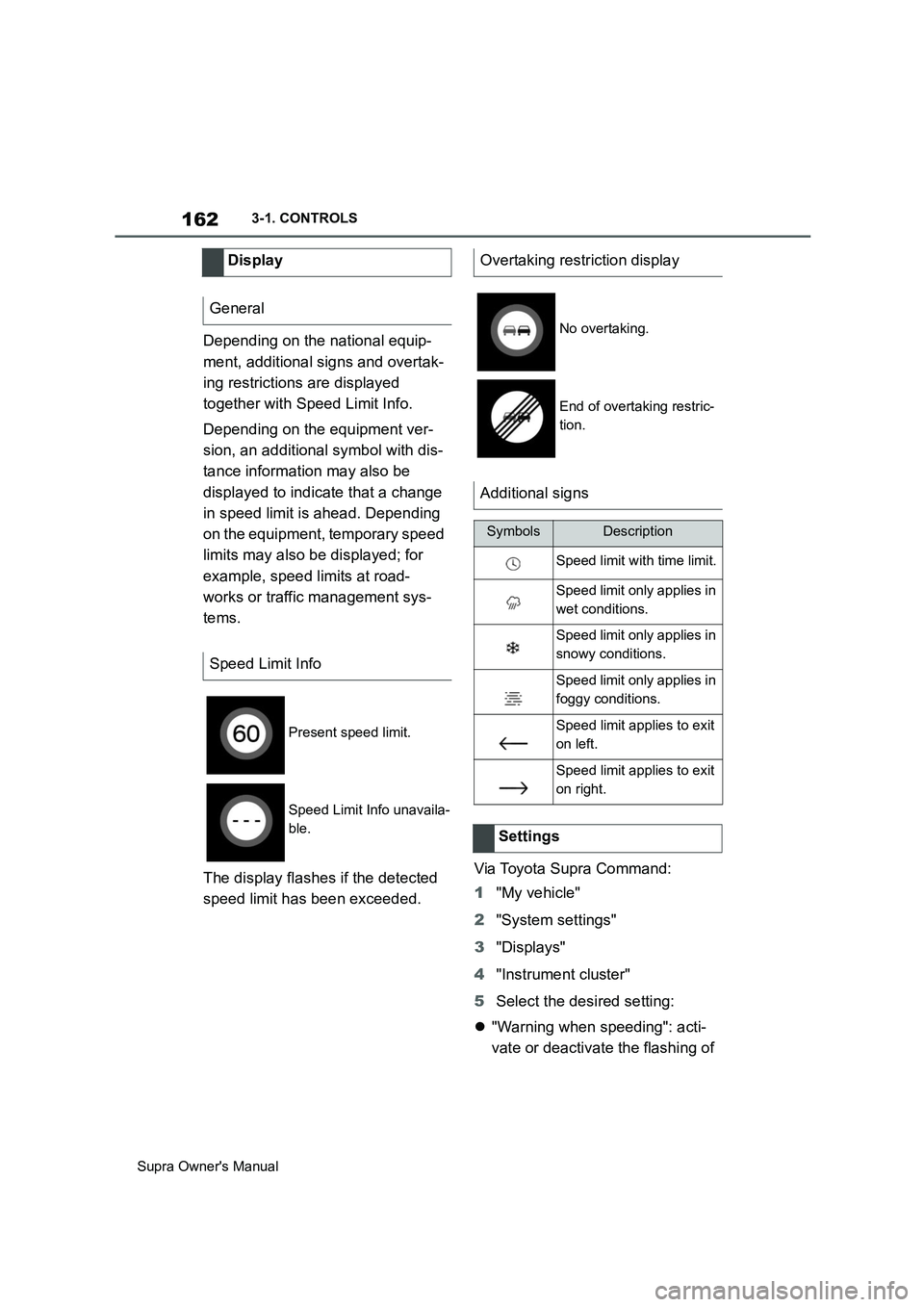
The display flashes if the detected
speed limit has been exceeded.Via Toyota Supra Command:
1"My vehicle"
2"System settings"
3"Displays"
4"Instrument cluster"
5Select the desired setting:
"Warning when speeding": acti-
vate or deactivate the flashing of Display
General
Speed Limit Info
Present speed limit.
Speed Limit Info unavaila-
ble.
Overtaking restriction display
No overtaking.
End of overtaking restric-
tion.
Additional signs
SymbolsDescription
Speed limit with time limit.
Speed limit only applies in
wet conditions.
Speed limit only applies in
snowy conditions.
Speed limit only applies in
foggy conditions.
Speed limit applies to exit
on left.
Speed limit applies to exit
on right.
Settings
Page 167 of 456
167
3
Supra Owner's Manual3-1. CONTROLS
CONTROLS
Via Toyota Supra Command:
1"My Vehicle"
2"Driving information"
3"On-board computer" or "Trip
computer"
Via Toyota Supra Command:
1"My Vehicle"
2"Driving information"
3"On-board computer"
4"Consumption" or "Speed"
5"OK"
Via Toyota Supra Command:
1"My Vehicle"
2"Driving information"
3"Trip computer"
4If necessary, tilt the Controller to
the left.
• "Reset": all values are reset.
• "Reset automatically": all val-
ues are reset if the vehicle is at a
stand still for approximately 4
hours.
5If necessary, "OK"Depending on the vehicle specifica-
tions, the current power output and
torque can be displayed on the con-
trol display.
The following information is dis-
played:
To r q u e .
Power.
Via Toyota Supra Command:
1"My vehicle"
2"Sport displays"
A speed limit can be set which trig-
gers a warning when it is reached.
The warning is repeated if the vehi-
cle speed exceeds the set speed
limit again, after it has dropped
below 5 km/h/3 mph. Calling up the on-board com-
puter or trip computer
Resetting the on-board com-
puter
Resetting the trip computer
Sport displays
Principle
Display on the Control Dis-
play
Overview
Displays
Speed warning
Principle
General
Page 168 of 456
168
Supra Owner's Manual3-1. CONTROLS
Via Toyota Supra Command:
1"My Vehicle"
2"Vehicle settings"
3"Speed warning"
4"Warning at:"
5Turn the Controller until the
desired speed is displayed.
6Press the Controller.
Via Toyota Supra Command:
1"My Vehicle"
2"Vehicle settings"
3"Speed warning"
4"Speed warning"
Via Toyota Supra Command:
1"My Vehicle"
2"Vehicle settings"
3"Speed warning"
4"Select current speed"
The status can be displayed or
actions performed for some sys-
tems.Via Toyota Supra Command:
1"My vehicle"
2"Vehicle status"
• "Tyre Pressure Monitor": Sta-
tus of the Tyre Pressure Monitor,
see page 290
• "Engine oil level": Electronic
oil measurement, see page 309.
• "Vehicle messages": Vehicle
messages are stored in the
background and can be shown
on the Control Display. Display-
ing of saved vehicle messages,
see page 152.
• "Service requirements": dis-
play of the service requirements,
see page 159.
• "Remote maintenance call":
Remote maintenance call.
The system projects important
information, for example the speed,
into the driver's field of vision.
The driver can register this informa-
tion without having to divert atten-
tion from the road. Adjusting the speed warning
Activating/deactivating the
speed warning
Setting the current speed as
the speed warning
Vehicle status
General
Calling up the vehicle status
Overview of the information
Head-Up Display (vehicles
with head-up display)
Principle
Page 180 of 456

180
Supra Owner's Manual3-1. CONTROLS
no longer be sufficient.
In a side-on crash, the side airbag
supports the body from the side in
the chest, pelvic and head area.
The knee airbag supports the legs
in the event of a head-on collision.
The curtain shield airbag supports
the head in the event of a side-on
crash.
Airbags are not activated in every
collision, for example in minor acci-
dents and rear-end collisions.
Keep your distance from the
airbags.Always grip the steering wheel
on the steering wheel rim. Place
your hands in the 3 o'clock and 9
o'clock positions to minimise the
risk of injury to hands or arms
when the airbag deploys.
Make sure that the front-seat
passenger is sitting correctly, in
other words with feet or legs in
the footwell, not resting on the
dashboard.
Make sure that vehicle occu-
pants keep their head away from
the side airbag.
Do not position any other per-
sons, pets or objects between
the airbags and persons.
Keep the dashboard and wind-
screen in the area of the passen-
ger's side free, for example do
not attach adhesive foil or covers
and do not fit brackets for navi-
gation devices or mobile tele-
phones.
Do not attach anything to the
airbag covers with adhesive;
never cover them or modify them
in any way.
Do not use the front airbag cover
on the front passenger's side as
a tray.
Covers, seat covers, cushions or
other objects not specifically suit-
able for seats with integral side
airbags must not be fitted to the
front seats.
Do not hang items of clothing for Side airbag
Knee airbag
Curtain shield airbag
Protective effect
General
Notes on achieving optimum
airbag effectiveness
WARNING
If the seat position is wrong or the
deployment area of the airbag is
restricted, the airbag system cannot
provide the intended protection or
may cause additional injuries when it
deploys. There is a danger of injury or
even death. Observe the following to
achieve optimum protective effect.
Page 181 of 456

181
3
Supra Owner's Manual3-1. CONTROLS
CONTROLS
example coats or jackets over
the backrests.
Do not modify individual compo-
nents of the system or its wiring
in any way. This also applies to
the covers of the steering wheel,
the dashboard and seats.
Do not dismantle the airbag sys-
tem.
Even if all this information is
observed, depending on the cir-
cumstances in which an accident
occurs, certain injuries as a result
of contact with the airbag cannot be
entirely ruled out.
The noise caused by the deploy-
ment of an airbag may lead to tem-
porary hearing loss for vehicle
occupants sensitive to noise.
Have the system checked.
The airbags are not designed to be
used in place of the seat belts.
The SRS front airbags and SRS
knee airbags are designed to sup-
plement the seat belts, not be used
in place of them, to increase their Operational readiness of the
airbag system
Safety notes
WARNING
Individual components of the airbag
system may be hot after airbag
deployment. There is a danger of
injury. Do not touch individual compo-
nents.
WARNING
Work carried out incorrectly can lead
to a failure, a malfunction or acciden-
tal deployment of the airbag system. If
there is a malfunction, the airbag sys-
tem might not deploy as intended in
an accident, in spite of the accident
being of the appropriate severity.
There is a danger of injury or even
death. Have the airbag system tested,
repaired or removed and disposed of
by any authorized Toyota retailer or
Toyota authorized repairer, or any reli-
able repairer.
Display in the instrument cluster
When drive-ready state is
switched on, the warning
lamp in the instrument cluster
briefly illuminates in order to
show the operational readi-
ness of the entire airbag sys-
tem and the belt tensioners.
Malfunction
The warning lamp does not
illuminate after drive-ready
state is switched on.
The warning lamp is per-
manently illuminated.
SRS front airbag/SRS knee
airbag