2019 TOYOTA SUPRA warning
[x] Cancel search: warningPage 76 of 456
76
Supra Owner's Manual3-1. CONTROLS
The light functions might be
dependent on the ambient bright-
ness.
The windows are opened for as
long as the button on the remote
control is pressed.
Exterior mirrors which were folded
in via the comfort closing feature
are folded out.
The behaviour of the vehicle in the
case of remote control locking
depends on the following settings,
see page 89:
• Whether locking of the vehicle is
acknowledged with a light signal.
• Whether the exterior mirrors are
automatically folded in and out
when the vehicle is unlocked and
locked.
• Whether the headlight courtesy
delay feature, see page 173, is
activated when the vehicle is
locked.
1Close the driver's door.2 Press the button on the
remote control.
Following functions are carried out:
• All the doors, the boot lid and
fuel filler flap are locked.
• With anti-theft system: The
anti-theft system is switched on.
This prevents the doors from
being unlocked using the locking
buttons or the door openers.
• With alarm system: The alarm
system, see page 91, is switched
on.
If the drive-ready state is still
switched on when locking, the vehi-
cle horn sounds twice. In this case,
switch off the drive-ready state
using start/ stop button.
The windows are closed for as long
as the button on the remote control
is pressed. Comfort opening
Opening
Press and hold the button on
the remote control.
Locking
General
Locking the vehicle
Comfort closing
Safety notes
WARNING
Parts of the body can become
trapped when the comfort closing fea-
ture is operated. There is a danger of
injury. During comfort closing, make
sure that the area of movement is
kept clear.
Closing
Keep the button on the
remote control pressed after
locking.
Page 77 of 456
77
3
Supra Owner's Manual3-1. CONTROLS
CONTROLS
The exterior mirrors are folded in.
If the hazard warning lights are
switched on, the exterior mirrors
are not folded in.
The function is not available for the
first 10 seconds after locking.
• The interior light is switched on
unless it was switched off manu-
ally. Switching the interior light
on/off manually, see page 178.
• Depending on the settings, the
exterior lights, see page 173, are
switched on.
The light functions might be
dependent on the ambient bright-
ness.
To prevent the remote control from
being locked in, do not place the
remote control in the boot.
It is possible to set whether the
doors are unlocked when the boot
lid is opened with the remote con-
trol. For settings, see page 89.On some equipment versions, the
doors are also unlocked each time.
Setting the duration, see page 173.
1Remove the integrated key from
the remote control, see page 80.
2Place integrated key under the
battery compartment cover,
arrow 1, and pry off the cover Switching on the interior
light and exterior lights
With the vehicle locked,
press the button on the
remote control.
Boot lid
General
Safety notes
WARNING
Parts of the body can become
trapped when the boot lid is operated.
There is a danger of injury. When
opening and closing, make sure that
the area of movement of the boot lid
is kept clear.
NOTICE
The boot lid swings rearwards and
upwards when opened. There is a
danger of damage to property. When
opening and closing, make sure that
the area of movement of the boot lid
is kept clear.
Unlocking
Press and hold the button on
the remote control for approx-
imately 1 second.
Switching on the headlight
courtesy delay feature
Press and hold the button on
the remote control for approx-
imately 1 second.
Replacing the battery
Page 80 of 456
80
Supra Owner's Manual3-1. CONTROLS
airbags, see page 188.
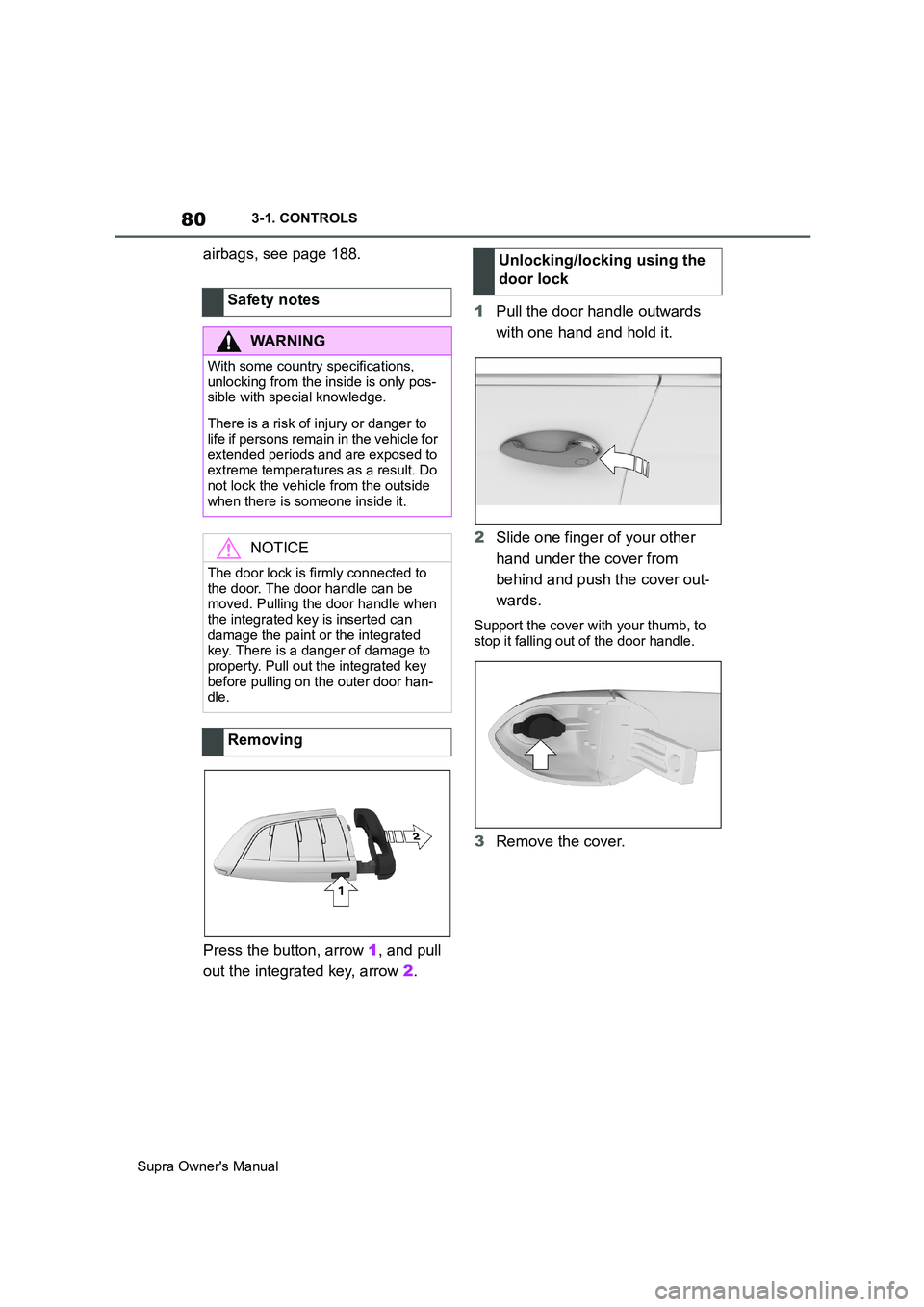
Press the button, arrow 1, and pull
out the integrated key, arrow 2.1Pull the door handle outwards
with one hand and hold it.
2Slide one finger of your other
hand under the cover from
behind and push the cover out-
wards.
Support the cover with your thumb, to
stop it falling out of the door handle.
3Remove the cover. Safety notes
WARNING
With some country specifications,
unlocking from the inside is only pos-
sible with special knowledge.
There is a risk of injury or danger to
life if persons remain in the vehicle for
extended periods and are exposed to
extreme temperatures as a result. Do
not lock the vehicle from the outside
when there is someone inside it.
NOTICE
The door lock is firmly connected to
the door. The door handle can be
moved. Pulling the door handle when
the integrated key is inserted can
damage the paint or the integrated
key. There is a danger of damage to
property. Pull out the integrated key
before pulling on the outer door han-
dle.
Removing
Unlocking/locking using the
door lock
Page 81 of 456
81
3
Supra Owner's Manual3-1. CONTROLS
CONTROLS
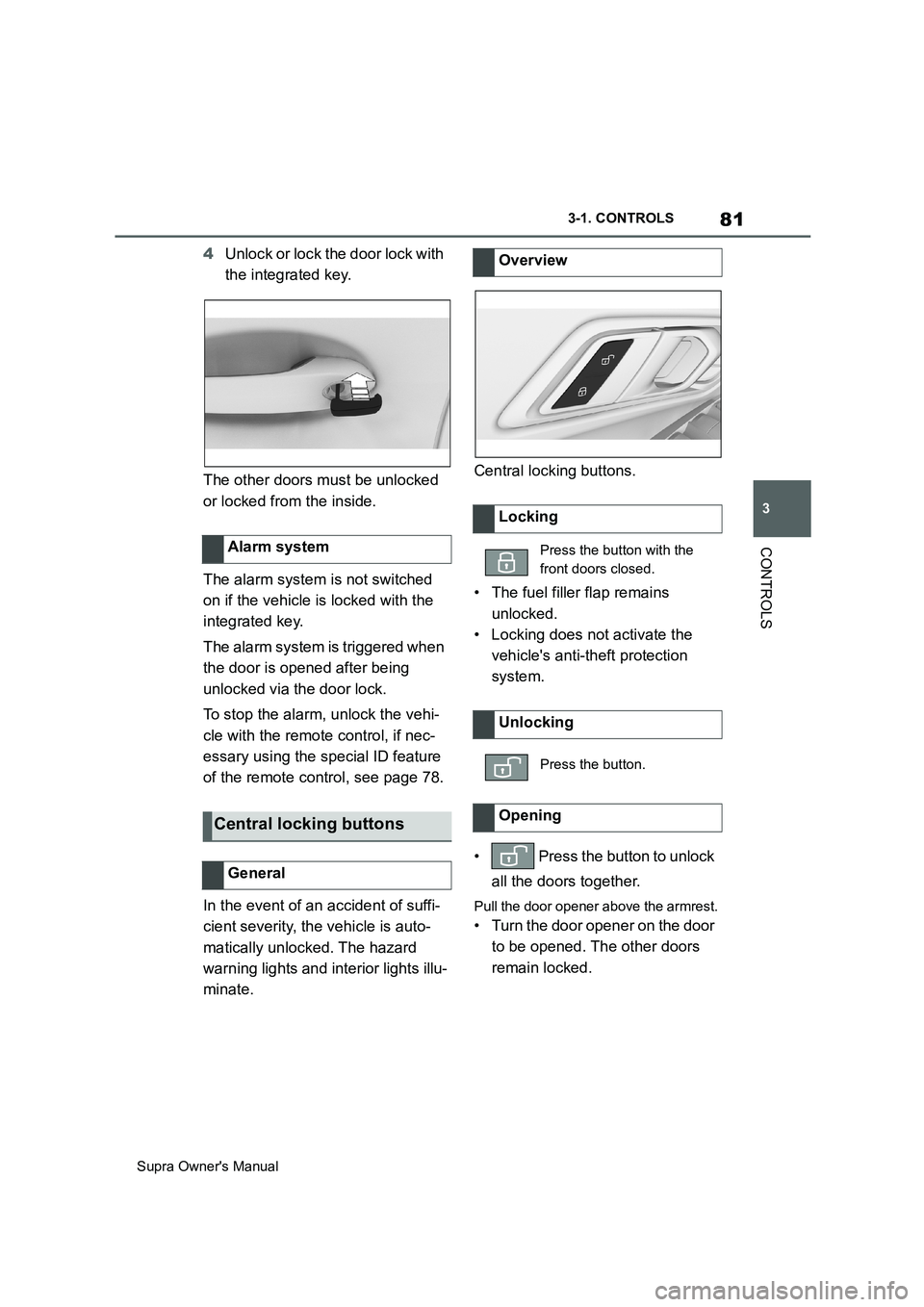
4Unlock or lock the door lock with
the integrated key.
The other doors must be unlocked
or locked from the inside.
The alarm system is not switched
on if the vehicle is locked with the
integrated key.
The alarm system is triggered when
the door is opened after being
unlocked via the door lock.
To stop the alarm, unlock the vehi-
cle with the remote control, if nec-
essary using the special ID feature
of the remote control, see page 78.
In the event of an accident of suffi-
cient severity, the vehicle is auto-
matically unlocked. The hazard
warning lights and interior lights illu-
minate.Central locking buttons.
• The fuel filler flap remains
unlocked.
• Locking does not activate the
vehicle's anti-theft protection
system.
• Press the button to unlock
all the doors together.
Pull the door opener above the armrest.
• Turn the door opener on the door
to be opened. The other doors
remain locked. Alarm system
Central locking buttons
General
Overview
Locking
Press the button with the
front doors closed.
Unlocking
Press the button.
Opening
Page 83 of 456
83
3
Supra Owner's Manual3-1. CONTROLS
CONTROLS
Safety notes
WARNING
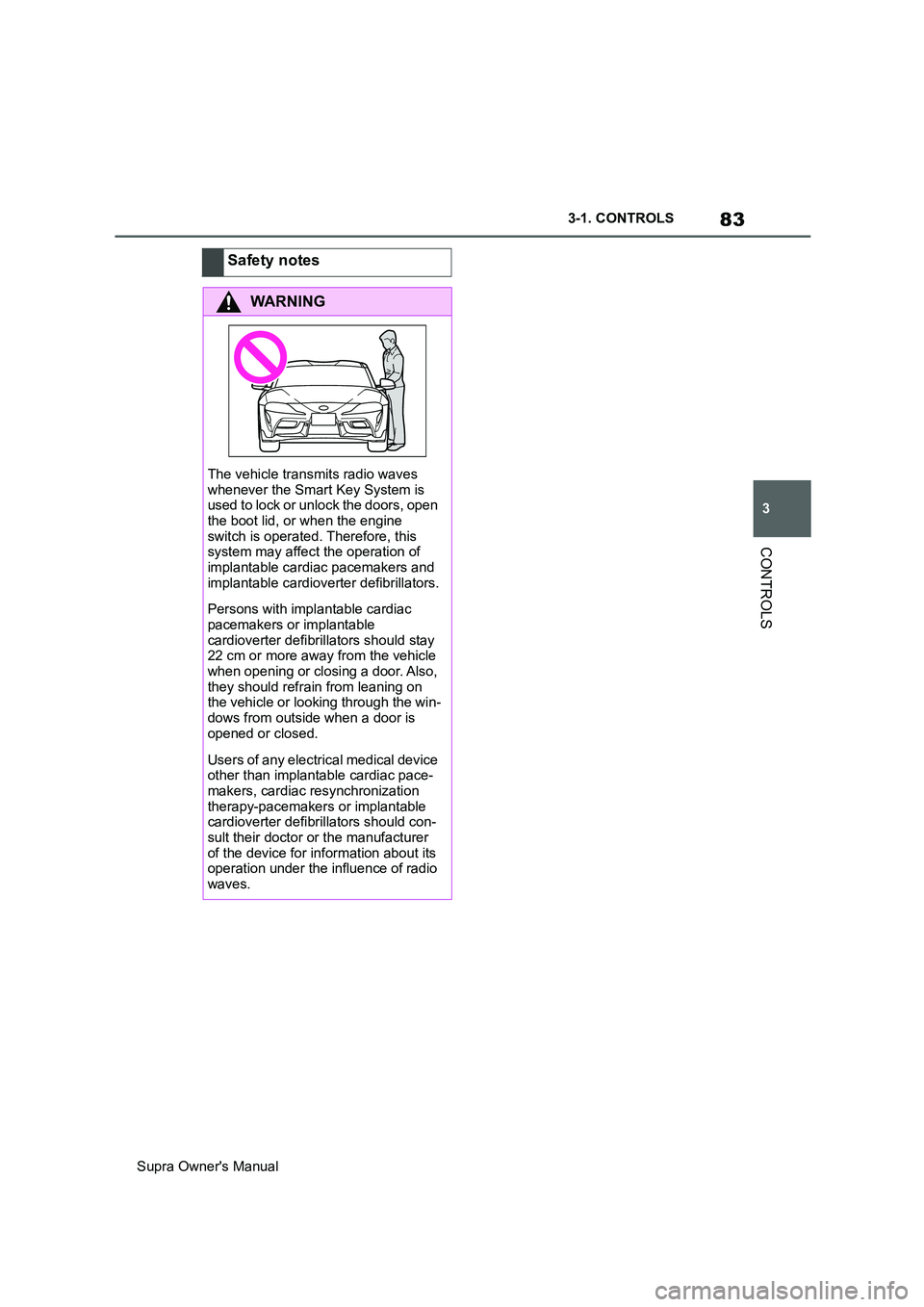
The vehicle transmits radio waves
whenever the Smart Key System is
used to lock or unlock the doors, open
the boot lid, or when the engine
switch is operated. Therefore, this
system may affect the operation of
implantable cardiac pacemakers and
implantable cardioverter defibrillators.
Persons with implantable cardiac
pacemakers or implantable
cardioverter defibrillators should stay
22 cm or more away from the vehicle
when opening or closing a door. Also,
they should refrain from leaning on
the vehicle or looking through the win-
dows from outside when a door is
opened or closed.
Users of any electrical medical device
other than implantable cardiac pace-
makers, cardiac resynchronization
therapy-pacemakers or implantable
cardioverter defibrillators should con-
sult their doctor or the manufacturer
of the device for information about its
operation under the influence of radio
waves.
Page 85 of 456
85
3
Supra Owner's Manual3-1. CONTROLS
CONTROLS
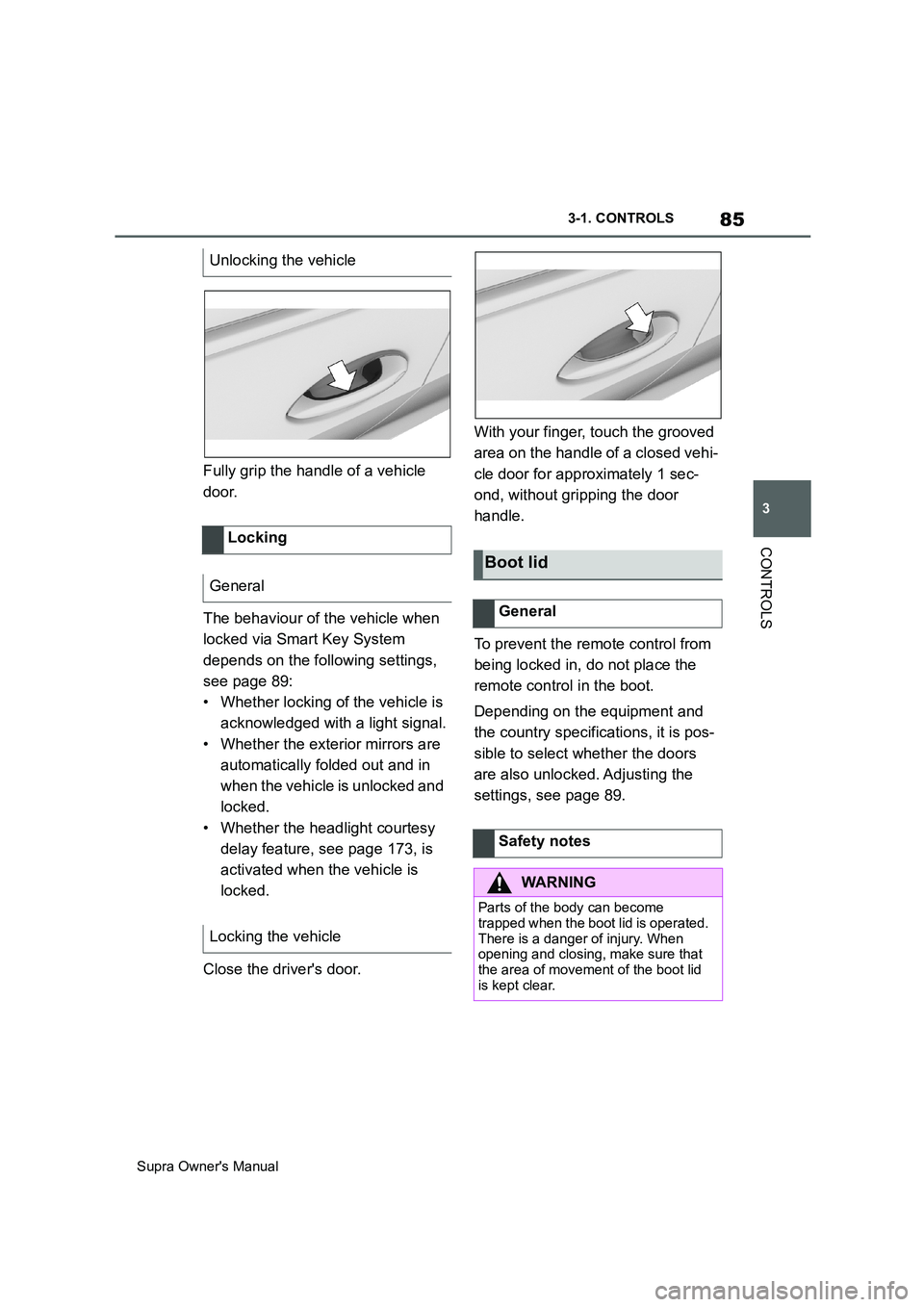
Fully grip the handle of a vehicle
door.
The behaviour of the vehicle when
locked via Smart Key System
depends on the following settings,
see page 89:
• Whether locking of the vehicle is
acknowledged with a light signal.
• Whether the exterior mirrors are
automatically folded out and in
when the vehicle is unlocked and
locked.
• Whether the headlight courtesy
delay feature, see page 173, is
activated when the vehicle is
locked.
Close the driver's door.With your finger, touch the grooved
area on the handle of a closed vehi-
cle door for approximately 1 sec-
ond, without gripping the door
handle.
To prevent the remote control from
being locked in, do not place the
remote control in the boot.
Depending on the equipment and
the country specifications, it is pos-
sible to select whether the doors
are also unlocked. Adjusting the
settings, see page 89. Unlocking the vehicle
Locking
General
Locking the vehicle
Boot lid
General
Safety notes
WARNING
Parts of the body can become
trapped when the boot lid is operated.
There is a danger of injury. When
opening and closing, make sure that
the area of movement of the boot lid
is kept clear.
Page 93 of 456
93
3
Supra Owner's Manual3-1. CONTROLS
CONTROLS
The tilt alarm sensor and the inte-
rior movement detector may trigger
an alarm without any unauthorised
activity taking place.
Possible situations for an unwanted
alarm:
• In washing bays or car washes.
• In two-level garages.
• During transport via motorail, car
ferry or trailer.
• When there are pets in the vehi-
cle.
• When the vehicle is locked after
starting to refuel.
The tilt alarm sensor and interior
protection can be switched off for
such situations.
The indicator lamp illuminates for
approximately 2 seconds and then
flashes again.
The tilt alarm sensor and the inte-
rior movement detector are
switched off until the next time the
vehicle is locked.• Unlock the vehicle with the
remote control, if necessary
using the special ID feature of
the remote control, see page 78.
• With Smart Key System: fully
grasp the door handle on either
the driver's door or the front pas-
senger door while carrying the
remote control. Avoiding false alarms
General
Switching off the tilt alarm sensor
and interior movement detector
As soon as the vehicle is
locked, press the button on
the remote control within 10
seconds.
Stopping the alarm
Power window switches
Safety note
WARNING
Parts of the body can become
trapped when the windows are oper-
ated. There is a danger of injury or
damage to property. When opening
and closing, make sure that the area
of movement of the windows is kept
clear.
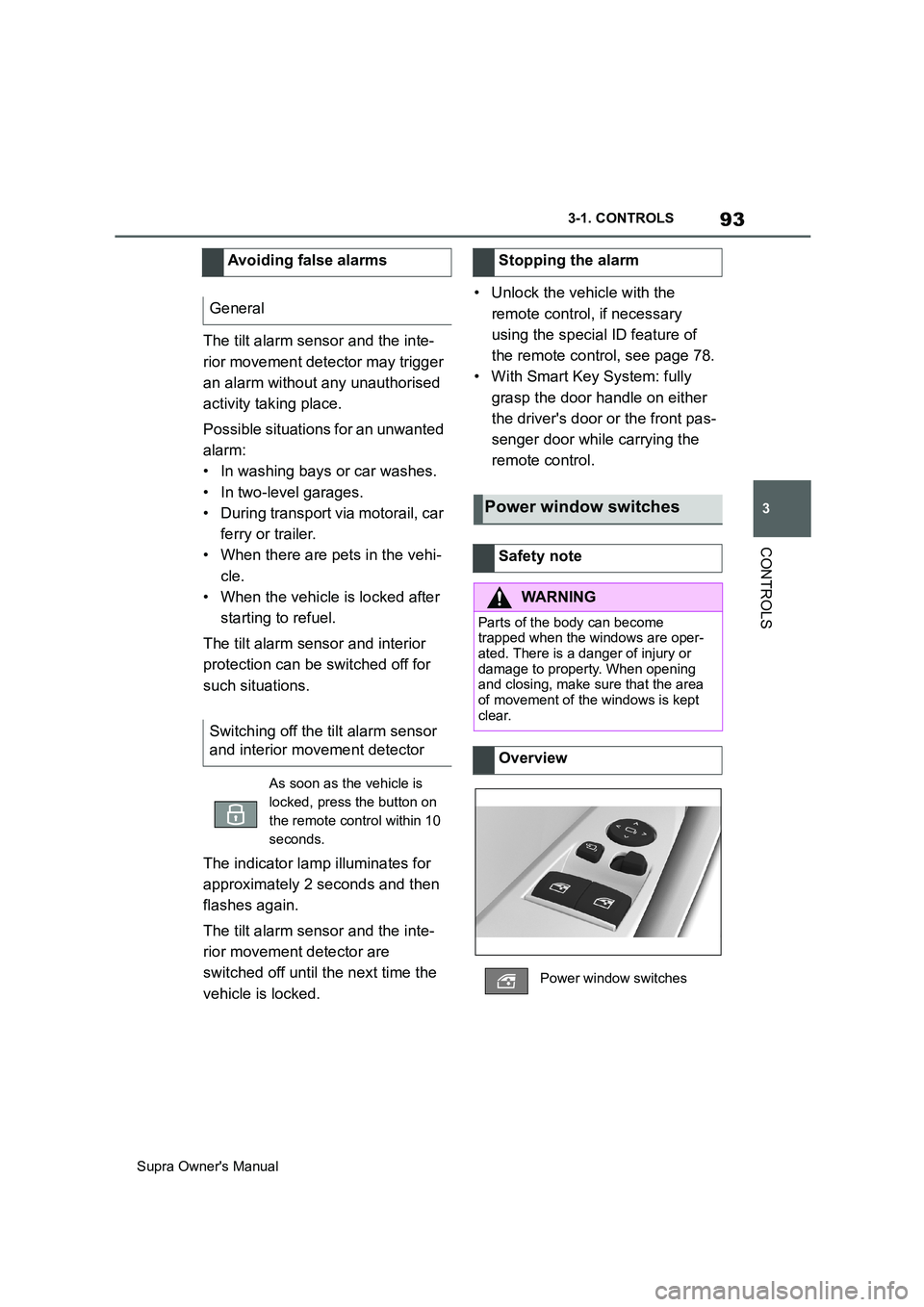
Overview
Power window switches
Page 94 of 456
94
Supra Owner's Manual3-1. CONTROLS
The windows can be operated
under the following conditions.
• Standby state is established.
• Drive-ready state is established.
• For a short while after idle state
has been established.
• The remote control is in the inte-
rior.
• Push the switch as far as
the resistance point.
The window opens as long as the
switch is held.
• Push the switch past the
resistance point.
The window is opened automatically.
The movement is stopped by pressing
the switch again.
• Pull the switch as far as
the resistance point.
The window closes as long as the
switch is held.
• Pull the switch past the
resistance point.
The window closes automatically if the
door is closed. Pulling the switch again
stops the movement.
If the closing force exceeds a cer-
tain value when a window is clos-
ing, the closing operation is
interrupted.
The window is opened slightly.
If an external danger or ice does
not allow you to close the windows
normally, proceed as follows:
1 Pull the switch past the
resistance point and hold it
there.
The window is closed with a restricted
anti-trap mechanism. If the closing
force exceeds a certain value, the clos-
ing operation is interrupted.
2 Pull the switch past the
resistance point again within
approximately 4 seconds and
hold it there.
The window is closed without the
anti-trap mechanism.
Operating requirements
Opening
ClosingAnti-trap mechanism
General
Safety note
WARNING
Accessories on the windows, for
example aerials, can impair the
anti-trap mechanism. There is a dan-
ger of injury. Do not attach any acces-
sories in the area of movement of the
windows.
Closing without the anti-trap
mechanism