2019 TOYOTA SUPRA window
[x] Cancel search: windowPage 20 of 456
20
Supra Owner's Manual2-1. QUICK REFERENCE
2-1.QUICK REFE RENCE
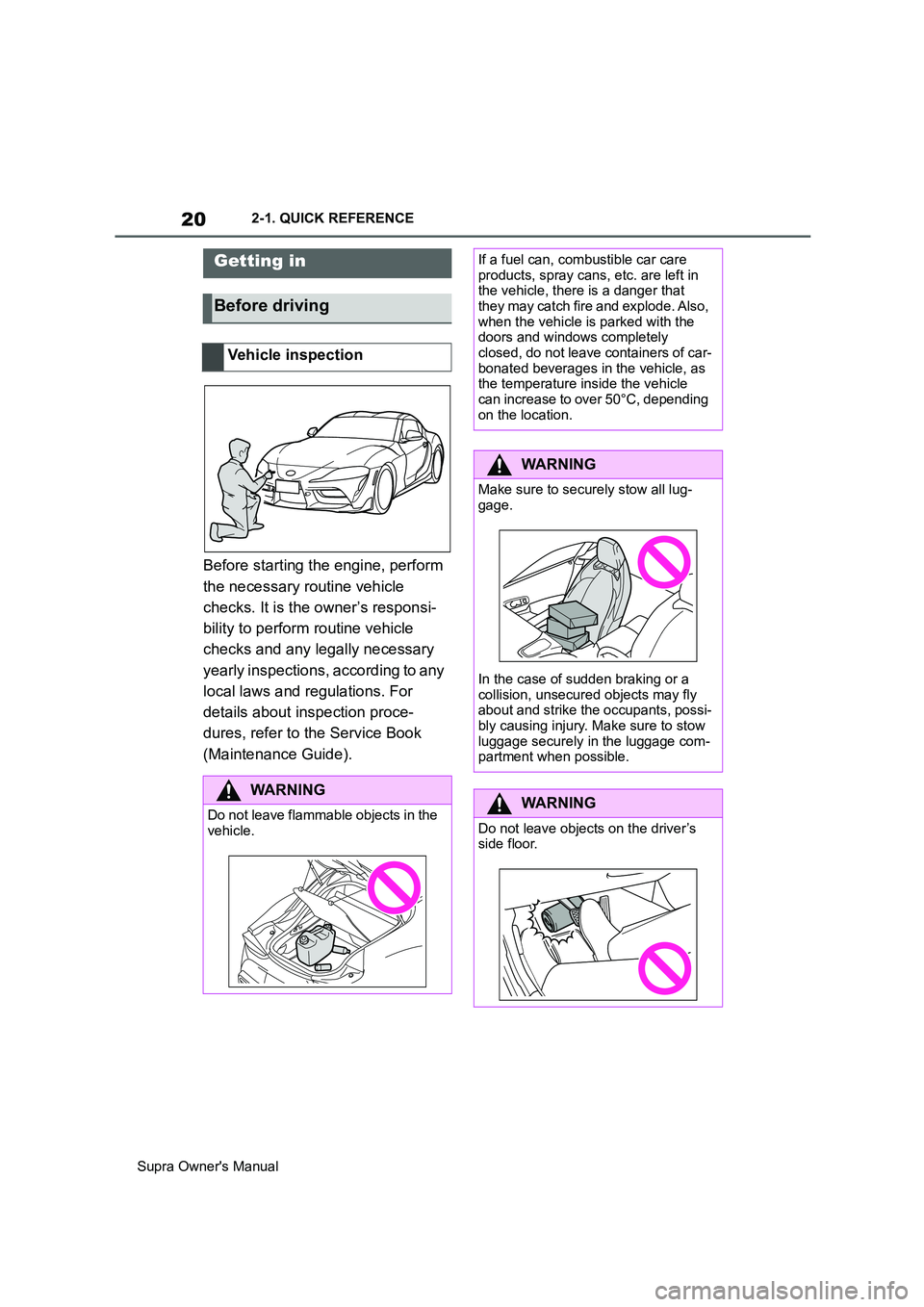
Before starting the engine, perform
the necessary routine vehicle
checks. It is the owner’s responsi-
bility to perform routine vehicle
checks and any legally necessary
yearly inspections, according to any
local laws and regulations. For
details about inspection proce-
dures, refer to the Service Book
(Maintenance Guide).
Getting in
Before driving
Vehicle inspection
WARNING
Do not leave flammable objects in the
vehicle.
If a fuel can, combustible car care
products, spray cans, etc. are left in
the vehicle, there is a danger that
they may catch fire and explode. Also,
when the vehicle is parked with the
doors and windows completely
closed, do not leave containers of car-
bonated beverages in the vehicle, as
the temperature inside the vehicle
can increase to over 50°C, depending
on the location.
WARNING
Make sure to securely stow all lug-
gage.
In the case of sudden braking or a
collision, unsecured objects may fly
about and strike the occupants, possi-
bly causing injury. Make sure to stow
luggage securely in the luggage com-
partment when possible.
WARNING
Do not leave objects on the driver’s
side floor.
Page 21 of 456
21
2
Supra Owner's Manual2-1. QUICK REFERENCE
QUICK REFERENCE
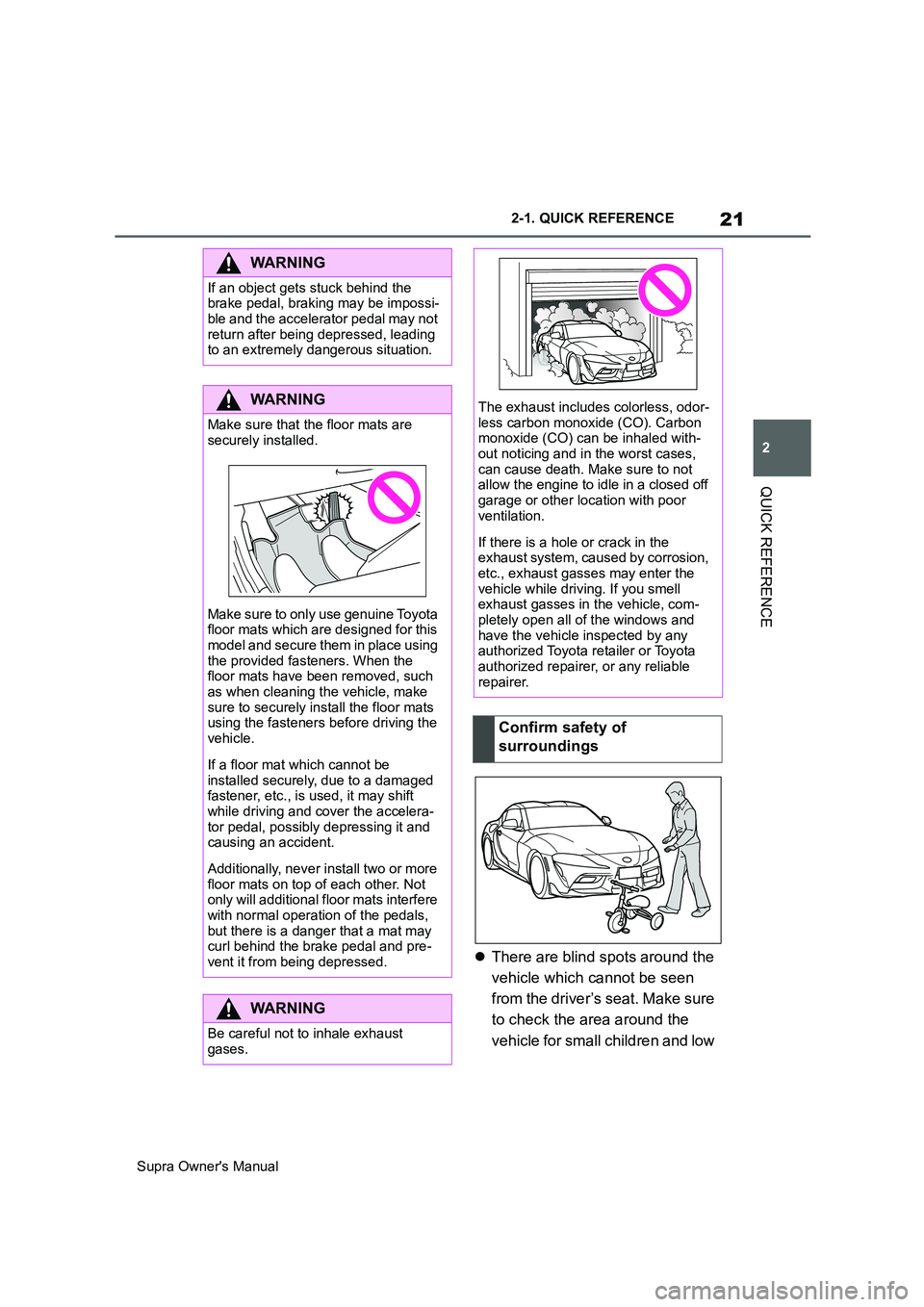
There are blind spots around the
vehicle which cannot be seen
from the driver’s seat. Make sure
to check the area around the
vehicle for small children and low
WARNING
If an object gets stuck behind the
brake pedal, braking may be impossi-
ble and the accelerator pedal may not
return after being depressed, leading
to an extremely dangerous situation.
WARNING
Make sure that the floor mats are
securely installed.
Make sure to only use genuine Toyota
floor mats which are designed for this
model and secure them in place using
the provided fasteners. When the
floor mats have been removed, such
as when cleaning the vehicle, make
sure to securely install the floor mats
using the fasteners before driving the
vehicle.
If a floor mat which cannot be
installed securely, due to a damaged
fastener, etc., is used, it may shift
while driving and cover the accelera-
tor pedal, possibly depressing it and
causing an accident.
Additionally, never install two or more
floor mats on top of each other. Not
only will additional floor mats interfere
with normal operation of the pedals,
but there is a danger that a mat may
curl behind the brake pedal and pre-
vent it from being depressed.
WARNING
Be careful not to inhale exhaust
gases.
The exhaust includes colorless, odor-
less carbon monoxide (CO). Carbon
monoxide (CO) can be inhaled with-
out noticing and in the worst cases,
can cause death. Make sure to not
allow the engine to idle in a closed off
garage or other location with poor
ventilation.
If there is a hole or crack in the
exhaust system, caused by corrosion,
etc., exhaust gasses may enter the
vehicle while driving. If you smell
exhaust gasses in the vehicle, com-
pletely open all of the windows and
have the vehicle inspected by any
authorized Toyota retailer or Toyota
authorized repairer, or any reliable
repairer.
Confirm safety of
surroundings
Page 24 of 456
24
Supra Owner's Manual2-1. QUICK REFERENCE
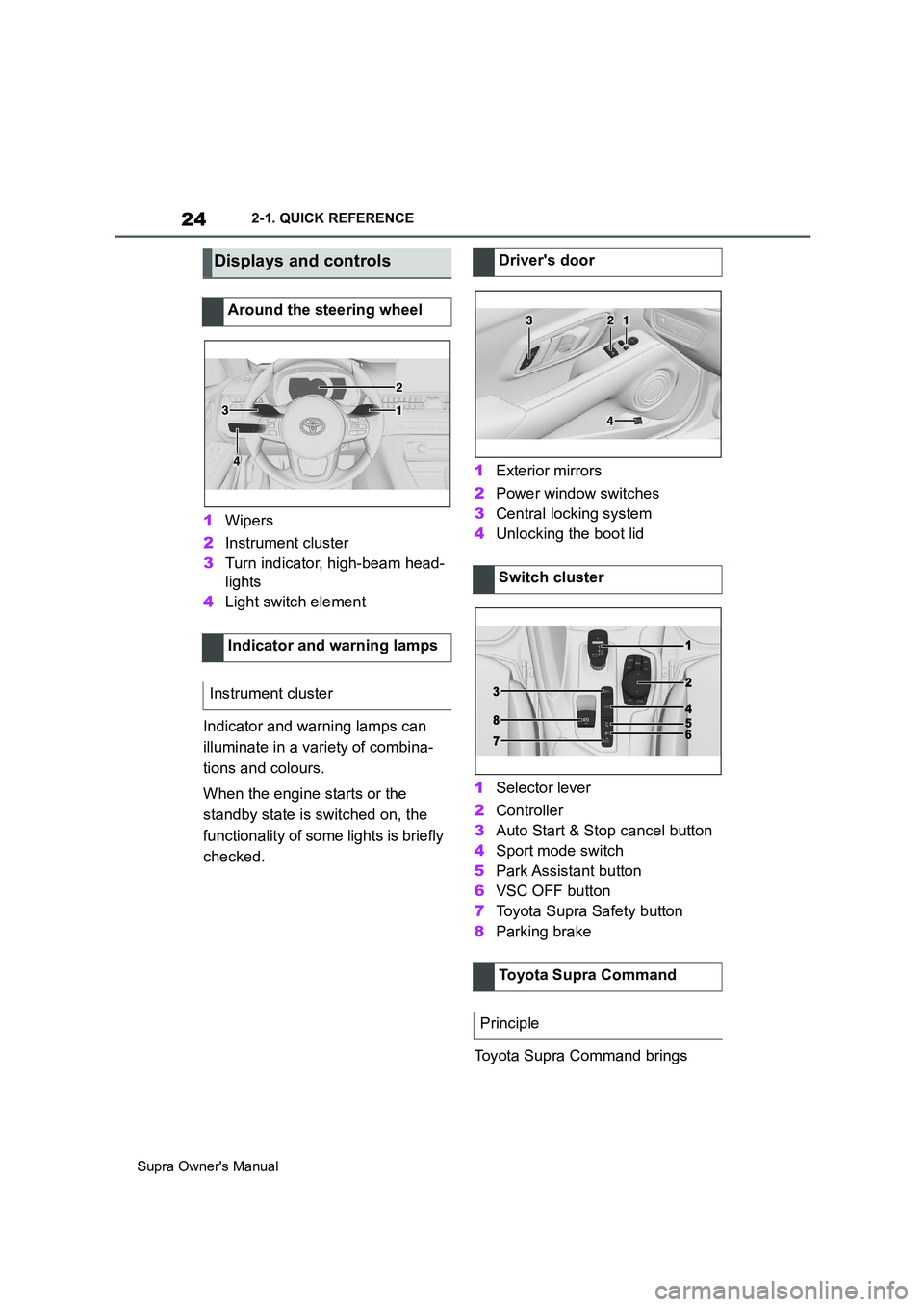
1Wipers
2Instrument cluster
3Turn indicator, high-beam head-
lights
4Light switch element
Indicator and warning lamps can
illuminate in a variety of combina-
tions and colours.
When the engine starts or the
standby state is switched on, the
functionality of some lights is briefly
checked.1Exterior mirrors
2Power window switches
3Central locking system
4Unlocking the boot lid
1Selector lever
2Controller
3Auto Start & Stop cancel button
4Sport mode switch
5Park Assistant button
6VSC OFF button
7Toyota Supra Safety button
8Parking brake
Toyota Supra Command brings
Displays and controls
Around the steering wheel
Indicator and warning lamps
Instrument cluster
1
2
3
4
Driver's door
Switch cluster
Toyota Supra Command
Principle
321
4
Page 34 of 456

34
Supra Owner's Manual2-1. QUICK REFERENCE
■Activating/deactivating
To activate: press the lever up once
from its home position, arrow 1.
To deactivate: press the lever back
into the home position.
■To adjust the sensitivity
Turn the knurled wheel on the wiper
lever.Pull the wiper lever.
Rain sensor
To clean the windscreen
Air conditioning
ButtonFunction
Temperature.
Recirculated-air mode.
Maximum cooling.
AUTO program.
Air distribution, manual.
Switching off.
Defrost and defog the
windshield.
Rear window defroster.
Page 40 of 456
40
Supra Owner's Manual3-1. CONTROLS
3-1.CONTROLS
This chapter describes all standard, country-specific and special equipment
available for the model series. It may therefore describe equipment and
functions which are not installed in your vehicle, for example on account of
the optional equipment selected or the country specification. This also
applies to safety-relevant functions and systems. Please comply with the
relevant laws and regulations when using the corresponding functions and
systems.
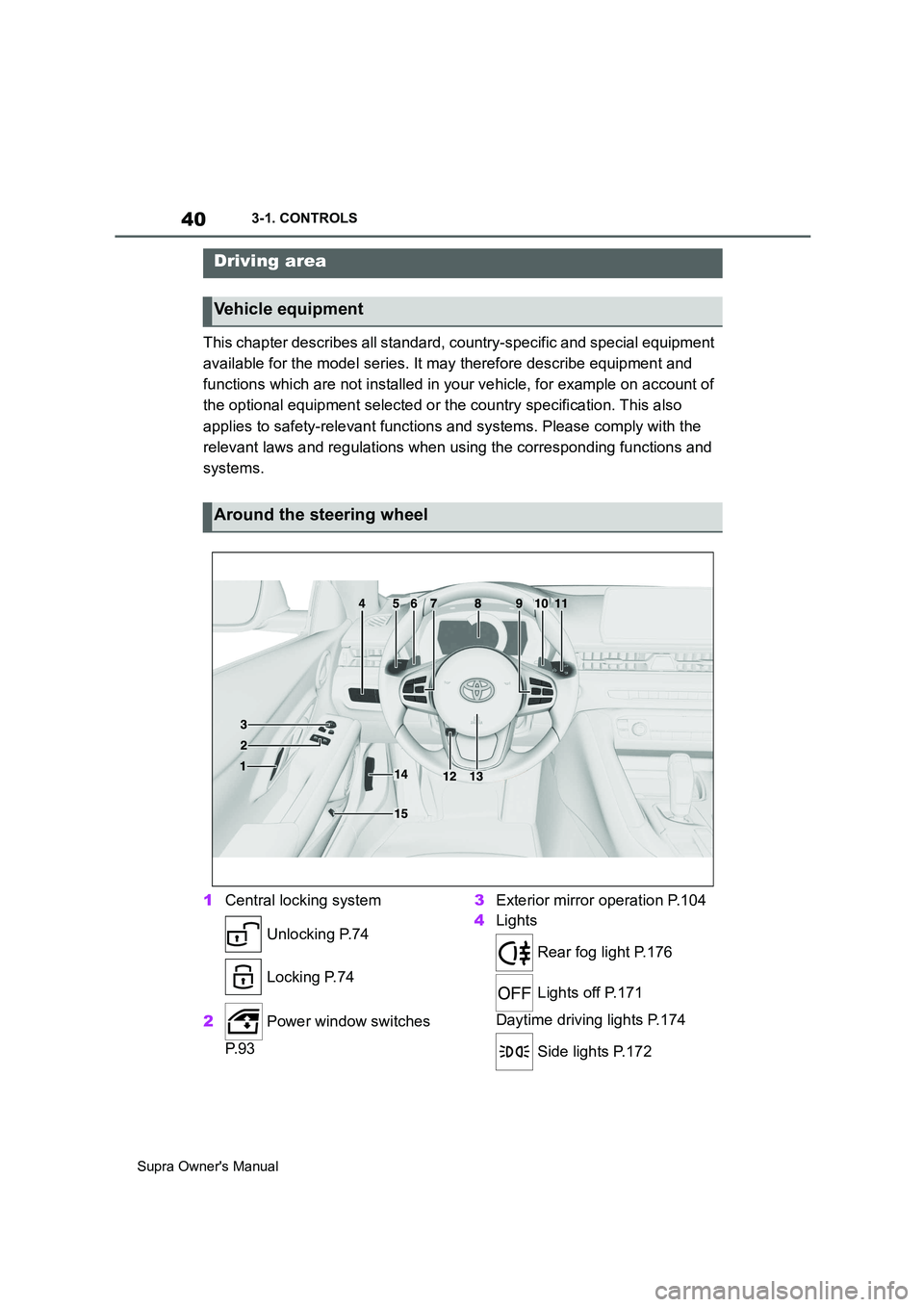
1Central locking system
Unlocking P.74
Locking P.74
2 Power window switches
P. 9 33Exterior mirror operation P.104
4Lights
Rear fog light P.176
Lights off P.171
Daytime driving lights P.174
Side lights P.172
Driving area
Vehicle equipment
Around the steering wheel
Page 61 of 456
61
3
Supra Owner's Manual3-1. CONTROLS
CONTROLS
desired volume is obtained.
• The volume setting is retained
even if you change the volume of
other audio sources.
• The volume setting is saved for
the currently used driver profile.
The voice control system should
not be used for emergency calls.
Under stress, a person's speech
and voice pitch can change. This
could unnecessarily delay connec-
tion of your call.
Instead, use the SOS button, see
page 337, located near the
rear-view mirror.
• Doors and windows should be
kept closed to avoid noise inter-
ference.
• Avoid background noise in the
vehicle while you are speaking.This chapter describes all standard,
country-specific and special equip-
ment available for the model series.
It may therefore describe equip-
ment which is not installed in your
vehicle, for example on account of
the optional equipment selected or
the country specification. This also
applies to safety-relevant functions
and systems. Please comply with
the relevant laws and regulations
when using the corresponding func-
tions and systems.
Via Toyota Supra Command:
1"My Vehicle"
2"System settings"
3If applicable, "Language"
4"Language:"
5Select the desired setting.
The setting is saved for the cur-
rently used driver profile.
Speech dialogue for the voice con-
trol system, see page 60.
Information for emergency
calls
Operating conditions
General settings
Vehicle equipment
Language
Selecting the language
Setting the speech dialogue
Page 63 of 456
63
3
Supra Owner's Manual3-1. CONTROLS
CONTROLS
2"System settings"
3"Date and time"
4"Date format:"
5Select the desired setting.
The setting is saved for the cur-
rently used driver profile.
Depending on the country specifi-
cations, it is possible to select the
units of measurement for various
values, for example consumption,
distances and temperature.
Via Toyota Supra Command:
1"My Vehicle"
2"System settings"
3"Units"
4Select the desired menu item.
5Select the desired setting.
The setting is saved for the cur-
rently used driver profile.
If vehicle tracking is activated, the
current vehicle position can be dis-
played in the Toyota Supra Apps.Via Toyota Supra Command:
1"My Vehicle"
2"Vehicle settings"
3"Vehicle tracking"
4"Vehicle tracking"
Information windows are automati-
cally shown on the Control Display
for some functions. Some of these
information windows can be acti-
vated or deactivated.
Via Toyota Supra Command:
1"My Vehicle"
2"System settings"
3"Pop-ups"
4Select the desired setting.
The setting is saved for the cur-
rently used driver profile.
Via Toyota Supra Command:
1"My Vehicle"
2"System settings"
3"Displays"
4"Control display"
5"Brightness at night"
Setting units of measure-
ment
Activating/deactivating dis-
play of the current vehicle
position
Principle
Activating/deactivating
Activating/deactivating
information windows
Control Display
Brightness
Page 75 of 456
75
3
Supra Owner's Manual3-1. CONTROLS
CONTROLS
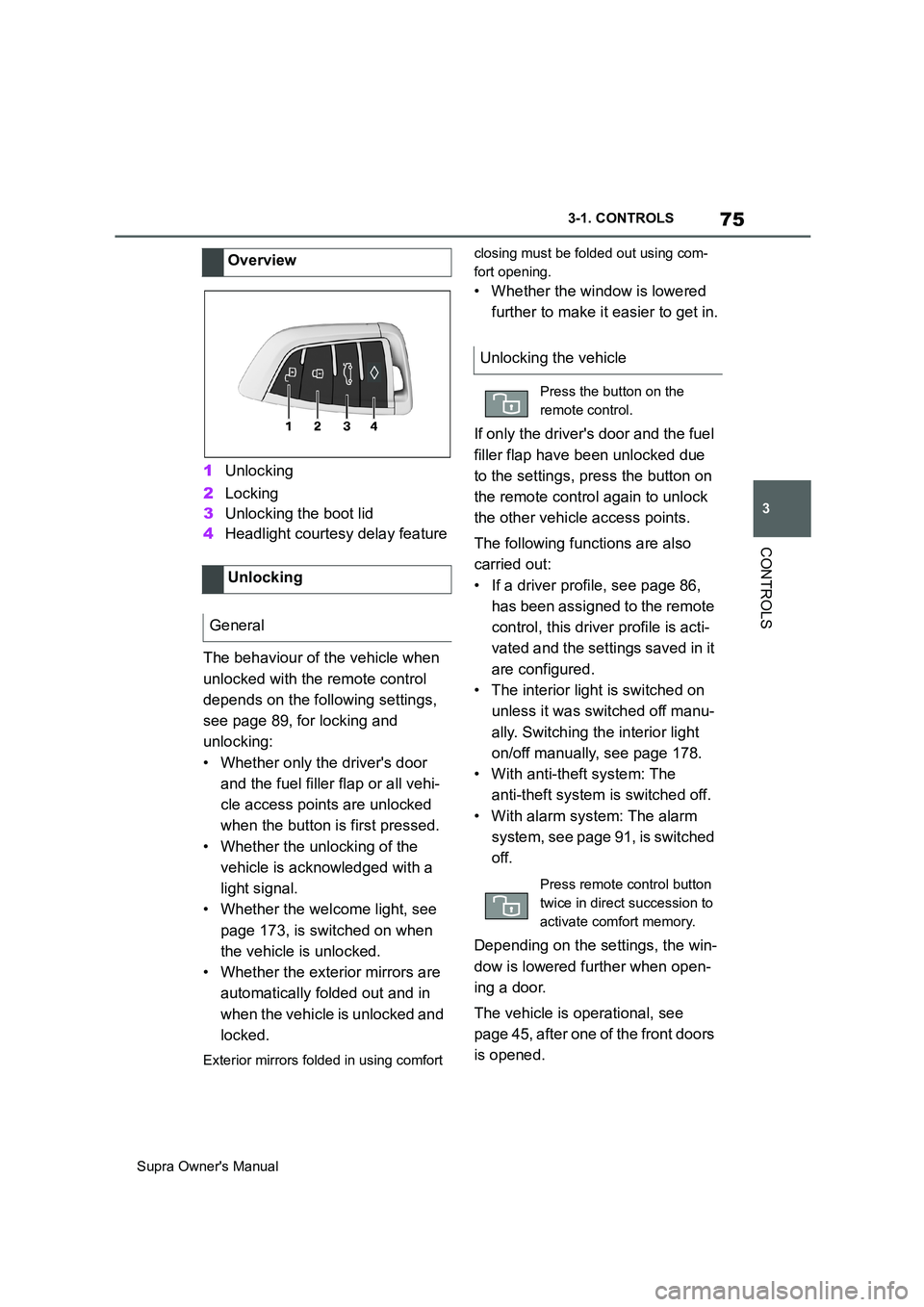
1Unlocking
2Locking
3Unlocking the boot lid
4Headlight courtesy delay feature
The behaviour of the vehicle when
unlocked with the remote control
depends on the following settings,
see page 89, for locking and
unlocking:
• Whether only the driver's door
and the fuel filler flap or all vehi-
cle access points are unlocked
when the button is first pressed.
• Whether the unlocking of the
vehicle is acknowledged with a
light signal.
• Whether the welcome light, see
page 173, is switched on when
the vehicle is unlocked.
• Whether the exterior mirrors are
automatically folded out and in
when the vehicle is unlocked and
locked.
Exterior mirrors folded in using comfort closing must be folded out using com-
fort opening.
• Whether the window is lowered
further to make it easier to get in.
If only the driver's door and the fuel
filler flap have been unlocked due
to the settings, press the button on
the remote control again to unlock
the other vehicle access points.
The following functions are also
carried out:
• If a driver profile, see page 86,
has been assigned to the remote
control, this driver profile is acti-
vated and the settings saved in it
are configured.
• The interior light is switched on
unless it was switched off manu-
ally. Switching the interior light
on/off manually, see page 178.
• With anti-theft system: The
anti-theft system is switched off.
• With alarm system: The alarm
system, see page 91, is switched
off.
Depending on the settings, the win-
dow is lowered further when open-
ing a door.
The vehicle is operational, see
page 45, after one of the front doors
is opened. Overview
Unlocking
General
Unlocking the vehicle
Press the button on the
remote control.
Press remote control button
twice in direct succession to
activate comfort memory.