2019 TOYOTA SUPRA window
[x] Cancel search: windowPage 76 of 456
76
Supra Owner's Manual3-1. CONTROLS
The light functions might be
dependent on the ambient bright-
ness.
The windows are opened for as
long as the button on the remote
control is pressed.
Exterior mirrors which were folded
in via the comfort closing feature
are folded out.
The behaviour of the vehicle in the
case of remote control locking
depends on the following settings,
see page 89:
• Whether locking of the vehicle is
acknowledged with a light signal.
• Whether the exterior mirrors are
automatically folded in and out
when the vehicle is unlocked and
locked.
• Whether the headlight courtesy
delay feature, see page 173, is
activated when the vehicle is
locked.
1Close the driver's door.2 Press the button on the
remote control.
Following functions are carried out:
• All the doors, the boot lid and
fuel filler flap are locked.
• With anti-theft system: The
anti-theft system is switched on.
This prevents the doors from
being unlocked using the locking
buttons or the door openers.
• With alarm system: The alarm
system, see page 91, is switched
on.
If the drive-ready state is still
switched on when locking, the vehi-
cle horn sounds twice. In this case,
switch off the drive-ready state
using start/ stop button.
The windows are closed for as long
as the button on the remote control
is pressed. Comfort opening
Opening
Press and hold the button on
the remote control.
Locking
General
Locking the vehicle
Comfort closing
Safety notes
WARNING
Parts of the body can become
trapped when the comfort closing fea-
ture is operated. There is a danger of
injury. During comfort closing, make
sure that the area of movement is
kept clear.
Closing
Keep the button on the
remote control pressed after
locking.
Page 92 of 456
92
Supra Owner's Manual3-1. CONTROLS
The alarm system is triggered on
opening a door if the door has been
unlocked using the integrated key
in the door lock.
Stopping the alarm, see page 93.
The boot lid can be opened even
with the alarm system switched on.
On closing the boot lid, it is locked
again and monitored, as long as the
doors are locked. The hazard warn-
ing lights flash once.
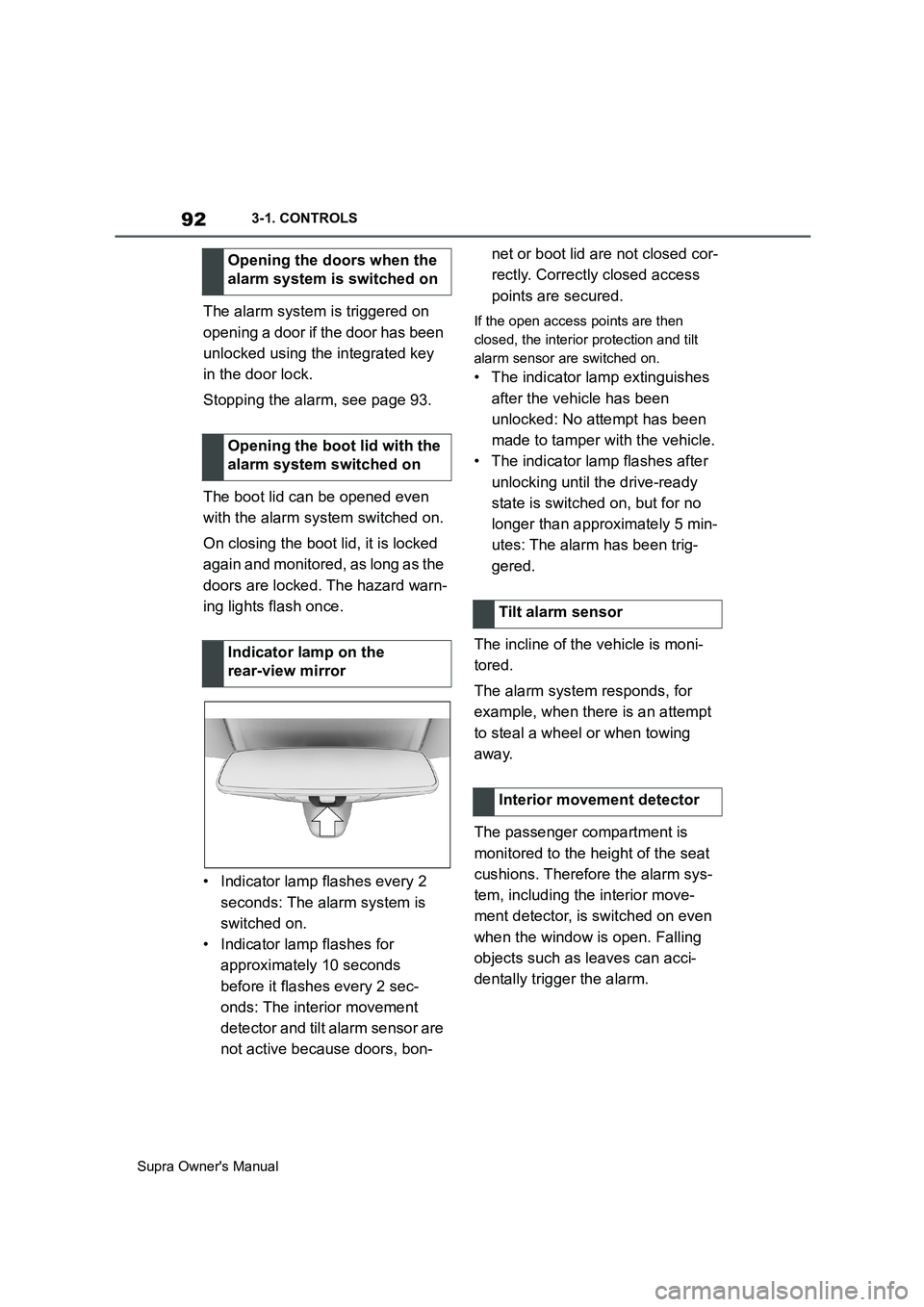
• Indicator lamp flashes every 2
seconds: The alarm system is
switched on.
• Indicator lamp flashes for
approximately 10 seconds
before it flashes every 2 sec-
onds: The interior movement
detector and tilt alarm sensor are
not active because doors, bon-net or boot lid are not closed cor-
rectly. Correctly closed access
points are secured.If the open access points are then
closed, the interior protection and tilt
alarm sensor are switched on.
• The indicator lamp extinguishes
after the vehicle has been
unlocked: No attempt has been
made to tamper with the vehicle.
• The indicator lamp flashes after
unlocking until the drive-ready
state is switched on, but for no
longer than approximately 5 min-
utes: The alarm has been trig-
gered.
The incline of the vehicle is moni-
tored.
The alarm system responds, for
example, when there is an attempt
to steal a wheel or when towing
away.
The passenger compartment is
monitored to the height of the seat
cushions. Therefore the alarm sys-
tem, including the interior move-
ment detector, is switched on even
when the window is open. Falling
objects such as leaves can acci-
dentally trigger the alarm. Opening the doors when the
alarm system is switched on
Opening the boot lid with the
alarm system switched on
Indicator lamp on the
rear-view mirror
Tilt alarm sensor
Interior movement detector
Page 93 of 456
93
3
Supra Owner's Manual3-1. CONTROLS
CONTROLS
The tilt alarm sensor and the inte-
rior movement detector may trigger
an alarm without any unauthorised
activity taking place.
Possible situations for an unwanted
alarm:
• In washing bays or car washes.
• In two-level garages.
• During transport via motorail, car
ferry or trailer.
• When there are pets in the vehi-
cle.
• When the vehicle is locked after
starting to refuel.
The tilt alarm sensor and interior
protection can be switched off for
such situations.
The indicator lamp illuminates for
approximately 2 seconds and then
flashes again.
The tilt alarm sensor and the inte-
rior movement detector are
switched off until the next time the
vehicle is locked.• Unlock the vehicle with the
remote control, if necessary
using the special ID feature of
the remote control, see page 78.
• With Smart Key System: fully
grasp the door handle on either
the driver's door or the front pas-
senger door while carrying the
remote control. Avoiding false alarms
General
Switching off the tilt alarm sensor
and interior movement detector
As soon as the vehicle is
locked, press the button on
the remote control within 10
seconds.
Stopping the alarm
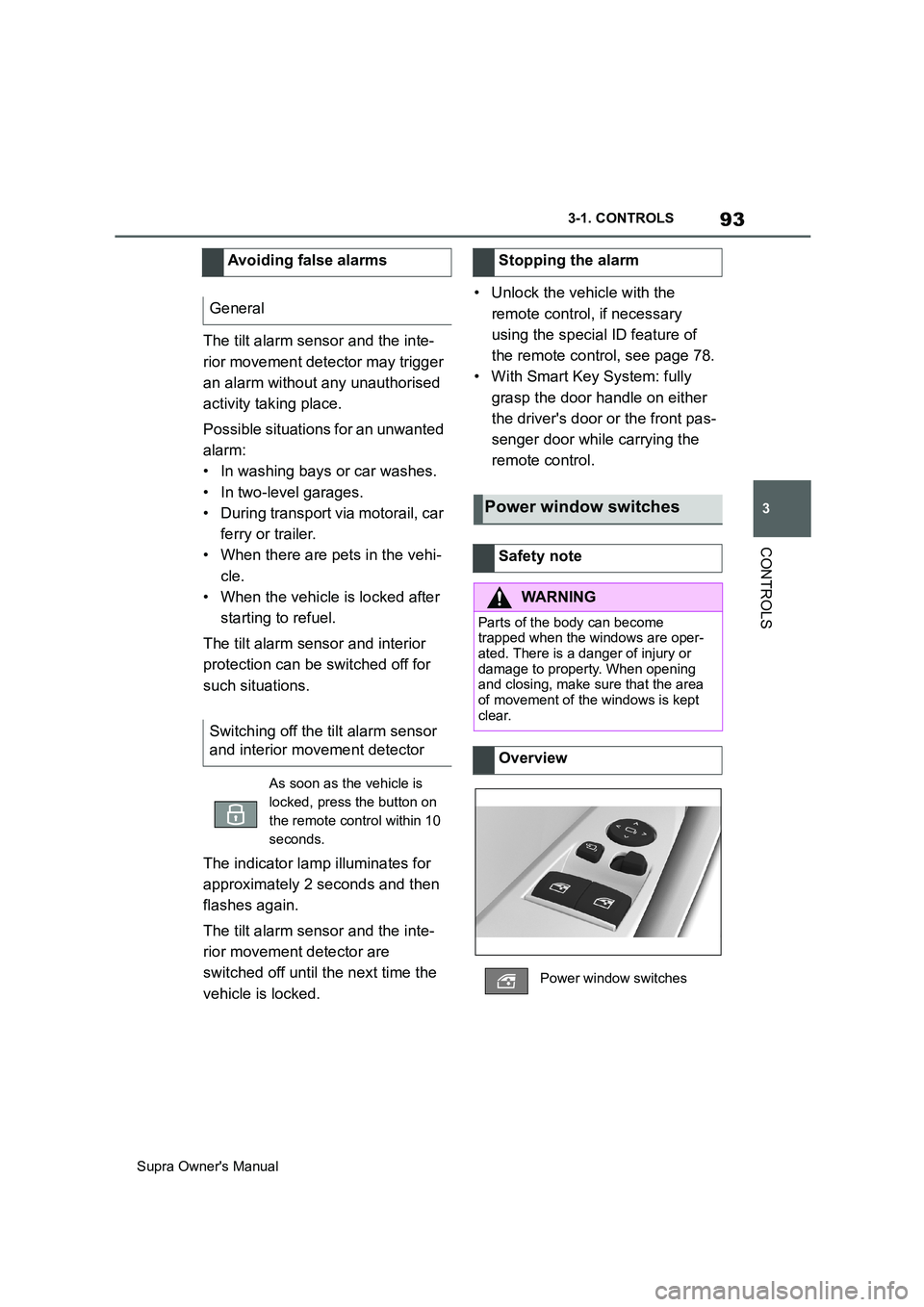
Power window switches
Safety note
WARNING
Parts of the body can become
trapped when the windows are oper-
ated. There is a danger of injury or
damage to property. When opening
and closing, make sure that the area
of movement of the windows is kept
clear.
Overview
Power window switches
Page 94 of 456
94
Supra Owner's Manual3-1. CONTROLS
The windows can be operated
under the following conditions.
• Standby state is established.
• Drive-ready state is established.
• For a short while after idle state
has been established.
• The remote control is in the inte-
rior.
• Push the switch as far as
the resistance point.
The window opens as long as the
switch is held.
• Push the switch past the
resistance point.
The window is opened automatically.
The movement is stopped by pressing
the switch again.
• Pull the switch as far as
the resistance point.
The window closes as long as the
switch is held.
• Pull the switch past the
resistance point.
The window closes automatically if the
door is closed. Pulling the switch again
stops the movement.
If the closing force exceeds a cer-
tain value when a window is clos-
ing, the closing operation is
interrupted.
The window is opened slightly.
If an external danger or ice does
not allow you to close the windows
normally, proceed as follows:
1 Pull the switch past the
resistance point and hold it
there.
The window is closed with a restricted
anti-trap mechanism. If the closing
force exceeds a certain value, the clos-
ing operation is interrupted.
2 Pull the switch past the
resistance point again within
approximately 4 seconds and
hold it there.
The window is closed without the
anti-trap mechanism.
Operating requirements
Opening
ClosingAnti-trap mechanism
General
Safety note
WARNING
Accessories on the windows, for
example aerials, can impair the
anti-trap mechanism. There is a dan-
ger of injury. Do not attach any acces-
sories in the area of movement of the
windows.
Closing without the anti-trap
mechanism
Page 109 of 456
109
3
Supra Owner's Manual3-1. CONTROLS
CONTROLS
WARNING
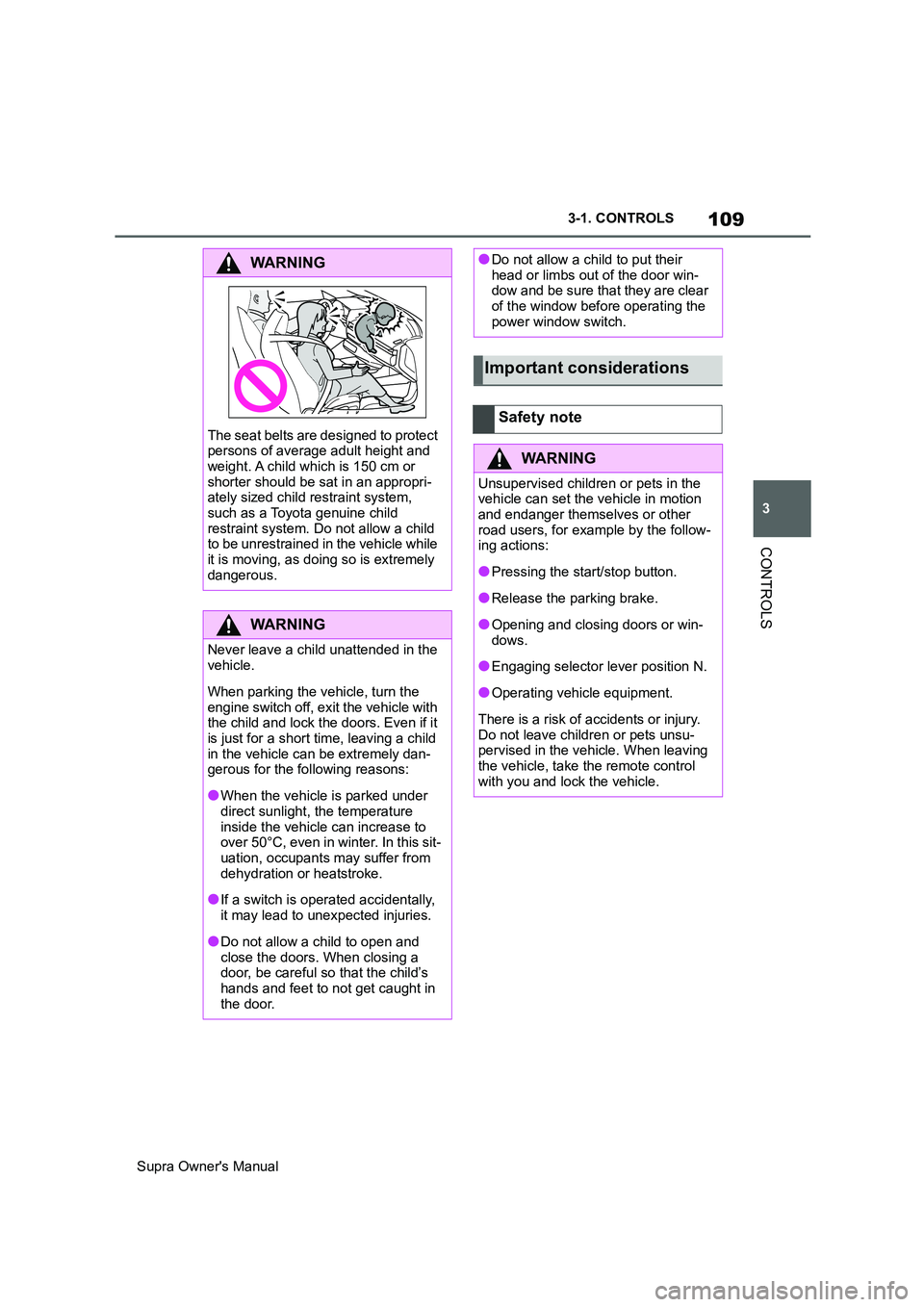
The seat belts are designed to protect
persons of average adult height and
weight. A child which is 150 cm or
shorter should be sat in an appropri-
ately sized child restraint system,
such as a Toyota genuine child
restraint system. Do not allow a child
to be unrestrained in the vehicle while
it is moving, as doing so is extremely
dangerous.
WARNING
Never leave a child unattended in the
vehicle.
When parking the vehicle, turn the
engine switch off, exit the vehicle with
the child and lock the doors. Even if it
is just for a short time, leaving a child
in the vehicle can be extremely dan-
gerous for the following reasons:
●When the vehicle is parked under
direct sunlight, the temperature
inside the vehicle can increase to
over 50°C, even in winter. In this sit-
uation, occupants may suffer from
dehydration or heatstroke.
●If a switch is operated accidentally,
it may lead to unexpected injuries.
●Do not allow a child to open and
close the doors. When closing a
door, be careful so that the child’s
hands and feet to not get caught in
the door.
●Do not allow a child to put their
head or limbs out of the door win-
dow and be sure that they are clear
of the window before operating the
power window switch.
Important considerations
Safety note
WARNING
Unsupervised children or pets in the
vehicle can set the vehicle in motion
and endanger themselves or other
road users, for example by the follow-
ing actions:
●Pressing the start/stop button.
●Release the parking brake.
●Opening and closing doors or win-
dows.
●Engaging selector lever position N.
●Operating vehicle equipment.
There is a risk of accidents or injury.
Do not leave children or pets unsu-
pervised in the vehicle. When leaving
the vehicle, take the remote control
with you and lock the vehicle.
Page 186 of 456
186
Supra Owner's Manual3-1. CONTROLS
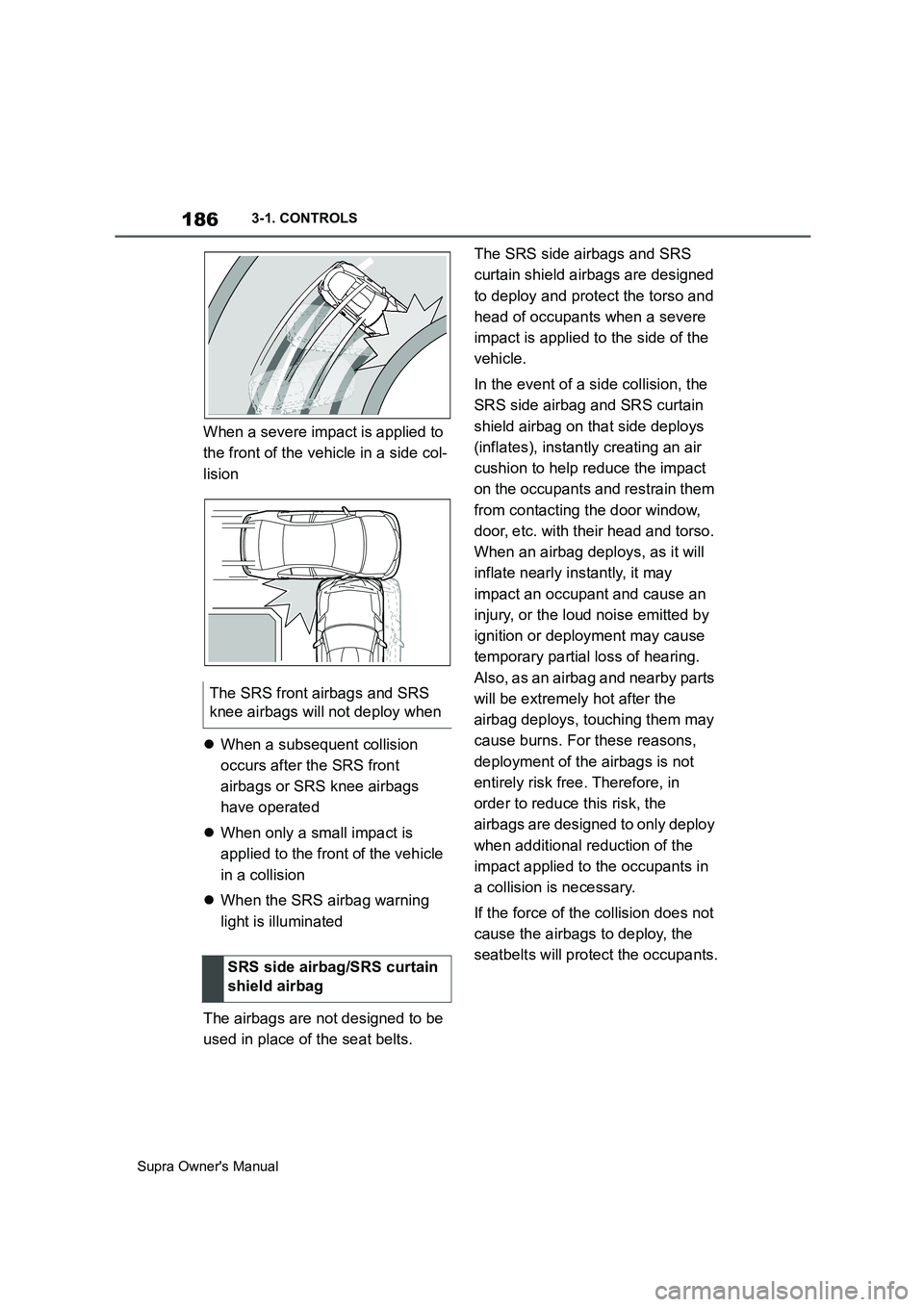
When a severe impact is applied to
the front of the vehicle in a side col-
lision
When a subsequent collision
occurs after the SRS front
airbags or SRS knee airbags
have operated
When only a small impact is
applied to the front of the vehicle
in a collision
When the SRS airbag warning
light is illuminated
The airbags are not designed to be
used in place of the seat belts.The SRS side airbags and SRS
curtain shield airbags are designed
to deploy and protect the torso and
head of occupants when a severe
impact is applied to the side of the
vehicle.
In the event of a side collision, the
SRS side airbag and SRS curtain
shield airbag on that side deploys
(inflates), instantly creating an air
cushion to help reduce the impact
on the occupants and restrain them
from contacting the door window,
door, etc. with their head and torso.
When an airbag deploys, as it will
inflate nearly instantly, it may
impact an occupant and cause an
injury, or the loud noise emitted by
ignition or deployment may cause
temporary partial loss of hearing.
Also, as an airbag and nearby parts
will be extremely hot after the
airbag deploys, touching them may
cause burns. For these reasons,
deployment of the airbags is not
entirely risk free. Therefore, in
order to reduce this risk, the
airbags are designed to only deploy
when additional reduction of the
impact applied to the occupants in
a collision is necessary.
If the force of the collision does not
cause the airbags to deploy, the
seatbelts will protect the occupants. The SRS front airbags and SRS
knee airbags will not deploy when
SRS side airbag/SRS curtain
shield airbag
Page 187 of 456
187
3
Supra Owner's Manual3-1. CONTROLS
CONTROLS
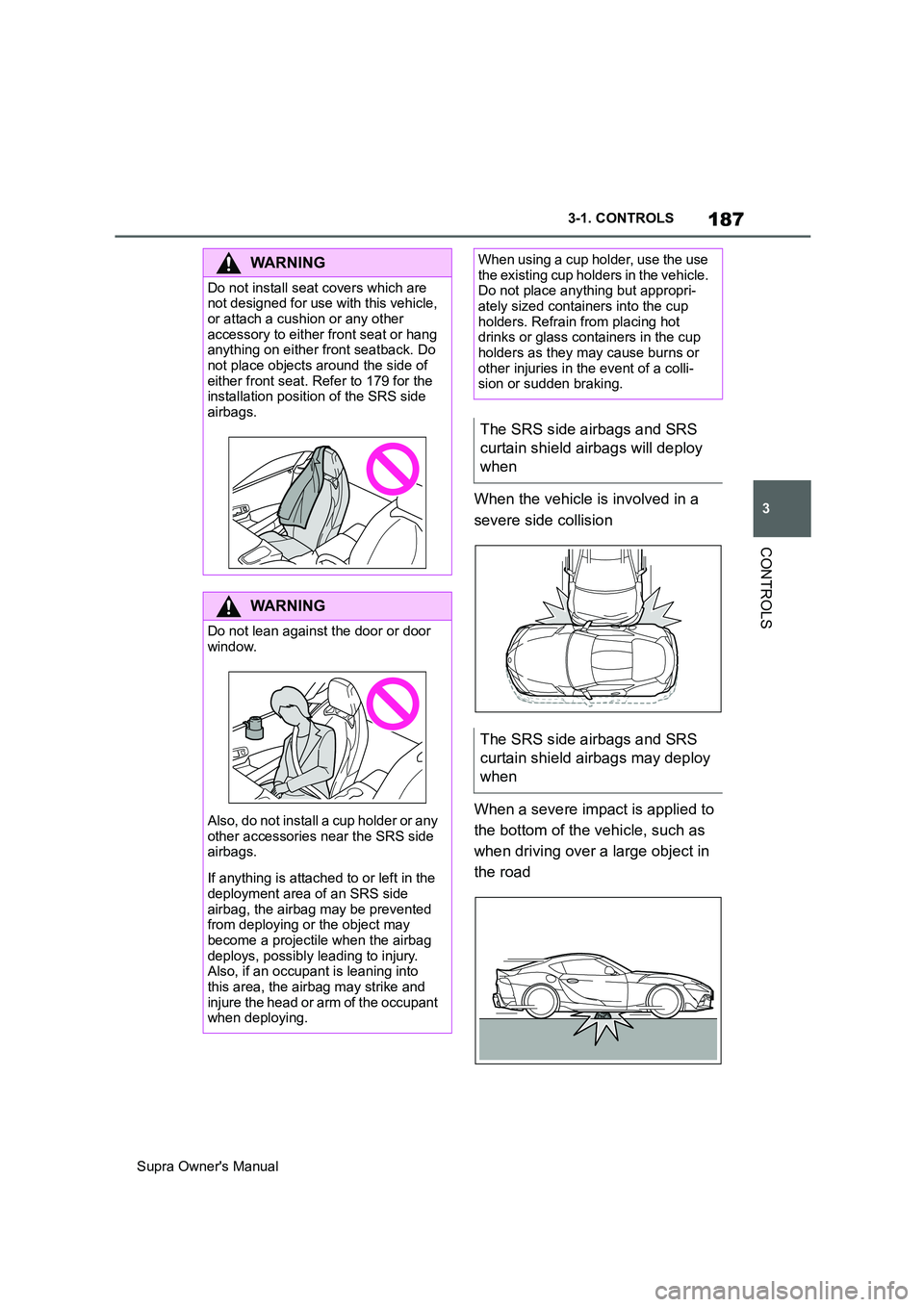
When the vehicle is involved in a
severe side collision
When a severe impact is applied to
the bottom of the vehicle, such as
when driving over a large object in
the road
WARNING
Do not install seat covers which are
not designed for use with this vehicle,
or attach a cushion or any other
accessory to either front seat or hang
anything on either front seatback. Do
not place objects around the side of
either front seat. Refer to 179 for the
installation position of the SRS side
airbags.
WARNING
Do not lean against the door or door
window.
Also, do not install a cup holder or any
other accessories near the SRS side
airbags.
If anything is attached to or left in the
deployment area of an SRS side
airbag, the airbag may be prevented
from deploying or the object may
become a projectile when the airbag
deploys, possibly leading to injury.
Also, if an occupant is leaning into
this area, the airbag may strike and
injure the head or arm of the occupant
when deploying.
When using a cup holder, use the use
the existing cup holders in the vehicle.
Do not place anything but appropri-
ately sized containers into the cup
holders. Refrain from placing hot
drinks or glass containers in the cup
holders as they may cause burns or
other injuries in the event of a colli-
sion or sudden braking.
The SRS side airbags and SRS
curtain shield airbags will deploy
when
The SRS side airbags and SRS
curtain shield airbags may deploy
when
Page 250 of 456
250
Supra Owner's Manual3-1. CONTROLS
Safety notes
WARNING
When using the air conditioning sys-
tem, seat heaters, etc. for a long
period of time, make sure that no
body parts are kept near the air out-
lets or in direct contact with the seat,
as doing so may lead to minor burns
or chill burns. If you feel unusual while
using the air conditioning system or
seat heaters, stop use or change the
setting immediately.
Automatic air conditioning
Overview
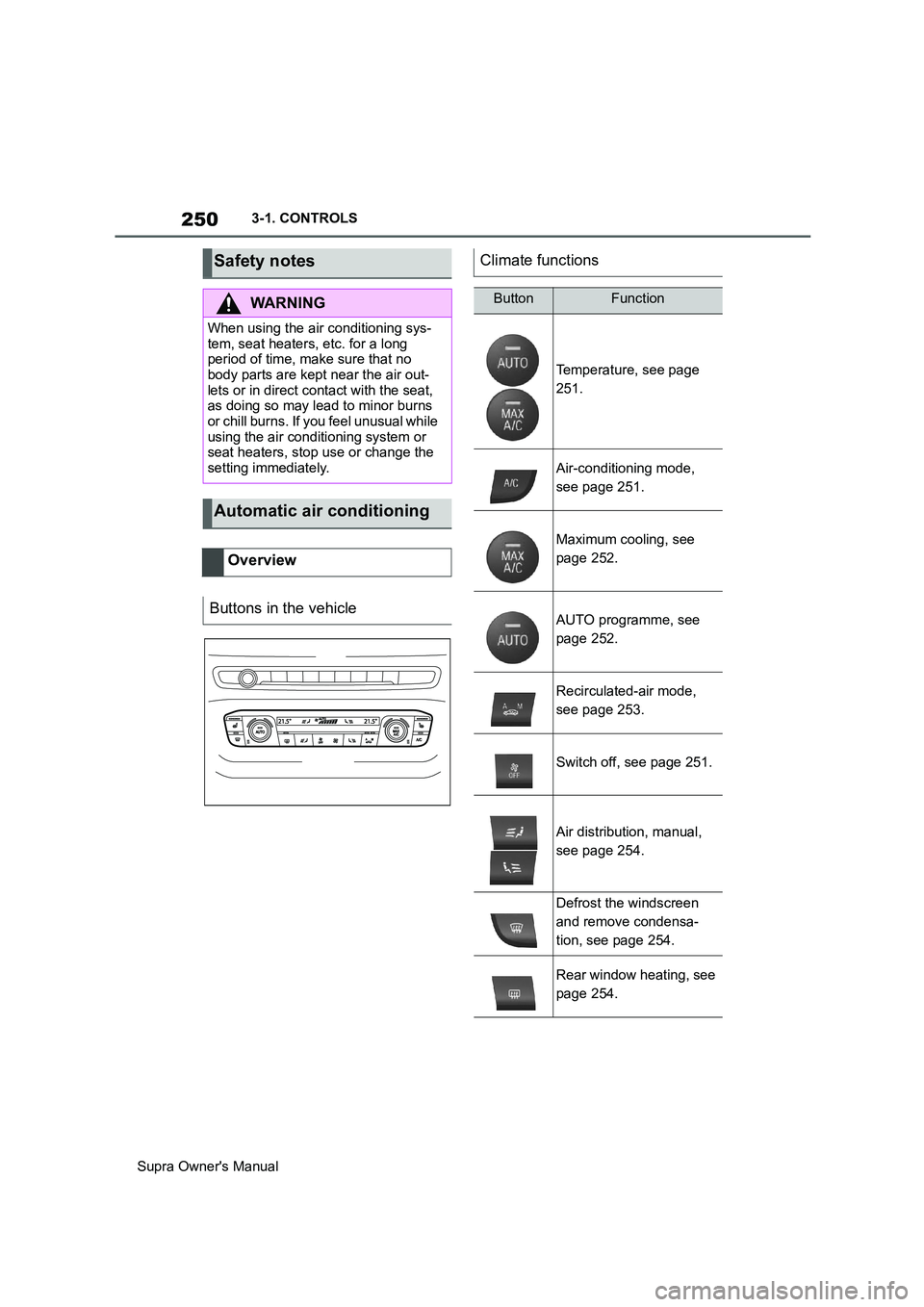
Buttons in the vehicle
Climate functions
ButtonFunction
Temperature, see page
251.
Air-conditioning mode,
see page 251.
Maximum cooling, see
page 252.
AUTO programme, see
page 252.
Recirculated-air mode,
see page 253.
Switch off, see page 251.
Air distribution, manual,
see page 254.
Defrost the windscreen
and remove condensa-
tion, see page 254.
Rear window heating, see
page 254.