2019 TOYOTA SUPRA audio
[x] Cancel search: audioPage 16 of 456

16
Supra Owner's Manual1-1. NOTES
If an emergency call is made by the
automatic emergency call system,
the same information is conveyed
to the appointed emergency call
centre as is normally conveyed to
the public rescue coordination cen-
tre by the eCall statutory emer-
gency call system.
Furthermore, the automatic emer-
gency call system also conveys the
following additional information to
an emergency call centre appointed
by the vehicle manufacturer and,
where applicable, to the public res-
cue coordination centre:
• Accident data, for example the
direction of the collision as
detected by the vehicle sensors
in order to facilitate the rescue
services deployment plans.
• Contact data, for example the
telephone number of the
installed SIM card and the
driver's telephone number, if
available, so that those involved
in the accident can be contacted
quickly if necessary.
The data relating to an emergency
call that has been placed is trig-
gered in the vehicle. The data con-
tains information about the
emergency call, for example the
place and time it was issued.
The emergency call centre saves audio recordings of the emergency
call.
Audio recordings of the customer
are saved for 24 hours, in case
details of the emergency call need
to be analysed. After that, the audio
recordings are deleted. Audio
recordings of the emergency call
centre employee are saved for 24
hours for quality assurance pur-
poses.
The data obtained in the context of
an automatic emergency call is only
used to process the emergency
call. If legally obliged to do so, the
vehicle manufacturer will disclose
the data it has processed and,
where applicable, still has saved.
The owner of a vehicle equipped
with an automatic emergency call
system and the eCall statutory
emergency call system has the
right to use the on-board eCall sys-
tem instead of the automatic emer-
gency call.
For deactivation requests, contact
any authorized Toyota retailer or
Toyota authorized repairer, or any
reliable repairer.
The eCall statutory emergency call
system is always on standby in
addition to the automatic emer-
gency call system. The eCall statu- Sent information
Data storage
Disclosure of personal data
Statutory emergency call system
Page 49 of 456
49
3
Supra Owner's Manual3-1. CONTROLS
CONTROLS
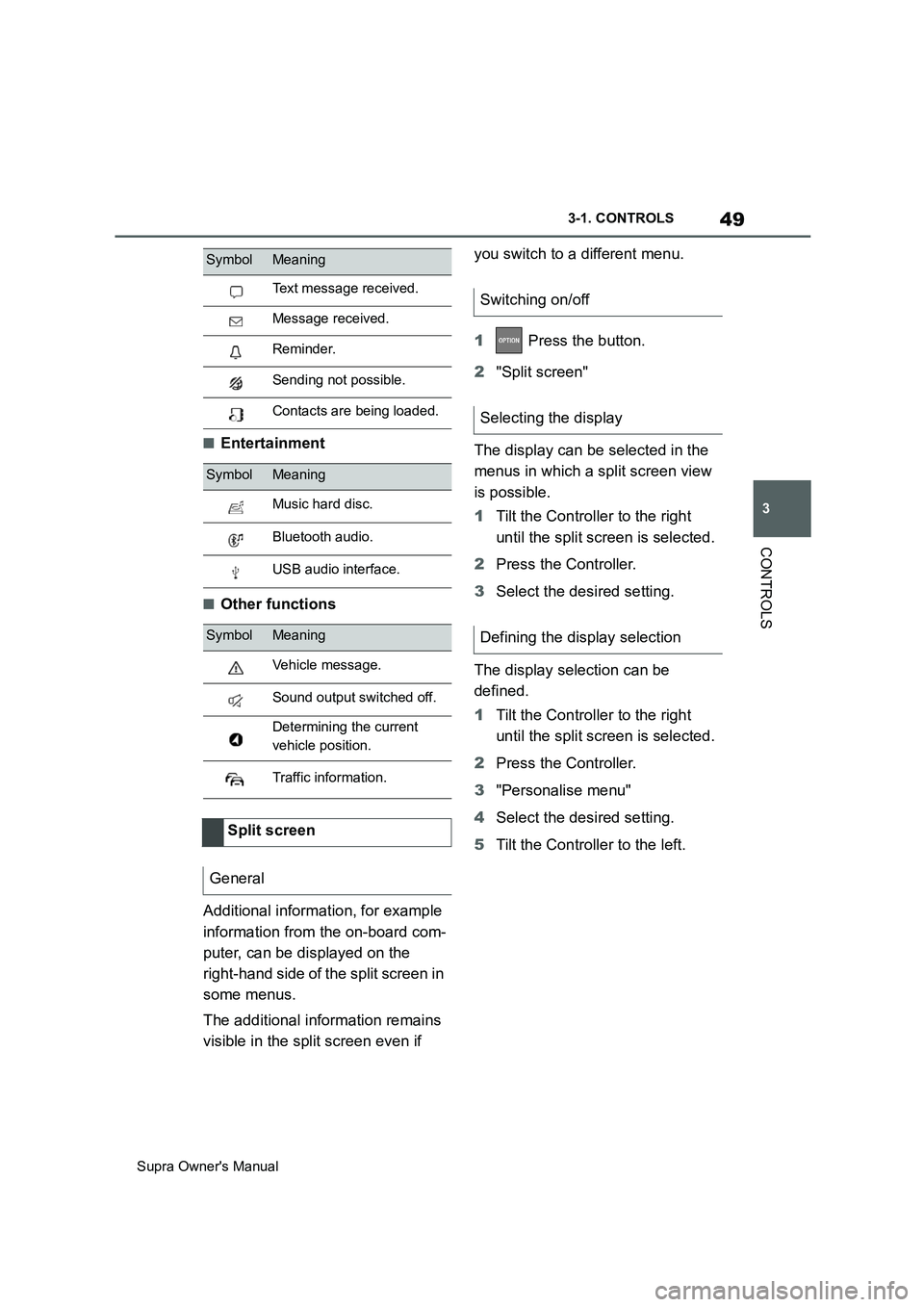
■Entertainment
■Other functions
Additional information, for example
information from the on-board com-
puter, can be displayed on the
right-hand side of the split screen in
some menus.
The additional information remains
visible in the split screen even if you switch to a different menu.
1 Press the button.
2"Split screen"
The display can be selected in the
menus in which a split screen view
is possible.
1Tilt the Controller to the right
until the split screen is selected.
2Press the Controller.
3Select the desired setting.
The display selection can be
defined.
1Tilt the Controller to the right
until the split screen is selected.
2Press the Controller.
3"Personalise menu"
4Select the desired setting.
5Tilt the Controller to the left.
Text message received.
Message received.
Reminder.
Sending not possible.
Contacts are being loaded.
SymbolMeaning
Music hard disc.
Bluetooth audio.
USB audio interface.
SymbolMeaning
Vehicle message.
Sound output switched off.
Determining the current
vehicle position.
Traffic information.
Split screen
General
SymbolMeaning
Switching on/off
Selecting the display
Defining the display selection
Page 56 of 456
56
Supra Owner's Manual3-1. CONTROLS
Some of the functions of the Toyota
Supra Command can be operated
with the touchpad of the Controller.
Via Toyota Supra Command:
1"My Vehicle"
2"System settings"
3"Touchpad"
4Select the desired setting:
• "Write": to enter letters and num-
bers.
• "Map": to operate the map.
• "Search fields": to write letters
without selecting the list field.
• "Audio feedback": to have the
entered letters and numbers
read out.
Entering letters requires a bit of
practice to begin with. Pay attention
to the following when entering:
• The system recognises upper
and lower case and numbers. It
may be necessary to switch
between upper and lower case,
numbers and characters, see
page 54.
• Enter characters as they are dis-
played on the Control Display.
• Always enter associated charac-ters, for example accents or
dots, so that the letter will be cor-
rectly detected. The input option
depends on the language that
has been set. You may need to
enter special characters using
the Controller.
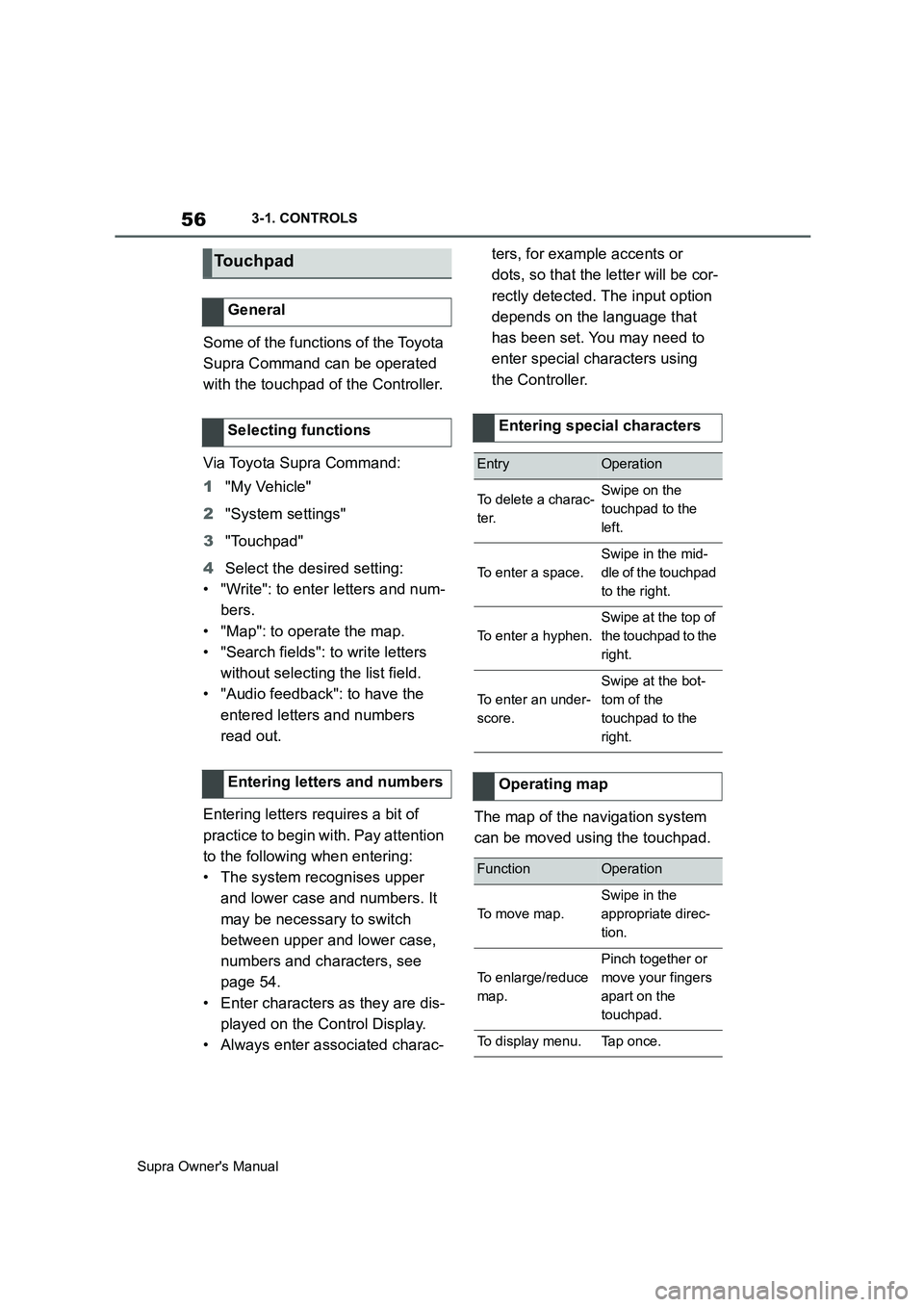
The map of the navigation system
can be moved using the touchpad.
Touchpad
General
Selecting functions
Entering letters and numbers
Entering special characters
EntryOperation
To delete a charac-
ter.Swipe on the
touchpad to the
left.
To enter a space.
Swipe in the mid-
dle of the touchpad
to the right.
To enter a hyphen.
Swipe at the top of
the touchpad to the
right.
To enter an under-
score.
Swipe at the bot-
tom of the
touchpad to the
right.
Operating map
FunctionOperation
To move map.
Swipe in the
appropriate direc-
tion.
To enlarge/reduce
map.
Pinch together or
move your fingers
apart on the
touchpad.
To display menu.Tap once.
Page 60 of 456
60
Supra Owner's Manual3-1. CONTROLS
1If necessary, switch on enter-
tainment audio output.
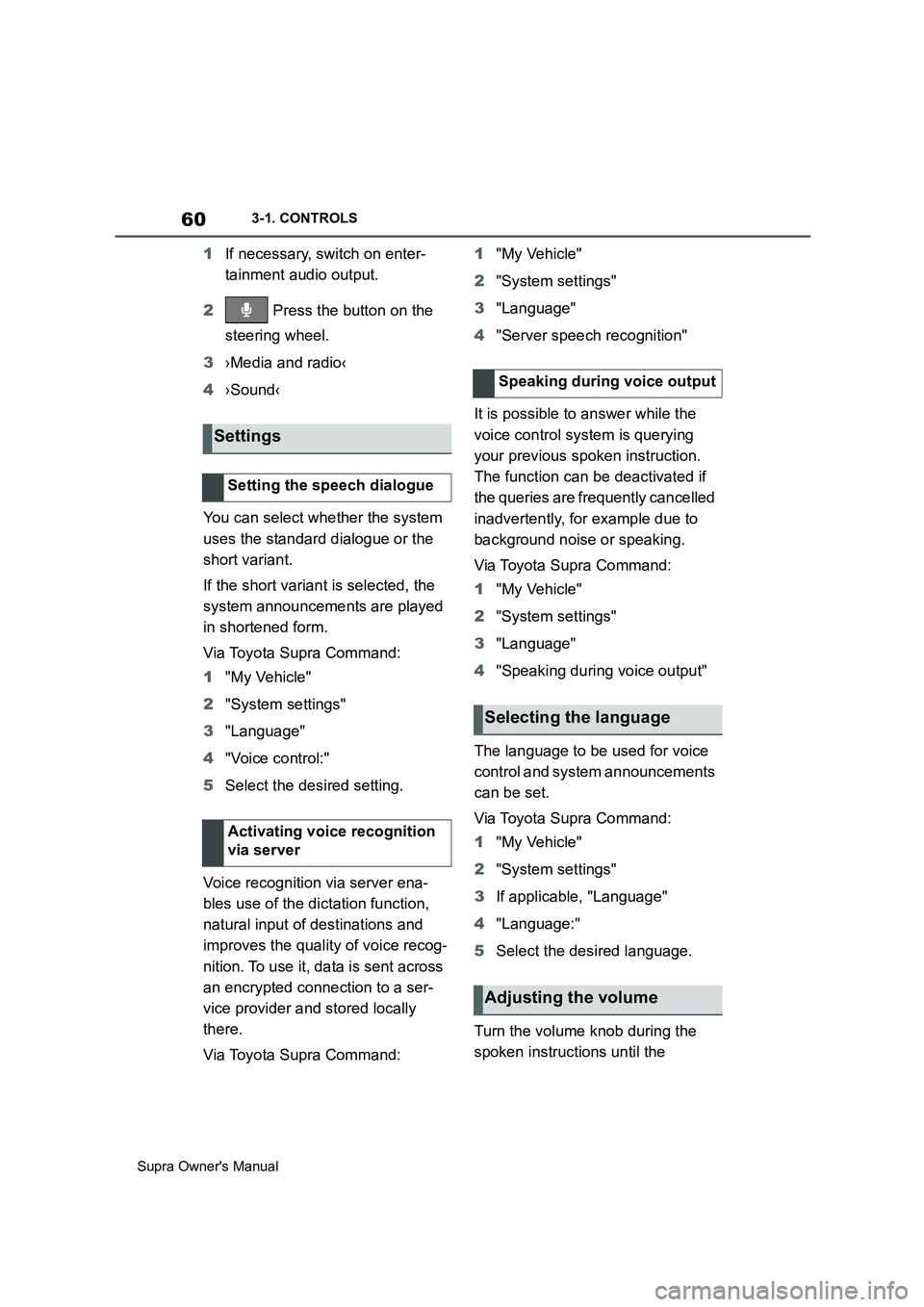
2 Press the button on the
steering wheel.
3›Media and radio‹
4›Sound‹
You can select whether the system
uses the standard dialogue or the
short variant.
If the short variant is selected, the
system announcements are played
in shortened form.
Via Toyota Supra Command:
1"My Vehicle"
2"System settings"
3"Language"
4"Voice control:"
5Select the desired setting.
Voice recognition via server ena-
bles use of the dictation function,
natural input of destinations and
improves the quality of voice recog-
nition. To use it, data is sent across
an encrypted connection to a ser-
vice provider and stored locally
there.
Via Toyota Supra Command:1"My Vehicle"
2"System settings"
3"Language"
4"Server speech recognition"
It is possible to answer while the
voice control system is querying
your previous spoken instruction.
The function can be deactivated if
the queries are frequently cancelled
inadvertently, for example due to
background noise or speaking.
Via Toyota Supra Command:
1"My Vehicle"
2"System settings"
3"Language"
4"Speaking during voice output"
The language to be used for voice
control and system announcements
can be set.
Via Toyota Supra Command:
1"My Vehicle"
2"System settings"
3If applicable, "Language"
4"Language:"
5Select the desired language.
Turn the volume knob during the
spoken instructions until the
Settings
Setting the speech dialogue
Activating voice recognition
via server
Speaking during voice output
Selecting the language
Adjusting the volume
Page 61 of 456
61
3
Supra Owner's Manual3-1. CONTROLS
CONTROLS
desired volume is obtained.
• The volume setting is retained
even if you change the volume of
other audio sources.
• The volume setting is saved for
the currently used driver profile.
The voice control system should
not be used for emergency calls.
Under stress, a person's speech
and voice pitch can change. This
could unnecessarily delay connec-
tion of your call.
Instead, use the SOS button, see
page 337, located near the
rear-view mirror.
• Doors and windows should be
kept closed to avoid noise inter-
ference.
• Avoid background noise in the
vehicle while you are speaking.This chapter describes all standard,
country-specific and special equip-
ment available for the model series.
It may therefore describe equip-
ment which is not installed in your
vehicle, for example on account of
the optional equipment selected or
the country specification. This also
applies to safety-relevant functions
and systems. Please comply with
the relevant laws and regulations
when using the corresponding func-
tions and systems.
Via Toyota Supra Command:
1"My Vehicle"
2"System settings"
3If applicable, "Language"
4"Language:"
5Select the desired setting.
The setting is saved for the cur-
rently used driver profile.
Speech dialogue for the voice con-
trol system, see page 60.
Information for emergency
calls
Operating conditions
General settings
Vehicle equipment
Language
Selecting the language
Setting the speech dialogue
Page 66 of 456
66
Supra Owner's Manual3-1. CONTROLS
Follow the instructions on the Con-
trol Display.
Via Toyota Supra Command:
1"My Vehicle"
2"System settings"
3"Data privacy"
4"Delete personal data"
5"Delete personal data"
6"OK"
7Exit and lock the vehicle.
Deletion is completed after 15 min-
utes.
If not all data is deleted, repeat the
deletion process if required.
Switch-on drive-ready state to can-
cel data deletion.
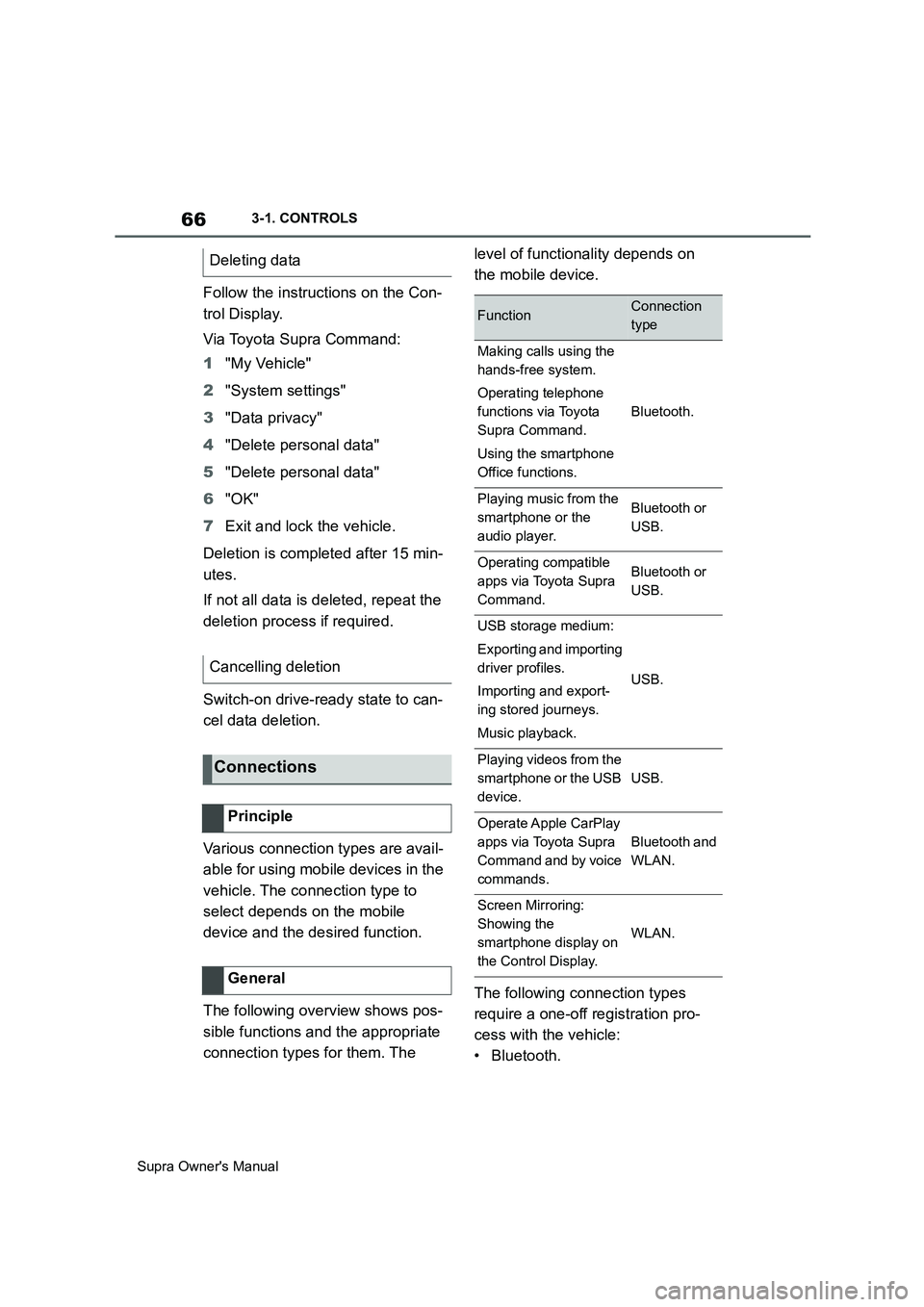
Various connection types are avail-
able for using mobile devices in the
vehicle. The connection type to
select depends on the mobile
device and the desired function.
The following overview shows pos-
sible functions and the appropriate
connection types for them. The level of functionality depends on
the mobile device.
The following connection types
require a one-off registration pro-
cess with the vehicle:
•Bluetooth. Deleting data
Cancelling deletion
Connections
Principle
General
FunctionConnection
type
Making calls using the
hands-free system.
Operating telephone
functions via Toyota
Supra Command.
Using the smartphone
Office functions.
Bluetooth.
Playing music from the
smartphone or the
audio player.Bluetooth or
USB.
Operating compatible
apps via Toyota Supra
Command.Bluetooth or
USB.
USB storage medium:
Exporting and importing
driver profiles.
Importing and export-
ing stored journeys.
Music playback.
USB.
Playing videos from the
smartphone or the USB
device.
USB.
Operate Apple CarPlay
apps via Toyota Supra
Command and by voice
commands.
Bluetooth and
WLAN.
Screen Mirroring:
Showing the
smartphone display on
the Control Display.
WLAN.
Page 68 of 456
68
Supra Owner's Manual3-1. CONTROLS
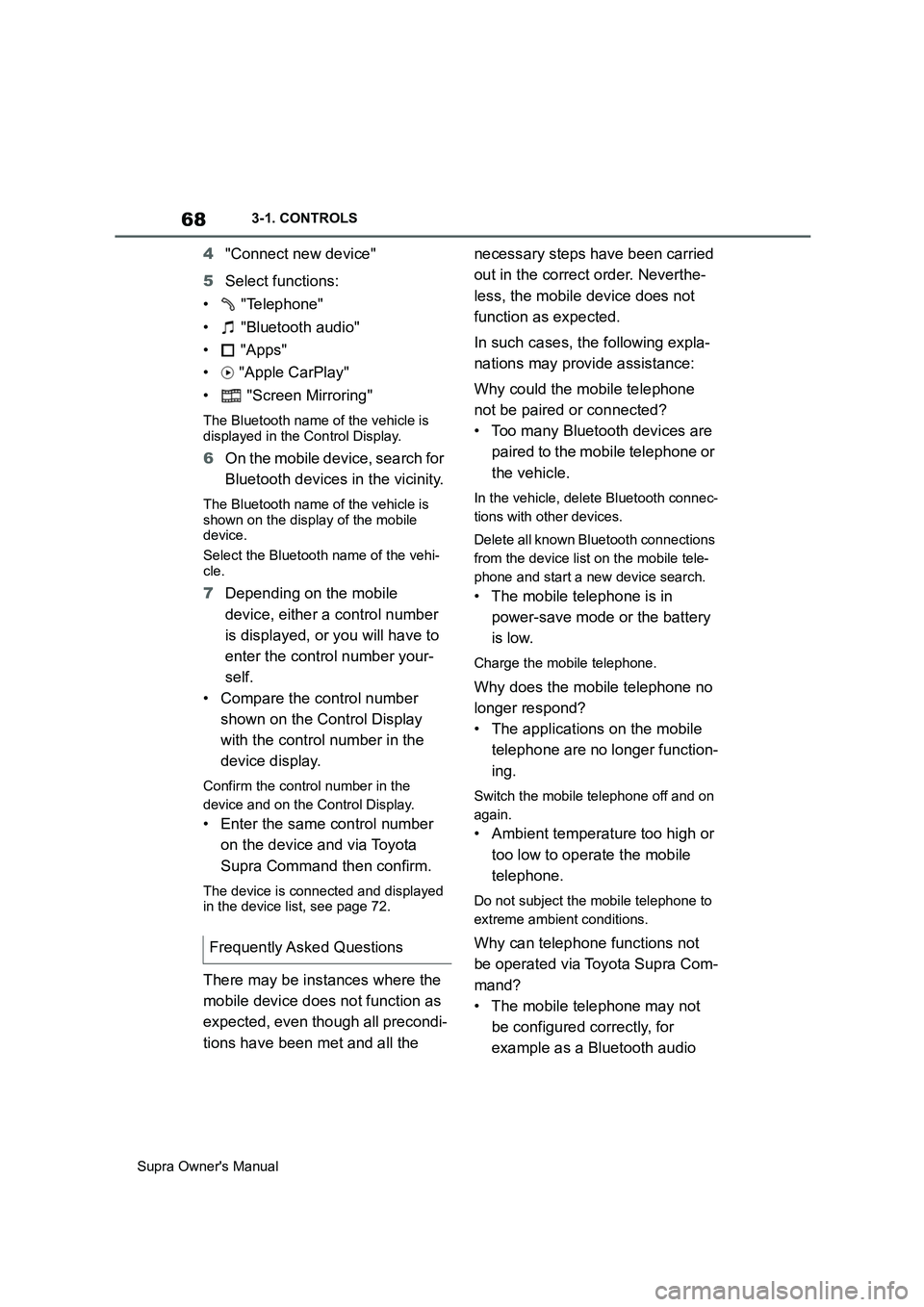
4"Connect new device"
5Select functions:
• "Telephone"
• "Bluetooth audio"
• "Apps"
• "Apple CarPlay"
• "Screen Mirroring"
The Bluetooth name of the vehicle is
displayed in the Control Display.
6On the mobile device, search for
Bluetooth devices in the vicinity.
The Bluetooth name of the vehicle is
shown on the display of the mobile
device.
Select the Bluetooth name of the vehi-
cle.
7Depending on the mobile
device, either a control number
is displayed, or you will have to
enter the control number your-
self.
• Compare the control number
shown on the Control Display
with the control number in the
device display.
Confirm the control number in the
device and on the Control Display.
• Enter the same control number
on the device and via Toyota
Supra Command then confirm.
The device is connected and displayed
in the device list, see page 72.
There may be instances where the
mobile device does not function as
expected, even though all precondi-
tions have been met and all the necessary steps have been carried
out in the correct order. Neverthe-
less, the mobile device does not
function as expected.
In such cases, the following expla-
nations may provide assistance:
Why could the mobile telephone
not be paired or connected?
• Too many Bluetooth devices are
paired to the mobile telephone or
the vehicle.
In the vehicle, delete Bluetooth connec-
tions with other devices.
Delete all known Bluetooth connections
from the device list on the mobile tele-
phone and start a new device search.
• The mobile telephone is in
power-save mode or the battery
is low.
Charge the mobile telephone.
Why does the mobile telephone no
longer respond?
• The applications on the mobile
telephone are no longer function-
ing.
Switch the mobile telephone off and on
again.
• Ambient temperature too high or
too low to operate the mobile
telephone.
Do not subject the mobile telephone to
extreme ambient conditions.
Why can telephone functions not
be operated via Toyota Supra Com-
mand?
• The mobile telephone may not
be configured correctly, for
example as a Bluetooth audio Frequently Asked Questions
Page 69 of 456
69
3
Supra Owner's Manual3-1. CONTROLS
CONTROLS
device.
Connect the mobile telephone with the
telephone or additional telephone func-
tion.
Why are no phone book entries, not
all entries or incomplete entries dis-
played?
• The transfer of the phone book
entries is not yet completed.
• Under certain circumstances
only the phone book entries
saved in the mobile telephone or
on the SIM card are transferred.
• It is possible that phone book
entries with special characters
cannot be displayed.
• It may not be possible to transfer
contacts from social networks.
• The number of telephone book
entries to be saved is too high.
• The data volume of the contact is
too large, for example due to
saved information such as
memos.
Reduce the data volume of the contact.
• A mobile telephone can only be
connected as an audio source or
as a telephone.
Configure the mobile telephone and
connect it with the telephone or addi-
tional telephone function.
How can the telephone connection
quality be improved?
• Adjust the strength of the
Bluetooth signal on the mobile
telephone; the procedure varies
from mobile telephone to mobile
telephone.
• Adjust the volume of the micro-phone and speaker separately in
the sound settings.
If all the points on the list have been
reviewed and the desired function
cannot be performed, contact the
customer support, an any author-
ized Toyota retailer or Toyota
authorized repairer, or any reliable
repairer.
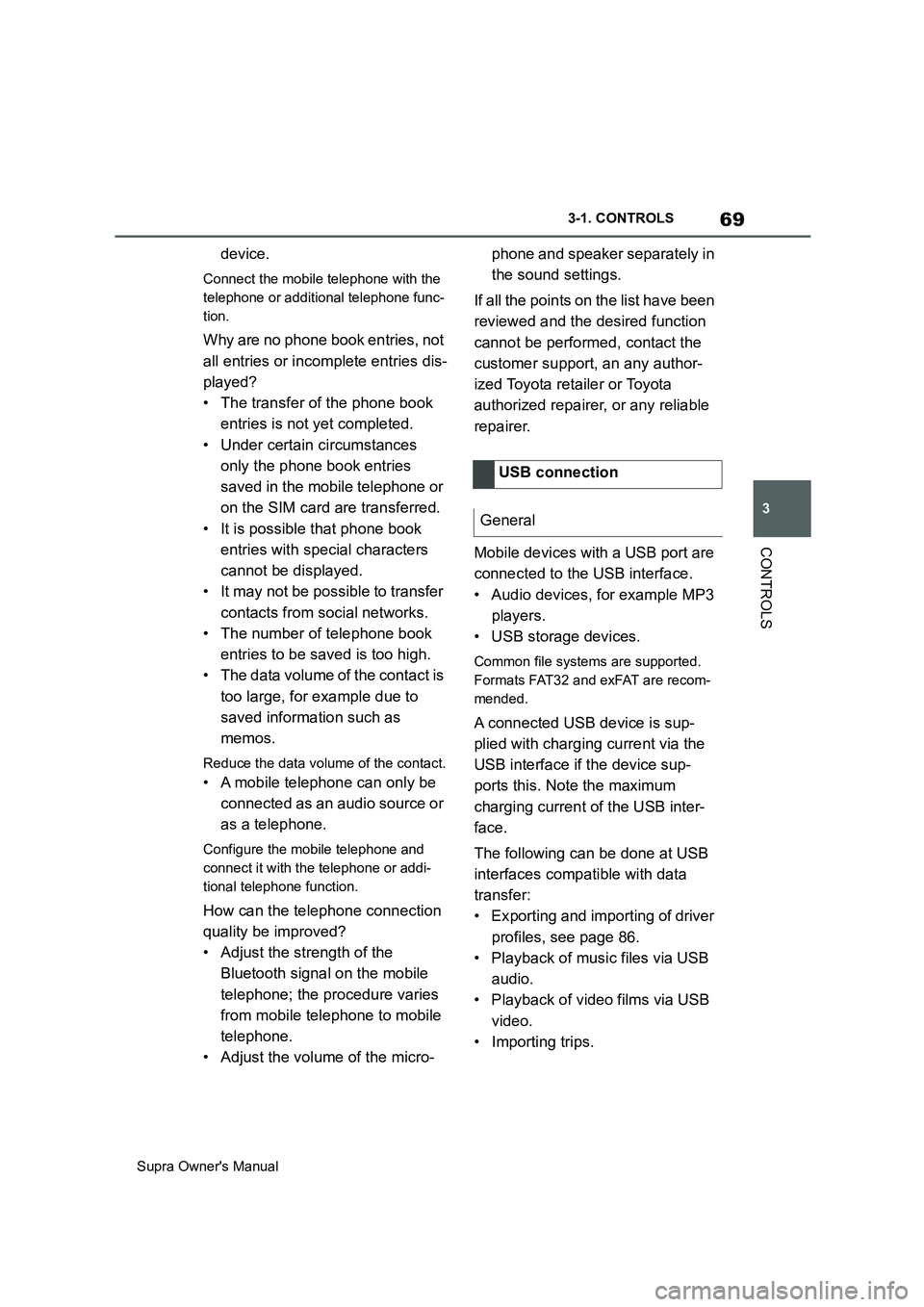
Mobile devices with a USB port are
connected to the USB interface.
• Audio devices, for example MP3
players.
• USB storage devices.
Common file systems are supported.
Formats FAT32 and exFAT are recom-
mended.
A connected USB device is sup-
plied with charging current via the
USB interface if the device sup-
ports this. Note the maximum
charging current of the USB inter-
face.
The following can be done at USB
interfaces compatible with data
transfer:
• Exporting and importing of driver
profiles, see page 86.
• Playback of music files via USB
audio.
• Playback of video films via USB
video.
• Importing trips.USB connection
General