Page 72 of 456
72
Supra Owner's Manual3-1. CONTROLS
4"Settings"
5"Vehicle WiFi"
Via Toyota Supra Command:
1"My Vehicle"
2"System settings"
3"Mobile devices"
4"Connect new device"
5 "Screen Mirroring"
The WLAN name of the vehicle is dis-
played in the Control Display.
6On the smartphone, search for
WLAN devices in the vicinity.
The WLAN name of the vehicle is
shown on the display of the device.
Select WLAN name of the vehicle.
7Confirm the connection via
Toyota Supra Command.
The device is connected and dis-
played in the device list, see page
72.
• Following one-off registration,
the devices are automatically
detected and connected again
when the standby state is
switched on.
• The data saved on the SIM card
or in the mobile telephone is
transferred to the vehicle follow-
ing detection.• Some devices may require par-
ticular settings, for example
authorisation; see the user man-
ual of the device.
All devices registered or connected
to the vehicle are displayed in the
device list.
Via Toyota Supra Command:
1"My Vehicle"
2"System settings"
3"Mobile devices"
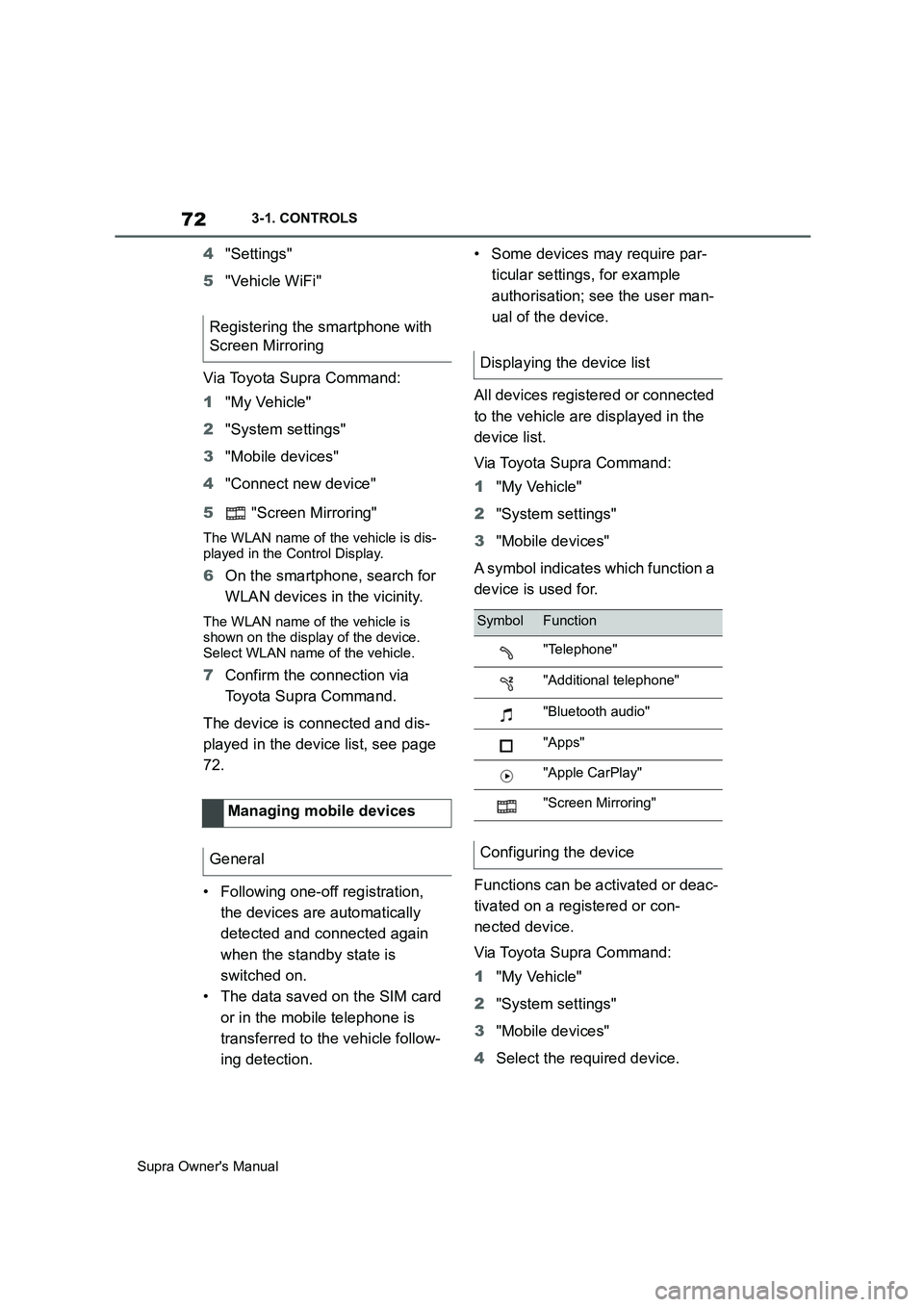
A symbol indicates which function a
device is used for.
Functions can be activated or deac-
tivated on a registered or con-
nected device.
Via Toyota Supra Command:
1"My Vehicle"
2"System settings"
3"Mobile devices"
4Select the required device. Registering the smartphone with
Screen Mirroring
Managing mobile devices
General
Displaying the device list
SymbolFunction
"Telephone"
"Additional telephone"
"Bluetooth audio"
"Apps"
"Apple CarPlay"
"Screen Mirroring"
Configuring the device
Page 163 of 456
163
3
Supra Owner's Manual3-1. CONTROLS
CONTROLS
the Speed Limit Info display in
the instrument cluster and the
Head-Up Display when the cur-
rently applicable speed limit is
exceeded.
"Show speeding": the speed limit
detected by the Speed Limit Info
is indicated by a mark in the
speedometer in the instrument
cluster.
The function may be restricted and
may display incorrect information in
the following situations, for exam-
ple:
In thick fog, wet conditions or
snow.
If signs are fully or partially
obscured by objects, stickers or
paint.
If the vehicle is too close to the
vehicle ahead.
In the case of bright oncoming
light or strong reflections.
When the windscreen in front of
the rear-view mirror is covered
with condensation, dirt, stickers,
etc.
If the camera has overheated
due to excessively high tempera-
tures and has been temporarily
deactivated.
As a result of incorrect detection
by the camera.
If the speed limits stored in the navigation system or road data
are incorrect.
In the case of speed limits that
depend or the time of day or day
of the week.
In areas not covered by the navi-
gation system.
If there are deviations in relation
to navigation, for example due to
changes in road routing.
In the case of electronic road
signs.
When overtaking buses or trucks
with road sign stickers.
If traffic signs do not correspond
to the standard.
If signs are detected that apply to
a parallel road.
In the case of country-specific
signs or road layouts.
During the camera calibration
process immediately after vehi-
cle delivery.
The display can be operated when
necessary.
Entertainment source.
Current audio source.
Last calls list.
If applicable, the relevant menu is
opened on the Control Display. System limits
Selection lists
Principle
Page 332 of 456
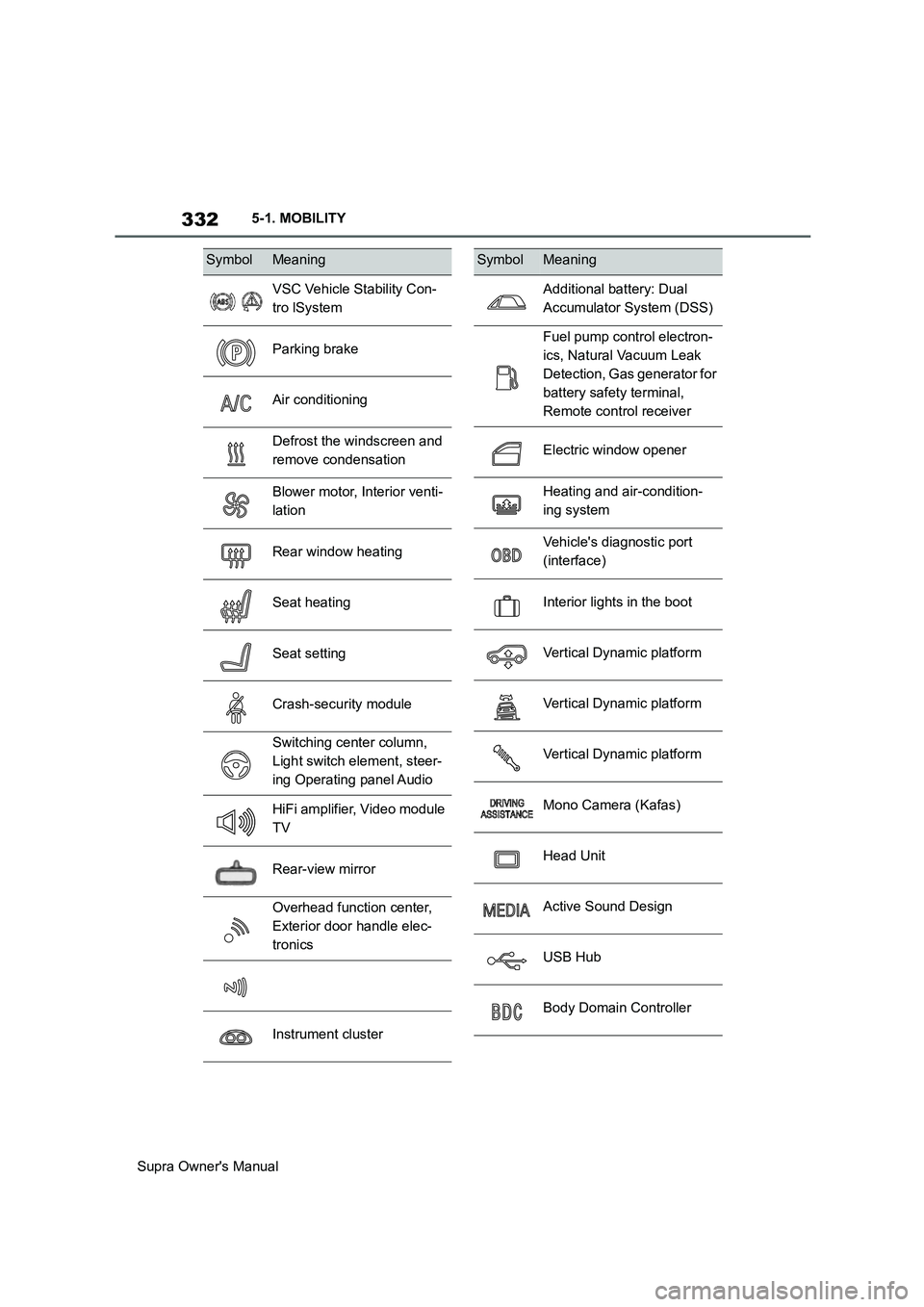
332
Supra Owner's Manual5-1. MOBILITY
SymbolMeaning
VSC Vehicle Stability Con-
tro lSystem
Parking brake
Air conditioning
Defrost the windscreen and
remove condensation
Blower motor, Interior venti-
lation
Rear window heating
Seat heating
Seat setting
Crash-security module
Switching center column,
Light switch element, steer-
ing Operating panel Audio
HiFi amplifier, Video module
TV
Rear-view mirror
Overhead function center,
Exterior door handle elec-
tronics
Instrument cluster
Additional battery: Dual
Accumulator System (DSS)
Fuel pump control electron-
ics, Natural Vacuum Leak
Detection, Gas generator for
battery safety terminal,
Remote control receiver
Electric window opener
Heating and air-condition-
ing system
Vehicle's diagnostic port
(interface)
Interior lights in the boot
Vertical Dynamic platform
Vertical Dynamic platform
Vertical Dynamic platform
Mono Camera (Kafas)
Head Unit
Active Sound Design
USB Hub
Body Domain Controller
SymbolMeaning
Page 341 of 456
341
5
Supra Owner's Manual5-1. MOBILITY
MOBILITY
tional.
In certain circumstances, for exam-
ple deployment of the airbags, an
emergency call may be placed
automatically immediately after an
accident of corresponding severity.
An automatic emergency call is not
influenced by pressing the SOS
button.
If an emergency call is triggered,
other signal tones and audio
sources are set to mute, for exam-
ple Parking Sensors.
1Tap on cover flap.
2Press and hold the SOS button
until the LED in the button area
is illuminated green.
The LED is illuminated green
when the emergency call has
been activated.
If a cancellation request is displayed on
the Control Display, the emergency call
can be cancelled.
If the situation permits, wait in the vehi-
cle until voice contact has been estab-
lished.
The LED flashes green when the
connection to the emergency
number has been established.
In the case of an emergency call, data
is sent to the public rescue coordination
centre in order to decide what rescue
measures are required. The data may include, for example, the current posi-
tion of the vehicle, if this can be deter-
mined.
Even if you can no longer hear the res-
cue coordination centre through the
loudspeakers, the rescue coordination
centre may still be able to hear you
speak.
The rescue coordination centre
ends the emergency call.
When the drive-ready state is
switched on, the LED in the emer-
gency call button area illuminates
for approx. 2 seconds to indicate
that the emergency call system is
ready for operation.
■General
The operational readiness of the
emergency call system can be
checked. During the check, do not
activate any other functions. If
applicable, comply with any addi-
tional instructions regarding the
procedure via the vehicle loud-
speakers.
Toyota Supra Connect functions
might not be available for a specific
time following the check.
■Requirements
Vehicle is stationary for at least 1
minute.
Standby state is switched on.
No other services are active. Automatic triggering
Manual triggering
Operational readiness
Checking operational readiness
Page 408 of 456
408
Supra Owner's Manual6-1. REFERENCE
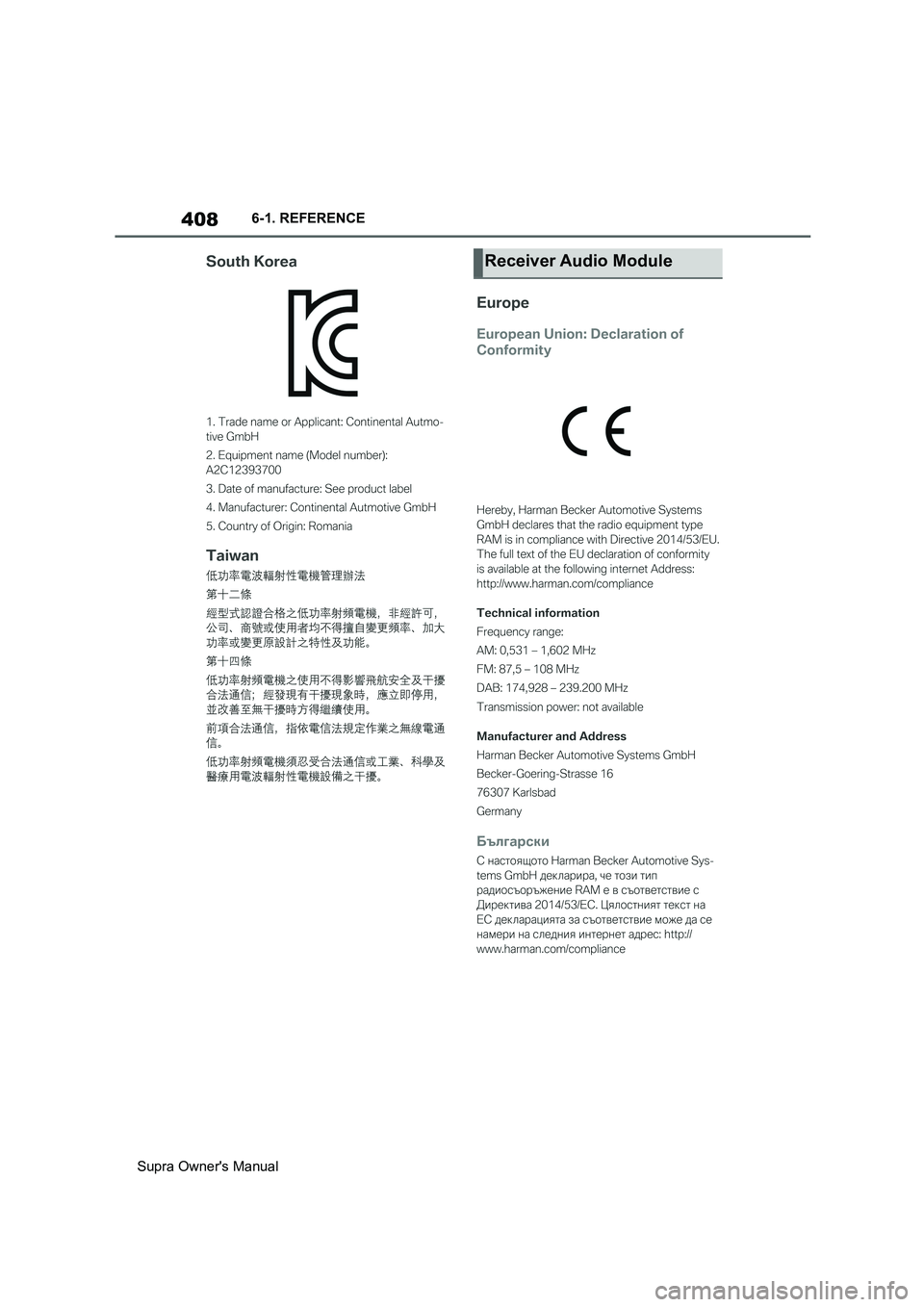
Receiver Audio Module