2019 MERCEDES-BENZ S CLASS navigation system
[x] Cancel search: navigation systemPage 298 of 578
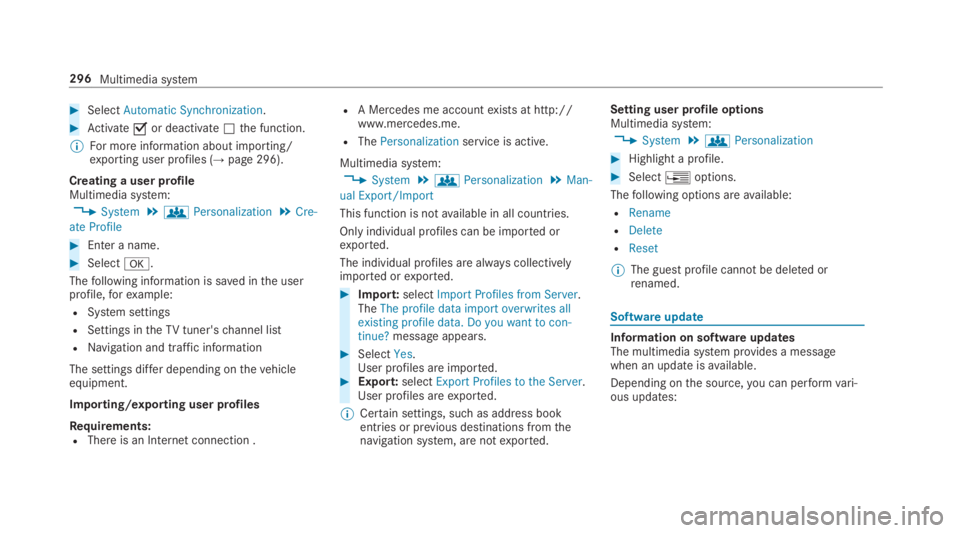
#SelectAutomatic Synchronization.
#Activatesor deactivateSthe function.
%For more information about importing/exporting user profiles (→page 296).
Creating a user profileMultimedia system:
,System.gPersonalization.Cre-
ate Profile
#Enter a name.
#Selectv.
Thefollowing information is saved inthe userprofile,forexample:
RSystem settings
RSettings intheTVtuner'schannel list
RNavigation and traffic information
The settings differ depending onthevehicleequipment.
Importing/exporting user profiles
Requirements:RThere is an Internet connection .
RA Mercedes me accountexists at http://www.mercedes.me.
RThePersonalizationservice is active.
Multimedia system:
,System.gPersonalization.Man-
ual Export/Import
This function is notavailable in all countries.
Only individual profiles can be imported orexported.
The individual profiles are always collectivelyimported orexported.
#Import:selectImport Profiles from Server.TheThe profile data import overwrites allexisting profile data. Do you want to con-tinue?message appears.
#SelectYes.User profiles are imported.#Export:selectExport Profiles to the Server.User profiles areexported.
%Certain settings, such as address bookentries or previous destinations fromthenavigation system, are notexported.
Setting user profile optionsMultimedia system:
,System.gPersonalization
#Highlight a profile.
#Select
Page 299 of 578

Software update
Source oftheupdateUpdate type
Updates via mobilephoneNavigation map, sys‐tem updates, DigitalOperator's Manual
Updates via anexter‐nalstorage medium,e.g. a USBflash drive
Navigation maps
%Updates via mobile phonerequire an activeInternet connectionforthevehicle. This isnotavailable in all countries.For furtherinformation on connectingtothe Internet,see (→page 348).
Advantages of updating softwareThankstothe software update,yourvehiclesta‐tus is up-to-date.
In ordertoconstantly improvethequality of ourservicesyou willreceivefuture updatesforyourmultimedia system,the Mercedes me connectservices andyourvehicle's communication mod‐ule. These will conveniently be sentto you via
the mobile phone connection inyourvehicleand, as an option, installed automatically.Yo ucan monitorthestatus ofyour updates ontheMercedes me portal andfind information aboutpotential innovations.
Your advantages at aglance:
Rconvenientlyreceivesoftware updates viathe mobile phone network
Rimprovesthequality andavailability ofMercedes me connect services
Rkeepsyour multimedia system and communi‐cation module up-to-date
Further information about software updates canbefound at http://me.mercedes-benz.com
Performing a software update
Requirements:RThere is an Internet connection(→page 348).
RFor automatic updates:yourvehicle has apermanently installed communication mod‐ule.
Multimedia system:
,System.Software Update
Automatic update
#SwitchAutomatic Online Updateons.Updates are performed.
The currentstatus ofthe updates is dis‐played.
Manual update
#DeactivateSAutomatic Online Update.
#Select an update fromthe list andstarttheupdate.
Activating the softwareupdate
#Restartthe system.
Function of important system updatesImportant system updates may be necessaryforthe security ofyour multimedia system's data.Please installthese updates, or elsethe securityofyour multimedia system cannotbe ensured.
%If automatic software updates are activated,the system updates will be downloaded auto‐matically (→page 297).
Multimedia system297
Page 303 of 578
%For more information on pausing or skippingthrough videos, see (→page 358).
If, during an active program, a functionrequire‐ment is no longer met, a corresponding messageappears. The activeprogram is canceled.
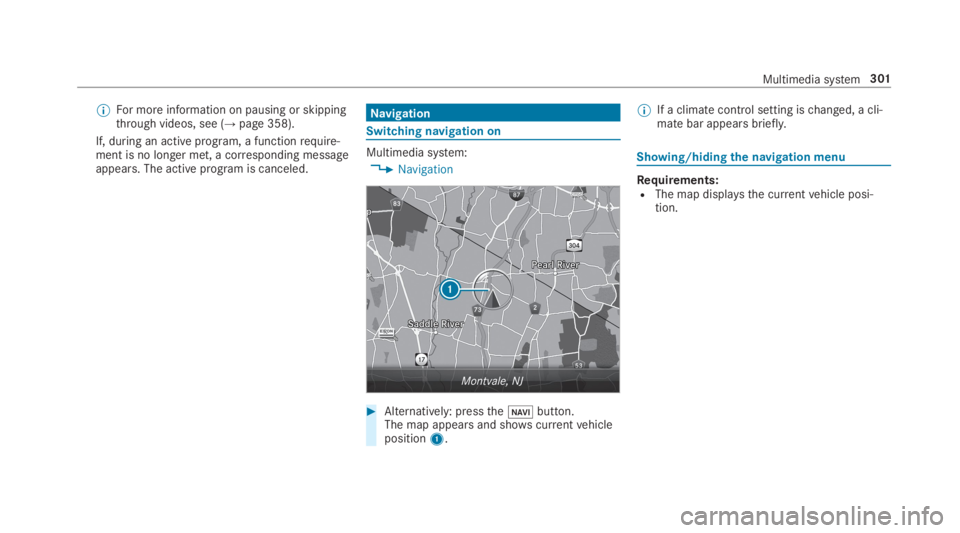
Navigation
Switching navigation on
Multimedia system:
,Navigation
#Alternatively: pressthe
Page 304 of 578
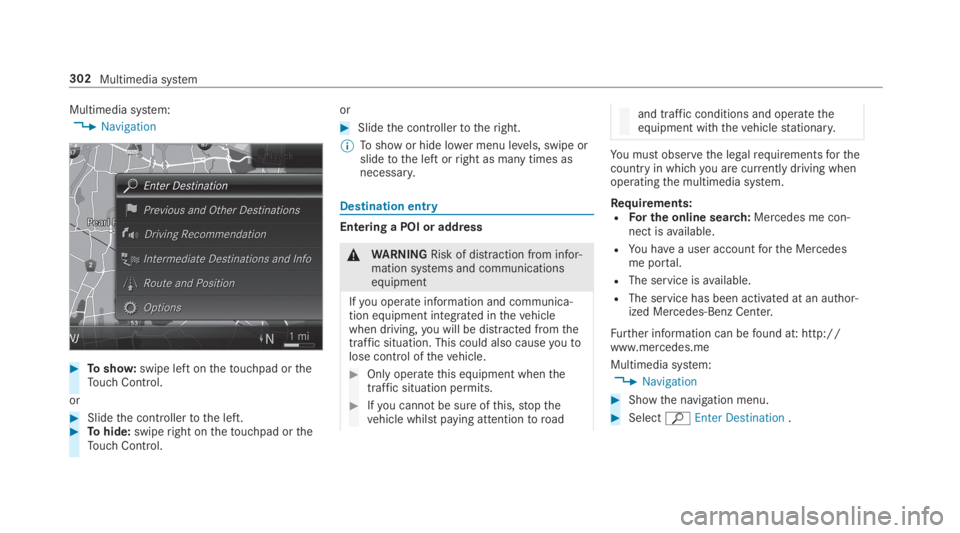
Multimedia system:
,Navigation
#Toshow:swipe left onthetouchpad ortheTouch Control.
or
#Slidethe controllertothe left.#Tohide:swiperight onthetouchpad ortheTouch Control.
or
#Slidethe controllertotheright.
%Toshow or hide lower menu levels, swipe orslidetothe left orright as many times asnecessary.
Destination entry
Entering a POI or address
&WARNINGRisk of distraction from infor‐mation systems and communicationsequipment
Ifyou operate information and communica‐tion equipment integrated inthevehiclewhen driving,you will be distracted fromthetraffic situation. This could also causeyoutolose control ofthevehicle.
#Only operatethis equipment whenthetraffic situation permits.
#Ifyou cannot be sure ofthis,stopthevehicle whilst paying attentiontoroad
and traffic conditions and operatetheequipment withthevehiclestationary.
You must observethe legalrequirementsforthecountry in whichyou are currently driving whenoperatingthe multimedia system.
Requirements:RFor the online search:Mercedes me con‐nect isavailable.
RYou havea user accountforthe Mercedesme portal.
RThe service isavailable.
RThe service has been activated at an author‐ized Mercedes-Benz Center.
Further information can befound at: http://www.mercedes.me
Multimedia system:
,Navigation
#Showthe navigation menu.
#SelectªEnter Destination.
302Multimedia system
Page 306 of 578
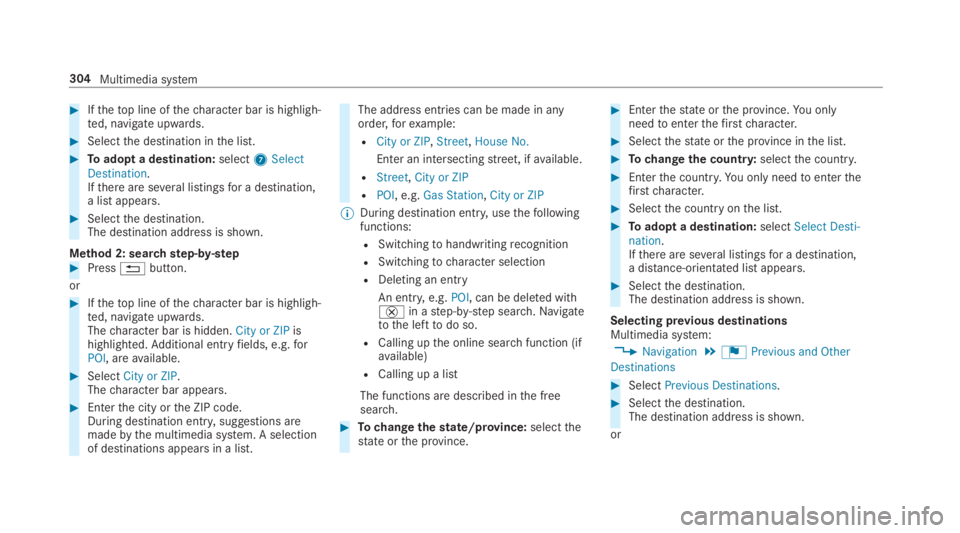
#Ifthetop line ofthecharacter bar is highligh‐ted, navigate upwards.
#Selectthe destination inthe list.
#Toadopt a destination:select7SelectDestination.Ifthere are several listingsfor a destination,a list appears.
#Selectthe destination.The destination address is shown.
Method 2: searchstep-by-step#Press8button.
or
#Ifthetop line ofthecharacter bar is highligh‐ted, navigate upwards.Thecharacter bar is hidden.City or ZIPishighlighted.Additional entryfields, e.g.forPOI, areavailable.
#SelectCity or ZIP.Thecharacter bar appears.
#Enterthe city orthe ZIP code.During destination entry, suggestions aremadebythe multimedia system. A selectionof destinations appears in a list.
The address entries can be made in anyorder,forexample:
RCity or ZIP,Street,House No.
Enter an intersectingstreet, ifavailable.
RStreet,City or ZIP
RPOI, e.g.Gas Station,City or ZIP
%During destination entry, usethefollowingfunctions:
RSwitchingtohandwritingrecognition
RSwitchingtocharacter selection
RDeleting an entry
An entry,e.g.POI, can be deleted with£in astep-by-step search.Navigatetothe lefttodo so.
RCalling upthe online searchfunction (ifavailable)
RCalling up a list
The functions are described inthe freesearch.
#Tochangethestate/province:selectthestate orthe province.
#Enterthestate orthe province.You onlyneedtoenterthefirstcharacter.
#Selectthestate orthe province inthe list.
#Tochangethe country:selectthe country.
#Enterthe country.You only needtoenterthefirstcharacter.
#Selectthe countryonthe list.
#Toadopt a destination:selectSelect Desti-nation.Ifthere are several listingsfor a destination,a distance-orientated list appears.
#Selectthe destination.The destination address is shown.
Selecting previous destinationsMultimedia system:
,Navigation.¬Previous and Other
Destinations
#SelectPrevious Destinations.
#Selectthe destination.The destination address is shown.
or
304Multimedia system
Page 307 of 578
#Iffavourites havebeen saved already(→page317), selectFrom My Favorites.
#Selectthefavourite.The destination address is shown.
Selecting a POIMultimedia system:
,Navigation.¬Previous and Other
Destinations.POIs
#Selectthe category.
or
#SelectAll Categoriesandthe category.Ifroute guidance is not active:the searchbegins inthe vicinity ofthe currentvehicleposition. The list is sortedbydistance inascending order.
The POIs showthefollowing information:
Rname of POI
Rlinear distancetothe POI
Rthe direction ofthe linear distancetothePOI (arrow) is displayed when searchingforthevehicle's current position#Selectthe POI.
#Route guidance is active:selectthe searchposition priortochoosing a POI (seeexam‐ple).
#If intermediate destinations are set,thesecan also be selected asthe searchpositionafter selectingNear Destination.
Filtering displaysfor POIs
#Enterthe searchterminªSearch:.Theresults list showsrelevant POIs.
#Select¡.Thefirst POI inthe list is highlighted.
#Selectthe POI.
Example: settingthe searchpositionfor theparking category during activeroute guid‐ance
#SelectIn the Vicinity,Near DestinationorAlong the Route.The list shows the located POIs or opens anoverview oftheroute destination afterselectingNear Destination.
#Selectthe POI.
#SelectNear Destination: selectthe inter‐mediate destination orthe destination.
Starting an automaticgasstation search
Requirements:RThe automaticgasstation searchis activateds(→page311).
Driving situationRoute guidance is active. The fuel level inthefueltankreachesthereservefuel level.
TheReserve Fuel Do you want to start a searchfor surrounding gas stations?message is shown.
#SelectYes.The automaticgasstation searchbegins. Theavailablegasstations alongtheroute or inthe vicinity ofthevehicle's current positionare displayed.
#Selectthegasstation.The address ofthegasstation is displayed.
#Ifroute guidance is not active, selectStartRoute Guidance.The selectedgasstation is set asthe desti‐nation.Route guidance begins.
Multimedia system305
Page 308 of 578
or
#Ifroute guidance is active, selectStart NewRoute GuidanceorSet as Next Way Point.Start New Route Guidance:the selectedgasstation is set as a new destination. The previ‐ous destinations and intermediate destina‐tions are deleted.Route guidancetothegasstation begins.
Set as Next Way Point:the selectedgassta‐tion is set asthe next intermediate destina‐tion.Route guidance begins.#Ifthere are alreadyfour intermediate des‐tinations:selectYesinthe prompt.The selectedgasstation is entered into posi‐tion 1 ofthe intermediate destinations menu.Intermediate destination 4 is deleted.Routeguidance begins.
Entering an intermediate destination
Requirements:RA destination is entered.
Multimedia system:
,Navigation.Way Points and Info
#SelectSearch for Way Point.
#Enterthe intermediate destination as a POIor address (→page 302).
#Selectthe intermediate destination.#SelectSet as Destination.
or
#Select an intermediate destination usingªEnter Destinationduringroute guid‐ance.
#SelectSet as Next Way Pointafter enteringthe destination.
Editing intermediatedestinations
Requirements:RThe destination and at least one intermediatedestination havebeen entered.
Multimedia system:
,Navigation.Way Points and Info
#Tocall upthe map:highlightthe destinationorthe intermediate destination.
#Select
Page 309 of 578
Multimedia system:
,Navigation.Way Points and Info
#SelectStart New Route Guidance.Theroute is calculated withthe set inter‐mediate destinations.
Selecting a contactfor destination entry
Requirements:RA mobile phone is connectedtothe multime‐dia system (→page 329).
RContacts havebeen downloaded(→page 334).
Multimedia system:
,Navigation.¬Previous and Other
Destinations.Contacts
#Selectthe contact.The contact details are displayed.
#Selectthe address.
Filtering displaysfor contacts
#Enter a name ortelephone number,forexam‐ple, intothe searchfield.
#Select¡.Thefirst contact inthe list is highlighted.
#Selectthe contact.
#Selectthe address.
Enteringgeo-coordinatesMultimedia system:
,Navigation.¬Previous and Other
Destinations.Geo-coordinates
#Entergeo-coordinates as latitude and longi‐tude coordinates in degrees, minutes andseconds.The map shows the position.
#Confirmthe entry.
#Tocalculate aroute:selectStart RouteGuidance.
#If aroute has already been created, selectStart New Route GuidanceorSet as WayPoint.
Enteringthe destination as a 3wordaddress
Requirements:RSearchingfor a destination using 3wordaddresses is possible inthe online search(→page 302).
RThere is an Internet connection.
%Searchingfor a destination using 3wordaddresses is not possible in all countries.
Multimedia system:
,Navigation.ªEnter Destination
#SelectOnline Search.
#Enterthe destination address as a 3wordaddress. Separate each ofthewords with afullstop.The searchresults are displayed.
#Selectthe destination inthe list.The destination address is shown. Theroutecan be calculated.
Multimedia system307