Hood
Closing ........................................... 236
Display message ............................ 196
Important safety notes .................. 235
Opening ........................................ .235
Horn ...................................................... 33
Hydroplaning ..................................... 134 I
Ignition key see SmartKey
Ignition lock
see Key positions
Immobilizer .......................................... 64
Indicator lamps
see Warning and indicator lamps
Indicators
see Turn signals
Inspection
see ASSYST PLUS
Instrument cluster
Overview .......................................... 34
Warning and indicator lamps ........... 34
Instrument cluster lighting .............. 169
Interior lighting
Automatic control .......................... 100
Overview .......................................... 99
Reading lamp ................................... 99
Setting the brightness of the dis-
play/switch (on-board computer) .. 169
iPod ®
see also Digital Operator's Man-
ual ................................................. .209 J
Jack Using ............................................. 282
Jump starting (engine) ......................256 K
Key positions SmartKey ....................................... 111
Start/Stop button .......................... 110
KEYLESS-GO
Convenience closing feature ............ 78
Deactivation ..................................... 67 Locking ............................................ 67
Start function ................................... 67
Unlocking ......................................... 67
KEYLESS-GO start function
Start/Stop button .......................... 110
Kickdown
Driving tips ................................... .120
Knee bag .............................................. 46 L
Lamps see Warning and indicator lamps
Lane detection (automatic)
see Lane Keeping Assist
Lane Keeping Assist
Activating/deactivating (on-
board computer) ............................ 169
Display message ............................ 190
Function/informatio n.................... 157
Lane Tracking package ..................... 155
Lap time (RACETIMER) ...................... 172
License plate lamp (display mes-
sage) ................................................... 186
Light sensor (display message) ....... 186
Lights
Automatic headlamp mode .............. 96
Fogged up headlamp s...................... 99
Hazard warning lamps ..................... 98
High beam flasher ............................ 97
High-beam headlamp s..................... 97
Light switch ..................................... 96
Low-beam headlamp s...................... 97
Parking lamps .................................. 97
Rear fog lamp .................................. 97
Setting exterior lighting ................... 96
Setting the brightness of the dis-
play/switch (on-board computer) .. 169
Standing lamps ................................ 97
Switching the daytime running
lamps on/off (on-board com-
puter) ............................................. 169
Turn signals ..................................... 97
see Interior lighting
Loading guidelines ............................ 218
Locking (doors)
Automatic ........................................ 73
Emergency locking ........................... 73 12
Index
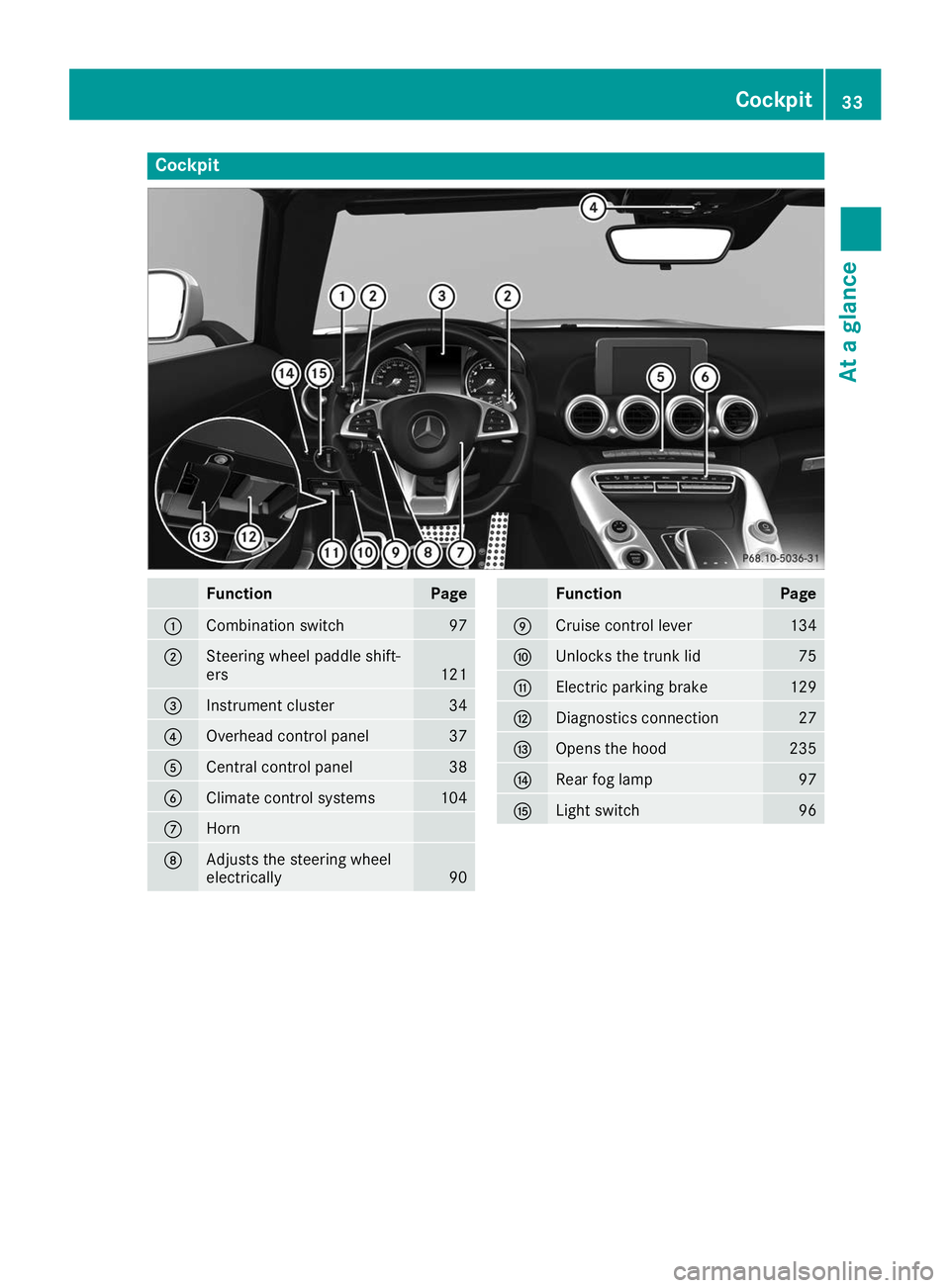
Cockpit
Function Page
0043
Combination switch 97
0044
Steering wheel paddle shift-
ers
121
0087
Instrument cluster 34
0085
Overhead control panel 37
0083
Central control panel 38
0084
Climate control systems 104
006B
Horn
006C
Adjusts the steering wheel
electrically 90 Function Page
006D
Cruise control lever 134
006E
Unlocks the trunk lid 75
006F
Electric parking brake 129
0070
Diagnostics connection 27
0071
Opens the hood 235
0072
Rear fog lamp 97
0073
Light switch 96Cockpit
33At a glance
To avoid damage to the vehicle, deactivate
Active Distance Assist DISTRONIC and the
HOLD function in the following or similar sit-
uations:
R when towing the vehicle
R in the car wash
Deactivate the HOLD function (Y page 145).
Activation conditions You can activate the HOLD function if all of the
following conditions are fulfilled:
R
the vehicle is stationary.
R the engine is running or if it has been auto-
matically switched off by the ECO start/stop
function.
R the driver's door is closed or your seat belt is
fastened.
R the electric parking brake is released.
R the transmission is in position 005B,005Eor005C.
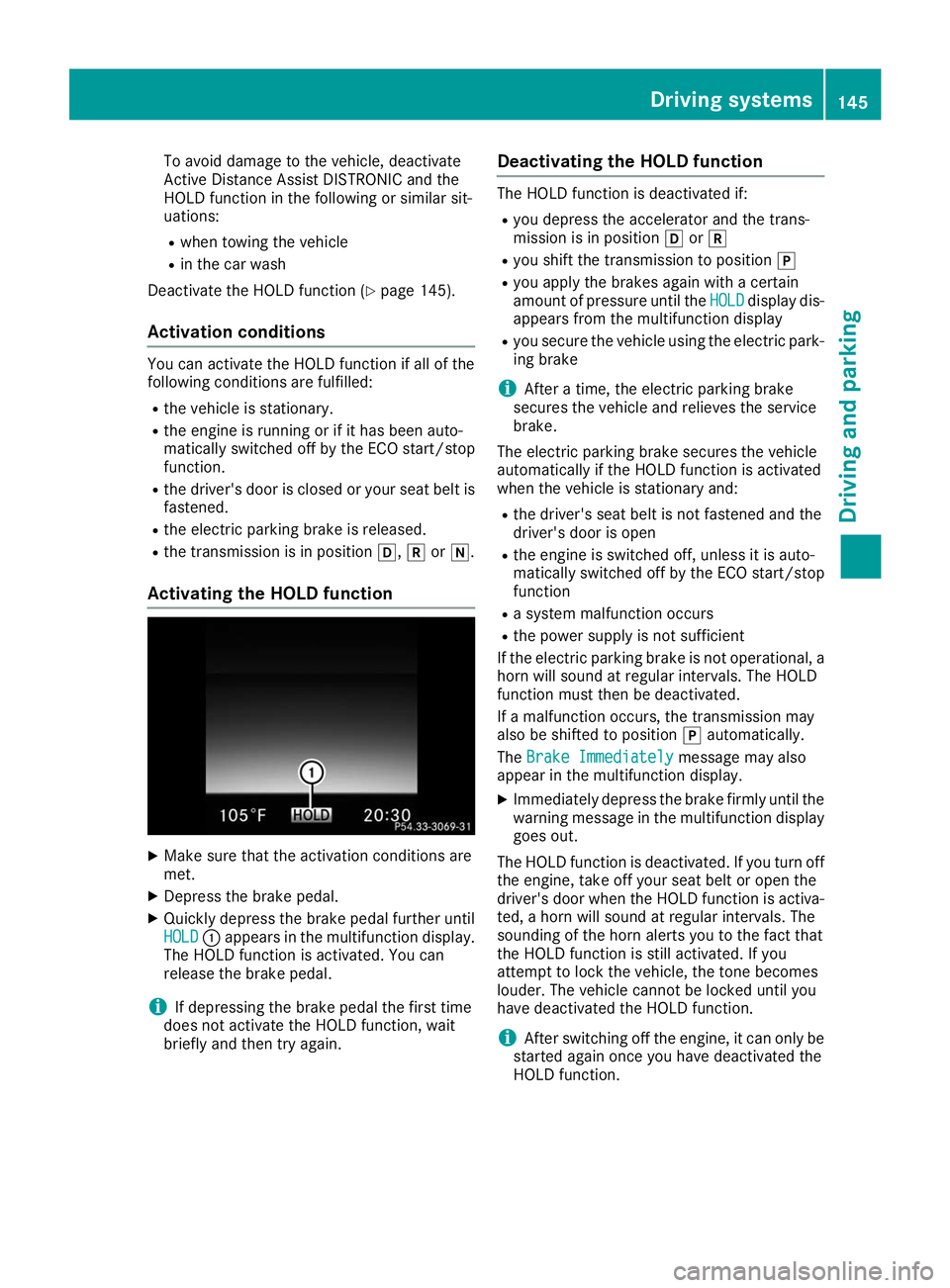
Activating the HOLD function X
Make sure that the activation conditions are
met.
X Depress the brake pedal.
X Quickly depress the brake pedal further until
HOLD HOLD 0043appears in the multifunction display.
The HOLD function is activated. You can
release the brake pedal.
i If depressing the brake pedal the first time
does not activate the HOLD function, wait
briefly and then try again. Deactivating the HOLD function The HOLD function is deactivated if:
R you depress the accelerator and the trans-
mission is in position 005Bor005E
R you shift the transmission to position 005D
R you apply the brakes again with a certain
amount of pressure until the HOLD
HOLD display dis-
appears from the multifunction display
R you secure the vehicle using the electric park-
ing brake
i After a time, the electric parking brake
secures the vehicle and relieves the service
brake.
The electric parking brake secures the vehicle
automatically if the HOLD function is activated
when the vehicle is stationary and:
R the driver's seat belt is not fastened and the
driver's door is open
R the engine is switched off, unless it is auto-
matically switched off by the ECO start/stop
function
R a system malfunction occurs
R the power supply is not sufficient
If the electric parking brake is not operational, a
horn will sound at regular intervals. The HOLD
function must then be deactivated.
If a malfunction occurs, the transmission may
also be shifted to position 005Dautomatically.
The Brake Immediately Brake Immediately message may also
appear in the multifunction display.
X Immediately depress the brake firmly until the
warning message in the multifunction display
goes out.
The HOLD function is deactivated. If you turn off the engine, take off your seat belt or open the
driver's door when the HOLD function is activa- ted, a horn will sound at regular intervals. The
sounding of the horn alerts you to the fact that
the HOLD function is still activated. If you
attempt to lock the vehicle, the tone becomes
louder. The vehicle cannot be locked until you
have deactivated the HOLD function.
i After switching off the engine, it can only be
started again once you have deactivated the
HOLD function. Driving systems
145Driving and parking Z