2019 Hyundai Santa Fe mirror
[x] Cancel search: mirrorPage 252 of 682
3-161
Convenient features of your vehicle
3
DEFROSTER
The system may not work proper-
ly by providing incorrect mes-
sages when the sensors are inter-
fered by other vehicle sensors and
noise, or it is on a road that inter-
feres with receiving signals.To prevent damage to the conduc-
tors bonded to the inside surface
of the rear window, never use
sharp instruments or window
cleaners containing abrasives to
clean the window.
Information
If you want to defrost and defog the
front windscreen, refer to
“Windscreen Defrosting and
Defogging” in this chapter.
Rear window defroster
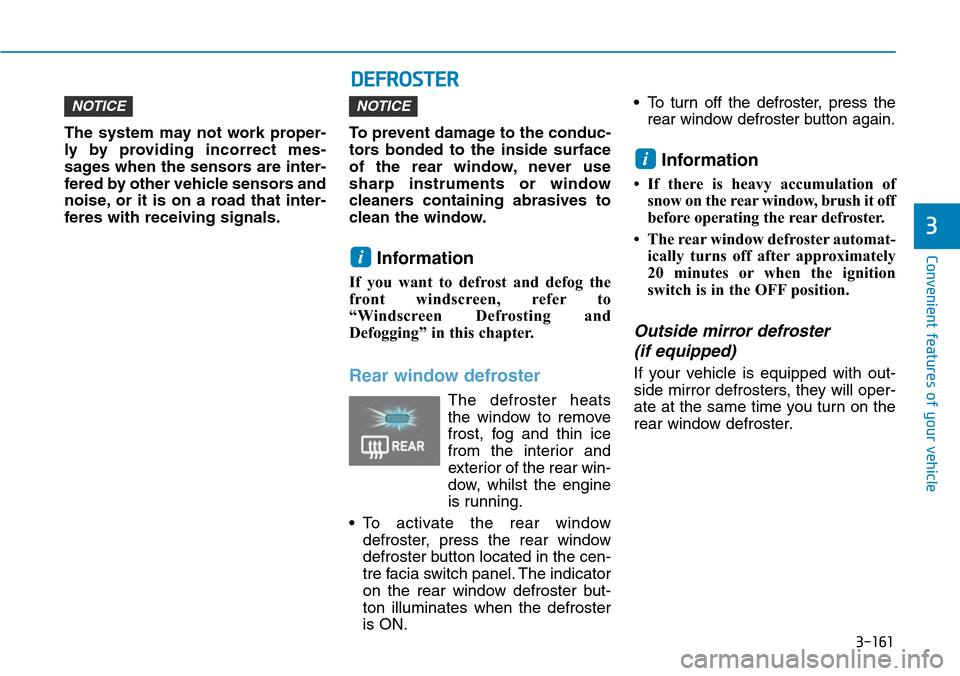
The defroster heats
the window to remove
frost, fog and thin ice
from the interior and
exterior of the rear win-
dow, whilst the engine
is running.
• To activate the rear window
defroster, press the rear window
defroster button located in the cen-
tre facia switch panel. The indicator
on the rear window defroster but-
ton illuminates when the defroster
is ON.• To turn off the defroster, press the
rear window defroster button again.
Information
• If there is heavy accumulation of
snow on the rear window, brush it off
before operating the rear defroster.
• The rear window defroster automat-
ically turns off after approximately
20 minutes or when the ignition
switch is in the OFF position.
Outside mirror defroster
(if equipped)
If your vehicle is equipped with out-
side mirror defrosters, they will oper-
ate at the same time you turn on the
rear window defroster.
i
i
NOTICENOTICE
Page 272 of 682
3-181
Convenient features of your vehicle
3
WINDSCREEN DEFROSTING AND DEFOGGING
• For maximum windscreen defrost-
ing, set the temperature control
knob to the highest temperature
setting and the fan control knob to
the highest fan speed. Select the
front defrost button on the climate
control display. After the engine
warm-up period, warm air will be
directed to the front windscreen.
• If warm air to the floor is desired
whilst defrosting or defogging, set
the mode to the floor-defrost posi-
tion.
• Before driving, clear all snow and
ice from the windscreen, rear win-
dow, outside rear view mirrors, and
all side windows.
• Clear all snow and ice from the bon-
net and air inlet in the cowl grill to
improve heater and defroster effi-
ciency and to reduce the probability
of fogging up inside of the wind-
screen.
Information
If the engine temperature is still cold
after starting, then a brief engine warm
up period may be required for the
vented air flow to become warm or hot.
Manual climate control system
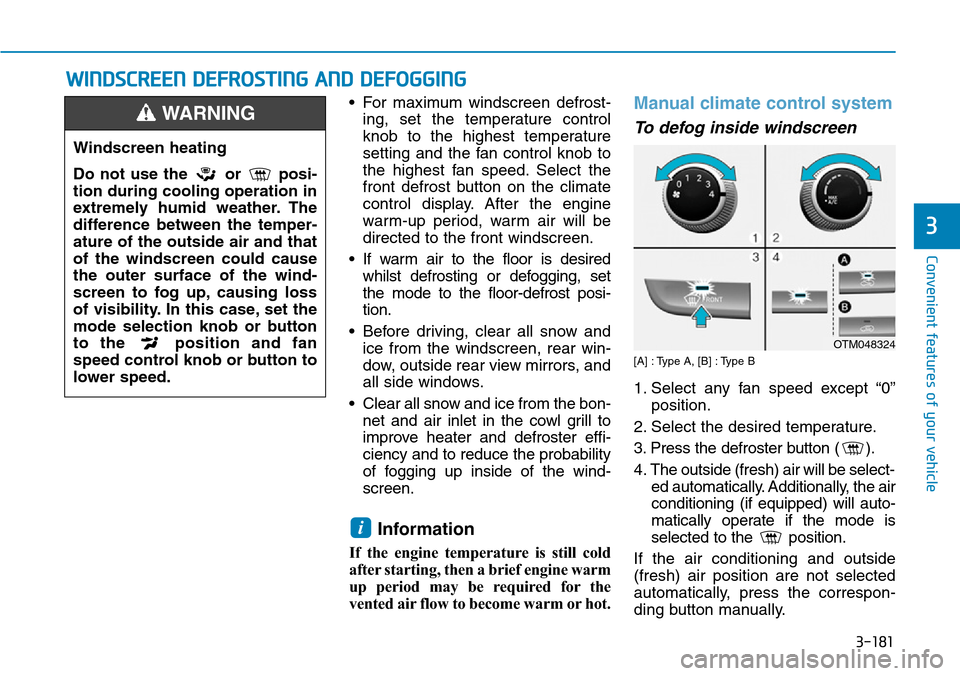
To defog inside windscreen
[A] : Type A, [B] : Type B
1. Select any fan speed except “0”
position.
2. Select the desired temperature.
3. Press the defroster button ( ).
4. The outside (fresh) air will be select-
ed automatically. Additionally, the air
conditioning (if equipped) will auto-
matically operate if the mode is
selected to the position.
If the air conditioning and outside
(fresh) air position are not selected
automatically, press the correspon-
ding button manually.
i
Windscreen heating
Do not use the or posi-
tion during cooling operation in
extremely humid weather. The
difference between the temper-
ature of the outside air and that
of the windscreen could cause
the outer surface of the wind-
screen to fog up, causing loss
of visibility. In this case, set the
mode selection knob or button
to the position and fan
speed control knob or button to
lower speed.
WARNING
OTM048324
Page 277 of 682
3-186
Convenient features of your vehicle
Cool box (if equipped)
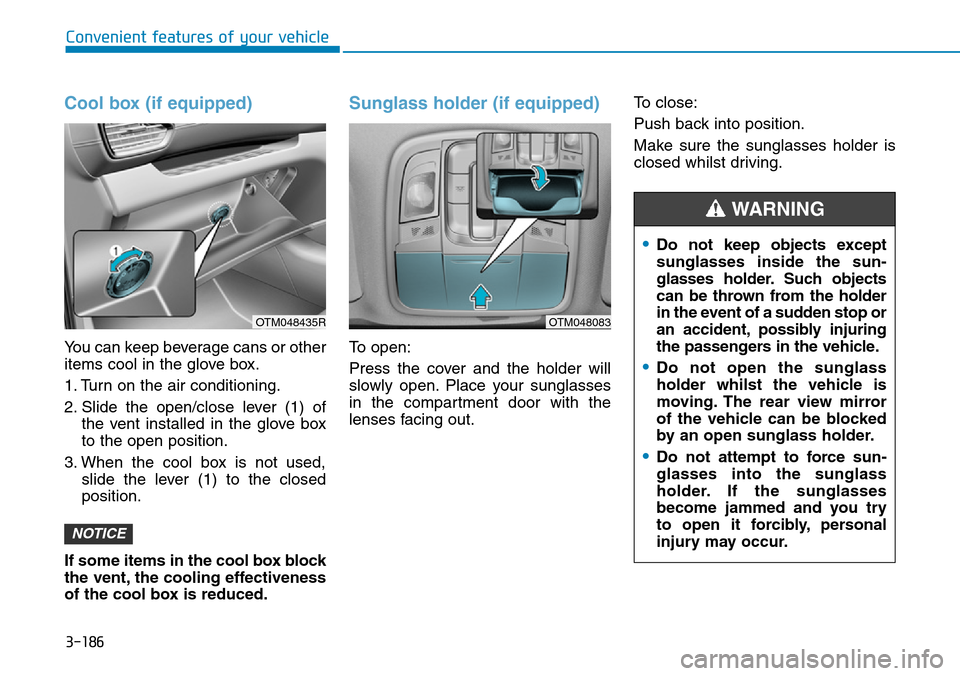
You can keep beverage cans or other
items cool in the glove box.
1. Turn on the air conditioning.
2. Slide the open/close lever (1) of
the vent installed in the glove box
to the open position.
3. When the cool box is not used,
slide the lever (1) to the closed
position.
If some items in the cool box block
the vent, the cooling effectiveness
of the cool box is reduced.
Sunglass holder (if equipped)
To open:
Press the cover and the holder will
slowly open. Place your sunglasses
in the compartment door with the
lenses facing out.To close:
Push back into position.
Make sure the sunglasses holder is
closed whilst driving.
NOTICE
•Do not keep objects except
sunglasses inside the sun-
glasses holder. Such objects
can be thrown from the holder
in the event of a sudden stop or
an accident, possibly injuring
the passengers in the vehicle.
•Do not open the sunglass
holder whilst the vehicle is
moving. The rear view mirror
of the vehicle can be blocked
by an open sunglass holder.
•Do not attempt to force sun-
glasses into the sunglass
holder. If the sunglasses
become jammed and you try
to open it forcibly, personal
injury may occur.
WARNING
OTM048435ROTM048083
Page 281 of 682
3-190
Convenient features of your vehicle
Sunvisor
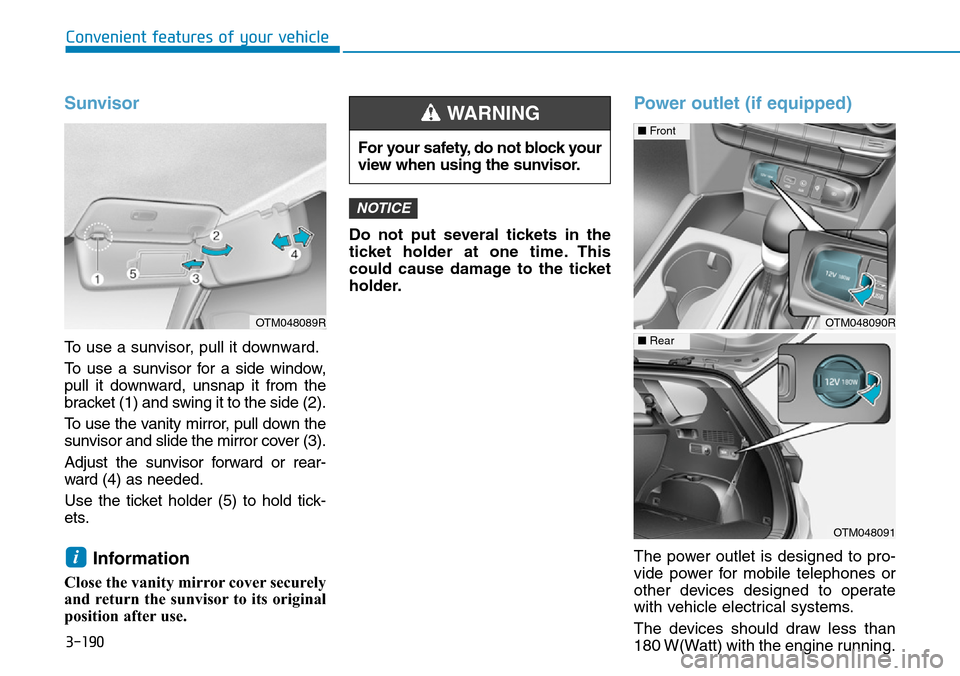
To use a sunvisor, pull it downward.
To use a sunvisor for a side window,
pull it downward, unsnap it from the
bracket (1) and swing it to the side (2).
To use the vanity mirror, pull down the
sunvisor and slide the mirror cover (3).
Adjust the sunvisor forward or rear-
ward (4) as needed.
Use the ticket holder (5) to hold tick-
ets.
Information
Close the vanity mirror cover securely
and return the sunvisor to its original
position after use.Do not put several tickets in the
ticket holder at one time. This
could cause damage to the ticket
holder.
Power outlet (if equipped)
The power outlet is designed to pro-
vide power for mobile telephones or
other devices designed to operate
with vehicle electrical systems.
The devices should draw less than
180 W(Watt) with the engine running.
NOTICE
i
For your safety, do not block your
view when using the sunvisor.
WARNING
OTM048090R
■Front
OTM048091
■Rear
OTM048089R
Page 334 of 682
5-5
Driving your vehicle
5
Before entering the vehicle
• Be sure all windows, outside mir-
ror(s), and outside lights are clean
and unobstructed.
• Remove frost, snow, or ice.
• Visually check the tyres for uneven
wear and damage.
• Check under the vehicle for any
sign of leaks.
• Be sure there are no obstacles
behind you if you intend to back up.
Before starting
• Make sure the bonnet, the tailgate,
and the doors are securely closed
and locked.
• Adjust the position of the seat and
steering wheel.
• Adjust the inside and outside
rearview mirrors.
• Verify all the lights work.
• Fasten your seat belt. Check that
all passengers have fastened their
seat belt.
• Check the gauges and indicators in
the instrument panel and the mes-
sages on the instrument display
when the ignition switch is in the
ON position.
• Check that any items you are car-
rying are stored properly or fas-
tened down securely.
BEFORE DRIVING
To reduce the risk of SERIOUS
INJURY or DEATH, take the fol-
lowing precautions:
•ALWAYS wear your seat belt.
All passengers must be prop-
erly belted whenever the vehi-
cle is moving. For more infor-
mation, refer to "Seat Belts" in
chapter 2.
•Always drive defensively.
Assume other drivers or pedes-
trians may be careless and
make mistakes.
•Stay focused on the task of
driving. Driver distraction can
cause accidents.
•Leave plenty of space between
you and the vehicle in front of
you.
WARNING
Page 410 of 682
5-81
Driving your vehicle
5
• NEVER locate any reflective
objects (i.e. white paper, mirror)
over the dashboard. Any light
reflection may cause a malfunc-
tion of the system.
• Pay extreme caution to keep the
camera out of water.
• NEVER disassemble the camera
assembly, nor apply any impact
on the camera assembly.
• Playing the vehicle audio sys-
tem at high volume may offset
the system warning sounds.
• Always keep the sensors clean.
• Be careful not to apply unneces-
sary force on the sensor. If the
sensor is forcibly moved out of
proper alignment, the system
may not operate correctly. In this
case, a warning message may not
be displayed. We recommend that
you have the vehicle inspected by
a HYUNDAI authorised repairer.
Information
We recommend that you have the sys-
tem checked by a HYUNDAI autho-
rised repairer when:
• The windscreen glass is replaced.
Warning message and warning
light
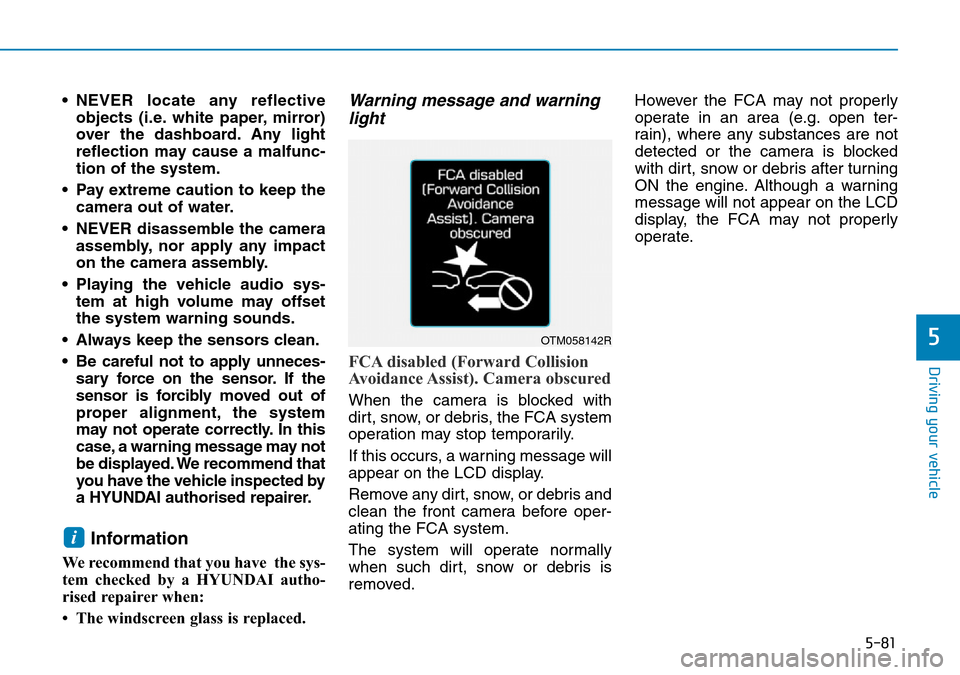
FCA disabled (Forward Collision
Avoidance Assist). Camera obscured
When the camera is blocked with
dirt, snow, or debris, the FCA system
operation may stop temporarily.
If this occurs, a warning message will
appear on the LCD display.
Remove any dirt, snow, or debris and
clean the front camera before oper-
ating the FCA system.
The system will operate normally
when such dirt, snow or debris is
removed.However the FCA may not properly
operate in an area (e.g. open ter-
rain), where any substances are not
detected or the camera is blocked
with dirt, snow or debris after turning
ON the engine. Although a warning
message will not appear on the LCD
display, the FCA may not properly
operate.
i
OTM058142R
Page 422 of 682
5-93
Driving your vehicle
5
Dirt, snow, or foreign substances on
the lens may adversely affect the
sensing performance of the sensor.
• Do not apply license plate mold-
ing or foreign objects such as a
bumper sticker or a bumper
guard near the radar sensor.
Doing so may adversely affect
the sensing performance of the
radar.
• Always keep the radar sensor
and cover clean and free of dirt
and debris.
• Use only a soft cloth to wash the
vehicle. Do not spray pressur-
ized water directly on the sensor
or sensor cover.• Be careful not to apply unneces-
sary force on the radar sensor or
sensor cover. If the sensor is
forcibly moved out of proper
alignment, the FCA system may
not operate correctly. In this
case, a warning message may
not be displayed. Have the vehi-
cle inspected by a HYUNDAI
authorised repairer.
• If the front bumper becomes
damaged in the area around the
radar sensor, the FCA system
may not operate properly. We
recommend that you have the
vehicle inspected by a HYUNDAI
authorised repairer.
• Use only genuine parts to repair
or replace a damaged sensor or
sensor cover. Do not apply paint
to the sensor cover.• NEVER install any accessories
or stickers on the front wind-
screen, nor tint the front wind-
screen.
• NEVER locate any reflective
objects (i.e. white paper, mirror)
over the dashboard. Any light
reflection may cause a malfunc-
tion of the system.
• Pay extreme caution to keep the
camera out of water.
• NEVER disassemble the camera
assembly, nor apply any impact
on the camera assembly.
• Playing the vehicle audio sys-
tem at high volume may offset
the system warning sounds.
Information
We recommend that you have the sys-
tem checked by a HYUNDAI autho-
rised repairer when:
• The windscreen glass is replaced.
• The radar sensor or cover gets dam-
aged or replaced.
i
NOTICE
NOTICE
Page 432 of 682

5-103
Driving your vehicle
System setting and activation
System setting
• The driver can activate the system
by placing the ignition switch to the
ON position and by selecting "User
Settings →Driver assistance →
Blind-spot safety"
- The BCW turns on and gets
ready to be activated when
'Warning only' is selected. Then,
if a vehicle approaches the dri-
ver's blind spot area a warning
sounds.
- The system is deactivated and
the indicator on the BCW button
is extinguished when 'Off' is
selected.
• If you press BCW button whilst
'Warning only' is selected the indi-
cator on the button extinguishes
and the system deactivates.• If you press BCW button whilst the
system is cancelled the indicator
on the button illuminates and the
system activates. In this case, the
system returns to the state before
the engine turned off.
When the system is initially turned
on and when the engine is turned
off then on again whilst the system
is in activation, the warning light
will illuminate for 3 seconds on the
outside rearview mirror.
• If the engine is turned off then on
again, the system maintains the
previous state.
• The driver can select the initial
warning activation time in the User
Settings in the LCD display by
selecting "User Settings → Driver
assistance →Warning timing"
5
OTM058032R
■Type A
OTM058031R
■Type B