2017 MERCEDES-BENZ E-CLASS SALOON phone
[x] Cancel search: phonePage 189 of 497
Count
ryRadio equipment appr oval
number
South
Africa TA
-20 15/1386
Tu rkey notrequ ired
Uni ted
Arab Emi‐
ra tes ER4
1849/15
Dealer No: DA35176/14
United
St ates FCC ID: NZLM
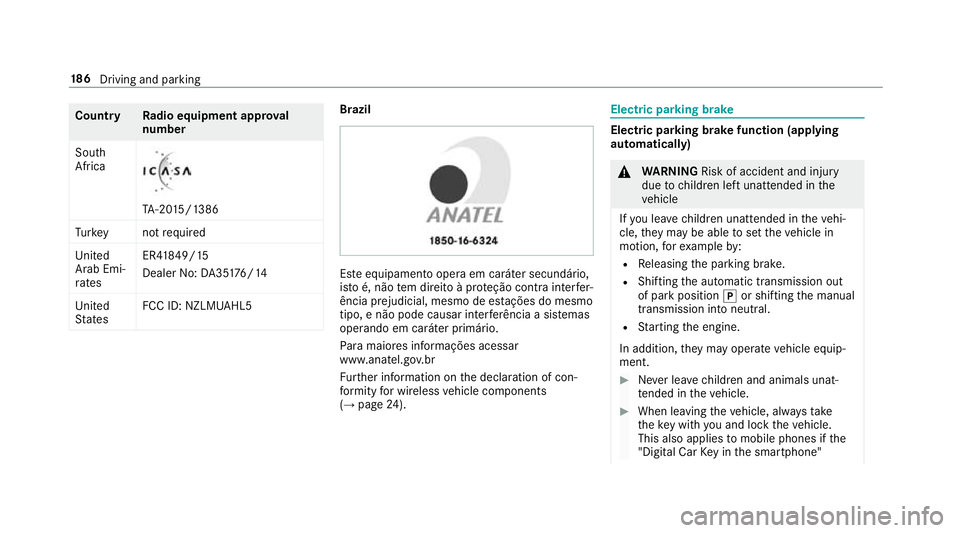
UAHL5 Brazil
Es
te equipamento opera em caráter secundário,
is to é, não tem direito à pr oteção contra inter fer‐
ência prejudicial, mesmo de es tações do mesmo
tipo, e não pode causar inter ferê ncia a si stemas
operando em caráter primário.
Pa ra maio res informações acessar
www.anatel.go v.br
Fu rther information on the declaration of con‐
fo rm ity for wireless vehicle components
(→ page 24). Electric parking brake
Electric parking brake function (app
lying
automatically) &
WARNING Risk of accident and inju ry
due tochildren left unat tended in the
ve hicle
If yo u lea vechildren unat tended in theve hi‐
cle, they may be able toset theve hicle in
motion, forex ample by:
R Releasing the parking brake.
R Shifting the automatic transmission out
of park position jor shifting the manual
transmission into neutral.
R Starting the engine.
In addition, they may operate vehicle equip‐
ment. #
Never lea vechildren and animals unat‐
te nded in theve hicle. #
When leaving theve hicle, alw aysta ke
th eke y with you and lock theve hicle.
This also applies tomobile phones if the
"Digital Car Key in the smartphone" 18 6
Driving and pa rking
Page 192 of 497

%
The electric parking brake is only securely
applied if the indicator lamp is lit continu‐
ously.
Re leasing #
Swit chthe ignition on. #
Pull handle 1.
The ! indicator lamp in the instrument
clus ter goes out.
Emer gency braking #
Press and hold handle 1.
When theve hicle has been braked to a
st andstill, the electric parking brake is
applied. The !indicator lamp appears in
th e instrument clus ter. Information on de
tecting dama geon a
pa rked vehicle If a collision is de
tected when theto w- aw ay pro‐
te ction is acti vated on a loc kedve hicle, you will
re cei venotification:
R onyour smartphone R
inthe multimedia sy stem when you swit ch
on the ignition
Yo u will recei veinformation about thefo llowing:
R the area of theve hicle that may ha vebeen
damaged
R thefo rc e of the impact
The following situations can lead toinadver tent
acti vation:
R the par kedve hicle is mo ved, e.g. in a double-
dec kerga rage
% Deactivate tow- aw ay protection in order to
pr eve nt inadver tent acti vation. If you deacti‐
va te tow- aw ay protection, damage de tection
will also be deactivated.
Sy stem limitations
De tection may be restricted in thefo llowing sit‐
uations:
R theve hicle is damaged without impact, e.g. if
an outside mir ror is torn off or the paint is
damaged byakey
R an impact occurs at low speed R
the electric parking brake is not applied
Information on Mercedes me connect and other
services: http://www.mercedes.me. Note
s on parking up theve hicle If
yo u lea vetheve hicle par ked up for longer than
fo ur we eks, the disconnected battery may be
damaged bydeep dischar ge.
If yo u lea vetheve hicle par ked up for longer than
six weeks, it may suf fer dama geas a result of
lack of use.
% Further information can be obtained at a
qu alified specialist workshop. St
andby mode (extension of the star ter bat‐
te ry 's period out of use) St
andby mode function
Ve hicles without a 48 V electrical sy stem
(EQ Boost technology):
If standby mode is activated, theve hicle can be
par kedfo r an extended pe riod of time without
losing po wer. Driving and pa
rking 18 9
Page 234 of 497
#
Pay attention toobjects and other road
users. #
Where necessar y,stop theve hicle or
cancel the parking procedure with
Ac tive Parking Assist. #
If,forex ample, theEngage forward gear mes‐
sage appears in the multimedia sy stem dis‐
play: select the cor responding transmission
position.
The vehicle mo ves out of the parking space. Example:
vehicles with 360° Camera Af
terth eex iting procedure has been comple ted,
th eActive Parking Assist finished, take control
of the vehicle. message appears in the display of
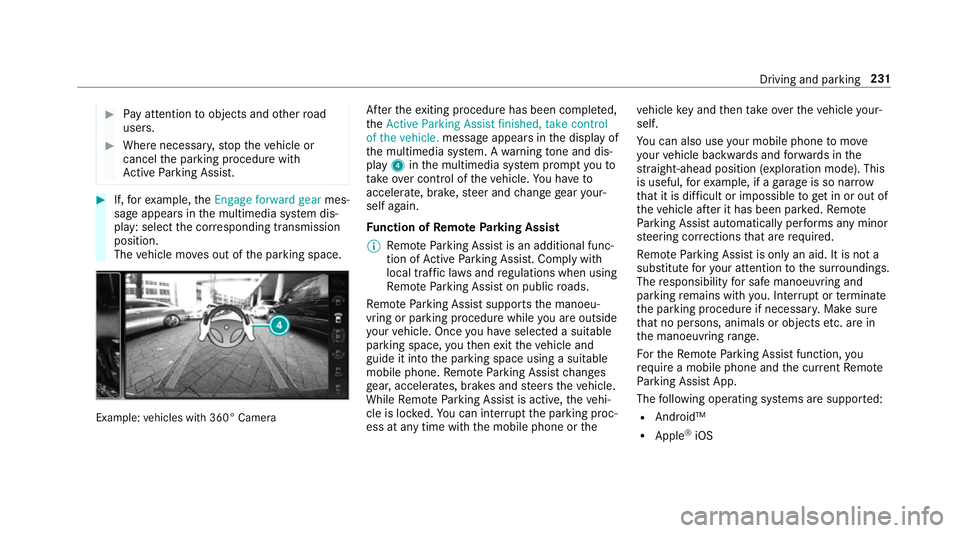
th e multimedia sy stem. A warning tone and dis‐
pl ay 4 inthe multimedia sy stem prom ptyouto
ta ke over control of theve hicle. You ha veto
accelerate, brake, steer and change gear your‐
self again.
Fu nction of Remo teParking Assist
% Remo teParking Assist is an additional func‐
tion of Active Parking Assist. Comply with
local traf fic la wsand regulations when using
Re mo teParking Assist on public roads.
Re mo teParking Assist supports the manoeu‐
vring or parking procedure while you are outside
yo ur vehicle. Once you ha veselected a suitable
parking space, youth en exitth eve hicle and
guide it into the parking space using a suitable
mobile phone. Remo teParking Assist changes
ge ar, accelerates, brakes and steers theve hicle.
While Remo teParking Assist is active, theve hi‐
cle is loc ked. You can inter rupt the parking proc‐
ess at any time with the mobile phone or theve
hicle key and then take ove rth eve hicle your‐
self.
Yo u can also use your mobile phone tomo ve
yo ur vehicle backwards and forw ards in the
st ra ight-ahead position (exploration mode). This
is useful, forex ample, if a garage is so nar row
th at it is dif ficult or impossible toget in or out of
th eve hicle af ter it has been par ked. Re mo te
Pa rking Assist automatically per form s any minor
st eering cor rections that are requ ired.
Re mo teParking Assist is only an aid. It is not a
substitute foryo ur attention tothe sur roundings.
The responsibility for safe manoeuvring and
parking remains with you. In terrupt or term inate
th e parking procedure if necessar y.Make sure
th at no persons, animals or objects etc. are in
th e manoeuvring range.
Fo rth eRe mo teParking Assist function, you
re qu ire a mobile phone and the cur rent Remo te
Pa rking Assist App.
The following operating sy stems are suppor ted:
R Android™
R Apple ®
iOS Driving and parking
231
Page 235 of 497
If
th e connection between theve hicle and the
mobile phone is inter rupte d while a parking
manoeuvre is being per form ed, the manoeuvre
can be continued if the connection is re-es tab‐
lished within about two minutes.
The following scenarios are suppor ted:
R Parking in a parking space parallel tothe
direction of tra vel.
R Parking in a parking space at right angles to
th e direction of tra vel.
R Exiting a parking space at right angles tothe
direction of tra vel (exploration mode).
R Parking in a stra ight-ahead position, e.g. into
a ga rage or carport (exploration mode).
R Exiting a parking space in a stra ight-ahead
position, e.g. from a garage or carport (explo‐
ra tion mode).
If a malfunction or a sy stem limitation is de tec‐
te d while parking or manoeuvring (e.g. the per‐
mitted downhill gradient is exceeded), thefo l‐
lowing actions are per form ed automatically:
R The parking manoeuvre is cancelled.
R The vehicle is brought toast andstill. R
Transmission position jis engaged.
R theve hicle is switched off.
R The vehicle remains loc ked.
If th e parking manoeuvre is cancelled, a cor re‐
sponding message is displa yed on the mobile
phone. You can then take ove r and manoeuvre
th eve hicle into the parking space yourself. Alter‐
nativel y,yo u can mo vetheve hicle back toits
original position, if necessar y.
Yo u can inter rupt the parking procedure with
Ac tive Parking Assist in order totake control of
th eve hicle with Remo teParking Assist and
manoeuvre it into its final position.
% You can find fur ther information in the oper‐
ating instructions forth eRe mo teParking
Assist app http://www.me rcedes.me.
Sy stem limitations
Sn owfa ll or heavy rain may lead toa parking
space being measured inaccurately or, in cer tain
cases, toconnection problems wi th the mobile
phone. Parking spaces that are partial ly occu‐
pied bytrailer dr awbars might not be identified
as such or be measured incor rectl y.Only use Re
mo teParking Assist on a le vel, high- grip sur‐
fa ce. The pa rking space must be at least 0.60 m
wider than theve hicle without the outside mir‐
ro rs.
Do not use Remo teParking Assist in thefo llow‐
ing situations:
R Inextreme weather conditions such as ice,
pac ked snow or heavy rain.
R Ifyo u are transporting a load that pr otru des
be yond theve hicle.
R Ifyo u ha veins talled snow chains.
R Ifth e parking space is on a downhill or uphill
incline.
Re mo teParking Assist is cancelled if, among
ot her things, one of thefo llowing actions is car‐
ri ed out:
R You deactivate Active Parking Assist.
R You press a but ton on thekey.
R ESP ®
inter venes.
During the parking procedure, you should not
st and more than appr ox. 3.0 maw ay from the
ve hicle. Atgreater dis tances, the procedure will 232
Driving and parking
Page 236 of 497
be inter
rupte d and a cor responding message will
be displa yed on the mobile phone. If you mo ve
closer totheve hicle, you will be able tocontinue
th e procedure.
Fu rther information on cancelling the function
can be found in the operating instructions for
th eRe mo teParking Assist app.
Operating Remo teParking Assist &
WARNING Risk of accident due to
objects located abo veor below the
de tection range of Active Parking Assist
If th ere are objects abo veor below the
de tection range, thefo llowing situations may
arise:
R Active Parking Assist may steer too ear ly.
R Vehicles with automatic transmis‐
sion: Thevehicle may not stop in front of
th ese objects.
This could cause a collision. #
Inthese situations, do not use Active
Pa rking Assist. Objects located abo
veor below the de tection
ra nge of thePa rking Assist are not de tected
when the parking space is being measured.
These are also not take n into account when the
parking manoeuvre is calculated, e.g. overhang‐
ing loads, overhangs or loading ramp s of lor ries
or the boundaries of parking spaces. In some cir‐
cums tances, Parking Assist may therefore guide
yo u into the parking space prematurely. &
WARNING Danger due toinsuf ficient
view of theve hicle sur roundings
When using theRe mo teParking Assist, the
view of theve hicle's sur roundings may be
limited. #
When you manoeuv re, park or exit a
parking space with theve hicle using
Re mo teParking Assist, obser vethefo l‐
lowing points:
R Make sure that you ha vethe best
view possible of theve hicle and the
ve hicle's sur roundings.
R Make sure that no persons, animals
or objects are in the path of your
ve hicle. R
Make sure that you main tain a suita‐
ble dis tance totheve hicle and that
nei ther you nor other road users
could be endangered.
R Beaware of theve hicle's sur round‐
ings at all times and identify possi‐
ble dan gers.
R If necessar y,cancel the parking pro‐
cedure. Ke
ep in mind that the sy stem limitations must be
obser ved at all times. If necessar y,cancel the
parking procedure.
Please no tethat you can on lyuse Remo tePark‐
ing Assist if you ha veava lid driving licence and
are in a fit st ate todrive.
During the parking procedure, no persons or
pets are allo wed in theve hicle.
Alw ays make sure that other road users can
access their vehicles.
% Keep theke y with you during the parking
procedure. You can cancel the parking pro‐
cedure and bring theve hicle toast andstill
by pressing a button on thekey. Driving and pa
rking 233
Page 237 of 497
%
On completion of the parking procedure, the
ve hicle is loc ked.
Re quirements:
R The mobile phone and Remo teParking Assist
are connec ted (→ page 236)
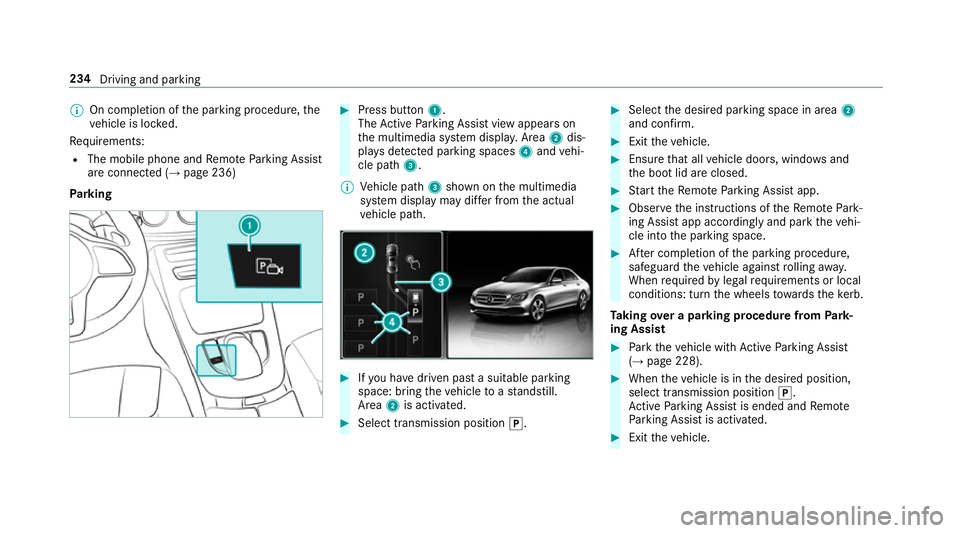
Park ing #
Press button 1.
The Active Parking Assist view appears on
th e multimedia sy stem displa y.Area 2dis‐
pl ay s de tected pa rking spaces 4and vehi‐
cle path 3.
% Vehicle path 3shown on the multimedia
sy stem display may dif fer from the actual
ve hicle path. #
Ifyo u ha vedriven past a suitable parking
space: bring theve hicle toast andstill.
Area 2is activated. #
Select transmission position j. #
Select the desired parking space in area 2
and confi rm. #
Exit theve hicle. #
Ensure that all vehicle doors, windo wsand
th e boot lid are closed. #
Start theRe mo teParking Assist app. #
Obser vethe instructions of theRe mo tePark‐
ing Assist app accordingly and park theve hi‐
cle into the parking space. #
After completion of the parking procedure,
safeguard theve hicle against rolling away.
When requ ired bylegal requirements or local
conditions: turn the wheels towa rdsth eke rb.
Ta king over a parking procedu refrom Park‐
ing Assist #
Park theve hicle with Active Parking Assist
(→ page 228). #
When theve hicle is in the desired position,
select transmission position j.
Ac tive Parking Assist is ended and Remo te
Pa rking Assist is activated. #
Exit theve hicle. 234
Driving and parking
Page 238 of 497
#
Ensu rethat all vehicle doors, windo wsand
th e boot lid are closed. #
Start theRe mo teParking Assist app. #
Obser vethe instructions of theRe mo tePark‐
ing Assist app accordingly and park theve hi‐
cle into the parking space. #
After completion of the parking procedure,
safeguard theve hicle against rolling away.
When requ ired bylegal requirements or local
conditions: turn the wheels towa rdsth eke rb.
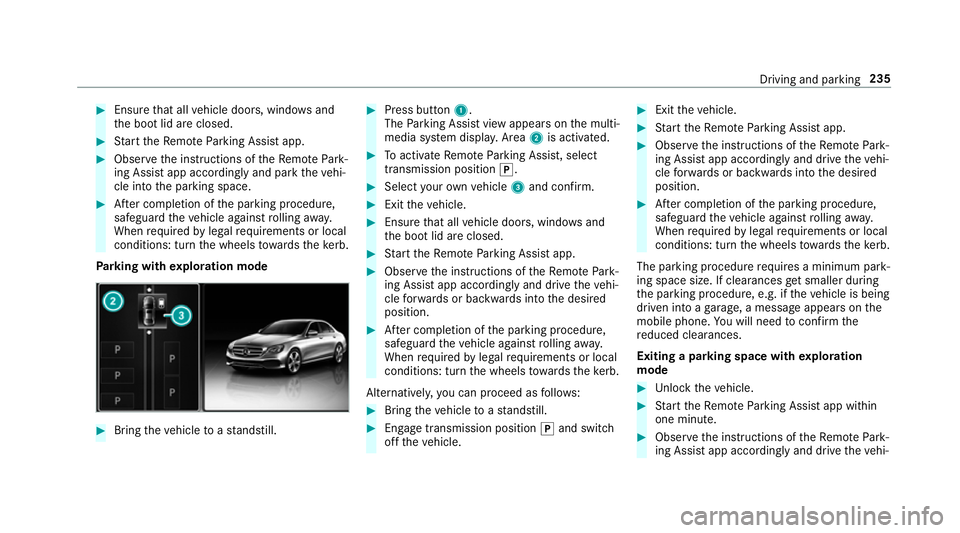
Pa rking with explo ration mode #
Bring theve hicle toast andstill. #
Press button 1.
The Parking Assist view appears on the multi‐
media sy stem displa y.Area 2is acti vated. #
Toactivate Remo teParking Assist, select
transmission position j. #
Select your ow nve hicle 3and confirm. #
Exit theve hicle. #
Ensure that all vehicle doors, windo wsand
th e boot lid are closed. #
Start theRe mo teParking Assist app. #
Obser vethe instructions of theRe mo tePark‐
ing Assist app accordingly and drive theve hi‐
cle forw ards or backwards into the desired
position. #
After completion of the parking procedure,
safeguard theve hicle against rolling away.
When requ ired bylegal requirements or local
conditions: turn the wheels towa rdsth eke rb.
Alternatively, you can proceed as follo ws: #
Bring theve hicle toast andstill. #
Engage transmission position jand switch
off theve hicle. #
Exit theve hicle. #
Start theRe mo teParking Assist app. #
Obser vethe instructions of theRe mo tePark‐
ing Assist app accordingly and drive theve hi‐
cle forw ards or backwards into the desired
position. #
After completion of the parking procedure,
safeguard theve hicle against rolling away.
When requ ired bylegal requirements or local
conditions: turn the wheels towa rdsth eke rb.
The parking procedu re requires a minimum park‐
ing space size. If clearances getsmaller during
th e parking procedure, e.g. if theve hicle is being
driven into a garage , a message appears on the
mobile phone. You will need toconfirm the
re duced clearances.
Exiting a parking space with explo ration
mode #
Unlock theve hicle. #
Start theRe mo teParking Assist app within
one minute. #
Obser vethe instructions of theRe mo tePark‐
ing Assist app accordingly and drive theve hi‐ Driving and parking
235
Page 239 of 497

cle
forw ards or backwards into the desired
position.
% The outside mir rors are not automatically fol‐
ded out af terex iting a parking space.
Au thorising or de-authorising a mobile phone
fo rRe mo teParking Assist
Multimedia sy stem:
, Vehicle .
System settings .
Active
Parking Assist .
Remote Parking Assist
Au thorising a new mobile phone
In order tobe able touse theRe mo teParking
Assist function, you must authorise your mobile
phone. You can authorise up tosix mobile
phones. #
Select Connect new device .
Re mo teParking Assist is ready toconnect. #
Start theRe mo teParking Assist App and
st art the authorisation process too.
A connection prom ptis displa yed. #
Ente rth e PIN.
De-authorising a mobile phone #
Select the mobile phone. #
Select ¥Options . #
Select De-authorise. #
Select Yes.
The mobile phone is dele ted from the list of
devices.
Fu nction of Drive Away Assist
% Drive AwayAssi stis only available forve hi‐
cles with automatic transmission.
Drive AwayAssi stcan reduce the se verity of an
impact when pulling away. If an obs tacle is
de tected in the direction of tr avel, theve hicle's
speed is brief lyreduced toappr ox. 2 km/h. If a
critical situation is de tected, a symbol appea rs
on the camera image of the multimedia sy stem. &
WARNING Risk of accident caused by
limited de tection per form ance of Drive
Aw ayAssi st
Drive AwayAssi stcannot al ways clearly iden‐
tify objects and traf fic situations. In su
chcases, Drive AwayAssi stmight:
R Warnyou without reason and limit the
ve hicle speed.
R Not warnyou or not limit theve hicle
speed. #
Alw ays pay careful attention tothe traf‐
fi c situation; do not rely on Drive Away
Assi stalone. #
Be prepared tobrake or swer veas nec‐
essar y,prov ided the tra ffic situation
permits and that it is safe totake eva‐
sive action. Drive
AwayAssi stis only an aid. It is not a sub‐
st itute foryo ur attention tothe sur roundings.
The responsibility for safe manoeuvring and
parking remains with you. Make sure that no
persons, animals or objects etc. are in the
manoeuvring range.
A risk of a collision may arise in thefo llowing sit‐
uations, forex ample:
R Ifth e driver mixes up the accelera tor and
brake pedals. 236
Driving and parking