2017 AUDI TT ROADSTER warning light
[x] Cancel search: warning lightPage 91 of 314
CD
CD
.... N
" N ...... 0 r--. V, co
Intelligent Technology
Switching on and off
ESC turns on automatically when you start the engine.
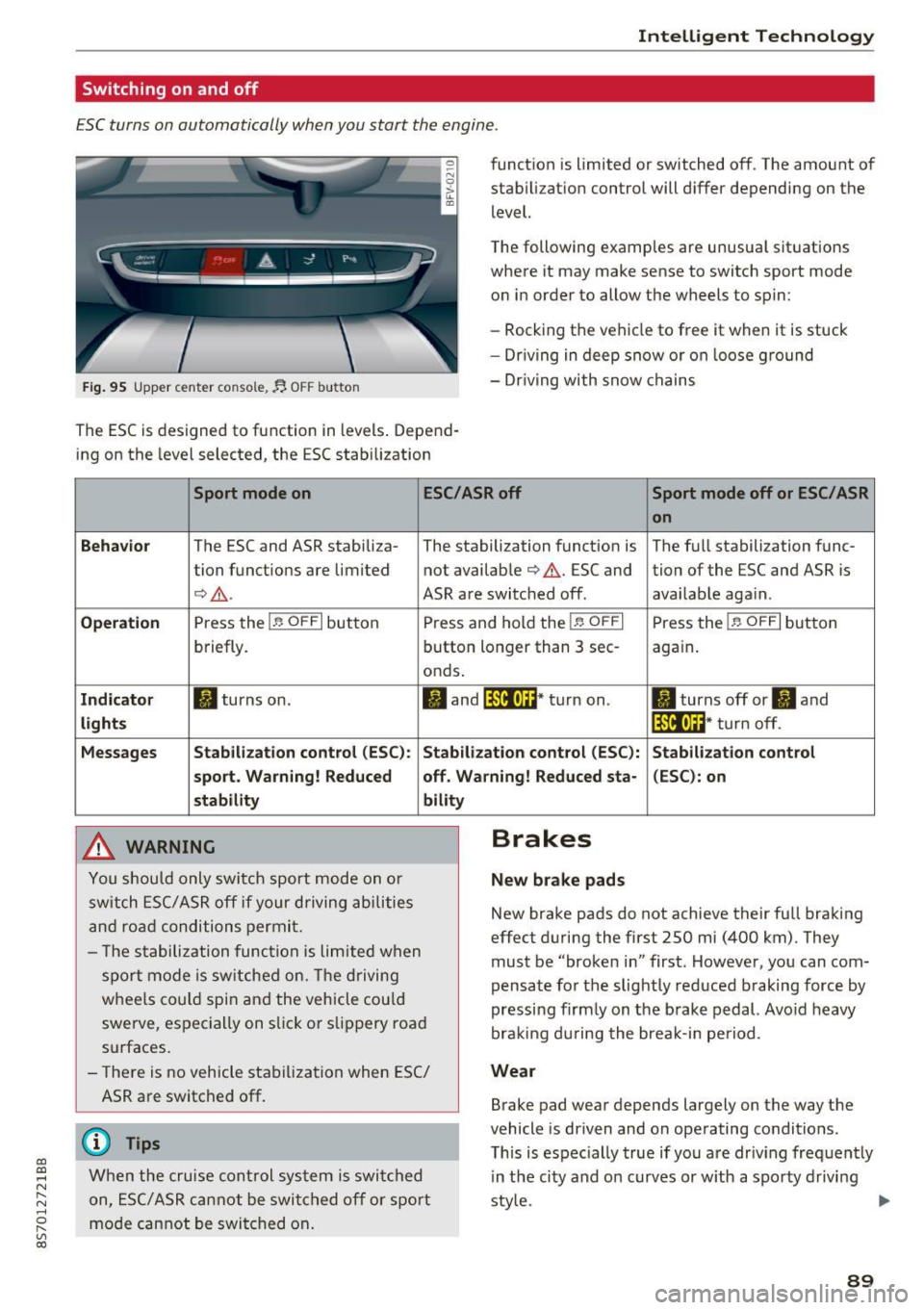
Fig. 95 Upper center console, fj. OFF b utton
The ESC is designed to function in levels . Depend
ing on the level selected, the ESC stabilization funct
ion is limited or switched off. The amount of
stab ilizat ion control will d iffer depending on the
level.
T he following examples are unusua l situat ions
where it may make sense to switch sport mode
o n in order to allow the wheels to spin:
- Rocking the vehicle to free it when it is stuck
- Dr iving in deep snow or on loose g round
- Dr iving with snow chains
Sport mode on ESC/ASR off Sport mode off or ESC/ ASR
on
Behavio r
The ESC and ASR stabiliza- The stabilization funct ion is The f ull stabilization func-
tion funct ions are limited not availab le
¢ .&. . ESC and tion of the ESC and ASR is
¢ .&.. ASR are switched off. availab le aga in.
Operation Press the l.e OFFI but ton Press and hold the l.e OFFI Press the l .e OFFI but ton
briefly. button longer than 3 sec- aga in .
onds .
Indicator II turns on. II and l*JJ•U~* tu rn on. II turns off or II and
liil•IH * tu rn off. light s
Messages Stab
ilization control (ESC ): Stab ilization con trol (ESC ): Stab ilization cont rol
sport . Warning! Reduced off. Wa rning! Reduced sta -(ESC): on
stability
A WARNING
Y ou shou ld only swit ch spo rt m ode on or
switch ESC/ ASR off if your driving ab ilities
a n d roa d conditions permi t.
bility
- T he s tabiliz ation func tion is li mite d when
s por t mode is sw itched on. The driving
whee ls co uld spi n and the vehicle cou ld
swerve, espec ially on s lick or s lippery roa d
surfaces.
- There is no vehicle stabi lization when ESC/
ASR are switched off.
(D Tips
Wh en the cruise cont rol sys tem is swi tched
on, ESC/ ASR can not be swi tched o ff or sport
mo de can not be swit ched on .
Brakes
New brake pads
New brake pads do not achieve their fu ll braking
effect duri ng the first 250 mi (400 km) . They
must be "broke n in" first. Howeve r, you can com
pensate fo r th e slightly reduced braking force by
pressing f irm ly on the b rake pedal. Avo id heavy
bra king d urin g the brea k-in pe riod .
Wear
Brake pad wear depends largely on the way the
vehicle is driven and on operating conditions.
T his is espec ially true if yo u are dr iv ing freq uently
in t he ci ty and o n curves or w ith a spo rty d rivi ng
sty le.
IJI,,
89
Page 92 of 314
Intelligent Technology
Operating nois e
Noises may occur when br aking depend ing on the
speed, b raking force and outside cond itions such
as tempe rature and humidity.
Effect of water and road salt
I n ce rtain s ituations, for example after driving
through wa ter, in heavy ra in, afte r ove rnig ht con
densat ion or after washing your car, the braking
effect can be reduced by moisture or ice on the
brake rotors and brake pads. The brakes must be
"dried" first w ith a few careful brake applica
tions.
At highe r speeds and with the windshie ld wipers
turned on, the brake pads press against the brake rotors for a short amount of time . Th is action,
which is not felt by the driver, happens at regular
intervals and ensures a better reaction time for
the brakes in wet weather .
The braking eff ect can also be reduced if you are
driving on salted roads and you do not apply the
brakes for long periods of time. The layer of salt
on the brake rotors and pads must be worn off
first when the brakes are applied .
Corrosion
Leaving the vehicle parked for long periods of
time, low mi leage and avoiding heavy braking
can contribute to corrosion on the brake rotors
and to dirty brake pads .
If you usually avoid heavy braking or if there is
corros ion present, occasional heavy braking at
h igh speeds is recommended to clean the brake
rotors and pads
¢ ,& .
Brake system malfunct ion
if you notice that the brake pedal travel has sud
denly increased, then a brake c ircuit in the dual
circu it brake system may have malfunct ioned.
Drive to an authorized Aud i dea ler or aut horized
Aud i Serv ice Facility immediately to have t he
p roblem co rrected . On the way there, drive with
reduced speed and keep in mi nd that you w ill
need a longer d istance to s top and you w ill need
to p ress the brake pedal har der.
90
Low brake fluid level
When the brake fluid level is low, m alfunc tions in
the b rake system may occur . The brake fluid leve l
i s e lectronically monitored .
Brake booster
The brake booster ampl ifies the press ure you ap
ply to the brake pedal.
_&. WARNING
- New brake pads do no t achieve the ir full
braking effect during the first 2 50 m i
-
(400 km). They m ust be "b roken in" first .
However, you can compensate fo r the
slightly reduced braking force by pressing
firm ly on the brake pedal. Avoid heavy brak
ing during the break-in period .
- On ly app ly the bra kes for the purpose of
cleaning the brake system when road and
traffic conditions permit. You must not en danger other road users . This increases the
ris k of an accident.
- On steep slopes, reduce the speed and se
lect a lower gear o r lower selector leve r po·
si tion. D rive as little as possible while press
ing the bra ke pedal and avoi d pu tting your
left foot on the brake pedal while dr iv ing.
This could cause the bra kes to overhea t and
impair the efficiency of the b rakes.
- Do not let the bra kes "grind" by always
keep ing your foot on the bra ke pe dal. This
can cause the brakes to overheat, inc rease
wear and increase braking distance unneces
sarily .
- Ce rtain weather and operating conditions
such as d riving through water, dr iv ing in
heavy rain or driv ing after wash ing your ve
hicle can impai r the effective ness of the
brakes . In t he win ter, ice may build up o n
the bra ke pa ds, rotors and dr ums. Check
t hese components by b raking carefully. Ap
plyi ng the brakes carefully seve ral times
dries the brakes and removes ice build-up .
- The efficiency o f th e brakes can also be im
p air ed by dr iv ing for long s tretches on roads
covered with sa lt wi thout using the bra kes .
You can remove salt deposits from the ..,.
Page 94 of 314
Intelligent Technology
snow and ice. Always read and follow safety pre
cautions
¢ & .
Winter tires
By using all wheel drive, your vehicle has good
forward motion with standard tires in winter con
ditions. However, in winter we recommend using
winter or all season tires on
all four wheels, be
cause this will improve the
broking effect.
Snow chains
If there are snow chain laws, snow chains must
also be used on vehicles with all wheel drive
¢ page 261, Snow chains.
Replacing tires
For vehicles with all wheel drive, only whee ls with
the same rolling circumference should be used .
Avoid using tires with different tread depths
¢ page 2 53, New tires or wheels.
Offroad vehicle?
Your Aud i is not an offroad vehicle - there is not
enough ground clearance. For this reason, avoid
difficult terrain.
_&. WARNING
-Also, in vehicles with all wheel drive, adapt
your driv ing style to the current road and
t ra ffic conditions. Do not let the increased
safety provided tempt you into taking risks,
because this increases the r isk of an acci
dent.
- The braking ability of your vehicle is limited
to the traction of the wheels. In this way, it
is not different from a two wheel drive vehi
cle. Do not be tempted to accelerate to a
high speed when the road is slippery, be
cause this increases the risk of an accident.
- Note that on wet streets, the front wheels
can "hydroplane" if driving at speeds that
are too high. Unlike front whee l drive
vehicles, the eng ine does not rev highe r sud
denly when the vehicle begins hydroplaning.
For this reason, pay attention to the road
conditions regardless o f your speed.
92
Rear spoiler
Appl ies to: vehicles with retractable rear spoile r
The extendoble rear spoiler increases driving sta
bility.
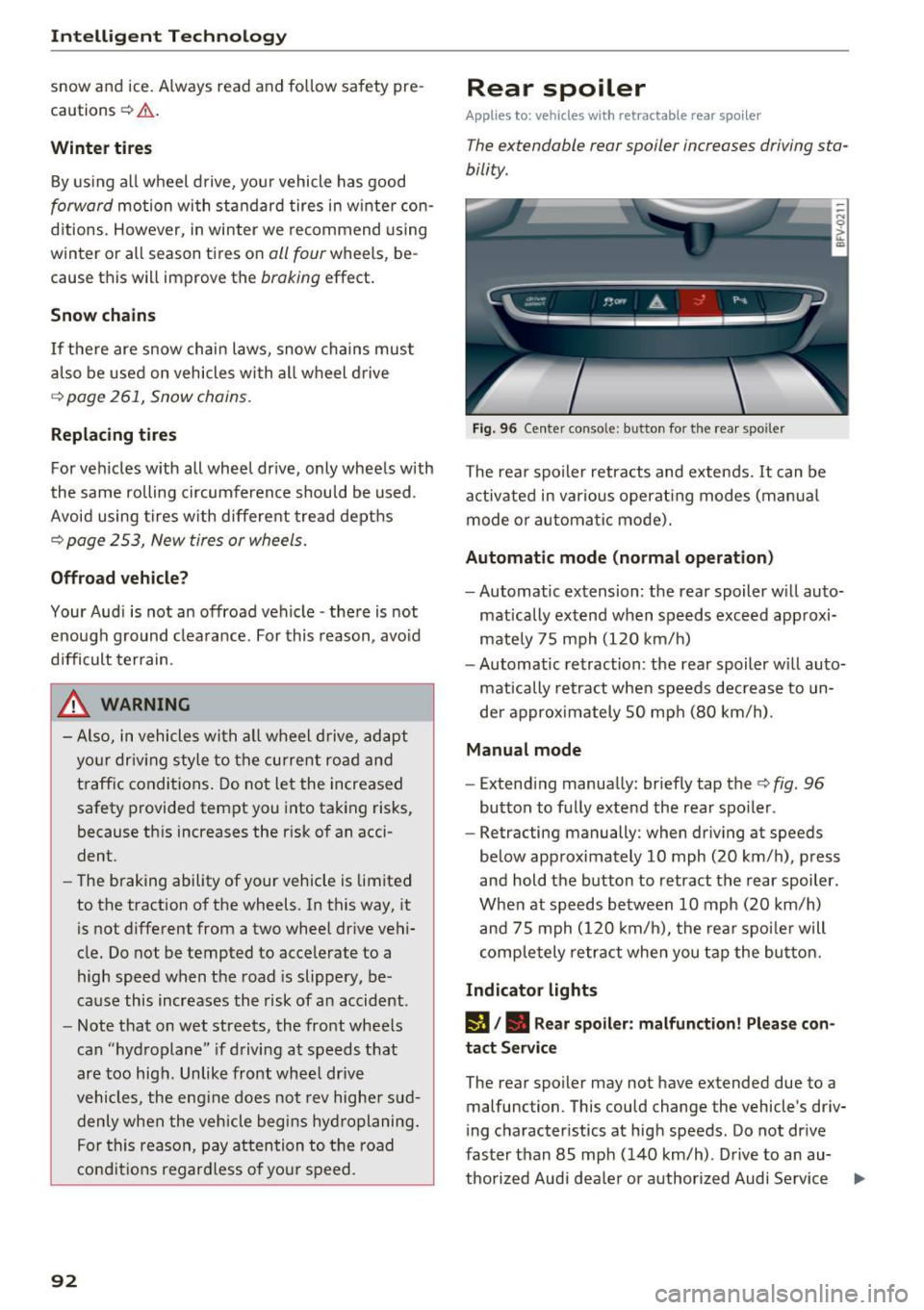
Fig. 96 Center conso le: button for the rear spoiler
The rear spoiler retracts and extends. It can be
activated in various operat ing modes (manua l
mode or automatic mode).
Automatic mode (normal operation)
- Automatic extension: the rear spoiler w ill auto-
mat ically extend when speeds exceed approxi
mately 75 mph (120 km/h)
- Automatic retraction: the rear spoiler w ill auto
matically retract when speeds decrease to un
der approximately 50 mph (80 km/h).
Manual mode
-Extend ing manually : briefly tap the¢ fig. 96
button to fully extend the rear spoiler .
- Retracting manually: when driving at speeds
below approximately 10 mph (20 km/h), press
and hold the b utton to retract the rear spoiler .
When at speeds be tween 10 mph (20 km/h)
and 75 mph (120 km/h), the rea r spoi ler will
completely retract when you tap the button.
Indicator lights
IJ,. Rear spoiler: malfunction! Please con
tact Service
The rear spoiler may not have extended due to a
malfunction. This could change the vehicle's driv
ing characteristics at high speeds. Do not drive
faster than 85 mph (140 km/h) . Drive to an au-
thorized Audi dea ler or authorized Audi Service ..,.
Page 95 of 314
co
co
.... N
" N .... 0
" "' c:o
Facility immediately to have the malfunction cor
rected. The color of the indicator light depends
on the vehicle speed.
A WARNING
-
Driving at higher speeds without the rear
spoiler deployed can impair handling charac teristics, making the vehicle harder to con
trol.
- Always make sure that the spoiler is de
ployed when driving at speeds over 85 mph
(140 km/h). If the rear spoiler warning/indi
cator light in the instrument cluster comes
on, the rear spoiler may not have deployed.
- Never drive at speeds higher than 85 mph
(140 km/h) if the spoiler is not deployed .
Have the spoiler inspected as soon as possi
ble by an authorized Audi dealer or qualified
workshop.
- Always obey speed limits and other traffic
laws.
A WARNING t =
Improper operation of the rear spoiler can
cause crushing injuries.
-
- Always make sure that nobody, especially
children, is in the way when the rear spoiler
is deployed or retracted.
(D Note
- Never push on the vehicle on the rear spoil
er. This could cause damage.
- To prevent damage to the rear spoiler do
not lean or place anything on it.
- Only operate the rear spoiler manually when
the luggage compartment lid is close and
the rear spoiler moving parts are not
blocked. Otherwise, damage could occur.
@ Tips
Clean the rear spoiler compartment every 2 to
3 months. To function correctly, the rear
spoiler must be free of ice , snow and leaves.
Intelligent Technology
Energy management
The starting ability is optimized
The energy management system manages the
electrical energy distribution and optimizes the
availability of electrical energy for starting the
engtne.
When a vehicle with a conventional energy sys
tem is not driven for a long time, the vehicle bat
tery is drained by equipment (for example, the
immobilizer). In certain circumstances , there
could may not be enough energy to start the en
gine.
Your vehicle is equipped with an intelligent ener
gy management system for distributing electrici
ty. This significantly improves the starting ability
and increases the vehicle battery life.
The energy management system Is made up of
battery diagnosis, idling current management
and dynamic energy management.
Battery diagnosis
The battery diagnosis determines the vehicle bat
tery charge level. The sensors determine the bat
tery voltage, the battery current, and the battery
temperature. The current charge level and the
performance of the vehicle battery are deter
mined based on this.
Idling current management
The idling current management decreases the
energy used while parked. With the engine
switched off , it manages the energy distribution
to the different electrical components. Data from
the battery diagnosis is taken into account for
this.
Depending on the vehicle battery charge level,
electrical equipment is switched off one item af
ter the other to prevent the vehicle battery from draining and to maintain the starting ability.
Dynamic energy management
While driving , dynamic energy management dis
tributes the appropriate amount of energy to the
electrical equipment.
It controls the battery
charge level so that the amount of energy is not ..,_
93
Page 138 of 314
Navigation
Navigation
Opening navigation
A pplies to: ve hicles w ith navigation system
The navigation system directs you to your destination, around traffic incidents and on alternative
routes, if desired.
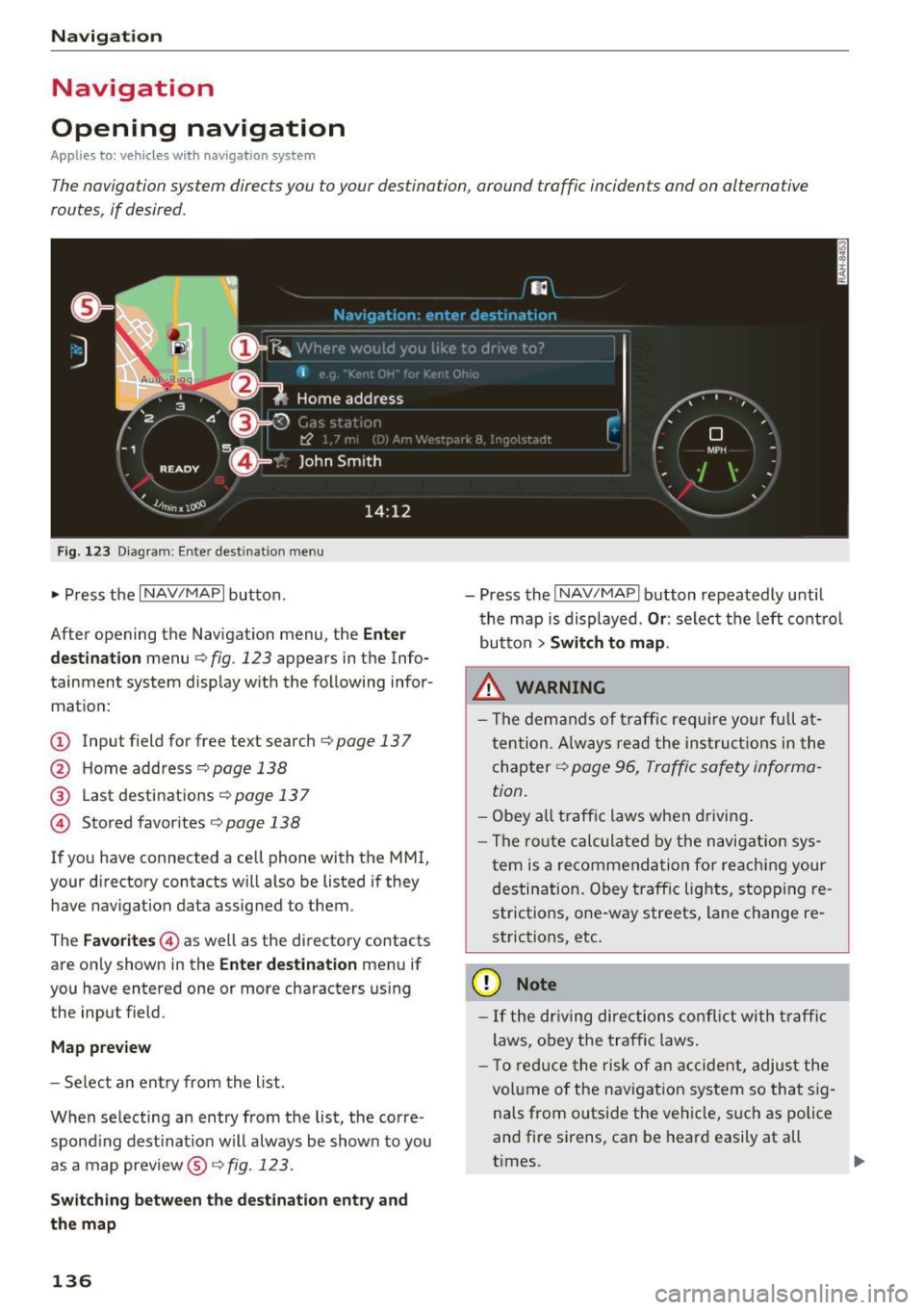
Fig. 123 Diagram: Enter destination menu
~ Press the I NAV/MAPI button.
After opening the Navigation menu, the
Enter
destination
menu Q fig. 123 appears in the Info
tainment system display with the following infor mat ion:
(!) Input field for free text search q page 13 7
@ Home address 9poge 138
@ Last destinations qpoge 137
© Stored favorites q page 138
If you have connected a cell phone with the MMI,
your directory contacts will also be listed if they
have navigation data assigned to them .
The
Favorites © as well as the directory contacts
are only shown in the
Enter destination menu if
you have entered one or more characters using the input field.
Map preview
-Select an entry from the list.
When selecting an entry from the list, the corre
spond ing dest ination will always be show n to you
as a map preview®~
fig. 123.
Switching between the destination entry and
the map
136
- Press the I NAV/MAPI button repeatedly until
the map is displayed .
Or: select the left control
button
> Switch to map.
.&_ WARNING
-The demands of traffic require your full at
tention. Always read the instructions in the
chapter
9 page 96, Traffic safety informa
tion.
- Obey all traffic laws when driving.
- The route calculated by the navigation sys-
tem is a recommendation for reaching your
destination. Obey traffic lights, stopp ing re
strictions, one-way streets, lane change re
strictions, etc.
(D Note
- If the dr iving directions conflict with traffic
laws, obey the traffic laws.
- T o reduce the risk of an accident, adjust the
volume of the navigation system so that sig
nals from outside the vehicle, such as police
and fire sirens, can be heard easily at all
times.
-
Page 183 of 314
co
co
.... N
" N .... 0
" "' c:o
Safe driving Basics
Safe driving habits
Please remember -safety first!
This chapter contains important information,
tips, instructions and warnings that you need to
read and observe for your own safety, the safety
of your passengers and others . We have summar
ized here what you need to know about safety
be lts, airbags, child restraints as well as child
safety. Yo ur safety is for us
priority number 1. Al
ways observe the info rmation and warn ings i n
this section - for you r own safety as well as that
of your passengers.
The information in this sect ion app lies to all
model ve rsions of your vehicle. Some of the fea
tures descr ibed in t his sec tions may be standa rd
equipment on some models, or may be optional
equipment on others . If you are not sure, ask
your authorized Audi dealer.
A WARNING
- Always make sure that you follow the in
struct ions and heed the WARNINGS in th is
Manual. It is in your interest and in the in
terest of your passengers .
-
-Always keep the complete Owner's Litera
ture in your Audi when you lend or sell your
vehicle so that this important information
will always be available to the d river and
passenge rs.
- Always keep the Owne r's literature handy so
that you can find it easily if you have ques
t ions.
Safety equipment
The safety features are part of the occupant re
straint system and work together to help reduce
the risk of injury in a wide variety of accident sit
uations.
Your safety and the safety of yo ur passenger
should not be left to c han ce. Advances in tech
nology have made a var iety of features ava ilab le
t o he lp reduce the risk of injury in an accident.
Safe d riv ing
The following is a lis t of just a few of the sa fe ty
features in yo ur Audi :
- sophisti cated safety be lts fo r dr ive r and pas -
senger seat ing pos ition,
- safety belt p re tensioners,
- safety belt force lim ite rs,
- front airbags,
- knee airbags*
- side airbags in the seats,
- specia l LATCH anchorages for child restraints,
- ad justab le steer ing colum n.
These ind iv idual safety features , ca n work to
gether as a system to he lp p rotect you and your
passenger in a w ide range of acc idents. These
f ea tures canno t work as a system if they are not
always correc tly ad justed and cor rect ly used.
Safet y is everybody's r esponsibility!
Important things to do before driving
Safety is everybody 's job! Vehicle and occupant
saf ety always depends on the informed and care
f1,1/ driver .
For your safety and the safety of your passenger,
before driv ing always:
.,. Make sure that all lights and s ignals are operat
ing correctly .
.,. Make sure that the tire pressure is correct .
.,. Ma ke sure that a ll w indows are clean and afford
good v isibility to the outs ide.
.,. Sec ure all luggage and othe r items c arefully
¢ page 185, ¢ page 49.
.,. Make sure that not hing can i nterfere with the
peda ls .
.,. Adj ust seat and mirro rs cor rectly for your
he ight .
.,. Make sure to use the right child restra int cor
rectly to protect children ¢
page 218, Child
safety .
.,. Sit p roper ly in you r seat a nd make sure that
your passenger do the same¢
page 47, Seats
and storage .
.,. Fasten your safety belt and wear i t properly . Al
so instruct your passenge r to fasten his safety
be lt properly
c:!:> page 189.
181
Page 184 of 314
Safe driving
What impairs driving safety?
Safe driving is directly related to the condition of
the vehicle, the driver as well as the driver's abili
ty to concentrate on the road without being dis
tracted.
The driver is respons ible for the safety of the ve
hicle and all of its occupants. If your ability to
drive is impaired, safety risks for everybody in the
vehicle increase and you also become a hazard to
everyone else on the road
c:::> .&_. Therefore :
~ Do not let yourself be distracted by passenger
or by using a cellular telephone.
~ NEVER drive when your driving ability is im
paired (by medications, alcohol, drugs, etc.).
~ Observe all traffic laws, rules of the road and
speed limits and plain common sense.
~ ALWAYS adjust your speed to road, traffic and
weather conditions.
~ Take frequent breaks on long trips. Do not drive
for more than two hours at a stretch.
~ Do NOT drive when you are tired, under pres
sure or when you are stressed.
..&, WARNING
Impaired driving safety increases the risk of
serious personal injury and death whenever a
vehicle is being used.
Correct passenger
seating positions
Proper seating position for the driver
The proper driver seating position is important
for safe, relaxed driving.
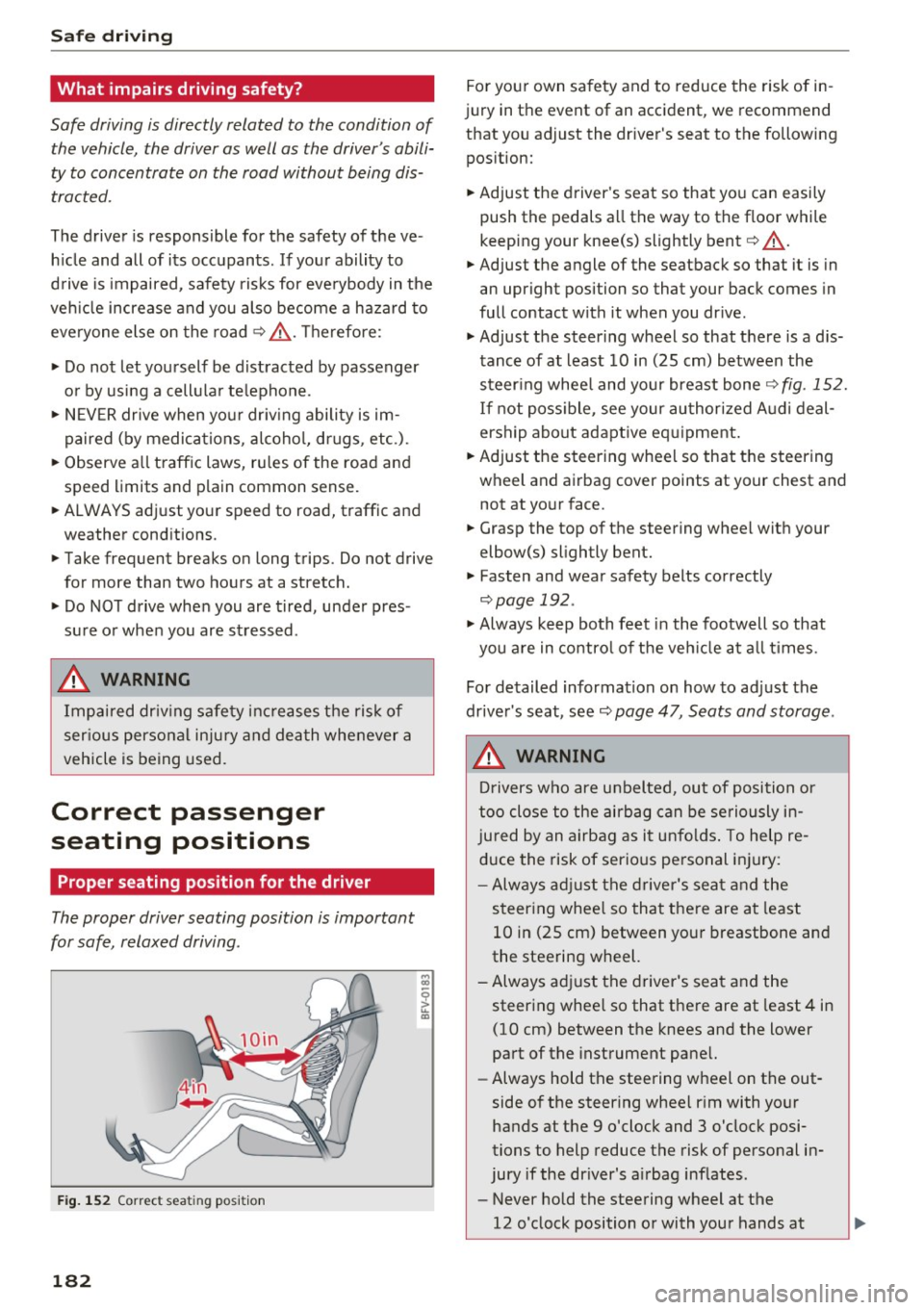
Fig. 152 Correct seating position
182
For your own safety and to reduce the risk of in
jury in the event of an accident, we recommend
that you adjust the driver's seat to the following
position:
~ Adjust the driver 's seat so that you can easily
push the pedals all the way to the floor while
keeping your knee(s) slightly bent
c:::> .&_.
~ Adjust the angle of the seatback so that it is in
an upright position so that your back comes in
full contact with it when you drive.
~ Adjust the steering wheel so that there is a d is
tance of at least 10 in (25 cm) between the
steering wheel and your breast bone
c:::>fig. 152.
If not possible, see your authorized Audi deal
ership about adaptive equipment.
~ Adjust the steering wheel so that the steering
wheel and airbag cover points at your chest and not at your face.
~ Grasp the top of the steering wheel with your
elbow(s) slightly bent.
~ Fasten and wear safety belts correctly
c:::> page 192.
~ Always keep both feet in the footwell so that
you are in control of the vehicle at all times .
For detailed information on how to adjust the
driver's seat, see
c:::> page 47, Seats and storage.
..&, WARNING
Drivers who are unbelted, out of position or
too close to the airbag can be seriously in
jured by an airbag as it unfolds. To help re
duce the risk of serious personal injury:
- Always adjust the driver's seat and the
steering wheel so that there are at least
10 in (25 cm) between your breastbone and
the steering wheel.
-Always adjust the driver's seat and the
steering wheel so that there are at least 4 in
(10 cm) between the knees and the lower
part of the instrument panel.
- Always hold the steering wheel on the out
side of the steering wheel rim with your
hands at the 9 o'clock and 3 o'clock posi
tions to help reduce the risk of personal in
jury if the driver's airbag inflates.
- Never hold the steering wheel at the
12 o'clock position or with your hands at
-
Page 191 of 314
co
co
..... N
" N ..... 0
" "' c:o
Safety belts
General notes
Always wear safety belts!
Wearing safety belts correctly saves lives!
This chapter explains why safety belts are neces
sary, how they work and how to adjust and wear
them correctly. .. Read all the information that follows and heed
all of the instructions and WARNINGS.
A WARNING
Not wearing safety belts or wearing them im
properly increases the risk of serious personal
injury and death .
- Safety belts are the single most effective
means available to reduce the risk of serious
injury and death in automobile accidents.
For your protection and that of your passen
gers, always correctly wear safety belts
when the vehicle is moving.
- Pregnant women, injured, or physically im
paired persons must also use safety belts.
Like all vehicle occupants, they are more
likely to be seriously injured if they do not
wear safety belts. The best way to protect a
fetus is to protect the mother -throughout
the entire pregnancy.
Number of seats
Your Audi TT Roadster has two seating positions. Each seating position has a safety belt .
A WARNING
Not wearing safety belts or wearing them im
properly increases the risk of serious personal
injury and death .
- Never strap more than one person, includ
ing small children, into any belt .
It is espe
cially dangerous to place a safety belt over a
child sit ting on your lap.
- Never let more people ride in the vehicle
than there are safety belts ava ilable.
Safety belts
-Be sure everyone riding in the vehicle is
properly restrained with a separate safety
belt or child restraint.
4 Safety belt warning l ight
Your vehicle hos o warning system for the driver
and front seat passenger to remind you about the importance of buckling up.
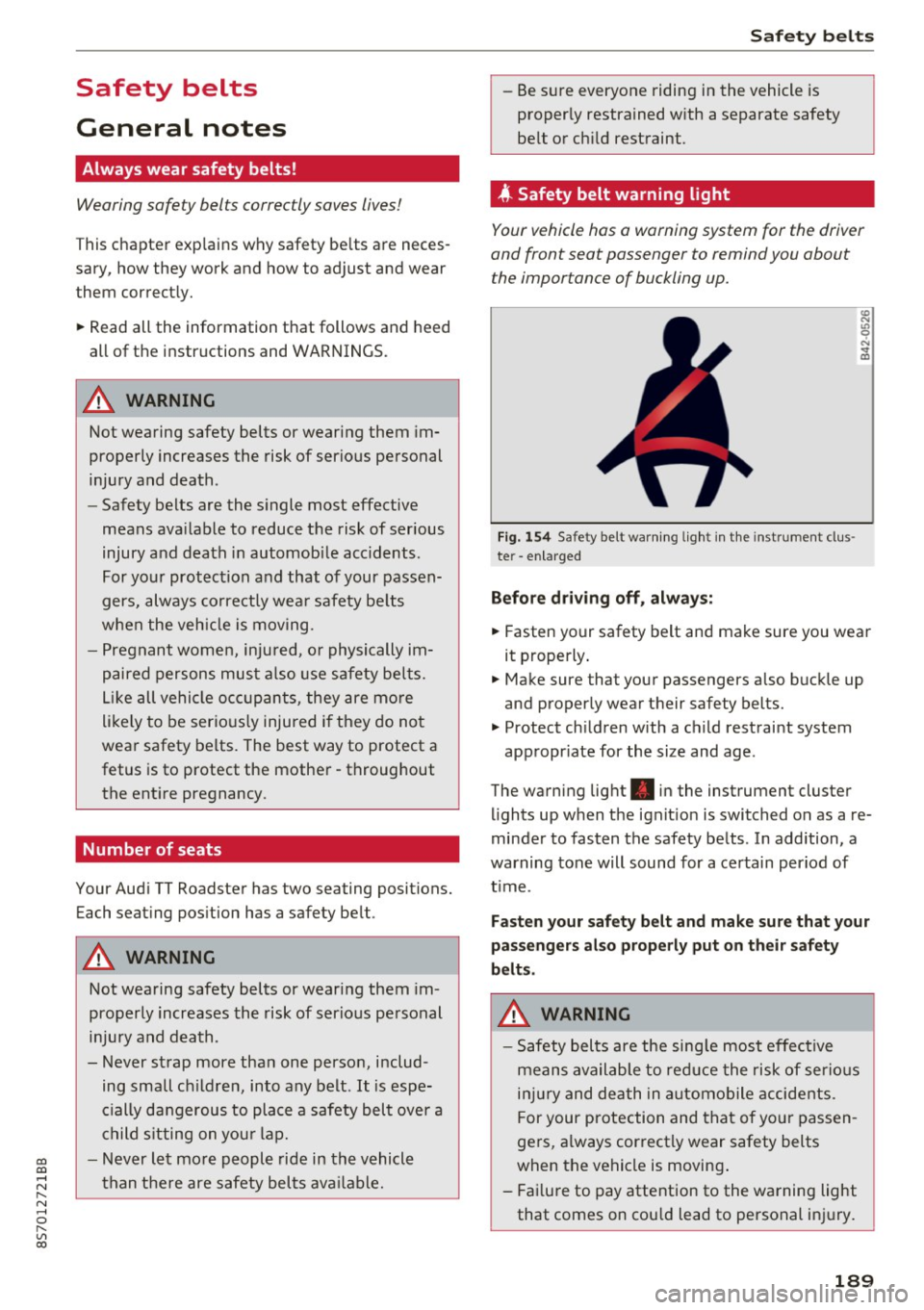
Fi g. 154 Safety belt warn ing light in the instrument clus
te r -enlarged
Before driving off, always:
.. Fasten your safety belt and make sure you wear
it properly.
.,. Make sure that your passengers also buckle up
and properly wear their safety belts.
.,. Protect children with a child restraint system
appropr iate for the size and age.
The warning light . in the instrument cluster
lights up when the ignit ion is switched on as a re
minder to fasten the safety belts . In addition, a
warning tone will sound for a certain period of
t im e.
Fasten your safety belt and make sure that your
passengers also properly put on their safety
belts.
A WARNING
-
- Safety belts are the sing le most effective
means available to reduce the risk of serious
injury and death in automobile accidents.
F or your protection and that of your passen
gers, a lways correctly wear safety belts
when the vehicle is moving .
- Failure to pay attention to the warning light
that comes on could lead to personal injury.
189