Page 333 of 688
3333-2. Using the audio system (Entune Audio)
VENZA_OM_OM73030U_(U) 3
Interior features
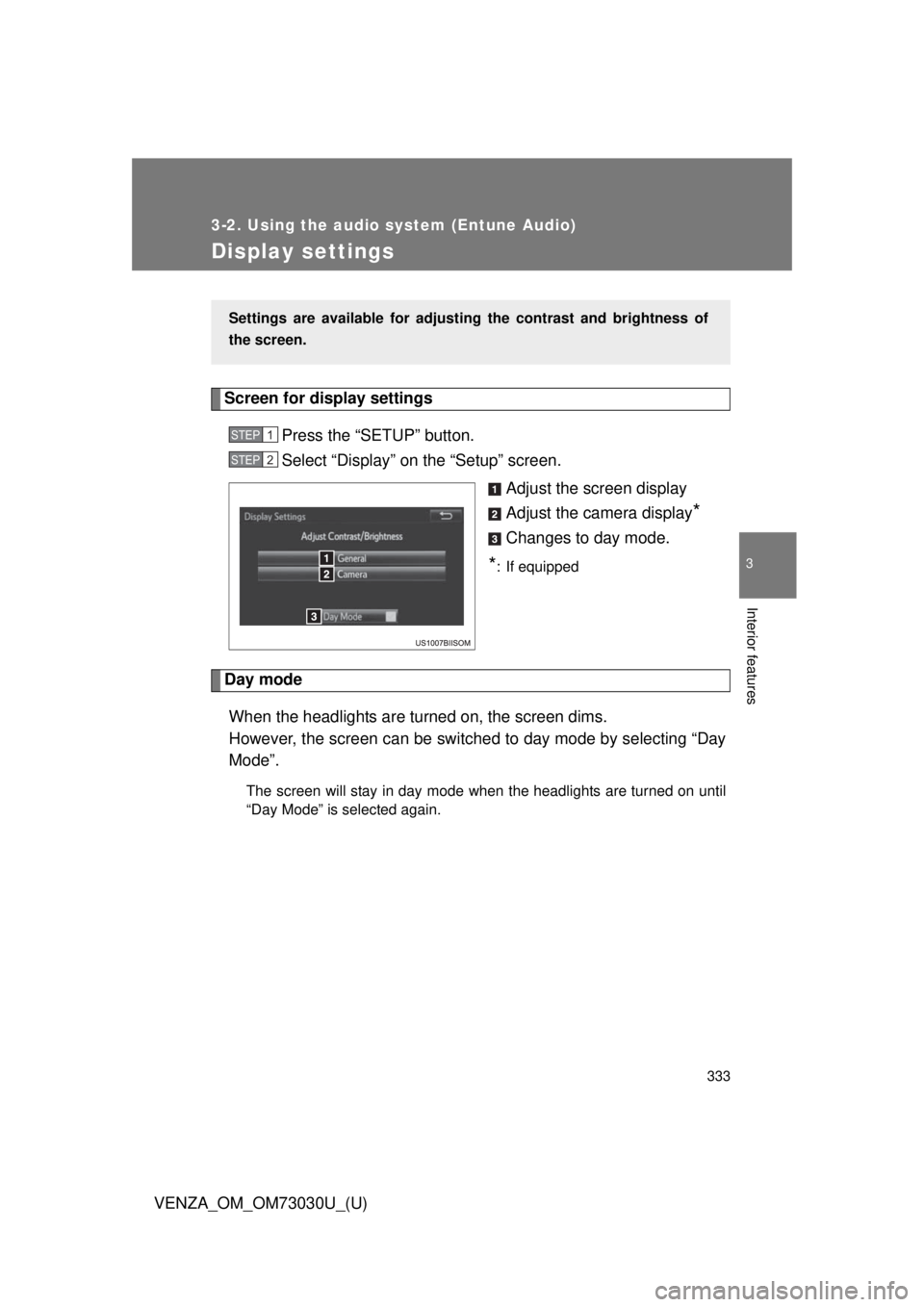
Display settings Screen for display settings
Press the “SETUP” button.
Select “Display” on the “Setup” screen.
Adjust the screen display
Adjust the camera display
*Changes to day mode.
* : If equipped
Day mode
When the headlights are turned on, the screen dims.
However, the screen can be switc hed to day mode by selecting “Day
Mode”. The screen will stay in day mode when the headlights are turned on until
“Day Mode” is selected again.Settings are available for adjusti ng the contrast and brightness of
the screen. STEP 1
STEP 2
Page 334 of 688
3343-2. Using the audio system (Entune Audio)
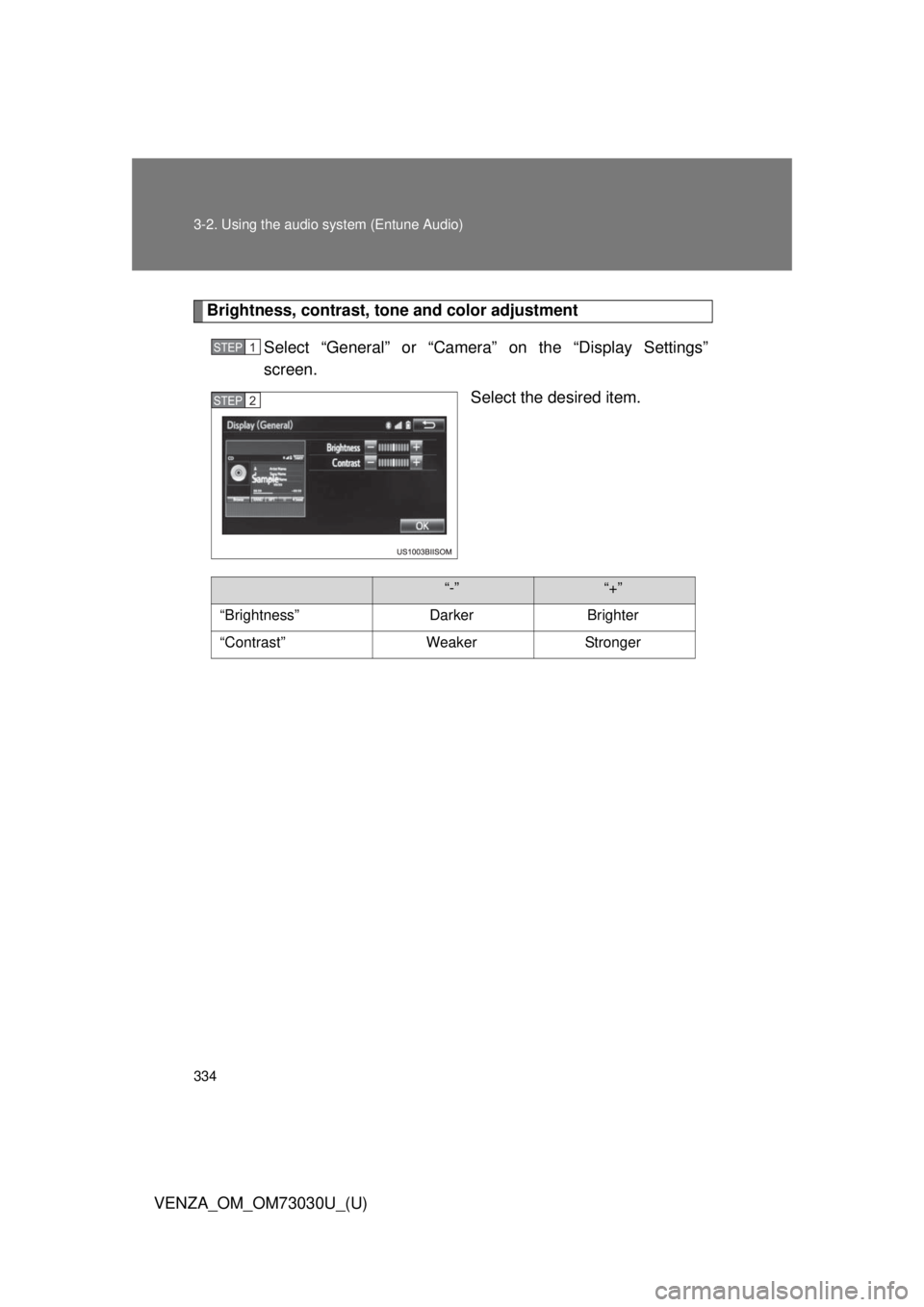
VENZA_OM_OM73030U_(U) Brightness, contrast, t one and color adjustment
Select “General” or “Camera” on the “Display Settings”
screen.
Select the desired item.STEP 1
STEP 2
“-” “+”
“Brightness” Darker Brighter
“Contrast” Weaker Stronger
Page 336 of 688
3363-2. Using the audio system (Entune Audio)
VENZA_OM_OM73030U_(U)Selecting the audio source Changing audio source
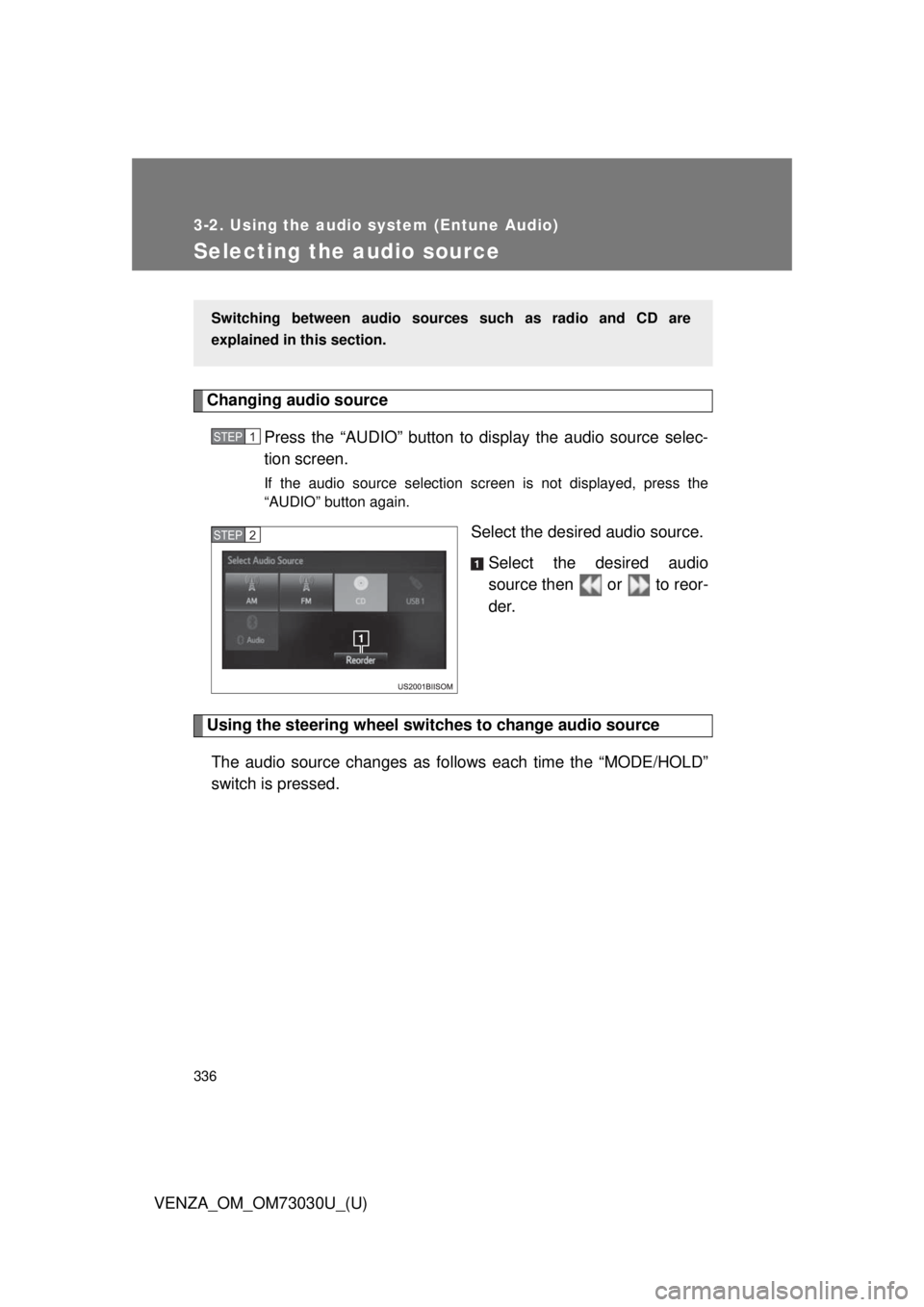
Press the “AUDIO” button to display the audio source selec-
tion screen. If the audio source selection screen is not displayed, press the
“AUDIO” button again.
Select the desired audio source.
Select the desired audio
source then or to reor-
der.
Using the steering wheel switch es to change audio source
The audio source changes as follows each time the “MODE/HOLD”
switch is pressed. Switching between audio sourc es such as radio and CD are
explained in this section. STEP 1
STEP 2
Page 337 of 688
3373-2. Using the audio system (Entune Audio)
VENZA_OM_OM73030U_(U) 3
Interior features
List screen operation How to scroll
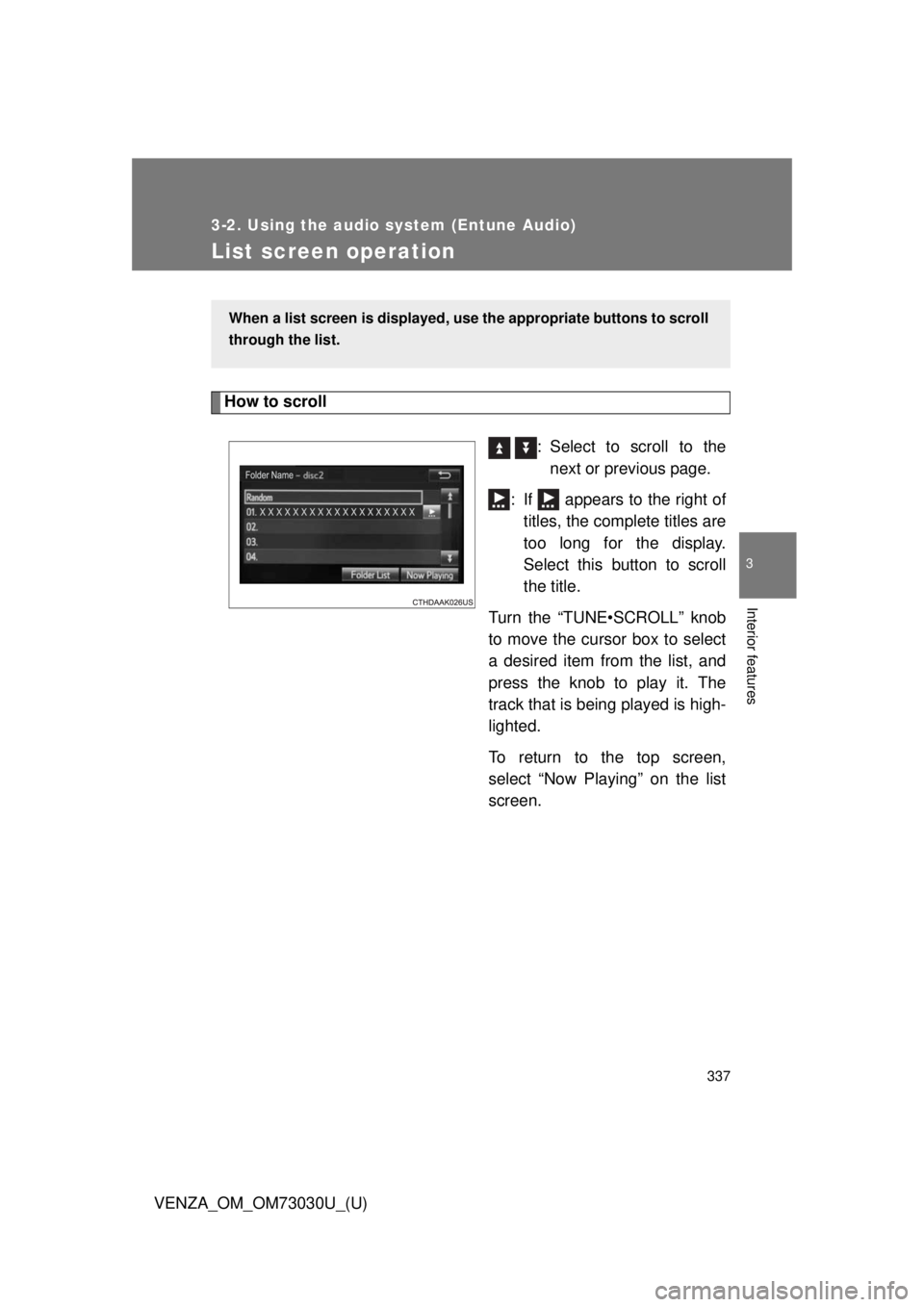
: Select to scroll to the
next or previous page.
: If appears to the right of
titles, the complete titles are
too long for the display.
Select this button to scroll
the title.
Turn the “TUNE•SCROLL” knob
to move the cursor box to select
a desired item from the list, and
press the knob to play it. The
track that is being played is high-
lighted.
To return to the top screen,
select “Now Playing” on the list
screen.When a list screen is displayed, u se the appropriate buttons to scroll
through the list.
Page 338 of 688
3383-2. Using the audio system (Entune Audio)
VENZA_OM_OM73030U_(U) Selecting, fast-forwarding and reversing tr acks/files/songs
■ Selecting a track/file/song
Press the “SEEK >” button or “< TRACK” button, or turn the
“TUNE•SCROLL” knob to select the desired track/file/song num-
ber.
To fast-forward or reverse, press and hold the “SEEK >” button or
“< TRACK” button.
■ Selecting a track/file/song fr om the track/file/song list
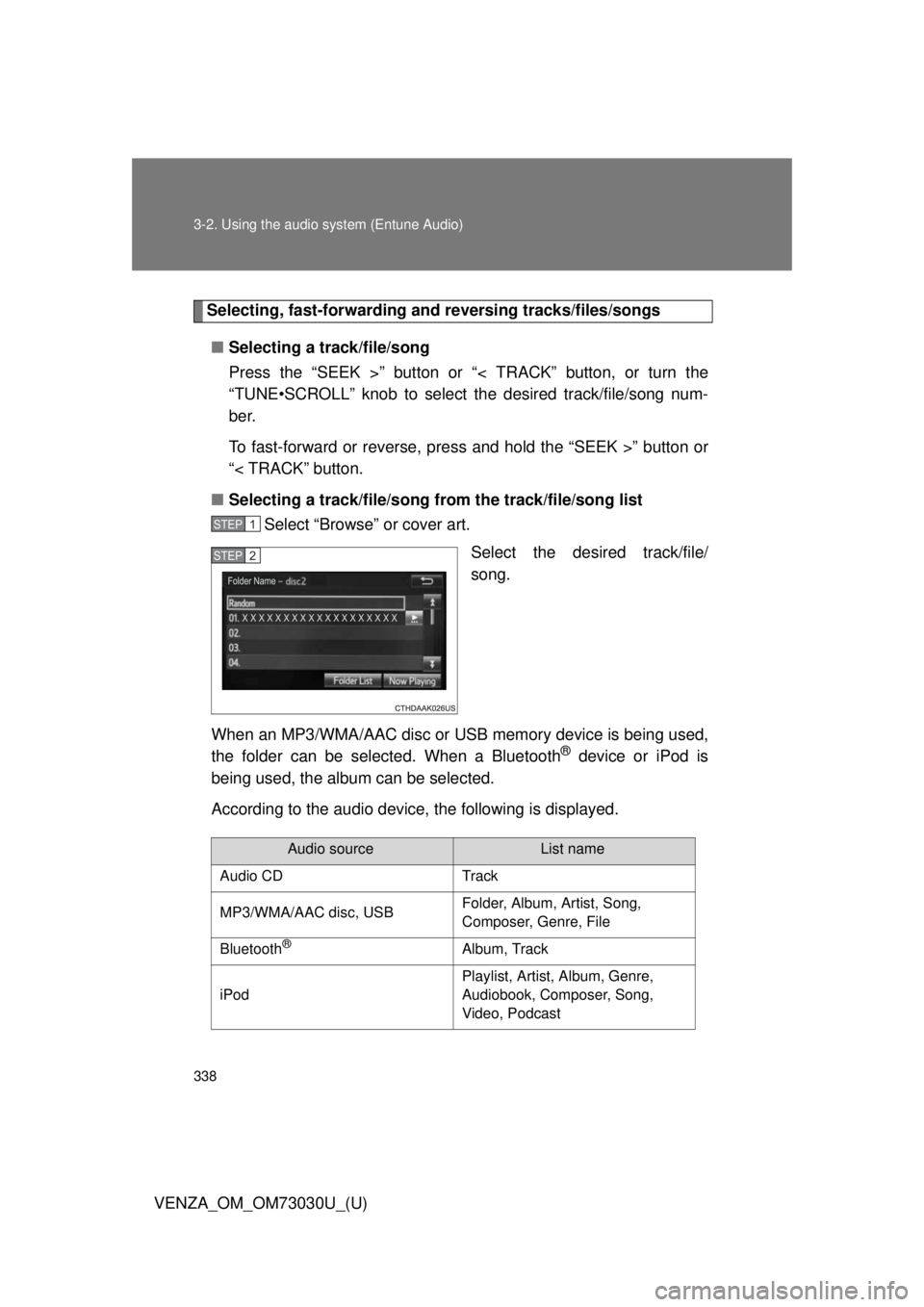
Select “Browse” or cover art.
Select the desired track/file/
song.
When an MP3/WMA/AAC disc or USB memory device is being used,
the folder can be selected. When a Bluetooth ®
device or iPod is
being used, the album can be selected.
According to the audio device, the following is displayed. STEP 1
STEP 2
Audio source List name
Audio CD Track
MP3/WMA/AAC disc, USB Folder, Album, Artist, Song,
Composer, Genre, File
Bluetooth ®
Album, Track
iPod Playlist, Artist, Album, Genre,
Audiobook, Composer, Song,
Video, Podcast
Page 340 of 688
3403-2. Using the audio system (Entune Audio)
VENZA_OM_OM73030U_(U)Radio operation Audio control screen
Pressing the “AUDIO” button disp lays the audio control screen from
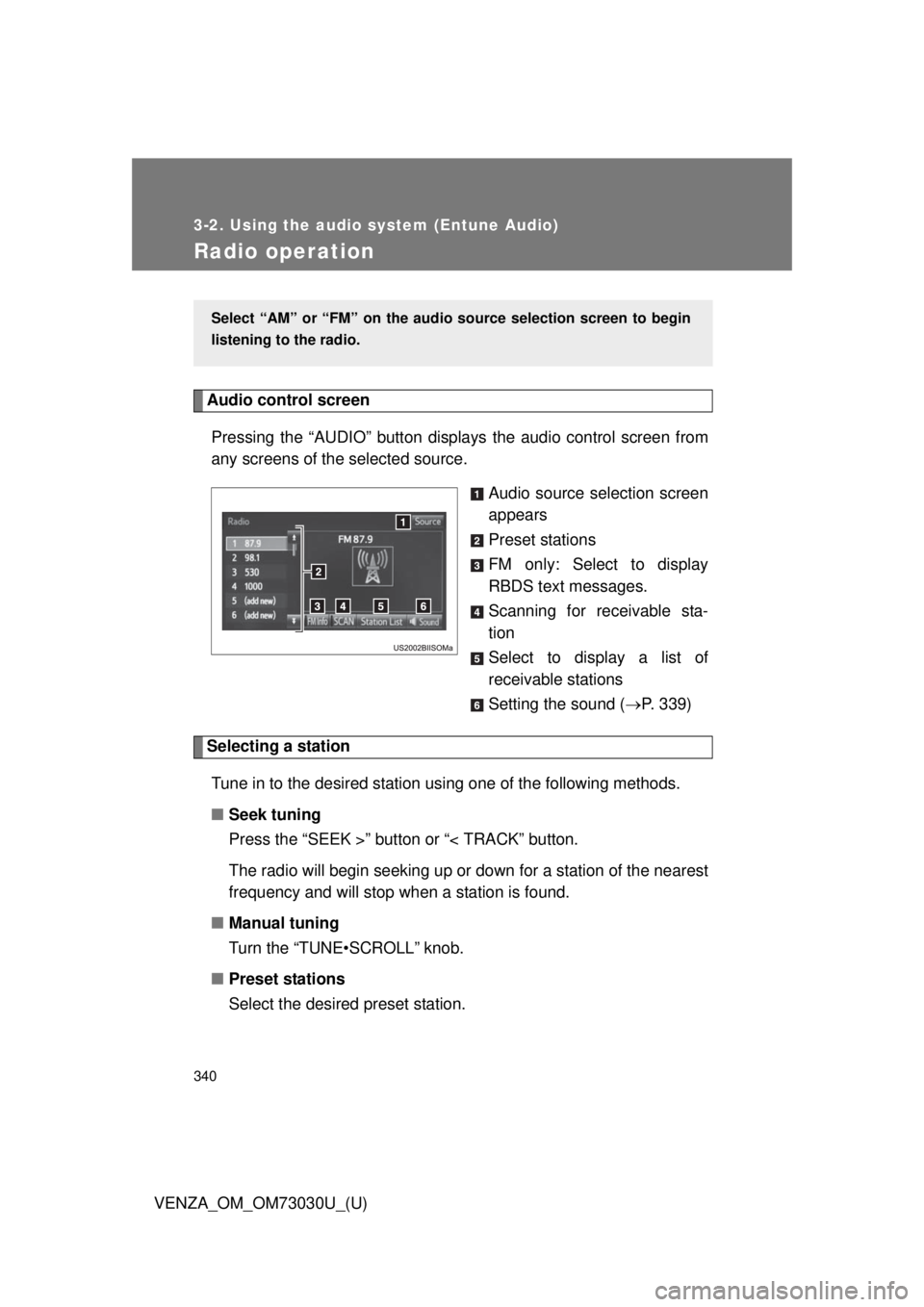
any screens of the selected source.
Audio source selection screen
appears
Preset stations
FM only: Select to display
RBDS text messages.
Scanning for receivable sta-
tion
Select to display a list of
receivable stations
Setting the sound ( P. 339)
Selecting a station
Tune in to the desired station using one of the following methods.
■ Seek tuning
Press the “SEEK >” button or “< TRACK” button.
The radio will begin seeking up or down for a station of the nearest
frequency and will stop when a station is found.
■ Manual tuning
Turn the “TUNE•SCROLL” knob.
■ Preset stations
Select the desired preset station. Select “AM” or “FM” on the au dio source selection screen to begin
listening to the radio.
Page 341 of 688
3413-2. Using the audio system (Entune Audio)
VENZA_OM_OM73030U_(U) 3
Interior features Setting station presets
Search for desired stations by turning the “TUNE•SCROLL”
knob or pressing the “SEEK >” button or “< TRACK” button.
Select “(add new)”. To change the preset station to a different one, select and hold the
preset station.
Select “Yes”.
Select “OK” after setting the new preset station.
■ Refreshing the station list
Select “Refresh” on the “Station List” screen. To cancel the refresh, select “Cancel Refresh”.
Radio Broadcast Data System
This audio system is equipped with Radio Broadcast Data Systems
(RBDS). RBDS mode allows text me ssages to be received from radio
stations that utiliz e RBDS transmitters.
When RBDS is on, the radio can
only select stations of a particular program type,
display messages from radio stations.
RBDS features are available only wh en listening to an FM station that
broadcasts RBDS info rmation and the “FM Info” indicator is on.STEP 1
STEP 2
STEP 3
STEP 4
STEP 1
Page 343 of 688
3433-2. Using the audio system (Entune Audio)
VENZA_OM_OM73030U_(U) 3
Interior features
CD player operation Audio control screen
Pressing the “AUDIO” button disp lays the audio control screen from
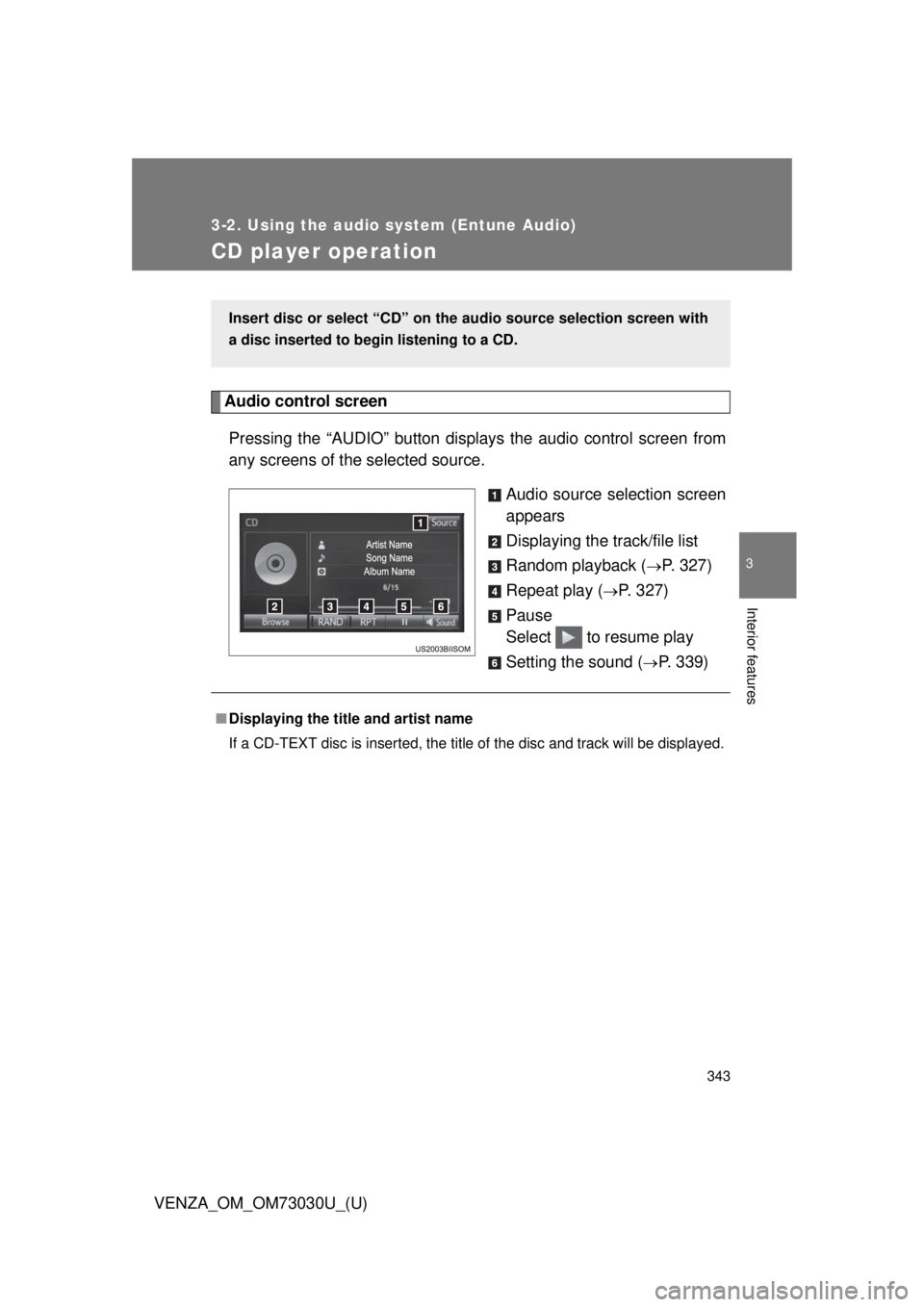
any screens of the selected source.
Audio source selection screen
appears
Displaying the track/file list
Random playback (
P. 327)
Repeat play (
P. 327)
Pause
Select to resume play
Setting the sound (
P. 339)Insert disc or select “CD” on the audio source selection screen with
a disc inserted to begin listening to a CD.
■ Displaying the title and artist name
If a CD-TEXT disc is inserted, the title of the disc and track will be displayed.