Page 205 of 688
2052-2. Instrument cluster
2
When driving
VENZA_OM_OM73030U_(U) ■ When “--”, “E” or “F” is displayed on the outside temperature display
The system may be malfunctioning. Take your vehicle to your Toyota dealer.
■ Outside temperature display
In the following situations, the correct outside temperature may not be dis-
played, or the display may take longer than normal to change.
● When stopped, or driving at low speeds (less than 12 mph [20 km/h])
● When the outside temperature has changed suddenly (at the entrance/
exit of a garage, tunnel, etc.)
NOTICE■ The multi-information disp lay at low temperatures
Allow the interior of the vehicle to warm up before using the liquid crystal
information display. At extremely low temperatures, the information display
monitor may respond slowly, and display changes may be delayed.
Page 206 of 688
2062-2. Instrument cluster
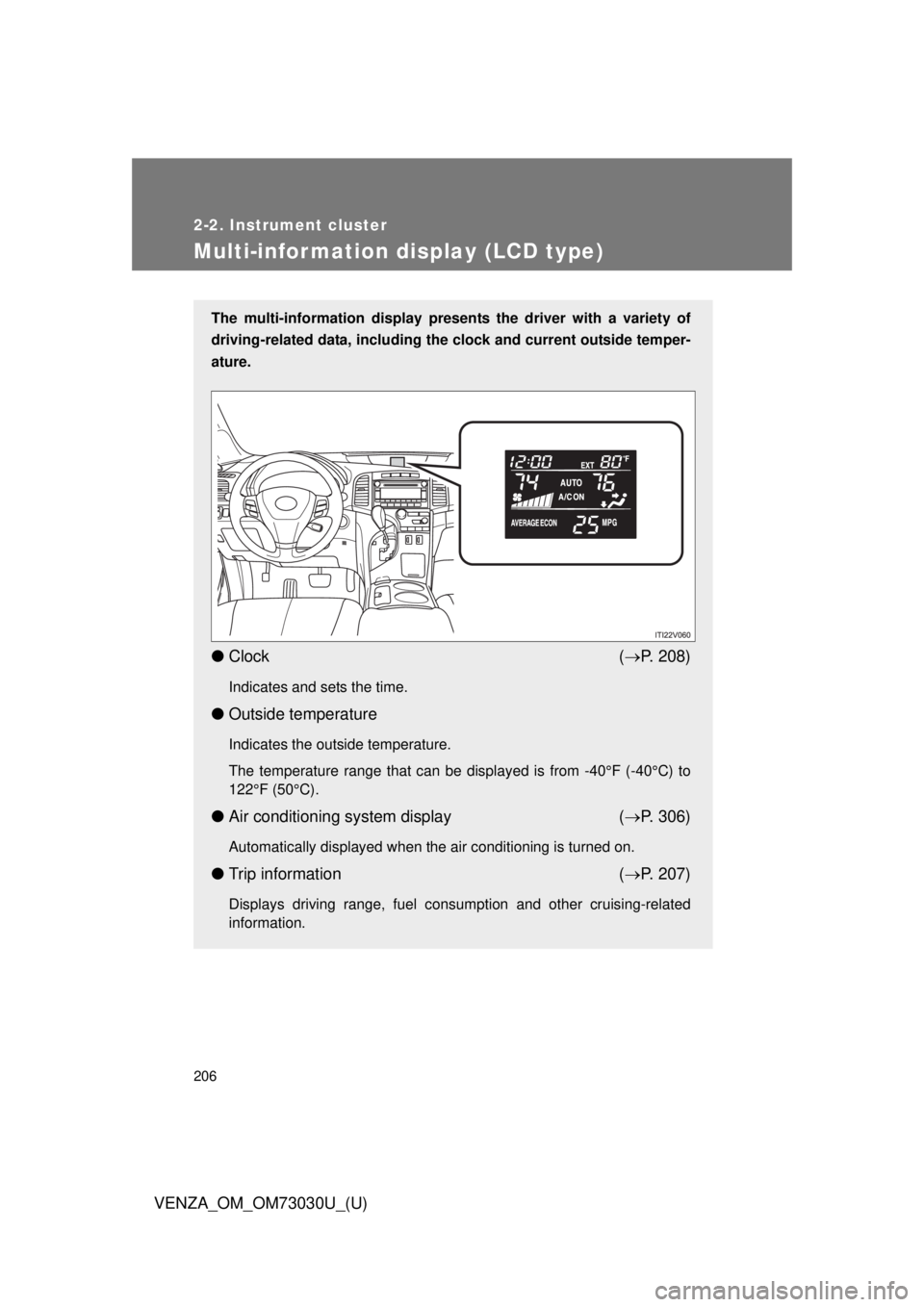
VENZA_OM_OM73030U_(U)Multi-information display (LCD type) The multi-information display presen ts the driver with a variety of
driving-related data, including the clock and current outside temper-
ature.
● Clock ( P. 208)Indicates and sets the time.
● Outside temperature Indicates the outside temperature.
The temperature range that can be displayed is from -40°F (-40°C) to
122°F (50°C).
● Air conditioning system display ( P. 306)Automatically displayed when the air conditioning is turned on.
● Trip information ( P. 207)Displays driving range, fuel consumption and other cruising-related
information.
Page 207 of 688
2072-2. Instrument cluster
2
When driving
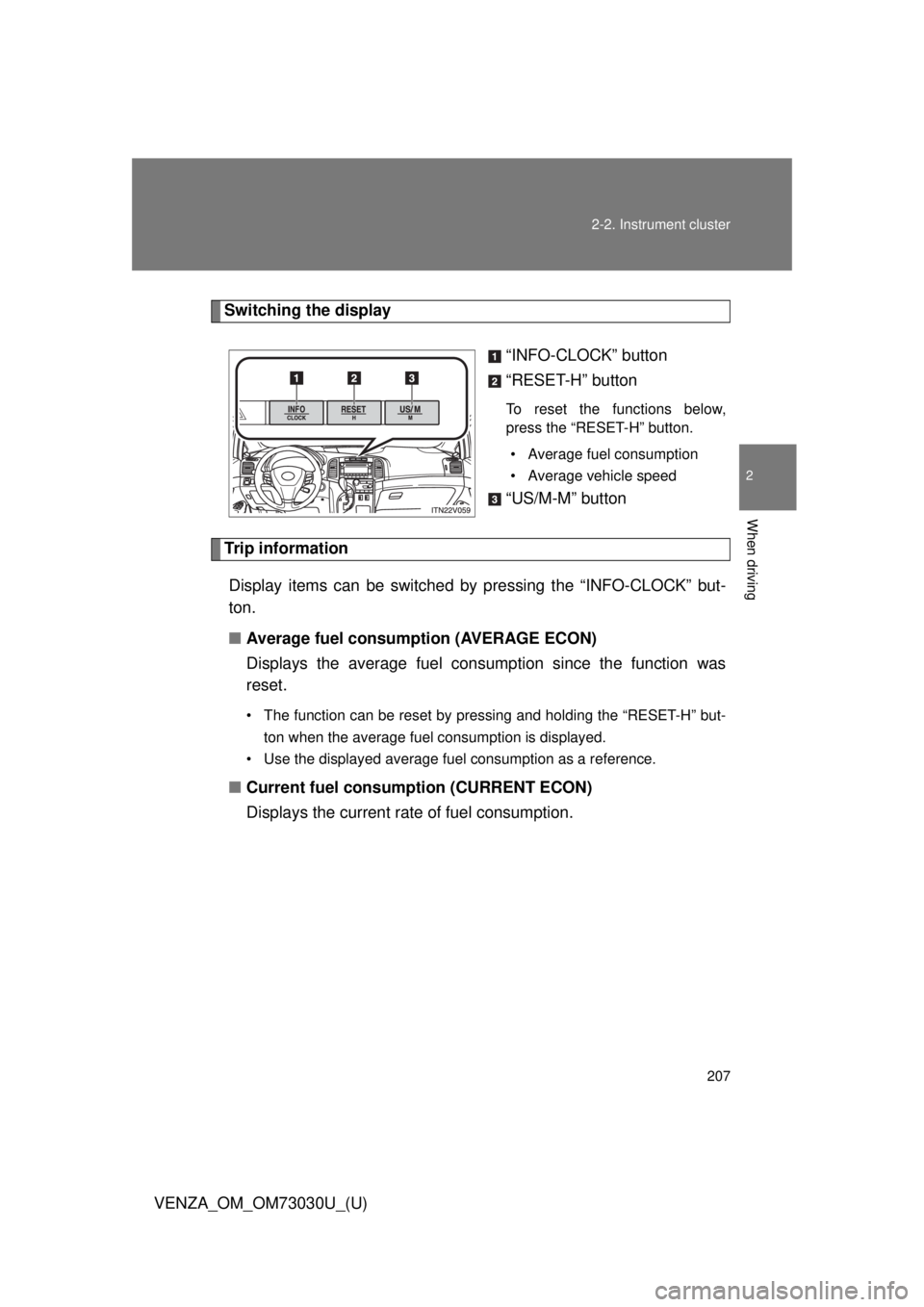
VENZA_OM_OM73030U_(U) Switching the display
“INFO-CLOCK” button
“RESET-H” button To reset the functions below,
press the “RESET-H” button.
• Average fuel consumption
• Average vehicle speed
“US/M-M” button
Trip information
Display items can be switched by pressing the “INFO-CLOCK” but-
ton.
■ Average fuel consumption (AVERAGE ECON)
Displays the average fuel cons umption since the function was
reset. • The function can be reset by pressing and holding the “RESET-H” but-
ton when the average fuel consumption is displayed.
• Use the displayed average fuel consumption as a reference.
■ Current fuel consumption (CURRENT ECON)
Displays the current rate of fuel consumption.
Page 208 of 688
2082-2. Instrument cluster
VENZA_OM_OM73030U_(U) ■ Driving range (RANGE)
Displays the estimated maximum di stance that can be driven with
the quantity of fuel remaining. ● This distance is computed based on your average fuel consumption. As
a result, the actual distance that can be driven may differ from that dis-
played.
● When only a small amount of fuel is added to the tank, the display may
not be updated.
When refueling, turn the “ENGINE START STOP” switch off. If the vehi-
cle is refueled without turning the “ENGINE START STOP” switch off,
the display may not be updated.
■ Average vehicle speed (AVERAGE SPEED)
Displays the average vehicle sp eed since the function was reset.The function can be reset by pressing and holding the “RESET-H” button
when the average vehicle speed is displayed.
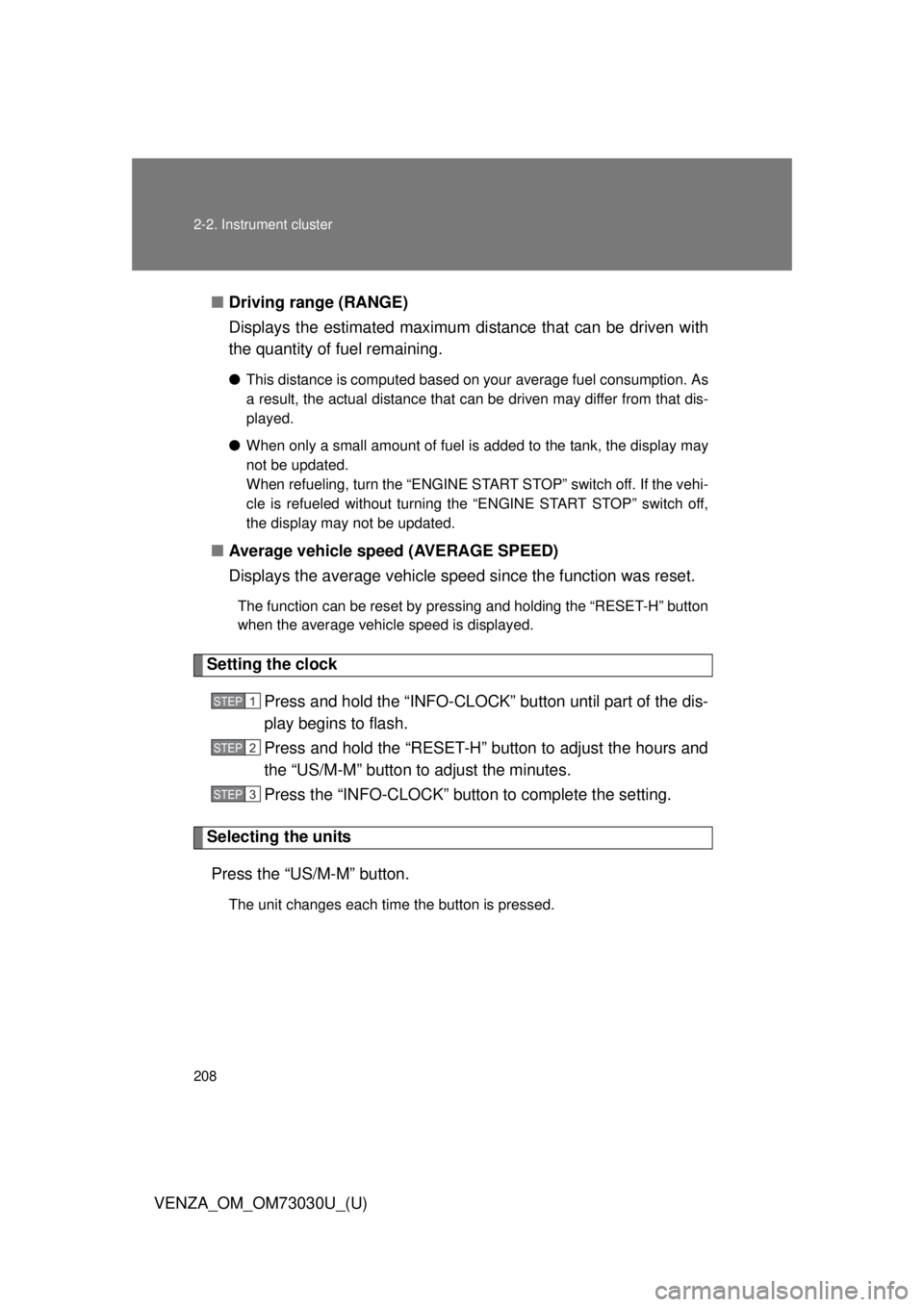
Setting the clock
Press and hold the “INFO-CLOCK” button until part of the dis-
play begins to flash.
Press and hold the “RESET-H” button to adjust the hours and
the “US/M-M” button to adjust the minutes.
Press the “INFO-CLOCK” button to complete the setting.
Selecting the units
Press the “US/M-M” button. The unit changes each time the button is pressed. STEP 1
STEP 2
STEP 3
Page 209 of 688
2092-2. Instrument cluster
2
When driving
VENZA_OM_OM73030U_(U) ■ Liquid crystal display
Small spots or light spots may appear on the display. This phenomenon is
characteristic of liquid crystal displays, and there is no problem to continue
using the display.
■ When “--”, “E” or “F” is displayed on the outside temperature display
The system may be malfunctioning. Take your vehicle to your Toyota dealer.
■ Outside temperature display
In the following situations, the correct outside temperature may not be dis-
played, or the display may take longer than normal to change.
● When stopped, or driving at low speeds (less than 12 mph [20 km/h])
● When the outside temperature has changed suddenly (at the entrance/
exit of a garage, tunnel, etc.)
Page 210 of 688
2102-2. Instrument cluster
VENZA_OM_OM73030U_(U)Fuel consumption information Vehicles with Entune Premium Audio with Navigation and Entune
Audio Plus
Press the “APPS” button, and t hen select “Eco” on the screen.
Vehicles with Entune Audio
Press the “CAR” button.
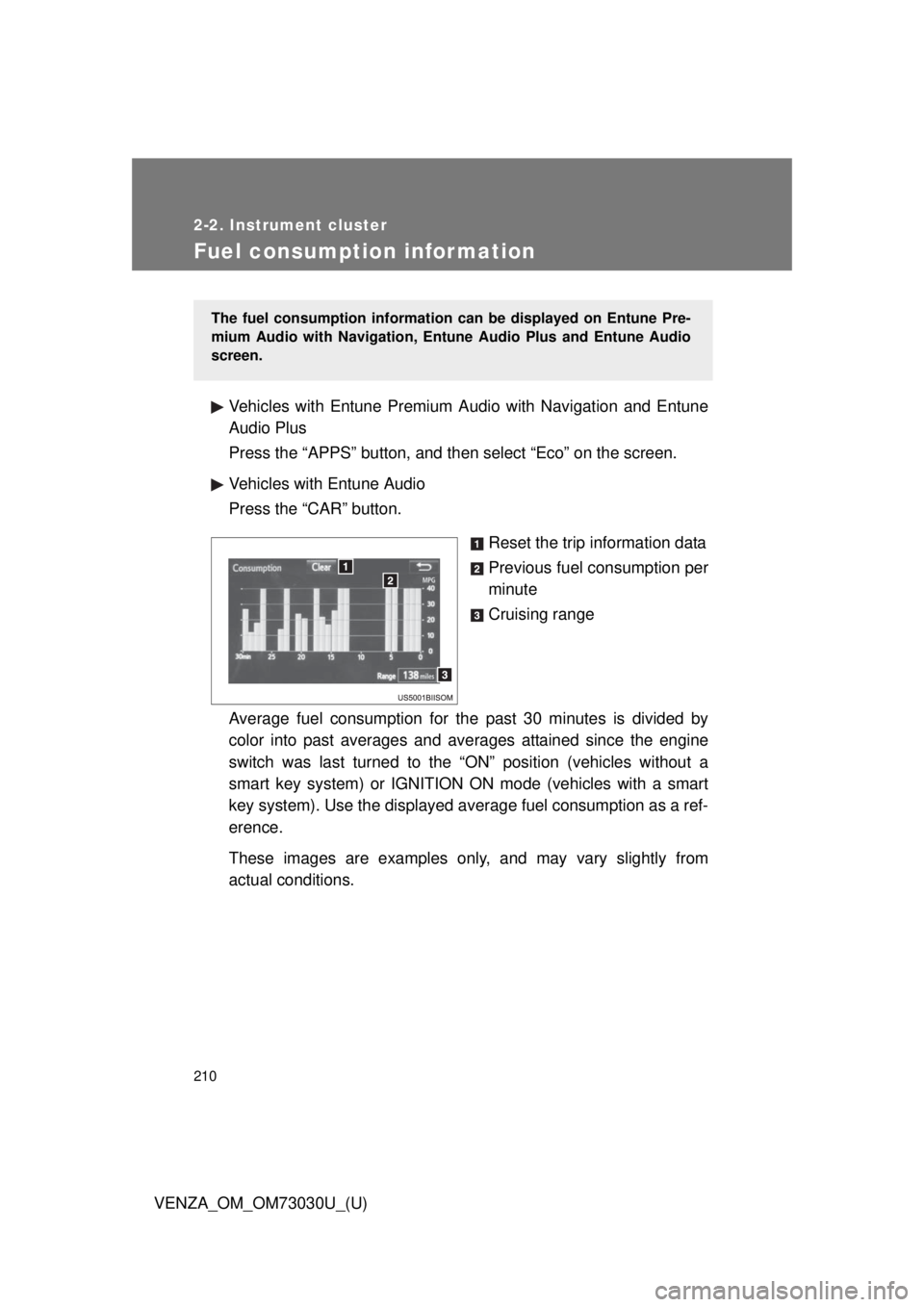
Reset the trip information data
Previous fuel consumption per
minute
Cruising range
Average fuel consumption for the past 30 minutes is divided by
color into past averages and av erages attained since the engine
switch was last turned to the “ON” position (vehicles without a
smart key system) or IGNITION ON mode (vehicles with a smart
key system). Use the displayed av erage fuel consumption as a ref-
erence.
These images are examples only , and may vary slightly from
actual conditions. The fuel consumption information can be displayed on Entune Pre-
mium Audio with Navigation, Entune Audio Plus and Entune Audio
screen.
Page 211 of 688
2112-2. Instrument cluster
2
When driving
VENZA_OM_OM73030U_(U) ■ Resetting the data
Selecting “Clear” will reset the trip information data.
■ Cruising range
Displays the estimated maximum distance that can be driven with the quan-
tity of fuel remaining.
This distance is computed based on your average fuel consumption. As a
result, the actual distance that can be driven may differ from that displayed.
Page 235 of 688
2352-4. Using other driving systems
2
When driving
VENZA_OM_OM73030U_(U) Intuitive parking assist
: If equippedThe distance from your vehicle to nearby obstacles when parallel
parking or maneuvering into a ga rage is measured by the sensors
and communicated via the multi-in formation display, the audio sys-
tem screen and a buzzer. Always check the surrounding area when
using this system.
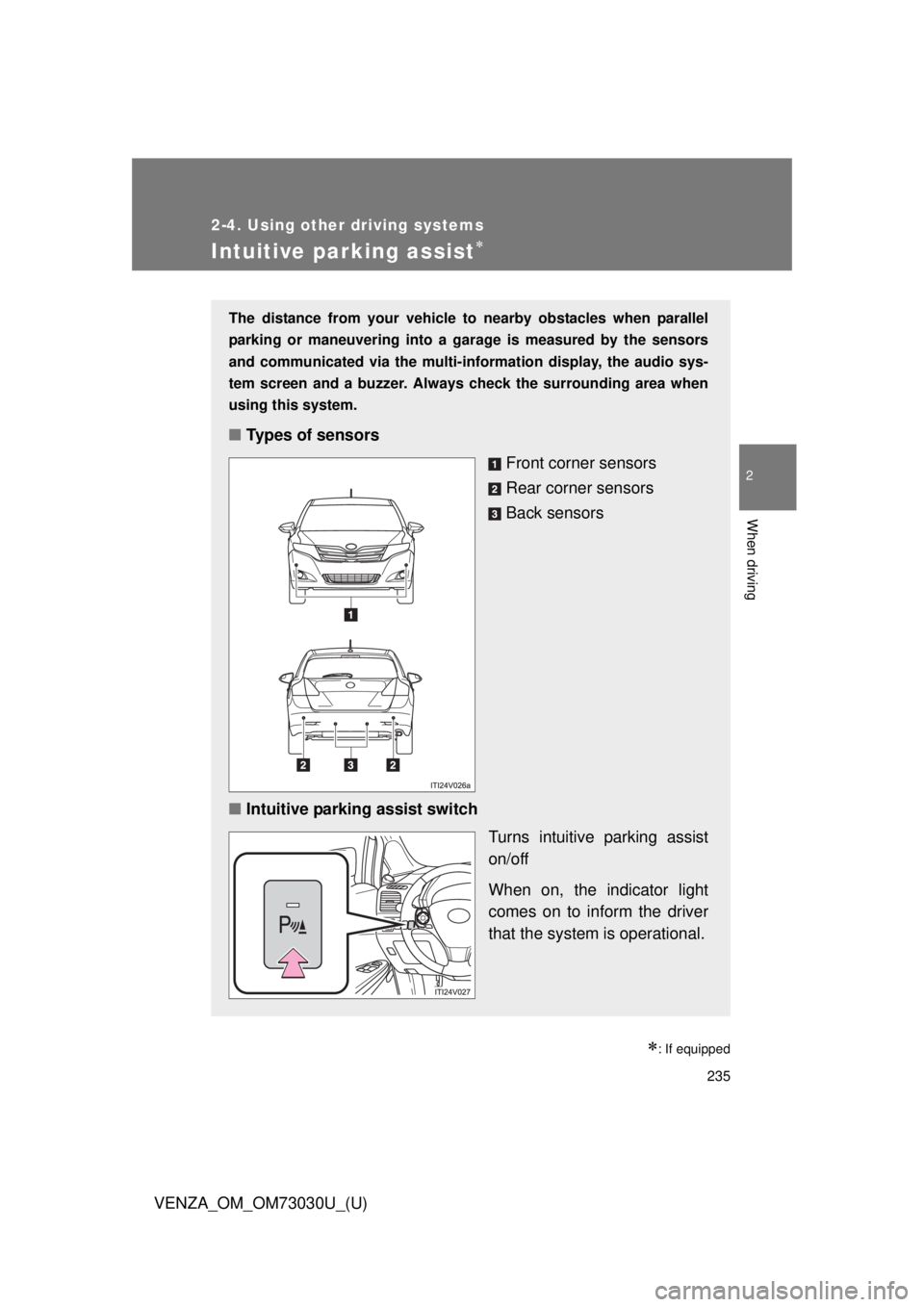
■ Types of sensors
Front corner sensors
Rear corner sensors
Back sensors
■ Intuitive parking assist switch
Turns intuitive parking assist
on/off
When on, the indicator light
comes on to inform the driver
that the system is operational.