Page 53 of 688
531-2. Opening, closing and locking the doors
1
Before driving
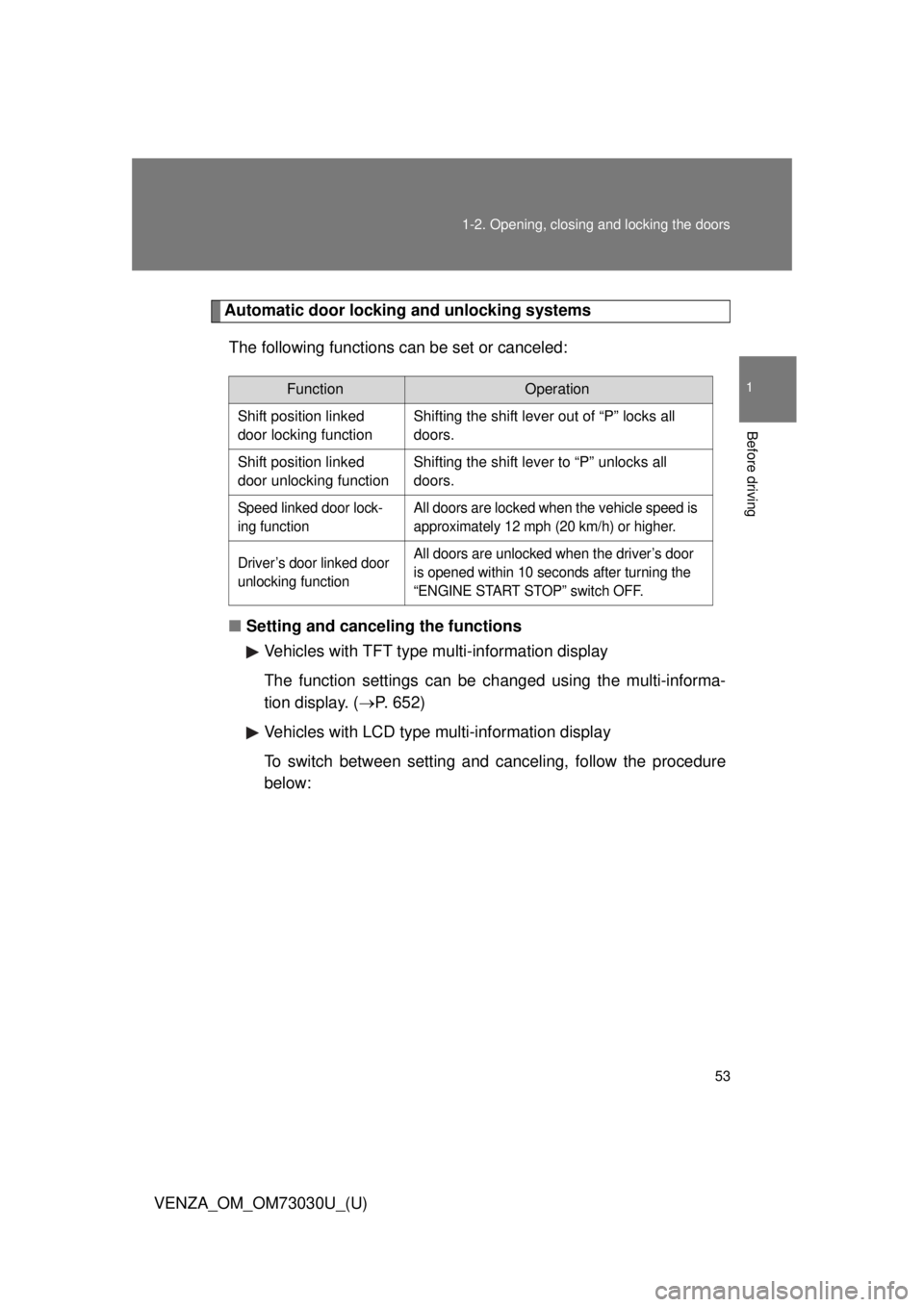
VENZA_OM_OM73030U_(U) Automatic door locking and unlocking systems
The following functions can be set or canceled:
■ Setting and canceling the functions
Vehicles with TFT type mu lti-informat ion display
The function settings can be changed using the multi-informa-
tion display. ( P. 652)
Vehicles with LCD type multi-information display
To switch between setting and canceling, follow the procedure
below: Function Operation
Shift position linked
door locking function Shifting the shift lever out of “P” locks all
doors.
Shift position linked
door unlocking function Shifting the shift lever to “P” unlocks all
doors.
Speed linked door lock-
ing function All doors are locked when the vehicle speed is
approximately 12 mph (20 km/h) or higher.
Driver’s door linked door
unlocking function All doors are unlocked when the driver’s door
is opened within 10 seconds after turning the
“ENGINE START STOP” switch OFF.
Page 146 of 688
1461-7. Safety information
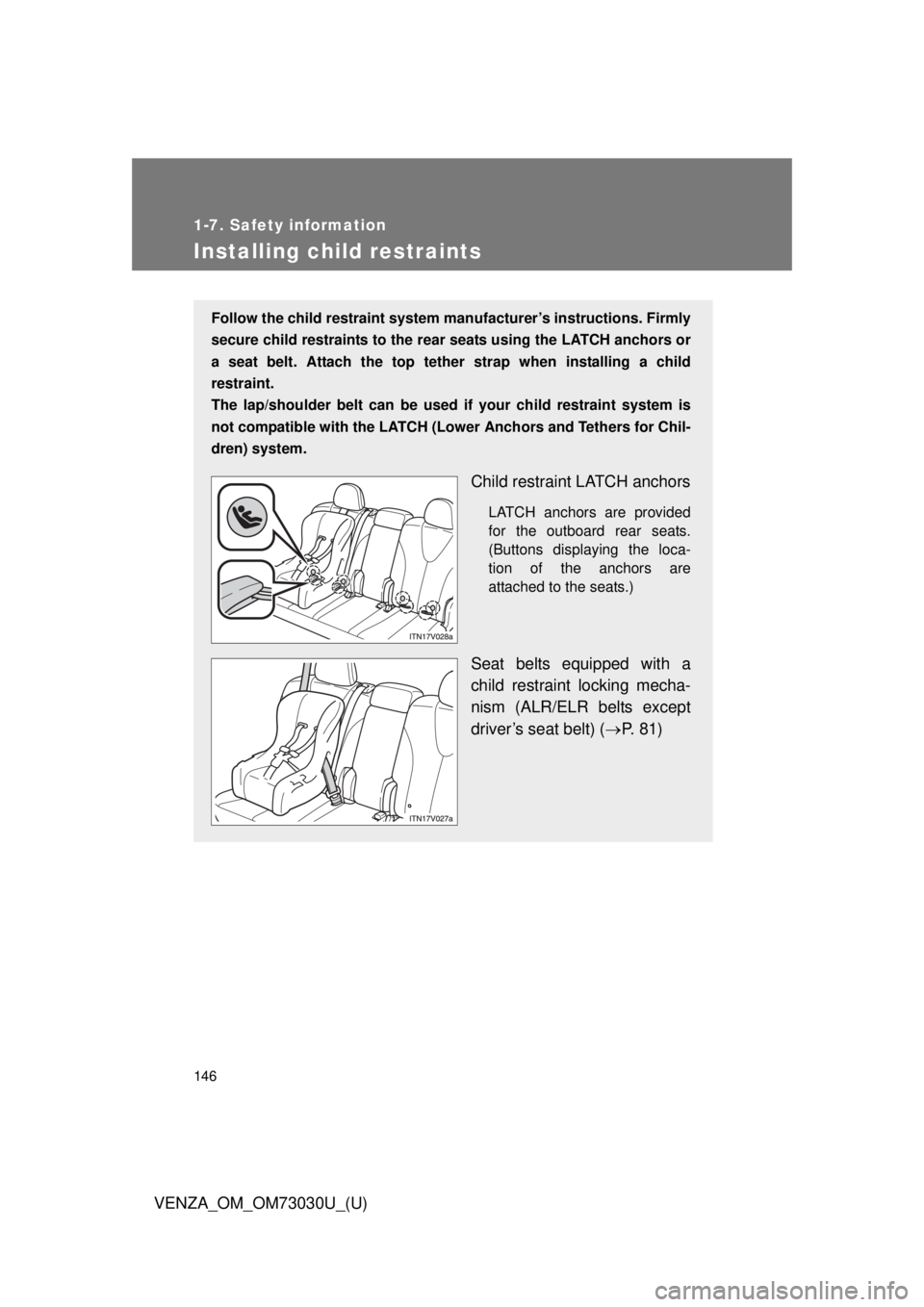
VENZA_OM_OM73030U_(U)Installing child restraints Follow the child restraint system manufacturer’s instructions. Firmly
secure child restraints to the r ear seats using the LATCH anchors or
a seat belt. Attach the top teth er strap when installing a child
restraint.
The lap/shoulder belt can be used if your child restraint system is
not compatible with the LATCH (Low er Anchors and Tethers for Chil-
dren) system.
Child restraint LATCH anchors LATCH anchors are provided
for the outboard rear seats.
(Buttons displaying the loca-
tion of the anchors are
attached to the seats.)
Seat belts equipped with a
child restraint locking mecha-
nism (ALR/ELR belts except
driver’s seat belt) ( P. 81)
Page 161 of 688
When driving
2
161
VENZA_OM_OM73030U_(U) 2-1. Driving procedures
Driving the vehicle............ 162
Engine (ignition) switch
(vehicles with smart
key system).................... 173
Engine (ignition) switch
(vehicles without smart
key system).................... 177
Automatic
transmission................... 180
Turn signal lever .............. 185
Parking brake ................... 186
Horn ................................. 187
2-2. Instrument cluster
Gauges and meters ......... 188
Indicators and warning
lights .............................. 191
Multi-information display
(TFT type) ...................... 194
Multi-information display
(LCD type) ..................... 206
Fuel consumption
information ..................... 210 2-3. Operating the lights
and wipers
Headlight switch ............... 212
Automatic High Beam ...... 216
Fog light switch ................ 223
Windshield wipers
and washer .................... 225
Rear window wiper
and washer .................... 229
2-4. Using other driving systems
Cruise control ................... 231
Intuitive parking assist...... 235
Rear view monitor
system ........................... 243
Driving assist systems ..... 256
Hill-start assist control ...... 262
2-5. Driving information
Utility vehicle
precautions .................... 264
Cargo and luggage .......... 269
Vehicle load limits ............ 274
Winter driving tips ............ 276
Trailer towing ................... 281
Dinghy towing .................. 302
Page 175 of 688
1752-1. Driving procedures
2
When driving
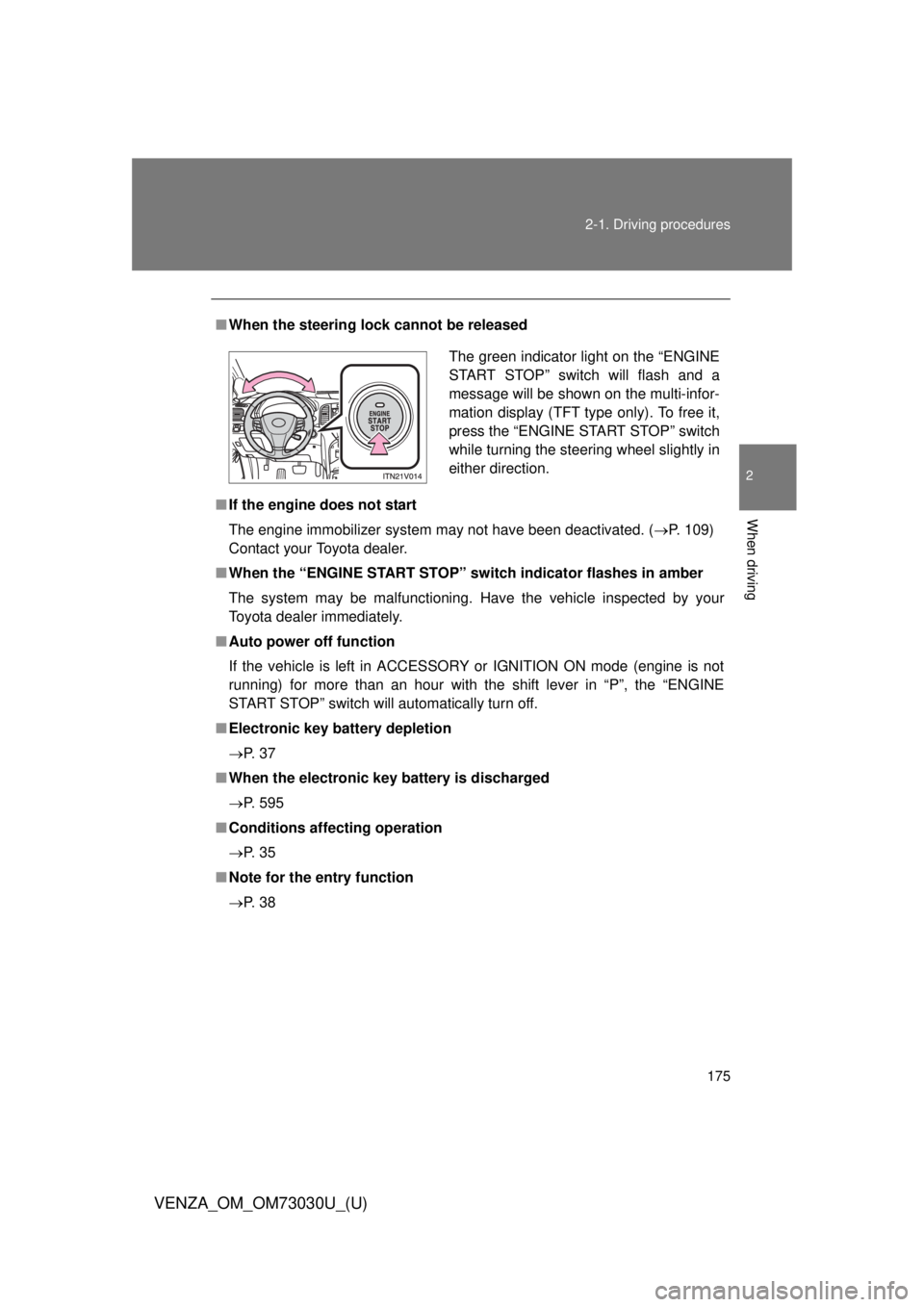
VENZA_OM_OM73030U_(U) ■ When the steering lock cannot be released
■ If the engine does not start
The engine immobilizer system may not have been deactivated. ( P. 109)
Contact your Toyota dealer.
■ When the “ENGINE START STOP” sw itch indicator flashes in amber
The system may be malfunctioning. Have the vehicle inspected by your
Toyota dealer immediately.
■ Auto power off function
If the vehicle is left in ACCESSORY or IGNITION ON mode (engine is not
running) for more than an hour with the shift lever in “P”, the “ENGINE
START STOP” switch will automatically turn off.
■ Electronic key battery depletion
P. 3 7
■ When the electronic key battery is discharged
P. 595
■ Conditions aff ecting operation
P. 3 5
■ Note for the entry function
P. 3 8 The green indicator light on the “ENGINE
START STOP” switch will flash and a
message will be shown on the multi-infor-
mation display (TFT type only). To free it,
press the “ENGINE START STOP” switch
while turning the steering wheel slightly in
either direction.
Page 188 of 688
188
VENZA_OM_OM73030U_(U) 2-2. Instrument cluster
Gauges and meters
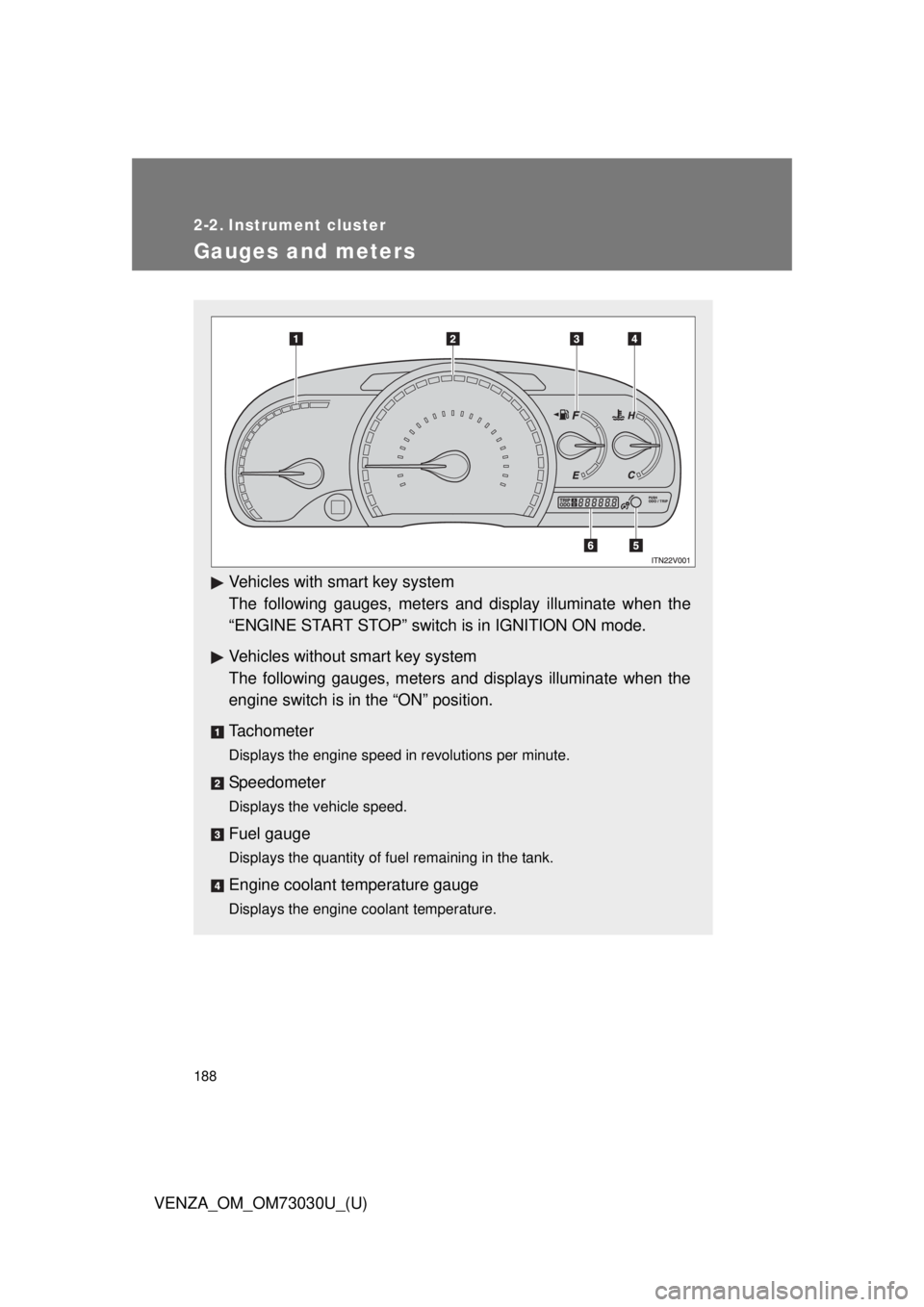
Vehicles with smart key system
The following gauges, meters a nd display illuminate when the
“ENGINE START STOP” switch is in IGNITION ON mode.
Vehicles without smart key system
The following gauges, meters and displays illuminate when the
engine switch is in the “ON” position.
Tachometer Displays the engine speed in revolutions per minute.
Speedometer Displays the vehicle speed.
Fuel gauge Displays the quantity of fuel remaining in the tank.
Engine coolant temperature gauge Displays the engine coolant temperature.
Page 189 of 688
1892-2. Instrument cluster
2
When driving
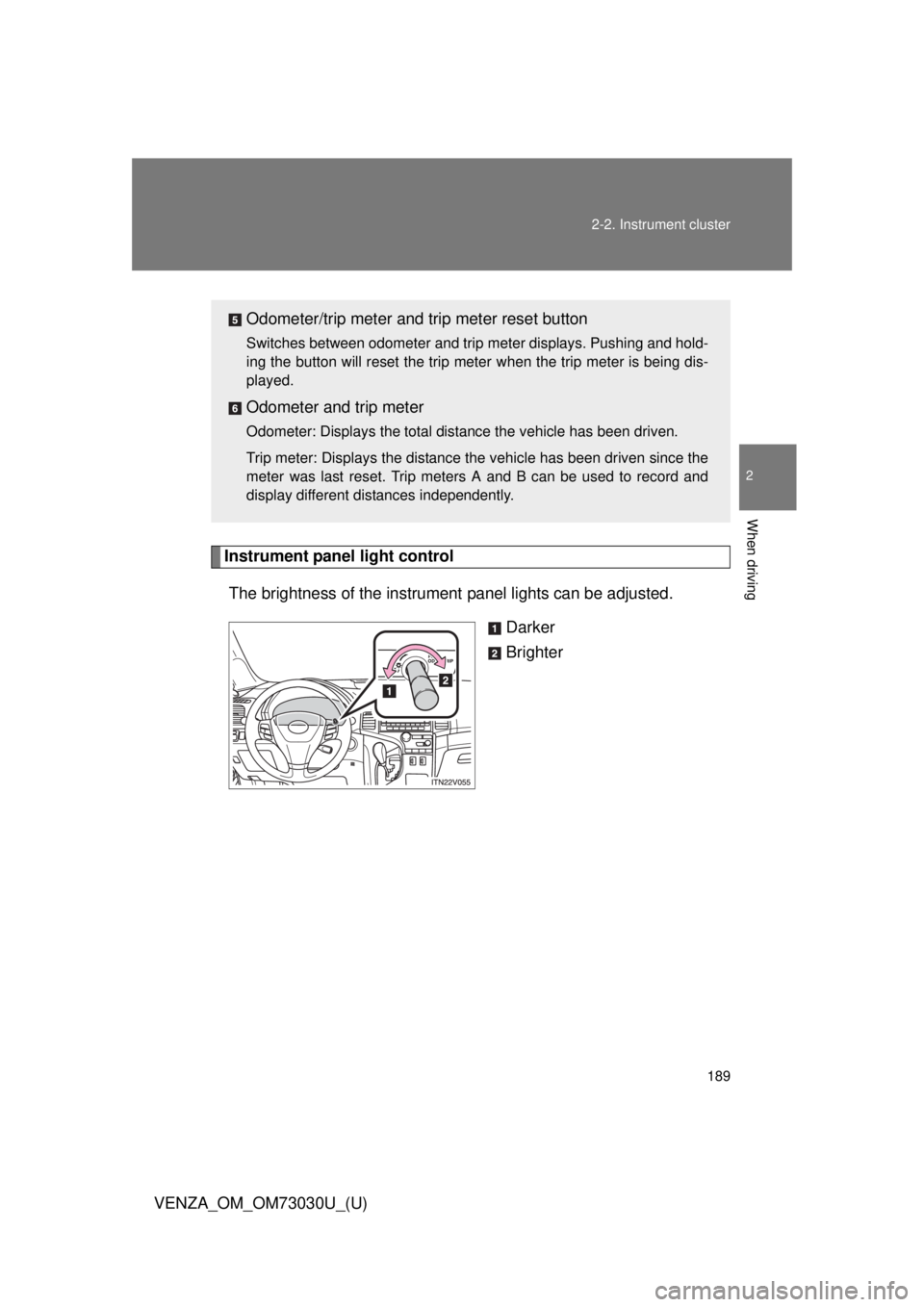
VENZA_OM_OM73030U_(U) Instrument panel light control
The brightness of the instrument panel lights can be adjusted.
Darker
BrighterOdometer/trip meter and trip meter reset button Switches between odometer and trip meter displays. Pushing and hold-
ing the button will reset the trip meter when the trip meter is being dis-
played.
Odometer and trip meter Odometer: Displays the total distance the vehicle has been driven.
Trip meter: Displays the distance the vehicle has been driven since the
meter was last reset. Trip meters A and B can be used to record and
display different distances independently.
Page 191 of 688
1912-2. Instrument cluster
2
When driving
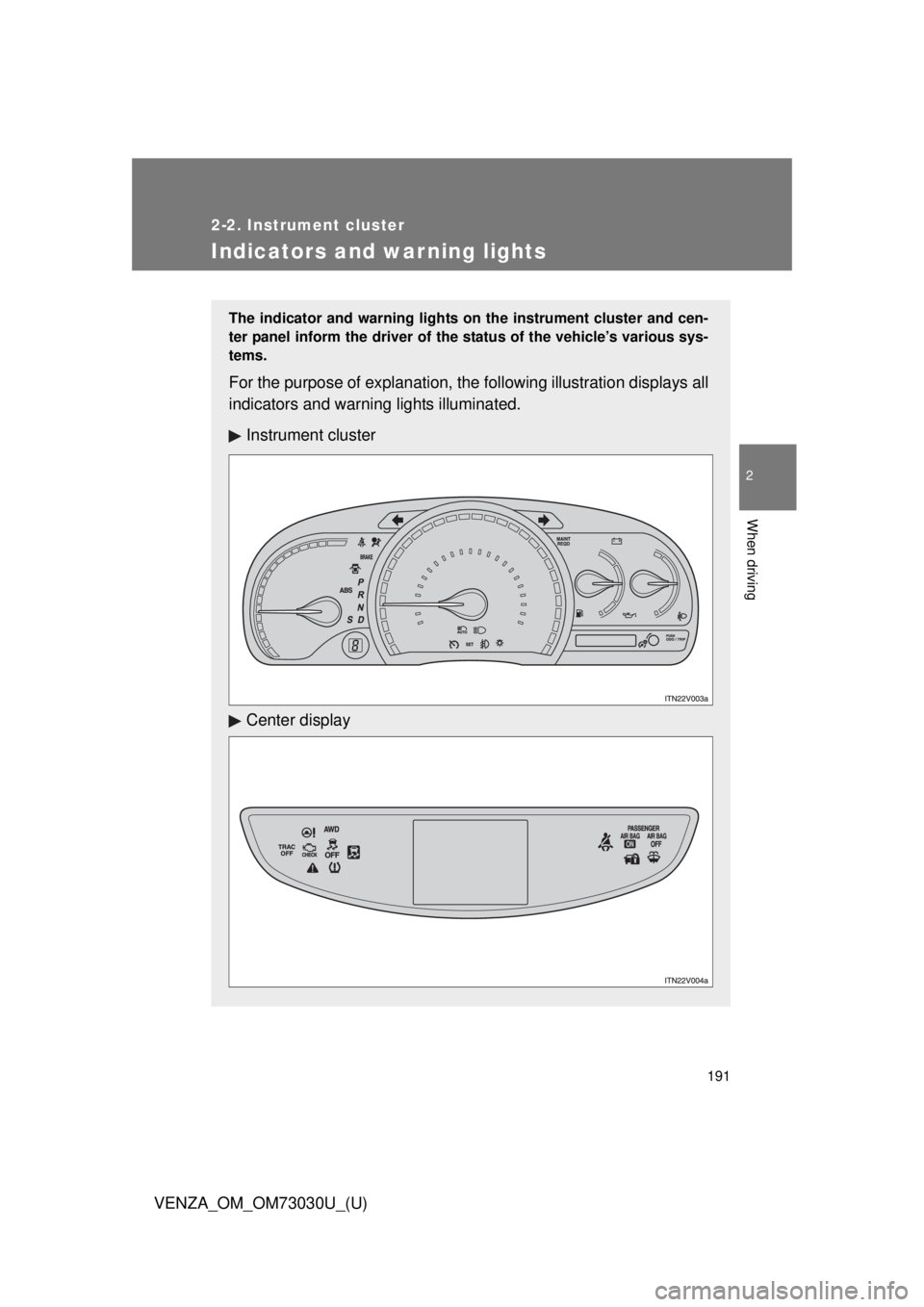
VENZA_OM_OM73030U_(U) Indicators and warning lights The indicator and warning lights on the instrument cluster and cen-
ter panel inform the driver of the status of the vehicle’s various sys-
tems.
For the purpose of explanation, the following illustrati on displays all
indicators and warn ing lights illuminated.
Instrument cluster
Center display
Page 194 of 688
1942-2. Instrument cluster
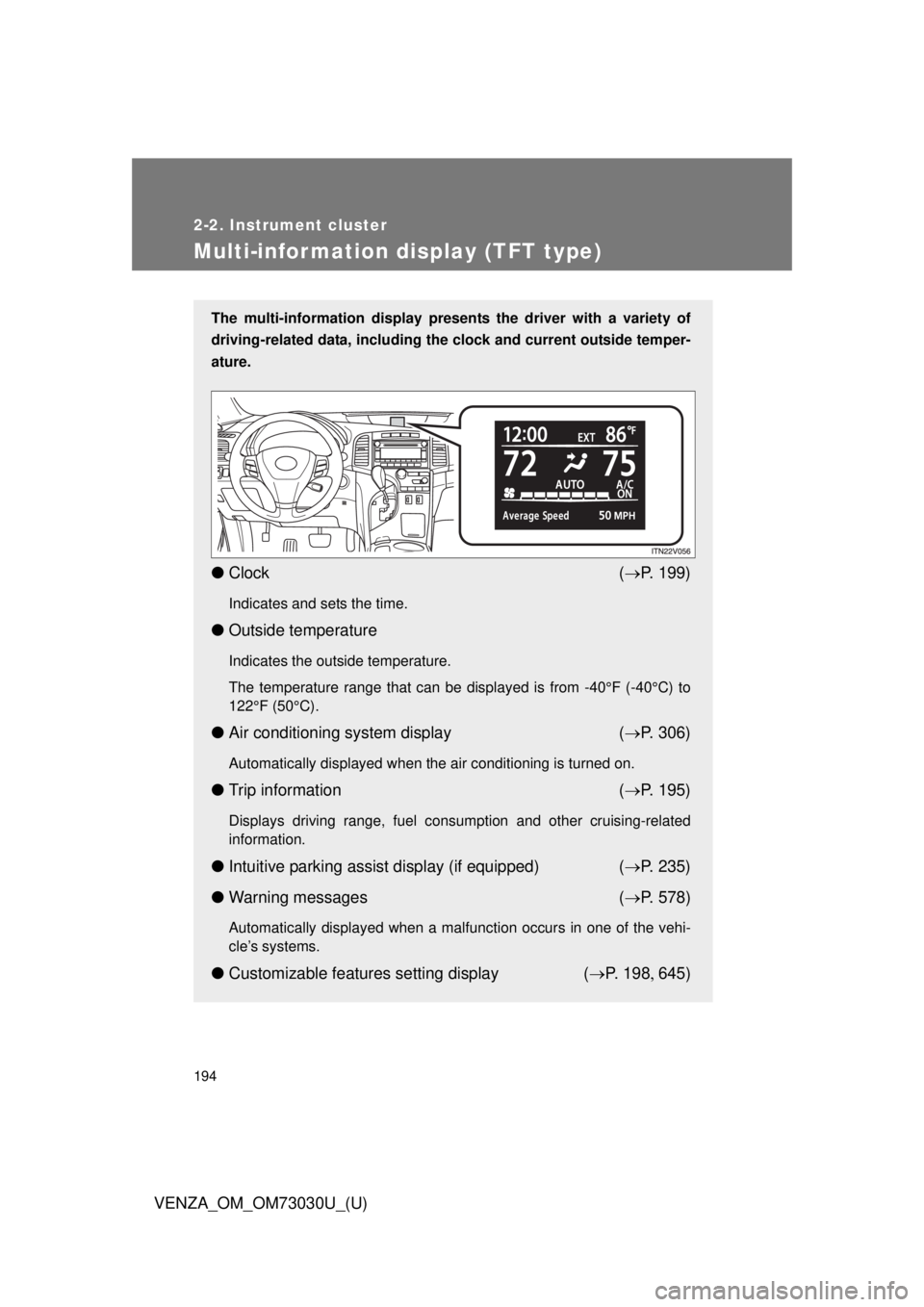
VENZA_OM_OM73030U_(U)Multi-information display (TFT type) The multi-information display presen ts the driver with a variety of
driving-related data, including the clock and current outside temper-
ature.
● Clock ( P. 199)Indicates and sets the time.
● Outside temperature Indicates the outside temperature.
The temperature range that can be displayed is from -40°F (-40°C) to
122°F (50°C).
● Air conditioning system display ( P. 306)Automatically displayed when the air conditioning is turned on.
● Trip information ( P. 195)Displays driving range, fuel consumption and other cruising-related
information.
● Intuitive parking assist display (if equipped) ( P. 235)
● Warning messages ( P. 578)Automatically displayed when a malfunction occurs in one of the vehi-
cle’s systems.
● Customizable features setting display ( P. 1 9 8 645)