Page 170 of 688
1702-1. Driving procedures
VENZA_OM_OM73030U_(U) CAUTION■ When taking a nap in the vehicle
Always turn the engine off. Otherwise, you may accidentally move the shift
lever or depress the accelerator pedal, which could cause an accident or fire
due to engine overheating. Additionally, if the vehicle is parked in a poorly
ventilated area, exhaust gases may collect and enter the vehicle, leading to
death or a serious health hazard.
■ When braking the vehicle
● When the brakes are wet, drive more cautiously.
Braking distance increases when the brakes are wet, and may cause one
side of the vehicle to brake differently than the other side. Also the parking
brake may not securely hold the vehicle.
● If the power brake assist function does not operate, do not follow other
vehicles closely and avoid hills or sharp turns that require braking.
In this case, braking is still possible, but the brake pedal should be
depressed more firmly than usual. Also, the braking distance will increase.
Have your brakes fixed immediately.
● Do not pump the brake pedal if the engine stalls.
Each push on the brake pedal uses up the reserve for the power-assisted
brakes.
● The brake system consists of 2 individual hydraulic systems; if one of the
systems fails, the other will still operate. In this case, the brake pedal
should be depressed more firmly than usual and the braking distance will
increase.
Have your brakes fixed immediately.
■ If the vehicle becomes stu ck or bogged (AWD models)
Do not spin the wheels recklessly when any of the tires is up in the air, or
stuck in sand or mud, etc. This may damage the drive system components
or propel the vehicle forward (or in another direction) and cause an accident.
Page 173 of 688
1732-1. Driving procedures
2
When driving
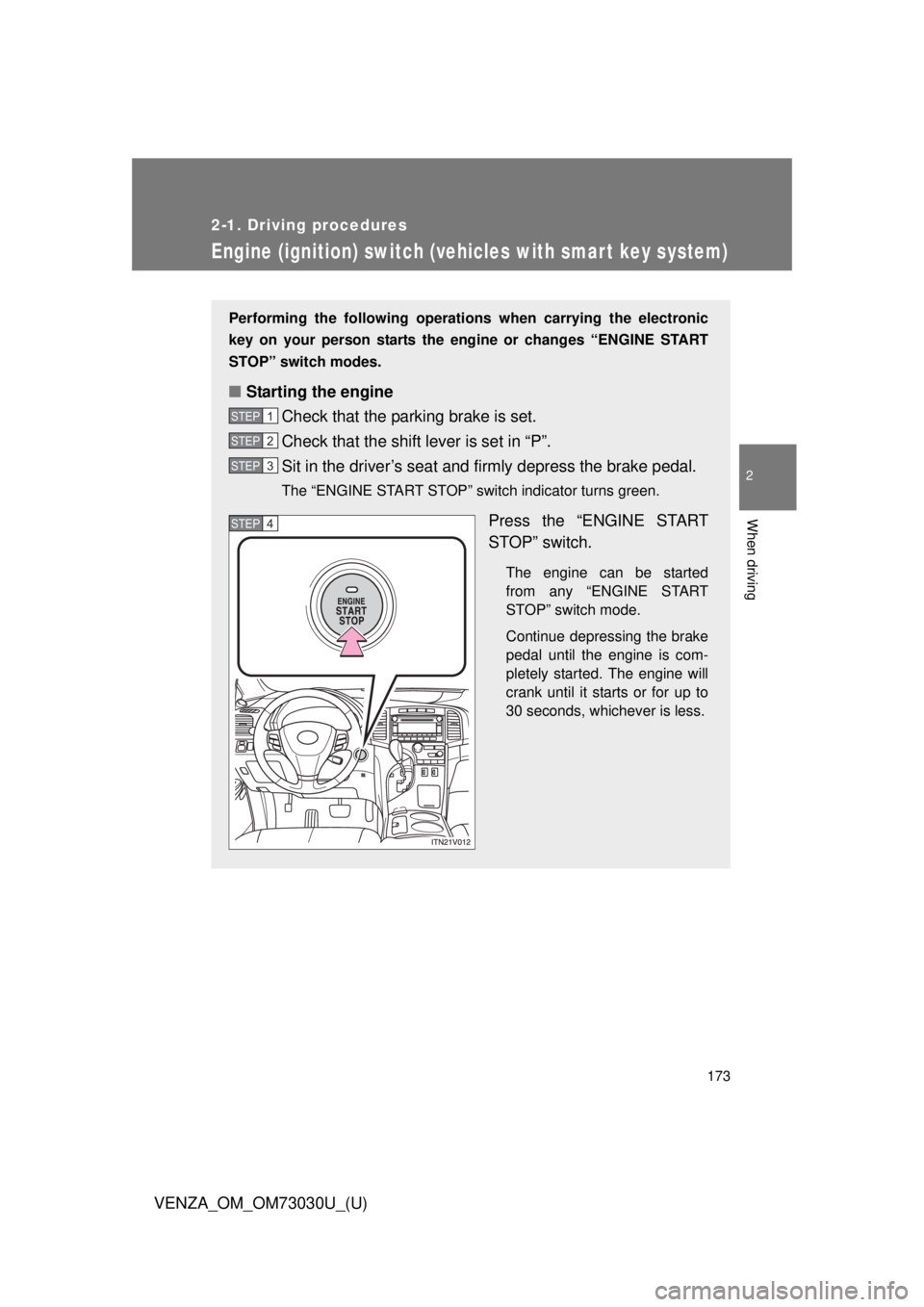
VENZA_OM_OM73030U_(U) Engine (ignition) switch (vehicles with smar t key system) Performing the following operations when carrying the electronic
key on your person starts the en gine or changes “ENGINE START
STOP” switch modes.
■ Starting the engine
Check that the parking brake is set.
Check that the shift lever is set in “P”.
Sit in the driver’s seat and firmly depress the brake pedal. The “ENGINE START STOP” switch indicator turns green.
Press the “ENGINE START
STOP” switch. The engine can be started
from any “ENGINE START
STOP” switch mode.
Continue depressing the brake
pedal until the engine is com-
pletely started. The engine will
crank until it starts or for up to
30 seconds, whichever is less.STEP 1
STEP 2
STEP 3
STEP 4
Page 176 of 688
1762-1. Driving procedures
VENZA_OM_OM73030U_(U) CAUTION■ When starting the engine
Always start the engine while sitting in the driver’s seat. Do not depress the
accelerator pedal while starting the engine under any circumstances.
Doing so may cause an accident resulting in death or serious injury.
■ Stopping the engine in an emergency
If you want to stop the engine in an emergency while driving the vehicle,
press and hold the “ENGINE START STOP” switch for more than 2 seconds,
or press it briefly 3 times or more in succession. ( P. 608)
However, do not touch the “ENGINE START STOP” switch while driving
except in an emergency. Turning the engine off while driving will not cause
loss of steering or braking control, however, power assist to the steering will
be lost. This will make it more difficult to steer smoothly, so you should pull
over and stop the vehicle as soon as it is safe to do so.
NOTICE■ To prevent battery discharge
Do not leave the “ENGINE START STOP” switch in ACCESSORY or IGNI-
TION ON mode for long periods without the engine running.
■ When starting the engine
● Do not race a cold engine.
● If the engine becomes difficult to start or stalls frequently, have your vehi-
cle checked by your Toyota dealer immediately.
Page 181 of 688
1812-1. Driving procedures
2
When driving
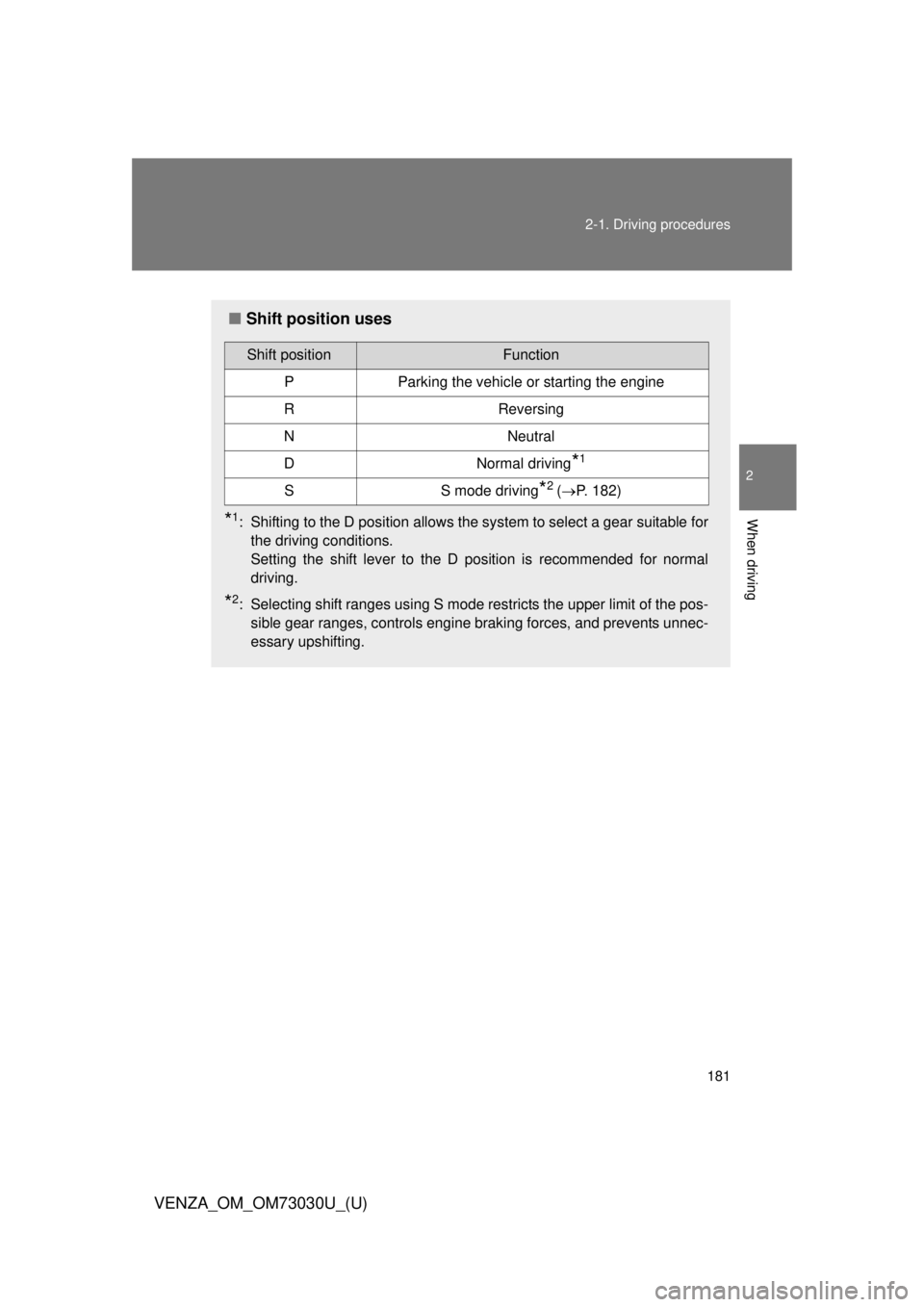
VENZA_OM_OM73030U_(U) ■ Shift position uses
* 1
: Shifting to the D position allows the system to select a gear suitable for
the driving conditions.
Setting the shift lever to the D position is recommended for normal
driving.
* 2
: Selecting shift ranges using S mode restricts the upper limit of the pos-
sible gear ranges, controls engine braking forces, and prevents unnec-
essary upshifting.Shift position Function
P Parking the vehicle or starting the engine
R Reversing
N Neutral
D Normal driving
* 1
S S mode driving
* 2
( P. 182)
Page 183 of 688
1832-1. Driving procedures
2
When driving
VENZA_OM_OM73030U_(U) ■ Shift ranges and their functions
● Automatically selecting gears between 1 and 6 according to
vehicle speed and driving conditio n. (However the gear is limited
according to selected shift range.)
● You can choose from 6 levels of engine braking force.
● A lower shift range will provide greater engine br aking force than
a higher shift range, and the engine speed will also increase.■ S mode
● When the shift range is 5 or lower, holding the shift lever toward “+” sets
the shift range to 6.
● To prevent excessive engine speed, a function was adopted that auto-
matically selects a higher shift range before engine speed becomes too
high.
● To protect the automatic transmission, a function is adopted that auto-
matically selects a higher shift range when the fluid temperature is high.
Page 193 of 688
1932-2. Instrument cluster
2
When driving
VENZA_OM_OM73030U_(U) CAUTION■ If a safety system warning light does not come on
Should a safety system light such as the ABS and the SRS airbag warning
lights not come on when you start the engine, this could mean that these
systems are not available to help protect you in an accident, which could
result in death or serious injury. Have the vehicle inspected by your Toyota
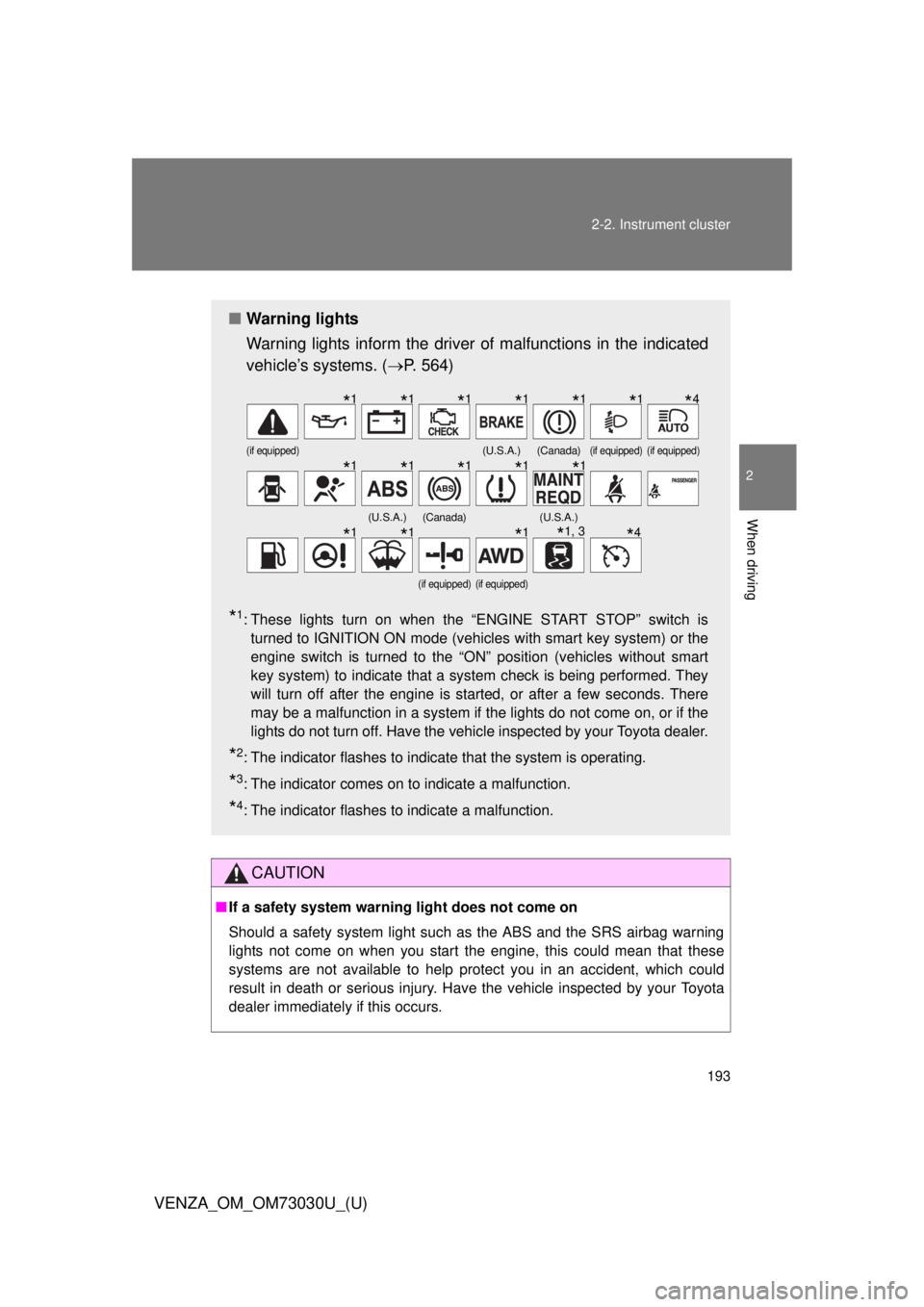
dealer immediately if this occurs.■ Warning lights
Warning lights inform the driver of malfunctions in the indicated
vehicle’s systems. ( P. 564)
* 1
: These lights turn on when the “ENGINE START STOP” switch is
turned to IGNITION ON mode (vehicles with smart key system) or the
engine switch is turned to the “ON” position (vehicles without smart
key system) to indicate that a system check is being performed. They
will turn off after the engine is started, or after a few seconds. There
may be a malfunction in a system if the lights do not come on, or if the
lights do not turn off. Have the vehicle inspected by your Toyota dealer.
* 2
: The indicator flashes to indicate that the system is operating.
* 3
: The indicator comes on to indicate a malfunction.
* 4
: The indicator flashes to indicate a malfunction. (if equipped) (U.S.A.) (Canada) (if equipped) (if equipped)
(U.S.A.) (Canada) (U.S.A.)
(if equipped) (if equipped)
* 1
* 1
* 1
* 1
* 1
* 1
* 4
* 1
* 1
* 1
* 1
* 1
* 1
* 1
* 1
* 1, 3
* 4
Page 197 of 688
1972-2. Instrument cluster
2
When driving
VENZA_OM_OM73030U_(U) ■ Tr i p Ti m e r
Displays the elapsed time since the timer was reset. The timer only functions when the engine is running. The timer can be
started and paused by pressing the “SELECT RESET” button, and reset
by pressing and holding the “SELECT RESET” button when the trip timer
is displayed.
The display layout may be customized to show 1 line of trip informa-
tion in the normal font size, 2 lines in the normal font size, or 1 line in
a larger font size. ( P. 200)
When 2 lines of trip information are displayed, it is possible for both of
them to be reset.
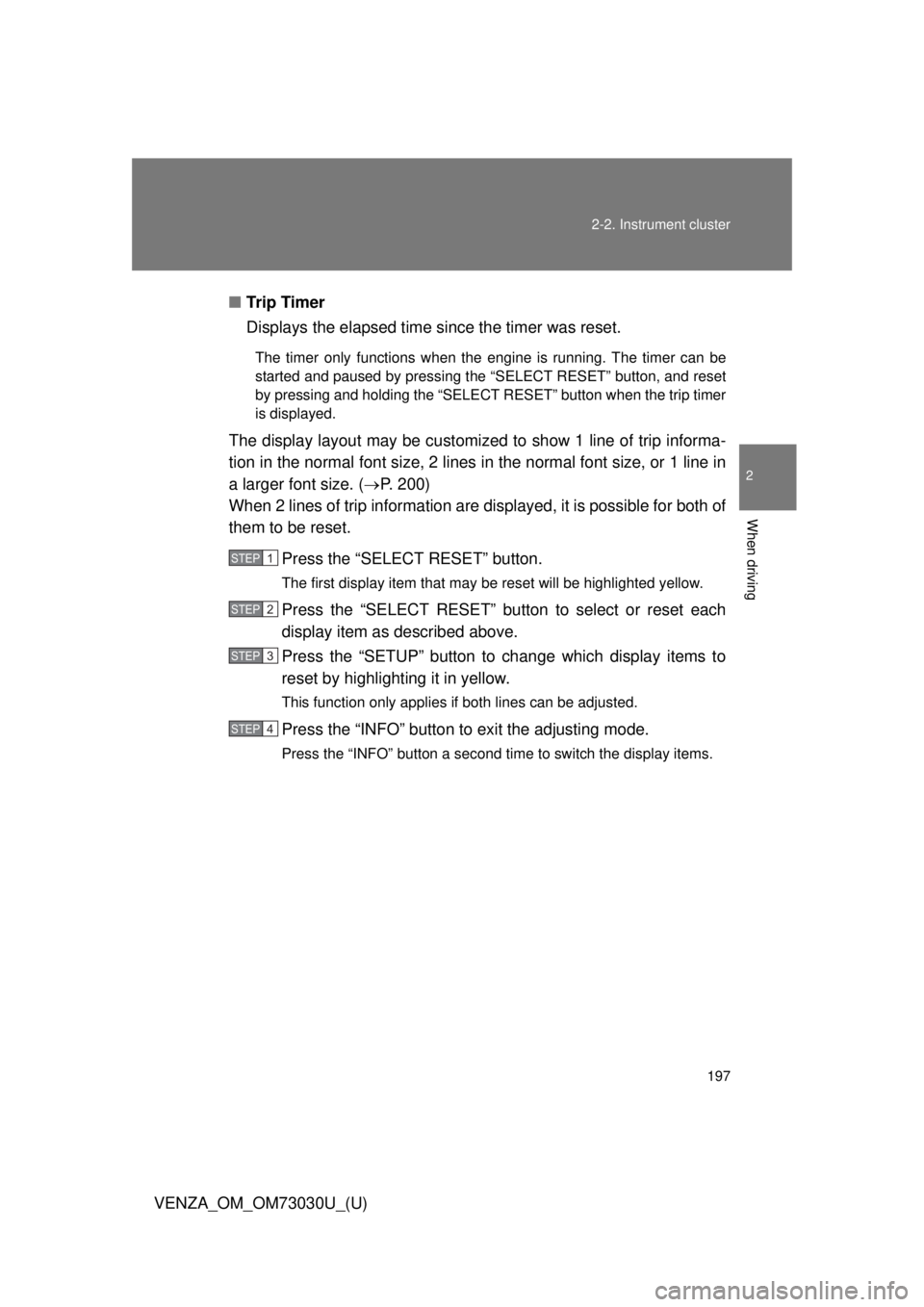
Press the “SELECT RESET” button. The first display item that may be reset will be highlighted yellow.
Press the “SELECT RESET” button to select or reset each
display item as described above.
Press the “SETUP” button to change which display items to
reset by highlighting it in yellow. This function only applies if both lines can be adjusted.
Press the “INFO” button to exit the adjusting mode.Press the “INFO” button a second time to switch the display items. STEP 1
STEP 2
STEP 3
STEP 4
Page 198 of 688
1982-2. Instrument cluster
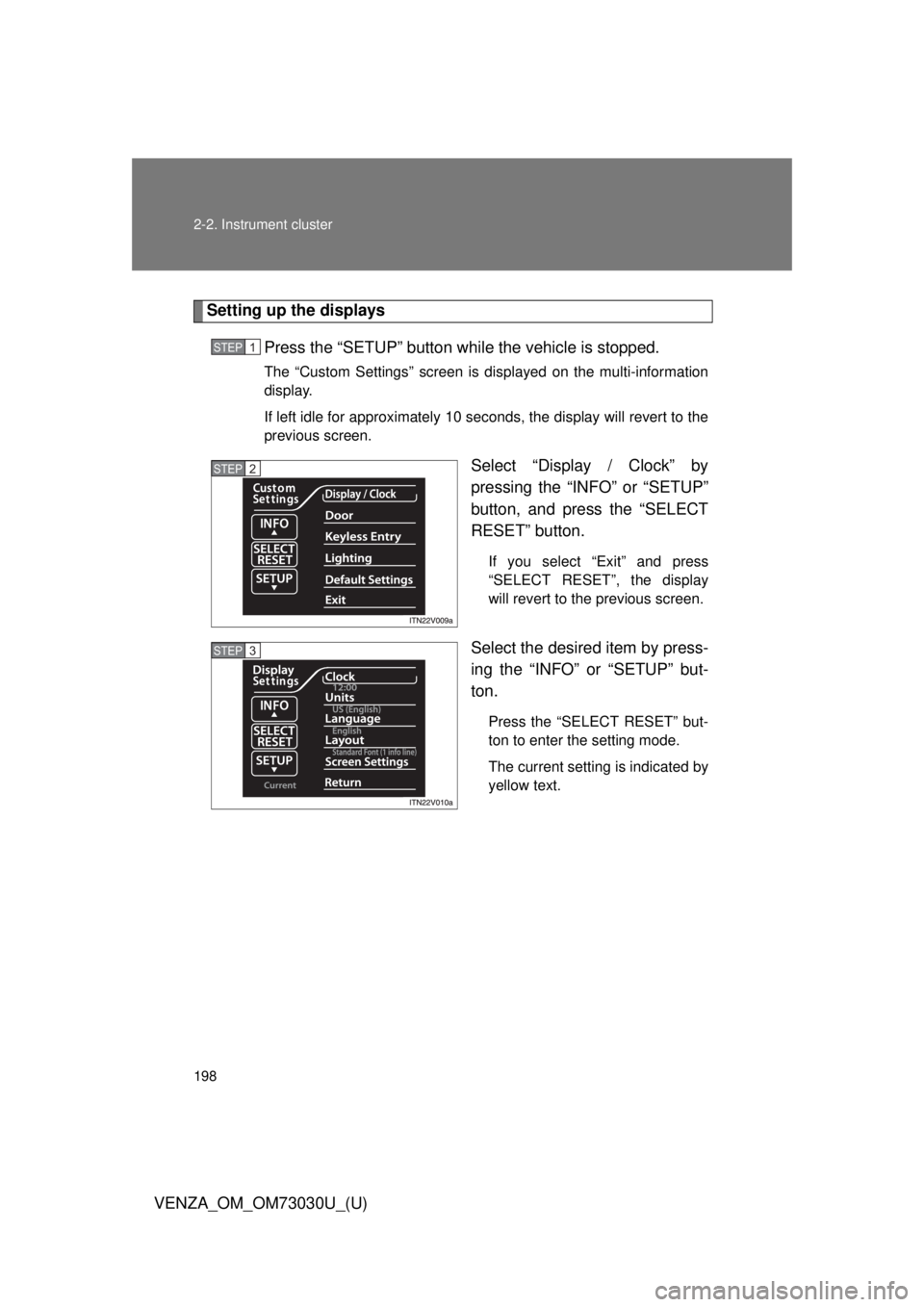
VENZA_OM_OM73030U_(U) Setting up the displays
Press the “SETUP” button wh ile the vehicle is stopped.The “Custom Settings” screen is displayed on the multi-information
display.
If left idle for approximately 10 seconds, the display will revert to the
previous screen.
Select “Display / Clock” by
pressing the “INFO” or “SETUP”
button, and press the “SELECT
RESET” button. If you select “Exit” and press
“SELECT RESET”, the display
will revert to the previous screen.
Select the desired item by press-
ing the “INFO” or “SETUP” but-
ton. Press the “SELECT RESET” but-
ton to enter the setting mode.
The current setting is indicated by
yellow text.STEP 1
STEP 2
STEP 3