2016 NISSAN NOTE Display
[x] Cancel search: DisplayPage 568 of 3641
![NISSAN NOTE 2016 Service Repair Manual BRC-120
< DTC/CIRCUIT DIAGNOSIS >[VDC/TCS/ABS]
U1010 CONTROL UNIT (CAN)
U1010 CONTROL UNIT (CAN)
DTC DescriptionINFOID:0000000012430900
DTC DETECTION LOGIC
POSSIBLE CAUSE
NOTE:
Confirm if DTC is PAST](/manual-img/5/57363/w960_57363-567.png "NISSAN NOTE 2016 Service Repair Manual BRC-120
< DTC/CIRCUIT DIAGNOSIS >[VDC/TCS/ABS]
U1010 CONTROL UNIT (CAN)
U1010 CONTROL UNIT (CAN)
DTC DescriptionINFOID:0000000012430900
DTC DETECTION LOGIC
POSSIBLE CAUSE
NOTE:
Confirm if DTC is PAST")
BRC-120
< DTC/CIRCUIT DIAGNOSIS >[VDC/TCS/ABS]
U1010 CONTROL UNIT (CAN)
U1010 CONTROL UNIT (CAN)
DTC DescriptionINFOID:0000000012430900
DTC DETECTION LOGIC
POSSIBLE CAUSE
NOTE:
Confirm if DTC is PAST or CRNT. If DTC is CRNT, proceed with Diagnosis Procedure. If DTC is PAST, clear
the DTC. Do not replace the
ABS actuator and electric unit (control unit) for a PAST DTC.
DTC CONFIRMATION PROCEDURE
1.PRECONDITIONING
If “DTC CONFIRMATION PROCEDURE” has been previously conducted, always turn the ignition switch OFF
and wait at least 10 seconds before conducting the next test.
>> GO TO 2.
2.CHECK DTC DETECTION
With CONSULT
1. Turn the ignition switch OFF. NOTE:
Wait at least 10 seconds after turning ignition switch OFF.
2. Start the engine. NOTE:
Wait at least 10 seconds after starting the engine.
3. Perform “Self Diagnostic Result” of “ABS”.
Is DTC
“U1010” detected?
YES-1 >> “U1010” is displayed as “CRNT”: Proceed to BRC-120, "Diagnosis Procedure".
YES-2 >> “U1010” is displayed as “PAST”: Inspecti on End (Erase “Self Diagnostic Result” of “ABS”).
NO-1 >> To check malfunction symptom before repair: Refer to GI-42, "
Intermittent Incident".
NO-2 >> Confirmation after repair: Inspection End.
Diagnosis ProcedureINFOID:0000000012430901
1.CHECK ABS ACTUATOR AND ELECTRIC UNIT (CONTROL UNIT)
Check the ABS actuator and electric unit (control unit) harness connector for disconnection and deformation.
Is the inspection result normal?
YES >> Replace the ABS actuator and electric unit (control unit). Refer to BRC-144, "Removal and Instal-
lation".
NO >> Repair / replace harness, connector, or terminal.
DTC Display item
(Trouble diagnosis content) Malfunction detected condition
U1010 CONTROL UNIT (CAN)
(Control unit [CAN communication]) When detecting error during the initial diagnosis of CAN controller of ABS actuator
and electric unit (control unit).
PAST DTC
CRNT DTC
• CAN communication line
• Harness or connector ABS actuator and electric unit (control unit)
Revision: August 2015
2016 Versa Note
cardiagn.com
Page 581 of 3641
![NISSAN NOTE 2016 Service Repair Manual EXCESSIVE ABS FUNCTION OPERATION FREQUENCYBRC-133
< SYMPTOM DIAGNOSIS > [VDC/TCS/ABS]
C
D
E
G H
I
J
K L
M A
B
BRC
N
O P
EXCESSIVE ABS FUNCTION OPERATION FREQUENCY
Diagnosis ProcedureINFOID:0000000012](/manual-img/5/57363/w960_57363-580.png "NISSAN NOTE 2016 Service Repair Manual EXCESSIVE ABS FUNCTION OPERATION FREQUENCYBRC-133
< SYMPTOM DIAGNOSIS > [VDC/TCS/ABS]
C
D
E
G H
I
J
K L
M A
B
BRC
N
O P
EXCESSIVE ABS FUNCTION OPERATION FREQUENCY
Diagnosis ProcedureINFOID:0000000012")
EXCESSIVE ABS FUNCTION OPERATION FREQUENCYBRC-133
< SYMPTOM DIAGNOSIS > [VDC/TCS/ABS]
C
D
E
G H
I
J
K L
M A
B
BRC
N
O P
EXCESSIVE ABS FUNCTION OPERATION FREQUENCY
Diagnosis ProcedureINFOID:0000000012430918
1.CHECK START
Check front and rear brake force di stribution using a brake tester.
Is the inspection result normal?
YES >> GO TO 2.
NO >> Check brake system.
2.CHECK FRONT AND REAR AXLE
Make sure that there is no excessive play in the front and rear axles. Refer to front: FA X - 7 , "
Inspection", rear:
RAX-5, "
Inspection".
Is the inspection result normal?
YES >> GO TO 3.
NO >> Repair or replace malfunctioning components.
3.CHECK WHEEL SENSOR AND SENSOR ROTOR
Check the following:
• Wheel sensor installation for damage
• Sensor rotor installation for damage
• Wheel sensor connector
• Wheel sensor harness
Is the inspection result normal?
YES >> GO TO 4.
NO >> • Replace wheel sensor BRC-140, "
FRONT WHEEL SENSOR : Removal and Installation" (front)
or BRC-141, "
REAR WHEEL SENSOR : Removal and Installation" (rear).
• Replace sensor rotor BRC-143, "
FRONT SENSOR ROTOR : Removal and Installation" (front)
or BRC-143, "
REAR SENSOR ROTOR : Removal and Installation" (rear).
• Repair harness.
4.CHECK ABS WARNING LAMP DISPLAY
Make sure that the ABS warning lamp is turned off af ter the ignition switch is turned ON or when driving.
Is the inspection result normal?
YES >> Inspection End.
NO >> Perform “Self Diagnostic Result”. Refer to BRC-31, "
CONSULT Function (ABS)".
Revision: August 2015 2016 Versa Note
cardiagn.com
Page 584 of 3641
![NISSAN NOTE 2016 Service Repair Manual BRC-136
< SYMPTOM DIAGNOSIS >[VDC/TCS/ABS]
ABS FUNCTION DOES NOT OPERATE
ABS FUNCTION DOES NOT OPERATE
Diagnosis ProcedureINFOID:0000000012430921
CAUTION:
ABS does not operate when speed
is 10 km/h (](/manual-img/5/57363/w960_57363-583.png "NISSAN NOTE 2016 Service Repair Manual BRC-136
< SYMPTOM DIAGNOSIS >[VDC/TCS/ABS]
ABS FUNCTION DOES NOT OPERATE
ABS FUNCTION DOES NOT OPERATE
Diagnosis ProcedureINFOID:0000000012430921
CAUTION:
ABS does not operate when speed
is 10 km/h (")
BRC-136
< SYMPTOM DIAGNOSIS >[VDC/TCS/ABS]
ABS FUNCTION DOES NOT OPERATE
ABS FUNCTION DOES NOT OPERATE
Diagnosis ProcedureINFOID:0000000012430921
CAUTION:
ABS does not operate when speed
is 10 km/h (6 MPH) or lower.
1.CHECK ABS WARNING LAMP DISPLAY
Make sure that the ABS warning lamp turns OFF af ter ignition switch is turned ON or when driving.
Is the inspection result normal?
YES >> Inspection End.
NO >> Perform “Self Diagnostic Result”. Refer to BRC-31, "
CONSULT Function (ABS)".
Revision: August 2015 2016 Versa Note
cardiagn.com
Page 657 of 3641
DEF-6
< SYSTEM DESCRIPTION >
SYSTEM
SYSTEM
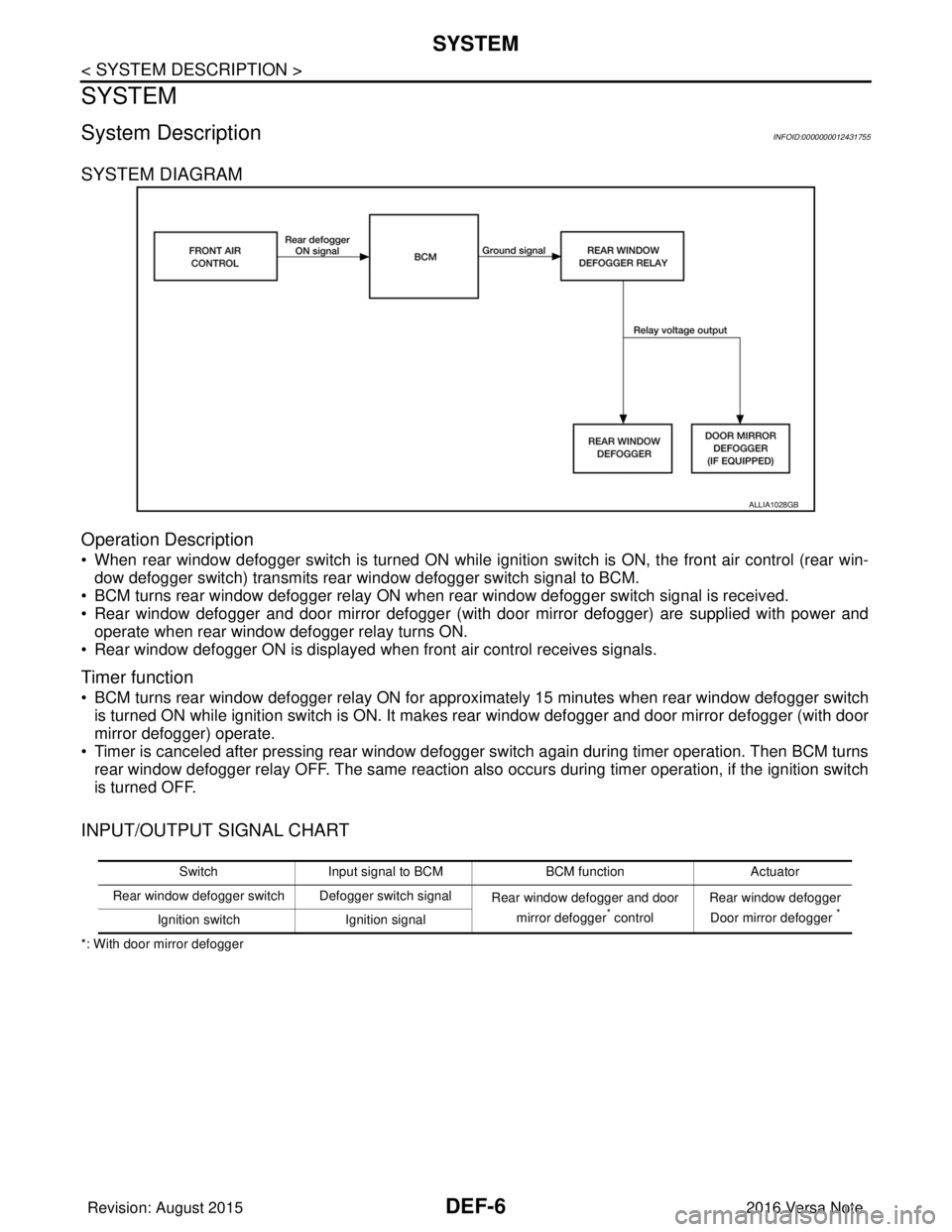
System DescriptionINFOID:0000000012431755
SYSTEM DIAGRAM
Operation Description
• When rear window defogger switch is turned ON while ignition switch is ON, the front air control (rear win-dow defogger switch) transmits rear window defogger switch signal to BCM.
• BCM turns rear window defogger relay ON when rear window defogger switch signal is received.
• Rear window defogger and door mirror defogger (with door mirror defogger) are supplied with power and operate when rear window defogger relay turns ON.
• Rear window defogger ON is displayed when front air control receives signals.
Timer function
• BCM turns rear window defogger relay ON for appr oximately 15 minutes when rear window defogger switch
is turned ON while ignition switch is ON. It makes rear window defogger and door mirror defogger (with door
mirror defogger) operate.
• Timer is canceled after pressing rear window defogger switch again during timer operation. Then BCM turns rear window defogger relay OFF. The same reaction also occurs during timer operation, if the ignition switch
is turned OFF.
INPUT/OUTPUT SIGNAL CHART
*: With door mirror defogger
ALLIA1028GB
Switch Input signal to BCM BCM functionActuator
Rear window defogger switch Defogger switch signal Rear window defogger and door
mirror defogger
* control Rear window defogger
Door mirror defogger *Ignition switch Ignition signal
Revision: August 2015 2016 Versa Note
cardiagn.com
Page 658 of 3641

DIAGNOSIS SYSTEM (BCM) (WITH INTELLIGENT KEY SYSTEM)
DEF-7
< SYSTEM DESCRIPTION >
C
D E
F
G H
I
J
K
M A
B
DEF
N
O P
DIAGNOSIS SYSTEM (BCM) (WIT H INTELLIGENT KEY SYSTEM)
COMMON ITEM
COMMON ITEM : CONSULT Function (BCM - COMMON ITEM)INFOID:0000000012542306
APPLICATION ITEM
CONSULT performs the following functions via CAN communication with BCM.
SYSTEM APPLICATION
BCM can perform the following functions.
Direct Diagnostic Mode Description
ECU Identification The BCM part number is displayed.
Self Diagnostic Result The BCM self diagnostic results are displayed.
Data Monitor The BCM input/output data is displayed in real time.
Active Test The BCM activates outputs to test components.
Work support The settings for BCM functions can be changed.
Configuration • The vehicle specification can be read and saved.
• The vehicle specification can be written when replacing BCM.
CAN DIAG SUPPORT MNTR The result of transmit/receive diagnosis of CAN communication is displayed.
System Sub System Direct Diagnostic Mode
ECU Identification
Self Diagnostic Result
Data Monitor
Active Test
Work support
Configuration
CAN DIAG SUPPORT MNTR
Door lock
DOOR LOCK ×××
Rear window defogger REAR DEFOGGER ××
Warning chime BUZZER ××
Interior room lamp timer INT LAMP ×××
Exterior lamp HEAD LAMP ×××
Wiper and washer WIPER ×××
Turn signal and hazard warning lamps FLASHER ×××
Air conditioner AIR CONDITIONER ×
Intelligent Key system INTELLIGENT KEY ××××
Combination switch COMB SW ×
BCM BCM× × ×××
Immobilizer IMMU ××××
Interior room lamp battery saver BATTERY SAVER ×××
Vehicle security system THEFT ALM ××
RAP system RETAINED PWR ×
Signal buffer system SIGNAL BUFFER ×
TPMS AIR PRESSURE MONITOR ××××
Panic alarm system PANIC ALARM ×
Revision: August 2015 2016 Versa Note
cardiagn.com
Page 660 of 3641

DIAGNOSIS SYSTEM (BCM) (WITHOUT INTELLIGENT KEY SYSTEM)DEF-9
< SYSTEM DESCRIPTION >
C
DE
F
G H
I
J
K
M A
B
DEF
N
O P
DIAGNOSIS SYSTEM (BCM) (WITHO UT INTELLIGENT KEY SYSTEM)
COMMON ITEM
COMMON ITEM : CONSULT Function (BCM - COMMON ITEM)INFOID:0000000012542309
APPLICATION ITEM
CONSULT performs the following functions via CAN communication with BCM.
SYSTEM APPLICATION
BCM can perform the following functions.
Direct Diagnostic Mode Description
ECU Identification The BCM part number is displayed.
Self Diagnostic Result The BCM self diagnostic results are displayed.
Data Monitor The BCM input/output data is displayed in real time.
Active Test The BCM activates outputs to test components.
Work support The settings for BCM functions can be changed.
Configuration • The vehicle specification can be read and saved.
• The vehicle specification can be written when replacing BCM.
CAN DIAG SUPPORT MNTR The result of transmit/receive diagnosis of CAN communication is displayed.
System Sub System Direct Diagnostic Mode
ECU Identification
Self Diagnostic Result
Data Monitor
Active Test
Work support
Configuration
CAN DIAG SUPPORT MNTR
Door lock
DOOR LOCK ×××
Rear window defogger REAR DEFOGGER ××
Warning chime BUZZER ××
Interior room lamp timer INT LAMP ×××
Remote keyless entry system MULTI REMOTE ENT ×××
Exterior lamp HEAD LAMP ×××
Wiper and washer WIPER ×××
Turn signal and hazard warning lamps FLASHER ××
Air conditioner AIR CONDITIONER ×
Combination switch COMB SW ×
BCM BCM× × ×××
Immobilizer IMMU ×××
Interior room lamp battery saver BATTERY SAVER ×××
Vehicle security system THEFT ALM ××
RAP system RETAINED PWR ××
Signal buffer system SIGNAL BUFFER ×
TPMS AIR PRESSURE MONITOR ××××
Panic alarm system PANIC ALARM ×
Revision: August 2015 2016 Versa Note
cardiagn.com
Page 669 of 3641
DEF-18
< BASIC INSPECTION >
DIAGNOSIS AND REPAIR WORK FLOW
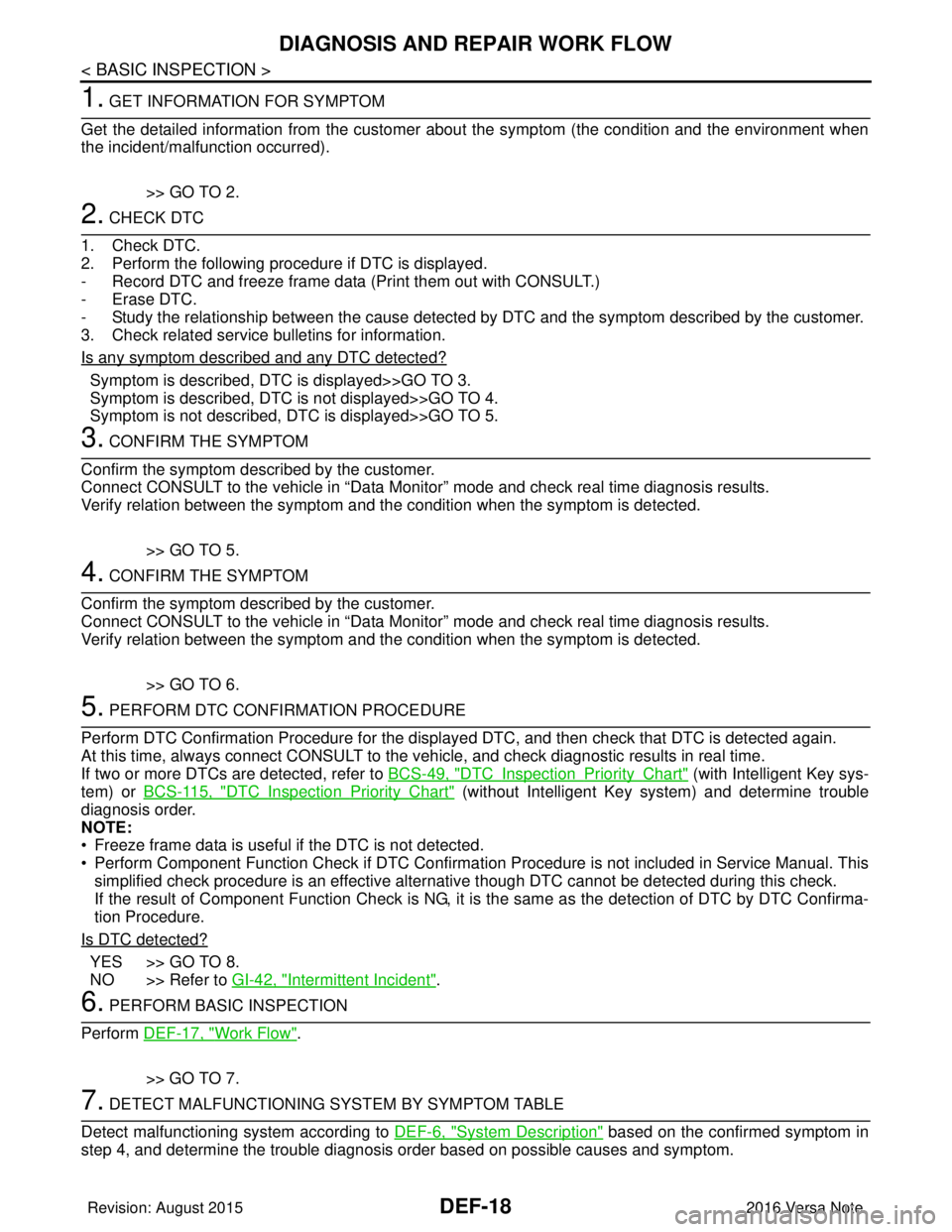
1. GET INFORMATION FOR SYMPTOM
Get the detailed information from the customer about the symptom (the condition and the environment when
the incident/malfunction occurred).
>> GO TO 2.
2. CHECK DTC
1. Check DTC.
2. Perform the following procedure if DTC is displayed.
- Record DTC and freeze frame data (P rint them out with CONSULT.)
- Erase DTC.
- Study the relationship between the cause detected by DTC and the symptom described by the customer.
3. Check related service bulletins for information.
Is any symptom described and any DTC detected?
Symptom is described, DTC is displayed>>GO TO 3.
Symptom is described, DTC is not displayed>>GO TO 4.
Symptom is not described, DTC is displayed>>GO TO 5.
3. CONFIRM THE SYMPTOM
Confirm the symptom described by the customer.
Connect CONSULT to the vehicle in “Data Monitor” mode and check real time diagnosis results.
Verify relation between the symptom and the condition when the symptom is detected.
>> GO TO 5.
4. CONFIRM THE SYMPTOM
Confirm the symptom described by the customer.
Connect CONSULT to the vehicle in “Data Monitor” mode and check real time diagnosis results.
Verify relation between the symptom and the condition when the symptom is detected.
>> GO TO 6.
5. PERFORM DTC CONFIRMATION PROCEDURE
Perform DTC Confirmation Procedure for the display ed DTC, and then check that DTC is detected again.
At this time, always connect CONSULT to the vehicle, and check diagnostic results in real time.
If two or more DTCs are detected, refer to BCS-49, "
DTCInspectionPriorityChart" (with Intelligent Key sys-
tem) or BCS-115, "
DTCInspectionPriorityChart" (without Intelligent Key system) and determine trouble
diagnosis order.
NOTE:
• Freeze frame data is useful if the DTC is not detected.
• Perform Component Function Check if DTC Confirmation Procedure is not included in Service Manual. This simplified check procedure is an effective alternat ive though DTC cannot be detected during this check.
If the result of Component Function Check is NG, it is the same as the detection of DTC by DTC Confirma-
tion Procedure.
Is DTC detected?
YES >> GO TO 8.
NO >> Refer to GI-42, "
Intermittent Incident".
6. PERFORM BASIC INSPECTION
Perform DEF-17, "
Work Flow".
>> GO TO 7.
7. DETECT MALFUNCTIONING SYSTEM BY SYMPTOM TABLE
Detect malfunctioning system according to DEF-6, "
System Description" based on the confirmed symptom in
step 4, and determine the trouble diagnosis order based on possible causes and symptom.
Revision: August 2015 2016 Versa Note
cardiagn.com
Page 670 of 3641
DIAGNOSIS AND REPAIR WORK FLOWDEF-19
< BASIC INSPECTION >
C
DE
F
G H
I
J
K
M A
B
DEF
N
O P
>> GO TO 8.
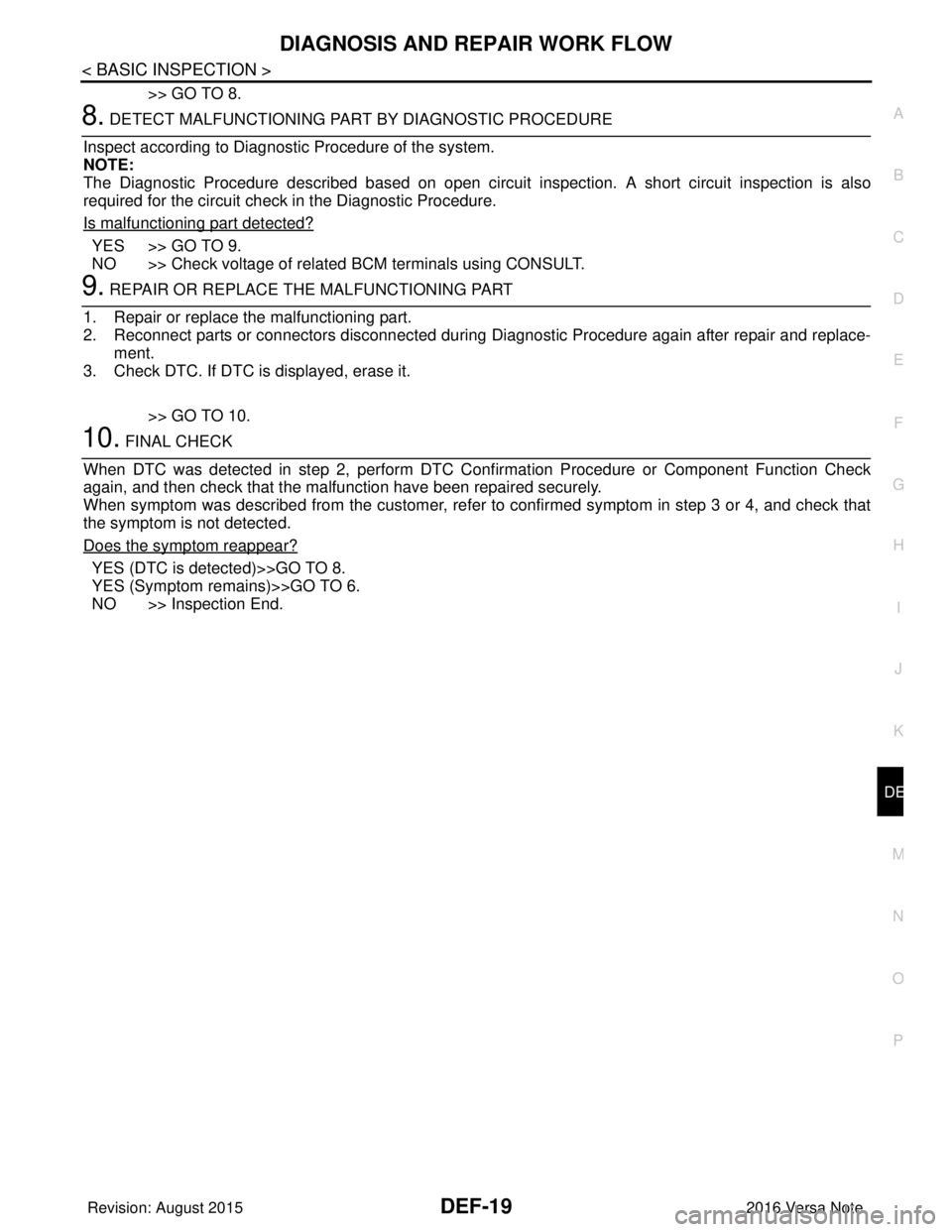
8. DETECT MALFUNCTIONING PART BY DIAGNOSTIC PROCEDURE
Inspect according to Diagnostic Procedure of the system.
NOTE:
The Diagnostic Procedure described based on open circuit inspection. A short circuit inspection is also
required for the circuit check in the Diagnostic Procedure.
Is malfunctioning part detected?
YES >> GO TO 9.
NO >> Check voltage of related BCM terminals using CONSULT.
9. REPAIR OR REPLACE THE MALFUNCTIONING PART
1. Repair or replace the malfunctioning part.
2. Reconnect parts or connectors disconnected during Diagnostic Procedure again after repair and replace-
ment.
3. Check DTC. If DTC is displayed, erase it.
>> GO TO 10.
10. FINAL CHECK
When DTC was detected in step 2, perform DTC Confirmation Procedure or Component Function Check
again, and then check that the malfunction have been repaired securely.
When symptom was described from the customer, refer to confirmed symptom in step 3 or 4, and check that
the symptom is not detected.
Does the symptom reappear?
YES (DTC is detected)>>GO TO 8.
YES (Symptom remains)>>GO TO 6.
NO >> Inspection End.
Revision: August 2015 2016 Versa Note
cardiagn.com