2016 BMW M4 ESP
[x] Cancel search: ESPPage 139 of 228

2.Turn the controller until the desired setting
is reached and press the controller.
Displaying the turning circle and
driving lane line
▷The static red turning circle line indicates
the space requirement to the side with full
steering angle.▷The variable green driving lane line helps to
estimate the actual space requirement to
the side.
The lane line depends on the engaged
gear and the current steering angle. The
lane line is continuously adjusted by the
steering wheel movement.
"Parking guidance lines"
The turning circle and driving lane lines are
displayed.
System limits
Top View cannot be used in the following sit‐
uations:
▷With a door open.▷With the boot lid open.▷With an exterior mirror folded in.▷In poor light conditions.
In some of these situations a Check Control
message is displayed.
Park Assistant
Principle
The system supports you when parking in par‐
allel to the road.
Ultrasonic sensors measure parking spaces on
both sides of the vehicle.
The park assistant calculates the ideal parking
line and takes over steering during the process
of parking.
When parking up, also follow the visual and au‐
dible information and notes of the PDC, the
Park Assistant and the rear-view camera, and
respond accordingly.
The park assistant incorporates Park Distance
Control, PDC, see page 131.
Notes WARNING
The system does not take your personal
responsibility from you when you are estimat‐
ing the traffic situation. Due to limits of the sys‐
tem, it cannot respond independently in a rea‐
sonable way in all traffic conditions. Danger of
accidents. Adapt driving style to the driving
conditions. Observe the traffic situation and in‐
tervene actively if the situation warrants it.◀
ATTENTION
The Park Assistant may steer across
curbs or up onto curbs. Danger of damage to
property. Observe the traffic situation and in‐
tervene actively if the situation warrants it.◀
An engine stopped by the Auto Start Stop
function is automatically started by activating
the Park Assistant.Seite 139Driving comfortControls139
Online Edition for Part no. 01 40 2 964 013 - VI/15
Page 141 of 228
Display on the Control Display
System is activated/deactivatedSymbolMeaning Grey: system not available.
White: system available but not ac‐
tivated. System is activated.
Status of the system
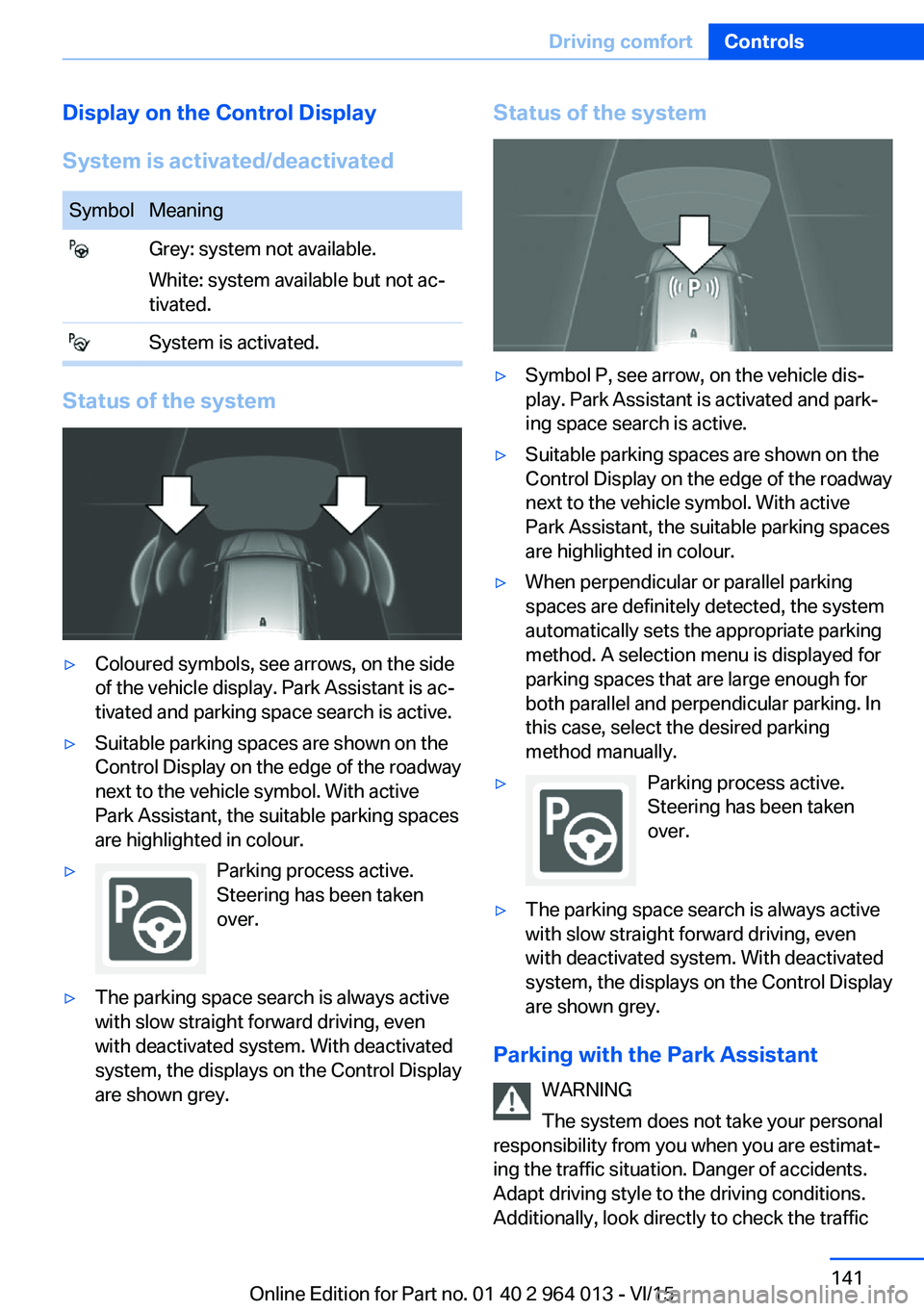
▷Coloured symbols, see arrows, on the side
of the vehicle display. Park Assistant is ac‐
tivated and parking space search is active.▷Suitable parking spaces are shown on the
Control Display on the edge of the roadway
next to the vehicle symbol. With active
Park Assistant, the suitable parking spaces
are highlighted in colour.▷Parking process active.
Steering has been taken
over.▷The parking space search is always active
with slow straight forward driving, even
with deactivated system. With deactivated
system, the displays on the Control Display
are shown grey.Status of the system▷Symbol P, see arrow, on the vehicle dis‐
play. Park Assistant is activated and park‐
ing space search is active.▷Suitable parking spaces are shown on the
Control Display on the edge of the roadway
next to the vehicle symbol. With active
Park Assistant, the suitable parking spaces
are highlighted in colour.▷When perpendicular or parallel parking
spaces are definitely detected, the system
automatically sets the appropriate parking
method. A selection menu is displayed for
parking spaces that are large enough for
both parallel and perpendicular parking. In
this case, select the desired parking
method manually.▷Parking process active.
Steering has been taken
over.▷The parking space search is always active
with slow straight forward driving, even
with deactivated system. With deactivated
system, the displays on the Control Display
are shown grey.
Parking with the Park Assistant
WARNING
The system does not take your personal
responsibility from you when you are estimat‐
ing the traffic situation. Danger of accidents.
Adapt driving style to the driving conditions.
Additionally, look directly to check the traffic
Seite 141Driving comfortControls141
Online Edition for Part no. 01 40 2 964 013 - VI/15
Page 142 of 228
situation and the area around the vehicle and
intervene actively in the corresponding situa‐
tions.◀1.Switch on the Park Assistant and activate,
if applicable.
Status of the parking space search is dis‐
played on the Control Display.2.Follow the instructions on the Control Dis‐
play.
To achieve an optimum parking position,
wait for the automatic steering process af‐
ter changing gear at standstill.
The end of the parking process is dis‐
played on the Control Display.3.Straighten up the parking position, if appli‐
cable.
Cancelling manually
You can cancel the Park Assistant at any time:
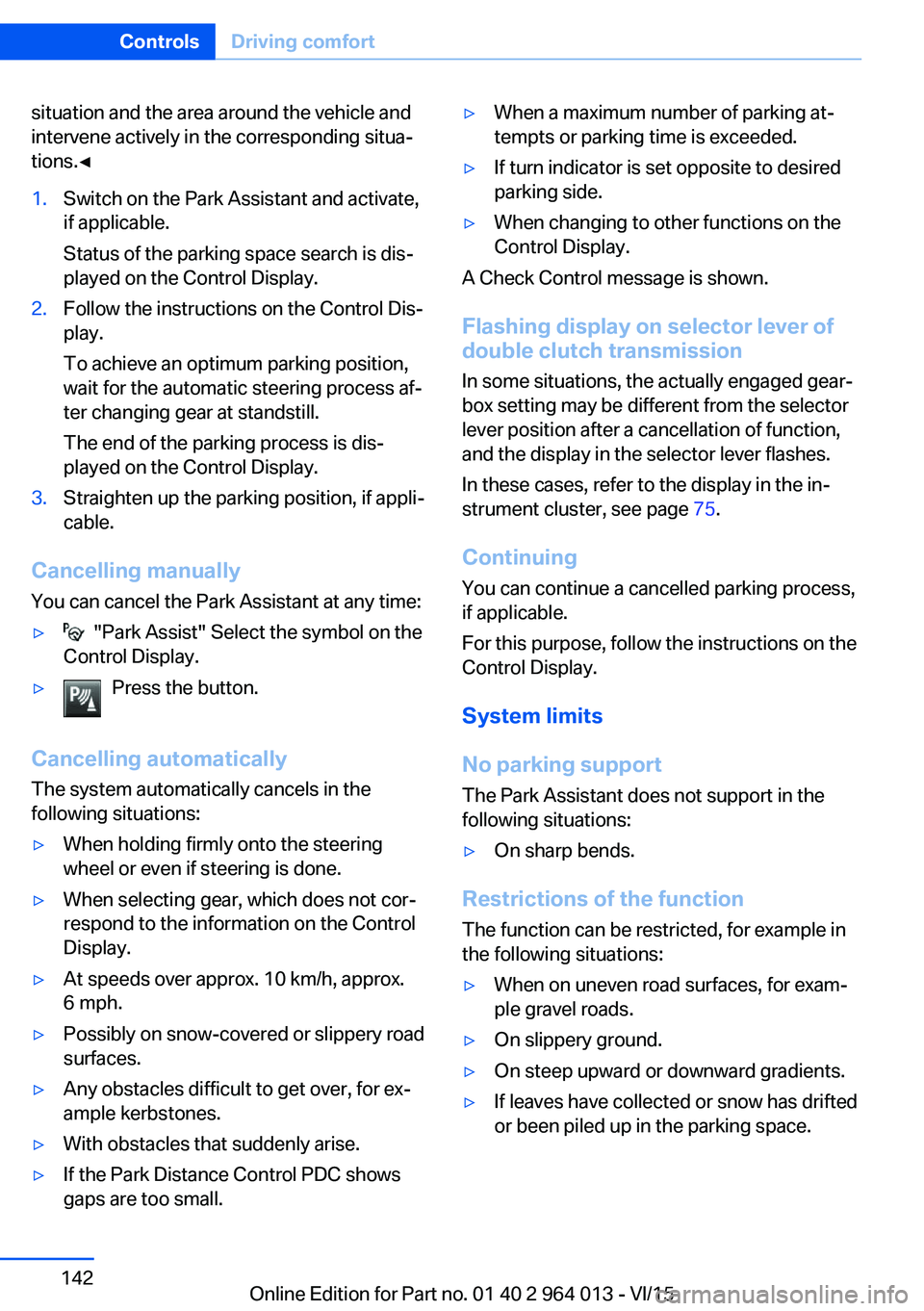
▷ "Park Assist" Select the symbol on the
Control Display.▷Press the button.
Cancelling automatically
The system automatically cancels in the
following situations:
▷When holding firmly onto the steering
wheel or even if steering is done.▷When selecting gear, which does not cor‐
respond to the information on the Control
Display.▷At speeds over approx. 10 km/h, approx.
6 mph.▷Possibly on snow-covered or slippery road
surfaces.▷Any obstacles difficult to get over, for ex‐
ample kerbstones.▷With obstacles that suddenly arise.▷If the Park Distance Control PDC shows
gaps are too small.▷When a maximum number of parking at‐
tempts or parking time is exceeded.▷If turn indicator is set opposite to desired
parking side.▷When changing to other functions on the
Control Display.
A Check Control message is shown.
Flashing display on selector lever of
double clutch transmission
In some situations, the actually engaged gear‐
box setting may be different from the selector
lever position after a cancellation of function,
and the display in the selector lever flashes.
In these cases, refer to the display in the in‐
strument cluster, see page 75.
Continuing
You can continue a cancelled parking process,
if applicable.
For this purpose, follow the instructions on the
Control Display.
System limits
No parking support The Park Assistant does not support in the
following situations:
▷On sharp bends.
Restrictions of the function
The function can be restricted, for example in
the following situations:
▷When on uneven road surfaces, for exam‐
ple gravel roads.▷On slippery ground.▷On steep upward or downward gradients.▷If leaves have collected or snow has drifted
or been piled up in the parking space.Seite 142ControlsDriving comfort142
Online Edition for Part no. 01 40 2 964 013 - VI/15
Page 144 of 228

ClimateVehicle equipmentThis chapter describes all standard, national
and special equipment provided in the model
series. Equipment not available in the vehicle is
therefore also described, for example the se‐lected special equipment or national version.
This also applies to safety-relevant functions
and systems. Comply with the relevant na‐
tional regulations when using the correspond‐
ing functions and systems.
Automatic air conditioning
1Seat heating, left 502Temperature, left3AUTO program4Display5Maximum cooling effect6Temperature, right7Seat heating, right 508Cooling function9AUC/recirculated-air mode10Air distribution, right11Air flow, AUTO intensity12Air distribution, left13Heated rear window14Interior temperature sensor — never cover15Defrosting windows and removing conden‐
sationSeite 144ControlsClimate144
Online Edition for Part no. 01 40 2 964 013 - VI/15
Page 149 of 228
Interior equipmentVehicle equipmentThis chapter describes all standard, national
and special equipment provided in the model
series. Equipment not available in the vehicle is
therefore also described, for example the se‐
lected special equipment or national version.
This also applies to safety-relevant functions
and systems. Comply with the relevant na‐
tional regulations when using the correspond‐
ing functions and systems.
Sun visor Glare protection Fold the sun visor downwards or upwards.
Vanity mirror
A vanity mirror is situated in the sun visor be‐
hind a cover. The mirror light switches on
when the cover is opened.
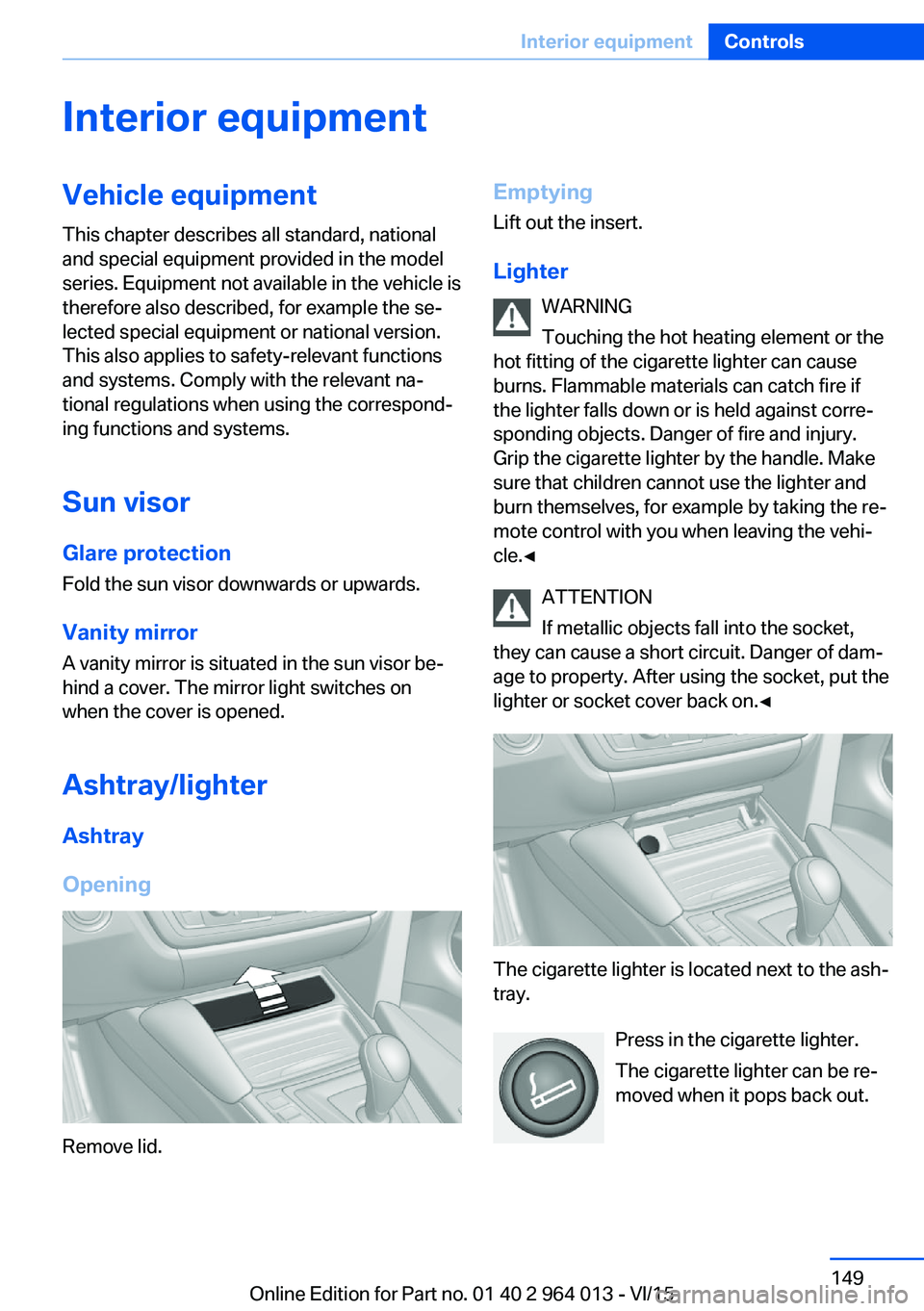
Ashtray/lighter Ashtray
Opening
Remove lid.
Emptying Lift out the insert.
Lighter WARNING
Touching the hot heating element or the
hot fitting of the cigarette lighter can cause
burns. Flammable materials can catch fire if
the lighter falls down or is held against corre‐
sponding objects. Danger of fire and injury.
Grip the cigarette lighter by the handle. Make
sure that children cannot use the lighter and
burn themselves, for example by taking the re‐ mote control with you when leaving the vehi‐
cle.◀
ATTENTION
If metallic objects fall into the socket,
they can cause a short circuit. Danger of dam‐
age to property. After using the socket, put the
lighter or socket cover back on.◀
The cigarette lighter is located next to the ash‐
tray.
Press in the cigarette lighter.
The cigarette lighter can be re‐
moved when it pops back out.
Seite 149Interior equipmentControls149
Online Edition for Part no. 01 40 2 964 013 - VI/15
Page 151 of 228
▷Do not connect up USB hard drives.▷Do not use the USB audio interface for
charging external devices.
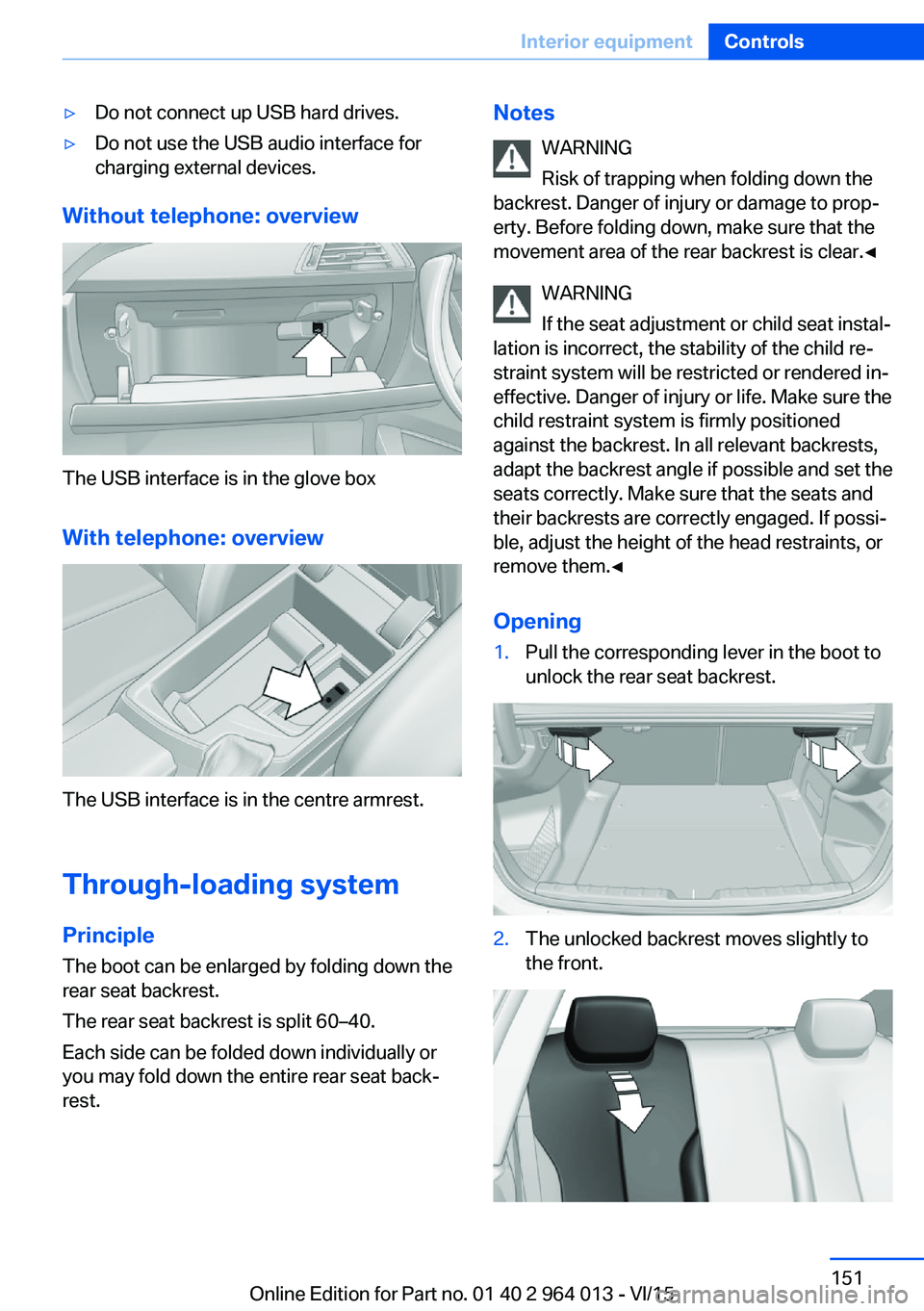
Without telephone: overview
The USB interface is in the glove box
With telephone: overview
The USB interface is in the centre armrest.
Through-loading system PrincipleThe boot can be enlarged by folding down the
rear seat backrest.
The rear seat backrest is split 60–40.
Each side can be folded down individually or
you may fold down the entire rear seat back‐ rest.
Notes
WARNING
Risk of trapping when folding down the
backrest. Danger of injury or damage to prop‐
erty. Before folding down, make sure that the
movement area of the rear backrest is clear.◀
WARNING
If the seat adjustment or child seat instal‐
lation is incorrect, the stability of the child re‐
straint system will be restricted or rendered in‐
effective. Danger of injury or life. Make sure the
child restraint system is firmly positioned
against the backrest. In all relevant backrests,
adapt the backrest angle if possible and set the
seats correctly. Make sure that the seats and
their backrests are correctly engaged. If possi‐
ble, adjust the height of the head restraints, or
remove them.◀
Opening1.Pull the corresponding lever in the boot to
unlock the rear seat backrest.2.The unlocked backrest moves slightly to
the front.Seite 151Interior equipmentControls151
Online Edition for Part no. 01 40 2 964 013 - VI/15
Page 153 of 228
Storage compartmentsVehicle equipmentThis chapter describes all standard, national
and special equipment provided in the model
series. Equipment not available in the vehicle is
therefore also described, for example the se‐
lected special equipment or national version.
This also applies to safety-relevant functions
and systems. Comply with the relevant na‐
tional regulations when using the correspond‐
ing functions and systems.
Notes WARNING
Loose objects in the interior can be
thrown into the interior during the journey, for
example in an accident or during braking and
evasive manoeuvres. Danger of injury. Secure
loose objects in the interior.◀
ATTENTION
Anti-slip mats can damage the dash‐
board. Danger of damage to property. Do not
use anti-slip mats.◀
Storage options The following storage options are located in
the interior:▷Glove box on the passenger side, see
page 153.▷Glove box on the driver's side, see
page 154.▷Without smoker's package: front compart‐
ment, in front of cupholders, see
page 154.▷Storage compartment in the front centre
armrest, see page 154.▷Pockets in the doors, see page 154.▷Nets on the backrests of the front seats.▷Storage compartment between the rear
seats, see page 155.
Glove box
Front passenger's side
Note WARNING
The glove box projects into the interior
when it is opened. Objects in the glove box can
be thrown into the interior during the journey,
for example in an accident or during braking
and evasive manoeuvres. Danger of injury. Im‐
mediately close the glove box after using it.◀
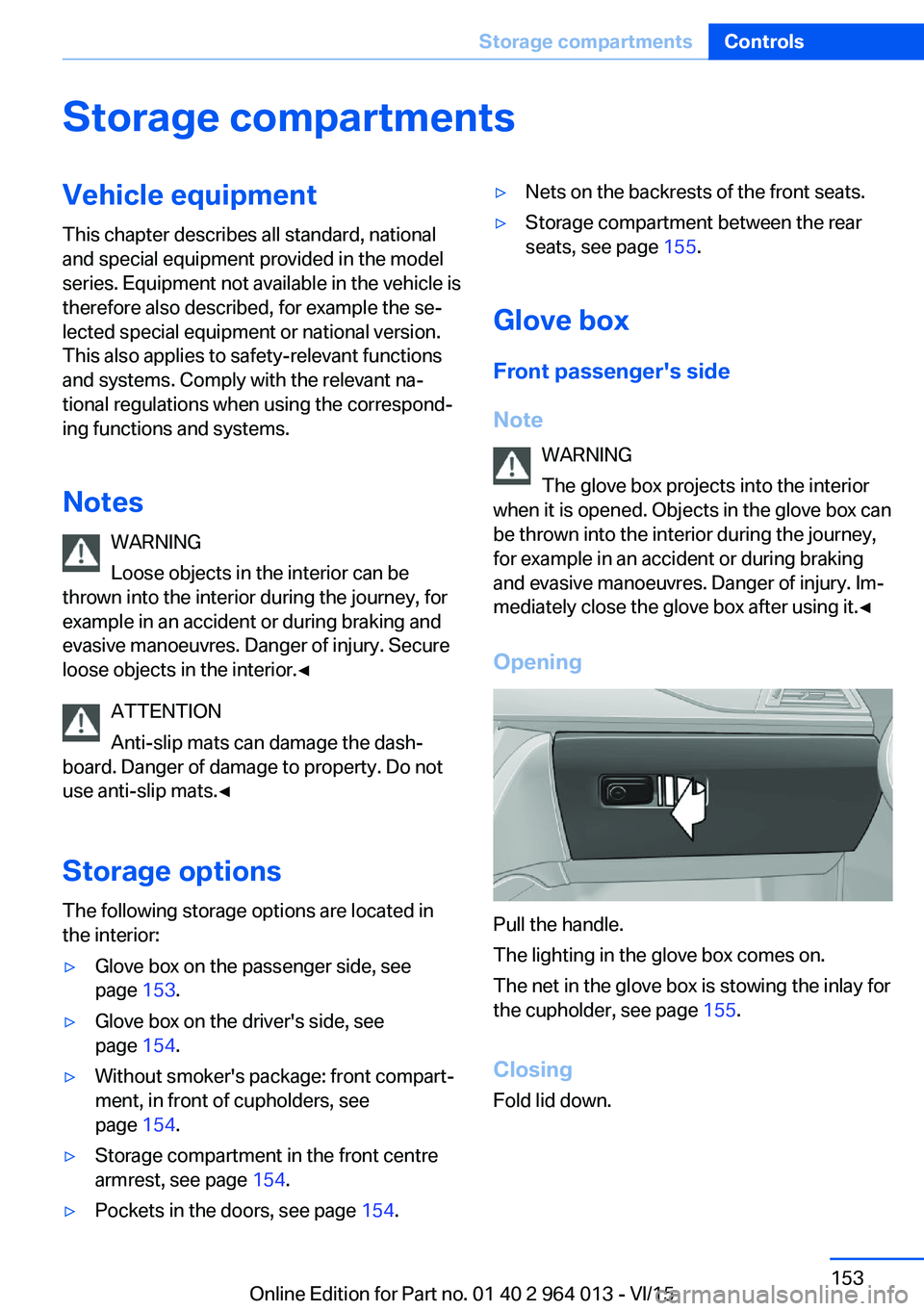
Opening
Pull the handle.
The lighting in the glove box comes on.
The net in the glove box is stowing the inlay for
the cupholder, see page 155.
Closing
Fold lid down.
Seite 153Storage compartmentsControls153
Online Edition for Part no. 01 40 2 964 013 - VI/15
Page 160 of 228
BMW M4 TechnologyVehicle equipment
This chapter describes all standard, national
and special equipment provided in the model
series. Equipment not available in the vehicle is
therefore also described, for example the se‐
lected special equipment or national version.
This also applies to safety-relevant functions
and systems. Comply with the relevant na‐
tional regulations when using the correspond‐
ing functions and systems.
High performance engine The high performance engine generates a
maximum power of 317 kW and a maximum
torque of 550 Nm from 3 litres of capacity.
With its spontaneous responsiveness, a very
broad usable engine speed range is produced.
The maximum engine speed is electronically regulated at 7,600 rpm. Due to the powerful
engine dynamics, the maximum engine speed
is limited when the vehicle is stationary.
Driving hot During the engine warm-up phase, the high
performance engine runs slightly more roughly
due to the emission control.
When the engine is cold, the exhaust has a
slightly metallic undertone, depending on the
system.
Other information for hot driving: engine speed
counter, see page 84, and engine oil tempera‐
ture, see page 84.
M compound brakes The high performance brake system has venti‐
lated compound brake discs.
Depending on design requirements, function
noises may occur when braking. However, thishas no effect on the performance, operational
safety and stability of the brakes.
Braking correctly
To keep the brake system in optimum condi‐
tion, it is desirable to load them at regular inter‐
vals depending on the nature of the vehicle.
M Carbon ceramic brakes
The high performance braking system has per‐
forated carbon ceramic brake disks and is de‐
signed for racetrack operation.
Depending on the material-specific properties, there can be increased functional noises when
braking, particularly when it is wet, shortly be‐
fore the vehicle comes to a stop. This has no
effect on performance, operational safety and
endurance of the brakes.
Due to the effect of wet and salt spray, for ex‐
ample, after using a car wash, condensation
overnight etc., the braking effect may corre‐
spond to a conventional braking system. This
can be detected as reduced braking effect and
compensated for by higher pedal pressure, as
needed.
Clean brake discs and brake calliper before
washing in an automatic car wash with a steam
sprayer or high pressure cleaner to avoid en‐
crustations and caking, for example, due to salt
crystals with a related stationary period. The cleaning effect of automatic car washes gener‐
ally not sufficient for this in the wheel area.
Also follow the information on this under vehi‐
cle washing, see page 208, and safe braking,
see page 163.Seite 160Driving hintsBMW M4 Technology160
Online Edition for Part no. 01 40 2 964 013 - VI/15