Page 13 of 228
Automatic driving lights con‐
trol 99
Adaptive Headlights 100
High-beam assistance 100Instrument lighting 1026Steering-column lever, leftTurn indicator 70High-beam headlights, headlight
flasher 70High-beam assistance 100Parking lights 99On-board computer 907Shift paddles 768Buttons on steering wheel, leftActivate M Drive 1 123Activate M Drive 2 123Speed limiter 119Resume speed 129Cruise Control on/off, inter‐
rupt 129Rocker switch for Cruise Control 1299Instrument cluster 7910Buttons on steering wheel, rightEntertainment sourceVolume controlVoice control 25TelephoneKnurled wheel for selection lists 9011Steering-column lever, rightWiper 71Rain sensor 71Cleaning the windows and head‐
lights 7212Start/stop engine and switch igni‐
tion on/off 66Auto Start Stop function 6713Horn, total area14Steering wheel heating 5715Steering wheel adjustment 5716Unlock bonnet 183Seite 13CockpitOverview13
Online Edition for Part no. 01 40 2 964 013 - VI/15
Page 57 of 228
Steering wheel
Note WARNING
Steering wheel adjustment during the
journey can lead to unexpected steering wheel
movements. You could lose control of the vehi‐
cle. Danger of accidents. Only adjust the steer‐
ing wheel when the vehicle is at a standstill.◀
Electric steering wheel lock With manual gearbox: The steering wheel
locks automatically when the driver's door is
opened.
Switch on ignition to unlock.
WARNING
If steering wheel lock is activated, the ve‐
hicle cannot be steered. Danger of accidents.
Switch on the ignition prior to moving the vehi‐
cle.◀
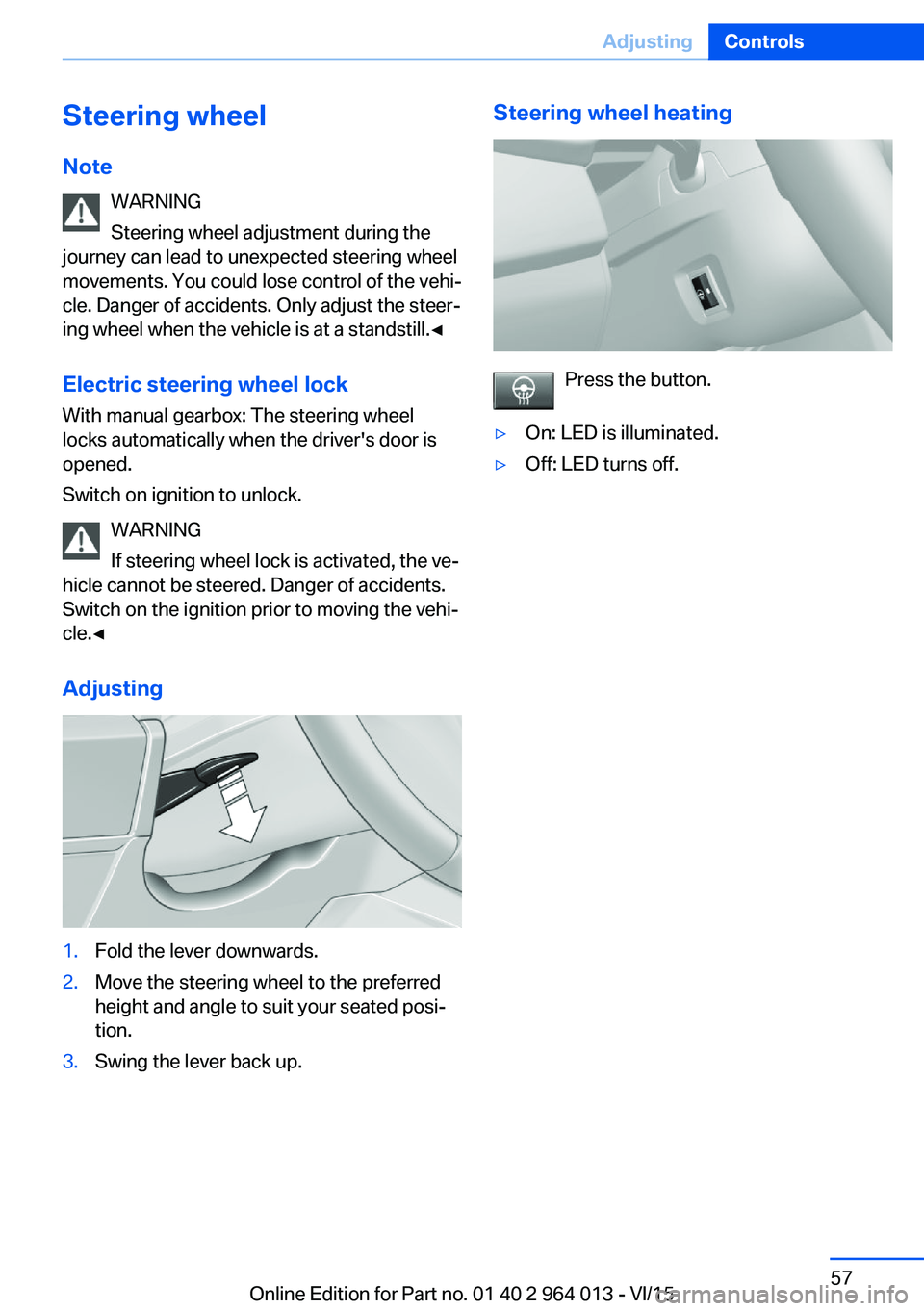
Adjusting1.Fold the lever downwards.2.Move the steering wheel to the preferred
height and angle to suit your seated posi‐
tion.3.Swing the lever back up.Steering wheel heating
Press the button.
▷On: LED is illuminated.▷Off: LED turns off.Seite 57AdjustingControls57
Online Edition for Part no. 01 40 2 964 013 - VI/15
Page 124 of 228
3.Selected desired adjustment option.4.Select the desired channel.
The individual settings are stored for the cur‐
rently used profile.
With M Drive activated a change is made im‐
mediately on the Control Display setting.
Activating/deactivating M Drive
Activating Press the relevant button on the steering
wheel.
▷Activate M Drive 1▷Activate M Drive 2
If in M Drive, DSC OFF or MDM is set, a mes‐
sage appears in the instrument cluster. This
message is operated by pressing the button
again.
Deactivating Press the relevant button on the steering
wheel again.
Indicator Lights
▷Indicator light illuminates: corre‐
sponding M Drive is activated.▷Indicator light flashes: M Drive
could not be activated. Anti-block‐
ing system ABS or Dynamic Stabil‐
ity Control DSC control drive stabil‐
ity directly.
Reactivate M Drive if the indicator
stops flashing.
Information
With activated M Drive individual settings out‐
side of the M Drive can also be changed, for
example, using buttons in the centre console.
That deactivates the M Drive.
To reactivate all the settings made on the Con‐
trol Display for M Drive, briefly press one of the
following buttons:▷▷
To accept the change settings in M Drive,
press the corresponding button for a long time.
Reset M Drive Individual settings can be reset to default val‐
ues.
1."Settings"2."M Drive 1" or "M Drive 2"3."Reset M Drive 1" or "Reset M Drive 2"4."Yes"
To interrupt resetting: "No"
Dynamic Stability Control,
DSC
Principle DSC prevents the driven wheels losing traction
when you pull away from rest or accelerate.
DSC is also able to detect unstable driving
conditions such as loss of traction at the rear
or vehicle slip over the front wheels. DSC re‐
duces engine output and applies the brakes at
individual wheels, helping, within the limits im‐
posed by the laws of physics, to keep the vehi‐
cle safely on course.
Note Adapt the driving style to the situation as it is
always the driver's responsibility to adapt a
suitable driving style.
Not even DSC can overcome the laws of phys‐
ics.
Do not limit the additional safety afforded by
this system by taking driving risks.
Seite 124ControlsDriving stability control systems124
Online Edition for Part no. 01 40 2 964 013 - VI/15
Page 127 of 228
Setting is immediately accepted with ac‐
tive M Drive.
To activate the desired M Drive with the selec‐
ted settings, press the corresponding button
on the steering wheel:
▷▷
Using the button
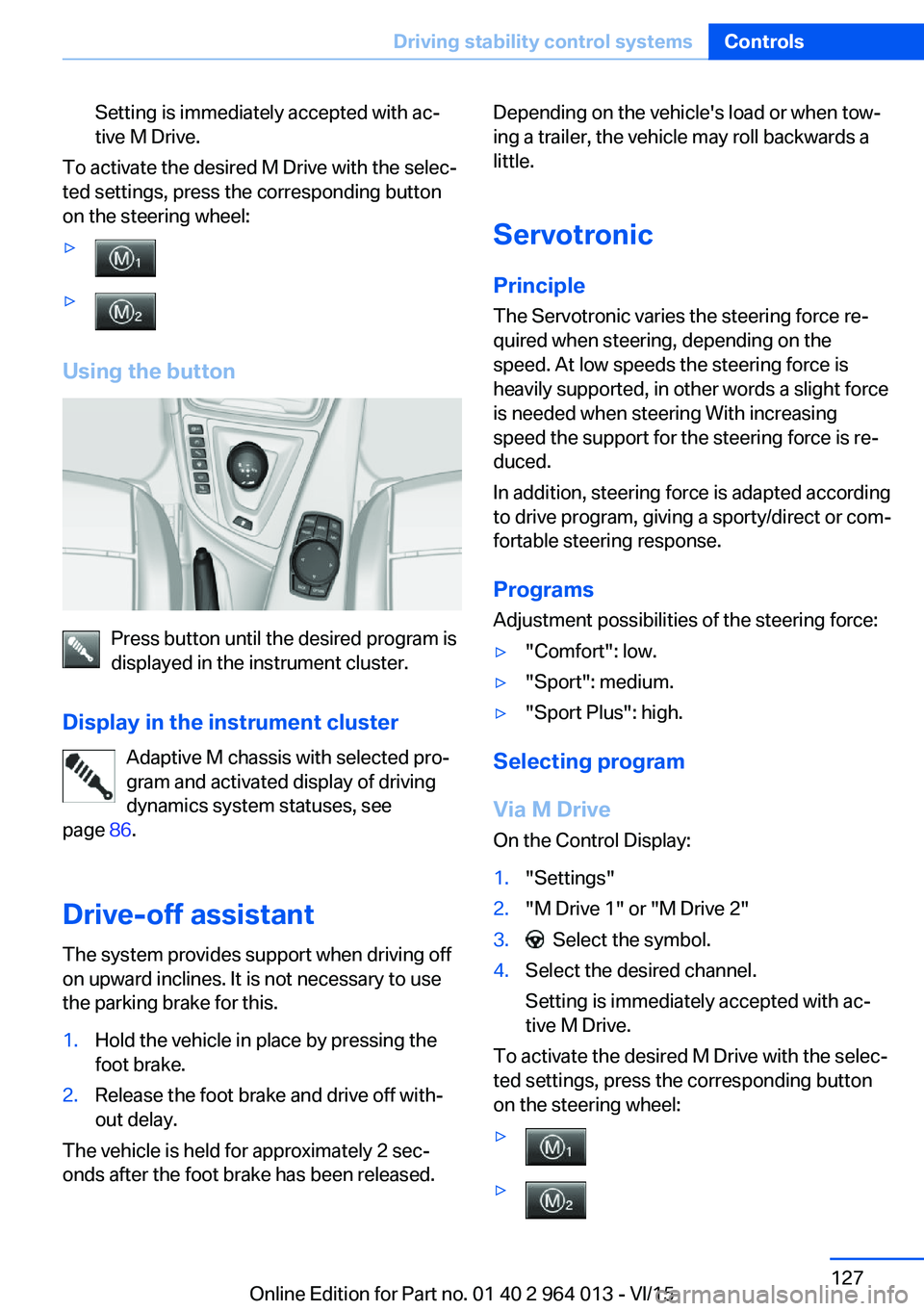
Press button until the desired program is
displayed in the instrument cluster.
Display in the instrument cluster Adaptive M chassis with selected pro‐
gram and activated display of driving
dynamics system statuses, see
page 86.
Drive-off assistant The system provides support when driving off
on upward inclines. It is not necessary to use
the parking brake for this.
1.Hold the vehicle in place by pressing the
foot brake.2.Release the foot brake and drive off with‐
out delay.
The vehicle is held for approximately 2 sec‐
onds after the foot brake has been released.
Depending on the vehicle's load or when tow‐
ing a trailer, the vehicle may roll backwards a
little.
Servotronic
Principle The Servotronic varies the steering force re‐
quired when steering, depending on the
speed. At low speeds the steering force is
heavily supported, in other words a slight force
is needed when steering With increasing
speed the support for the steering force is re‐
duced.
In addition, steering force is adapted according
to drive program, giving a sporty/direct or com‐
fortable steering response.
Programs Adjustment possibilities of the steering force:▷"Comfort": low.▷"Sport": medium.▷"Sport Plus": high.
Selecting program
Via M Drive On the Control Display:
1."Settings"2."M Drive 1" or "M Drive 2"3. Select the symbol.4.Select the desired channel.
Setting is immediately accepted with ac‐
tive M Drive.
To activate the desired M Drive with the selec‐
ted settings, press the corresponding button
on the steering wheel:
▷▷Seite 127Driving stability control systemsControls127
Online Edition for Part no. 01 40 2 964 013 - VI/15