2016 BMW M4 trailer
[x] Cancel search: trailerPage 43 of 228

On closing the boot lid, it is locked again and
monitored, as long as the doors are locked.
The hazard warning system flashes once.
Indicator light on the rear-view mirror▷Indicator light flashes every 2 seconds:
The alarm system is armed.▷Indicator light flashes after locking:
Doors, bonnet or boot lid are not closed
correctly. Correctly closed access points
are secured.
After ten seconds, the indicator light
flashes continuously. Interior protection
and tilt alarm sensor are not active.
If the access that is still open is closed then
the interior protection and tilt alarm sensor
are switched on.▷The indicator light no longer illuminates af‐
ter the vehicle has been unlocked:
No attempt has been made to tamper with
the vehicle.▷The indicator light flashes after unlocking
until the ignition is switched on, but for no
longer than approximately five minutes:
The alarm has been triggered.
Tilt alarm sensor The incline of the vehicle is monitored.
Alarm system responds, for example, when
there is an attempt to steal a wheel or when
towing away.
Interior movement detector
To ensure perfect functioning, the windows
and Glass Roof must be closed.
Avoiding false alarms
The tilt alarm sensor and interior movement detector can be switched off together, for ex‐
ample in the following situations:▷In car washes.▷In two-level garages.▷During transport via motorail, car ferry or
trailer.▷When there are animals in the vehicle.
Switching off the tilt alarm sensor and
interior movement detector
Press the button on the remote control
again within 10 seconds, as soon as the
vehicle is locked.
The indicator light illuminates for approxi‐
mately 2 seconds and then flashes again.
The tilt alarm sensor and the interior move‐
ment detector are switched off until the next
time the car is locked.
Switching off the alarm
▷Unlock the vehicle with the remote control
or switch on the ignition, if necessary using
special ID of remote control, see page 33.▷For Comfort Access: completely grasp ei‐
ther front door handle when carrying re‐
mote control.
Power windows
Note WARNING
Unsupervised children or animals in the
vehicle can set the vehicle in motion and en‐
danger themselves or other road users, for ex‐
ample by the following actions:
Seite 43Opening and closingControls43
Online Edition for Part no. 01 40 2 964 013 - VI/15
Page 127 of 228
Setting is immediately accepted with ac‐
tive M Drive.
To activate the desired M Drive with the selec‐
ted settings, press the corresponding button
on the steering wheel:
▷▷
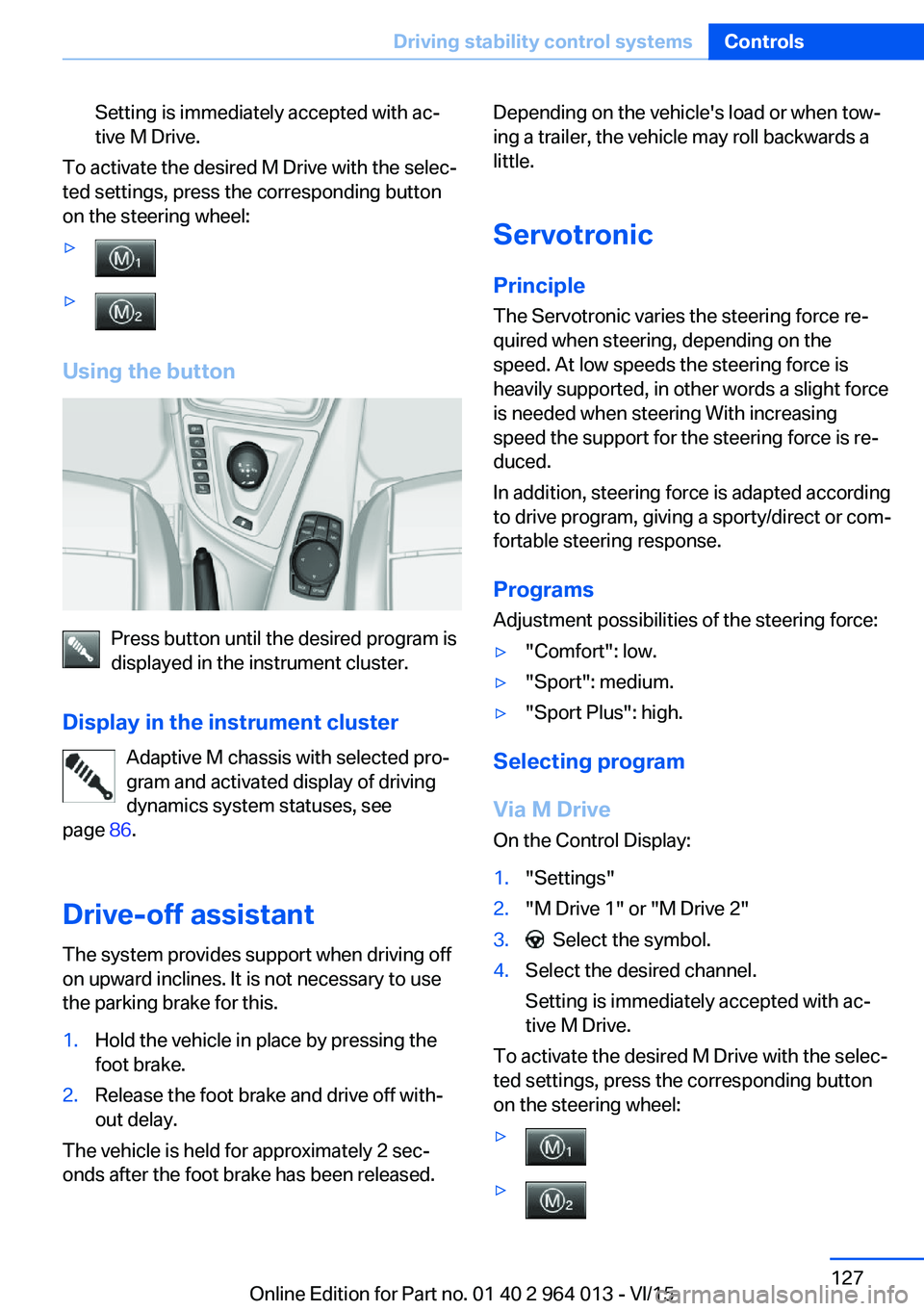
Using the button
Press button until the desired program is
displayed in the instrument cluster.
Display in the instrument cluster Adaptive M chassis with selected pro‐
gram and activated display of driving
dynamics system statuses, see
page 86.
Drive-off assistant The system provides support when driving off
on upward inclines. It is not necessary to use
the parking brake for this.
1.Hold the vehicle in place by pressing the
foot brake.2.Release the foot brake and drive off with‐
out delay.
The vehicle is held for approximately 2 sec‐
onds after the foot brake has been released.
Depending on the vehicle's load or when tow‐
ing a trailer, the vehicle may roll backwards a
little.
Servotronic
Principle The Servotronic varies the steering force re‐
quired when steering, depending on the
speed. At low speeds the steering force is
heavily supported, in other words a slight force
is needed when steering With increasing
speed the support for the steering force is re‐
duced.
In addition, steering force is adapted according
to drive program, giving a sporty/direct or com‐
fortable steering response.
Programs Adjustment possibilities of the steering force:▷"Comfort": low.▷"Sport": medium.▷"Sport Plus": high.
Selecting program
Via M Drive On the Control Display:
1."Settings"2."M Drive 1" or "M Drive 2"3. Select the symbol.4.Select the desired channel.
Setting is immediately accepted with ac‐
tive M Drive.
To activate the desired M Drive with the selec‐
ted settings, press the corresponding button
on the steering wheel:
▷▷Seite 127Driving stability control systemsControls127
Online Edition for Part no. 01 40 2 964 013 - VI/15
Page 133 of 228

▷With persons with certain clothing, for ex‐
ample a coat.▷With external disruption to the ultrasound,
for example by passing vehicles or loud
machines.▷If the sensors are dirty, iced-up, damaged
or incorrectly adjusted.▷In certain weather conditions, for example
high humidity, rain, snowfall, extreme heat
or strong wind.▷With trailer noses and tow hitches of other
vehicles.▷With thin or wedge-shaped objects.▷With moving objects.▷For higher, protruding objects, for example
projecting walls or loads.▷For objects with corners and sharp edges.▷For objects with fine surfaces or struc‐
tures, for example fences.▷For objects with porous surfaces.
Low objects already indicated, such as kerbs,
may enter the sensors' blind areas before or
after a continuous tone is given.
False alarms
Under the following conditions, PDC can issue
a warning although there is no obstacle in the
detection range:
▷In heavy rain.▷If the sensors are very dirty or covered with
ice.▷If the sensors are covered with snow.▷On rough road surfaces.▷On uneven ground, for example speed
bumps.▷In large, rectangular buildings with smooth
walls, for example underground car parks.▷In car washes.▷Due to dense exhaust gas.▷Due to other ultrasonic sources, for exam‐
ple sweeping machines, steam-jet cleaners
or neon lights.
The functional disruption is reported by an
alternating continuous tone between the
front and rear loudspeakers. As soon as
the disruption by other ultrasound sources
is no longer present, the system is fully
functional again.
Malfunction
A Check Control message is shown.
The recording area of the sensors is shown
hatched on the Control Display.
PDC has failed. Have the system checked.
Surround view Principle
Surround view contains various camera assis‐
tance systems, providing support when park‐
ing, manoeuvring and exits and junctions with
poor visibility.
▷Rear-view camera, see page 133.▷Side view, see page 136.▷Top view, see page 137.
Rear-view camera
Principle The rear-view camera offers assistance when
reversing into a parking space or manoeuvring.
To achieve this, the area behind the vehicle is
displayed on the Control Display.
Notes WARNING
The system does not take your personal
responsibility from you when you are estimat‐
ing the traffic situation. Danger of accidents.
Adapt driving style to the driving conditions.
Seite 133Driving comfortControls133
Online Edition for Part no. 01 40 2 964 013 - VI/15
Page 143 of 228

Limits of the ultrasound measurement
Detection of objects might not be possible if
the limits of the physical ultrasound measure‐
ment are exceeded, such as for instance at the
following times:▷With small children and animals.▷With persons with certain clothing, for ex‐
ample a coat.▷With external disruption to the ultrasound,
for example by passing vehicles or loud
machines.▷If the sensors are dirty, iced-up, damaged
or incorrectly adjusted.▷In certain weather conditions, for example
high humidity, rain, snowfall, extreme heat
or strong wind.▷With trailer noses and tow hitches of other
vehicles.▷With thin or wedge-shaped objects.▷With moving objects.▷For higher, protruding objects, for example
projecting walls or loads.▷For objects with corners and sharp edges.▷For objects with fine surfaces or struc‐
tures, for example fences.▷For objects with porous surfaces.
Low objects already indicated, such as kerbs,
may enter the sensors' blind areas before or
after a continuous tone is given.
In some cases, parking spaces may be detec‐
ted that are not suitable or suitable parking
spaces may not be detected.
Malfunction
A Check Control message is shown.
The Park Assistant has failed. Have the system
checked.
Seite 143Driving comfortControls143
Online Edition for Part no. 01 40 2 964 013 - VI/15