2016 BMW M4 tow
[x] Cancel search: towPage 127 of 228
Setting is immediately accepted with ac‐
tive M Drive.
To activate the desired M Drive with the selec‐
ted settings, press the corresponding button
on the steering wheel:
▷▷
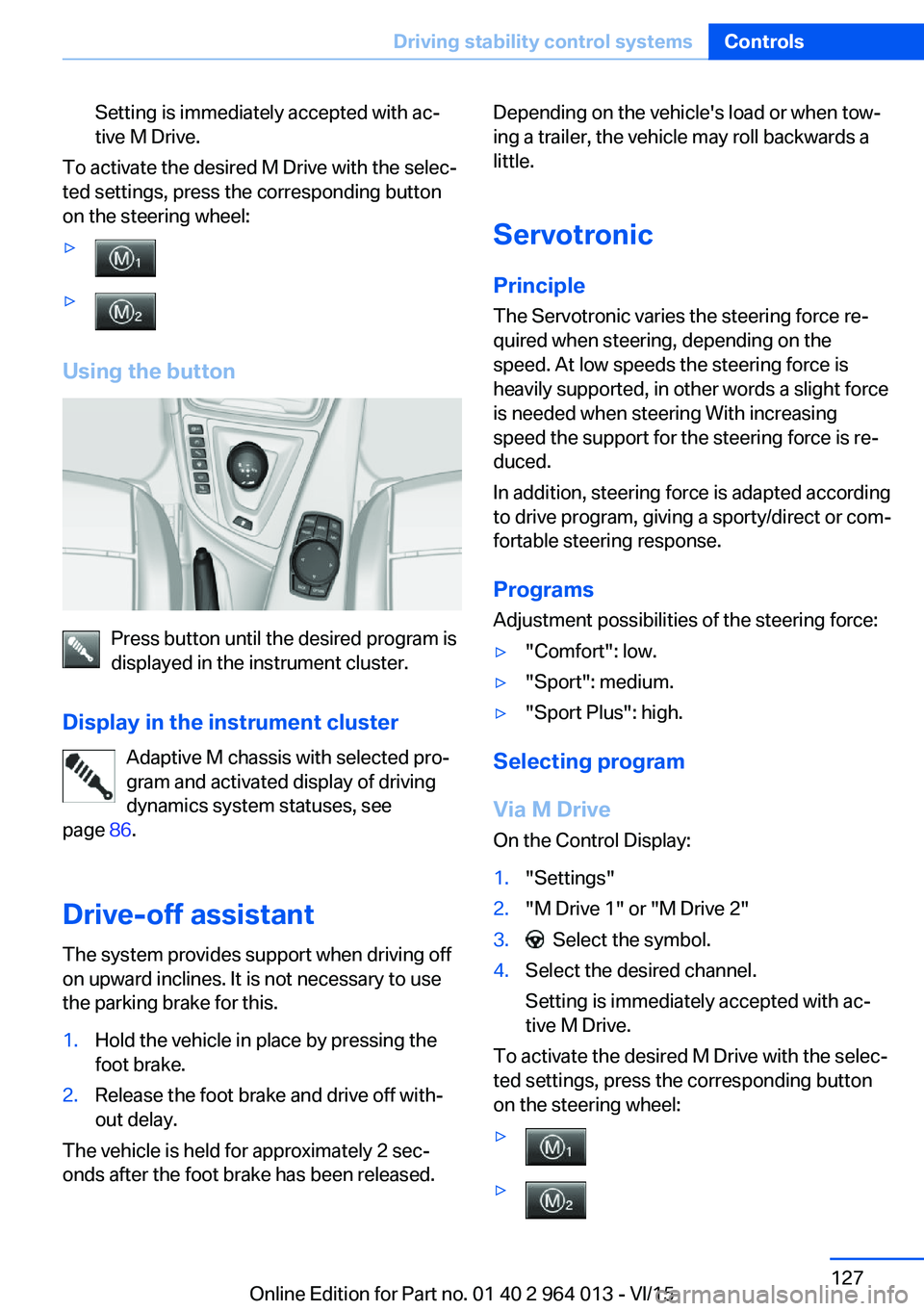
Using the button
Press button until the desired program is
displayed in the instrument cluster.
Display in the instrument cluster Adaptive M chassis with selected pro‐
gram and activated display of driving
dynamics system statuses, see
page 86.
Drive-off assistant The system provides support when driving off
on upward inclines. It is not necessary to use
the parking brake for this.
1.Hold the vehicle in place by pressing the
foot brake.2.Release the foot brake and drive off with‐
out delay.
The vehicle is held for approximately 2 sec‐
onds after the foot brake has been released.
Depending on the vehicle's load or when tow‐
ing a trailer, the vehicle may roll backwards a
little.
Servotronic
Principle The Servotronic varies the steering force re‐
quired when steering, depending on the
speed. At low speeds the steering force is
heavily supported, in other words a slight force
is needed when steering With increasing
speed the support for the steering force is re‐
duced.
In addition, steering force is adapted according
to drive program, giving a sporty/direct or com‐
fortable steering response.
Programs Adjustment possibilities of the steering force:▷"Comfort": low.▷"Sport": medium.▷"Sport Plus": high.
Selecting program
Via M Drive On the Control Display:
1."Settings"2."M Drive 1" or "M Drive 2"3. Select the symbol.4.Select the desired channel.
Setting is immediately accepted with ac‐
tive M Drive.
To activate the desired M Drive with the selec‐
ted settings, press the corresponding button
on the steering wheel:
▷▷Seite 127Driving stability control systemsControls127
Online Edition for Part no. 01 40 2 964 013 - VI/15
Page 133 of 228

▷With persons with certain clothing, for ex‐
ample a coat.▷With external disruption to the ultrasound,
for example by passing vehicles or loud
machines.▷If the sensors are dirty, iced-up, damaged
or incorrectly adjusted.▷In certain weather conditions, for example
high humidity, rain, snowfall, extreme heat
or strong wind.▷With trailer noses and tow hitches of other
vehicles.▷With thin or wedge-shaped objects.▷With moving objects.▷For higher, protruding objects, for example
projecting walls or loads.▷For objects with corners and sharp edges.▷For objects with fine surfaces or struc‐
tures, for example fences.▷For objects with porous surfaces.
Low objects already indicated, such as kerbs,
may enter the sensors' blind areas before or
after a continuous tone is given.
False alarms
Under the following conditions, PDC can issue
a warning although there is no obstacle in the
detection range:
▷In heavy rain.▷If the sensors are very dirty or covered with
ice.▷If the sensors are covered with snow.▷On rough road surfaces.▷On uneven ground, for example speed
bumps.▷In large, rectangular buildings with smooth
walls, for example underground car parks.▷In car washes.▷Due to dense exhaust gas.▷Due to other ultrasonic sources, for exam‐
ple sweeping machines, steam-jet cleaners
or neon lights.
The functional disruption is reported by an
alternating continuous tone between the
front and rear loudspeakers. As soon as
the disruption by other ultrasound sources
is no longer present, the system is fully
functional again.
Malfunction
A Check Control message is shown.
The recording area of the sensors is shown
hatched on the Control Display.
PDC has failed. Have the system checked.
Surround view Principle
Surround view contains various camera assis‐
tance systems, providing support when park‐
ing, manoeuvring and exits and junctions with
poor visibility.
▷Rear-view camera, see page 133.▷Side view, see page 136.▷Top view, see page 137.
Rear-view camera
Principle The rear-view camera offers assistance when
reversing into a parking space or manoeuvring.
To achieve this, the area behind the vehicle is
displayed on the Control Display.
Notes WARNING
The system does not take your personal
responsibility from you when you are estimat‐
ing the traffic situation. Danger of accidents.
Adapt driving style to the driving conditions.
Seite 133Driving comfortControls133
Online Edition for Part no. 01 40 2 964 013 - VI/15
Page 143 of 228

Limits of the ultrasound measurement
Detection of objects might not be possible if
the limits of the physical ultrasound measure‐
ment are exceeded, such as for instance at the
following times:▷With small children and animals.▷With persons with certain clothing, for ex‐
ample a coat.▷With external disruption to the ultrasound,
for example by passing vehicles or loud
machines.▷If the sensors are dirty, iced-up, damaged
or incorrectly adjusted.▷In certain weather conditions, for example
high humidity, rain, snowfall, extreme heat
or strong wind.▷With trailer noses and tow hitches of other
vehicles.▷With thin or wedge-shaped objects.▷With moving objects.▷For higher, protruding objects, for example
projecting walls or loads.▷For objects with corners and sharp edges.▷For objects with fine surfaces or struc‐
tures, for example fences.▷For objects with porous surfaces.
Low objects already indicated, such as kerbs,
may enter the sensors' blind areas before or
after a continuous tone is given.
In some cases, parking spaces may be detec‐
ted that are not suitable or suitable parking
spaces may not be detected.
Malfunction
A Check Control message is shown.
The Park Assistant has failed. Have the system
checked.
Seite 143Driving comfortControls143
Online Edition for Part no. 01 40 2 964 013 - VI/15
Page 145 of 228

Air conditioning functions in detailSwitching system on/off
Switching on
Press any key, except▷Heated rear window.▷Seat heating
Switching off
In the lowest setting, press the left of
the button.
Temperature Turn the wheel to select the de‐
sired temperature.
The automatic air conditioning sets this tem‐ perature as quickly as possible, using higher
cooling or heating power if necessary. The
temperature is then maintained.
Avoid switching between different temperature
settings in rapid succession. The automatic air
conditioning will not then have sufficient time
to establish the temperature selected.
Cooling function
The interior can only be cooled when the en‐
gine is running.
Press the button.
Air is cooled and dried, then reheated
to suit the temperature setting.
Depending on weather conditions, the wind‐
screen and side windows may mist over mo‐
mentarily when the engine is started.
The cooling function is switched on automati‐
cally in the AUTO program.
When using the automatic air conditioning,
condensation water, see page 165, develops
that exits underneath the vehicle.
Maximum cooling effect Press the button.
System is set to lowest temperature,
optimum air flow and recirculated-air mode.
The air flows from the outlets for the upper
body area. Therefore open the ventilation vents.
The function is available through an outside
temperature of approximately 0 ℃/32 ℉ and
with the engine running.
The air flow can be adapted when the program
is active.
AUTO program Press the button.
The air flow, air distribution and tem‐
perature are automatically regulated.
Depending on the selected temperature, inten‐
sity AUTO program and external influences,
the air is directed towards the windscreen, side
windows, upper body, and into the footwell.
The cooling function, see page 145, is
switched on automatically in the AUTO pro‐
gram.
A condensation sensor also controls the pro‐
gram so that condensation is avoided as much
as possible.
Intensity of AUTO program
When AUTO program is switched on, auto‐
matic control of the intensity can be changed.
Pressing the button on the left or right
reduces or increases intensity.
The selected intensity is shown on the display
for automatic air conditioning.Seite 145ClimateControls145
Online Edition for Part no. 01 40 2 964 013 - VI/15
Page 146 of 228

Automatic air recirculation control,
AUC/recirculated-air mode
If the air outside the vehicle has an unpleasant
odour or contains pollutants, the supply to the
interior of the vehicle can be shut off. The air
inside the vehicle is then recirculated.
Press button repeatedly to call up an
operating mode:▷LEDs off: ambient air is constantly entering
the car.▷Left-hand LED on, AUC mode: a sensor
detects pollutants in the outside air and
shuts it out automatically.▷Right-hand LED on, recirculated-air mode:
the ambient air supply is permanently shut
off.
The recirculated-air mode automatically
switches off at low outside temperatures after
a given time, to avoid condensation.
Continuous recirculated-air mode deteriorates
the air quality in the interior and condensation
on the windows increases.
If there is condensation on the window, switch
off recirculated-air mode and press the AUTO
button to use the condensation sensor. Ensure
that air can flow towards the windscreen.
Adjusting the air flow manually To be able to adjust the air flow manually, first
switch off the AUTO program.
Pressing the button on the left or right
reduces or increases the air flow.
The selected air flow is shown on the display
for automatic air conditioning.
In order to protect the battery the air flow rate
of the automatic air conditioning is reduced, if
necessary.
Adjusting the air distribution manually Press button repeatedly to select a
program:
▷Upper body area.▷Upper body area and footwell.▷Footwell.▷Windows and footwell: only on the driver's
side.▷Windows, upper body area and footwell:
only on the driver's side.
If there is condensation on the window, press
the AUTO button in order to use the conden‐
sation sensor.
Defrosting windows and removing
condensation
Press the button.
This removes ice and condensation
quickly from the windscreen and the front side
windows.
To do this, point the side nozzles at the side
windows if necessary.
The air flow can be adapted when the program
is active.
If there is condensation on the window, switch
on the cooling function as well or press the AUTO button to use the condensation sensor.
Heated rear window Press the button.
The heated rear window is switched
off automatically after a certain period of time.
Microfilter/activated charcoal filter
In outside and recirculated-air mode, the mi‐
crofilter/activated carbon filter filters dust, pol‐ len and harmful gases from the air.
This filter should be changed during mainte‐
nance on your vehicle, see page 191.
Seite 146ControlsClimate146
Online Edition for Part no. 01 40 2 964 013 - VI/15
Page 147 of 228
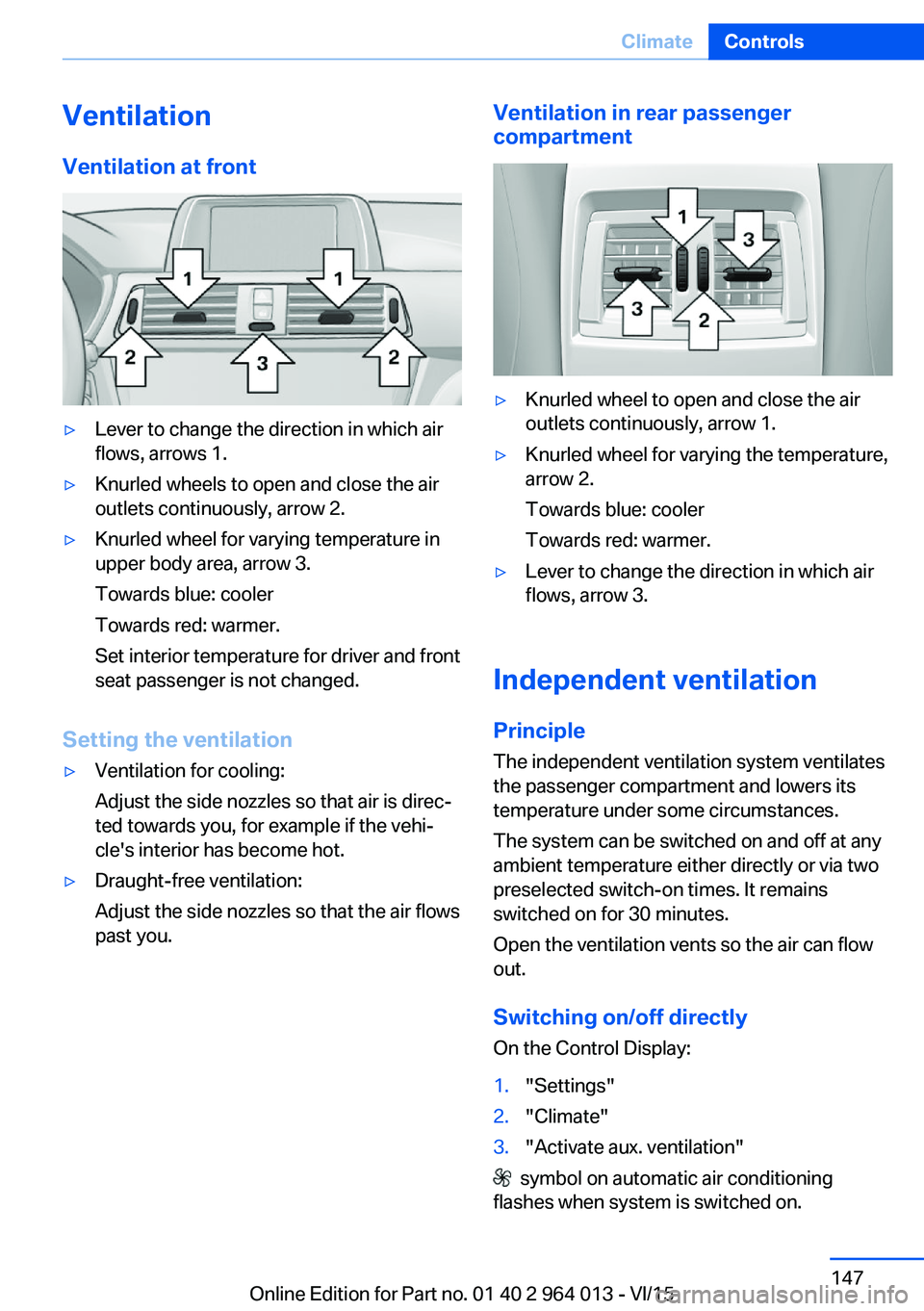
VentilationVentilation at front▷Lever to change the direction in which air
flows, arrows 1.▷Knurled wheels to open and close the air
outlets continuously, arrow 2.▷Knurled wheel for varying temperature in
upper body area, arrow 3.
Towards blue: cooler
Towards red: warmer.
Set interior temperature for driver and front
seat passenger is not changed.
Setting the ventilation
▷Ventilation for cooling:
Adjust the side nozzles so that air is direc‐
ted towards you, for example if the vehi‐
cle's interior has become hot.▷Draught-free ventilation:
Adjust the side nozzles so that the air flows
past you.Ventilation in rear passenger
compartment▷Knurled wheel to open and close the air
outlets continuously, arrow 1.▷Knurled wheel for varying the temperature,
arrow 2.
Towards blue: cooler
Towards red: warmer.▷Lever to change the direction in which air
flows, arrow 3.
Independent ventilation
Principle The independent ventilation system ventilates
the passenger compartment and lowers its
temperature under some circumstances.
The system can be switched on and off at any
ambient temperature either directly or via two
preselected switch-on times. It remains
switched on for 30 minutes.
Open the ventilation vents so the air can flow
out.
Switching on/off directly
On the Control Display:
1."Settings"2."Climate"3."Activate aux. ventilation"
symbol on automatic air conditioning
flashes when system is switched on.
Seite 147ClimateControls147
Online Edition for Part no. 01 40 2 964 013 - VI/15
Page 153 of 228
Storage compartmentsVehicle equipmentThis chapter describes all standard, national
and special equipment provided in the model
series. Equipment not available in the vehicle is
therefore also described, for example the se‐
lected special equipment or national version.
This also applies to safety-relevant functions
and systems. Comply with the relevant na‐
tional regulations when using the correspond‐
ing functions and systems.
Notes WARNING
Loose objects in the interior can be
thrown into the interior during the journey, for
example in an accident or during braking and
evasive manoeuvres. Danger of injury. Secure
loose objects in the interior.◀
ATTENTION
Anti-slip mats can damage the dash‐
board. Danger of damage to property. Do not
use anti-slip mats.◀
Storage options The following storage options are located in
the interior:▷Glove box on the passenger side, see
page 153.▷Glove box on the driver's side, see
page 154.▷Without smoker's package: front compart‐
ment, in front of cupholders, see
page 154.▷Storage compartment in the front centre
armrest, see page 154.▷Pockets in the doors, see page 154.▷Nets on the backrests of the front seats.▷Storage compartment between the rear
seats, see page 155.
Glove box
Front passenger's side
Note WARNING
The glove box projects into the interior
when it is opened. Objects in the glove box can
be thrown into the interior during the journey,
for example in an accident or during braking
and evasive manoeuvres. Danger of injury. Im‐
mediately close the glove box after using it.◀
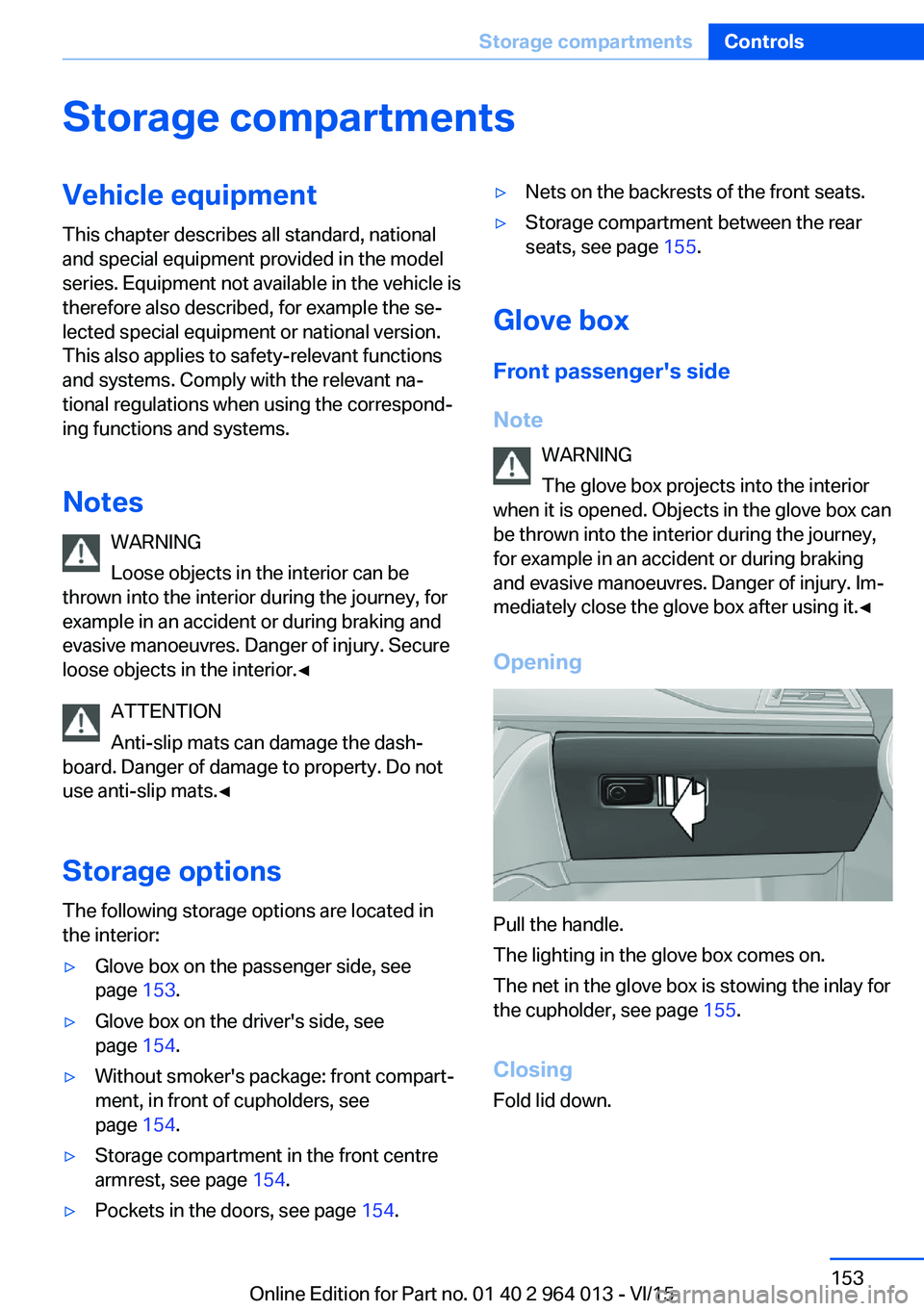
Opening
Pull the handle.
The lighting in the glove box comes on.
The net in the glove box is stowing the inlay for
the cupholder, see page 155.
Closing
Fold lid down.
Seite 153Storage compartmentsControls153
Online Edition for Part no. 01 40 2 964 013 - VI/15
Page 155 of 228
SlidingCentre armrest can be slid in the longitudinal
direction. It engages into the end positions.
Connection for external audio device An external audio device, for ex‐
ample an MP3 player, can be
connected through the AUX-IN
port or the USB audio interface
in the centre armrest.
Storage compartment
between the rear seats
A storage compartment is located between the
rear seats.
Cupholder
Note WARNING
Unsuitable containers in the cupholder
and hot drinks can damage the cupholders,
and increase the risk of injury in an accident.
Danger of injury or damage to property. Use
light, lockable containers that are shatterproof.
Do not transport hot drinks. Do not force ob‐
jects into the cupholder.◀
FrontFittings for front cupholders
With the fitting, the cupholders can be used as
an extra compartment. To do this, put the fit‐
tings into the cupholder.
Only use fittings for small object, for exaple a
key or remote control.
When not in use, stow the fittings in the net in
the glove box. To do this, plug the fittings with
the top upwards in the net. Observe the trape‐
zoidal shape of net and fitting.
Coat hooks WARNING
Items of clothing on the coat hooks can
impair visibility when driving. Danger of acci‐
dents. Hang items of clothing from the hooks
so they do not obstruct visibility when driv‐
ing.◀
WARNING
Incorrect use of the coat hooks can rep‐
resent a danger, for example if objects fly
around in the case of braking and evasive ma‐
noeuvres. Danger of injury and damage to
property. Only hang light objects, for example items of clothing, on the coat hooks.◀
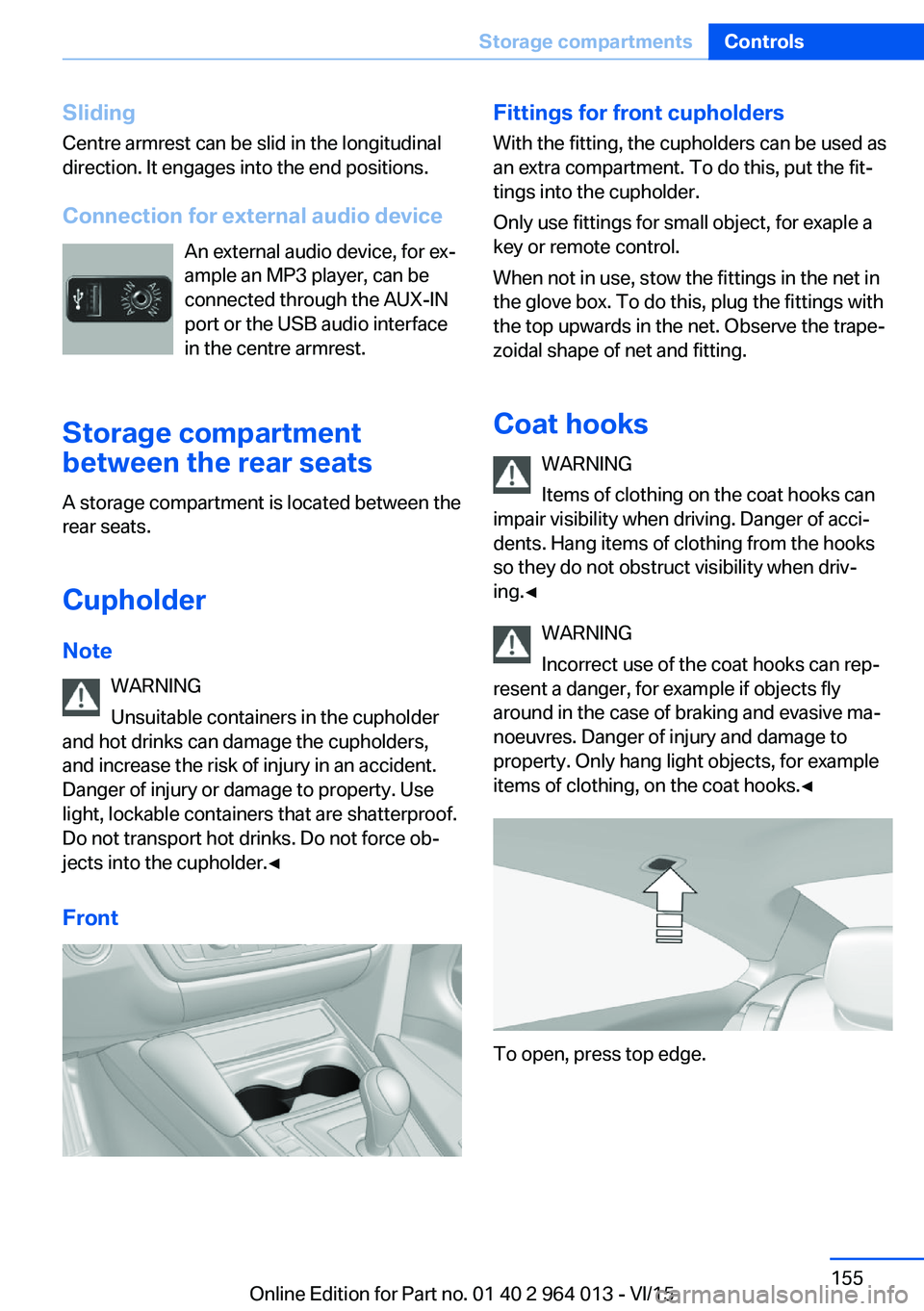
To open, press top edge.
Seite 155Storage compartmentsControls155
Online Edition for Part no. 01 40 2 964 013 - VI/15