2015 AUDI TT ROADSTER warning
[x] Cancel search: warningPage 67 of 244
_& WARNING
The outlet plus any appliances plugged in
to it remain functional
even if the ignition
is switched off or the ignition key is re
moved. Never leave children inside the
ve
hicle without supervision.
(D Note
To avo id damag ing the socket, only use
plugs that fit properly.
@ Tips
When the engine is off and accessories are
still plugged in and are on, the vehicle bat
tery can still be dra ined.
Storage
General
_& WARNING
- Always remove objects from the instru
ment panel. Any items not put away
could slide around inside the vehicle
wh ile driving or when accelerating or
when applying the brakes or when driv
ing around a corner.
-
- When you are driving make sure that
anything you may have placed in the cen
ter console or other storage locations
cannot fall o ut into the footwells . In case
of sudden braking you would not be able
to brake or accelerate.
Seats and storage 65
Glove compartment
The glove compartment is illuminated and
can be locked .
i
----------- i
•
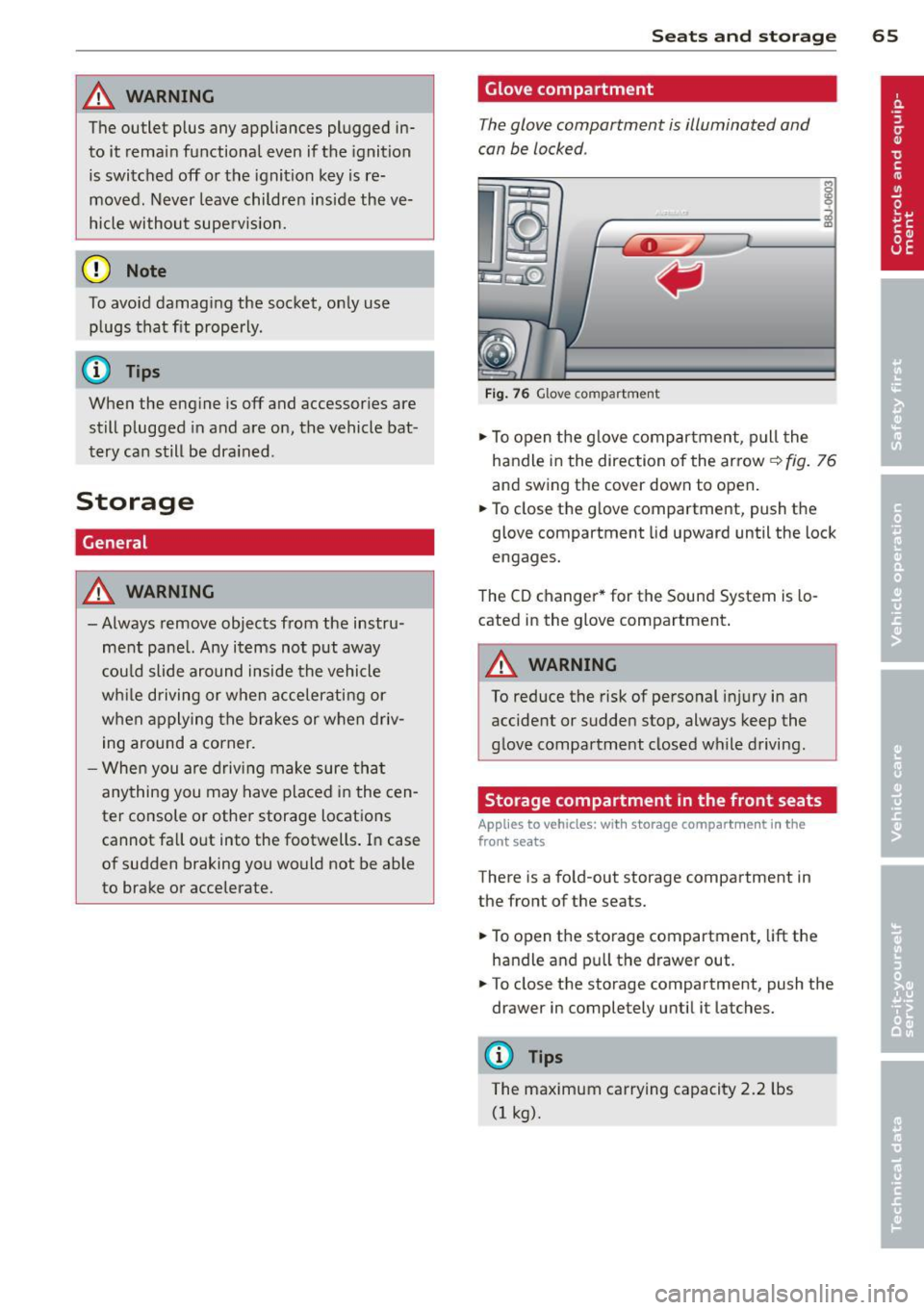
Fig . 76 Glove compartme nt
.,.. To open the glove compartment, pull the
handle in the direction of the arrow~
fig. 76
and swing the cover down to open .
.. To close the glove compartment, push the
glove compartment lid upward until the lock
engages.
The CD changer * for the Sound System is lo
cated in the glove compartment .
A WARNING
To reduce the risk of personal i njury in an
accident or sudden stop, always keep the
glove compartment closed while driving.
Storage compartment in the front seats
Applies to vehicles: with storage compartment in the
front seats
There is a fold-out storage compartment in
the front of the seats .
.. To open the storage compartment,
lift the
handle and pull the drawer out .
-
.. To close the storage compartment, push the
drawer in completely until it latches.
('.I) Tips
The maximum carrying capacity 2.2 lbs
(1 kg).
Page 68 of 244
66 Seats and st o rage
Storage compartment between the
seatbacks
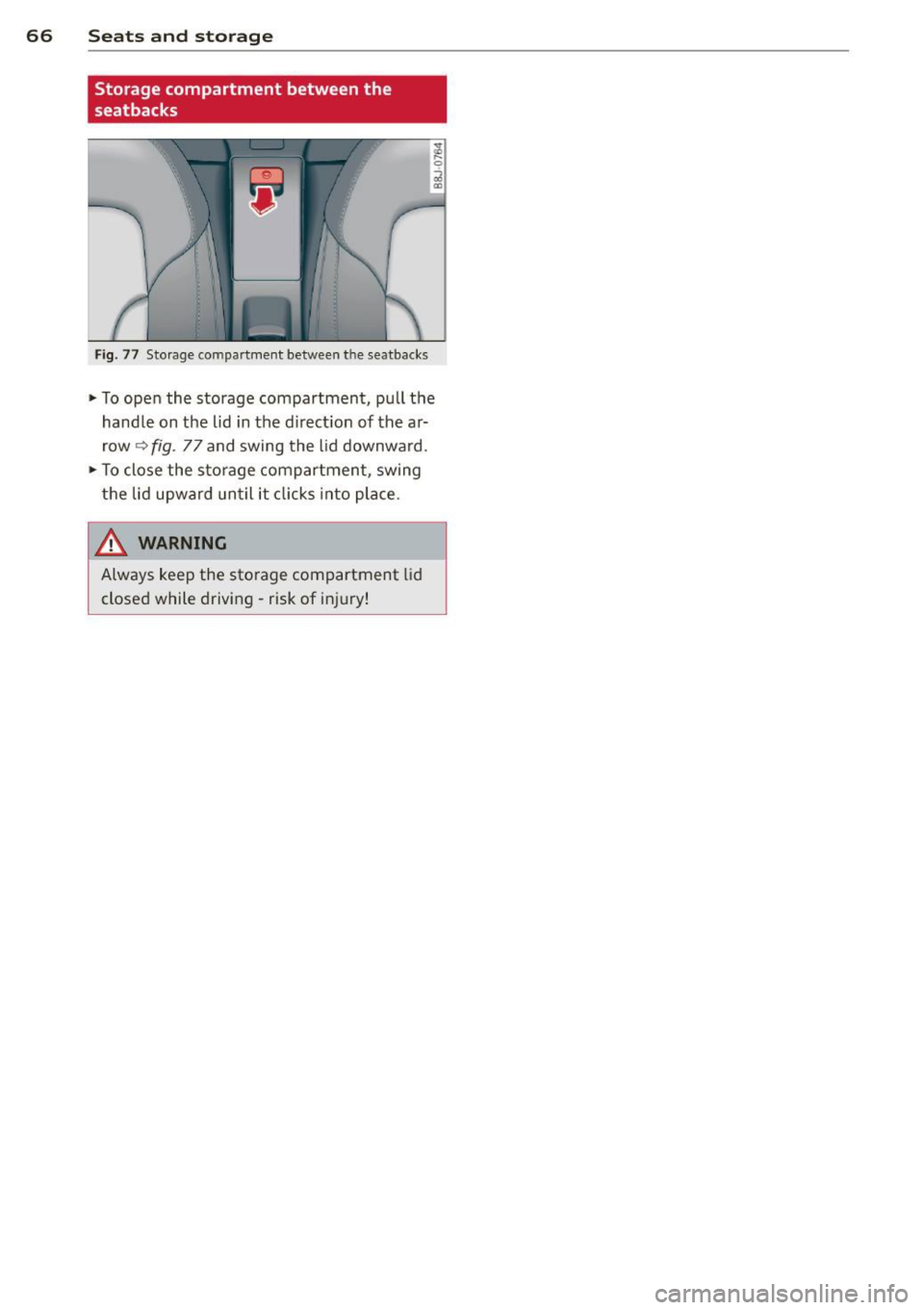
F ig . 77 Storage compartmen t between t he seatbacks
.. To ope n the storage compartment, pull the
hand le on the lid in the d irect ion of the a r
row
~ fig . 77 and swing the lid downward .
.. To close the sto rage compartment, swing
the lid upward until it cl icks into place .
& WARNING
Always keep the sto rage compartment lid
closed while driving - risk of inj ury!
Page 70 of 244
68 Warm and cold
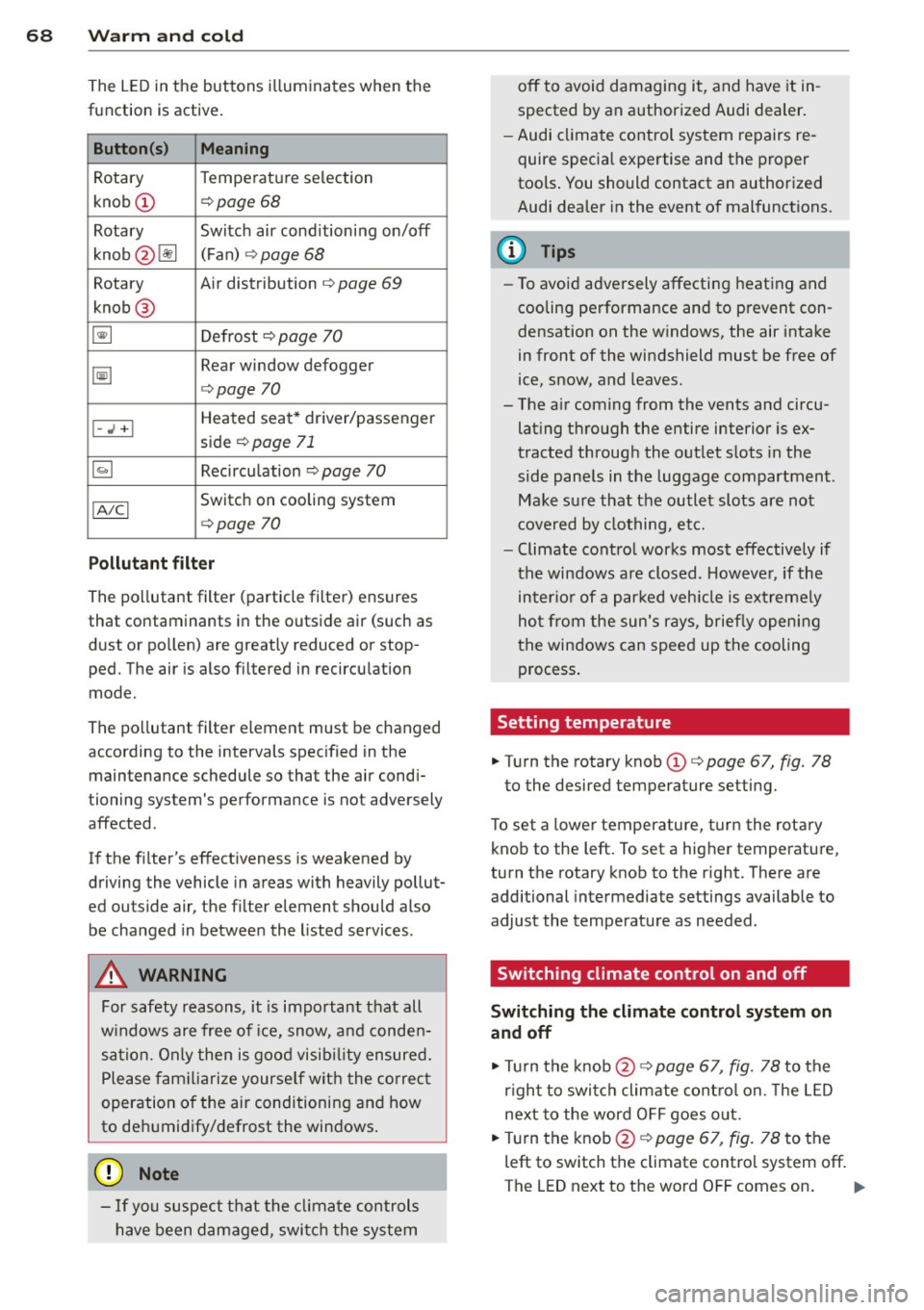
The LE D in the buttons ill uminates when the
function is active .
Button(s) Meaning
Rotary Temperature selection
knob
(D ¢ page 68
Rotary Switch air conditioning on/off
knob @lil (
F an) ¢
page 68
Rotary Air distribution ¢ page 69
knob @
~ Defrost ¢ page 70
~
Rear window defogger
¢page 70
Heated seat* driver/passenger
I-..i +I side ¢ page 71
~ Recircu lation ¢ page 70
IA/Cl Switch on cooling system
¢page 70
Pollutant filt er
The pollutant filter (particle filter) ensures
that contaminants in the outside air (such as
d ust or pollen) are greatly reduced or stop
ped. The air is also filtered in recircu lation
mode.
The po llutant filter element must be changed
according to the intervals specified in the
maintenance schedule so that the air condi
tioning system's performance is not adversely
affected .
If the filter's effectiveness is weakened by
driving the vehicle in areas with heavily pollut
ed outside air, the filter element should also
be changed in between the listed services.
A WARNING
For safety reasons, it is important that all
w indows are free of ice, snow, and conden
sation. Only then is good visib ility ensured.
Please fam iliari ze yourse lf with the co rrec t
operation of the air conditioning and how
to de humidify/defrost the windows .
([) Note
-If you suspect that the clima te controls
have been damaged, swi tch the system off to avoid damaging it, and have it in
spected by an authorized Audi dea
ler .
- Audi climate control system repairs re
quire special expertise and the proper
tools . You should contact an authorized
Audi dealer in the event of malfunctions.
(D Tips
- To avoid adversely affecting heating and
cooling performance and to prevent con
densation on the windows, the air intake
in front of the windshield must be free of
ice, snow, and leaves.
- The a ir coming from the vents and circu
lat ing through the entire interior is ex
tracted through the out let slots in the
side pane ls in the luggage compartment .
Make sure that the outlet slots are not
covered by clothing, etc.
- Climate contro l works most effectively if
the windows are closed. However, if the
inter io r of a par ked veh icle is ext reme ly
hot from the sun's rays, briefly opening
the windows can speed up the cooling process .
Setting temperature
.,. Turn the rotary knob (D ¢ page 67, fig. 78
to the desired temperature setting.
T o set a lower temperature, turn the rotary
knob to the left. To set a higher temperature,
turn the rotary knob to the r ight. There are
additional intermediate settings available to
adjust the temperature as needed.
Switching climate control on and off
Switching the climat e control sy stem on
and off
.,. Tu rn the knob@¢ page 67, fig. 78 to the
r ight to switch climate cont ro l on. The LED
next to the word O FF goes out.
.,. Turn the knob@¢
page 67, fig. 78 to the
left to switch the climate control system off.
The LED next to the word OFF comes on.
Iii>
Page 72 of 244
70 Warm and cold
Defrost~
The windshield and side windows ore defrost
ed or cleared of condensation as quickly as
possible .
• To turn on the defogger/defroster, press the
~ button <=> page 67, fig . 78 .
• To turn the defogger/defroster off, press the
~ button again, o r the IAUTOI button.
Temperature is controlled automatically . The
maximum amount of a ir flows mainly from
vents 1 <=>
page 69.
A small amount of air flows from vents 2 - if
they are open <=>
page 69.
Press ing the ~ button switches off recircu la
tion mode.
Automatic operation ~
Standard operating mode at all times of the
year.
Turning on automatic operation
• Set the temperature you want.
• Press the
!AUTO ! button <=> page 67, fig. 78.
Automatic operation ensures constant tem
perat ures in the inter ior and dehum idifies the
ai r inside the vehicle . Air temperature, vol
ume, and distribution are controlled automat
ica lly to reach or maintain the desired interior
temperature as quickly as possib le. Fluctua
tions in exterior temperature and the effects
of temperature from the position of the sun
are compensated for automat ically .
Manual air recirculation mode~
The recirculation mode prevents polluted out
side air from entering the vehicle interior.
Switching on air recir culation
• Press the button I;]<=> page 67, fig. 78
<=>A .
Switching off air recirculation
• Press the button ~ again, or
• Press the
!AU TO ! button, or •
Press the~ button .
In recircu lation mode, air is drawn from the
vehicle interior, filtered, and recirculated. We
recommend that you se lect recirculation
mode
briefly <=>.&. under the fo llowing condi
tions:
When driving through a tunnel or in a traff ic
jam so that exhaust fumes and odors cannot
enter the vehicle interior.
A WARNING
You shou ld not use the recirculation mode
for an extended period since no fresh air is
drawn in, and with the air condit ioning
switched off the windows can fog up - this
i ncreases the r isk of an accident!
A/C operation ~
Switching on A/C
• Press the IA/Cl button <=> page 67 , fig . 78 .
Switching A/C off
• Press the IA/Cl button again.
T he air is not coo led and humidity is not re
moved when cooling mode is switched off.
This can cause fog on the windows. Cooling mode switches off automatically when the
outside temperature is be low zero .
(D Tips
If the LED in the switch stays on after A/C
operation has been switched off(= switch
ing the A/C off), there is a fault in an air
cond itioning component. Please consult
an authorized Audi dealer when there is an
operating problem .
Rear window defogger~
The rear window defogger clears the rear win
dow of condensation.
• Press the QW button <=> page 67, fig. 78 to
turn the rear window defogger on and off.
Page 73 of 244
The rear window defogger works only when
the engine is running. The indicator light in
the button illuminates when the rear w indow
defogger is turned on .
The rear window defogger is switched off au
tomatically after approx . 10 minutes .
@) For the sake of the environment
As soon as the rear window is clear, yo u
should switch the rear window de fogger
off . The reduced power consumption has a
beneficial effect on fuel consumption.
Heated seats~
Applies to vehicles: with heated seats
The seat cushion and the seotbock of the
front seats con be heated electrically .
.,. Press the heated seats b utton I-J + I
Q page 67, fig. 78 to set the level of heating
desired .
The range of controls goes from 1 to 3. The heat setting se lected is shown by LEDs above
the button .
A WARNING
Individuals with reduced sensitivity to pain
or temperature could develop burns when
using the seat heating function. To reduce
the risk of inju ry, these individuals should
not use seat heat ing .
(D Note
To avo id damage to the heating elements
in the seats, do not kneel on the seats or
place heavy loads on a small area of the
seat .
Using the climate controls economically
Economical use of the climate controls helps
to save fuel .
When climate control is working in coo ling
mode, engine performance is reduced and
fuel consumption is affected . To keep the time
Warm and c old 71
the air conditioning is on as short as possible,
you should do the following:
.,. If you would like to save fuel, switch the ai r
condi tioning off .
.,. If you open the windows while driving,
switch the air conditioning off .
.,. If the veh icle is extremely hot d ue to the
heat of the sun, br iefly open doors and w in
dows .
@) For the sake of the environment
When you save fuel, you reduce emissions
from the vehicle.
Page 74 of 244

7 2 On the road
On the road
Steering
Adjusting the steering wheel column
The steering wheel position can be continu
ously adjusted in height and distance .
Fig. 80 Lever under the steer ing colu mn
~ Push the lever Q fig. 80 -Arrow- ¢&_ .
~ Move the steer ing whee l to the desired posi
tion.
~ Push the lever against the steering column
until it locks.
There must be at least 10 inches (25 cm) be
tween your chest and the center of the steer ing wheel. If you cannot sit more than 10 in
ches (25 cm) from the steering wheel, see if
adaptive equipment is available to help you
reach the pedals and increase the distance
from the steering wheel.
For detai led informat ion on how to adjust the
driver's seat, see
Q page 61.
A WARNING
Improper use of steering wheel adjust
ment and improper seating position can
cause serious personal injury .
- Adjust the steering wheel column only
when the veh icle is not moving to pre
vent loss of veh icle control.
-
- Adjust the driver's seat or steering wheel
so that there is a min imum of 10 inches
(25 cm) between your chest and the
steering wheel¢
page 92, fig . 99. If
you can not maintain this min imum dis
tance, the airbag system cannot protect
you properly.
- If physical limitations prevent you from
sitt ing 10 inches (25 cm) or more from
the steering wheel, check with your au
thorized Audi dealer to see if adaptive equ ipment is ava ilable .
- If the steer ing wheel is aligned with your
face, the supplemental dr iver's airbag
cannot provide as much protection in an
accident. Always make sure that the
steer ing whee l is aligned with your
chest.
- Always hold the steering wheel w ith your
hands at the 9 o'clock and 3 o' clock posi
tions to reduce the risk of persona l injury
if the driver's airbag dep loys .
- Never ho ld the steering wheel at the 12
o'clock position or with your hands inside
the steering wheel rim or on the steering
wheel hub . Holding the steering wheel
the wrong way can cause serious injuries
to the hands, arms and head if the driv
er's airbag deploys.
Ignition lock and ignition switch
Ignition lock
The ignition key starts or stops the engine.
F ig . 81 Ign it ion lock pos it ions
Igniti on off @
In position Q fig. 81 @ both the ignition and
engine are off, and the steering is locked .
T o
lo ck th e steering after yo u have removed
the ignition key, turn the steering whee l in ei
ther direction unti l you hear it lock into place .
You should a lways lock the steering whenever
II>
Page 75 of 244
you leave your vehicle. This makes a vehicle
theft even more difficult ¢ .&. .
Ign ition key safety lock
Afte r switch ing off the ignition, the ig nit ion
key ca n only be removed from the ig nition
l ock when the se lector lever is in the "P"
(Park) position . After you have removed the
key, the selector lever is locked and cannot be
moved.
Ign ition on (D
If it is diffic ult to turn the key afte r you have
inse rted it into the ignition lock, turn the
steering whee l back and forth. This will take
the load
off the steering lock mechanism and
you will be able to turn the key freely and start the engine.
Starting th e engine @
In this position the engine starts . While the
engine is starting, the power supply to the headlights and other e lectrica l consumers is
temporari ly interrupted to conserve battery
power. After the engine has started, release
the key and it will return to posit io n
(D .
Before the starter can be operated again the
key must be turned back to position @. The
non-repeat lock prevents you from damaging
the starter when the engine is runn ing .
A WARNING
-Never remove the key from the ign ition
lock whi le the vehicle is mov ing . The
steering wheel will lock causing loss of
co ntrol.
- If you have to leave your veh icle - even
for just a m inute - a lways remove t he ig
ni tion key and take it with you. This is es
pecially important if you are going to
leave ch ildren behind in the vehicle. The
children co uld start the engine or use
other vehicle controls. Unsupervised use
of vehicle controls (for example, power
windows) can cause serious personal in
jur ies .
-
On th e ro ad 73
(D Tips
If the vehicle battery has been disconnect
ed and then reconnected, then yo u must
l eave the key in posit ion
(D for about 5
seconds before you can start the engine.
Starting and stopping
the engine
' Starting the engine
The engine can only be started with an origi
nal Audi key .
.,. Se t the par king brake.
.,. Move the selector lever in P or
N q .&_ .
.,. Turn the ignition key to position @
~ page 72, fig. Bl -do not depress the gas
peda l when starting the engine!
.,. Let go of the key as soon as the engine
starts .
A cold engine may at first be loud after it has
been started. This is due to the hydraulic
valves bu ild ing up the oil pressure. Th is nor
mal and no need for concern .
If the engine does not start immediately, stop
trying after 10 seconds and then try to restart
the engine about 30 seconds later.
A WARNING
-Never start or let the eng ine run in a con-
fined o r enclosed area . Exhaust fumes
from the engine co ntain carbon monoxide,
a colorless and odo rless gas. Ca rbon mon
oxide can be f atal if inhaled.
- Never leave the engine id ling unattend
ed. An una ttended veh icle w ith a runn ing
engine poses a danger o f personal injury
or theft .
(D Note
-Avo id high engine speeds, fast accelera
tion or heavy engine loads while the en
gine is still cold. This could damage the
engine.
- The e ngine cannot be started by pushing
or towing the vehicle . .,..
Page 76 of 244
7 4 On the road
@ For the sake of the environment
To avoid unnecessary engine wear and to reduce exhaust emissions, do not let your
veh icle stand and warm up. Be ready to
drive off immediately after start ing your
veh icle. Maintain moderate speed until the
engine is comp letely warm. Remember,
the engine performs best at operating
temperature.
Stopping the engine
• Turn the ign ition key to position@
~ page 72, fig. 81.
&_ WARNING
-Never turn off the engine before the ve
hicle has come to a complete stop. The
full function of the brake booster and the
power steering is not guaranteed. You
must use more force to turn or brake if
necessary. Because you cannot steer and
brake as you usually would, this could
lead to crashes and serious injuries.
- The radiator fan can continue to run for
up to 10 minutes even after you have
turned off the engine and removed the
ignition key . The radiator fan can also
turn on again if the engine coolant heats up because of intense sunlight or heat
build-up in the engine compartment.
(D Note
Do not stop the engine immediate ly after
hard or extended driving. Keep the engine
running for approximately two minutes to
prevent excessive heat build-up.
Parking brake
Parking brake
When the parking brake is set, it prevents the
vehicle from rolling away unintentionally.
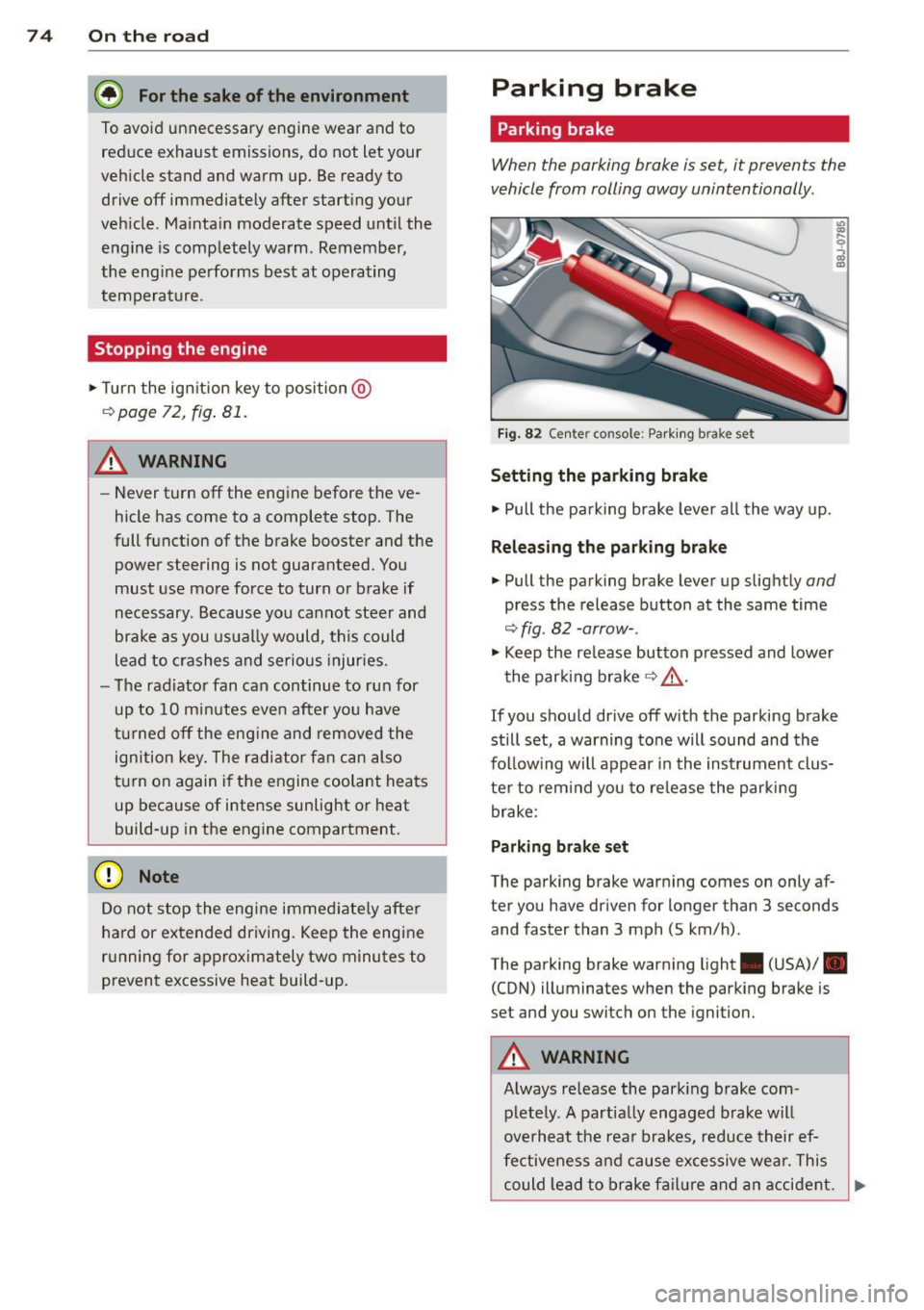
Fi g. 82 Center console: Park ing brake set
Setting the parking brake
• Pull the pa rking brake lever all the way up.
Releasing the parking brake
• Pull the parking brake lever up slightly and
press the release button at the same time
~fig. 82 -arrow-.
• Keep the release button pressed and lower
the parking brake~.&,.
If you should drive off with the parking brake
still set, a warning tone will sound and the
fol low ing will appear in the instrument clus
ter to remind you to release the parking
brake:
Parking brake set
The parking brake warning comes on only af
ter you have driven for longer than 3 seconds
and faster than 3 mph (5 km/h).
The parking brake warning light . (USA)/ .
(CON) illuminates when the parking brake is
set and you switch on the ignition.
&_ WARNING
Always release the park ing brake com-
pletely. A partially engaged brake will
overheat the rear brakes, reduce their ef
fectiveness and cause excessive wear. This
could lead to brake failure and an accident. .,..